Computers & Accessories

11 Best USB Microphone of 2026: Reliable Picks for Your Setup

Which USB microphones deliver clean audio without noise pickup or reliability issues? Find the right mic for streaming, podcasting, or gaming.

A high star rating on Amazon doesn't guarantee a USB microphone will perform in your room. Many budget condensers pick up keyboard clicks, fan hum, and room echo that reviews rarely mention. And behind the scenes, some brands have wildly inconsistent quality control — two units of the same model can behave differently.

This guide focuses on what actually matters for a clean recording: polar pattern suitability, noise rejection, build longevity, and whether the included stand does more harm than good. We consider both condenser and dynamic options across price tiers, because the best mic for a quiet home studio is not the same as the best mic for a noisy gaming setup.

The right choice comes down to your environment and how close you can sit to the microphone. A dynamic mic with tight off-axis rejection can save you from buying acoustic foam. A condenser with multiple patterns gives flexibility but demands a quieter room. Match the technology to your space, not the other way around.

1

HyperX QuadCast 2

Top Pick
HyperX QuadCast 2

Streaming & podcasting

Our Score 9.6/10
Check Price

Worth Noting

  • Room ambience and fan noise can be noticeable in quiet, untreated spaces.
  • Audio may cut out briefly during prolonged use for some users.
SNR
65 dB
Sample Rate
24-bit/96kHz
Polar Patterns
Cardioid, Omni, Bidirectional, Stereo
Onboard Controls
Mute, Gain, LED

The QuadCast 2 captures crisp, clear audio right out of the box with four polar patterns (cardioid, omni, bidirectional, stereo) that let you switch between solo commentary and group discussions without swapping hardware. The aluminum body feels dense and well-constructed, and the tap-to-mute function works instantly with a clear LED indicator.

In untreated rooms, the mic picks up ambient noise like computer fans or room echo more readily than a dynamic mic would. Speaking within 6-12 inches of the capsule and using the cardioid pattern reduces that pickup significantly. A small number of users have reported occasional audio dropouts during extended sessions, though for most these interruptions are brief and infrequent.

This mic suits streamers, podcasters, and content creators who want pattern flexibility and solid build quality without stepping up to an XLR interface. It is not an ideal choice for untreated, noisy rooms unless you are willing to pair it with a boom arm and close mic technique. The USB-C connection and on-board controls keep setup simple, and the shock mount reduces desk vibrations.

Tip: Position the mic 6-12 inches from your mouth and select the cardioid pattern to minimize background noise in untreated rooms.

Bottom line: If you need pattern flexibility and a durable build in a USB mic, the QuadCast 2 delivers without pushing you toward XLR gear.

2

Blue Yeti

Blue Yeti

Budget podcasting

Our Score 9.2/10
Check Price

Worth Noting

  • In untreated rooms, background noise like keyboard clicks and room ambience can be captured easily
  • The micro-USB port may become loose after extended use, leading to intermittent connection
SNR
70 dB
Sample Rate
16-bit/48kHz
Polar Patterns
Cardioid, Omni, Bidirectional, Stereo
Onboard Controls
Mute, Gain, LED

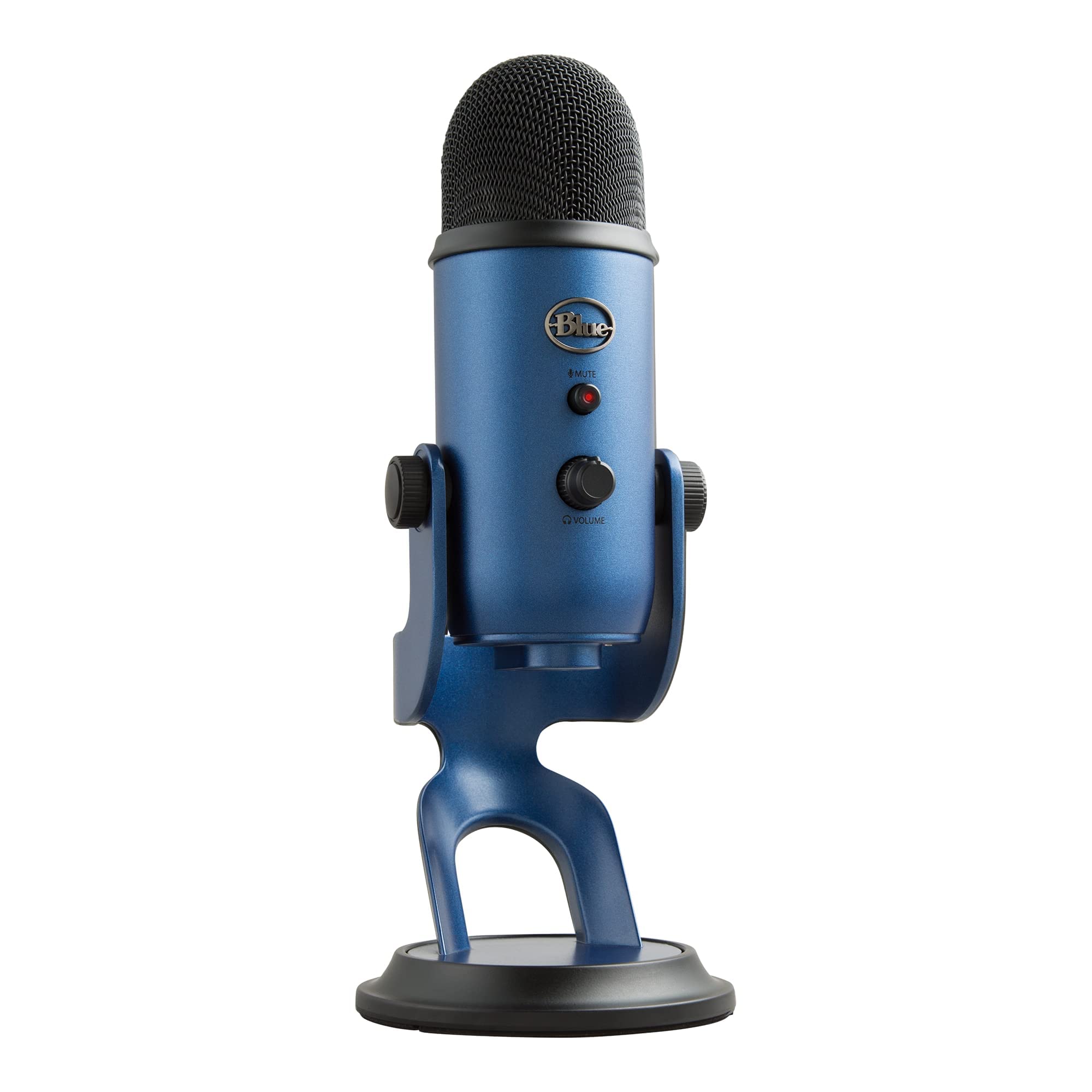
The Blue Yeti offers four polar patterns and a large user community at a price below most modern multi-pattern USB mics. Its audio clarity suits podcasting, streaming, and casual voice work, though the microphone captures room noise like keyboard clicks and ambient sounds in untreated spaces.

This is a smart pick for beginners or budget-conscious creators who need pattern flexibility and benefit from extensive online tutorials. The micro-USB port can loosen over time with repeated plugging, and best results come from close mic technique in a quiet space.

Tip: Use a right-angle micro-USB adapter to reduce strain on the port and prolong its life.

Bottom line: A budget-friendly multi-pattern USB mic that still holds up for voice work, as long as you're okay with noise sensitivity and an older connector.

3

Elgato Wave:3 MK.2

Elgato Wave:3 MK.2

Streaming professionals

Our Score 9.4/10
Check Price

Worth Noting

  • Premium-priced USB-only design limits future upgrade path if you eventually want XLR.
  • In some cases, units may stop working after several months of daily use.
SNR
110 dB
Sample Rate
24-bit/96kHz
Polar Patterns
Supercardioid
Onboard Controls
Mute, Gain, DSP dial

The Elgato Wave:3 MK.2 stands apart from the top pick by integrating onboard DSP effects that eliminate the need for separate processing gear. Its Clipguard 2.0 prevents distortion, Auto Gain adjusts levels automatically, and the Wave Link app offers intuitive control over EQ, compressor, and voice enhancer — all with zero-latency monitoring. Sound quality rivals XLR setups, capturing clean, rich audio suited for professional content creation.

This mic fits streamers and podcasters who want studio-quality USB audio without the complexity of an XLR interface. The premium price and lack of hybrid connectivity mean it's not a stepping stone to a conventional audio chain. Some units may develop issues over extended daily use — a factor worth considering if you rely on a single mic for regular streaming. For those who want future XLR flexibility, the QuadCast 2 offers pattern variety at a lower cost.

Bottom line: For streamers who want a complete USB audio solution with advanced processing, the Wave:3 MK.2 delivers exceptional sound. If future XLR expansion is a priority, consider the more affordable QuadCast 2 instead.

4

HyperX SoloCast

HyperX SoloCast

Gamers on budget

Our Score 9.2/10
Check Price

Worth Noting

  • Background noise like keyboard clicks can be audible in quiet spaces
  • USB connection may drop on some systems, requiring a re-plug
SNR
95 dB
Sample Rate
24-bit/96kHz
Polar Patterns
Cardioid
Onboard Controls
Mute (tap-to-mute)

A compact cardioid mic with HyperX's solid build and an intuitive tap-to-mute sensor. The SoloCast delivers clear vocal pickup that works well for Discord calls, Twitch streams, and basic podcasts out of the box.

This is the right mic for budget-conscious gamers and streamers who want a small desk footprint and don't need multiple polar patterns. The tradeoff: it picks up background noise like keyboard clicks in quiet rooms, and a minority of users have reported intermittent USB connection drops.

Tip: If the mic is not detected, try a different USB port or cable; the connection issue is sporadic but resolved by re-seating.

Bottom line: A dependable, no-frills cardioid mic for gamers who want HyperX quality on a budget — just keep your desk quiet and check USB cable seating.

5

FIFINE T669

FIFINE T669

Beginners with kit

Our Score 9.2/10
Check Price

Worth Noting

  • In a quiet room, the cardioid pattern still picks up keyboard and fan noise
  • Microphone longevity may vary, with some units ceasing to function within months
SNR
78 dB
Sample Rate
48kHz
Polar Patterns
Cardioid
Onboard Controls
None

The FIFINE T669 is the only USB microphone under $50 that packs a boom arm, shock mount, and pop filter into one box. Its audio quality is clean enough for streaming and podcasting — easily outpacing what its price suggests. But the included metal arm and C-clamp show where corners were cut: the build is light and may not hold position over time.

This kit is best for budget-conscious creators who need a functional setup from day one, with the understanding that the boom arm is a temporary solution. The mic itself can deliver clear vocals, but longevity varies between units — some users find it may cease to function after a few months. If you’re okay treating this as an entry-level tool with a possible upgrade path, the T669 gets you started for very little.

Tip: Position the mic close to your mouth and reduce room echo to minimize keyboard and fan pickup.

Bottom line: An incredible bargain if you need a complete setup, but the accessories are the weak link – expect to upgrade the arm eventually.

6

Blue Yeti Nano

Blue Yeti Nano

Compact recording

Our Score 9.2/10
Check Price

Worth Noting

  • USB port may loosen with regular plugging and unplugging.
  • Only cardioid and omni patterns; lacks bidirectional and stereo modes.
SNR
80 dB
Sample Rate
16-bit/48kHz
Polar Patterns
Cardioid, Omni
Onboard Controls
Mute, Volume knob

The Blue Yeti Nano delivers the same clear audio as the full-size Yeti in a smaller footprint, a clear advantage for cramped desks. Cardioid and omni patterns handle most streaming and podcasting tasks. Yet the micro-USB connection may loosen with frequent plugging, and the lack of bidirectional and stereo modes rules out certain recording setups. Some units may experience cutouts, making the QuadCast 2 or full-size Yeti a steadier choice for those who can spare the space.

Bottom line: Best suited for streamers and podcasters who prioritize space and only need cardioid or omni pickup, provided they handle the USB port with care.

7

FIFINE K669B

FIFINE K669B

Ultra-budget use

Our Score 9.0/10
Check Price

Worth Noting

  • Can pick up background noise, especially keyboard and room ambience.
  • Some units may stop working after a few months of use.
SNR
78 dB
Sample Rate
48kHz
Polar Patterns
Cardioid
Onboard Controls
Volume knob

The FIFINE K669B delivers surprisingly clear audio and a metal body for well under $25, making it an incredible value for extreme budget buyers. However, its lifespan is limited – some units may stop working after a few months – and it picks up background noise like keyboard clicks and room ambience. For the price, these tradeoffs are expected, so treat it as a temporary or backup mic rather than a daily driver.

Bottom line: Best suited as a temporary or backup microphone for extreme budget buyers who need functional audio without long-term commitment.

8

FIFINE AM8

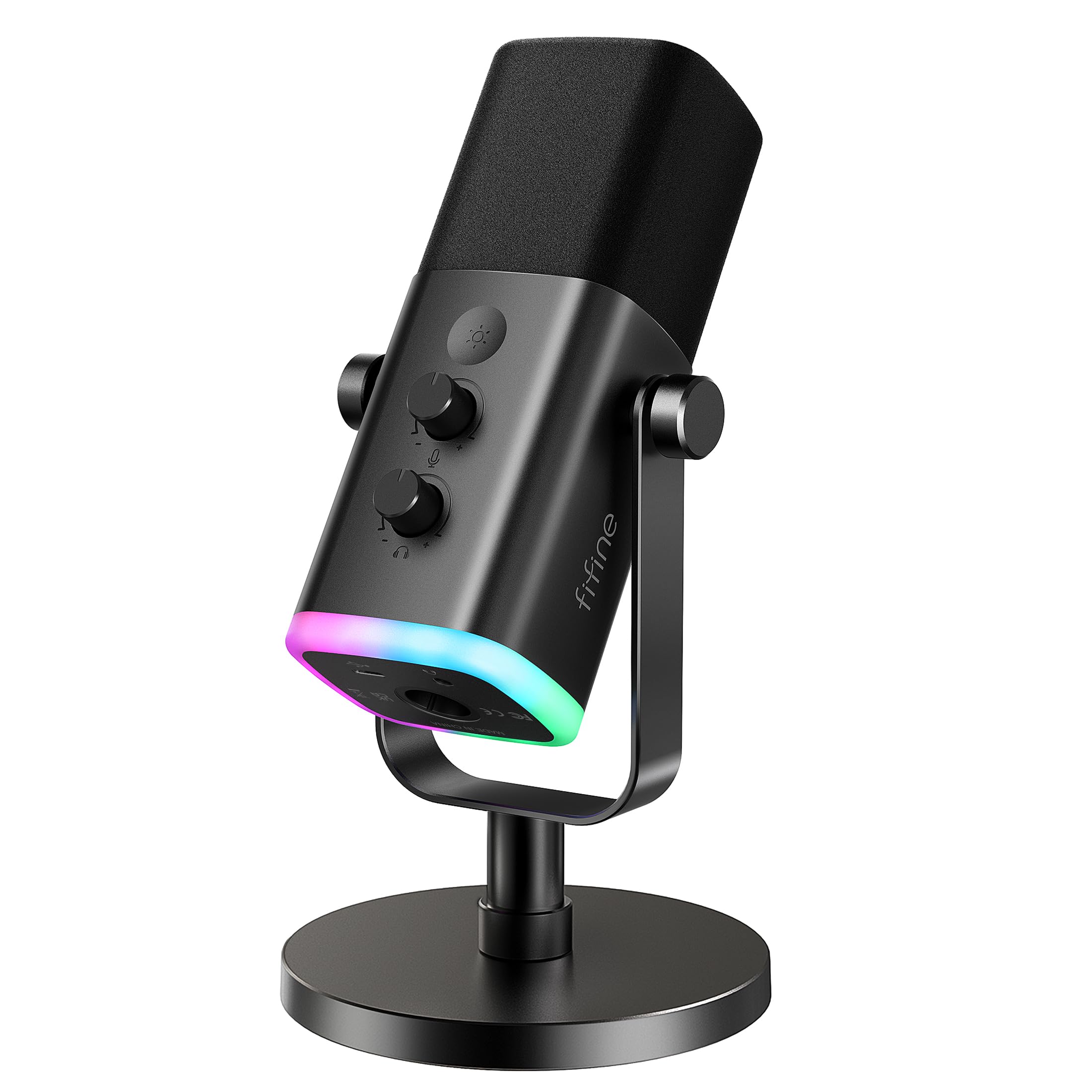
FIFINE AM8

Dynamic budget

Our Score 9.2/10
Check Price

Worth Noting

  • XLR connection disables RGB and mute button, limiting functionality for XLR users.
  • Some units can stop working or develop static over time; warranty support is advisable.
SNR
80 dB
Sample Rate
Polar Patterns
Cardioid
Onboard Controls
Mute, Gain

The dynamic cardioid pickup effectively reduces background chatter and keyboard clatter, a clear advantage over budget condensers in untreated spaces. Dual USB/XLR connectivity lets you start with a simple USB setup and move to an XLR interface later without replacing the mic. However, reliability is a gamble: some units can stop working or develop static after a few months, so keep the warranty handy. In XLR mode, the RGB lighting and mute button are disabled, which may frustrate streamers who want those features.

Tip: Use USB mode for full features; XLR is best if you already have an interface and don't need onboard controls.

Bottom line: A good starter dynamic mic for streamers who want USB flexibility and noise rejection, but only if you're prepared for potential QC variance and the XLR limitations.

9

FIFINE AM8T

FIFINE AM8T

Dynamic kit

Our Score 9.2/10
Check Price

Worth Noting

  • Included boom arm clamp may loosen over time, causing the mic to sag.
  • Some units may stop producing audio after a few months, requiring replacement.
SNR
80 dB
Sample Rate
Polar Patterns
Cardioid
Onboard Controls
Mute, Gain

The FIFINE AM8T delivers the noise rejection of a dynamic mic in a kit that includes a boom arm, shock mount, and windscreen — a rare value at this price. Dual USB/XLR connectivity lets you start with USB and migrate later. However, the arm's clamp may not stay tight on thicker desks, and audio output can cease after a few months. These limitations keep it out of top-pick territory; it is better suited as an affordable starter kit when you are willing to accept the gamble.

Bottom line: A good entry point for streamers on a budget who want dynamic mic benefits, but expect to replace the arm or the mic within a year.

10

MAONO AU-A04

MAONO AU-A04

High sample rate

Our Score 9.0/10
Check Price

Worth Noting

  • Picks up room ambience clearly in untreated spaces.
  • Boom arm can be difficult to keep in position during use.
SNR
70 dB
Sample Rate
24-bit/192kHz
Polar Patterns
Cardioid
Onboard Controls
None

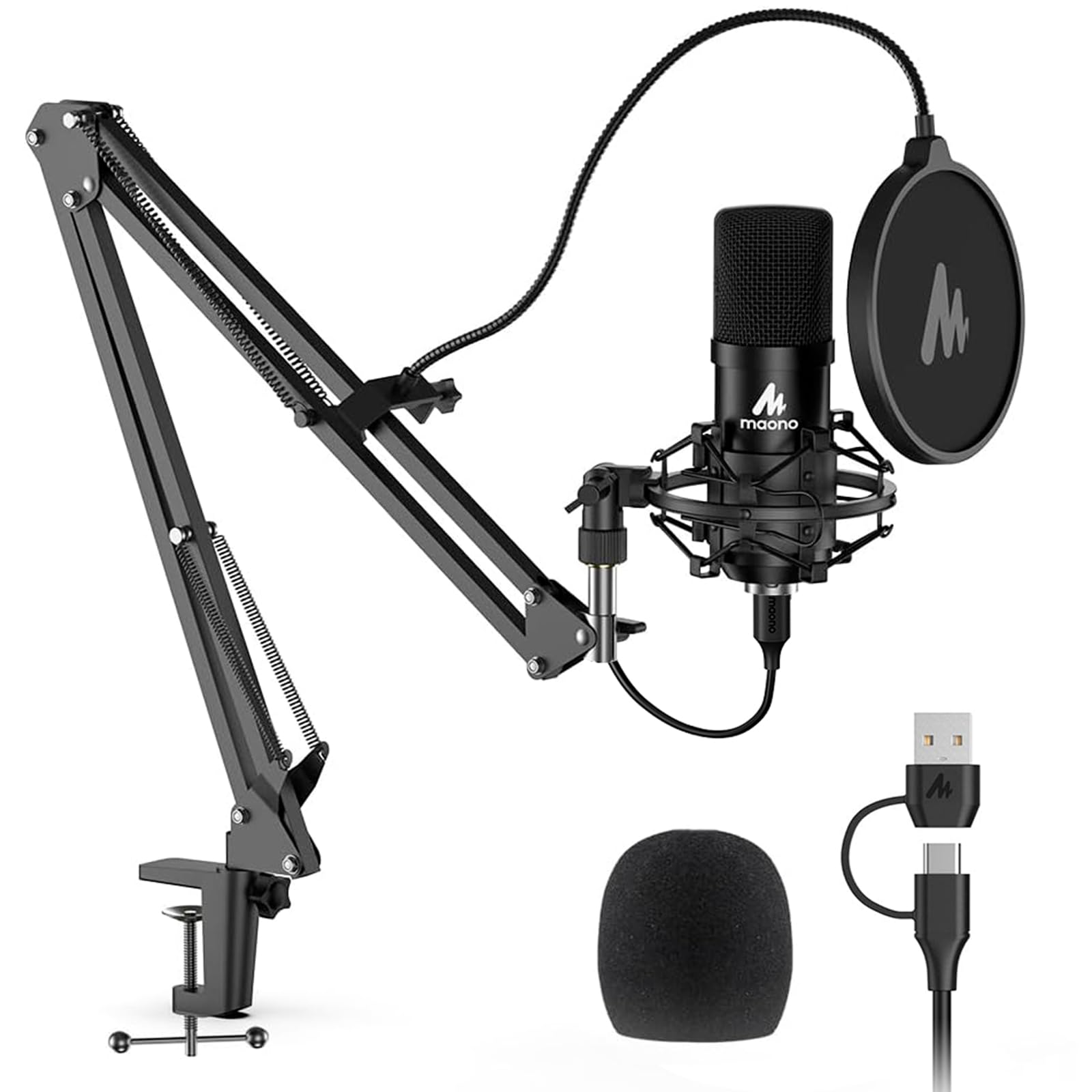
The MAONO AU-A04 provides high sample rate recording (192kHz/24-bit) in a kit that includes boom arm, shock mount, and pop filter for under $50. However, like many budget condensers, it picks up background noise clearly, and the included boom arm can drift out of position. These limitations are manageable if you plan to use noise suppression software and don't need heavy-duty arm adjustments.

Bottom line: Best suited for beginners who want high sample rate on a tight budget and have a quiet room or are prepared to use noise suppression software.

11

TONOR TC30

TONOR TC30

No-frills budget

Our Score 9.0/10
Check Price

Worth Noting

  • No mute button or gain control on the mic
  • Picks up background noise like many budget condensers
SNR
70 dB
Sample Rate
48kHz
Polar Patterns
Cardioid
Onboard Controls
None

The TONOR USB mic delivers clear, natural voice reproduction that rivals mics costing twice as much. The included tripod stand, shock mount, and pop filter make it a complete plug-and-play package. However, the lack of a mute button or gain knob means all adjustments happen in software — a limitation for live streamers who need instant control. Background noise pickup is typical for a budget condenser; positioning the mic close to your mouth helps.

Bottom line: Ideal for remote workers on Zoom or Skype who can fine-tune audio in software and don't need hardware controls.

How to Choose

Polar Patterns

Cardioid picks up sound from the front and rejects the sides and rear – ideal for solo recording in a slightly noisy room. Omnidirectional captures equally from all directions, which works for multiple people around a table but also grabs every room echo. Bidirectional and stereo patterns are niche: bidirectional for two-person interviews, stereo for musical instruments.

Most streamers only ever use cardioid. Buying a mic with four patterns is useful if you occasionally record interviews or want flexibility, but don't pay extra for patterns you will never touch. A dynamic microphone with a tight cardioid pattern often outperforms a budget condenser with multiple patterns in a untreated room.

Bit Depth and Sample Rate

24-bit/96kHz is common on modern USB mics and provides headroom for post-processing without audible noise. 16-bit/48kHz, found on older models like the original Blue Yeti, still sounds fine for voice, but you need to watch gain staging to avoid clipping. 192kHz (like MAONO AU-A04) offers no audible benefit for voice – it's marketing, not practical quality.

For podcasting and streaming, 24-bit/48kHz is the real-world sweet spot. Higher sample rates only matter if you plan to pitch-shift audio or record high-frequency content like cymbals. Do not prioritize sample rate over signal-to-noise ratio or polar pattern suitability.

Onboard Controls

Tap-to-mute, a physical mute switch, and a gain knob save you from having to fumble with software mid-stream. Mute is essential for live streaming – a button is faster and more reliable than muting in Discord. Gain control lets you adjust input level without opening system settings, which is critical when using a dynamic mic that requires more amplification.

Some budget mics lack any onboard controls (TONOR TC30). That forces you to adjust volume or mute using software, which can be awkward during a live broadcast. If you stream or record live, prioritize at least a mute button and ideally a gain knob.

Signal-to-Noise Ratio (SNR)

SNR measures how much clean signal the mic produces relative to its own self-noise. A higher number (95 dB or above) means the noise floor is extremely low, so you hear very little hiss when no one is talking. Lower SNR (70 dB) is common in budget mics and means you will hear more background fuzz when you boost volume.

For vocal recording, aim for SNR of at least 70 dB. For professional streaming where audio is a priority, 95 dB or higher (HyperX SoloCast, Elgato Wave:3) makes a noticeable difference. SNR is more important than sample rate for voice clarity.

Included Accessories

A cheap desktop stand transmits desk vibrations and picks up thumps when you type. A boom arm isolates the mic from the desk surface and allows you to position it close to your mouth – the single biggest upgrade for sound quality. Most budget mics come with flimsy stands; the FIFINE T669 includes a boom arm that is functional but may sag over time.

Pop filters reduce plosive sounds ('p' and 'b'). Shock mounts prevent floor footsteps from reaching the mic. If you buy a mic without these, budget $20-40 for a boom arm and $10 for a pop filter separately. The total cost of a bare microphone plus accessories often exceeds the price of a pre-bundled kit like the T669, so factor that in.

Frequently Asked Questions