Logitech R400
Top Pick
What We Like
- Plugs into any USB-A port and works immediately with no drivers or software.
- Red laser stays bright and readable on standard projection screens and many LCD surfaces.
- Ergonomic shape with tactile buttons that are easy to find by touch during a presentation.
- Delivers performance that matches more expensive alternatives at a cost-effective price.
Worth Noting
- Battery drain can be faster than expected in some units, making spare AAA batteries a useful backup.
- Requires a USB-A port; laptops with only USB-C need an external adapter to use the receiver.
- Laser Type
- Red (Class 2)
- Connectivity
- 2.4GHz RF USB-A
- Power Source
- 2 AAA batteries
- Wireless Range
- 50 ft
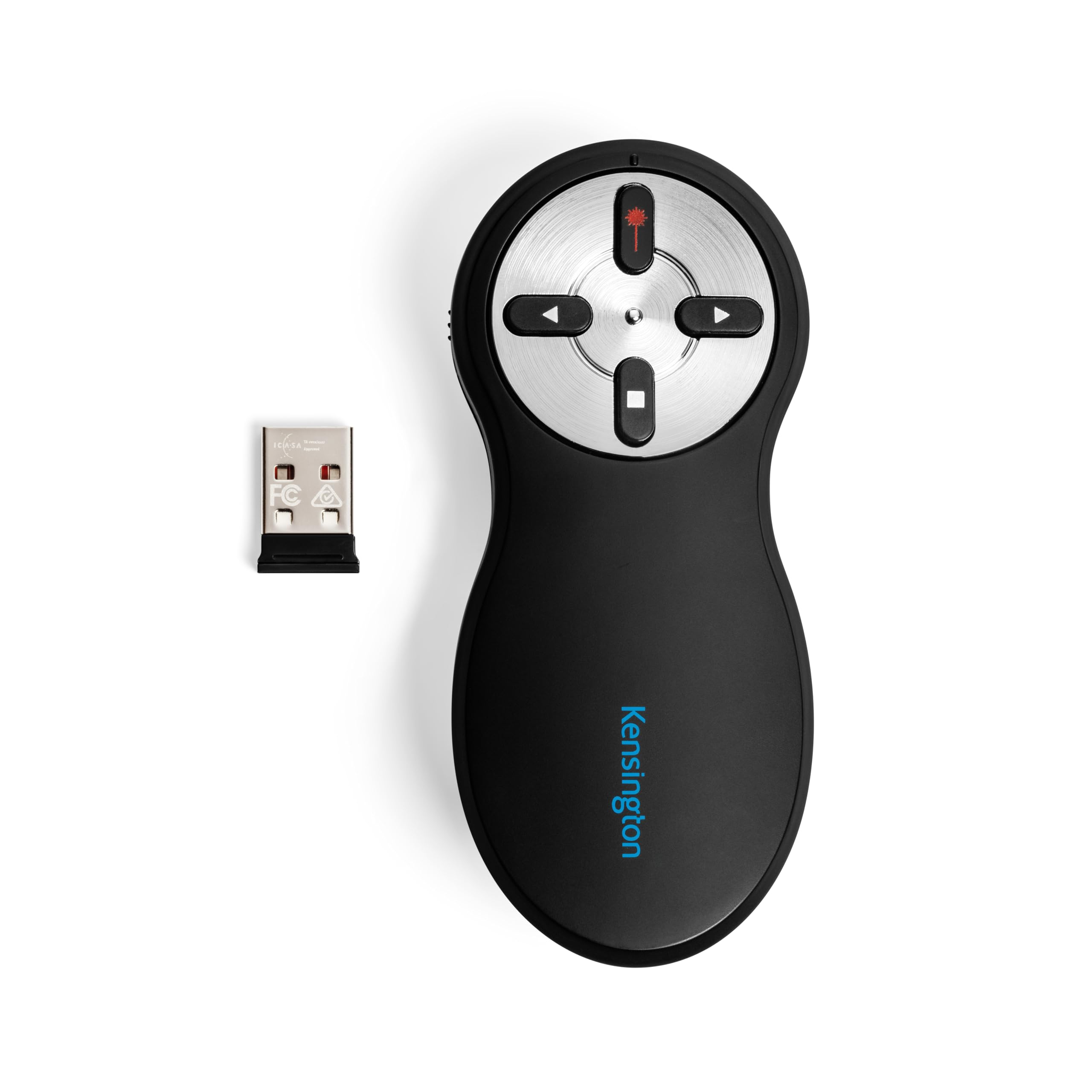
The R400 starts working the moment you insert the USB-A receiver and open your presentation — no pairing, no app installation, no driver needed. The red Class 2 laser cuts through ambient light well enough for typical conference rooms and lecture halls, with a visible dot that holds steady on projection screens and even some LCD panels.
The remote is shaped to fit comfortably in either hand, with raised buttons that you can locate by touch without glancing down. The four-button layout covers forward, back, a laser toggle, and a blank-screen button — enough control to move through slides without reaching for the keyboard.
This is a straightforward tool for presenters who prioritize instant reliability over modern connectivity. It uses a USB-A receiver (an adapter is needed for USB-C-only laptops) and runs on two AAA batteries whose drain rate can vary between units — keeping spares on hand is sensible for frequent use. For anyone giving regular slide decks in settings where a red laser works fine, the R400 removes all setup friction.
At a mid-range price, it holds its own against more expensive presenters: the 2.4GHz RF range reaches 50 feet, the receiver stores inside the remote, and the overall build feels solid enough for years of daily carrying. No unnecessary features, nothing to configure, just a dependable pointer that does what it says.
Tip: Keep a spare set of AAA batteries in your laptop case — battery life varies between units and a dead remote mid-presentation is easily avoided.
Bottom line: If you want a no-surprises clicker that works out of the box every time and don't mind a USB-A receiver or the odd battery swap, the R400 is a durable, well-reviewed choice that has earned its place in the category.