PC Components & Storage

9 Best Single Board Computer of 2026: Get the Right Performance Without Overspending

Confused by ARM vs x86, RAM vs TOPS? This guide helps you pick the single board computer that fits your project's real requirements – without wasting money on specs you don't need.

Picking a single board computer often starts with spec sheets listing GHz and gigabytes. But real-world usability depends on ecosystem support, cooling requirements, and hidden costs like power supplies and cases. A board that shines for AI inference may frustrate as a desktop replacement.

This guide cuts through the trade-offs by matching each SBC to the workloads it handles best. Whether you need a low-power server, a media center, or an edge AI prototype, the right choice balances performance with the total setup effort.

1

Pi 5 8GB Board

Top Pick
Pi 5 8GB Board

Enthusiasts & makers

Our Score 9.4/10
Check Price

Worth Noting

  • No accessories included
  • Requires active heatsink and fan to avoid thermal throttling under sustained CPU load.
Connectivity
WiFi5, BT5, GigE, USB3, PCIe
RAM Capacity
8GB
CPU Architecture
ARM

The Raspberry Pi 5 8GB delivers a clear performance jump over the Pi 4, with the quad-core Cortex-A76 at 2.4GHz and 8GB of LPDDR4X RAM making desktop applications, compiling code, and multitasking noticeably smoother. Dual HDMI 4K60 output, Gigabit Ethernet, and USB 3.0 ports provide solid connectivity for a wide range of setups – from media centers to lightweight development workstations.

The board is well-suited for home automation servers, network storage, and edge AI prototypes. Its PCIe 2.0 interface allows adding NVMe storage or other expansion, which broadens possibilities beyond what the microSD slot alone offers. The Raspberry Pi OS remains the default software path, and setup is familiar to anyone who has worked with previous Pi generations.

This board targets enthusiasts who need maximum SBC performance for projects that benefit from 8GB RAM and a fast CPU. It also suits basic desktop replacement for light computing – web browsing, document editing, or coding. However, the board ships without a power supply, case, or cooling hardware; a quality 5V/5A USB-C adapter, heatsink, and fan add roughly $50 to the total cost. Additionally, active cooling is required under sustained CPU load to prevent thermal throttling – the board will reduce clock speed if run without a fan during intensive tasks.

Tip: Budget for a quality 5V/5A USB-C power supply, a case with a fan, and a heatsink – the board will throttle without adequate cooling.

Bottom line: The Pi 5 8GB is the go-to choice for makers who want maximum SBC performance and are ready to invest in the necessary accessories for a stable system.
2

Pi 5 Starter Kit 8GB

Pi 5 Starter Kit 8GB

First-time users

Our Score 9.4/10
Check Price

Worth Noting

  • Fan noise may be noticeable in quiet environments; less of an issue in active living spaces.
  • GPIO clearance is tight
Connectivity
WiFi5, BT5, GigE, USB3, PCIe
RAM Capacity
8GB
CPU Architecture
ARM

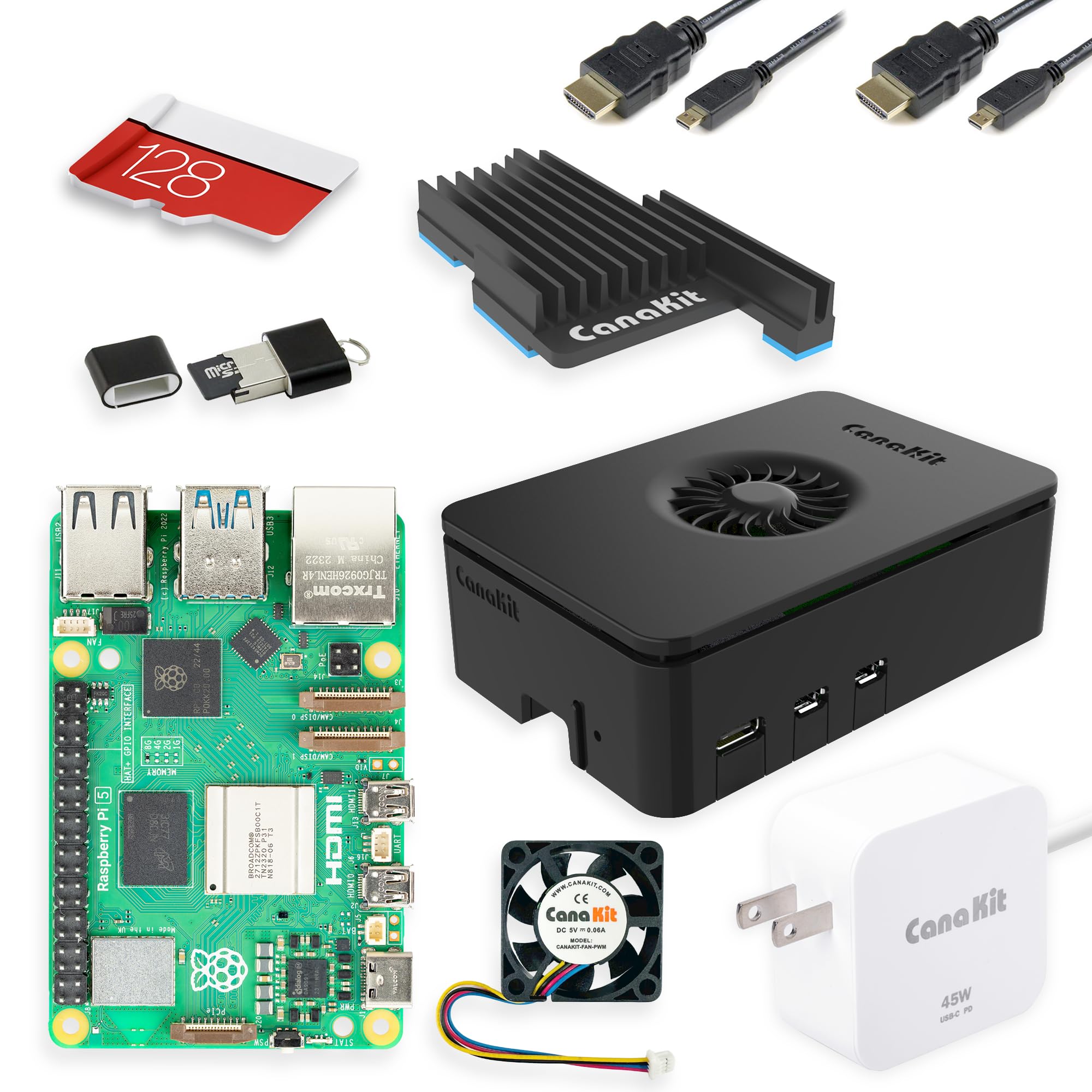
This CanaKit bundle delivers a complete Raspberry Pi 5 experience out of the box: a preloaded 128GB microSD with operating system, a 45W power supply, an acrylic case with integrated fan, and HDMI cables. For buyers who want to start tinkering immediately rather than sourcing each component separately, the kit removes the usual guesswork around compatibility and power adequacy.

First-time Pi users and hobbyists building a media center, retro gaming console, or simple home server will appreciate the tool-less assembly and the fact that the OS boots on first power-up. The 8GB RAM and 2.4GHz Cortex-A76 CPU handle desktop browsing, 4K video playback, and light server tasks smoothly. Two tradeoffs to note: the included case leaves little clearance for GPIO add-on boards, and the fan emits a noticeable whir in quiet rooms. These limitations matter less if your project stays inside the case or if the device sits in a living room with ambient noise.

Performance across everyday tasks is brisk — the Pi 5 runs LibreOffice, streams video, and compiles small code projects without stutter. Under sustained heavy loads (e.g., continuous compilation or video encoding), the fan ramps up and may be audible; some users replace it with a quieter model for silent operation. For typical hobbyist use, the included cooling is adequate.

Tip: If GPIO add-ons are part of your project, consider an alternate case or a GPIO riser to accommodate HATs.

Bottom line: For first-time Pi buyers who want a complete, instantly usable system without sourcing parts, this kit delivers — just keep the case and fan limits in mind if GPIO add-ons or silence are priorities.

3

Jetson Orin Nano 8GB

Jetson Orin Nano 8GB

AI/ML developers

Our Score 8.4/10
Check Price

Worth Noting

  • Software setup via JetPack is complex and time-consuming, especially for those unfamiliar with Nvidia's ecosystem.
  • Included power supply may be underpowered for peak loads, triggering constant power warnings.
Connectivity
USB3, DP, GigE, GPIO, CSI
RAM Capacity
8GB
CPU Architecture
ARM

The Jetson Orin Nano Super delivers 40 TOPS of AI acceleration, placing it ahead of general-purpose SBCs for running neural networks at the edge. This focus on GPU compute comes at the cost of ease of use — the Pi 5 is far more approachable for everyday projects and media center duties.

This board is built for AI/ML developers and robotics enthusiasts who are comfortable with Linux and Nvidia's toolchain. The setup process via JetPack is involved — expect a multi-day investment to get the software stack configured, especially if you are new to Nvidia's ecosystem. It is not a board for casual computing or out-of-the-box media servers.

With 40 TOPS on tap, the Orin Nano runs real-time computer vision models and deep learning inference without breaking a sweat. During sustained heavy loads, the supplied power adapter may trigger undervoltage warnings, so a higher-wattage unit is worth adding for stable operation.

Tip: If you see power warnings under heavy GPU load, upgrade to a higher-wattage adapter for stable operation.

Bottom line: If your project demands dedicated AI acceleration at the edge, this board is a focused tool — just be prepared for the setup investment.

4

ZimaBoard 2 832

ZimaBoard 2 832

Home server builders

Our Score 8.8/10
Check Price

Worth Noting

  • Long-term durability under sustained high workloads is not yet established.
  • Community support and third-party software compatibility are still maturing.
Connectivity
Dual 2.5GbE, PCIe
RAM Capacity
8GB
CPU Architecture
x86

Unlike the ARM-based single-board computers that dominate the market, the ZimaBoard 2 832 runs on an Intel N150 x86 processor, meaning it can run standard Windows, Linux, and even some lightweight server applications without compatibility layers. Its dual 2.5GbE ports and dual SATA connectors make it a natural fit for a high-speed NAS or router project, and the PCIe 3.0 x4 slot opens up expansion possibilities not available on most competitors.

This board targets enthusiasts who are comfortable working with a newer platform. The ecosystem is still small — online guides and community forums are not as extensive as those for Raspberry Pi or other established boards. Long-term reliability under continuous heavy load is not yet documented, so this suits early adopters who can tolerate some uncertainty in exchange for raw hardware capability.

For someone building a dedicated OPNsense or pfSense firewall, the dual 2.5GbE and PCIe slot for a network card provide exactly the right ports. The included ZimaOS (Linux-based) gets you started quickly, but many buyers will replace it with their own OS of choice.

Bottom line: For hobbyists wanting a configurable x86 home server with strong networking and storage capabilities, the ZimaBoard 2 832 delivers the hardware — just be prepared for a smaller support ecosystem.

5

Libre Sweet Potato

Libre Sweet Potato

Budget headless servers

Our Score 8.8/10
Check Price

Worth Noting

  • Video output can flicker and USB ports may disconnect in some cases
Connectivity
USB2/3, GigE, HDMI, GPIO
RAM Capacity
2GB
CPU Architecture
ARM

The Sweet Potato draws around 1W at idle, making it one of the most energy-efficient SBCs for 24/7 server duty. At a budget-friendly price, it undercuts the Raspberry Pi 5 and even the older Pi 3 while offering 2GB RAM and Gigabit Ethernet. The Amlogic S905X provides hardware acceleration for Armbian and CoreELEC, handling basic Linux tasks and retro gaming without breaking a sweat. However, this board is not intended for desktop use or media playback — its strengths lie in wired, headless environments.

This SBC suits hobbyists running Pi-hole, Klipper, or print servers — tasks where low power and low cost matter more than WiFi or video quality. There is no built-in WiFi or Bluetooth; you will need a USB dongle for any wireless connectivity. Video output can flicker and USB ports may disconnect in some units, so a wired Ethernet setup is the most reliable configuration. If your project stays on a network cable and you can work around occasional video quirks, the Sweet Potato delivers strong value.

Tip: Use a quality USB dongle for WiFi; the board's USB 3.0 port handles throughput better than USB 2.0 for storage.

Bottom line: For a dedicated 24/7 server on a tight budget, the Sweet Potato is hard to beat – just keep it wired and headless.

6

Pi 4 PRO Kit 4GB

Pi 4 PRO Kit 4GB

Home automation hubs

Our Score 9.6/10
Check Price

Worth Noting

  • Fan noise may be noticeable in quiet environments
  • Case limits clearance for add-on HATs, so GPIO expansion may require a different enclosure.
Connectivity
WiFi5, BT5, GigE, USB3, HDMI
RAM Capacity
4GB
CPU Architecture
ARM

This CanaKit bundle includes everything needed to get a Pi 4 up and running: a preloaded 32GB microSD, quality power supply, case with fan, heatsinks, and HDMI cable. Assembly takes minutes with the tool-less case, and the board works reliably for Plex, MagicMirror, and OctoPrint. For buyers set on using the Pi 4 platform, this is the most complete kit available. However, Raspberry Pi 5 offers noticeably faster CPU and GPU performance for a small price increase – consider the Pi 5 if your projects demand more horsepower for desktop use or modern AI workloads.

Bottom line: Best for Pi 4-based projects where the complete kit convenience and community support matter more than the latest CPU speed; new buyers should weigh the Pi 5 upgrade.

7

Khadas VIM3 Basic

Khadas VIM3 Basic

Android TV projects

Our Score 8.6/10
Check Price

Worth Noting

  • Ships without cables or manual
  • Linux support is limited; community images and documentation can be inconsistent
Connectivity
GigE, WiFi5, BT5, USB3, MIPI
RAM Capacity
2GB
CPU Architecture
ARM

The Khadas VIM3 Basic packs a 5 TOPS neural processing unit that accelerates TensorFlow and Caffe models at the edge, making it a capable tool for AI hobbyists willing to invest time in setup. Its compact design includes an active cooling option and handles SDR and light inference tasks well given its size and power draw. However, the board is limited to 2GB RAM and Linux support is inconsistent — community images and documentation vary, and the box contains no cables or manual. Compared to the Jetson Orin Nano, the smaller RAM and weaker Linux ecosystem reduce general-purpose versatility, so this board suits Android TV projects or dedicated edge AI prototyping more than everyday desktop use.

Bottom line: Best for builders focused on Android TV or AI edge prototypes who don't need general-purpose Linux capabilities or more than 2GB RAM.

8

Pi 3 Model B+

Pi 3 Model B+

Lightweight servers

Our Score 9.2/10
Check Price

Worth Noting

  • 1GB RAM restricts use to single-purpose applications and cannot run modern desktop environments.
Connectivity
WiFi5, BT4.2, GigE, USB2, GPIO
RAM Capacity
1GB
CPU Architecture
ARM

The Pi 3 Model B+ offers a budget-friendly entry point for lightweight single-purpose servers and educational projects. Its simple setup and consistent performance suit tasks like Pi-hole or network bridging. However, the 1GB RAM and older Cortex-A53 CPU cap multitasking and modern desktop use, making it best for dedicated, low-demand roles rather than a general-purpose daily driver. For buyers needing more headroom, the Pi 4 or Pi 5 provide a substantial performance jump.

Bottom line: Best for cost-conscious builders with a specific lightweight task in mind, where the low price outweighs the need for more power.

9

Arduino UNO Q 4GB

Arduino UNO Q 4GB

AI vision prototypes

Our Score 8.8/10
Check Price

Worth Noting

  • Community documentation and third-party software libraries are still in early development
  • Long-term stability under sustained AI or robotics loads has not yet been validated by the user community
Connectivity
WiFi5, BT5.1, USB-C, Qwiic, UNO
RAM Capacity
4GB
CPU Architecture
ARM

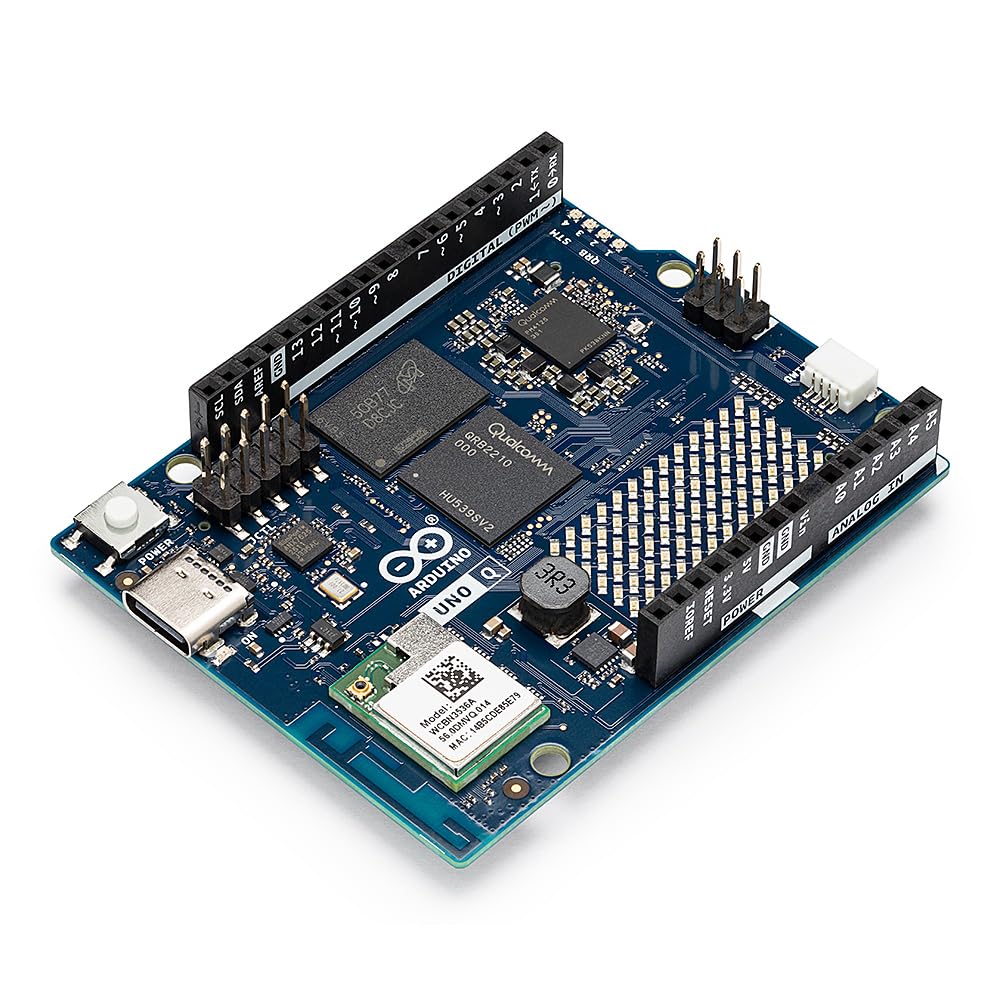
The Arduino UNO Q 4GB bridges the gap between microcontroller flexibility and single-board computer power: its Qualcomm QRB2210 quad-core CPU and 4GB RAM can run a full Linux OS, while the STM32U585 MCU handles real-time Arduino sketches. The board accepts standard Arduino shields, which is a clear advantage for anyone with existing hardware. However, this is a very new release – community resources, third-party software support, and long-term reliability data under varied workloads are still building. Early adopters who value innovation over established support will find the hybrid concept compelling, but buyers needing a proven, well-documented platform should look at mature SBCs like the Raspberry Pi 5.

Bottom line: This board fits early adopters within the Arduino ecosystem who want to experiment with Linux and edge AI and are comfortable contributing to a growing community.

How to Choose

CPU Architecture: ARM vs x86

ARM boards dominate the SBC market with low power draw and extensive software support from the Raspberry Pi ecosystem. x86 boards like the ZimaBoard let you run standard Linux server distros without recompilation, but consume more power and cost more.

If your project relies on software that only runs on x86 (e.g., Docker images that expect Intel), an ARM board will require extra work. For most general-purpose tasks, ARM is more energy-efficient and cost-effective.

For home servers running Plex, Nextcloud, or Docker, x86 offers simpler compatibility. For learning, media centers, or embedded projects, ARM is the practical choice.

RAM Capacity

RAM determines how many tasks a board can handle simultaneously. 2GB is enough for a single lightweight service like Pi-hole or OctoPrint, but fails under a desktop environment or multiple containers.

4GB is the minimum for running a desktop interface or Home Assistant with add-ons. 8GB gives you headroom for heavier workloads like compiling code, running a web server, or hosting multiple VMs on a Pi 5.

Allocating less RAM than needed forces frequent swapping to microSD, which dramatically slows performance and shortens card lifespan.

AI Acceleration (TOPS)

Additionally, AI boards demand more setup effort and often require custom kernels. Plan for a learning curve if you choose a dedicated AI SBC.

Connectivity

The ports and wireless standards determine what peripherals you can attach and how fast data moves. Gigabit Ethernet is essential for NAS or media streaming; USB 3.0 is needed for fast storage. Dual HDMI or DisplayPort matters for multi-monitor setups.

Built-in WiFi and Bluetooth are convenient, but many budget boards omit them – you’ll need a USB dongle, which uses a port and can add cost. If your project runs headless, WiFi isn’t critical, but wired networking improves reliability.

GPIO pins are key for electronics projects; check compatibility with HATs or add-on boards. Some cases restrict access to GPIO headers, so verify mechanical clearance if you plan to stack modules.

Community and Software Support

A large community means prebuilt packages, tutorials, and forum help when things go wrong. Raspberry Pi has by far the largest ecosystem – almost any problem has a documented solution. Nvidia’s Jetson community is smaller but active for AI-specific issues.

Less popular boards like Khadas or early-stage products like ZimaBoard have sparse documentation, forcing you to dig through GitHub issues or write your own support scripts. That time cost can outweigh a cheap board’s savings if you’re not an experienced Linux user.

Frequently Asked Questions