PC Components & Storage

14 Best Case Fans of 2026: Quiet Cooling Without Overspending

Find case fans that balance noise, airflow, and cost – from budget multipacks to premium silent performers.

Shopping for case fans feels straightforward until you realize noise specs don’t always match real-world quietness, and a high CFM number can come with a jet-engine whine at max RPM. Many budget fans now deliver performance that rivals premium models, but choosing the wrong one means either unnecessary expense or irritating hum.

The real split is between raw airflow and actual silence. A 3000 RPM fan moves huge volumes of air but will dominate your room noise. A fan tuned for low decibels often restricts airflow, forcing you to run more fans or higher speeds. This guide cuts through the specs to show which fan fits your use case – whether you need a full case of quiet 120mm fans, RGB lighting on a budget, or a slim unit for a compact build.

You’ll also discover why a 5-pack of proven fans can outperform a single premium fan in both cost and real-world thermal performance, and why the most expensive option isn’t always the quietest at the speeds you’ll actually run.

1

ARCTIC P12 5-Pack

Top Pick
ARCTIC P12 5-Pack

Quiet whole-case

Our Score 9.6/10
Check Price

Worth Noting

  • No RGB lighting
  • Some units can develop bearing noise over extended use
Noise
0.3 Sone
Airflow
56.3 CFM
RPM Range
200-1800
Form Factor
120mm

Five 120mm pressure-optimized fans that move 56.3 CFM each while staying quiet enough for a recording studio. The PWM PST daisy-chain lets you connect them in sequence from a single header, keeping cable clutter low and installation simple.

In typical builds, the daisy-chain works reliably across a range of motherboards. The motor supports RPM down to 200 and can stop completely below 5% duty cycle — a useful idle feature. A small percentage of units may develop a whine or click over months of use; the six-year warranty covers free replacement if that happens.

This five-pack is for budget builders who want full-coverage airflow without lighting, and quiet PC enthusiasts who value low noise over RGB. The tradeoff: if you need slim 15mm fans for compact cases or integrated lighting, these won't fit. The pressure-optimized design handles radiators and case intakes equally well.

Compared to higher-RPM budget options that push airflow at the cost of noise, the ARCTIC P12 maintains a lower noise floor while still delivering competitive static pressure. The PST daisy-chain is a genuine upgrade over separate splitters, reducing the number of cables behind the motherboard tray.

Backed by a six-year warranty and with a price per fan that undercuts single units from premium brands, these fans are a long-term investment for a build that stays quiet. No RGB means no software dependencies or extra controllers to worry about.

Tip: If a fan develops bearing noise, the six-year warranty covers free replacement — keep your proof of purchase.

Bottom line: For a silent, affordable whole-case fan solution without lighting, this five-pack sets the benchmark.

2

Noctua NF-A12x25 PWM

Noctua NF-A12x25 PWM

Silent PC

Our Score 9.8/10
Check Price

Worth Noting

  • Premium pricing limits its appeal to single-fan applications or high-priority spots; a full case of these is expensive.
  • Brown/beige color stands out in most builds; those seeking a neutral look may prefer the redux line.
Noise
22.6 dB
Airflow
60.1 CFM
RPM Range
2000
Form Factor
120mm

The NF-A12x25 delivers a 22.6 dB(A) noise floor that is among the lowest for any 120mm fan, thanks to advanced Sterrox LCP construction that minimizes vibration and resonance. Compared to the top pick ARCTIC P12, the Noctua achieves a noticeably cleaner sound profile – less airflow heft but with a smoother, more constant tone that disappears in use. This makes it the reference for silent PC builders who prioritize noise quality over raw CFM.

This fan is best reserved for enthusiasts building a near-silent workstation or HTPC, or for use on a CPU cooler or radiator where its static pressure and heat resistance shine. The tradeoff is a premium price – over $30 per fan – and a brown/beige color scheme that may clash with modern all-black or RGB builds. For those who need multiple fans, the ARCTIC P12 five-pack offers comparable silence at a much lower per-unit cost, making the Noctua a specialized choice rather than a general recommendation.

Bottom line: If quiet is your top priority and you're willing to invest in a single premium fan for your CPU cooler or radiator, the NF-A12x25 is unmatched. For budget-conscious builders or those needing multiple fans, the ARCTIC P12 provides better value.

3

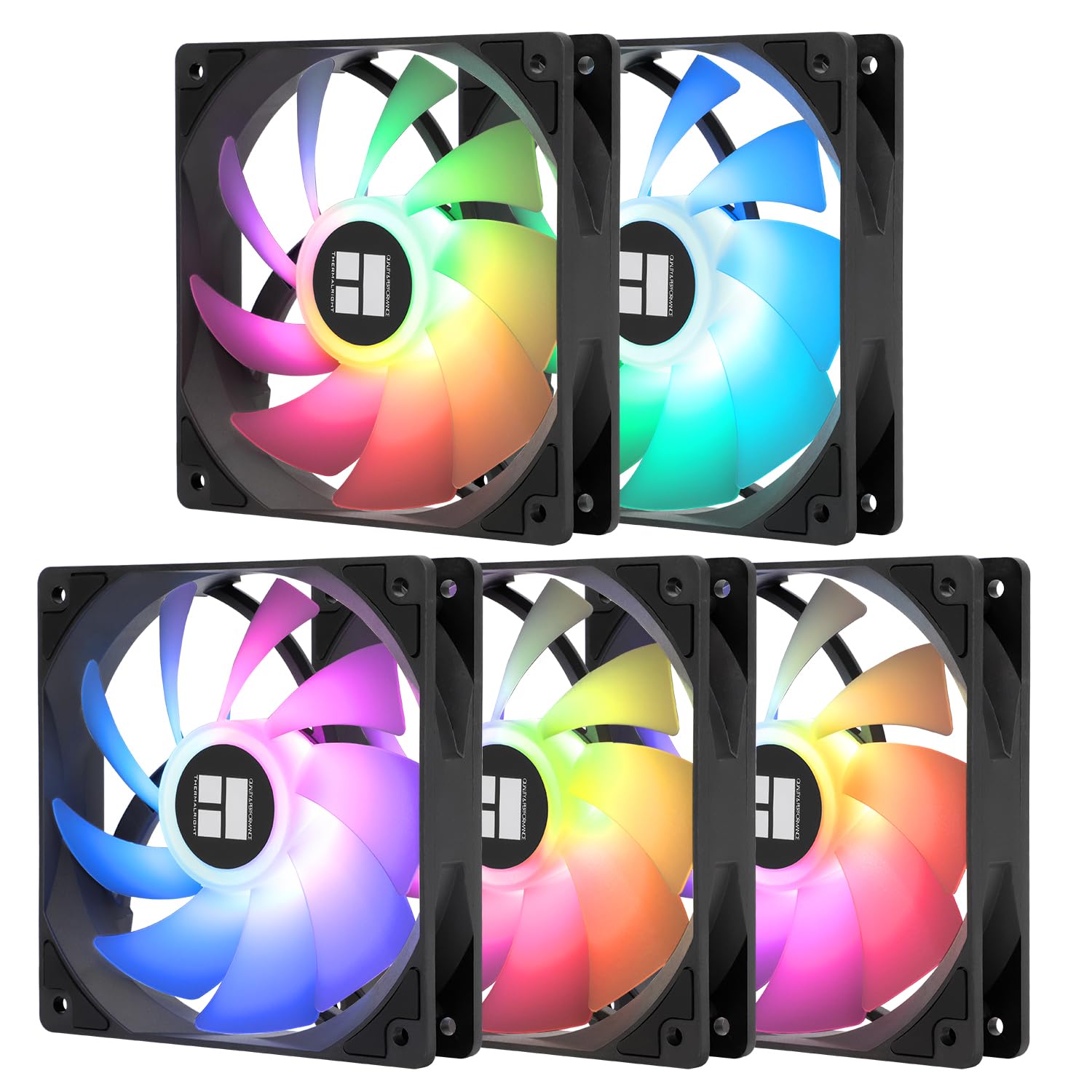
Thermalright TL-C12C-S 5-Pack

Thermalright TL-C12C-S 5-Pack

Budget ARGB

Our Score 9.4/10
Check Price

Worth Noting

  • Screw threads may strip when overtightened; careful hand-tightening advised
  • Occasional unit may arrive non-functional, though overall risk is low given the price
Noise
25.6 dB
Airflow
66.17 CFM
RPM Range
1550
Form Factor
120mm

The Thermalright TL-C12C-S 5-Pack puts ARGB lighting into a five-fan bundle at a per-unit cost that undercuts most single RGB fans. While infinity-mirror packs focus on flashy looks, this set focuses on raw value: functional lighting, S-FDB bearings, and a 1550 RPM top speed that moves 66.17 CFM at a rated 25.6 dB. That combination of price and performance makes it a serious contender for anyone filling a large case on a tight budget.

This pack is best suited for budget builders who want a full ARGB setup without spending more on fans than on the CPU cooler. The tradeoff involves assembly care: screw threads can strip if overtightened, and an occasional unit may arrive non-functional. At this price point, the risk is low enough that even a single DOA replacement still leaves you ahead of buying five fans separately. The noise profile is quiet enough for most mid-tower builds, though at full speed you will hear airflow in a silent bedroom.

RGB lighting is bright and addressable, with good color uniformity across the five units. Airflow is ample for a standard case intake or exhaust configuration; the 1.53 mmH₂O static pressure means these aren't ideal for thick radiators, but for mesh-front cases or open layouts they perform well. The S-FDB bearing helps extend lifespan compared to sleeve-bearing alternatives at similar price points.

Tip: Use a magnetic screwdriver and avoid overtightening to prevent thread stripping.

Bottom line: The TL-C12C-S 5-pack is the best value in budget ARGB fans — just be ready to handle a minor hardware quirk now and then.

4

ARCTIC P12 Pro 5-Pack

ARCTIC P12 Pro 5-Pack

High-airflow budget

Our Score 9.2/10
Check Price

Worth Noting

Noise
Airflow
77 CFM
RPM Range
600-3000
Form Factor
120mm

The ARCTIC P12 Pro pushes 77 CFM per fan at 3000 RPM, a raw airflow figure that undercuts the top pick in sheer volume. Where that fan prioritizes near-silent operation and static pressure, this one trades acoustics for maximum air movement — a deliberate choice for cooling-heavy scenarios.

This pack fits buyers who need to manage high heat loads on a budget — think uncompromised gaming rigs, radiator setups, or DIY air cleaners where decibels take a backseat. At top speed the fan is noticeably loud, ruling out bedrooms and quiet offices. A PWM curve capping RPM around 2000 tames the sound while retaining strong airflow, making daily use more manageable.

Build quality is consistent for the price: fluid dynamic bearings support long-term operation, and the included Y-cable splitter simplifies wiring a full set. The five-pack cost per fan is well below that of single premium units, making it a straightforward way to fill a case without overspending.

Bottom line: For budget builders who need maximum airflow and can manage noise at the top of the RPM range, this five-pack offers unmatched cooling-per-dollar — no other fan pack moves this much air this cheaply.

5

ARCTIC P12 Slim 3-Pack

ARCTIC P12 Slim 3-Pack

SFF builds

Our Score 9.2/10
Check Price

Worth Noting

  • Frame may flex and rubber mounts can detach under heavy mounting pressure
Noise
Airflow
42.1 CFM
RPM Range
300-2100
Form Factor
120mm slim 15mm

The ARCTIC P12 Slim's 15mm thickness fits where standard 25mm fans won't, making it a go-to for compact ITX builds and tight CPU cooler clearances. Despite the slim design, the fan runs near-silently at typical speeds, with a pressure-optimised blade shape that moves air effectively through restricted spaces. Its PWM Sharing Technology (PST) allows daisy-chaining multiple fans from a single header, simplifying cable management in crowded mini-ITX cases.

In use, the P12 Slim delivers enough airflow to keep small-form-factor systems cool without audible fan noise – even under sustained load. The 42.1 CFM and 1.45 mmH₂O static pressure are modest by full-size fan standards, but entirely adequate for the ventilated side panels and low-profile CPU coolers typical of SFF builds.

This fan is for builders who need a slim 120mm fan for space-constrained cases, such as the Fractal Terra or Cooler Master NR200. The frame can flex under mounting pressure and the rubber mounts may detach if over-tightened – handle them with care during installation, and avoid using excessive screw torque. It is not a replacement for standard 25mm fans in full-size cases, nor is it suited for high-static-pressure radiator use.

Tip: Gently tighten screws by hand to avoid over-compressing the frame; the rubber mounts can pop off if torqued too far.

Bottom line: For SFF builders who need slim fans that stay quiet and fit tight spaces, the ARCTIC P12 Slim 3-pack delivers where standard fans cannot – just take care during mounting.

6

be quiet! Silent Wings Pro 4

be quiet! Silent Wings Pro 4

Radiator cooling

Our Score 9.4/10
Check Price

Worth Noting

  • Premium price makes it a poor value for budget builds or general case ventilation.
  • Occasional issue where fan fails to spin after system restart, requiring a power cycle to resume.
Noise
36.9 dB
Airflow
83.9 CFM
RPM Range
3000
Form Factor
120mm

The be quiet! Silent Wings Pro 4 stands apart with its three-position speed selector, letting you choose between medium, high, and ultra modes without software. This, combined with a fluid dynamic bearing and a dense frame, gives it the headroom to push 83.9 CFM against high static pressure loads — well suited for restrictive radiators and dense heatsinks.

This fan targets builders who need adjustable performance profiles and don't mind paying a premium for build quality. The $29.90 price tag puts it above multipacks from ARCTIC or Thermalright, so it makes sense only if you're after that extra RPM headroom and the tactile speed switch. Note that in rare cases, the fan may stop spinning after a system restart, requiring a full power cycle to get it going again — a quirk worth being aware of if you leave your PC on 24/7.

The fan's build quality is immediately noticeable: a heavy, dampened frame and stiff blades that resist vibration even at 3000 RPM. Airflow stays consistent across the speed range, and the included rubber mounting pins reduce noise transfer to the case. For radiator duty, this is one of the few fans that can maintain high static pressure without going over the top.

Tip: If the fan stops spinning after reboot, power-cycle the system (unplug or switch off PSU) to restore normal operation.

Bottom line: For enthusiasts who need adjustable high-RPM performance on dense radiators and value build quality over cost, the Silent Wings Pro 4 delivers — just account for the occasional restart hiccup.

7

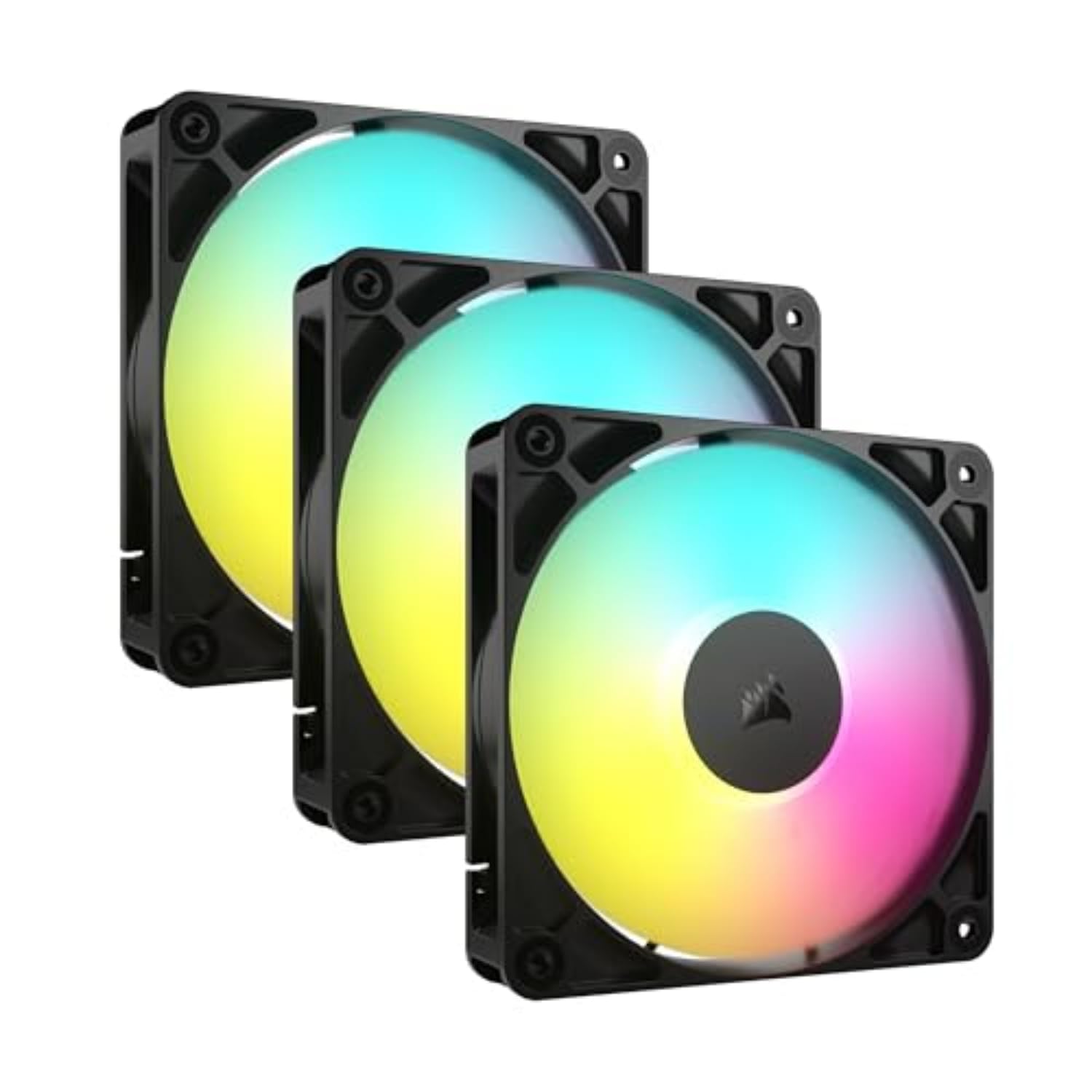
Corsair RS120 ARGB 3-Pack

Corsair RS120 ARGB 3-Pack

RGB daisy-chain

Our Score 9.2/10
Check Price

Worth Noting

  • Fan noise becomes audible above 1800 RPM
  • Daisy-chain wiring can create clutter behind the motherboard tray.
Noise
36 dB
Airflow
72.8 CFM
RPM Range
2100
Form Factor
120mm

The Corsair RS120 ARGB 3-pack delivers bright, adjustable RGB lighting and solid airflow (72.8 CFM) with a simple daisy-chain connection that reduces cable tangles. Installation is quick, and the magnetic dome bearing supports long-term use. However, running these fans at their full 2100 RPM produces noticeable noise – a tradeoff for RGB-focused builds that can be addressed with a PWM curve keeping speeds under 1800 RPM. The daisy-chain wiring, while convenient, can create some cable clutter behind the tray. These limitations prevent this pack from competing at the top of the fan value chart, but for users who prioritize eye-catching lighting and easy setup over absolute silence, it remains a capable option.

Bottom line: For RGB-first builders who want bright lighting and simple wiring without a separate controller, this three-pack is a cost-effective option – just plan to manage fan speed to keep noise in check.

8

Thermalright TL-M12Q 3-Pack

Thermalright TL-M12Q 3-Pack

Infinity mirror RGB

Our Score 9.4/10
Check Price

Worth Noting

  • Only one PWM/ARGB cable included for the 3-pack, limiting flexibility for independent fan control.
Noise
28.2 dB
Airflow
68.9 CFM
RPM Range
2000
Form Factor
120mm

The Thermalright TL-M12Q 3-pack delivers a premium infinity mirror lighting effect that rivals higher-priced fans, paired with daisy-chain PWM and ARGB wiring for a clean build. Airflow and noise levels are competitive for the price, making it a strong candidate for RGB-focused budget builds. The main tradeoff: only one PWM/ARGB cable is included, so users who want each fan on a separate header will need additional splitters or a controller.

Tip: If you need separate speed control per fan, pick up a PWM hub or splitter for a few dollars.

Bottom line: Ideal for budget builds that prioritize aesthetics over individual fan control; the single-cable daisy-chain suits most standard setups just fine.

9

be quiet! Pure Wings 3

be quiet! Pure Wings 3

Ultra quiet budget

Our Score 9.4/10
Check Price

Worth Noting

  • In a high-airflow build, the 49.9 CFM limits cooling potential
  • No RGB lighting
Noise
25.5 dB
Airflow
49.9 CFM
RPM Range
1600
Form Factor
120mm

At 25.5 dB and backed by a rifle bearing rated for 80,000 hours, this fan delivers the near-silent operation budget builders want. The 49.9 CFM airflow is modest; if your build needs heavy cooling for a high-performance gaming rig or radiator, this fan will fall short. It’s best suited for silent PC builds where low noise matters more than maximum airflow, and where a standard 120mm fan without RGB is acceptable.

Bottom line: Ideal for budget silent PC builds where quiet operation is the priority; skip if you need high airflow or RGB.

10

DARKROCK F120 3-Pack

DARKROCK F120 3-Pack

Budget RGB

Our Score 9.2/10
Check Price

Worth Noting

  • Airflow is modest at 46.7 CFM, not suitable for high-performance cooling or radiators
  • Occasional dead LEDs or color inaccuracies may appear in some units
Noise
27.7 dB
Airflow
46.7 CFM
RPM Range
800-1600
Form Factor
120mm

For budget-minded builders who prioritize dazzling lights over raw performance, the DARKROCK F120 3-pack offers impressive infinite-mirror aesthetics and quiet operation for a modest cost. The 46.7 CFM airflow is adequate for moderate cooling but falls short of higher-performing budget packs from ARCTIC or Thermalright. Additionally, some units may arrive with dead LEDs or slight color inaccuracies, which can compromise the visual effect. Still, if your main goal is to fill a case with flashy RGB on a tight budget, this pack delivers solid value.

Bottom line: The DARKROCK F120 3-pack is the right choice when the primary goal is flashy RGB on a tight budget and you can accept the risk of minor lighting defects and modest airflow.

11

Noctua NF-P12 redux 1700

Noctua NF-P12 redux 1700

Noctua on budget

Our Score 9.6/10
Check Price

Worth Noting

  • No PWM daisy-chain support; each fan requires its own header or an aftermarket splitter, adding wiring complexity.
  • Older blade geometry means static pressure is adequate for open grilles but may struggle with dense radiator fins or thick heat sinks.
Noise
25.1 dB
Airflow
70.7 CFM
RPM Range
1700
Form Factor
120mm

Noctua's redux line delivers the brand's known bearing durability and a balanced 70.7 CFM at 25.1 dB(A) — a solid fit for case ventilation. As a value-focused alternative to the premium NF-A12x25, it uses an older blade design that trades some static pressure for cost savings. This means it handles open grilles and low-restriction setups well, but may not push air effectively through dense radiator fins or thick cooling towers. For builders who want Noctua longevity without the premium price, and who will use it as a case fan, it's a practical choice. Those needing high static pressure for radiators should consider the newer model or competitors.

Tip: Use a PWM splitter to connect multiple fans to one header — they share the same control signal without issue.

Bottom line: A sensible budget option for case intake or exhaust where airflow matters more than static pressure, and where Noctua's long bearing life justifies the spend over cheaper multipacks.

12

Thermaltake Pure 20 200mm

Thermaltake Pure 20 200mm

Large case intake

Our Score 9.0/10
Check Price

Worth Noting

  • Blades may crack under normal handling, and motors can stop working within months.
  • Mounting holes may not align with all 200mm case mounts.
Noise
28.2 dB
Airflow
129.64 CFM
RPM Range
800
Form Factor
200mm

This 200mm fan moves a massive 129.64 CFM of air while staying quiet enough at 28.2 dB — an outstanding cost-to-airflow ratio for large tower cases. However, the blades are brittle and can crack with minor impact, and the mounting holes may not align with non-Thermaltake cases. These limitations mean it is best suited for builders who accept a shorter lifespan and have a compatible case mount.

Bottom line: Best for budget builders with a compatible Thermaltake case who need high airflow and accept that the fan may need replacement sooner than typical.

13

NZXT F360 RGB Core

NZXT F360 RGB Core

NZXT ecosystem

Our Score 9.2/10
Check Price

Worth Noting

  • Noise becomes noticeable at the 2400 RPM maximum
  • Full RGB and speed control require a separate NZXT controller, adding cost and proprietary dependence.
Noise
30 dB
Airflow
75.12 CFM
RPM Range
2400
Form Factor
360mm

The NZXT F360 RGB Core combines three 120mm fans into one clean, single-frame unit that simplifies cabling and delivers consistent 360mm cooling for NZXT cases. The fluid dynamic bearings support the 2400 RPM top speed, and the 8 aRGB LEDs per fan create a cohesive light show. The trade-off: this fan unit requires a separate NZXT controller for full RGB and speed control, adding both cost and proprietary lock-in. At its maximum RPM, the noise level becomes noticeable – not an issue for gamers with headphones or builds that stay at lower speeds, but a consideration for silent-PC enthusiasts. Outside the NZXT ecosystem, the controller requirement and limited wiring flexibility push this behind more universal options like the ARCTIC P12 PST 5-Pack.

Bottom line: This fan unit is a clean fit for anyone building inside an NZXT case with an NZXT controller; for mixed-brand or budget builds, the proprietary control and high-speed noise make simpler multipacks a smarter choice.

14

Cooler Master MF120 Lite

Cooler Master MF120 Lite

Cooler Master fans

Our Score 9.4/10
Check Price

Worth Noting

Noise
30 dB
Airflow
RPM Range
650-1750
Form Factor
120mm

The Cooler Master MF120 Lite 3-pack delivers a refined build with a PBT frame and easy daisy-chain ARGB that syncs smoothly with SignalRGB. Operation stays quiet across the 650–1750 RPM range, making it a tidy choice for builders already in the Cooler Master ecosystem. However, at this mid-range price point, comparable 3-packs from ARCTIC or Thermalright offer similar airflow and lighting with a stronger value proposition. Budget-focused shoppers will find those options more cost-effective, while Cooler Master loyalists or anyone catching the MF120 on sale can rely on its consistent performance and straightforward installation.

Bottom line: A good fit for Cooler Master ecosystem builds or when discounted, but not the top value pick — cheaper alternatives deliver comparable performance for less.

How to Choose

Noise Level (dB or Sone)

Noise specs are measured at max RPM, but you'll rarely run fans at 100% speed. A fan rated at 36 dB at 2100 RPM may be silent at 1000 RPM, while a fan marketed as 25 dB may have an annoying tonal whine at low speeds. Sone ratings (like 0.3 Sone) give a more linear sense of perceived loudness than dB.

For a quiet PC, look for fans with a broad PWM range that can drop below 500 RPM. That's where real silence lives. Also check customer feedback for words like 'hum' or 'click' – some bearings introduce noise that doesn't show on spec sheets.

Airflow and Static Pressure

Airflow (CFM) tells you how much air moves in free space; static pressure (mmH₂O) tells you how well the fan pushes through resistance like radiators or mesh. Buyers often pick high-CFM fans for open cases but find them weak on radiators and vice versa.

For a front intake with a dust filter, you need at least 1.5 mmH₂O static pressure. For a thick radiator, aim for 2.5 mmH₂O or more. Many budget fans now deliver both – the ARCTIC P12 series balances pressure and flow well, while high-RPM fans like the ARCTIC P12 Pro sacrifice noise for pressure.

RPM Range and PWM Support

A wider RPM range gives you more control. Fans that can drop to 200 RPM or lower are nearly silent at idle, while 3000 RPM max lets you blast air during heavy loads. PWM (4-pin) allows motherboard-based speed curves; 3-pin fans run at fixed voltage and can't be controlled as precisely.

Make sure your motherboard has enough PWM headers for the number of fans you plan to install. Daisy-chain (PST) saves headers – one header can control several fans as one unit. But if you want independent speed control per fan, you'll need a fan hub or separate headers.

Bearing Type

Bearing type determines lifespan and noise over time. Fluid Dynamic Bearings (FDB) are the gold standard – they last 50,000-100,000 hours and stay quiet. Rifle bearings are a cheaper alternative (80,000 hours) but can develop noise sooner. Sleeve bearings are cheapest but degrade quickly in vertical or hot environments.

Budget fans often use sleeve bearings; they work fine for horizontal cases but may fail faster. The exception is Thermalright's S-FDB, a fluid dynamic variant that offers long life. For a build expected to last 5+ years, spend a little more on FDB fans.

Form Factor and Accessories

Most cases use 120mm fans, but 140mm moves more air at lower noise. Slim 15mm fans are essential for SFF builds where clearance is tight, but they sacrifice airflow and pressure. 200mm fans are great for high-volume intake but have limited mounting options and can be fragile (blade cracking reported).

Check included accessories: daisy-chain cables, rubber mounts, and screws. Some budget packs skimp on cables, forcing you to buy splitters. Also verify that the fan thickness (25mm standard, 15mm slim, 30mm thick) fits your case and radiator clearance.

Frequently Asked Questions