PC Components & Storage

6 Best NAS Hard Drives of 2026: Quiet or Fast – Pick Your Match

Find the NAS hard drive that matches your home setup – whether you prioritize silence for a living room NAS or speed for heavy file transfers.

A NAS drive runs 24/7. The sound of a 7200 RPM drive in a quiet room can be more noticeable than most buyers expect. That hum isn't a defect – it's a physical consequence of faster platters.

The challenge is that speed and quiet often pull in opposite directions. A 5400 RPM drive like the WD Red Plus handles Plex streaming and file backups without complaint, while a 7200 RPM Seagate IronWolf Pro moves data faster but adds noise. The right choice depends on where your NAS sits and who has to listen to it.

This guide cuts through the marketing to show which drives deliver the performance you need at a noise level you can live with. No vague promises – just the specs and trade-offs that matter.

1

WD Red Plus 12TB

Top Pick
WD Red Plus 12TB

Quiet Home NAS

Our Score 9.0/10
Check Price

Worth Noting

Capacity
12 TB
Cache Size
256 MB
Noise Level
Quiet
Rotational Speed
5400 RPM

The WD Red Plus 12TB operates with very little noise even during sustained file transfers. Its 5400 RPM spin speed is sufficient for typical home NAS workloads — streaming media, file backups, and light multi-user access. The 256 MB cache helps maintain steady transfer rates.

CMR recording technology ensures consistent write performance in RAID arrays, a key advantage over SMR alternatives. This drive shows strong compatibility with popular NAS systems like Synology DiskStation without requiring extra configuration. The 12TB capacity fits well in smaller multi-bay enclosures.

Home NAS users who want a quiet, value-oriented storage solution will find this drive a good fit. It suits environments where noise matters — bedrooms, living rooms, or home offices. A small number of units have been known to stop working within the first year; buyers with RAID redundancy or a backup plan will be well-insulated.

Compared to 7200 RPM drives, the lower rotational speed reduces power draw and heat output, extending drive longevity in enclosed NAS bays without forced cooling. For heavy multi-user environments or frequent large writes, a faster drive may be better suited, but for the majority of home NAS tasks this drive performs admirably.

Bottom line: For home NAS builders who prioritize quiet operation and solid value, this drive delivers consistent performance at a competitive price.

2

Seagate IronWolf Pro 14TB

Seagate IronWolf Pro 14TB

Large NAS Arrays

Our Score 9.0/10
Check Price

Worth Noting

  • In a quiet room, the drive's operational noise is higher than some alternatives
  • Some units may need early replacement; regular backups are a wise precaution.
Capacity
14 TB
Cache Size
256 MB
Noise Level
Loud
Rotational Speed
7200 RPM

The Seagate IronWolf Pro 14TB stands out with its 14TB capacity and 7200 RPM spindle speed, making it well-suited for large NAS arrays handling multiple simultaneous users. This combination of high storage density and faster rotational speed is rare in consumer NAS drives, which typically cap at 5400 RPM for quieter operation.

This drive targets power users who prioritize capacity and speed over silence. The noise levels are higher than some alternatives – in a quiet office or bedroom, the drive's operation will be noticeable. That tradeoff is acceptable when the drive resides in a dedicated NAS closet or multi-bay array where ambient noise is less of a concern. Additionally, Seagate includes a Data Recovery Service, adding a layer of protection for critical data.

Reliability varies between units; some may require replacement sooner than expected. For peace of mind, maintain regular backups and consider the drive's warranty and data recovery options.

Tip: Place the drive in a well-ventilated, non-living area to reduce noise impact.

Bottom line: For users with a dedicated space and a need for 14TB of fast NAS storage, the IronWolf Pro delivers on its promise – just keep backups handy.

3

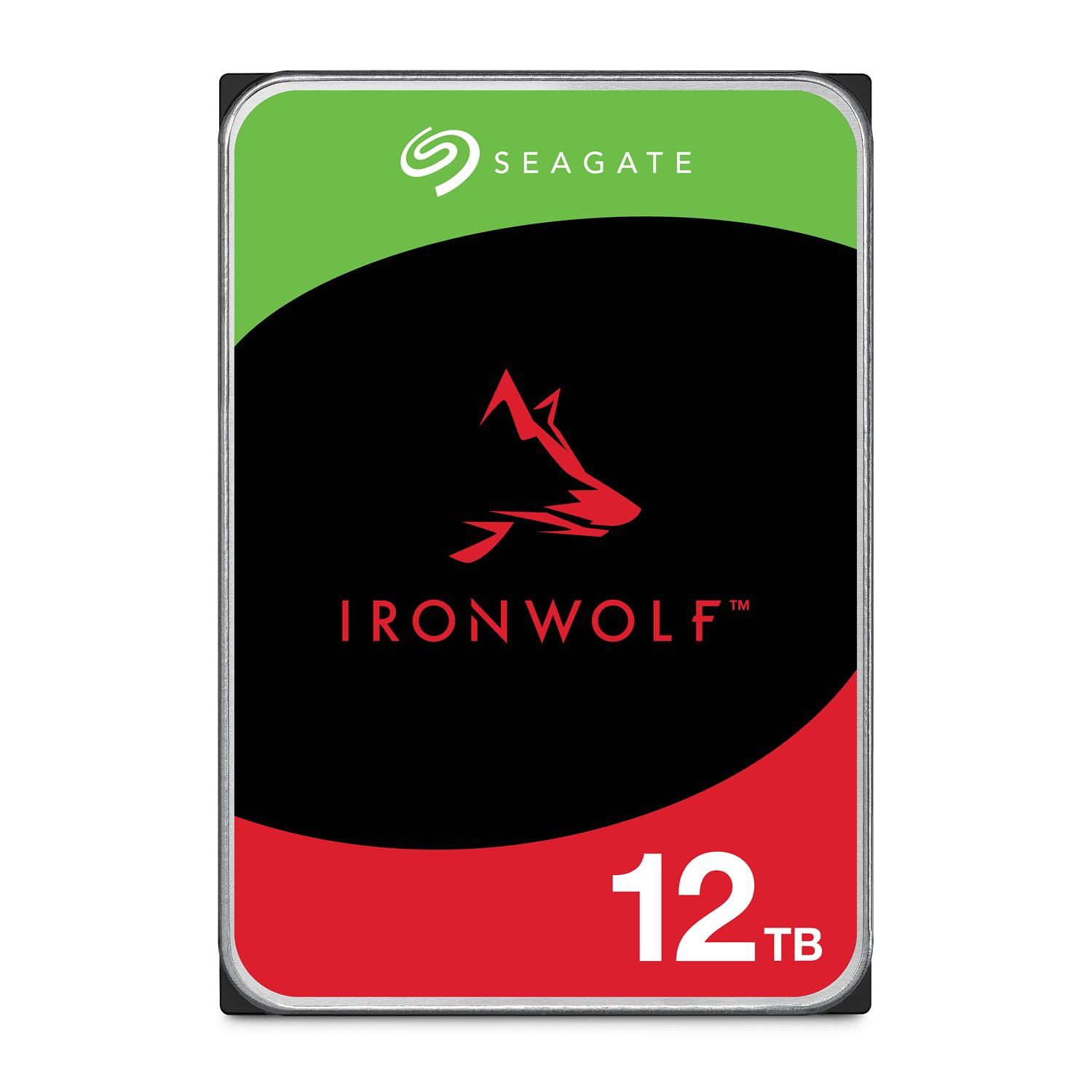
Seagate IronWolf 12TB

Seagate IronWolf 12TB

7200 RPM 12TB

Our Score 9.0/10
Check Price

Worth Noting

  • In quiet home offices, the drive's operational noise may be noticeable
  • Performance variability has been noted in a subset of drives, so consistent backups are advisable.
Capacity
12 TB
Cache Size
256 MB
Noise Level
Loud
Rotational Speed
7200 RPM

The Seagate IronWolf 12TB handles sustained read/write operations smoothly in multi-bay NAS setups. Its 7200 RPM speed enables faster transfers than the near-silent top pick, though that speed comes with more audible vibration. Installation is straightforward in most consumer enclosures, and RAID compatibility is well-documented.

In a quiet bedroom or office, the drive's seek sounds and spin noise will be present – a non-issue if the NAS sits in a ventilated closet or basement. Some units have shown inconsistent behavior, making regular backups a sensible habit regardless of drive choice.

This drive suits users who prioritize capacity and speed for a home or small office NAS where noise is not a primary concern – ideal for raid arrays in basements or server rooms. It offers a cost-effective path to 12TB of CMR storage without the premium of quieter alternatives.

Tip: Place the NAS in a ventilated, non-living area to minimize noise impact.

Bottom line: For buyers who can accept the noise tradeoff, the IronWolf 12TB provides solid NAS performance at a value that is hard to beat – just pair it with a reliable backup strategy.

4

MDD 16TB Renewed

MDD 16TB Renewed

Massive Storage Budget

Our Score 8.4/10
Check Price

Worth Noting

  • In a quiet room the drive's seek and spin noise can be audible during sustained activity.
  • As a renewed unit, there is a possibility of DOA or early failure
Capacity
16 TB
Cache Size
256 MB
Noise Level
Moderate
Rotational Speed
7200 RPM

The MDD 16TB Renewed delivers the highest capacity at the lowest per-terabyte price in this roundup, making it a strong candidate for anyone assembling a NAS on a tight budget. The 7200 RPM spindle and 256MB cache keep file transfers moving smoothly in typical home NAS workloads, and the drive integrates without issue into most RAID arrays.

This drive is best suited for secondary storage or backup targets where cost per gigabyte matters more than absolute uptime. The renewed condition introduces a higher chance of arriving with issues or developing problems early on, so it should not be your only copy of critical data. Noise levels are also present — the seek chatter will be noticeable in quiet rooms, though less of a concern in a basement or garage.

When paired with a proper backup strategy, the MDD 16TB Renewed can serve as a cost-effective overflow for media libraries, surveillance archives, or less sensitive files. Its performance in multi-user NAS environments is adequate for sequential reads and writes, and the 5-year warranty provides a safety net against early failure.

Tip: Run a full surface scan and extended SMART test immediately after installation to verify the drive's condition.

Bottom line: For NAS builders on a tight budget who can tolerate a higher risk of DOA and some noise, this 16TB drive delivers unmatched capacity per dollar.

5

MDD 6TB Renewed

MDD 6TB Renewed

Entry-Level NAS

Our Score 8.4/10
Check Price

Worth Noting

  • Active noise can be distracting in a quiet room
  • Some units can arrive non-functional or develop early issues; plan for testing and backups.
Capacity
6 TB
Cache Size
128 MB
Noise Level
Moderate
Rotational Speed
7200 RPM

This renewed 6TB drive offers a 7200 RPM spindle and 128 MB cache at a price that undercuts most new NAS drives — a cost-effective way to add capacity to a small NAS or surveillance DVR without straining the budget.

It suits buyers experimenting with network storage or running low-criticality systems where occasional downtime is acceptable. Because it is a renewed unit, quality varies — some drives may arrive non-functional or show early issues. Set expectations accordingly and have a spare on hand.

The 7200 RPM speed handles moderate multi-user file transfers well, but the drive produces noticeable active noise. In a basement or garage it blends in; in a quiet living area it will be audible. This drive is not intended for primary data storage — treat it as an affordable expansion tier.

Tip: Run a full surface scan and stress test before putting the drive into production use.

Bottom line: Best for cost-conscious buyers who can tolerate variability and have a spare bay for testing — not for set-and-forget primary storage.

6

WD Red Pro 10TB

WD Red Pro 10TB

Enterprise Multi-Bay

Our Score 9.0/10
Check Price

Worth Noting

  • High cost per terabyte relative to other 10TB NAS drives.
  • In a quiet home office or bedroom, the drive's audible noise may be noticeable
Capacity
10 TB
Cache Size
256 MB
Noise Level
Loud
Rotational Speed
7200 RPM

This 10TB WD Red Pro delivers the 7200 RPM speed and CMR technology required for enterprise NAS with up to 24 bays and sustained heavy workloads. Its track record of zero failures over extended use gives confidence for critical data. However, at this price point, you are paying a premium for that performance and enterprise pedigree. The drive is also noticeably louder than typical 5400 RPM NAS drives, a tradeoff acceptable in a server room but not in a quiet home office. For home NAS users who don't need 7200 RPM, the cheaper, quieter WD Red Plus offers better value.

Bottom line: This drive only makes sense for enterprise users with 24-bay NAS and high workload demands who have the budget and noise tolerance. For everyone else, a cost-effective 5400 RPM CMR drive is a better fit.

How to Choose

Capacity

Capacity determines how much data your NAS can store, but bigger drives also mean higher rebuild times after a failure. A 10TB drive takes longer to resync than a 4TB one, leaving your array vulnerable longer.

For home users, 6–12TB per drive is a sweet spot that balances cost, storage, and rebuild risk. Go higher only if you need the space and have a solid backup plan.

Rotational Speed

5400 RPM drives are significantly quieter and run cooler than 7200 RPM models. The trade-off is slower sequential writes, but for typical home NAS tasks like Plex streaming, file storage, and backups, 5400 RPM is more than sufficient.

7200 RPM drives shine in multi-user environments or when serving large files to many clients simultaneously. However, the extra speed comes with 3–5 dB more noise, which is noticeable in a quiet room.

Cache Size

Cache size (128MB vs 256MB) affects burst performance during small file transfers. For most NAS workloads, 256MB provides a modest benefit, but the difference is negligible for streaming large media files. Don't overpay for cache alone.

Warranty Period

Warranty length reflects manufacturer confidence. Standard new NAS drives carry 3-year warranties; premium lines like IronWolf Pro or WD Red Pro offer 5 years. Renewed drives often have 3-year or shorter warranties, which increases your risk exposure.

A longer warranty is more valuable than a slightly higher speed because drive failure is unpredictable. Budget for extra redundancy if you choose renewed drives with shorter coverage.

Noise Level

Noise is a physical consequence of rotational speed and drive design. 7200 RPM drives produce a constant hum plus seek clicks, while 5400 RPM drives are often nearly silent. Customer reviews are the best indicator because advertised noise specs rarely match real-world conditions.

Before buying, consider where your NAS will be located. A drive that is fine in a basement office may be annoying in a living room media cabinet. Check model-specific feedback rather than relying on brand reputation.

Frequently Asked Questions