PC Components & Storage

9 Best USB Flash Drive 2026: The Ones That Match Real-World Use

Find USB flash drives that actually match real-world use. This guide helps you pick based on speed, capacity, and durability — not marketing claims.

USB flash drives are simple, but buying one isn't. Manufacturers advertise sky-high read speeds — 400 MB/s, 1000 MB/s — while the real-world write speed often drops to a fraction of that after a few gigabytes of transfer. That mismatch between marketing and daily use is the source of most buyer frustration.

A second surprise is heat. Metal-cased drives, especially fast ones, can become uncomfortably hot during sustained writes. And compatibility across devices isn't guaranteed: a USB-C drive that works with a MacBook may go unrecognized by an iPhone, even when the spec says it supports both interfaces.

This guide focuses on the drives that deliver on their core promise for the way most people actually use them: transferring files, storing media, and moving data between devices. Weighing speed, build quality, capacity, and real-world behavior, we’ve sorted out which ones are worth your money — and which trade-offs you can live with.

1

Samsung BAR Plus 128GB

Top Pick
Samsung BAR Plus 128GB

Fast file transfers

Our Score 9.4/10
Check Price

Worth Noting

  • Compact body is easy to misplace and can be difficult to grip when inserting into tight ports.
  • Metal finish may show scratches from regular use, affecting appearance over time.
Capacity
128GB
Interface
USB 3.1 (USB-A)
Compatibility
USB-A devices
Build & Warranty
Metal, waterproof, 5 yr

The Samsung BAR Plus delivers sustained write speeds of 200 MB/s, matching what many external SSDs manage, with read speeds reaching 400 MB/s. It uses a USB-A interface, so it connects directly to most laptops and desktops without an adapter.

The metal casing is rated for water and shock resistance, giving it a level of durability uncommon at this price. During large file transfers the body warms up — normal behavior for a drive this fast — and the finish may develop light scratches over time, though this doesn't affect function.

This drive suits professionals who regularly move large media files or create boot drives, where speed and toughness matter more than a larger keychain-friendly shape. The compact size can be easy to misplace and the tight metal body requires a firm grip when plugging into crowded ports. A 5-year warranty backs the purchase.

At a mid-range price, the BAR Plus outperforms budget alternatives on write speed and build quality without reaching the premium cost of pro-grade models. It's a balanced choice for anyone who needs consistent performance from a USB storage device.

Tip: Attach the drive to a larger keychain or store it in a dedicated pocket to prevent loss.

Bottom line: For users who need a durable, fast USB drive for regular large-file transfers, the BAR Plus delivers the best balance of speed and build quality at a mid-range price.
2

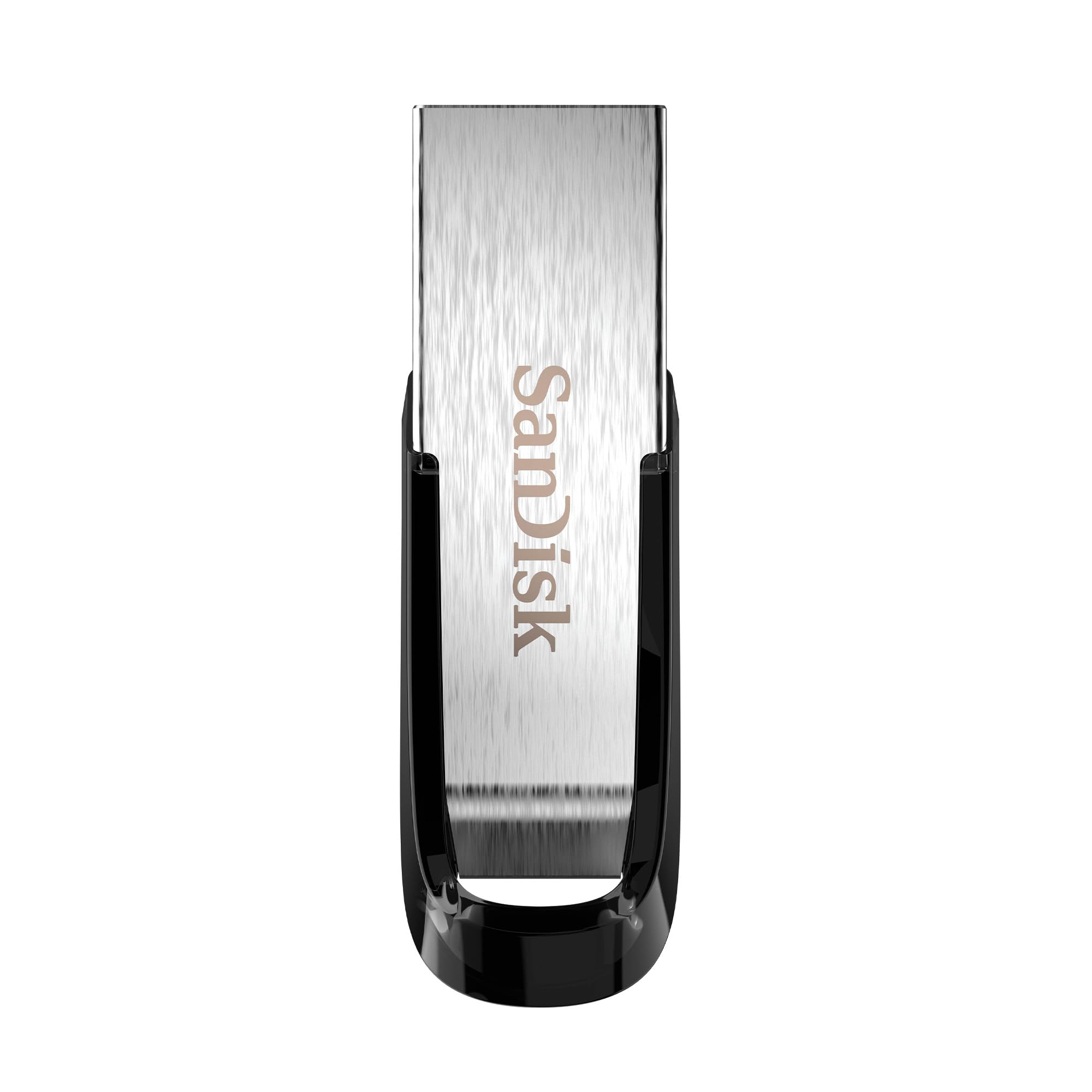
SanDisk Ultra Flair 128GB

SanDisk Ultra Flair 128GB

Media playback, budget

Our Score 9.2/10
Check Price

Worth Noting

  • Sustained write speed falls below 2 MB/s after the initial cache is exhausted.
  • Drive heats up noticeably during extended file transfers.
Capacity
128GB
Interface
USB 3.0 (USB-A)
Compatibility
USB-A devices
Build & Warranty
Metal, no warranty stated

The SanDisk Ultra Flair stands out as a volume leader for read-heavy storage needs. It offers 128GB at a budget-friendly price while maintaining snappy read speeds for media playback and boot drives. Unlike the Samsung BAR Plus, which balances read and write, the Flair trades sustained write performance for cost savings.

This drive suits budget-conscious buyers who primarily store and access files rather than create them. Writing large files reveals the key trade-off: speeds drop to about 2 MB/s after the cache fills, and the casing becomes hot. Users regularly moving gigabytes of video or backups will find this drive frustrating.

In everyday use, the drive feels responsive when copying documents and playing videos. The USB 3.0 interface delivers the advertised 150 MB/s reads consistently. The slim metal design slides easily into a pocket but may be hard to grip when attaching to a keychain.

Tip: For best write performance, keep file transfers under a few gigabytes and allow the drive to cool between tasks.

Bottom line: For reading media and documents, this drive offers exceptional value. If you frequently write large files, the Samsung BAR Plus handles that workload without the slowdown and heat.

3

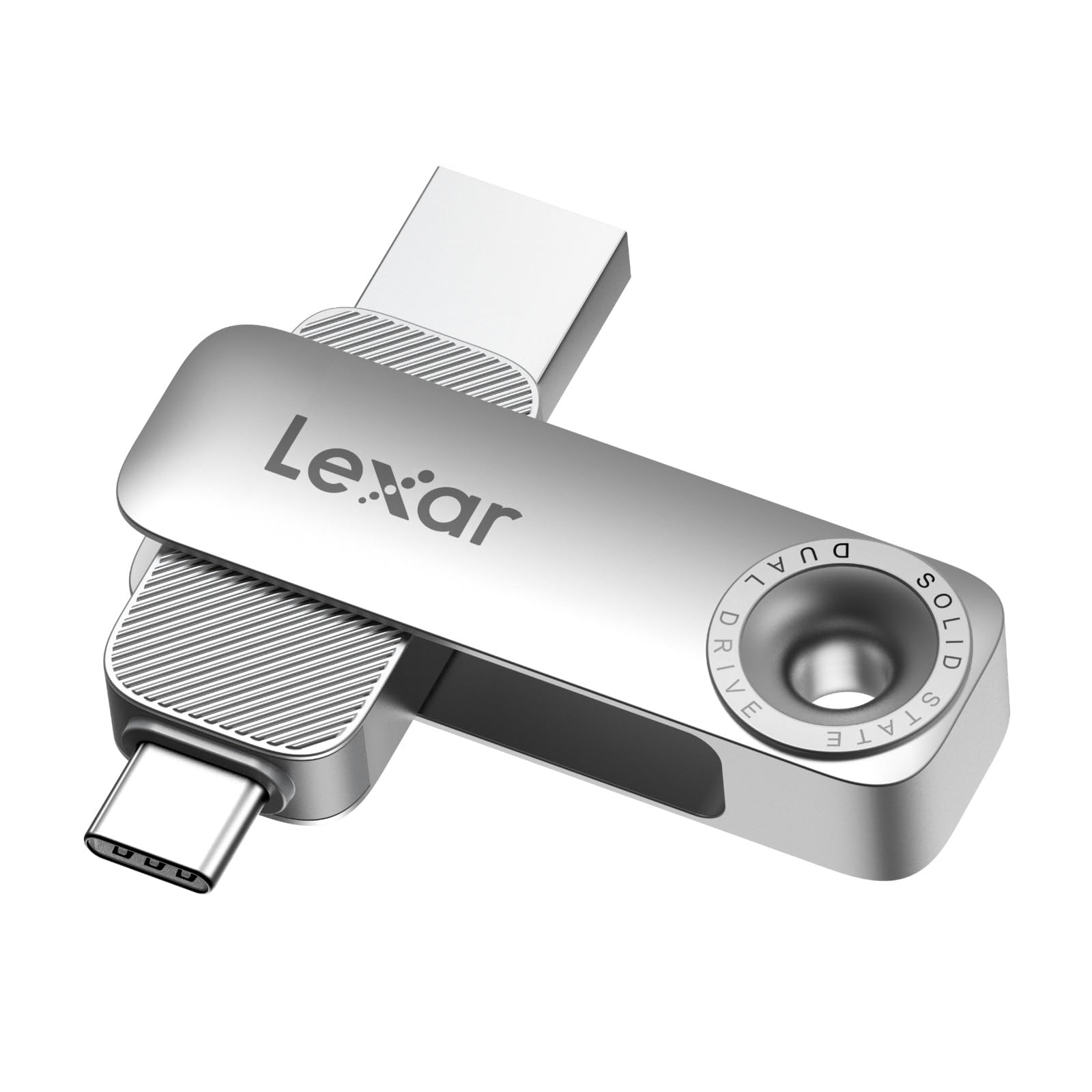
Lexar D40E 128GB Dual

Lexar D40E 128GB Dual

Dual USB-A/C

Our Score 8.8/10
Check Price

Worth Noting

  • iPhone users may find the drive unrecognized in some cases
  • A small number of units have stopped working within a short period
Capacity
128GB
Interface
USB 3.2 Gen 1 (A+C)
Compatibility
Android, PC; not iPhone
Build & Warranty
Metal, no warranty stated

The Lexar D40E wraps both USB-A and USB-C connectors into a single metal housing with a rotating collar, so you can plug into a modern Android phone or a laptop without carrying separate adapters. Transfer speeds reach up to 100 MB/s read and 80 MB/s write, which moves typical photo and document files quickly enough for everyday use.

This drive is best suited for Android users who regularly offload photos or videos to a computer. The metal body feels solid and the swivel mechanism protects the connectors when not in use. However, iPhone compatibility is not consistent — some devices may not recognize the drive — and a small number of units have shown early failure, so testing soon after purchase is wise.

Bottom line: If you mainly move files between Android devices and a PC, the D40E is a straightforward dual-interface choice — just verify it works with your specific phone and plan to test it right away.

4

Samsung Type-C 256GB

Samsung Type-C 256GB

USB-C fast transfers

Our Score 9.2/10
Check Price

Worth Noting

  • Compatibility with iPhones is inconsistent; some devices do not recognize the drive.
  • Occasional unit malfunction within a few months of use, making a return policy advisable.
Capacity
256GB
Interface
USB 3.2 Gen 1 (USB-C)
Compatibility
USB-C laptops, Android
Build & Warranty
Compact, no warranty stated

With 400 MB/s read and 300 MB/s write speeds, this Samsung drive transfers large video files and photo libraries faster than most USB-C thumb drives on the market. Its all-metal casing is barely larger than the USB-C connector itself, making it easy to keep attached to a laptop or tablet.

While the read speed holds steady, sustained write performance can dip during very long transfers. More critically, compatibility with iPhones is inconsistent — some devices recognize the drive, others don't. A small minority of units have been noted to malfunction within months of purchase, so checking the return policy is wise.

This drive suits photographers, videographers, and anyone with a USB-C laptop or Android phone who needs fast, portable storage. If you regularly move 4K footage or RAW photo catalogs, the speed difference over a typical USB 3.0 drive will be noticeable. Not the best choice for iPhone users or those seeking a zero-maintenance storage solution.

Bottom line: For USB-C users who prioritize speed over bulletproof dependability, this drive offers the fastest transfers in its size class — just be prepared for potential compatibility surprises.

5

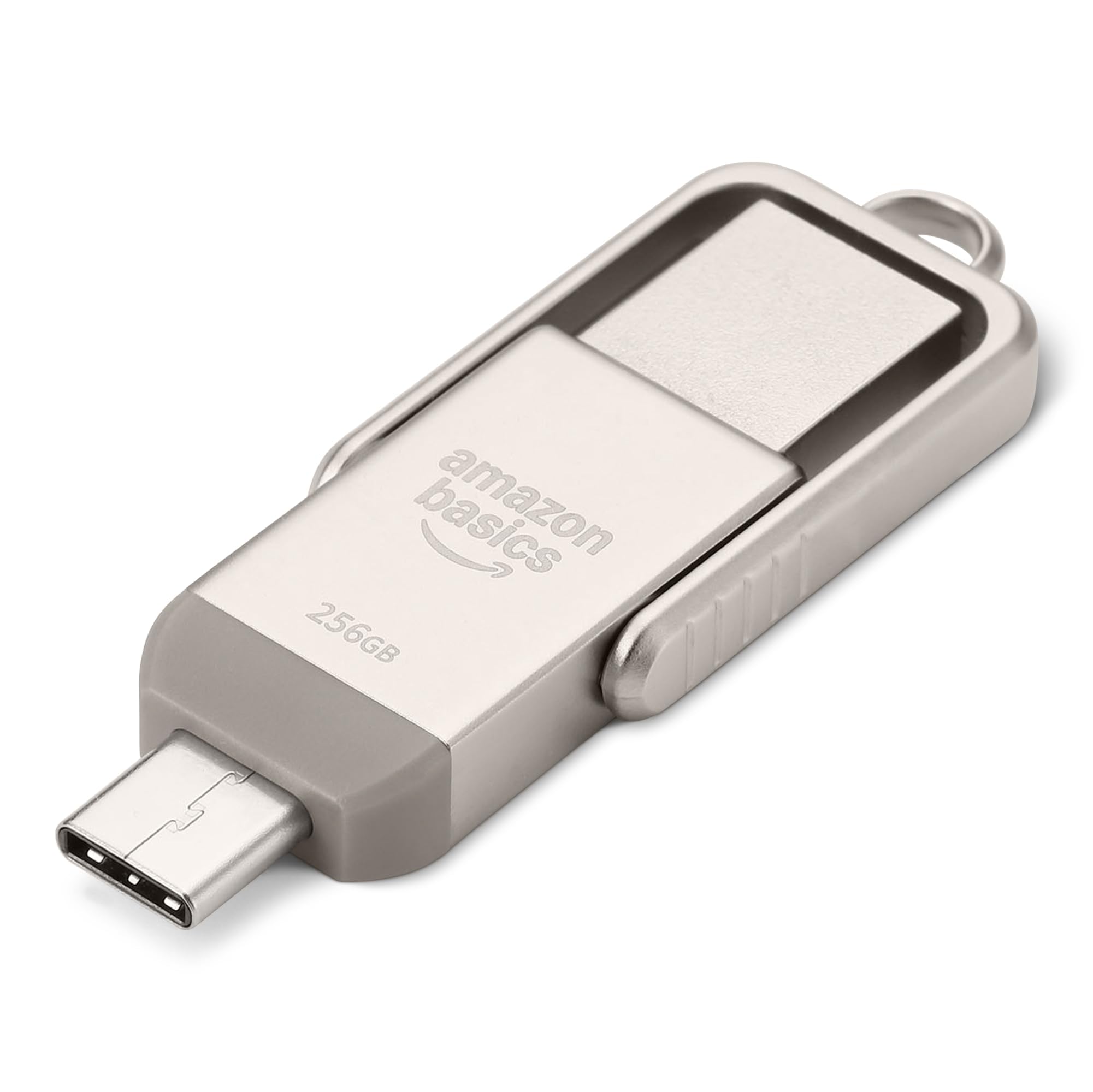
Amazon Basics 256GB Dual

Amazon Basics 256GB Dual

Dual interface value

Our Score 9.2/10
Check Price

Worth Noting

  • Will not be recognized by iPhones or most Apple devices
  • Some units may develop USB-A port connectivity issues after several months of use
Capacity
256GB
Interface
USB 3.2 Gen 1 (A+C)
Compatibility
Android, PC; not iPhone
Build & Warranty
Metal rotating, no warranty stated

The rotating metal body houses both USB-A and USB-C connectors, letting you move files between a modern Android phone and an older PC without an adapter. Read speeds reach 400 MB/s, and the 256GB capacity handles large media libraries or backup sets with room to spare.

Android users and PC owners who juggle devices with different ports will get the most from this drive. It is not intended for iPhone users, and those who prefer a cap or retractable plug should look at alternatives.

Unlike USB-A-only competitors, this drive natively supports USB-C devices — a practical edge for anyone who regularly transfers files between a tablet or phone and a desktop. The metal shell adds durability without the premium price tag of specialist dual-interface models.

Bottom line: For Android and PC users needing a large-capacity dual-interface drive at a reasonable price, this Amazon Basics option delivers where it counts — without the iPhone compatibility or premium build of pricier alternatives.

6

SanDisk Extreme PRO 512GB

SanDisk Extreme PRO 512GB

Pro speed dual

Our Score 9.2/10
Check Price

Worth Noting

  • Compatibility with some devices can be spotty; may not be recognized by certain tablets or car systems.
  • Gets very hot during sustained writes
Capacity
512GB
Interface
USB 3.2 Gen 2 (A+C)
Compatibility
USB-A/C devices
Build & Warranty
Metal, lifetime limited

Reads at 1000 MB/s and writes at 900 MB/s, the SanDisk Extreme PRO moves 4K video files faster than nearly any other flash drive on the market. The dual USB-A and USB-C connectors eliminate adapter hunting, while the metal build and lifetime warranty signal a tool meant for heavy professional use. Unlike the top pick, which tops out at 400 MB/s reads, this drive delivers near-SSD throughput for those who need it.

This drive is built for creative professionals who offload 50GB+ camera cards daily and can tolerate two tradeoffs. The metal body gets noticeably hot during sustained writes — fine for quick transfers, but less comfortable for long backups. Compatibility with some devices (certain tablets or car USB ports) may be inconsistent; it is worth verifying with your specific gear. At a premium price, it is overkill for anyone not moving large files regularly.

The lifetime warranty reinforces the intended use case: this is a professional tool, not a casual backup stick. For those who need maximum throughput and don't mind the heat, the SanDisk Extreme PRO is unmatched in its class. The tradeoff is clear — exceptional speed and build quality in exchange for a hotter operation and a higher entry cost.

Tip: For long transfers, keep the drive in a well-ventilated area and handle by the edges — the metal body dissipates heat but can get uncomfortable.

Bottom line: The SanDisk Extreme PRO is the right choice when transfer speed is the only priority and the budget allows. If you don't move massive video files daily, the top pick offers a better balance of speed, heat, and cost.

7

PNY Attaché X 256GB

PNY Attaché X 256GB

High capacity budget

Our Score 9.2/10
Check Price

Worth Noting

  • Write speed can be significantly slower than advertised when copying large files.
  • The sliding mechanism to expose the USB connector can be very stiff, making it hard to operate with one hand.
Capacity
256GB
Interface
USB 3.2 Gen 1 (USB-A)
Compatibility
USB-A devices
Build & Warranty
Sliding plastic, no warranty stated

The 256GB Attaché X delivers the largest storage you'll find at this price point. Read speeds are adequate for everyday file access, but write speeds fall well short of the advertised rate when transferring large files. The sliding collar that extends the USB connector is stiff and may require two hands to operate. For users who prioritize capacity per dollar and don't move large files often, this drive works, but the SanDisk Ultra Flair offers better performance for similar money.

Bottom line: Best for budget-conscious users who need maximum capacity for infrequent file transfers and can tolerate slower writes and a stiff slider.

8

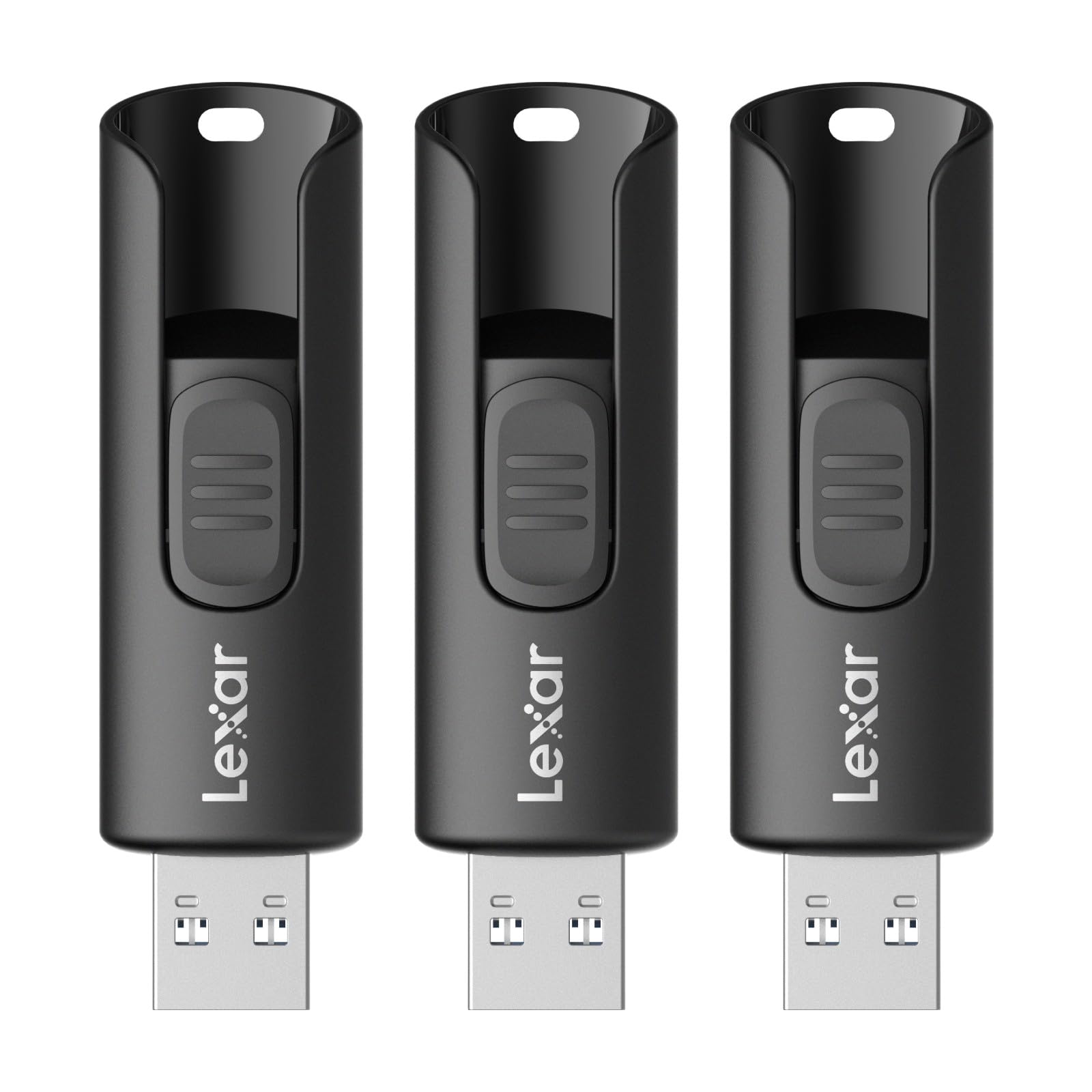
Lexar A30E 3-Pack 64GB

Lexar A30E 3-Pack 64GB

Multi-pack budget

Our Score 9.4/10
Check Price

Worth Noting

  • Plastic housing can crack if the drive is dropped or stressed
  • One drive in the pack may arrive non-functional; testing all three upon arrival is worth doing.
Capacity
64GB each (3-pack)
Interface
USB 3.2 Gen 1 (USB-A)
Compatibility
USB-A devices
Build & Warranty
Plastic, no warranty stated

Three 64GB drives at a price that undercuts most single 128GB options — ideal for distributing across computers or family members. Read speeds reach 100 MB/s, adequate for typical file transfers. The plastic casing is basic and may crack under rough handling, making these better suited for stationary desk use than daily pocket carry. Occasional unit variance means one drive in the pack could arrive non-functional, so testing each is advisable.

Bottom line: Fits families or multi-device setups where the convenience of three separate drives outweighs the trade-off in build and occasional unit variance.

9

Lexar D50E 256GB Dual

Lexar D50E 256GB Dual

New fast dual

Our Score 9.2/10
Check Price

Worth Noting

  • Long-term durability under sustained use has not been confirmed across many units
Capacity
256GB
Interface
USB 3.2 Gen 1 (A+C)
Compatibility
Dual, limited reviews
Build & Warranty

The Lexar D50E pairs fast claimed speeds (400 MB/s read, 360 MB/s write) with a dual USB-A and USB-C design, making it a capable choice for moving files between modern laptops and older PCs at a competitive price. However, long-term durability under sustained use has not been confirmed across many units, and the product has limited real-world feedback. This puts it behind established alternatives like the Samsung Type-C or SanDisk Extreme PRO for buyers who need a proven track record.

Bottom line: Suits early adopters who prioritize speed and dual connectivity over a proven track record.

How to Choose

Read and Write Speeds

Peak read speeds are what manufacturers advertise — 400 MB/s, even 1000 MB/s. But read speed primarily affects how fast you can access files already on the drive. For the average user moving documents or watching media, read speed is what you notice.

Write speed is the hidden bottleneck. Most USB 3.0 drives can write at 30-40 MB/s for a few gigabytes, then drop to under 5 MB/s once the internal SLC cache fills. If you frequently save large video files or create backups, sustained write performance becomes critical. Look for drives that maintain at least 100 MB/s after the cache is exhausted, like the Samsung BAR Plus or SanDisk Extreme PRO.

Storage Capacity

Capacity is straightforward: more gigabytes cost more money. But the sweet spot for most users is 128GB — enough for hundreds of photos, several movies, and documents without breaking the bank. 64GB is fine for occasional use, while 256GB and above suit heavy media hoarders.

A hidden trade-off: higher-capacity drives often use denser NAND flash, which can be slower at writes per cell. Don't assume a 256GB drive writes faster than a 128GB one from the same line. Check real-world benchmarks or reviews that measure sustained write performance at that specific capacity.

Interface Type

USB-A is the universal standard — nearly every computer has a rectangular USB-A port. USB-C is the modern connector found on newer laptops, tablets, and Android phones. Dual-interface drives (USB-A + USB-C) offer flexibility, but they add cost and often introduce compatibility quirks.

The catch: not all USB-C ports are created equal. Some drives that work with a MacBook Pro may not be recognized by an iPhone or iPad, even when the drive claims 'USB-C' compatibility. This is especially true for Apple devices, which have strict power and protocol requirements. If you need to move files between an Android phone and a PC, dual drives are excellent; if you need iPhone support, check the drive's specific iOS compatibility before buying.

Build Quality and Warranty

Metal cases look premium and feel sturdy, but they conduct heat. During sustained writes, a metal drive can become hot enough to be uncomfortable to touch. Plastic or retractable designs run cooler but feel cheaper and may crack over time.

Warranty length is a reliable proxy for expected lifespan. Samsung's 5-year warranty on the BAR Plus signals confidence in the NAND and controller. Shorter warranties (or none) from cheaper drives suggest higher failure rates. For important data, a drive with at least a 2-year warranty is wise.

Compatibility with Devices

A flash drive's compatibility extends beyond the physical connector. Some drives are not recognized by game consoles like PS4, older car stereos, or certain TVs due to file system formatting or power draw. For example, many drives formatted as exFAT work universally, but some devices require FAT32, which limits file size to 4GB.

The most common compatibility complaint: iPhones and iPads — even with USB-C — often reject dual-interface drives that work fine on Android. If you need to transfer files to an iPhone, look for a drive explicitly labeled 'Made for iPhone' or use a Lightning-specific adapter. Samsung and SanDisk both offer iPhone-compatible variants; generic dual drives are a gamble.

Frequently Asked Questions