Cameras & Photography

8 Best Film Scanner of 2026: Pick Real Resolution, Not Marketing MP

Which film scanner actually delivers sharp scans? This guide cuts through interpolated megapixel claims to find the best for casual digitization or archival quality.

Many film scanners advertise 22 or 24 megapixels, but those numbers come from software interpolation, not the sensor's real capability. The result? Soft images that don't match expectations.

This guide explains what to look for — sensor type, true optical resolution — so you can pick a scanner that delivers the detail you actually need, whether it is for family snapshots or archival prints. The choice comes down to speed versus quality: budget CMOS scanners digitize a slide in seconds but sacrifice sharpness, while premium CCD models produce lab-quality results at a few minutes per frame.

Understanding this trade-off is key to matching the scanner to your project without paying for features you won't use or settling for less than you need.

1

Kodak Slide N SCAN

Top Pick
Kodak Slide N SCAN

Casual digitization

Our Score 8.8/10
Check Price

Worth Noting

  • Full-resolution scans can appear soft, falling short of the advertised interpolated 22MP.
  • Colors from color-negative film may look muted, requiring manual correction in post.
  • Curled or thick slides can jam in the feeding tray during batch scanning.
Screen Size
5-inch LCD
Sensor Type
CMOS
Film Formats
135,126,110,slides
Software & Dust Removal
None

This dedicated film and slide scanner prioritizes getting the job done quickly. Insert a slide or strip of negatives, and each frame appears on the 5-inch LCD in one to two seconds. Buttons are labeled clearly, and no computer is needed to save scans directly to an SD card. The learning curve is short enough that someone unfamiliar with film can start scanning within minutes.

The advertised 22-megapixel resolution is interpolated, not optical. Scans at full resolution show visible softness, and colors from color-negative film can appear flat or washed out. For web sharing, social media, and 4x6 prints these results are acceptable, but anyone expecting gallery-grade sharpness will be let down. The scanner uses a CMOS sensor rather than the CCD found in higher-end models, which partly explains the image-quality ceiling.

The feeding tray accommodates standard 35mm slides and strips, plus 126 and 110 film. Some slides that are curled or thicker than usual may stick during feeding, which interrupts a batch session. The large preview screen helps identify issues before saving, and the overall build feels sturdy enough for repeated use across a large collection.

This scanner fits someone with boxes of old slides or negatives who wants digital copies without spending days on post-processing. It's not suited for archival work, fine-art reproduction, or critical color grading. The tradeoff is clear: convenience and speed come before pixel-level fidelity. A buyer who values efficiency over image quality will find this a cost-effective solution.

Tip: Keep slides flat before feeding; slight curling can cause jams during batch operation.

Bottom line: For digitizing family memories quickly at home, this scanner balances ease and speed with image quality that works for digital sharing and small prints.
2

Magnasonic FS71

Magnasonic FS71

Budget digitization

Our Score 8.6/10
Check Price

Worth Noting

  • Slight cropping of the top edge may cut off details in framed compositions
  • Image sharpness is adequate for web sharing but lacks detail for large prints
Screen Size
5-inch LCD
Sensor Type
CCD (claimed)
Film Formats
35mm,126,110,Super8
Software & Dust Removal
None

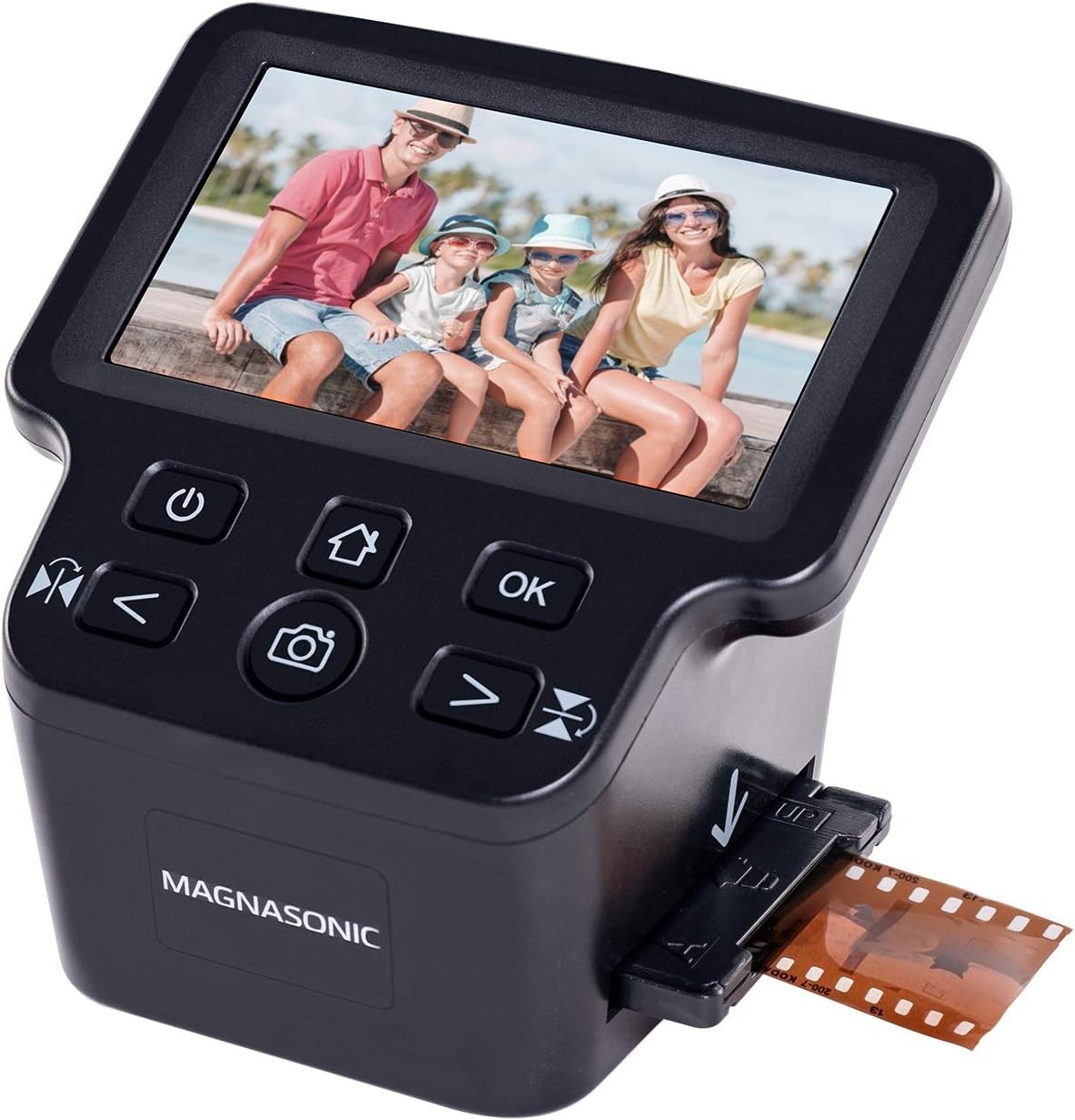
For buyers focused on value, the Magnasonic FS71 offers nearly identical ease of use and scanning speed as the top pick for about $60 less. Its 5-second-per-frame pace and simple controls mean little learning curve for large slide collections.

This scanner suits budget-conscious users who prioritize speed and simplicity over archival-grade sharpness. The slight top-edge cropping and soft image details are acceptable tradeoffs for web sharing or small prints. Those needing exact frame edges or high-resolution output should consider a step-up model like the Plustek 8200i.

Given its low cost, the FS71 is an outstanding entry point for digitizing family archives without investing in premium equipment. The included 5-inch LCD and HDMI output make previewing and sharing scans convenient right out of the box.

d Tip: For best results, use the included film holders and experiment with exposure settings to minimize cropping impact.

Bottom line: The FS71 is the right choice for casual digitization where budget and speed matter more than archival detail - a cost-effective companion to the Kodak top pick.

3

Plustek 8300i Ai

Plustek 8300i Ai

Archival quality

Our Score 8.2/10
Check Price

Worth Noting

  • Infrared dust removal may miss marks or soften details in some cases.
  • Full-resolution scans take two to three minutes per frame, limiting batch throughput.
  • Some units may have driver compatibility issues or hardware quirks after purchase.
Screen Size
Sensor Type
CCD
Film Formats
35mm only
Software & Dust Removal
SilverFast Ai, iSRD

Plustek's OpticFilm 8300i Ai sets the bar for image quality in this class, pairing a 7200dpi CCD sensor with SilverFast Ai Studio 9 and an IT8 calibration target. The bundled software gives you the same tools used in high-end labs, with tight control over color, sharpness, and exposure. This is not a quick-scan setup, but for photographers who need archival-faithful reproductions of slides and negatives, the output justifies the slower pace.

The serious hobbyist or archivist who prioritizes detail and dynamic range over speed will find the 8300i Ai a capable tool. Scan times run two to three minutes per frame at full resolution, and SilverFast's learning curve is real — expect to invest time in tutorials and manual adjustments. Those unwilling to accept this workflow should look at simpler alternatives, but for anyone who wants to extract every bit of information from their film, the tradeoff is manageable.

Dust and scratch removal via iSRD can miss marks or soften fine details in some cases, so you may still need to spot-clean in post-processing. A minority of units have experienced driver compatibility issues or hardware quirks on certain systems, so verifying return policies is wise.

Tip: Set aside a few hours for batch scanning at 7200 dpi; scanning incremental lower resolutions is faster for previewing.

Bottom line: If you need the highest image quality from your film and have the patience to learn SilverFast, the 8300i Ai delivers scans that rival commercial services — just plan around its pace.

4

HP Touch Screen Scanner

HP Touch Screen Scanner

Touchscreen ease

Our Score 8.8/10
Check Price

Worth Noting

  • Requires a separate SD card
  • Color adjustment controls are basic, relying on post-processing for fine tuning
Screen Size
5-inch touchscreen
Sensor Type
CMOS
Film Formats
135,126,110,slides
Software & Dust Removal
None

HP’s touchscreen scanner replaces the usual button-and-dial interface with a 5-inch color LCD that responds to taps and swipes. It feels more like a modern smartphone than a niche digitizer – a deliberate departure from the button-heavy design of the most popular film scanner. The USB-C connection powers the unit and transfers files, eliminating the need for a separate power adapter.

This scanner suits users who value an intuitive, computer-free workflow for small to medium batches of 35mm slides, negatives, and 110 film. The 13MP CMOS sensor (22MP interpolated) delivers acceptable image quality for web sharing and small prints, though color adjustments are best handled in post-processing. Be aware that the scanner requires a separate SD card – there is no USB drive port – and the built-in color controls are limited.

Scanning speed is a highlight: each frame completes in about 1-2 seconds, making it faster than many competitors at this price point. When paired with a good source film, the results are crisp with acceptable color after minor tweaks.

Tip: Keep a high-capacity SD card ready; the scanner cannot work with USB drives.

Bottom line: Best for film enthusiasts who want a modern interface and fast scanning without committing to a high-volume workflow.

5

Kodak Slide N Scan Max

Kodak Slide N Scan Max

Large screen preview

Our Score 8.4/10
Check Price

Worth Noting

  • Image quality can be soft or muddy at full resolution
  • Slides may jam in the feeder, especially thicker mounts
  • Some units arrive with power or sensor failures
Screen Size
7-inch tiltable LCD
Sensor Type
CMOS
Film Formats
135,110,126
Software & Dust Removal
None

The 7-inch tiltable LCD is the standout feature here, offering a spacious and adjustable preview that reduces eye strain when reviewing and editing scans. This makes it a clear step up from the standard Kodak model for anyone who wants to see more detail before saving.

Scanning speed remains quick, allowing you to process hundreds of slides per hour without waiting. However, the 13MP CMOS sensor produces images that can look soft or muddy at full resolution, and the feeder mechanism may jam with thicker or warped slide mounts. These limitations carry over from the earlier model.

This scanner suits users who spend a lot of time at the screen and value comfortable previewing above all else. If you need sharper scans for archival or printing, a dedicated CCD scanner would be a better fit. Accept that occasional jams are possible and image quality is best suited for digital sharing and small prints.

Tip: Use standard 35mm slides in thin mounts to minimize jamming risk.

Bottom line: Choose this if you scan often and want the largest preview screen available in its price range, but you are comfortable with the same image quality and jamming quirks as the standard Kodak model.

6

BEONEGLOBAL ClearScan

BEONEGLOBAL ClearScan

Ultra-budget

Our Score 8.6/10
Check Price

Worth Noting

  • Scans can appear soft and overexposed, limiting use to web-sized images
  • Slow scanning speed makes digitizing more than 100 slides impractical
Screen Size
2.31-inch LCD
Sensor Type
CMOS
Film Formats
135,126
Software & Dust Removal
None

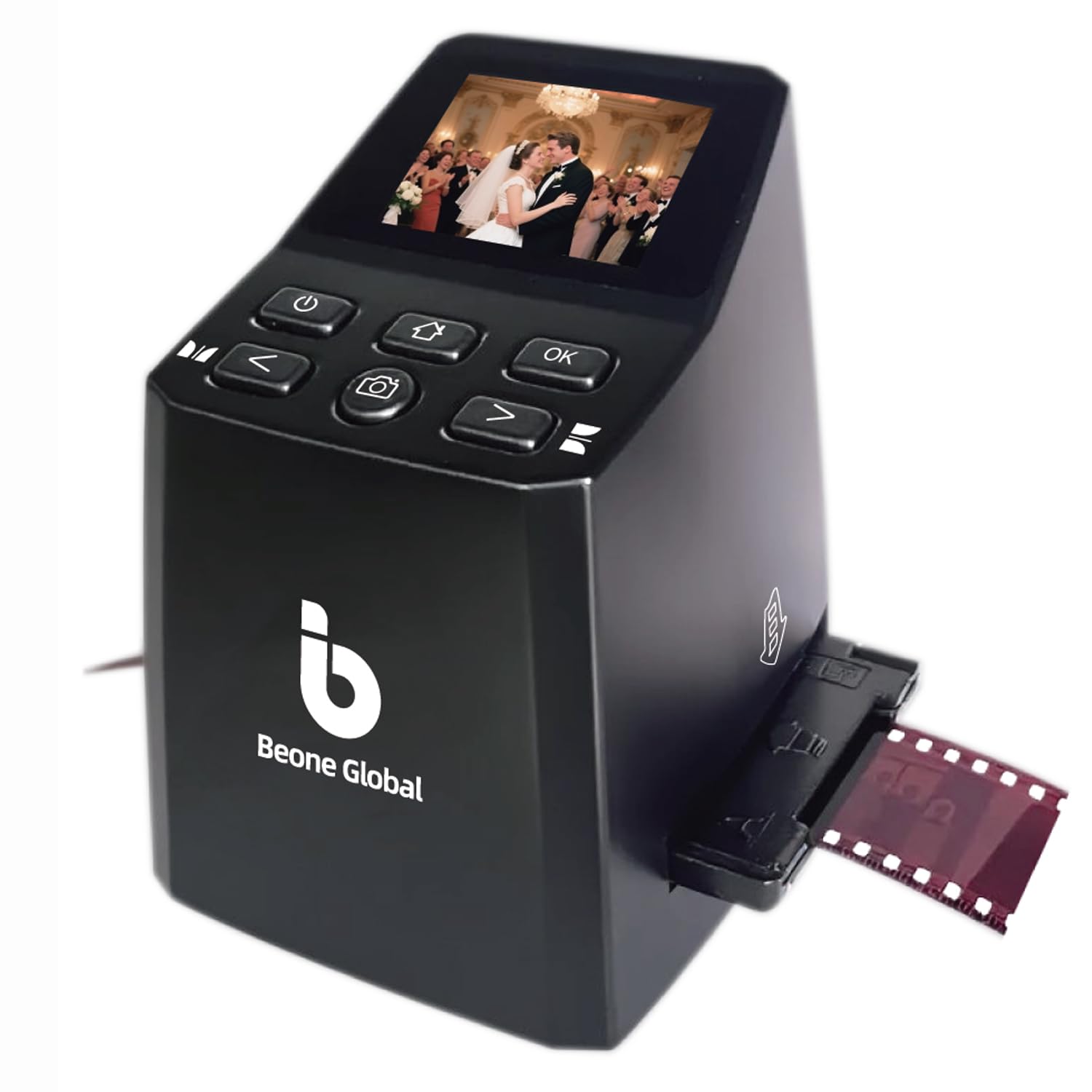
The ClearScan MINI offers an affordable way to digitize a handful of slides or negatives without a big investment. Its simple controls and quick setup make it easy for anyone to start scanning right away. That said, the small CMOS sensor produces scans that can appear soft or blown out in highlights — acceptable for on-screen sharing but not for archival prints or enlargements. The 2.31-inch LCD is too small for critical framing, and the 16-megapixel rating is interpolated from a lower optical resolution. Scanning speed is moderate, so projects beyond 50-100 slides become time-consuming. For a few family memories or as a gift for someone curious about film scanning, this fits the bill. Those needing consistent quality for larger collections should consider a step-up model like the Magnasonic.

Bottom line: Best for someone with a small stack of family slides who wants a quick digital copy on a tight budget, not for those needing archival quality or batch speed.

7

Plustek 8200i SE

Plustek 8200i SE

Dust removal

Our Score 8.0/10
Check Price

Worth Noting

  • Bundled SilverFast software requires a steep learning curve and complex setup
  • Scanning a single frame at high resolution takes up to three minutes
Screen Size
Sensor Type
CCD
Film Formats
35mm only
Software & Dust Removal
SilverFast SE+, iSRD

The Plustek 8200i SE delivers genuinely sharp 7200dpi scans from 35mm slides and negatives, with infrared dust and scratch removal that saves significant manual cleanup. Its CCD sensor offers image depth that budget CMOS scanners cannot match. The tradeoff: scanning a single frame at high resolution takes up to three minutes, and the bundled SilverFast software requires a steep learning curve. Driver compatibility on modern macOS versions can be inconsistent. For the same money, the newer 8300i Ai improves scanning speed and software integration, making this model a better fit if found at a discount or if dust removal is the top priority.

Tip: SilverFast offers extensive tutorials; plan for a few hours to get comfortable.

Bottom line: This scanner suits photographers who want dust-free, high-resolution digitization and are prepared for a deliberate workflow. Consider it if you find it at a discount, or opt for the faster 8300i Ai otherwise.

8

Plustek 8100

Plustek 8100

Budget premium

Our Score 8.0/10
Check Price

Worth Noting

  • No infrared dust removal requires manual cleaning or post-processing for each frame.
  • Scanning speed of 2-3 minutes per frame demands patience and a slow workflow.
Screen Size
Sensor Type
CCD
Film Formats
35mm only
Software & Dust Removal
SilverFast SE+ (no IR)

The Plustek OpticFilm 8100 gives you genuine 7200 dpi optical resolution from a CCD sensor at the lowest price in this class. Scans show good sharpness for enlargements. But the tradeoffs are significant: there is no infrared dust removal, so every frame needs manual dust cleaning or post-processing. Scanning each frame takes 2 to 3 minutes, and the SilverFast software can be frustrating to set up and use. The 8200i model adds dust removal and slightly better speed, but this 8100 remains the entry point if budget is extremely tight.

Bottom line: Best suited for buyers who cannot stretch to the 8200i and are willing to manually clean dust and accept a slow per-frame pace.

How to Choose

Optical Resolution vs Interpolated Megapixels

Film scanners advertise megapixel counts that are software-upscaled from a much lower sensor resolution. A 22MP interpolated scan from a 13MP CMOS sensor will look softer than a true 7200 dpi scan from a CCD sensor. The real measure is optical resolution in dots per inch (dpi).

For 35mm film, 7200 dpi captures enough detail for large prints up to 20x30 inches. Interpolated scans are fine for web sharing and 4x6 prints but will show softness at larger sizes. Ignore the megapixel number and look for dpi or sensor type.

Sensor Type: CCD vs CMOS

CCD sensors have been the gold standard for film scanning because they offer better dynamic range and lower noise. They render subtle tonal gradations in negatives more accurately. CMOS sensors are cheaper and consume less power but typically struggle with shadow detail and color fidelity.

If you are scanning for archival or exhibition prints, a CCD scanner is worth the premium. For casual digitization of family slides, a CMOS scanner's speed and lower cost often outweigh the quality gap.

Screen Size and Standalone Use

Standalone scanners with built-in screens let you preview and edit without a computer. A 5-inch screen is usable for framing and basic adjustments; a 7-inch tiltable screen like the Kodak Max makes it much easier to see fine details. Larger screens reduce the need to transfer to a PC for every edit.

Computer-dependent scanners (like the Plustek models) offer far better software control but require a desk setup. If you plan to scan in batches away from a desk, a standalone unit with a big screen saves time.

Film Format Support

Most home scanners support 35mm, 126, 110, and standard slide mounts. If you have medium format (120/220) or half-frame negatives, you need a dedicated flatbed or a specialized scanner. Check compatibility before buying, especially for older formats like Super 8 or 126.

Budget models often handle fewer formats. The Magnasonic FS71 includes Super 8 support, but many others skip it. If you work with multiple film types, confirm the tray or adapter matches each format.

Software Bundle and Dust Removal

Higher-end scanners bundle software like SilverFast which offers professional-grade color management, dust and scratch removal (iSRD), and batch processing. These tools can save hours of post-processing. Budget scanners rely on manual editing in external software like Photoshop.

Infrared dust removal (iSRD) automatically detects and removes dust without softening image detail. It is a major time-saver for dusty slides. If you plan to scan a large collection, a model with iSRD like the Plustek 8200i SE can pay for itself in saved effort.

Frequently Asked Questions