Tools & DIY

10 Best Engraving Pen of 2026: Which Ones Deliver Real Torque

Find the best engraving pen for your projects — whether you need fine control for jewelry or deep marking on metal, without wasting money on weak motors.

Shopping for an engraving pen often starts with a high RPM number — 20,000, 25,000, even 30,000. But once you press down on a piece of hardwood or metal, that number means nothing if the motor stalls under light pressure. Many pens promise speed but deliver only vibration.

The gap between advertised specs and real-world performance is the single biggest frustration in this category. That’s why this guide focuses on what actually matters: motor torque, build quality that keeps bits in place, and battery life that matches your session length. We matched each pen to a specific use case — from precision glass etching to heavy tool marking — so you know exactly which tool fits your material and skill level.

Whether you need a cordless rotary for 3D print cleanup or a loud but effective impact engraver for permanent metal marking, the right choice comes down to matching the tool’s strength to the hardness of your workpiece. No single pen does everything well, but the options here avoid the common trap of looking good on paper and failing on the bench.

1

HOTO L03 Rotary Tool

Top Pick
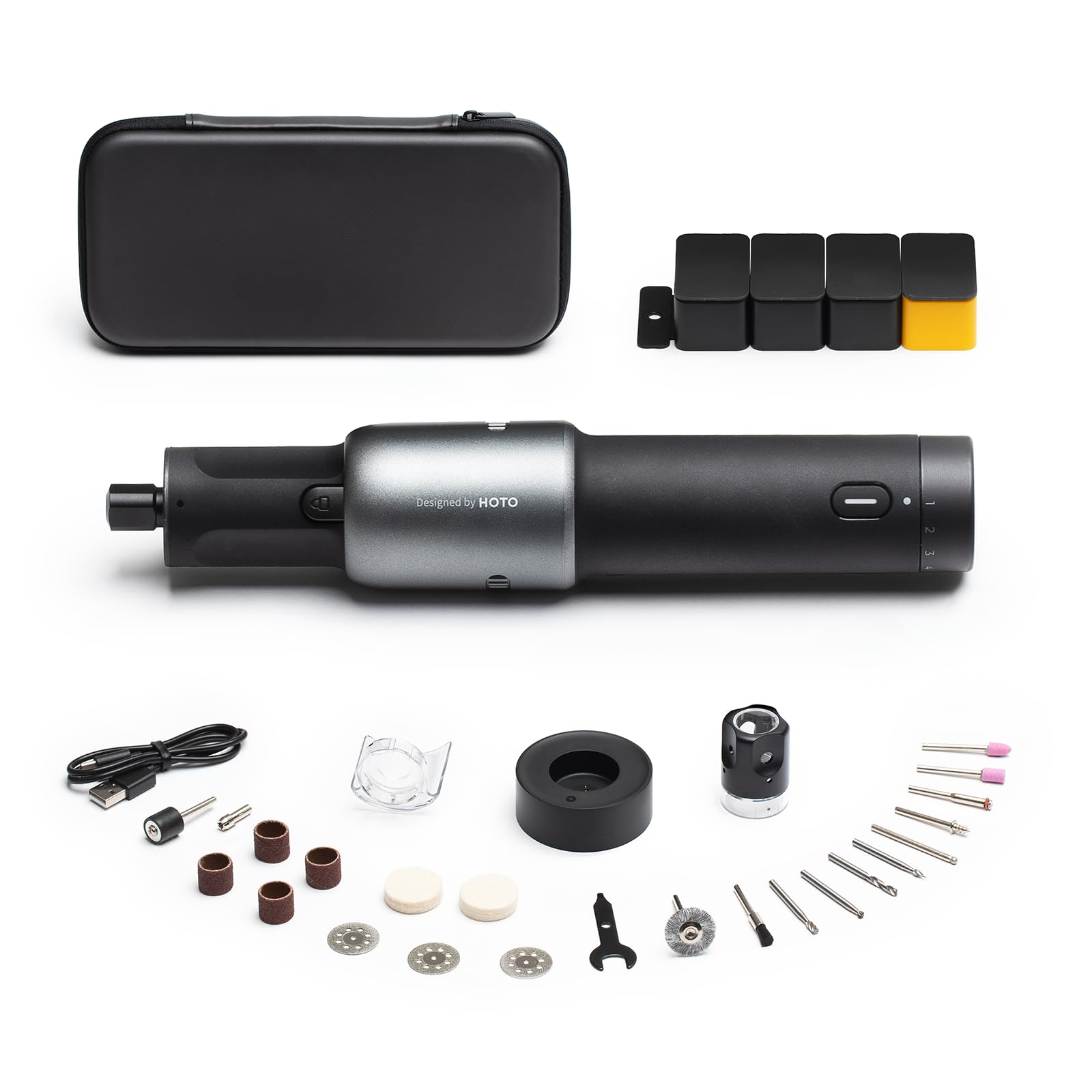
HOTO L03 Rotary Tool

Hobbyist all-rounder

Our Score 9.0/10
Check Price

Worth Noting

  • If dropped, internal components can shift and cause operational issues
  • Extended use causes the tool body to heat up, making it uncomfortable for long sessions
Motor Power
25,000 RPM, good torque
Noise Level
Quiet
Build & Bits
Good build, 2 collets
Included Bits
35+ bits

The HOTO L03 packs surprising torque into a compact cordless body, reaching 25,000 RPM with enough bite to handle light metal engraving, hardwood carving, and 3D print finishing without stalling. Its brushless motor runs quietly — a welcome change from the whine of impact engravers — and the USB-C rechargeable battery holds about an hour of runtime, enough for most craft sessions.

During extended use, the tool body can heat up against the hand, which makes it less comfortable for marathon engraving sessions. It also lacks the shock-proofing of impact-style tools: a drop onto concrete may misalign internal components, leading to wobble or failure. These are tradeoffs of its lightweight, cordless design, not dealbreakers for measured use.

This rotary engraving pen suits hobbyists who need one tool for wood, plastic, acrylic, and occasional soft metal work — especially 3D printing enthusiasts who appreciate the LED light for detail work. If your primary material is hardened steel or you need continuous heavy-duty engraving, an impact-style engraver (like the Dremel 290) would be a better fit. The HOTO is not designed for industrial tasks, but for the craft bench it delivers far more than its mid-range price suggests.

Tip: To manage heat, take short breaks every 15–20 minutes during heavy use.

Bottom line: For hobbyists who want a cordless rotary engraving pen that balances torque, quiet operation, and battery life at a mid-range price, the HOTO L03 is the most capable all-rounder available — just mind the heat and keep it off the floor.
2

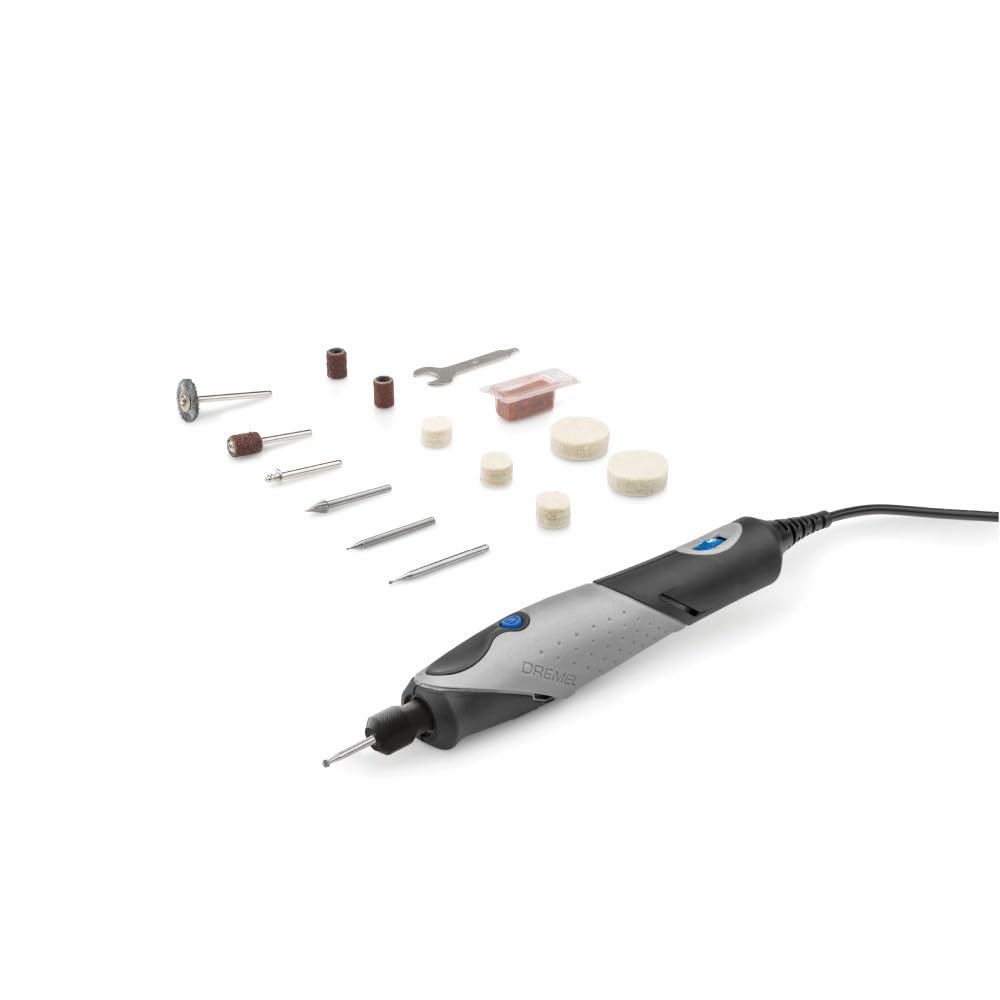
Dremel Stylo+ Craft Rotary

Dremel Stylo+ Craft Rotary

Precision craft

Our Score 9.2/10
Check Price

Worth Noting

  • Motor or cord issues can arise in some units, potentially affecting long-term operation.
  • When engraving dense hardwoods or metal, the tool loses speed quickly under pressure.
Motor Power
5-22k RPM, light torque
Noise Level
Moderate
Build & Bits
Good build, single collet
Included Bits
15 accessories

The Dremel Stylo+ trades brute torque for pen-like precision. Its lightweight 7.2-ounce body and slim grip reduce hand fatigue during extended detail work, letting you guide the bit with the same touch as a fine marker. This focus on control makes it a natural fit for glass etching, jewelry detailing, and other projects where accuracy matters more than material removal rate.

This tool suits crafters who work primarily on soft materials like acrylic, thin wood, and glass. The corded motor delivers consistent speed between 5,000 and 22,000 RPM, but bogs down quickly when pressed into dense hardwoods or metal. If your engraving stays light and deliberate, the Stylo+ offers a comfortable, predictable experience; for heavy carving or marking hardened surfaces, an impact engraver like the Dremel 290 would be a better match.

Tip: Use steady, light strokes on soft materials; pressing harder will cause the motor to stall rather than cut faster.

Bottom line: For jewelry makers, glass etchers, and beginners focused on lightweight, detailed projects, the Stylo+ delivers comfortable precision. If your tasks include hardwood carving or deep metal marking, consider an impact engraver instead.

3

Dremel 290 Engraver

Dremel 290 Engraver

Metal marking

Our Score 8.8/10
Check Price

Worth Noting

  • The small set screw for bit installation can be easily lost during changes, so keep it secure.
Motor Power
Impact, 7200 spm
Noise Level
Very loud
Build & Bits
Basic build, single bit
Included Bits
1 bit + stencils

The Dremel 290 delivers deep, consistent engraving on metal and glass at a fraction of the cost of rotary pens. While the top-rated HOTO L03 offers quieter operation and more torque for varied materials, the 290 focuses on one job: permanent marking on hard surfaces.

This impact engraver suits DIYers who need to mark tools or equipment with minimal fuss. However, it is extremely loud and vibrates heavily — not suitable for quiet workshops or delicate materials like leather or soft wood. If you can work in a garage or outdoor area, the trade-off is manageable.

Tip: Keep the set screw in a magnetic dish when changing bits to avoid losing it.

Bottom line: Buy the Dremel 290 if your priority is a low-cost impact engraver for permanent marking on metal and glass, and you can accept the noise and vibration.

4

Fanttik F2 Master Cordless

Fanttik F2 Master Cordless

3D print finishing

Our Score 9.0/10
Check Price

Worth Noting

  • Bits may loosen and fall out during use, requiring periodic tightening
  • Motor stalls when applying moderate pressure on hard materials like metal or hardwood
Motor Power
12-25k RPM, low torque
Noise Level
Very quiet
Build & Bits
Compact build, hub storage
Included Bits
35 accessories

The Fanttik F2 Master stands out for its nearly silent operation and well-organized case, making it a portable companion for light-duty tasks. While the HOTO L03 offers more torque for tougher materials, the Fanttik’s low noise and compact design suit those who work in shared spaces or travel between projects.

This kit is best for 3D printer owners removing supports, hobbyists polishing small parts, and crafters who value tidiness. However, the bits can loosen during use and the motor bogs down under moderate pressure, so it won’t handle deep metal engraving or continuous sanding on hard materials.

Tip: Check and tighten the collet before each use to prevent bits from slipping.

Bottom line: For lightweight portable tasks like 3D print cleanup and light engraving, the F2 Master’s quiet operation and organized kit are hard to beat. If you need to work on metal or apply constant pressure, look to the HOTO L03.

5

Hotrose Engraving Pen

Hotrose Engraving Pen

Beginner kit

Our Score 8.6/10
Check Price

Worth Noting

  • Battery lasts about 45 minutes, which can be short for longer projects
  • Bits may chip under pressure and motor durability can vary between units
Motor Power
5-18k RPM, moderate
Noise Level
Moderate
Build & Bits
Metal body, 37 bits
Included Bits
37 bits + stencils

The Hotrose Engraving Pen stands out for its metal body and the sheer number of accessories included: 37 bits and a set of stencils. That combination gives beginners a wide range of options right out of the box, without needing to track down additional supplies. Compared to the HOTO L03, the Hotrose is noticeably less powerful and has a shorter battery life, so it won't handle hard metals or all-day use as smoothly.

This pen suits someone starting out with jewelry making, light wood carving, or etching on glass and soft metals. The average 45-minute battery run time is fine for short sessions but may leave you mid-project if you forget to charge. The included bits are adequate for light work, though some users have found that bits can break or the motor can stop under heavier use. For occasional craft projects and learning the basics, these limitations are manageable tradeoffs.

Tip: Keep a power bank connected via USB-C for extended engraving sessions beyond the built-in battery.

Bottom line: Best for newcomers who want a low-cost, full-kit engraver for light craft projects and are comfortable with occasional charging between sessions.

6

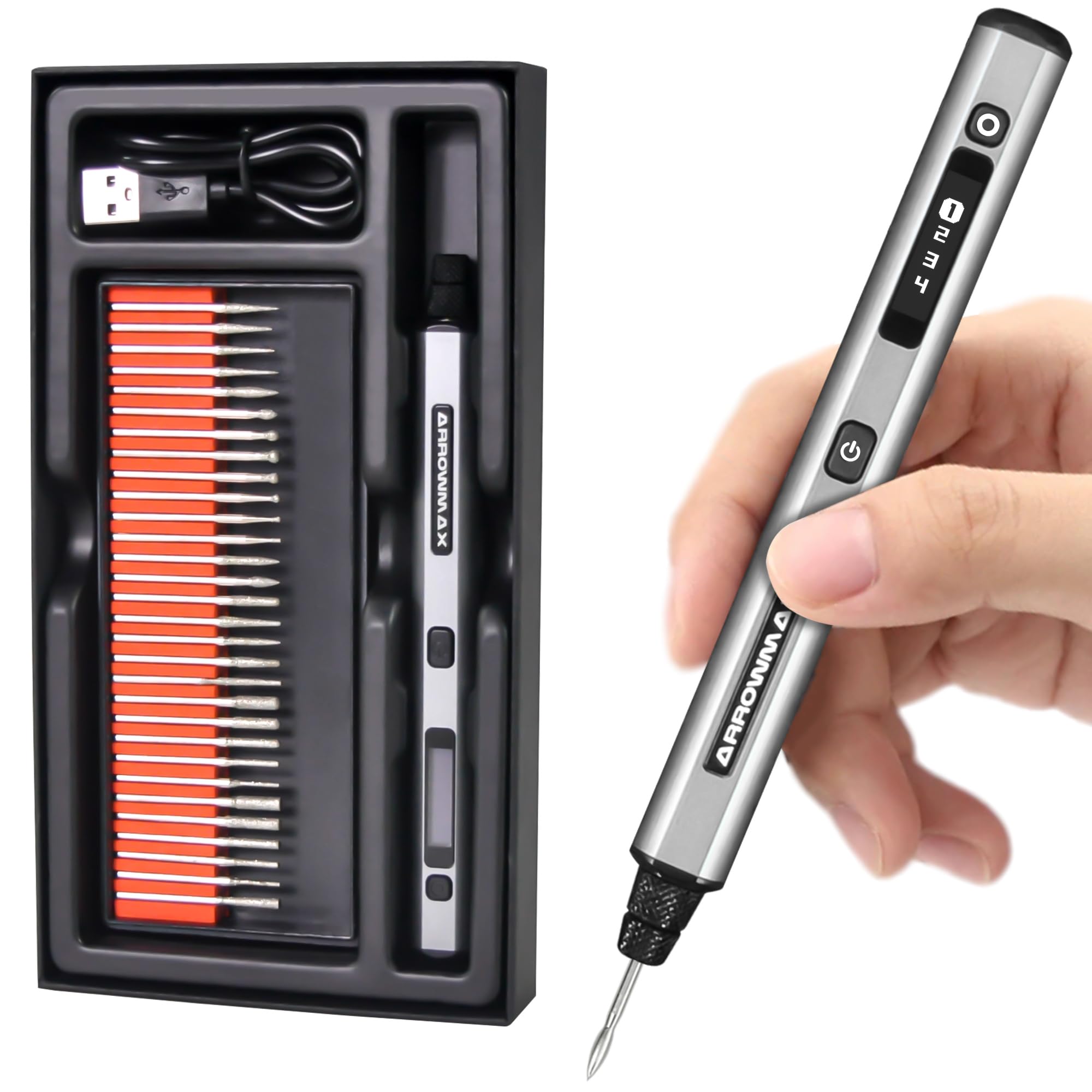
AM ARROWMAX SGS Pen

AM ARROWMAX SGS Pen

Left-handed use

Our Score 8.8/10
Check Price

Worth Noting

Motor Power
15-30k RPM, moderate
Noise Level
Moderate
Build & Bits
OLED display, reversible
Included Bits

Forward/reverse rotation allows left-handed users to work in any direction without changing grip. The OLED display clearly shows speed and remaining battery, a welcome feature at this price point. Build quality feels solid for the cost, but the shaft can come loose with use, and battery life can vary between units. This makes it a good fit for occasional hobbyists who value the directional flexibility over long-term durability.

Bottom line: Best for left-handed crafters who want a cordless pen with a digital display and can accept occasional hardware inconsistencies.

7

HARDELL Engraver

HARDELL Engraver

Tool labeling

Our Score 8.8/10
Check Price

Worth Noting

  • Loud operation typical of impact engravers
  • May overheat and cut out after short use
Motor Power
Impact, 7200 spm
Noise Level
Loud
Build & Bits
Basic build, 3 bits
Included Bits
3 bits + stencils

This impact engraver marks metal and tools effectively using its three tungsten carbide bits and included stencils. It offers good value and simple operation. However, the impact mechanism generates significant noise, and the tool can overheat during extended use, causing it to cut out. It performs similarly to the Dremel 290 but with a known heat issue, making it best for occasional tool labeling where noise and brief pauses are acceptable.

Bottom line: A solid option for labeling tools or marking metal when noise and brief overheating are acceptable tradeoffs.

8

YEYETUO Engraver

YEYETUO Engraver

Ultra-budget marking

Our Score 8.8/10
Check Price

Worth Noting

  • Includes only two bits, limiting material versatility
  • Loud impact noise limits use to non-quiet environments
Motor Power
Impact, 7200 spm
Noise Level
Loud
Build & Bits
Basic build, 2 bits
Included Bits
2 bits

At under $15, the YEYETUO Engraver marks metal and glass adequately for one-off tool marking jobs. Its impact mechanism is loud, so it’s best left for garages or workshops where noise isn’t a concern. With only two bits included, it’s not suited for detailed or frequent work. This is the cheapest functional option when cost trumps all other considerations.

Bottom line: If you need the cheapest way to mark a few metal tools or glass items and can tolerate noise, this fits.

9

General Tools 505 Engraver

General Tools 505 Engraver

Plastic marking

Our Score 8.6/10
Check Price

Worth Noting

  • Motor lacks torque
Motor Power
20,000 RPM, low power
Noise Level
Moderate
Build & Bits
Poor build, diamond tip
Included Bits
1 tip

Extremely cheap and easy to use for light marking on plastic and soft wood. However, build quality is poor — the shaft can fall out and plastic parts may break. For anything beyond one-time use on soft materials, a more robust option like the starter kit with metal construction is worth considering.

Bottom line: Buy this only if you need a one-time engraving on a plastic phone case or toy and want to spend the bare minimum. For any other use, consider a more durable cordless pen.

10

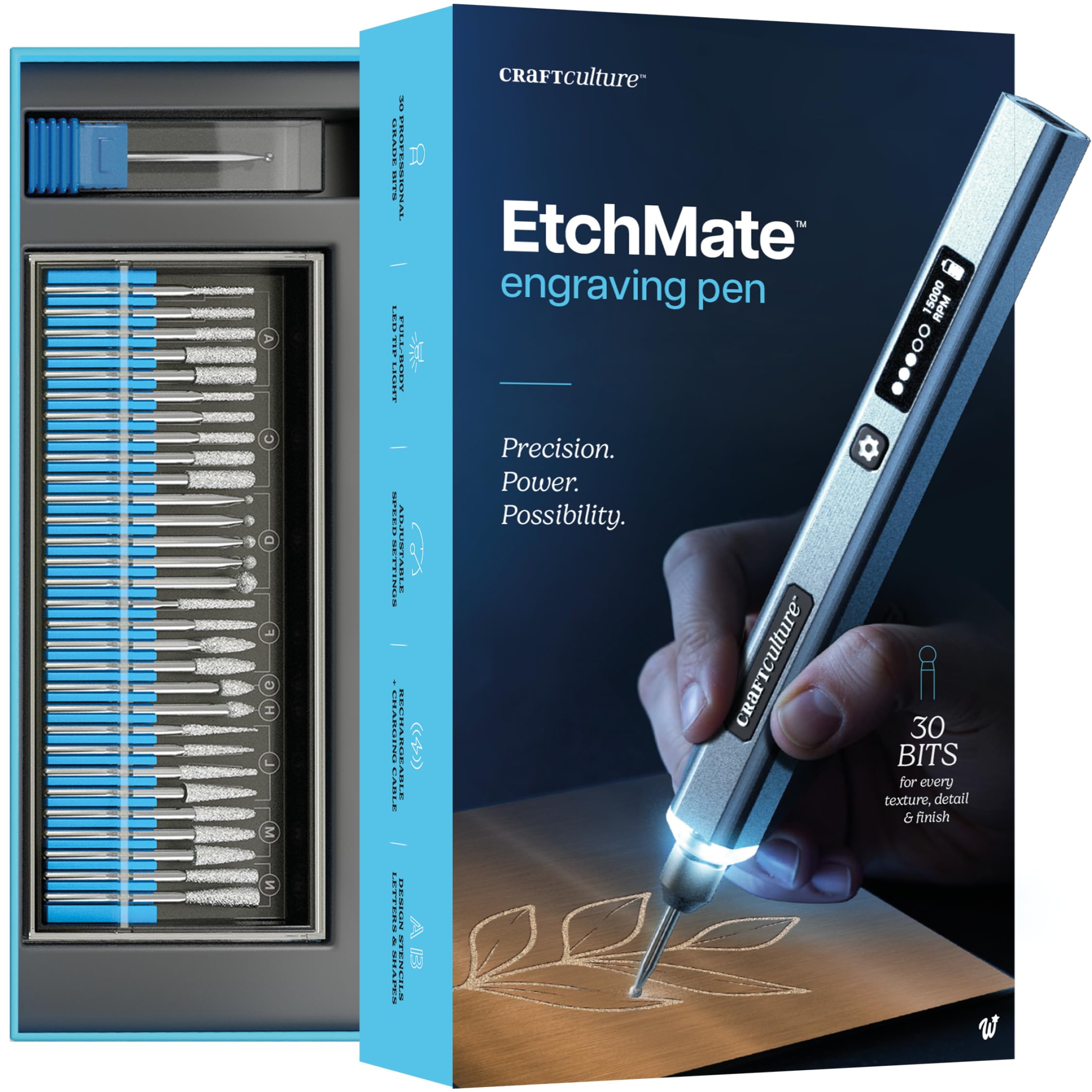
EtchMate Engraving Pen

EtchMate Engraving Pen

Gift kit

Our Score 8.4/10
Check Price

Worth Noting

  • Performance claims across metal, glass, and hardwood are not backed by user reports
Motor Power
20,000 RPM
Noise Level
Unknown
Build & Bits
Digital display, unknown
Included Bits
30+ bits

The EtchMate Engraving Pen arrives in a clean kit designed for gifting: 30 bits, a carbide burr, USB-C charging, and a digital speed display. For someone new to engraving who values a complete package over proven performance, this looks the part. However, the lack of verified user experience means its ability to handle harder materials like metal or glass remains unconfirmed — the high RPM may not translate to sufficient torque for deep etching.

Bottom line: Fits best as an unboxing-friendly gift for beginners who want a complete set; buyers needing a proven engraver for regular use should look at established alternatives with more community feedback.

How to Choose

Motor Torque vs. RPM

High RPM makes a pen feel fast on paper, but torque is what keeps the bit cutting through hard surfaces like metal or glass. A low-torque motor stalls the moment you apply even light pressure — it spins freely in the air but stops cold on steel.

Impact engravers (like the Dremel 290) trade speed for percussive force: they hammer a carbide tip into the material, which actually cuts deeper into metal than most rotary pens. For soft materials like wood or plastic, a rotary pen with moderate torque works fine. The lesson: ignore peak RPM and look for real-world reports of stalling.

Corded vs. Cordless

Corded tools deliver consistent power and never run out of battery, but they tether you to an outlet. Cordless pens offer freedom of movement, but battery life is rarely as advertised — many cheap models quote 2 hours but deliver 30 minutes under load.

Battery chemistry matters: lithium-ion packs (USB-C rechargeable) hold charge better than older NiMH or AAA cells. If you regularly engrave for more than 45 minutes, a corded option or a spare battery is worth the investment.

Build Quality & Bit Retention

The collet — the mechanism that holds the bit — is the most failure-prone part of any engraving pen. Cheap pens use a simple set screw that loosens with vibration, causing the bit to fall out mid-stroke. Better designs use a keyless chuck or a threaded collet that stays tight.

Metal bodies are more durable than plastic, but a well-machined plastic collet can outlast a poorly cast metal one. Look for reviews that mention bits staying put during use, not just build material.

Number of Included Bits

A large bit set is tempting, but the quality of the bits matters far more than the count. Many budget kits include diamond or carbide bits that are too soft to hold an edge, wearing out after one or two projects. High-end bits maintain sharpness for dozens of uses.

Focus on the variety of bit shapes (ball, cone, cylinder) rather than sheer numbers. A few good bits cover more use cases than 40 poorly made ones.

Noise Level

Impact engravers are inherently loud — they use a solenoid to hammer the tip at 7,200 strokes per minute, producing a rattling sound that can reach 85 dB or more. Rotary pens are much quieter, typically under 60 dB, making them suitable for apartment or late-night use.

Noise is a direct trade-off for engraving depth on hard materials. If you need to mark metal and can’t wear hearing protection, a rotary pen with a diamond burr will work — but it will take longer and may not cut as deep.

Frequently Asked Questions