Computers & Accessories

7 Best Dual Monitor Stand of 2026: Stable Support Without Sag or Tipping

Need a dual monitor stand that stays put? Cut through the confusion over clamp vs freestanding, gas spring vs mechanical, and weight limits to match your setup without sag or tipping.

Many buyers grab a dual monitor stand for its low price or sleek look, only to find the gas spring can't hold a heavy monitor or the freestanding base tilts forward. The category's biggest trade-offs - weight capacity headroom, mounting type, and independent height adjustment - are rarely obvious from product photos.

A clamp mount gives you rock-solid stability but only works on solid desks. Freestanding stands look convenient but often tip unless your monitors are light and centered. Gas spring arms add smooth motion but can lose tension over months. The right choice depends on your specific desk, monitor weights, and whether you need each screen at its own height.

This guide breaks down those decisions using the most common real-world scenarios, matching each stand to the setup where it performs best. You'll walk away knowing exactly which trade-offs matter for your desk.

1

HUANUO FlowLift

Top Pick
HUANUO FlowLift

Home office/gaming

Our Score 9.2/10
Check Price

Worth Noting

  • The clamp may loosen over time on some desk surfaces, requiring occasional retightening to maintain monitor position.
Arm Type
Mechanical
Mounting Type
C-clamp / grommet
Stack Support
Capacity per Arm
19.8 lbs

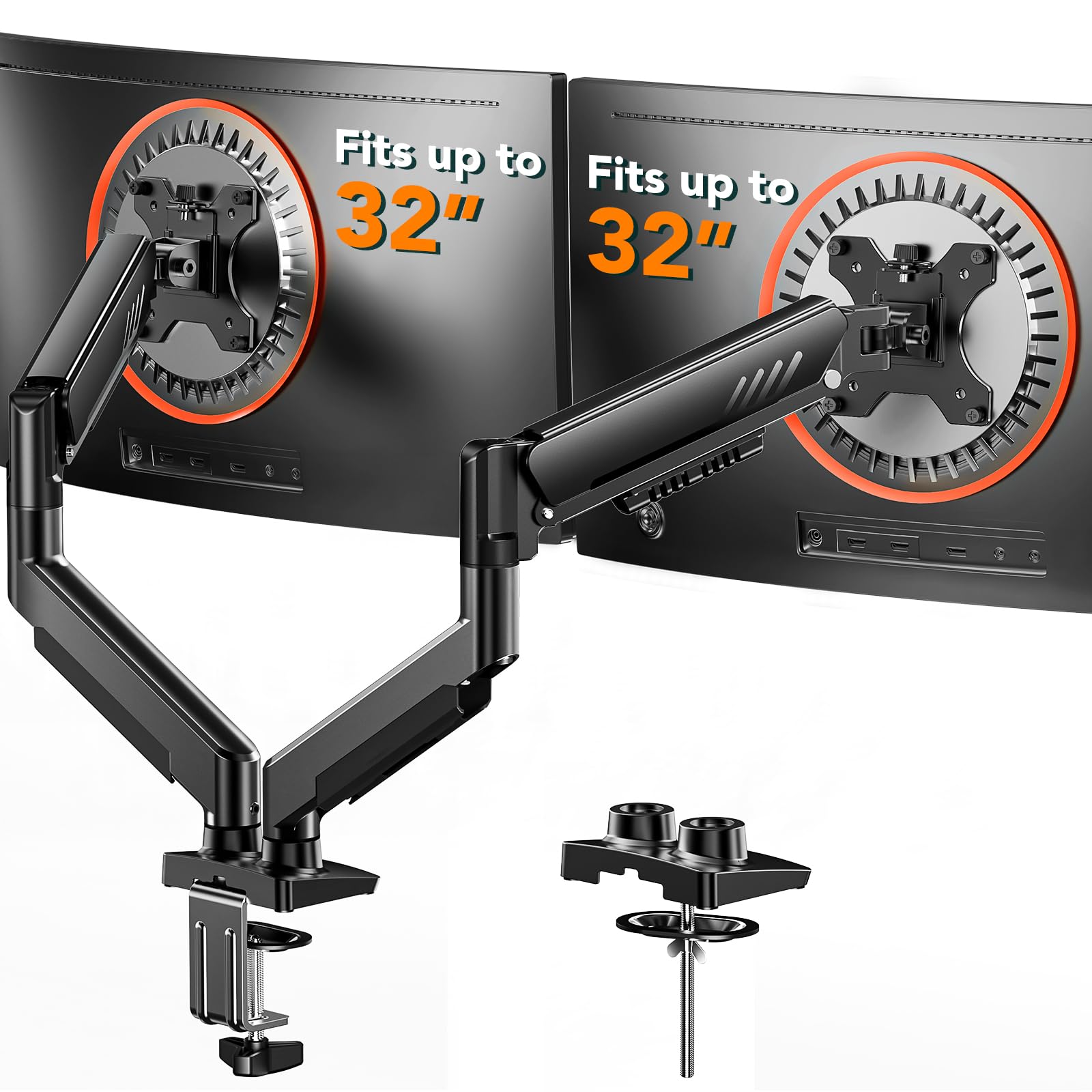
Each monitor arm moves independently for height, tilt, swivel, and rotation, so you can set side-by-side screens at different levels without tools. The dual C-clamp locks onto wood or metal desks up to about 3.3 inches thick, and the entire mount installs in under 20 minutes with only the included hex key.

Once mounted, the stand feels solid with minimal wobble during typing or leaning. The clamp provides a secure hold on most desk edges, though on some surfaces the grip may loosen slightly over time, needing a quick re-tighten every few months. This is less a flaw than a periodic maintenance step for those who regularly reposition their monitors.

This mount suits anyone with a solid wood or metal desk who wants independent adjustability for two monitors up to 32 inches and under 19.8 pounds each. It fits home offices, gaming rigs, and any setup where ergonomics matter. Avoid it if your desk is glass or plastic, as the clamp cannot grip those materials safely. For those who prefer grommet mounting, the kit includes that option as well.

Tip: Check the clamp tightness every few months, especially after adjusting arm positions.

Bottom line: For dual-monitor setups on a solid desk, this stand delivers independent adjustment and stable support without the premium price tag.

2

VIVO STAND-V002

VIVO STAND-V002

Budget identical monitors

Our Score 9.2/10
Check Price

Worth Noting

  • Cannot set monitors at different heights due to shared height post
  • Arms may sag over time with heavier monitors, requiring periodic retightening
Arm Type
Mechanical
Mounting Type
C-clamp / grommet
Stack Support
Capacity per Arm
22 lbs

The VIVO STAND-V002 has earned a reputation as a budget-friendly clamp mount, built with solid steel construction that holds monitors securely. Owners consistently note that the build quality holds up over time, making it a dependable choice for long-term use. Unlike the top pick's independent arms, this stand uses a shared height post - both monitors move together vertically, a tradeoff that keeps the price low but limits flexibility for those needing different screen heights.

This mount works best for buyers with two identical monitors who do not need different heights for each screen. The shared height adjustment means you cannot set one monitor higher or lower than the other. Light to medium monitors under 20 lbs each are ideal, as heavier screens can cause the arms to sag over time, requiring periodic retightening. Assembly is simple with detachable VESA plates and clear instructions, a plus for first-time mount users. The C-clamp and grommet options fit desks up to 3.25 inches thick, accommodating most standard desks. At its price point, it offers a balance of affordability and build quality that few competitors match.

Tip: Tighten arm tension bolts periodically if using monitors near 20 lbs to maintain position.

Bottom line: For buyers with matching monitors who don't need independent height, the VIVO STAND-V002 offers dependable build quality at a budget-friendly price - but if adjustable heights are essential, the top pick is worth the extra cost.

3

HUANUO HNDS7

HUANUO HNDS7

Heavy ultrawide monitors

Our Score 9.2/10
Check Price

Worth Noting

  • Gas spring tension requires careful setup and may need readjustment over time
  • Can feel stiff for lighter monitors under 15 lbs, reducing easy height adjustments
Arm Type
Gas spring
Mounting Type
C-clamp / grommet
Stack Support
Capacity per Arm
26.4 lbs

The HUANUO HNDS7 carries the highest weight capacity in this roundup at 26.4 pounds per arm, paired with arms that extend 25.59 inches — enough to clear deep desks and position ultrawide screens exactly where you want them. The aluminum C-clamp base feels deliberately overbuilt, and the integrated USB ports keep peripherals tidy without reaching under the desk.

This stand suits anyone running monitors in the 32-40 inch range who needs both height range (up to 21.1 inches) and reach that cheaper mounts cannot provide. The tradeoff comes with the gas spring mechanism: tension adjustment takes some patience to dial in, and some units may require readjustment after weeks of use if the springs settle. For lighter monitors under 15 pounds, the spring may feel too aggressive and fight against gravity.

Where the top pick offers independent arm height adjustment with a simpler spring mechanism, the HNDS7 trades that convenience for raw capacity and reach. If your monitors are on the heavier side and you need to push them forward or high above the desk, this mount handles that load without complaint.

Tip: Adjust gas spring tension before mounting monitors — small turns on the hex key make noticeable differences.

Bottom line: For those with heavy monitors and deep desks who don't need independent arm height, the HNDS7 delivers capacity and reach that lighter stands cannot match.

4

Hemudu HT05B-002

Hemudu HT05B-002

Vertical stack heavy

Our Score 9.2/10
Check Price

Worth Noting

  • Swivel range is limited to ±50°, which may restrict angled setups for collaborative work
  • Height adjustment is step-based with 12 preset levels, not continuous
Arm Type
Mechanical
Mounting Type
Freestanding
Stack Support
Vertical stack
Capacity per Arm
44 lbs

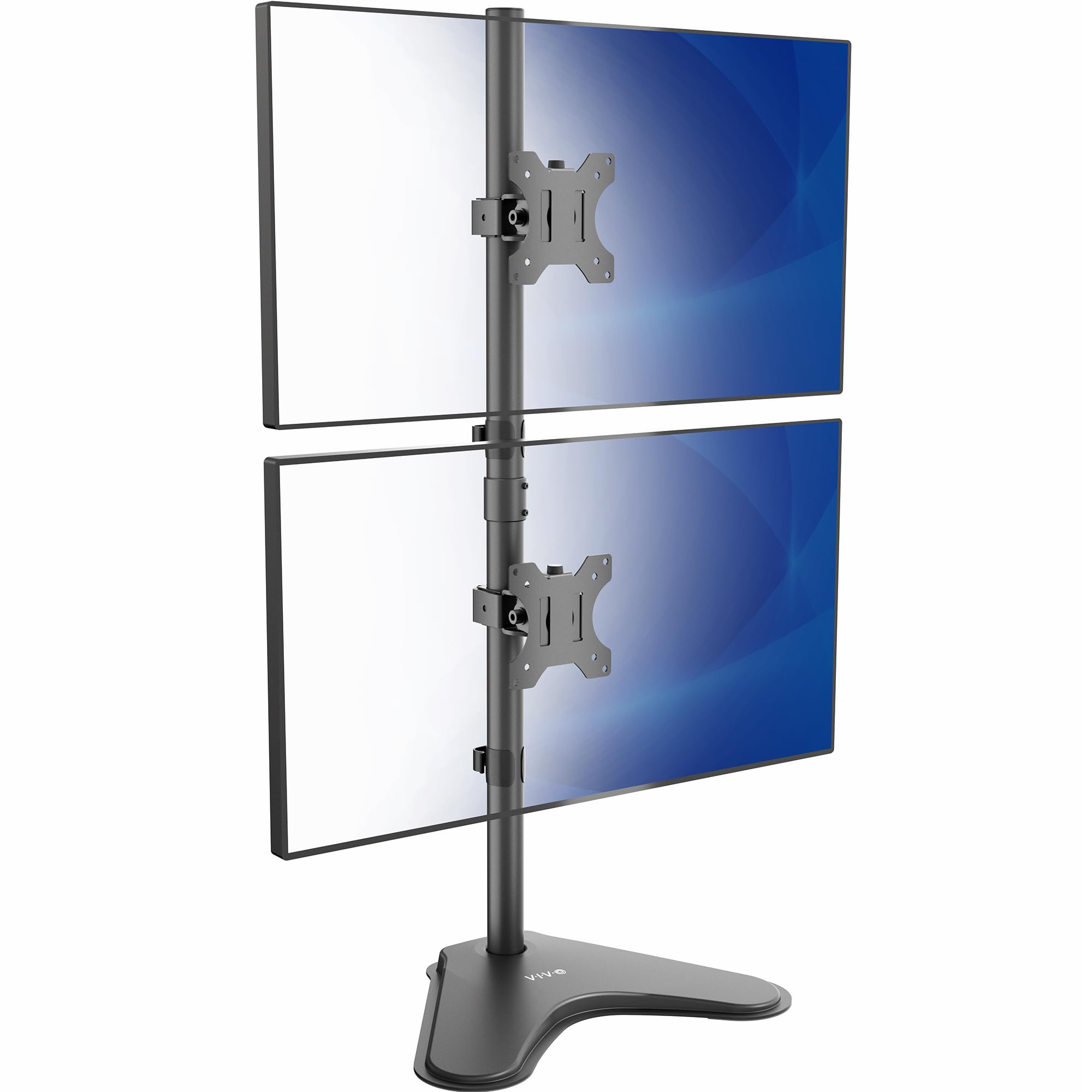
The Hemudu HT05B-002 handles heavy monitors — up to 44 lbs per arm — without the wobble common in budget freestanding stands. Its tempered glass base keeps larger screens planted, even at full extension. Unlike some freestanding options that tilt forward under weight, this one stays put. The trade-off is a step-based height system with 12 preset levels and a swivel range limited to ±50° — fine for straight-on viewing but not for fine-tuning or collaborative angles.

This stand suits anyone stacking two identical heavy monitors — 32-inch Samsungs or ultrawides — who wants a stable, low-cost solution. The shared height means both screens sit at the same level, which works well for coding, trading, or reference displays. If you need independent height adjustment for each monitor or swivel past 50° for side-by-side sharing, a gas-spring arm like the top pick is a better fit.

Tip: Plan your monitor height before assembly — adjusting after setup is possible but requires re-dialing the preset level.

Bottom line: If you need a stable vertical stack for heavy monitors and can work with preset height levels and a limited swivel range, this stand delivers outstanding value.

5

ErGear EGDMA70B

ErGear EGDMA70B

Budget gas spring

Our Score 9.0/10
Check Price

Worth Noting

  • Finicky tension adjustment can cause monitors to tilt forward until perfectly set.
  • Heavy monitors near the 19.8 lb weight limit may cause the arm to droop.
Arm Type
Gas spring
Mounting Type
C-clamp / grommet
Stack Support
Capacity per Arm
19.8 lbs

The ErGear dual monitor arm sets up quickly thanks to tool-free VESA plates that snap onto the back of each monitor. Once attached, the gas-spring mechanism provides smooth vertical motion and a wide range of tilt and swivel — a rare combination at this price point.

Getting the tension right takes patience. If the adjustment isn't precisely dialed in, the monitors may tilt forward slightly. The 19.8 lb per-arm limit works best with monitors under 17 lbs; heavier screens near the ceiling can cause the arm to droop.

This arm suits budget-conscious buyers with lightweight monitors who are comfortable with occasional tension tweaks. It is not a set-and-forget solution — expect periodic adjustments to maintain the perfect angle. For those who want independent height adjustment and zero maintenance, the top pick with separate gas springs is a better fit.

Tip: Use the included Allen key to fine-tune tension after mounting — minor adjustments prevent forward tilt.

Bottom line: A capable budget option for lighter monitors — it rewards patience with smooth adjustability, but heavier screens or those wanting zero maintenance should look elsewhere.

6

VIVO STAND-V002L

VIVO STAND-V002L

Vertical ultrawide

Our Score 9.2/10
Check Price

Worth Noting

  • Monitors may slide down the pole if bolts aren't tightened firmly
  • Height adjustment requires loosening bolts; no stepless control
Arm Type
Mechanical
Mounting Type
Freestanding
Stack Support
Vertical stack
Capacity per Arm
22 lbs

The VIVO STAND-V002L delivers a stable foundation for stacking two ultrawide monitors vertically. The base stays planted during normal use, and assembly is clear and quick. However, compared to the budget runner-up, the VIVO has a lower weight capacity (22 lbs per arm) and less precise height adjustment. Monitors may slide down on the pole if not tightened properly, and height changes require loosening bolts — not a stepless system. This makes it a solid choice for users who set the height once and rarely adjust it, and who don’t need to shift monitors forward or backward on the arms.

Tip: After positioning, tighten the pole bolts firmly — periodic checks help maintain height.

Bottom line: Best for buyers who want a vertical stack from a brand with a strong track record and are comfortable setting the height once without frequent adjustments.

7

EVEO Dual Mount

EVEO Dual Mount

Premium gas spring

Our Score 9.0/10
Check Price

Worth Noting

  • Gas spring tension may weaken over time, causing monitors to droop
  • Tilt mechanism can be difficult to adjust and may not hold its position
Arm Type
Gas spring
Mounting Type
C-clamp / grommet
Stack Support
Capacity per Arm

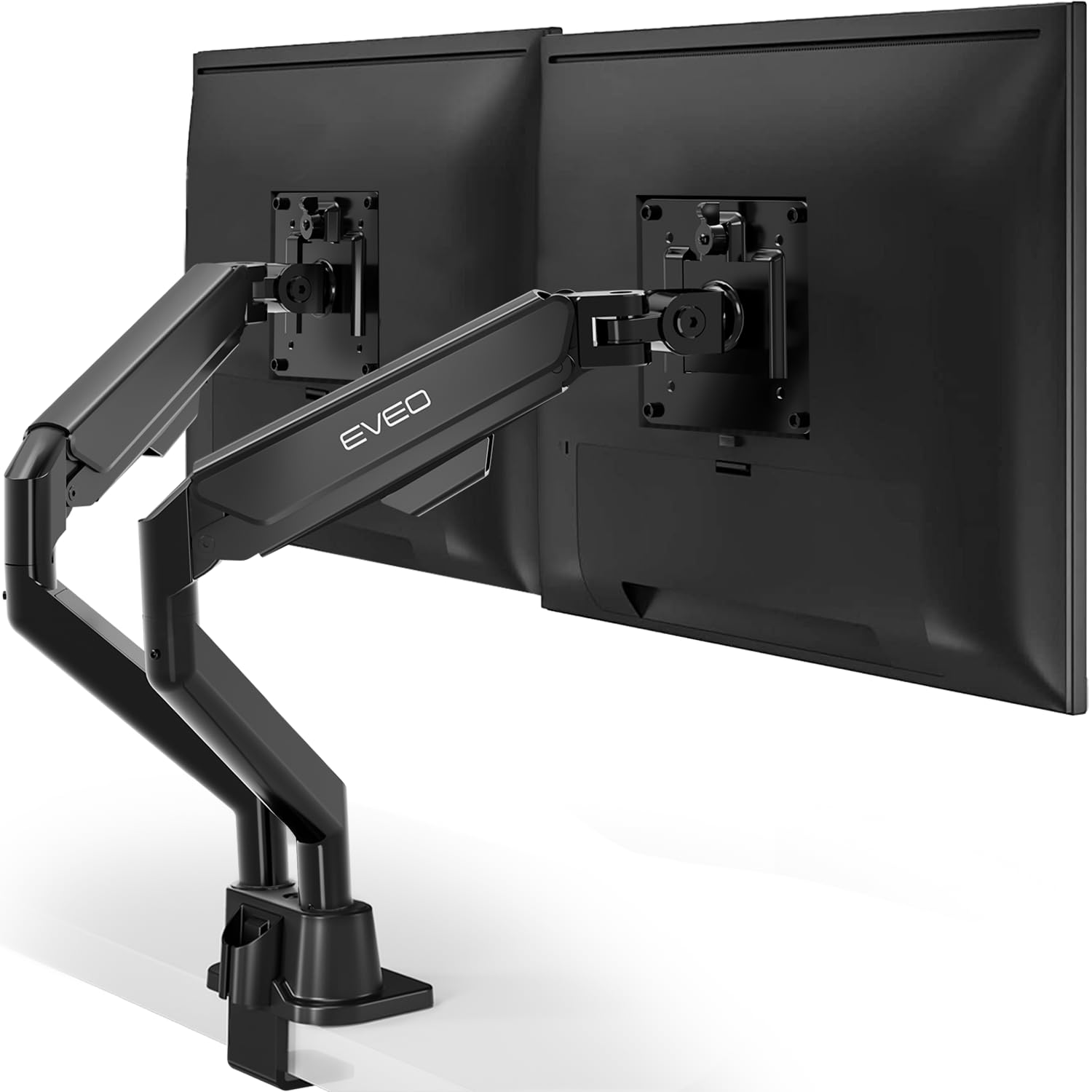
The EVEO Dual Mount combines a sleek brushed-metal finish with tool-free installation, giving your desk an immediate visual upgrade. However, the gas springs that enable its smooth height adjustment can weaken over months of use, leading to monitor sag. The tilt mechanism also requires precise adjustment and may not hold its position long-term. This makes the stand a better fit for buyers who value aesthetics and are willing to periodically re-tension the arms, rather than those seeking a permanent set-and-forget setup.

Bottom line: This stand suits users who prioritize desk aesthetics and don't mind occasional re-tensioning, but for a long-term set-and-forget solution, a more reliable clamp-based stand is a safer choice.

How to Choose

Mounting Type: Clamp vs Freestanding

Clamp mounts use a C-clamp to grip the desk edge, transferring the weight directly to the desk surface. This gives a wobble-free hold for monitors up to the arm's capacity, provided your desk is solid wood or metal and at least 0.5 inches thick.

Freestanding stands rely on a heavy base to counterbalance the monitors. That works fine for light, identical monitors kept centered over the base, but extending the arms forward shifts the center of gravity and can tip the whole stand. If you need to pull screens toward you, a clamp is the safer bet.

Weight Capacity per Arm

Every arm has a maximum weight rating, but the real-world limit is often lower because the arm's gas spring or friction joint must hold that weight steady over time. A 22 lb capacity arm may struggle with a 19 lb monitor that is top-heavy or extended far from the pole.

Always leave at least 15% headroom below the rated capacity. If your monitor is 18 lbs, choose an arm rated for 22 lbs or more. For heavy ultrawides (over 20 lbs), consider dedicated heavy-duty stands with capacities above 25 lbs.

Height Adjustment: Independent vs Shared

Shared-height stands use a single pole with both monitors attached at the same vertical position. This forces both screens to the same height, which works perfectly if you have identical monitors and don't need to tilt them differently. If your monitors are mismatched sizes or you prefer one higher for ergonomic reasons, independent arm adjustment is essential.

Independent arms each have their own height adjustment, usually via a separate gas spring or locking mechanism. This adds cost and complexity but gives you the flexibility to set each screen exactly where you need it.

Arm Type: Gas Spring vs Mechanical

Gas spring arms use a pressurized cylinder to counterbalance the monitor's weight, allowing smooth height changes with a light touch. They look sleek and offer continuous adjustment, but the gas charge can weaken over months, causing the monitor to sag or require retightening.

Mechanical arms rely on a fixed pole with a friction joint or locking collar. They are simpler, cheaper, and rarely lose the ability to hold position, but adjusting height requires loosening a bolt or moving a collar, which is less convenient. For heavy monitors that must stay put, mechanical is more reliable long-term.

Vertical Stacking for Space-Saving

Vertical stack stands position one monitor above the other, freeing up lateral desk space. These are typically freestanding with a wide, heavy base to prevent tipping. The key spec is the weight capacity per arm and the height adjustment method: step-based (discrete levels) or continuous.

Step-based stands like the Hemudu offer precise preset positions but limited fine-tuning. Continuous height poles allow infinite adjustment but may be less stable with heavy monitors. If you stack monitors, choose a stand with a base at least 15 inches deep to counterbalance the top monitor's leverage.

Frequently Asked Questions