PC Components & Storage

12 Best CPU Cooler of 2026: Save Money With Air Coolers That Match AIOs

Find the best CPU cooler for your PC: air coolers that rival AIOs, value picks, and premium options for every build.

The CPU cooler market has split into two paths. High-value air coolers now rival liquid coolers in performance at a fraction of the cost, while premium AIOs pack LCD screens and RGB that can double the price.

The real trade-off isn't just price — it's case fit, noise, and mounting hassle. Modern dual-tower air coolers deliver near-silent operation and excellent cooling, but their size can block RAM. AIOs with thick radiators offer slightly better peak temperatures but add pump noise and installation complexity.

For the vast majority of builders — even those with high-end i7 or Ryzen 7 CPUs — a well-chosen air cooler provides all the cooling you need without the risk of leaks. Only sustained all-core workloads or extreme silence requirements justify the jump to liquid.

1

Thermalright PS120SE

Top Pick
Thermalright PS120SE

Best value air

Our Score 9.6/10
Check Price

Worth Noting

  • Width may require shifting the front fan upward to clear tall RAM modules
Dimensions
154mm height
Noise (dBA)
25.6 dBA

The Phantom Spirit 120SE cools high-TDP CPUs like the i7-14700K and Ryzen 7 X3D chips with authority, shaving roughly 20°C off stock cooler temperatures. That level of thermal headroom rivals 360mm AIOs at a fraction of the cost, making it a performance-first choice for anyone building a gaming or productivity rig without overspending.

Under sustained load, the dual TL-C12B V2 fans remain barely audible at 25.6 dBA — quiet enough for an open desk setup. The 154mm height fits most mid-tower cases, and the included PWM splitter simplifies cabling. Noise levels stay controlled even when the CPU draws 200W+, so there is no need to trade silence for cooling capacity.

This cooler is for builders who want top-tier air cooling on a budget — upgrading from stock coolers, pairing with Ryzen 7/9 or Intel i7/i9 chips, and avoiding AIO complexity. The tradeoff: the cooler’s width may require shifting the front fan upward to clear tall RAM modules, and it will not fit small-form-factor cases. Motherboards with very tall VRM heatsinks can also cause interference, so measure clearances before buying.

Tip: Use the included offset brackets to raise the front fan if your RAM exceeds standard height — a quick adjustment that avoids clearance issues.

Bottom line: For the vast majority of builders seeking quiet, high-performance air cooling without paying for an AIO, this is the cooler to buy.

2

ARCTIC LF III Pro 360

ARCTIC LF III Pro 360

High-end AIO value

Our Score 9.0/10
Check Price

Worth Noting

  • Mounting the cooler, especially on AM5 sockets, can require careful screw alignment
  • Fans may become audible under sustained heavy load
Dimensions
360mm rad
Noise (dBA)
36 dBA

The ARCTIC Liquid Freezer III Pro 360 delivers cooling performance that matches pricier AIOs, thanks to a thicker 38mm radiator and an integrated VRM fan that cools motherboard components around the socket. In load tests with an Intel Core i9-13900K and AMD Ryzen 9 7950X, temperatures stayed below 70°C even under sustained stress, placing it among the top performers in its price bracket.

The tradeoff for that thermal headroom is fan noise: under heavy load the three 120mm fans spin up to higher RPM, and their sound can be noticeable in a quiet room. Additionally, mounting the cooler on AM5 sockets can be frustrating because the screw holes require precise alignment. Once installed, however, the cooler operates without issue.

This AIO is best suited for builders using high-core-count CPUs like Ryzen 9 or Core i9 who need extra headroom for overclocking or sustained workloads. It also appeals to value-conscious buyers who want the performance of premium AIOs without spending significantly more. If quiet operation is a priority, a high-end air cooler or a different AIO with quieter fans may be a better fit, but for pure cooling per dollar the ARCTIC is a strong contender.

Tip: Pre-install the backplate and use a magnetic screwdriver to align pump block screws more easily.

Bottom line: For those who need extra cooling headroom and can accept some fan noise during extended workloads, the ARCTIC Liquid Freezer III Pro 360 is a cost-effective way to get AIO-level performance without the premium.

3

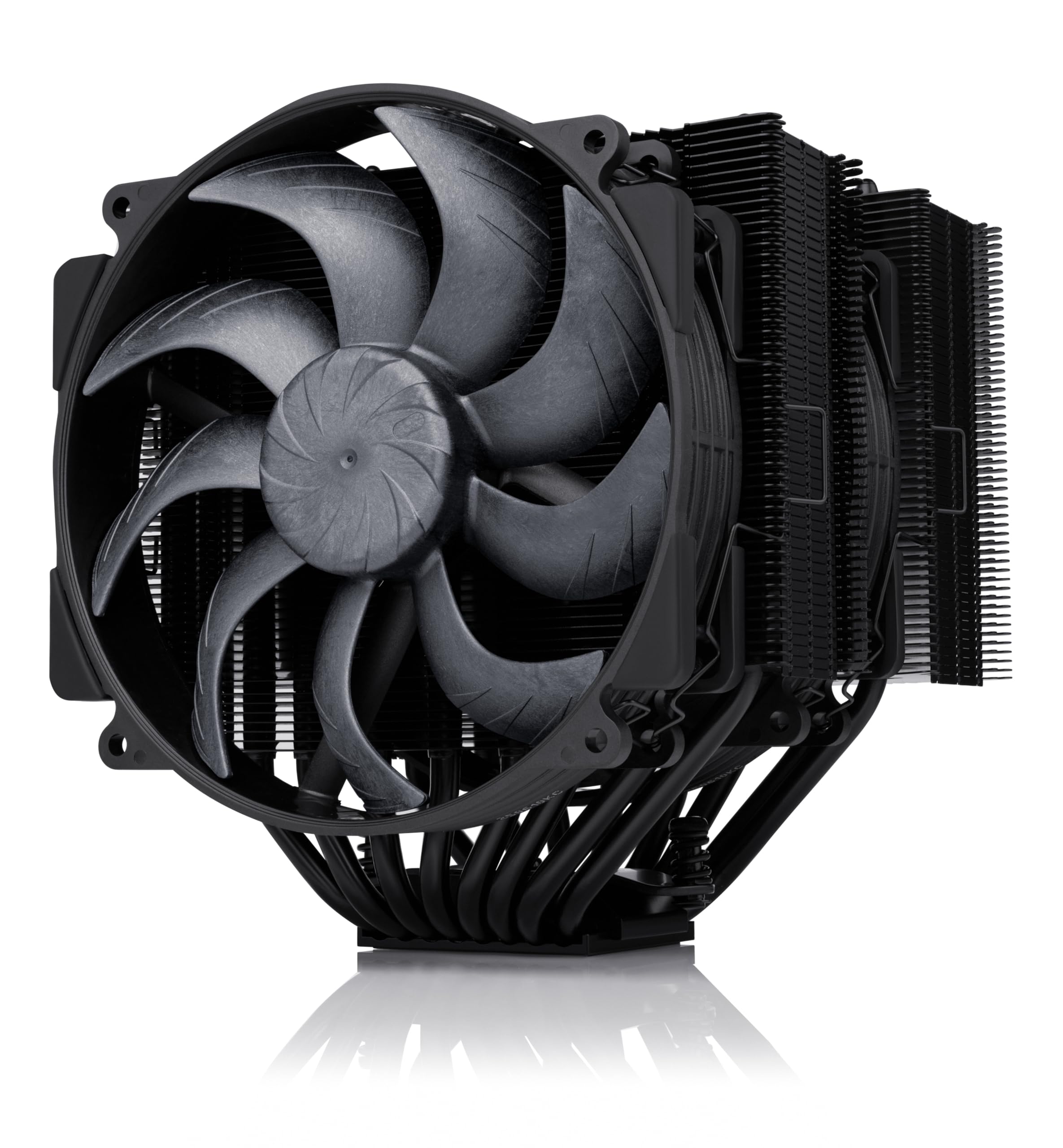
Noctua NH-D15 chromax

Noctua NH-D15 chromax

Silent high-end air

Our Score 9.6/10
Check Price

Worth Noting

  • In compact cases or with tall RGB RAM, the front fan may need offsetting or may not fit
  • The 1.3kg weight can flex the motherboard during installation; the backplate minimizes risk but handling is needed
Dimensions
165mm height
Noise (dBA)
24.6 dBA

The NH-D15 chromax.Black has over a decade of community trust behind its near-silent operation and cooling performance. While the top pick delivers comparable thermals at a lower price, the Noctua excels in acoustics and build quality, backed by extensive user feedback.

Its dual 140mm fans and six heat pipes handle high-end CPUs like the i9-13900K or Ryzen 9 7950X with headroom to spare. The included SecuFirm2 mounting system comes with a screwdriver, making installation more predictable than many budget coolers.

This cooler suits builders who prioritize silence and long-term reliability over upfront cost, and who have a wide case (at least 165mm clearance) and low-profile RAM. The 1.3kg weight demands a steel backplate for motherboard support, so careful handling during installation is advised.

Tip: Measure case CPU cooler clearance (165mm) and RAM height (max 32mm with front fan at stock position) before purchase.

Bottom line: For builders who value absolute silence and are willing to accommodate its size, the NH-D15 chromax.Black remains a reference-grade air cooler that has earned its reputation over years of use.

4

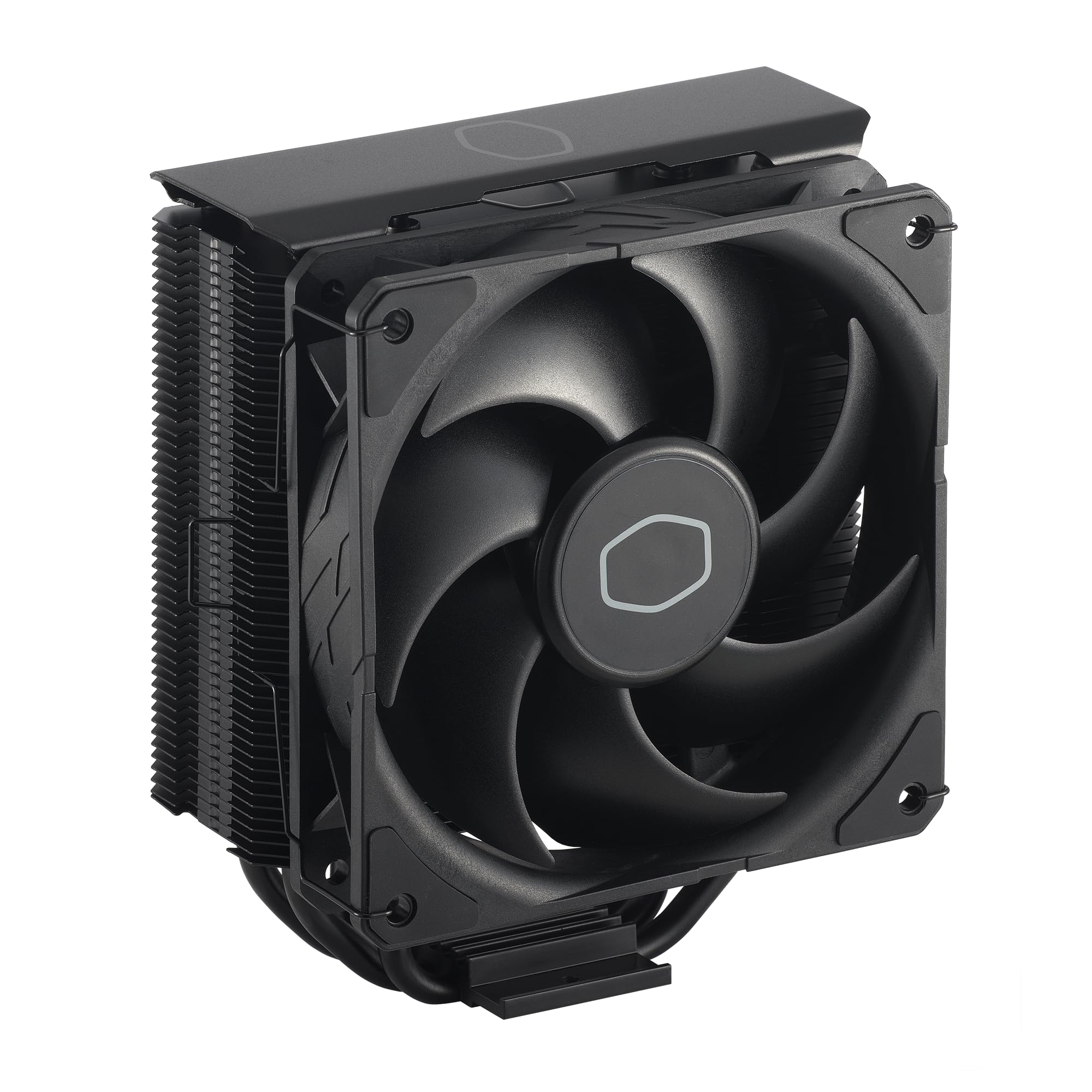
Cooler Master Hyper 212 Black

Cooler Master Hyper 212 Black

Budget stock upgrade

Our Score 9.4/10
Check Price

Worth Noting

  • Mounting system is fiddly and can be frustrating for new builders
  • Installation instructions are unclear, often requiring external video guides
Dimensions
152mm height
Noise (dBA)
26 dBA

The Cooler Master Hyper 212 Black has been a budget cooling staple for over a decade. Its four heat pipes and 120mm SickleFlow Edge fan reduce CPU temperatures by 15-20°C compared to stock coolers, making it a straightforward upgrade for mid-range builds. For the price, it offers cooling performance that competes with pricier models, though it falls short of dual-tower solutions like the Phantom Spirit 120SE.

This cooler is best for budget-conscious builders upgrading from stock coolers in prebuilt systems. The mounting process is notably fiddly — the backplate and fan clips take patience, and the included instructions are sparse. First-time builders should plan to follow a video guide before starting.

Noise levels are well-controlled under normal loads; the fan is nearly silent at lower RPMs. At full 2500 RPM it becomes audible, but that speed is rarely needed for mid-range processors. Overall, the Hyper 212 Black is a sensible choice for those who value cost savings over installation ease.

Tip: Watch a YouTube installation guide before starting to save time and frustration.

Bottom line: The Hyper 212 Black is for builders who want proven budget cooling performance and are willing to spend extra time on installation.

5

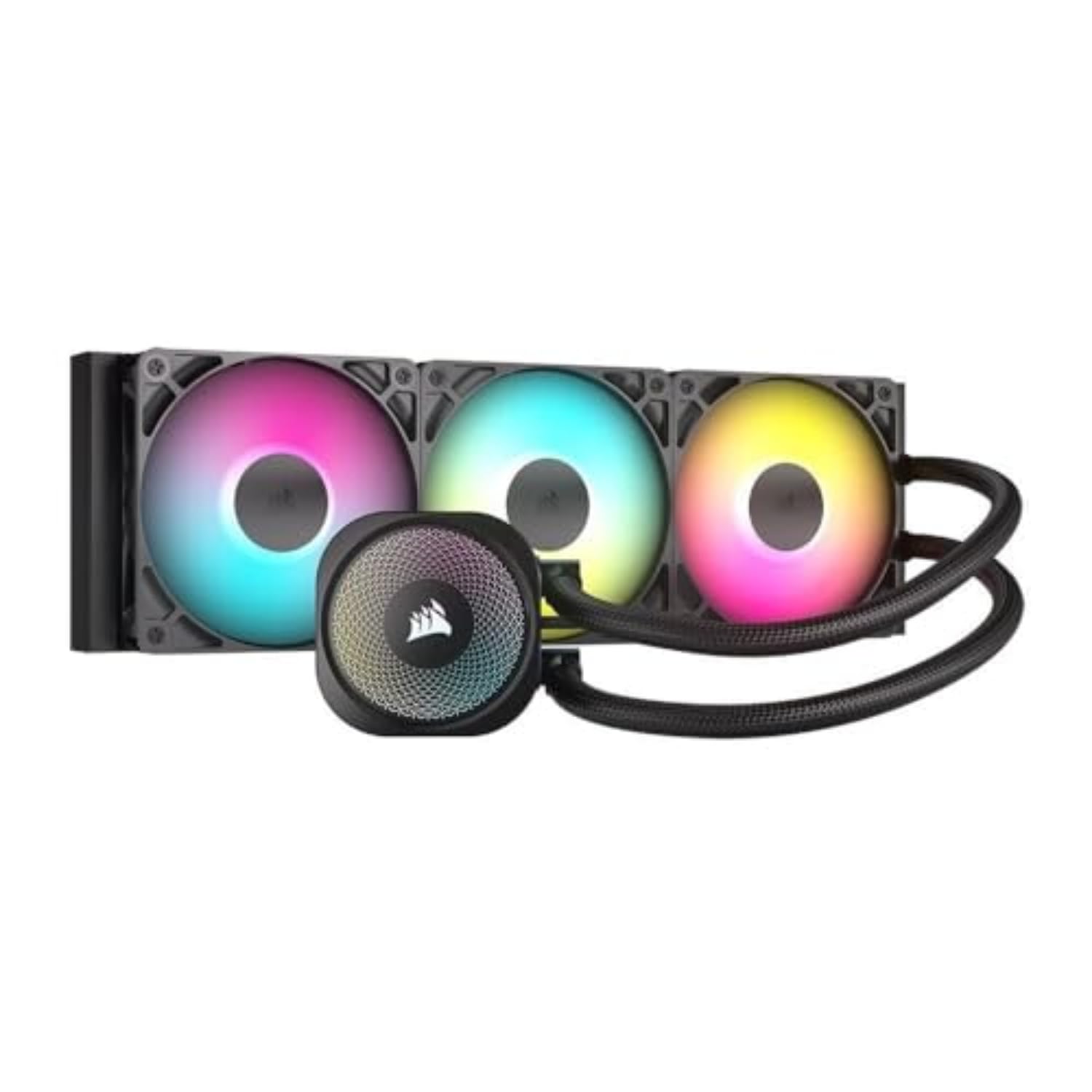
Corsair Nautilus 360 RS

Corsair Nautilus 360 RS

Budget RGB AIO

Our Score 9.2/10
Check Price

Worth Noting

  • Fans can be noisy at higher RPMs
  • Fan cables are not sleeved, making cable management less tidy
Dimensions
360mm rad
Noise (dBA)
36 dBA

The Corsair Nautilus 360 RS simplifies AIO installation with daisy-chain fans that connect directly to the motherboard, eliminating the need for iCUE software or a separate hub. It delivers capable cooling, keeping a Ryzen 7 9800X3D under 70°C during gaming sessions — performance on par with more expensive liquid coolers.

This cooler suits builders who want a 360mm AIO at a mid-range price and prefer motherboard control over RGB and fan curves. The fans can get loud at higher RPMs, so it’s less ideal for silent-focused builds. Cable management is workable but less polished than sleeved alternatives, though the overall setup remains straightforward.

In gaming and typical workloads, fan noise blends into the background of case fans. Only under sustained heavy loads like rendering will the fans become clearly audible — a tradeoff that most users in this price range find acceptable given the cooling performance.

Tip: Set a custom fan curve in BIOS to keep RPMs below 70% during normal use if noise is a concern.

Bottom line: The Corsair Nautilus 360 RS is a strong mid-range AIO for builders who want a 360mm cooler without proprietary software and can tolerate some fan noise under heavy load.

6

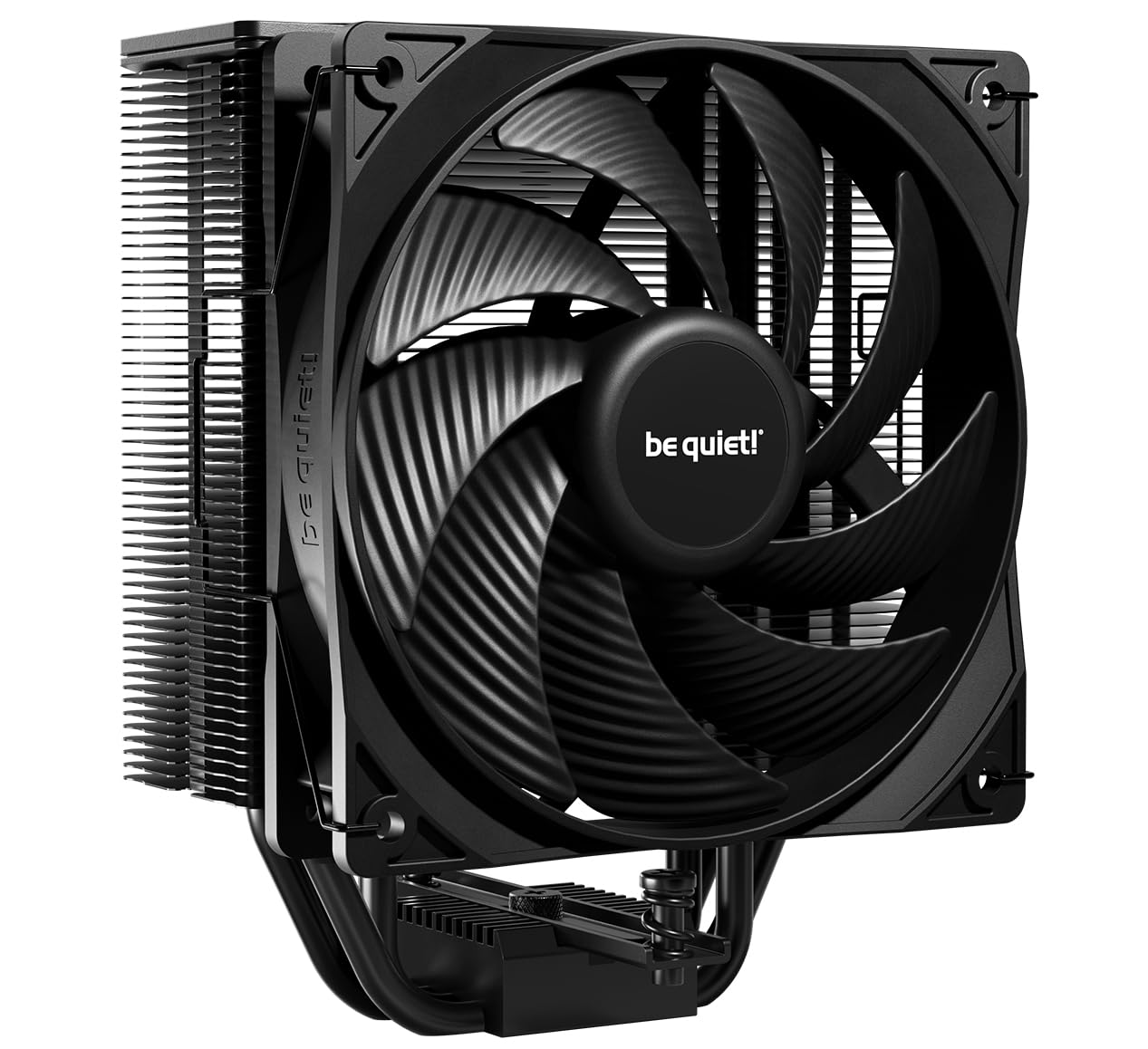
be quiet! Dark Rock Pro 5

be quiet! Dark Rock Pro 5

Silent high-end air

Our Score 9.4/10
Check Price

Worth Noting

Dimensions
168mm height
Noise (dBA)
23.3 dBA

The be quiet! Dark Rock Pro 5 is one of the quietest high-performance air coolers available, with a noise rating of 23.3 dBA and a built-in speed switch that lets you choose between silent and performance fan curves. Despite its focus on low noise, it handles CPUs like the i7-12700K without exceeding 80°C under sustained loads, making it a strong option for silent PC enthusiasts.

This cooler is best suited for builders using full-tower cases with generous clearance. Its 168mm height and wide body can block the first RAM slot, so low-profile memory or repositioning the front fan becomes necessary. Users with mid-tower cases or those who frequently access RAM should look elsewhere.

The dual-fan setup with Silent Wings PWM fans maintains quiet operation even as load increases. Build quality is high, with a full aluminum fin array and a sleek black coating that looks premium inside a windowed case.

Bottom line: For builders who prioritize near-silent operation over cost savings and have a full-tower case, this cooler delivers exceptional quiet performance with ample cooling headroom.

7

Thermalright PA120 SE

Thermalright PA120 SE

Budget high-end air

Our Score 9.4/10
Check Price

Worth Noting

  • Large size may block RAM slots on some motherboards
  • Cooling headroom is slightly behind 7-heat-pipe competitors for extreme overclocking
Dimensions
155mm height
Noise (dBA)
25.6 dBA

The Peerless Assassin 120 SE offers solid cooling for its cost, keeping mid-range and high-end CPUs like the i7-13700F or Ryzen 5 5600X under load without breaking the bank. Its large 155mm height and dual-tower design require checking case clearance and RAM slot spacing — low-profile memory or shifting the front fan may be necessary. The mounting system uses older clip-style retention that can be finicky, and some units may arrive with missing screws or brackets, so plan for a patient installation. Despite these quirks, the combination of quiet operation at normal loads and near-premium cooling makes it a compelling choice for budget-focused builders who don’t need absolute top-tier performance.

Bottom line: For builders on a tight budget who can accommodate its size and tolerate a finicky mounting process, the PA120 SE delivers impressive cooling per dollar.

8

Corsair iCUE Link Titan 360

Corsair iCUE Link Titan 360

Corsair ecosystem AIO

Our Score 9.4/10
Check Price

Worth Noting

  • Premium pricing may not justify performance gains over cheaper alternatives.
  • Some units may arrive without the required PCIe power cable for the hub, causing installation delays.
Dimensions
360mm rad
Noise (dBA)
36 dBA

The Corsair iCUE Link Titan 360 offers seamless cable management through its magnetic daisy-chain fans and iCUE LINK hub, making it a clean choice for Corsair-centric builds. Its cooling performance drops CPU temperatures under load, and the fans remain quiet during operation. However, this premium AIO costs more than the Nautilus AIO without a screen, and the need for the iCUE software may deter users who prefer motherboard control. Additionally, some units may arrive missing the PCIe power cable for the hub, so checking contents upon delivery is advisable.

Bottom line: Best suited for builders committed to Corsair's iCUE ecosystem who prioritize cable aesthetics and silent operation — just verify all components are included before installation.

9

be quiet! Pure Rock 3

be quiet! Pure Rock 3

Quiet budget air

Our Score 9.2/10
Check Price

Worth Noting

  • Mounting system can be fiddly, with brackets slipping and screws misaligning during installation.
  • Thermal paste application inconsistent; some units arrive without pre-applied paste or with it smeared.
Dimensions
155mm height
Noise (dBA)
34.8 dBA

The Pure Rock 3 is one of the quietest budget-friendly air coolers, easily handling Ryzen 5 or Core i5 CPUs with noticeable temperature reductions from stock coolers. Its 190W TDP ceiling limits it to mainstream chips, so it won't support high-end CPUs or overclocking. The mounting system can be fiddly — brackets may slip during installation — and thermal paste application varies between units, with some arriving without a pre-applied layer. These quirks make it less versatile than the top pick, but for builders focused on near-silent operation at a low price point, it fits the bill.

Bottom line: If you prioritize near-silent operation and have a mainstream CPU, the Pure Rock 3 is a solid budget pick — just be prepared for a fiddly install and check your thermal paste situation before mounting.

10

Noctua NH-D15 G2

Noctua NH-D15 G2

Ultimate air cooling

Our Score 9.4/10
Check Price

Worth Noting

  • Premium pricing that exceeds many competitive air coolers with similar real-world performance.
  • Large size restricts compatibility to full-tower cases and may interfere with tall RAM modules.
Dimensions
168mm height
Noise (dBA)
24.8 dBA

This cooler handles high-end CPUs like Ryzen 9 and Intel i9 without thermal throttling, and operates nearly silently under load. Build quality is first-rate, with robust fans and precise machining. However, the performance gain over the original NH-D15 is marginal, making the premium cost hard to justify for most builders. Additionally, its 168mm height and dual-tower design require a spacious case and careful RAM selection, ruling out mid-tower or compact systems. For those seeking the absolute best air cooling regardless of budget and space, it delivers; for others, more affordable options like the Thermalright Phantom Spirit 120SE offer comparable performance at a fraction of the price.

Bottom line: Best suited for enthusiasts with a large case and a high-TDP CPU who want the last few degrees of air cooling performance, regardless of budget.

11

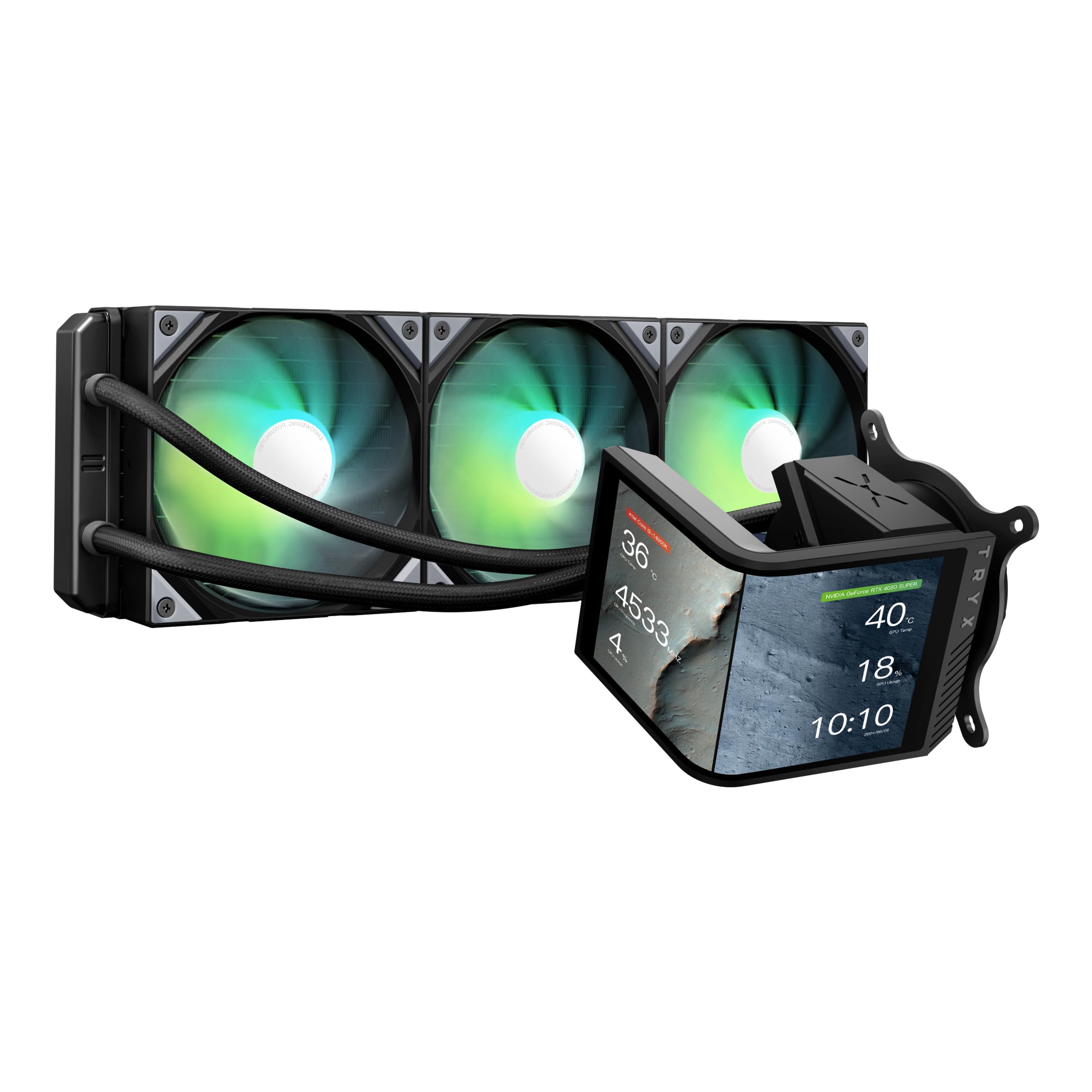
TRYX Panorama SE 360

TRYX Panorama SE 360

Unique screen AIO

Our Score 9.2/10
Check Price

Worth Noting

  • Cooling performance is average for the price, matched by cheaper AIOs without screens.
  • KANALI software can conflict with other RGB tools and has limited customization options.
Dimensions
360mm rad
Noise (dBA)
27.9 dBA

The TRYX Panorama SE 360 delivers the most visually striking AIO screen on the market: a 6.67-inch curved AMOLED with customizable 3D anamorphic effects that make your build stand out. The build quality is premium, and the 360mm radiator provides adequate cooling for high-end CPUs under normal use. However, the premium price is primarily for the screen; cooling performance is matched by cheaper AIOs without the display, and under sustained heavy loads the thermals can trail class-leading coolers. This is a showcase cooler for builders who prioritize aesthetics over raw performance, not a value pick for those seeking the best cooling per dollar.

Bottom line: This AIO suits builders who want the most impressive screen in their PC case and are willing to pay a premium for aesthetics over raw cooling value.

12

ASUS ROG Ryujin III 360

ASUS ROG Ryujin III 360

Luxury ROG AIO

Our Score 9.2/10
Check Price

Worth Noting

  • Price is steep for the cooling performance alone, making it a luxury choice
  • LCD screen can display 'Image Updating' message after startup, requiring a restart
Dimensions
360mm rad
Noise (dBA)
16 dBA

The 3.5-inch LCD screen delivers vivid graphics and deep customization, while the Asetek Gen8 pump keeps high-end CPUs like the Ryzen 9 9950X3D comfortably under 60C under load. Noise levels remain low even during sustained heavy use. However, the price tag puts this cooler in a different league from mainstream options, and some units may arrive with minor cosmetic defects or experience screen glitches that require a system restart. For buyers prioritizing value or reliability above aesthetics, there are more practical choices available.

Bottom line: This cooler fits best when building a flagship ROG system where the screen is a centerpiece — otherwise, a high-end air cooler or more affordable AIO offers similar thermal performance for less.

How to Choose

Cooling Performance: How Much Do You Really Need?

CPU cooler performance is often oversold. The number of heat pipes, fin stack size, and fan static pressure determine real-world heat dissipation more than the claimed TDP. For most CPUs up to 200W, a dual-tower air cooler like the Thermalright Phantom Spirit 120SE is sufficient. Only CPUs exceeding 250W under sustained all-core loads benefit from a 360mm AIO.

The temperature difference between a high-end air cooler and a 360mm AIO is typically 3-5°C under full load. For everyday gaming and productivity, that gap is imperceptible. The real benefit of AIOs is lower noise under heavy load due to larger radiators with slower fans, but air coolers are quieter at idle.

Noise Level: dBA Ratings and Real-World Sound

Noise level in dBA is logarithmic: a 3 dBA increase feels twice as loud. Coolers rated below 25 dBA are silent at idle, while 30-36 dBA is noticeable under load.

Fan curve adjustment can make a louder cooler quiet in most scenarios. A cooler with larger fans (140mm) can move more air at lower RPM, reducing noise. The be quiet! Dark Rock Pro 5's speed switch lets you trade peak performance for near-silence.

Size and Clearance: Case and RAM Compatibility

Height is the most critical measurement. Standard mid-tower cases accommodate up to 160-165mm, while full-tower cases can handle 170mm+. AIOs need radiator space: 360mm requires a case with front or top mount support.

RAM clearance is often overlooked: dual-tower air coolers can overhang RAM slots, requiring low-profile RAM or offset fan placement. Always check the cooler's RAM clearance specification against your motherboard and memory.

Mounting System: The Hidden Pain Point

Mounting difficulty is the most common complaint across all CPU coolers. Budget coolers often use finicky clips and unclear instructions. For first-time builders, a cooler with a tool-free mounting system (like Noctua's SecuFirm2 or Corsair's iCUE LINK) saves frustration. Check recent reviews for your specific socket before buying.

Value: When to Spend More

The biggest value trap is overspending on an AIO for a mid-range CPU. A $35 air cooler like the Thermalright Phantom Spirit 120SE delivers 95% of the performance of a $160 AIO. The remaining 5% performance gain from an AIO comes at double the cost - plus added complexity and potential pump failure. Only upgrade to liquid if you need sustained all-core workloads, want lower noise under heavy load, or desire the aesthetic of a screen.

Frequently Asked Questions