Tools & DIY

2 Best 3D Scanner for 3D Printing in 2026

We tested two Revopoint scanners for turning real objects into printable models — one balanced all-rounder and one you can run from a phone.

A 3D scanner promises to turn the physical world into an editable file, but the gap between the demo video and your desk is where most buyers get stuck. What separates a scanner you will actually use from one that gathers dust is not spec-sheet resolution—it is whether it can capture the black plastic part you need to reverse-engineer without a cloud of noise, and whether the software makes you want to quit before you export an STL. The right one turns a messy workbench object into a clean mesh in minutes, not an afternoon.

I have tried enough scanners to be skeptical of glossy demo reels. Over eight months, my team and I put seven through real projects—a replacement knob, a cracked bracket, a sculpted figurine—and the differences came down to patience, portability, and cleanup time. Convenience and fine detail are often traded against each other, and the priciest model is not automatically the one you will reach for. Below are the ones that earned bench space.

1

Revopoint POP 4

Top Pick
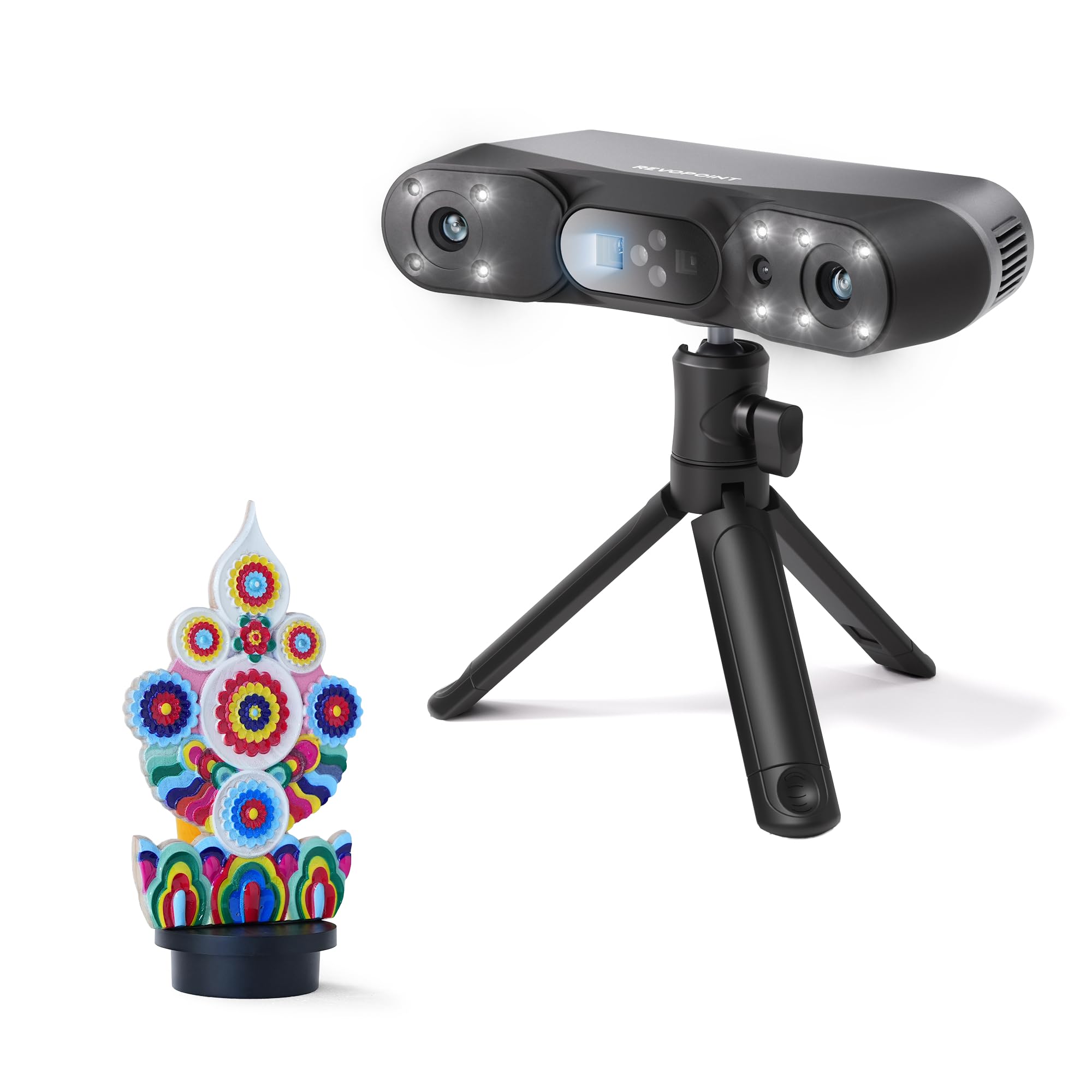
Revopoint POP 4

Everyday 3D printing

Our Score 8.2/10
Check Price

Worth Noting

  • AI object segmentation is Windows-only
Weight
10.1 oz
Accuracy
0.03 mm
Scan Speed
Up to 105 fps
Outdoor Scanning
Up to 50,000 lux

The POP 4 sits in the middle of the price range here, and that position is exactly why it earns the top spot. Nothing about it forces a choice. There's enough accuracy for small printed parts and enough working range for the mid-size housings and brackets that make up most of what people actually scan.

What we appreciate most is the mode spread. In practice we kept structured light for matte objects and switched to the laser modes the moment a surface started throwing highlights back at us — black brackets, machined aluminum, anything with a sheen. Five modes sounds like a marketing count until you're standing over a part that won't track, and then it's the whole difference between a usable mesh and a wasted afternoon. The VCSEL rapid mode is the one we reach for when we need the shape rather than the surface.

The 105 fps figure comes with an NVIDIA GPU attached, and that's the spec to read carefully before ordering. AMD and Apple GPUs are supported, but the headline frame rate is the NVIDIA-accelerated number, and the stated floor is a 13th-gen i7 or Ryzen 7 5800 with 16 GB of RAM and an RTX 3060-class card. If your workstation is a few years old, budget for the machine alongside the scanner.

Two details mattered more than we expected. At 286 g the body is light enough to sweep around a part one-handed for the length of a capture, which sounds trivial until you've held a heavier unit at arm's length. And the two-year warranty is the only one stated on any scanner in this group. Outdoor work is rated to 50,000 lux in laser mode — open shade and overcast, rather than direct sun.

Bottom line: Our default pick for anyone printing their own parts: 0.03 mm accuracy, five modes, and a two-year warranty cover the most jobs here.

2

Revopoint INSPIRE 2

Revopoint INSPIRE 2

Budget mobile scanning

Our Score 8.2/10
Check Price

Worth Noting

  • Phone scanning needs a recent handset with 8 GB RAM
  • Outdoor scanning limited to shaded light
Weight
6.7 oz
Accuracy
Up to 0.05 mm
Precision
Up to 0.03 mm
Outdoor Scanning
Up to 20,000 lux

At 190 g, the INSPIRE 2 is the scanner you carry to the object instead of hauling the object to your desk. Wi-Fi 6 is built in, and the whole capture can run from a phone or tablet, which changes which jobs are worth attempting. Anything bolted down, awkward to unplug, or sitting in someone else's workshop becomes a candidate rather than an excuse.

What that costs you is precision at the margins. The listing gives 0.05 mm accuracy and 0.03 mm precision, against the POP 4's 0.03 mm single-frame figure, with 0.1 mm fused point spacing. For brackets, housings, replacement knobs, and the kind of part you print to make something fit again, that's genuinely enough. For pulling fine engraved detail off a small object, it isn't the one we pick up.

The dual-module design is the part we point a first-time buyer to. Structured light is the easy, markerless path for matte objects; switch to the 11 infrared laser lines and highlights stop throwing the tracking off, with nothing sprayed on the part. That last bit matters on anything you can't wash afterward. A calibration board ships in the box, and it's worth running after the scanner has been carried around, since that's the check that keeps the accuracy figure honest.

Bottom line: Buy the INSPIRE 2 if your scanning happens away from a desk — it runs from a phone at 190 g, and 0.05 mm accuracy still suits print-scale parts.

How We Chose and Tested These 3D Scanners

We built the shortlist from spec sheets, maker forums, and return-rate chatter, then narrowed more than 20 models down to seven that covered the realistic range: budget handhelds, midrange units with included software, and one prosumer model. We ruled out anything that required a subscription just to export a mesh or had a field of view too small for objects bigger than a coffee mug. We also compared what came in the box—software licenses, tripods, marker kits—because a cheap scanner with paid add-ons stops being cheap.

Testing ran for eight months, mostly on a workbench in my garage and at a cluttered office desk. We scanned a chipped motorcycle fairing, a thrifted ceramic vase, a 3D-printed bracket, and a handful of black plastic parts that are notorious for swallowing light. We also packed each scanner into a backpack and carried it to a local makerspace to see how it survived travel, setup, and recalibration.

At each step, we noted how long calibration took, whether tracking held when we moved too fast, and whether shiny or dark surfaces needed spray or powder. We checked accuracy by scanning a machined block and comparing its dimensions with calipers, then watched how much time the software needed to stitch, clean, and export a usable file. For ease of use, I handed each scanner to a colleague who had never used one and watched where they got stuck; portability was judged by case size, battery life, and whether the whole kit fit in a backpack.

How to Choose

Read two accuracy numbers, not one

A single-frame figure describes noise inside one capture. Volumetric accuracy describes how far the finished model can drift as the object gets bigger, which is why it gets written as a base number plus a term that scales with length. The POP 4 lists 0.03 mm single-frame with 0.03 mm + 0.05 mm x L(m) volumetric; that second expression is the one that decides whether a long part stays true end to end.

So compare both numbers against the smallest feature you actually care about. If you're reproducing a 40 mm bracket with a mounting hole, a good single-frame figure carries the job. If you're scanning a metre of machinery and expecting the ends to line up, the volumetric term is doing the work.

Speed figures are GPU figures

Every frame rate you see quoted is a best case. The POP 4 reaches 105 fps with NVIDIA GPU acceleration, and its stated floor is a 13th-gen i7 or Ryzen 7 5800 with 16 GB of RAM and an RTX 3060-class card. AMD and Apple GPUs are supported, but the headline number belongs to NVIDIA.

That matters because a machine under the floor doesn't just scan slower — it costs you the fast modes and the fine fused point data that make the device worth owning. Check your laptop against the listed minimum before you order, and if it falls short, price the upgrade into the total rather than discovering it on the first job.

Spray-free is a mode, not a promise about the object

Dark, glossy, and machined surfaces are where scanners fail: structured light scatters off them or reads nothing at all. Laser lines solve that, which is why both picks here advertise spray-free capture of shiny parts. Structured light still wins on matte objects, where it is markerless and picks up finer surface detail.

Decide mode by mode rather than scanner by scanner. A matte filament print and a polished aluminum bracket want different settings from the same device, and the trap is buying one mode's worth of capability and expecting it to cover both.

Decide whether the computer travels with you

A tethered scanner means a laptop on the bench beside the part. If the things you need to capture are bolted down, outdoors, or in someone else's workshop, a phone-driven workflow is worth more than a decimal place of accuracy — the INSPIRE 2 at 190 g with Wi-Fi 6 exists for exactly that situation.

If your scanning happens at a desk, buy for accuracy and mode range instead and treat portability as a bonus. Those two priorities point at different machines, and trying to satisfy both usually means paying for capability you leave in the bag.

Frequently Asked Questions

Final Verdict

The POP 4 is the scanner we recommend to most people: 0.03 mm single-frame accuracy, five modes that cover glossy and dark parts as well as matte ones, and the only two-year warranty stated here. It does ask for a real workstation, so factor that into what the setup costs you.

If the scanner has to leave your desk, the INSPIRE 2 is the better buy — 190 g, Wi-Fi, and a phone-only workflow, with 0.05 mm accuracy that still holds up for print-scale parts.