Networking & Wi-Fi

13 Best Wireless Access Point of 2026: Enterprise Wi-Fi 6 Without the Price Tag

Confused by Wi-Fi 6, 2.5GbE, and Omada vs UniFi? Match the right access point to your home size, internet speed, and budget.

Picking an access point sounds simple: buy the one with the highest number on the box. In reality, the difference between a stable gigabit connection and a frustrating drop zone often comes down to PoE power, antenna placement, and firmware maturity — not the theoretical speed.

This guide cuts through the marketing noise by focusing on what actually works: proven throughput, reliable connectivity, and ecosystems that scale. Whether you need a single AP for a 2,000 sq ft home or a multi-AP setup with VLANs, the right choice depends on your internet plan and how much setup complexity you can tolerate.

We've organized our picks around the key decision points — Wi-Fi generation, port speed, and management style — so you can buy with confidence, not regret.

1

TP-Link EAP670

Top Pick
TP-Link EAP670

Large home future-proof

Our Score 9.2/10
Check Price

Worth Noting

  • In rare cases, units may stop working within the first year; the five-year warranty covers replacement
Mounting
Ceiling / wall
Management
Omada SDN
PoE Support
802.3at PoE+ or DC
Ethernet Port
1x 2.5GbE + 1x Gigabit

The TP-Link EAP670’s 2.5GbE port and AX5400 radio produce throughput that saturates gigabit internet connections, with many installations reaching near wire-speed performance. The dual-band design and six spatial streams handle multiple high-bandwidth devices without slowdowns, making it a strong choice for households with multi-gig plans or heavy streaming and gaming loads.

Coverage stretches to about 3,000 square feet per unit, with users reporting consistent signal strength through multiple walls and floors. The Omada software ecosystem (standalone, controller, or cloud) provides flexible management options, and setup via the mobile app or web GUI takes minutes. Long-term stability is a common observation, with access points running months without requiring a reboot.

This AP suits buyers with multi-gig internet who want to avoid a future bottleneck, as well as large homes needing a single access point with wide reach. Businesses benefit from the high client capacity and VLAN support for network segmentation. A small number of units have experienced hardware issues within the first year, but the five-year warranty covers replacement, reducing the risk for most users.

Bottom line: For anyone with a gigabit-or-higher internet plan who wants a single access point that won’t hold them back, the EAP670 is the best value in the Omada lineup — the 2.5GbE port alone justifies the premium, and the five-year warranty backs it up.

2

TP-Link EAP650

TP-Link EAP650

Sub-gigabit home

Our Score 9.0/10
Check Price

Worth Noting

  • Single Gigabit Ethernet port limits wired backhaul to 1 Gbps
Mounting
Ceiling / wall
Management
Omada SDN
PoE Support
802.3at PoE+ or DC
Ethernet Port
1x Gigabit

The EAP650 provides consistent AX3000 throughput, with real-world speeds exceeding 400 Mbps across two floors in typical homes. Build quality is solid, and the Omada app makes initial setup quick for both standalone and controller modes.

Long-term stability is a standout — users report operating for over a year without needing reboots. Coverage handles 2,000+ sq ft homes comfortably, and signal strength remains strong through walls.

This AP suits home users who want reliable Wi-Fi 6 without the cost of a 2.5GbE port, or small businesses that need multiple SSIDs and VLAN isolation. The single Gigabit port is the hard limit: if your internet plan exceeds 1 Gbps or you plan to upgrade within a few years, the EAP670 is the better long-term choice.

Bottom line: If you have gigabit internet and want Omada management without paying extra for 2.5GbE, the EAP650 hits the sweet spot — just plan your future speed upgrades accordingly.

3

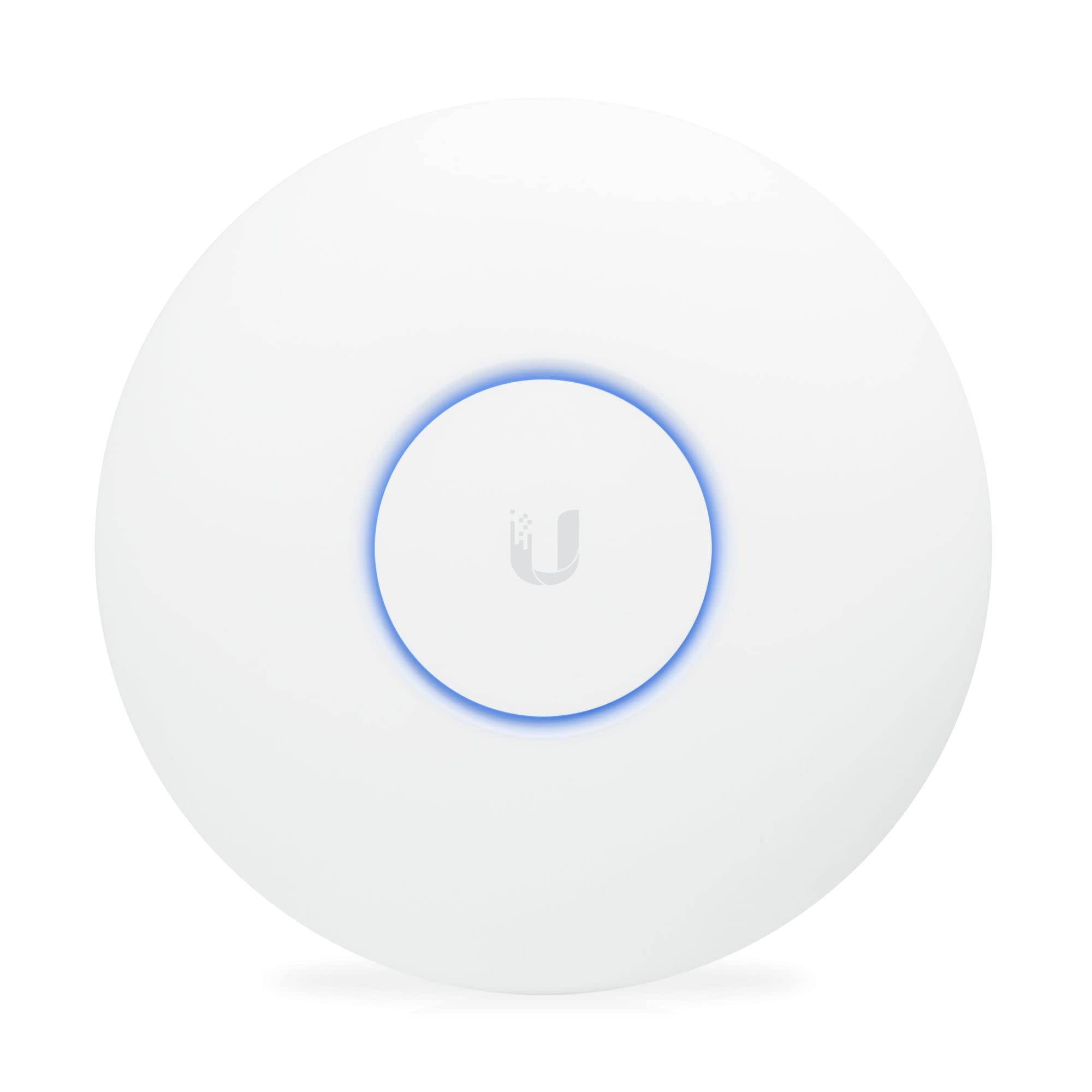
Ubiquiti U6+

Ubiquiti U6+

UniFi ecosystem users

Our Score 9.2/10
Check Price

Worth Noting

  • Initial setup requires UniFi controller software, not a simple standalone process
  • Only a single Gigabit Ethernet port, no 2.5GbE for future-proofed backhaul
Mounting
Ceiling / wall
Management
UniFi Controller
PoE Support
802.3af/at PoE+
Ethernet Port
1x Gigabit

The Ubiquiti U6+ adopts into an existing UniFi network via the app or controller in under five minutes, with immediate access to enterprise-grade features like VLANs and guest portals. For homes or offices already using a UniFi gateway and switches, this access point extends coverage without the configuration headaches of standalone setups.

Coverage reaches roughly 1,500 square feet per unit, and multiple U6+ units hand off client connections smoothly during roaming. The real-world throughput handles 30+ devices without visible slowdowns, though the single Gigabit Ethernet port caps wired backhaul speeds—a limitation if your internet plan exceeds gigabit.

This access point suits tech-savvy homeowners or small businesses already invested in UniFi hardware who want granular control over their network. It is not a plug-and-play option: the controller software adds a layer of setup complexity, and the lack of a 2.5GbE port means no future-proofing beyond gigabit internet. Users comfortable with the UniFi ecosystem will find it straightforward; everyone else may prefer the TP-Link EAP670’s simpler web-based configuration.

Tip: Use the UniFi Network Controller (cloud or local) for full feature access; the mobile app handles basic setup but not advanced settings.

Bottom line: A strong pick for those already in the UniFi ecosystem—just account for the controller requirement and the gigabit-only port when planning your network.

4

TP-Link EAP653

TP-Link EAP653

PoE-only budget homes

Our Score 9.2/10
Check Price

Worth Noting

  • DC adapter not included; requires PoE switch or injector
Mounting
Ceiling
Management
Omada SDN
PoE Support
802.3at PoE+ only
Ethernet Port
1x Gigabit

For buyers building an Omada network on a budget, the EAP653 delivers Wi-Fi 6 at a price that undercuts most competitors without sacrificing day-to-day stability. It sits below the EAP650 in the lineup, dropping the 2.5GbE port that many home users won't need, while retaining the same core performance. The Omada ecosystem provides remote management and seamless roaming when paired with multiple APs.

Setup works smoothly whether you adopt it into an Omada controller or run it standalone. The AX3000 speed handles typical home traffic loads, and VLAN support integrates cleanly with managed networks. Coverage is adequate for most homes, matching older EAP models in range, and the slim profile makes ceiling or wall mounting unobtrusive.

This AP is for users who already have a PoE switch or injector — no DC adapter is included. It’s a natural fit for those who want a stable Omada node without paying for extras they won’t use. If you need 2.5GbE for gigabit-plus internet, the EAP670 or EAP650 are better options.

Tip: If you don't have PoE, factor in the cost of a PoE injector or a separate DC adapter (12V/1.5A, 2.1mm barrel).

Bottom line: A budget-friendly Omada Wi-Fi 6 AP that performs its core job without fuss — best for users with existing PoE infrastructure who want to keep costs low.

5

Ubiquiti nanoHD

Ubiquiti nanoHD

Legacy AC device fleets

Our Score 9.6/10
Check Price

Worth Noting

  • In large homes, signal can drop off past 30-40 feet, especially through walls.
  • Early firmware versions had stability issues; newer updates have improved but occasional glitches may occur.
Mounting
Ceiling / wall
Management
UniFi Controller
PoE Support
802.3af PoE
Ethernet Port
1x Gigabit

The nanoHD's support for over 200 simultaneous clients sets it apart from typical home access points, matching the capacity of larger outdoor UniFi models in a compact indoor package.

In daily use, the nanoHD delivers steady throughput above 300 Mbps, enough for streaming and video calls across multiple devices. Signal strength on 5GHz holds up well in moderate-sized homes, though the 2.4GHz range is average.

This access point suits UniFi users on a budget who already have a controller and want to add capacity without moving to Wi-Fi 6. The tradeoff is Wi-Fi 5 only, so no OFDMA or 2.5GbE uplink, and range can be short in large homes - plan placement accordingly.

Tip: Place the nanoHD centrally in the home, as its 5GHz range may not penetrate multiple walls effectively.

Bottom line: For those committed to Wi-Fi 5 and needing high client density without the premium of newer standards, the nanoHD remains a cost-effective, stable choice.

6

TP-Link EAP615-Wall

TP-Link EAP615-Wall

Rooms needing wired ports

Our Score 9.2/10
Check Price

Worth Noting

  • Coverage is concentrated in a single room
  • Some units have been reported to fail after a few months of use
Mounting
In-wall
Management
Omada SDN
PoE Support
802.3af/at PoE
Ethernet Port
1x GB uplink + 3x GB down

The EAP615-Wall replaces a standard wall plate, delivering Wi-Fi 6 and three Gigabit Ethernet ports — one with PoE passthrough — in a compact, low-profile form. Unlike ceiling-mounted APs that cover whole floors, this unit is designed for per-room installations, making it a practical fit for hotels, dorms, or office cubicles where each space needs its own dedicated connection. Setup integrates smoothly with the Omada controller for centralized management.

This AP suits buyers who need both Wi-Fi and wired ports in a room without running new cable drops. However, its coverage is intentionally limited to a single room or small area — not a whole-home solution. Additionally, a small number of units have been reported to stop working after several months of use, so it pays to verify the warranty or return window before committing.

Build quality is solid, and the clean aesthetic blends unobtrusively into walls. Signal strength within the intended room is consistent, though the range deliberately does not extend far beyond — that is by design, not a flaw.

Tip: Install one per room for best results — this AP is designed for concentrated coverage, not whole-house use.

Bottom line: For per-room installations where wired ports are needed, the EAP615-Wall delivers a unique solution at a reasonable price — just plan for one per room and watch for early failures.

7

Ubiquiti UAP-AC-PRO

Ubiquiti UAP-AC-PRO

Outdoor or semi-outdoor use

Our Score 9.4/10
Check Price

Worth Noting

  • Connectivity can become unstable in some network setups, especially with advanced UniFi features enabled.
  • Wi-Fi 5 limits real-world throughput and handles multiple clients less efficiently than newer Wi-Fi 6 alternatives.
Mounting
Ceiling / wall / outdoor
Management
UniFi Controller
PoE Support
802.3af PoE
Ethernet Port
2x Gigabit

This access point delivers consistent throughput and coverage across typical home and office spaces, with a rugged build that handles outdoor conditions. However, it uses Wi-Fi 5 (802.11ac), so peak speeds and multi-client efficiency lag behind current Wi-Fi 6 models. Connectivity drops have been noted in some installations, particularly when the controller software is not optimized.

Bottom line: This AP fits buyers who need a weatherproof unit for an outdoor or semi-outdoor installation and are comfortable with Wi-Fi 5 speeds.

8

TP-Link EAP610-Outdoor

TP-Link EAP610-Outdoor

Yard coverage with risk

Our Score 8.8/10
Check Price

Worth Noting

  • For permanent outdoor installations, the unit may develop moisture or cease functioning after several months, making replacement necessary.
  • Signal consistency can fluctuate, occasionally causing disconnected cameras or buffering.
Mounting
Outdoor (pole/wall)
Management
Omada SDN
PoE Support
802.3at PoE or passive
Ethernet Port
1x Gigabit

Weatherproof design and 500-foot line-of-sight coverage make this a capable choice for extending Wi-Fi to patios, pools, or temporary event spaces. Setup through the Omada app is simple, and real-world speeds of 60-100 Mbps at distance handle outdoor cameras and streaming without issue.

The same unit that performs well upfront may develop internal moisture or stop functioning entirely after several months of outdoor installation. The IP68 rating does not guarantee long-term protection against rain or humidity; this is better suited for seasonal use where replacement is easy rather than a permanent outdoor deployment.

Bottom line: Useful for temporary outdoor events or seasonal setups where easy replacement is accessible, but not for permanent installations that demand consistent uptime.

9

TP-Link TL-WA1201

TP-Link TL-WA1201

Basic budget coverage

Our Score 9.0/10
Check Price

Worth Noting

  • Wi-Fi 5 (802.11ac) only, so multi-client efficiency and peak speeds are capped below current Wi-Fi 6 standards.
  • No cloud management or mesh support; each unit must be configured individually, limiting scalability.
Mounting
Desktop
Management
Standalone
PoE Support
Passive PoE
Ethernet Port
1x Gigabit

Converts a wired Ethernet connection into a dual-band Wi-Fi 5 network at a price below most alternatives. The included Passive PoE injector powers the unit without needing a separate outlet, and four external antennas provide adequate coverage for a guest room or workshop. However, it lacks Wi-Fi 6, peak throughput is limited, and there is no cloud management or mesh support. This suits budget-conscious buyers with modest internet speeds and simple standalone needs. For those wanting to extend basic Wi-Fi into a low-traffic area without spending much, it gets the job done. But anyone needing modern Wi-Fi 6 performance or multi-AP management should look elsewhere.

Bottom line: Best suited for a single-AP deployment in a low-traffic area where the absolute lowest cost is the primary concern and Wi-Fi 6 is not required.

10

TP-Link EAP773

TP-Link EAP773

Early adopters

Our Score 8.6/10
Check Price

Worth Noting

  • Some units may require reboots or experience packet loss during normal operation.
  • Signal strength may be lower than expected, especially in larger homes or through walls.
Mounting
Ceiling
Management
Omada SDN
PoE Support
802.3at PoE
Ethernet Port
1x 10GbE

The TP-Link EAP773 brings Wi-Fi 7 and a 10GbE uplink to the Omada lineup, offering throughput that can fully saturate gigabit-plus internet connections. Range is adequate for a medium-sized home, and the Omada controller makes provisioning straightforward. However, this is an early-stage product. Some units may require reboots or show packet loss, and signal strength may fall short in larger spaces. The price premium over Wi-Fi 6 alternatives like the EAP670 is significant. This access point is only for enthusiasts who already own Wi-Fi 7 clients and are comfortable with the growing pains of new technology — not for mainstream buyers who need long-term reliability.

Bottom line: Best suited for early adopters with Wi-Fi 7 clients who prioritize raw speed and have the tolerance for potential early-adopter quirks — not for those who need a drop-in replacement for a stable network.

11

Ubiquiti U7-Lite

Ubiquiti U7-Lite

UniFi Wi-Fi 7 entry

Our Score 9.2/10
Check Price

Worth Noting

  • In homes with dense walls or multiple floors, actual coverage may be less than the 1250 sq ft estimate.
  • Early firmware can cause brief disconnects with certain client devices until updates are applied.
Mounting
Ceiling
Management
UniFi Controller
PoE Support
PoE+
Ethernet Port
1x 2.5GbE

The Ubiquiti U7-Lite brings Wi-Fi 7 and a 2.5GbE port to the UniFi lineup at a premium price. Early adopters get the latest standard with PoE+ convenience, but verified performance reports are scarce – coverage and stability can vary depending on your environment and client devices. This AP suits buyers who prioritize cutting-edge technology over proven track records and are comfortable with occasional firmware updates to resolve quirks.

Bottom line: If you're building a UniFi network and need the latest Wi-Fi 7 standard now, the U7-Lite fits – just plan for occasional firmware refinements as the ecosystem matures.

12

TP-Link TL-WA3001

TP-Link TL-WA3001

Budget Wi-Fi 6 desktop

Our Score 8.2/10
Check Price

Worth Noting

  • Range may not match advertised coverage in larger homes
  • Intermittent disconnections can affect Apple and Linux devices
Mounting
Desktop
Management
Standalone / app
PoE Support
Passive PoE or DC
Ethernet Port
1x Gigabit

The TL-WA3001 brings Wi-Fi 6 to a desktop form factor with four adjustable antennas and multiple operating modes, including range extender and client bridge. Setup is straightforward via app or web interface. For small apartments or single rooms with a limited number of devices, performance holds up well.

However, the connectivity drops reported with Apple and Linux devices make it less suitable for mixed ecosystems. Signal range also falls short of advertising in larger spaces. For a slightly higher price, the EAP653 offers more consistent reliability and better coverage.

Bottom line: A suitable choice for users on a strict budget who need Wi-Fi 6 and can accept occasional connectivity quirks, particularly in single-platform environments.

13

ASUS EBA63

ASUS EBA63

ASUS router owners

Our Score 8.8/10
Check Price

Worth Noting

  • Connectivity may drop when paired with non-ASUS mesh routers
  • Occasional instability on default settings has been noted
Mounting
Ceiling
Management
ASUS ExpertWiFi / AiMesh
PoE Support
PoE+ or AC
Ethernet Port
1x Gigabit

For homes already running ASUS AiMesh, the EBA63 pairs seamlessly and extends Wi-Fi 6 coverage with minimal setup effort. The hardware feels robust and placement is straightforward. However, its compatibility narrows sharply: connecting to non-ASUS routers can produce intermittent dropouts, and some units show occasional instability even when configured as recommended. This makes the EBA63 a capable, but niche, choice — right at home within the ASUS ecosystem, but a risky buy for anyone mixing brands.

Bottom line: Best for ASUS AiMesh users who want a straightforward add-on access point without leaving the ecosystem.

How to Choose

Wi-Fi Generation

Wi-Fi 6 (802.11ax) brings OFDMA and MU-MIMO, which reduce latency in congested environments with many devices. If you have a mix of modern phones, laptops, and smart home gear, the improvement over Wi-Fi 5 is substantial — not just in speed, but in how gracefully the network handles simultaneous traffic.

However, if your client devices are all Wi-Fi 5 (802.11ac), you won't see the multi-device benefits. Wi-Fi 6 APs still work fine with older clients, but you pay a premium for capacity you may not use. The sweet spot today is Wi-Fi 6 for most homes; Wi-Fi 7 offers backward compatibility but carries early-adopter firmware risks.

Ethernet Port Speed

The Ethernet port is the bottleneck between your AP and the wired network. A 1GbE port can deliver about 940 Mbps of real-world throughput — fine for internet plans under 1 Gbps. Step up to 2.5GbE and you remove that ceiling, allowing Wi-Fi 6 to stretch its legs if you have multi-gig fiber.

The hidden trade-off: a 2.5GbE AP often requires a PoE+ switch that also supports 2.5GbE, which costs more. If your internet is 500 Mbps and you have no plans to upgrade, a 1GbE port is perfectly adequate. Future-proofing only pays off if your ISP plan will actually exceed gigabit in the next two years.

PoE Support

Power over Ethernet eliminates the need for a separate power outlet at the AP location — a single Ethernet cable carries both data and power. Standard 802.3af (PoE) supplies up to 15W, enough for most Wi-Fi 5 and some Wi-Fi 6 APs. 802.3at (PoE+) delivers up to 30W, required for higher-power Wi-Fi 6 models with 2.5GbE or extra radios.

The gotcha: passive PoE (used by some budget TP-Link models) is not standards-compliant and can damage non-compatible switches. Always check that your switch matches the AP's PoE type. Using a cheap PoE injector that doesn't supply enough power can cause random disconnects — a common complaint that is often misdiagnosed as a Wi-Fi issue.

Management Ecosystem

Standalone mode (web GUI or app) works fine for a single AP — you log in, configure SSIDs, and forget it. Controller-based systems like Omada SDN or UniFi add features like seamless roaming, centralized firmware updates, and VLAN management across multiple APs. The trade-off: you need a hardware controller or run the software on a PC/server, which adds complexity.

For most single-AP homes, standalone setup is simpler and just as effective. The controller pays off when you have two or more APs and want clients to roam without dropping connections. If you plan to expand later, picking an ecosystem (Omada or UniFi) now avoids migrating all APs later.

Mounting Form Factor

Ceiling-mounted APs radiate signal downward evenly, making them ideal for open floor plans and multi-room coverage from a central point. Wall-mounting changes the radiation pattern, typically reducing coverage behind the AP and creating a directional lobe forward. In-wall APs like the EAP615-Wall are designed for single-room coverage and include Ethernet passthrough.

The real-world impact: a ceiling-mounted AP in a central hallway can cover 2,000 sq ft, while the same AP mounted on an exterior wall may only reach half that area due to the building envelope. If you cannot mount on a ceiling, consider two wall-mounted units spaced apart rather than one. Desktop APs (e.g., TL-WA3001) are often placed on shelves, which can block signal — treat them as last resort for permanent installation.

Client Capacity

Every AP lists a theoretical client count (e.g., '200+ devices'), but real-world capacity is far lower. Wi-Fi 6 OFDMA improves airtime efficiency, so an AX3000 AP can comfortably handle 30-50 actively streaming devices. Wi-Fi 5 APs like the nanoHD start to struggle past 40 active clients due to older scheduling.

The overlooked factor is not how many devices are registered, but how many are actively transmitting. A smart home with 50 idle IoT bulbs creates little load; ten 4K streams can overwhelm a Wi-Fi 5 AP. If you plan to serve many video streams simultaneously, prioritize Wi-Fi 6 and a higher Ethernet port speed to avoid bottleneck.

Frequently Asked Questions