Computers & Accessories

10 Best Tablet for Reading in 2026: Find the One That Won't Strain Your Eyes

Choosing between an E Ink reader and a general tablet? This guide helps you pick the right screen technology for your reading habits.

Most tablet makers advertise all-day battery life and vibrant displays, but when it comes to reading for hours, the real test is eye comfort and battery endurance. A bright LCD screen can cause fatigue after a few chapters, while an E Ink display mimics paper and lasts weeks on a charge.

This guide cuts through the marketing noise by focusing on what actually matters for reading: display technology, battery longevity, and portability. Whether you spend your evenings on novels, textbooks, or comics, the right device depends on how you read and where you read.

The trade-off is straightforward: dedicated e-readers offer a paper-like experience and exceptional battery life but can't run apps or video. General-purpose tablets are versatile but come with shorter battery and potential eye strain. Pick the tool that fits your primary use case.

1

Kindle Paperwhite

Top Pick

Kindle Paperwhite

Avid readers

Our Score 9.2/10
Check Price

Worth Noting

  • Power button on bottom edge can be pressed accidentally when gripping the device
  • A small number of units show uneven screen lighting with a yellow tint near the bottom
Eye Comfort
Warm light, glare-free
Battery Life
Up to 12 weeks
Storage & Expandability
16GB
Display Tech & Resolution
7" E Ink 300 PPI

A 7-inch E Ink screen at 300 PPI delivers text sharp enough for small fonts, with adjustable warm light that reduces eye strain during evening reading. The IPX8 waterproof rating means this e-reader handles poolside dips or bath reading without worry. Battery life stretches for weeks on a single charge, eliminating the daily charging habit required by LCD tablets.

Page turns are instant and the front light distributes evenly across the display, making it usable in direct sunlight or a dim bedroom. The 16GB storage holds thousands of books, though audiobook listeners may want more space for downloaded Audible files. The power button sits on the bottom edge and can be pressed when gripping the device one-handed, which may shut the screen off mid-page — a minor annoyance that does not affect reading quality.

This is the e-reader for anyone who reads daily by water — pool, beach, or bath — and wants a display that feels like paper rather than a backlit phone screen. The warm light and lack of blue emission make it suitable for reading before sleep. The tradeoff: it is a single-purpose device, not a tablet for apps or video. Buyers who need a color display for comics or magazines should look at the Kindle Colorsoft instead. The bottom power button may bother those who hold the device near its base, but most adapt after a few days.

Tip: If the button press bothers you, try holding the device with your hand lower on the back, or rotate the orientation so the button faces away from your palm.

Bottom line: The Kindle Paperwhite delivers the best E Ink experience for serious readers who want waterproofing and long battery life without paying for tablet extras.


2

Amazon Kindle Basic

Amazon Kindle Basic

Budget readers

Our Score 9.2/10
Check Price

Worth Noting

  • Cannot be used near water
  • Screen is 6 inches with lower contrast than the Paperwhite, noticeable when reading small fonts.
Eye Comfort
Adjustable front light
Battery Life
Up to 6 weeks
Storage & Expandability
16 GB
Display Tech & Resolution
6" E Ink 300 PPI

Weighing less than most paperbacks and fitting easily in a small bag, the entry-level Kindle delivers the lightest reading experience in the lineup. Its 6-inch E Ink display stays crisp under direct sun, and the adjustable front light lets you read in dim rooms without harsh backlight glow. Battery life stretches for weeks on a single charge, so frequent travelers can leave the charger behind.

This model skips the waterproofing and warm-light controls found on the step-up Paperwhite. That tradeoff makes it best for readers who stick to dry environments and don't need adjustable screen warmth for nighttime comfort. First-time e-reader buyers on a budget will appreciate the straightforward setup and distraction-free focus, but if you plan to read poolside or in the bath, the higher-end option is a necessary upgrade.

Tip: Avoid using the Kindle near water or in high-humidity bathrooms, as it is not waterproof.

Bottom line: For readers who value extreme portability and long battery life over waterproofing and warm light, this is the best budget-friendly entry into dedicated e-readers.

3

Samsung Tab A11+

Samsung Tab A11+

Versatile reading

Our Score 9.0/10
Check Price

Worth Noting

  • No charging brick included; only a USB-C cable in the box
  • Performance may lag with graphic-intensive apps and games
Eye Comfort
None
Battery Life
Hours, fast charge
Storage & Expandability
128GB expandable
Display Tech & Resolution
11" 1920x1200 LCD 90Hz

An 11-inch LCD display with a 90Hz refresh rate makes pages and menus feel smooth, and the 128GB of internal storage can be expanded via microSD. This gives the Tab A11+ an edge over the top pick for anyone who wants a single device for reading, streaming, and note-taking rather than a dedicated E Ink reader.

Students and families will appreciate the mix of a large screen and enough performance for web browsing, video calls, and light gaming. The LCD panel can cause eye fatigue during marathon reading sessions, and the tablet ships without a charging brick (only a USB-C cable). These tradeoffs are manageable if you already own a compatible charger and take breaks during long reads.

Battery life holds up for a full day of mixed use, and fast charging cuts downtime. The MediaTek processor handles everyday apps without complaint, though graphic-heavy games may stutter. For readers who also need a tablet for lecture notes, recipe browsing, or kids’ shows, this is a practical mid-range option.

Tip: Plan to buy a USB-C charger separately; any phone charger with sufficient wattage works.

Bottom line: If you need a tablet that handles reading, notes, and video without jumping to premium prices, this Samsung offers good value for mixed use.

4

TCL NXTPAPER 14

TCL NXTPAPER 14

Large PDFs

Our Score 8.8/10
Check Price

Worth Noting

  • No microSD slot for storage expansion
  • Battery can drain in a day when screen brightness is high for color content.
Eye Comfort
Paper-like anti-glare
Battery Life
2-3 days
Storage & Expandability
256GB non-expandable
Display Tech & Resolution
14.3" 2400x1600 NXTPAPER

The TCL NXTPAPER 14 stands out with its massive 14.3-inch matte screen that mirrors A4 paper size, making full-page sheet music, textbooks, and comics readable without zooming or scrolling. Unlike smaller NXTPAPER models, this one prioritizes screen real estate over portability, and the build quality feels solid despite the slim profile. The included stylus and flip case add to the value proposition for users who need a ready-to-go reading setup.

This tablet suits musicians who want a digital sheet music reader, students and professionals working with large PDFs, and comic enthusiasts who crave a big, glare-free canvas. Honest tradeoffs: the missing microSD slot means you rely on the 256GB internal storage or cloud services, and battery life can drop to a single day if you run the screen at high brightness in color modes. The device is noticeably heavier than a typical tablet, so it lives best on a desk or music stand rather than in a bag.

Tip: Keep brightness lower or enable dark mode to extend battery life between charges.

Bottom line: Musicians and readers of large PDFs will appreciate the paper-like screen, as long as they can accept the weight and lack of storage expansion.

5

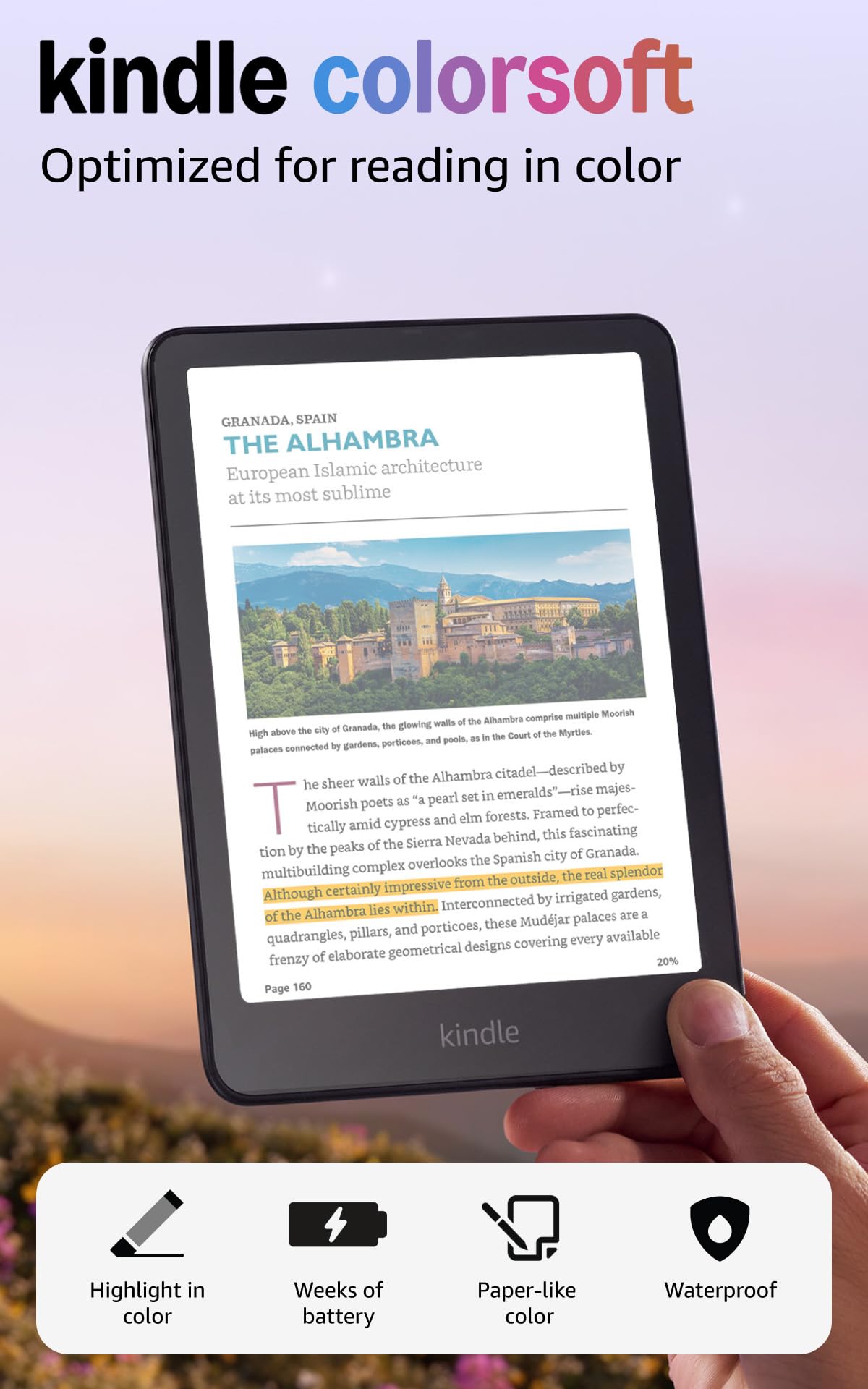
Kindle Colorsoft

Kindle Colorsoft

Comic fans

Our Score 9.0/10
Check Price

Worth Noting

  • Colors appear muted compared to LCD or OLED screens
  • Battery life drops noticeably when reading color content
Eye Comfort
Color E Ink, moderate
Battery Life
Up to 8 weeks
Storage & Expandability
16GB
Display Tech & Resolution
7" E Ink color 300/150 PPI

The Kindle Colorsoft is the only Amazon e-reader with a color E Ink screen, bringing graphic novels, magazines, and book covers to life without the glare of an LCD. It shares the same waterproof IPX8 design and 7-inch form factor as the Paperwhite, but its color display comes with tradeoffs in brightness and contrast. For pure text reading, the Paperwhite remains sharper and has longer battery life, making the Colorsoft a niche pick.

This device suits readers who primarily consume color-rich content like comics, illustrated books, or magazines, and who prefer the distraction-free E Ink experience over a tablet. However, colors appear muted compared to an LCD or OLED – expect softer, pastel-like tones rather than vivid saturation. Battery life also drops significantly when reading in color, from weeks to potentially under a month, so frequent color users should expect more regular charging.

Despite the muted palette, the Colorsoft excels at displaying full-color covers and panel art in a format that is easy on the eyes for long sessions. The 300 PPI black-and-white text remains crisp, and the device handles well with one hand, making it a comfortable companion for commutes or bedtime reading.

Tip: Using black-and-white mode for text-only content preserves battery when color isn't needed.

Bottom line: Comic book readers who want an E Ink screen without moving to a tablet will find the Colorsoft a worthwhile specialty device. For everyone else, the Paperwhite offers better value and longer battery life.

6

Lenovo Idea Tab

Lenovo Idea Tab

Student note-taker

Our Score 9.2/10
Check Price

Worth Noting

  • Bundled pen or case may be missing from some shipments
Eye Comfort
None
Battery Life
12 hours
Storage & Expandability
256GB expandable
Display Tech & Resolution
11" 2560x1600 IPS 90Hz

The Lenovo Idea Tab combines a crisp 2.5K IPS display with 90Hz refresh, making it a strong candidate for reading comics and PDFs. Its 8GB RAM and 256GB storage handle large libraries and light multitasking without issue. However, performance is good rather than class-leading, and the bundled pen and case may not always arrive in the box – a point to check on delivery. For readers who prioritize screen quality and storage over brand pedigree, this is a worthwhile mid-range option.

Bottom line: Ideal for budget-conscious readers who value a high-res display and generous storage over market-leading polish and don't mind occasional accessory discrepancies.

7

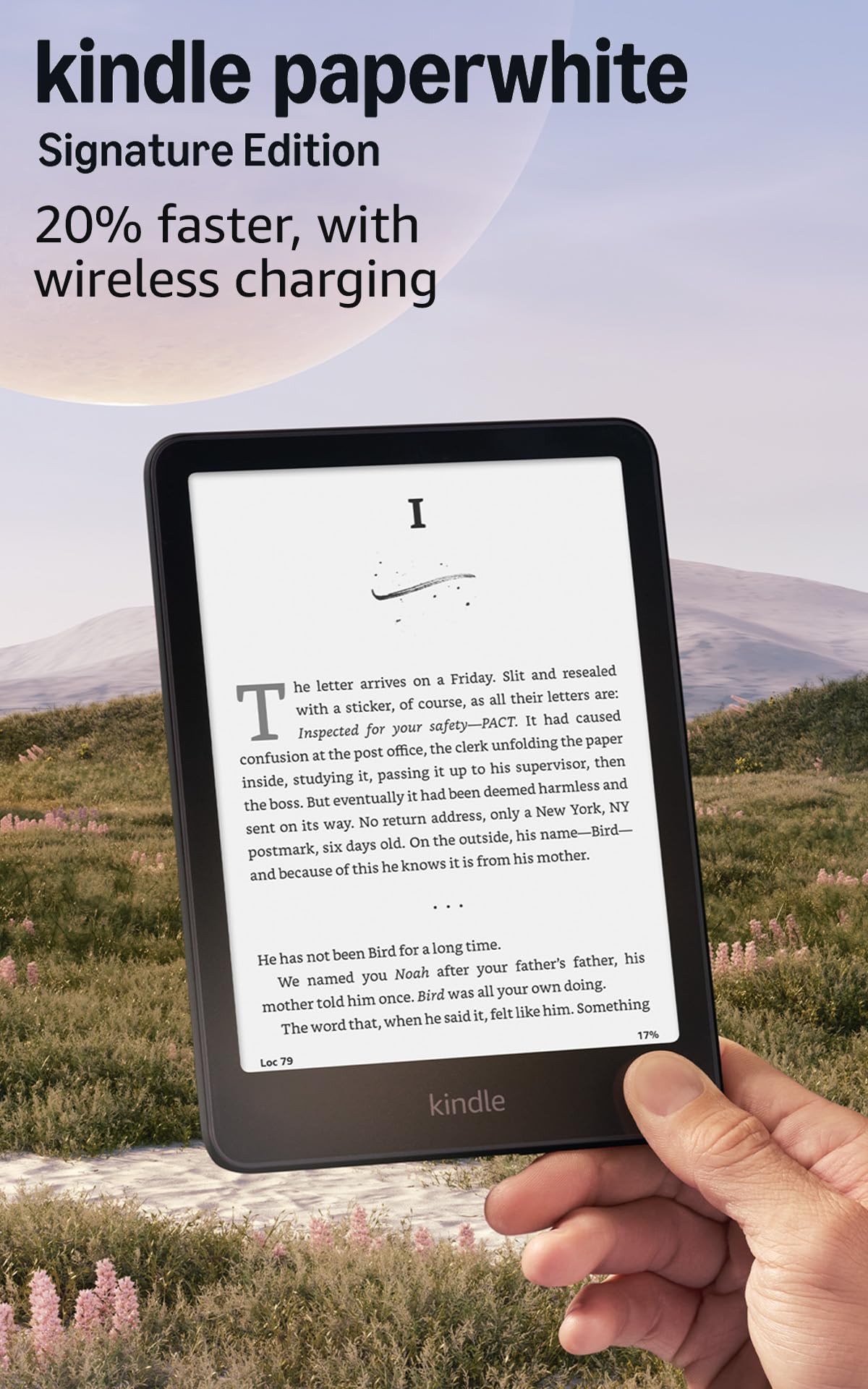
Kindle PW Signature

Kindle PW Signature

Premium reader

Our Score 9.4/10
Check Price

Worth Noting

  • Power button located on the bottom edge can be pressed accidentally when holding the device in some grips.
  • The price premium over the standard Paperwhite is noticeable for auto-light and wireless charging alone
Eye Comfort
Auto-adjust warm light
Battery Life
Up to 12 weeks
Storage & Expandability
32GB
Display Tech & Resolution
7" E Ink 300 PPI

The Signature Edition adds auto-adjusting front light, wireless charging, and 32GB storage for large libraries – genuine convenience upgrades for heavy readers who want seamless lighting and easy power top-ups. However, the standard Paperwhite delivers nearly the same core experience (7-inch display, IPX8, weeks of battery) for about $40 less. Only worth the premium if you specifically need the extras and can accept the higher cost.

Bottom line: This version fits readers who read in varying light conditions and want wireless charging convenience, and are willing to pay extra for those features.

8

Amazon Fire HD 10

Amazon Fire HD 10

Prime ecosystem

Our Score 9.0/10
Check Price

Worth Noting

  • Fire OS restricts app selection to Amazon's store; no Google Play without technical workarounds
  • Performance can feel sluggish when multiple apps are open; better for single-task use
Eye Comfort
None
Battery Life
Up to 13 hours
Storage & Expandability
64GB expandable 1TB
Display Tech & Resolution
10.1" 1080p LCD

The Fire HD 10 delivers a sharp 10.1-inch 1080p display and sturdy build at a budget price, making it a capable option for casual reading and video within Amazon's ecosystem. Screen clarity is good for the cost, and the strengthened glass adds peace of mind for everyday handling. However, Fire OS lacks Google Play — so apps like Google Docs or Chrome won't install without technical workarounds. Under load, performance can feel sluggish; this is fine for one or two apps but not heavy multitasking. For readers prioritizing battery life and eye comfort, dedicated E Ink models remain the better choice. This tablet suits Amazon Prime subscribers who value a large screen for mixed use and can accept the ecosystem lock-in.

Tip: Stick to one or two open apps during reading sessions to keep navigation responsive.

Bottom line: If you're an Amazon Prime subscriber on a budget who wants a large screen for occasional reading and frequent media consumption, the Fire HD 10 delivers — just accept the app limitations and occasional lag.

9

TCL NXTPAPER 11 Plus

TCL NXTPAPER 11 Plus

Matte screen

Our Score 8.8/10
Check Price

Worth Noting

  • Storage is fixed at 256GB with no microSD expansion slot.
  • Processor can feel sluggish during boot and app switching.
Eye Comfort
Matte paper-like
Battery Life
1 day
Storage & Expandability
256GB non-expandable
Display Tech & Resolution
11.5" 2200x1440 120Hz

The TCL NXTPAPER 11 Plus delivers a smooth 120Hz matte display that reduces glare and makes reading comfortable for extended sessions. It includes a stylus and flip case at a competitive price, offering good value for students and note-takers. However, the MediaTek Helio G100 processor can feel sluggish during boot and app switching, and the 256GB storage is not expandable. These tradeoffs make it a specialized device for those who prioritize reading comfort over multitasking performance or large local media libraries.

Bottom line: Best for readers who want a paper-like 120Hz screen and don't need heavy multitasking or expandable storage.

10

iPad 10.2" Renewed

iPad 10.2" Renewed

Budget iOS

Our Score 8.4/10
Check Price

Worth Noting

  • Battery may have reduced capacity, requiring more frequent charging than a new unit
  • Some units can stop turning on or charging within months of purchase
Eye Comfort
None
Battery Life
Up to 10 hours
Storage & Expandability
32GB non-expandable
Display Tech & Resolution
10.2" 2160x1620 LCD 60Hz

This refurbished iPad offers a premium metal build and a 10.2-inch LCD screen that works fine for web browsing and reading apps like Kindle or Libby. The price is notably low for an iOS device, making it tempting if you need an extra screen for light content consumption. However, the tradeoff shows up in two areas: the battery may hold less charge than advertised, and some units can stop powering on or charging after several months. Anyone considering this as a primary reading device should view it as a short-term, budget-friendly entry point — ideally with a plan to replace the battery soon or accept a shorter lifespan.

Bottom line: Only buy this refurbished iPad if you are comfortable with a possible early battery replacement and view it as a low-cost trial of the iOS ecosystem rather than a long-term reading companion.

How to Choose

Display Technology & Resolution

E Ink displays use microcapsules that reflect light like paper, creating zero glare and minimal eye strain. LCD and OLED screens emit light directly, which can cause fatigue during long sessions. Resolution matters too: a 300 PPI E Ink screen renders text as sharp as a printed book, while a 1920x1200 LCD is fine for PDFs but not as comfortable for hours of prose.

If you read mostly novels or articles, an E Ink device is the clear choice. For textbooks with diagrams or comics, a high-resolution LCD or color E Ink (like the Colorsoft) may be better. The trade-off: color E Ink screens have lower contrast and muted colors compared to LCD.

Battery Life

E Ink screens only consume power when the page changes, enabling weeks of use per charge. LCD tablets, by contrast, draw constant power to light the pixels, typically lasting 8–16 hours. Marketing claims of 'up to 13 hours' are often based on dim brightness and light video playback; real-world reading at comfortable brightness will drain faster.

For daily commuters or travelers, a Kindle's multi-week battery removes the need to pack a charger. For mixed use (browsing, video, reading), a tablet with fast charging becomes acceptable if you charge nightly.

Portability

Screen size directly affects weight and one-handed usability. A 6-inch Kindle weighs about 158g and fits in a coat pocket, while an 11-inch tablet like the Samsung Tab A11+ weighs over 500g and requires two hands or a stand for extended reading. The TCL NXTPAPER 14 at over 700g is best for desk use.

Consider where you read most: in bed, on a train, or at a desk. A lighter device reduces fatigue, but a larger screen shows more content per page. There is no universal best; match the size to your typical reading environment.

Storage & Expandability

E Ink devices hold thousands of books in 16GB, and most users never fill them. Tablets, however, store apps, videos, and PDFs, so 32GB can run out quickly. Expandable storage via microSD is common on Android tablets (like the Samsung and Lenovo), but some models (TCL NXTPAPER 14, 11 Plus) lack it entirely.

If you plan to carry a large library of PDF textbooks or comics, prioritize models with expandable storage or at least 128GB onboard. Dedicated e-readers don't usually need expandability because of file compression.

Eye Comfort Features

Eye comfort comes from two mechanisms: blue light filtering and reflectivity reduction. E Ink screens inherently produce no blue light because they don't emit light; the front light is a warm LED that can be adjusted. LCD tablets rely on 'blue light filters' which are software-based and reduce the effect but don't eliminate it.

For nighttime reading, a warm light (like the Paperwhite's) is highly effective. For daytime reading outdoors, an anti-glare matte coating (like TCL's NXTPAPER) prevents reflections. Standard glossy LCD screens are the worst for eye comfort in bright environments.

Frequently Asked Questions