Computers & Accessories

11 Best Monitor of 2026: Find the Display That Actually Fits Your Workflow

Cut through the spec sheet hype. The best monitors for home office, gaming, or creative work—picked for real-world usability, not marketing gimmicks.

Monitor marketing loves to throw around high refresh rates, curved panels, and 'gaming' labels. But if you spend your day in spreadsheets, documents, or web browsers, those flashy specs often do nothing to improve your experience. What actually matters—panel quality, ergonomics, and connectivity—gets buried in the fine print.

This guide focuses on what makes a monitor genuinely useful for real-world tasks. Whether you need a solid office display, a budget gaming screen, or a color-accurate panel for photo editing, the right choice comes down to practical trade-offs. We highlight the features that directly affect daily comfort and productivity.

The best monitor for you isn't necessarily the one with the highest numbers on the box. It's the one that matches your desk, your eyes, and your workflow.

1

HP Series 3 27" FHD

Top Pick

HP Series 3 27" FHD

Home office

Our Score 9.4/10
Check Price

Worth Noting

  • Stand base lacks swivel rotation
  • Built-in speakers are quiet
Adjust & Ports
Height/tilt, HDMI
Refresh & Panel
100Hz IPS
Size & Resolution
27-inch FHD

The HP Series 3 pairs an IPS panel with 100Hz refresh rate and a 1300:1 contrast ratio, delivering clear images for daily tasks and casual gaming. The height-adjustable stand and built-in eye care features reduce strain during extended use.

Setup requires no tools – plug-and-play. The stand offers tilt and height adjustment, though it does not swivel left or right. For most home office layouts this is a minor constraint; users who frequently share their screen may miss the swivel.

This monitor suits home office workers, students, and casual gamers who value eye comfort and ergonomics over esports-level refresh rates. The built-in speakers handle system alerts but fall short for music or video – an external speaker or headphones is a practical addition. Creative professionals needing accurate color should look elsewhere, and competitive gamers will want a higher refresh panel.

At its price point, the HP Series 3 combines features typically found in higher-cost models. The 100Hz refresh makes everyday scrolling and light gaming noticeably smoother than standard 60Hz monitors.

Tip: Pair with external speakers or headphones for a better audio experience.

Bottom line: For anyone needing a dependable daily monitor with solid ergonomics and smooth 100Hz motion, this HP balances cost and capability without major sacrifices – just plan to supply your own audio.

2

ASUS ProArt PA278QV 27" WQHD

ASUS ProArt PA278QV 27" WQHD

Photo/video editing

Our Score 9.2/10
Check Price

Worth Noting

  • 75Hz refresh rate introduces motion blur in fast-paced games
  • Built-in speakers deliver thin sound quality
Adjust & Ports
Fully adjustable, HDMI/DP
Refresh & Panel
75Hz IPS
Size & Resolution
27-inch QHD

The ASUS ProArt PA278QV delivers factory-calibrated color accuracy with Delta E < 2 out of the box, a rarity at this price. The 27-inch IPS panel covers 100% sRGB, and the 1440p resolution keeps text sharp for all-day editing. Its fully adjustable stand—height, swivel, pivot—provides ergonomic flexibility that budget monitors skip.

This monitor is built for photographers, graphic designers, and video editors who need consistent color. The 75Hz refresh rate and underwhelming built-in speakers limit its appeal for high-frame-rate gaming or immersive media consumption without external audio. For general office tasks, the color accuracy is overkill but the ergonomics remain a plus.

In practice, the anti-glare coating reduces reflections, and the OSD menu offers multiple color presets including sRGB and Rec. 709. The build quality feels solid, though the bezels are thicker than modern ultrawides. Users handling color-critical projects will appreciate the consistent gamma and grayscale performance.

Tip: Pair with external speakers or headphones for better audio.

Bottom line: If color accuracy and a fully adjustable stand matter more than gaming performance, the ASUS ProArt is a smart buy for creative professionals.

3

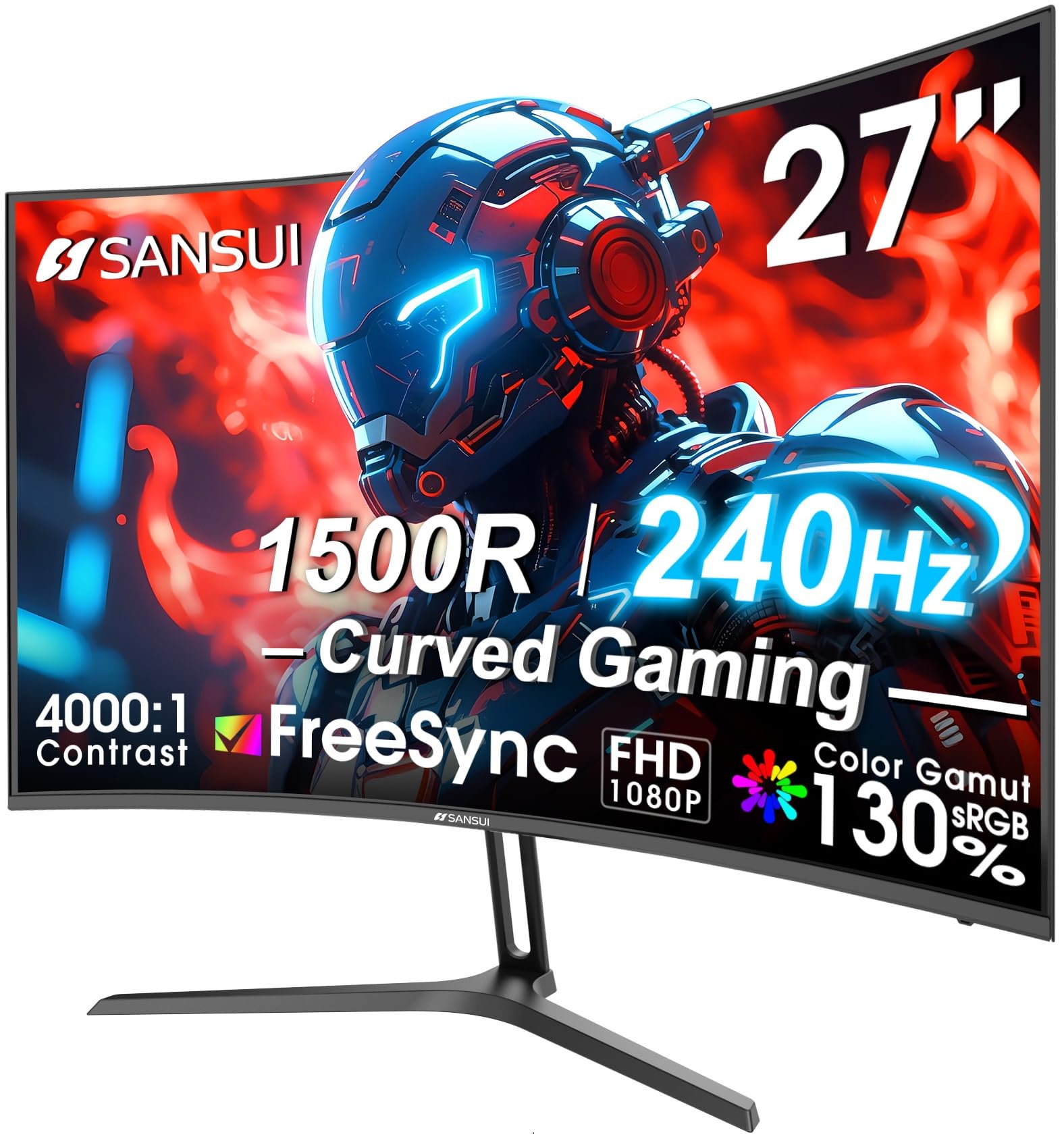
SANSUI ES-G27C1 27" 240Hz

SANSUI ES-G27C1 27" 240Hz

Competitive gaming

Our Score 9.0/10
Check Price

Worth Noting

  • Out-of-the-box color may appear washed out
  • Long-term durability is uncertain
Adjust & Ports
Tilt only, HDMI/DP
Refresh & Panel
240Hz VA
Size & Resolution
27-inch FHD

The SANSUI ES-G27C1 delivers the highest refresh rate in its price range, making it a pure speedster for fast-paced esports. Unlike the 32-inch QHD curved monitor that balances resolution and refresh, this 27-inch model cuts to the chase with a 240Hz panel paired with a 1500R curve and VA contrast for deep blacks.

This monitor is built for competitive gamers on a tight budget who care more about motion clarity than color fidelity. Color reproduction can appear washed out straight from the box, and a small number of units have been known to stop working unexpectedly. For a dedicated esports setup where the monitor is a secondary or short-term investment, these compromises are manageable.

Setup is plug-and-play with HDMI and DisplayPort connections, and the VA panel’s 4000:1 contrast ratio gives fast-moving scenes a punchy, immersive feel. The 27-inch FHD resolution keeps pixel response fast, which suits 1080p competitive titles perfectly.

Tip: Adjust the color profile using the on-screen menu or a calibration tool – a 15-minute tweak can improve image quality for casual gaming and media.

Bottom line: The SANSUI ES-G27C1 is the go-to for budget-focused esports players who value frame rates over color fidelity; just be prepared to calibrate and have a backup plan for potential longevity concerns.

4

LG 27US500-W 27" 4K

LG 27US500-W 27" 4K

4K productivity

Our Score 9.0/10
Check Price

Worth Noting

  • In quiet desk setups, the stand’s wobble may be distracting
  • Screen blackouts can occur on some units, making a return policy worth checking.
Adjust & Ports
Tilt only, HDMI/DP
Refresh & Panel
60Hz IPS
Size & Resolution
27-inch 4K

At under $220, the LG 27US500-W delivers a 27-inch 4K IPS panel that’s hard to beat for pure resolution per dollar. While the top pick offers ergonomic adjustability and a higher refresh rate, the LG focuses its budget entirely on panel quality — 4K UHD at 60Hz with strong color performance.

This monitor suits Mac Mini owners, photo editors, or anyone prioritizing sharp text over stand stability or gaming smoothness. The stand is wobbly and lacks height adjustment, so a third-party arm is recommended. Some units have experienced screen blackouts, though this appears occasional rather than systematic.

Colors are vivid out of the box, and the clean white design fits well in a bright workspace. At 60Hz, it’s not built for fast-paced gaming, but for productivity tasks like writing, coding, or photo editing, the text clarity is a genuine step up from 1440p or 1080p panels.

Tip: Replacing the stock stand with a VESA arm eliminates wobble and adds height adjustment.

Bottom line: For buyers who value 4K clarity above all else and can work around a flimsy stand, this LG delivers exceptional value — just budget for a monitor arm.

5

Alienware AW3425DWM 34" UWQHD

Alienware AW3425DWM 34" UWQHD

Immersive gaming

Our Score 9.2/10
Check Price

Worth Noting

  • In a quiet room, you will need external speakers or headphones
  • Some units may arrive with screen damage due to shipping; careful inspection on delivery is advised.
Adjust & Ports
Height/tilt, HDMI/DP
Refresh & Panel
180Hz VA
Size & Resolution
34-inch WQHD

The 34-inch 3440x1440 display with 180Hz refresh and 1500R curve creates a wide, smooth field of view that pulls you into games and lets you spread out productivity windows side by side. That combination of resolution and speed makes it a step up from entry-level ultrawides that top out at 100Hz and often skimp on build quality.

This monitor suits enthusiast gamers and power users who want an immersive desktop without moving to a full multi-monitor setup. The VA panel delivers deep blacks and vivid colors that enhance both gaming and media consumption. Keep in mind there are no built-in speakers — you will need external audio. Additionally, a small number of units have arrived with screen damage during shipping, so inspect the panel as soon as it arrives.

Picture quality is a highlight: the WQHD resolution keeps text sharp while the high contrast ratio makes dark scenes in games and movies look rich. The 180Hz refresh rate pairs well with fast-paced titles, and the 1500R curvature matches the natural field of view, reducing eye strain during long sessions.

Tip: Pair with a soundbar or gaming headset for audio; the monitor has no built-in speakers.

Bottom line: A premium ultrawide that excels in immersive gaming and multitasking, best suited for buyers who already have an audio setup and will thoroughly inspect the unit upon arrival.

6

Dell SE2725HM 27" FHD

Dell SE2725HM 27" FHD

Home office

Our Score 9.6/10
Check Price

Worth Noting

  • Stand offers only tilt adjustment
  • Only one HDMI port limits simultaneous connections; VGA port supports older devices but not modern peripherals.
Adjust & Ports
Tilt only, HDMI
Refresh & Panel
100Hz IPS
Size & Resolution
27-inch FHD

The Dell SE2725HM delivers the image quality and build consistency the brand is known for, pairing a 27-inch IPS panel with 100Hz refresh at an entry-level price. While the 120Hz alternative offers smoother motion for the same cost, Dell's monitor stands out for sharper text clarity and panel quality that avoids the lottery of cheaper models.

At 1080p on a 27-inch screen, text and images show good sharpness for office documents and web browsing. The IPS panel provides wide viewing angles and accurate color out of the box, making it fine for light photo editing or media consumption. The 100Hz refresh is noticeable during scrolling and casual gaming, reducing motion blur without needing a high-end GPU.

This monitor suits home office users or students who want a simple, high-quality display without paying for extras like height adjustment or multiple inputs. The stand only tilts, so those who need to raise the screen or swivel must have a desk setup that accommodates the fixed height. Gamers after 144Hz+ should look elsewhere, and creative professionals may prefer a more adjustable stand. The single HDMI port limits connection to one device at a time, though VGA is included for legacy systems.

Tip: If you need height adjustment, place the monitor on a sturdy riser or use a VESA mount to compensate for the tilt-only stand.

Bottom line: A dependable budget monitor that prioritizes image quality and brand consistency over ergonomic flexibility – right for single-device setups with fixed desk heights.

7

Samsung S36GD 27" Curved

Samsung S36GD 27" Curved

Media consumption

Our Score 9.2/10
Check Price

Worth Noting

Adjust & Ports
Tilt only, HDMI
Refresh & Panel
100Hz VA
Size & Resolution
27-inch FHD

The 1800R curvature and 3000:1 contrast ratio create an engaging viewing experience for movies and games. The 100Hz refresh rate adds fluidity to casual play without demanding high-end hardware.

However, the monitor lacks built-in speakers, so external audio is required. The stand offers only tilt adjustment, which limits ergonomic setup for shared desks. Compared to flat 27-inch models with similar specs, the curve adds a slight premium without compensating for these omissions.

Bottom line: A good choice if you prioritize screen immersion and have external speakers and a fixed desk setup.

8

Acer KB272 27" FHD IPS

Acer KB272 27" FHD IPS

Casual gaming

Our Score 9.2/10
Check Price

Worth Noting

  • Only one HDMI port
  • No height adjustment
Adjust & Ports
Tilt only, HDMI
Refresh & Panel
120Hz IPS
Size & Resolution
27-inch FHD

The Acer KB272 offers a 120Hz IPS display at a price typically reserved for 60Hz panels, delivering fluid motion and rich colors that make everyday computing and casual gaming noticeably smoother. The 27-inch size fits well on most desks without overwhelming the workspace.

The single HDMI port limits connections to one device at a time, and the stand adjusts only for tilt – no height or swivel. This makes the monitor best suited for a fixed desk position where you don't need to switch between computers or adjust screen height frequently. For users who prioritize picture quality and refresh rate over ergonomic flexibility, the KB272 delivers exceptional value.

Bottom line: Fits buyers who want a 120Hz IPS panel on a budget and don't need ergonomic adjustments or multiple HDMI ports – a clear choice for a secondary or general-purpose monitor.

9

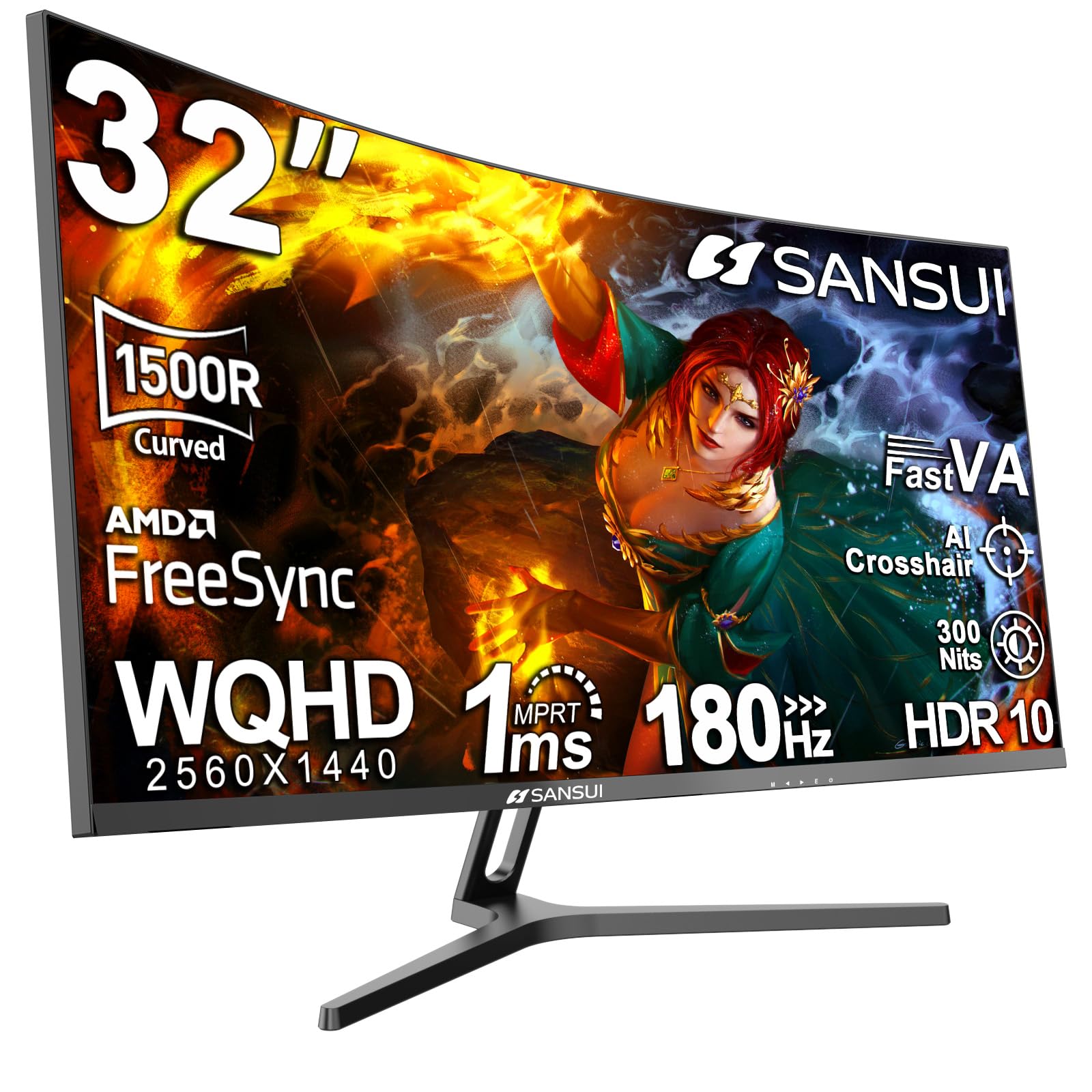
SANSUI ES-G32C3 32" 180Hz

SANSUI ES-G32C3 32" 180Hz

Budget 1440p gaming

Our Score 8.8/10
Check Price

Worth Noting

  • Colors can appear washed out straight from the box and may need manual calibration.
  • Some units may arrive with dead pixels or display flickering.
Adjust & Ports
Tilt only, HDMI/DP
Refresh & Panel
180Hz VA
Size & Resolution
32-inch QHD

The SANSUI 32-inch curved monitor delivers smooth 1440p gaming at a price that undercuts most competitors. Its 180Hz refresh rate and VA panel with 3000:1 contrast create an immersive experience for fast-paced titles. However, color accuracy is a compromise — images can look washed out out of the box, and calibration is often needed. Additionally, a minority of units may suffer from dead pixels or screen flickering, reflecting quality control variance. These issues prevent it from being a daily driver for color-sensitive tasks, but for budget-focused gamers who prioritize resolution and refresh rate, it remains a compelling option.

Bottom line: Best suited for gamers on a budget who want 1440p and a curved screen and can accept possible color adjustment and QC risks.

10

Samsung ViewFinity 34" UWQHD

Samsung ViewFinity 34" UWQHD

Ultrawide productivity

Our Score 9.0/10
Check Price

Worth Noting

  • Stand is limited to tilt adjustment and lacks height adjustment
  • Pixel quality can vary; occasional dead pixels have been noted on some units
Adjust & Ports
Tilt only, HDMI/DP
Refresh & Panel
100Hz VA
Size & Resolution
34-inch UWQHD

The 34-inch UWQHD resolution and 100Hz refresh rate provide ample horizontal space for multitasking and casual gaming, at a cost well below premium ultrawides. However, the stand offers only tilt adjustment and feels less sturdy, and pixel quality can be inconsistent — making this a better fit for buyers who prioritize screen real estate and price over premium build and guaranteed pixel perfection.

Bottom line: Best for buyers who want an ultrawide for productivity on a budget and can accept a basic stand plus possible pixel inconsistencies — or are willing to return if defective.

11

LG 32UR500K 32" 4K

LG 32UR500K 32" 4K

Large 4K screen

Our Score 9.0/10
Check Price

Worth Noting

  • Color saturation may appear less vibrant than IPS panels
  • Some units exhibit flickering or dark stripes on the display
Adjust & Ports
Height/tilt, HDMI/DP
Refresh & Panel
60Hz VA
Size & Resolution
32-inch 4K

At 32 inches and 4K resolution, this LG delivers a sharp picture for spreadsheets and streaming content. The built-in speakers with MaxxAudio are noticeably better than typical monitor audio, making it a viable all-in-one for desk setups without external speakers. However, color vibrancy may appear washed out compared to IPS panels, and occasional screen quality issues such as flickering or dark stripes have been noted. These limitations make it a fit for general productivity and media consumption rather than color-sensitive work or high-refresh gaming. For buyers who prioritize color accuracy, the smaller 27-inch 4K IPS option in this range offers a more reliable experience at a lower cost.

Tip: Test for flickering and uneven backlighting during the return period.

Bottom line: This monitor works well for everyday office tasks and media streaming where built-in audio matters, provided you can accept the risk of panel inconsistency.

How to Choose

Screen Size and Resolution

Screen size and resolution work together to determine text clarity and usable workspace. 1080p (FHD) is fine for 24-27-inch monitors, but at 32 inches the pixel density drops, making text look blocky. 1440p (QHD) gives a noticeable sharpness boost on 27-inch screens, while 4K is ideal for 27-32 inches if you need crisp text and photo detail.

For office work, 27-inch 1440p hits a sweet spot—enough room for side-by-side windows without scaling issues. 4K on a 32-inch screen offers even more space but may require scaling, which can make icons too small for some users.

Refresh Rate and Panel Type

Refresh rate determines how smoothly motion appears. 60Hz is standard for office work, but 100Hz and above reduce eye strain when scrolling and make cursor movement feel fluid. For gaming, 144Hz+ is noticeable in fast-paced shooters, but for most productivity tasks, higher than 100Hz offers diminishing returns.

Panel type affects color and contrast: IPS provides wider viewing angles and accurate colors, while VA offers deeper blacks and higher contrast at the cost of narrower viewing angles. IPS is better for color-sensitive work and shared screens; VA excels in dark rooms and media consumption.

Adjustability and Connectivity

A stand that adjusts height, tilt, and swivel saves your neck and shoulders more than any other feature. Many budget monitors skip height adjustment, forcing you to stack books or buy a VESA arm later. Connectivity wise, at least two HDMI ports or a DisplayPort are preferable for multi-device setups. One HDMI port is a frequent pain point in cheap models.

USB-C with power delivery is increasingly common and simplifies laptop setups, but it often adds significant cost. Consider your daily connections: if you use a desktop, a single HDMI and DisplayPort may be enough.

Color Accuracy and Eye Care

Color accuracy matters for photo editing, graphic design, and video work. Look for monitors with factory calibration and wide color gamut (sRGB, DCI-P3). For general use, accurate colors are less critical, but a panel with good out-of-box settings avoids the frustration of washed-out images.

Eye care features like flicker-free backlighting and low blue light modes reduce fatigue during long sessions. These are common on modern monitors and are worth checking for if you spend 8+ hours at your desk.

Built-in Speaker Quality

Monitor speakers are almost universally weak—low volume, tinny sound, and no bass. A few models offer passable audio (like LG's MaxxAudio), but most are only good for notifications. Plan to use external speakers or headphones from the start. This is one area where spending more on a monitor rarely improves the experience.

Frequently Asked Questions