Computers & Accessories

8 Best Tablet for Kids 2026: Durable Picks with Worry-Free Warranty

Compare the best tablets for kids: Amazon's durable models with 2-year warranty vs affordable Android alternatives.

Many kids tablets promise durability and performance, but parents often find that budget models start showing problems within months—slow performance, battery issues, or cracked screens. The most reliable options come with a built-in replacement guarantee that covers accidents, making them a safer long-term investment.

The trade-off often comes down to screen size and age fit. A compact 8-inch tablet is easier for small hands to hold and more portable, while a 10-inch model offers a better viewing experience for games and videos. Choosing the right size depends on your child's age and how they'll use it.

This guide breaks down the best tablets for kids across different budgets and priorities—from those with top-tier warranties to affordable Android alternatives that still deliver solid performance. Whether you need a first tablet for a toddler or a more capable device for a pre-teen, the right pick balances durability, parental controls, and content access.

1

Amazon Fire HD 8 Kids

Top Pick
Amazon Fire HD 8 Kids

Kids 3-7

Our Score 9.4/10
Check Price

Worth Noting

  • In rare cases, a unit may stop responding after a few months of regular use
  • Switching between the Kids Profile and adult profile can be confusing for some parents during initial setup
Screen
8-inch HD
Durability
Included case, 2-year warranty
Battery Life
13 hours
Parental Controls
Remote time limits & filters

The Fire HD 8 Kids wraps a bright 8-inch HD display and 3GB of RAM (50% more than the previous generation) in a thick rubber bumper case that withstands drops from table height. The case is molded to fit small hands, and the screen is sharp enough for reading and video. Battery life reaches 13 hours of mixed use – enough for a full day of play without hunting for an outlet. The included 2-year replacement warranty means any accidental damage or hardware issue gets a free replacement, no questions asked.

Parental controls are managed from a parent's smartphone: set daily time limits, filter content by age rating, and approve or block apps remotely. The tablet comes with a one-year subscription to Amazon Kids+, which unlocks hundreds of ad-free books, games, and videos. Switching between the Kid's Profile and the adult Fire OS profile requires a password and can be confusing during initial setup – but once the child's profile is pinned, they never need to exit it. The interface inside Kids Mode is simple and keeps children within the curated content.

This tablet is built for families with children ages 3 to 7 who want a dedicated device that can be handed over without worry. The 8-inch screen is compact enough for car trips and little hands, but older kids who prefer a 10-inch screen for gaming or streaming may find it small. The tablet runs Amazon's Fire OS, which uses the Amazon Appstore instead of Google Play – most popular kids apps are available, but some niche third-party apps may not be. The thick case and warranty make it a low-risk option even for toddlers who throw toys. While a small number of units have been noted to stop responding after a few months, the warranty covers replacement – so the financial risk is limited to the inconvenience of swapping a unit.

Compared to the larger 10-inch Fire HD 10 Kids Pro, the HD 8 Kids is lighter and more portable, but the smaller screen is less suited for video-heavy apps that benefit from more real estate. For the 3-7 age range, the 8-inch size is a practical middle ground – large enough for interactive learning apps, small enough for a child to carry. The 2-year warranty is identical across all Amazon Kids tablets, making the HD 8 Kids the most balanced option for families who want durability without the bulk.

Tip: Pin the Kids Profile as the default and save the adult password – switching profiles is rarely needed after setup.

Bottom line: For families with young children who want a tablet they can hand over without constant supervision, the Fire HD 8 Kids delivers the best combination of durability, content control, and warranty – and the guarantee makes the occasional defect a non-issue.

2

Amazon Fire HD 10 Kids Pro

Amazon Fire HD 10 Kids Pro

Kids 6-12

Our Score 9.0/10
Check Price

Worth Noting

  • Some units may develop glitches or stop responding after several months of use.
  • The larger size reduces portability compared to smaller kid tablets, making it better suited for home use.
Screen
10.1-inch HD
Durability
Slim case, 2-year warranty
Battery Life
13 hours
Parental Controls
Remote time limits & filters

The Fire HD 10 Kids Pro features a 10.1-inch HD display that provides ample room for games, videos, and learning apps. It includes the same 2-year worry-free guarantee as Amazon's other kid tablets, so a cracked screen or hardware glitch gets replaced without extra cost. Where the top pick balances portability for younger children, this model focuses on screen real estate for older kids who spend more time on interactive content.

This tablet is designed for parents of kids ages 6 to 12 who want a larger screen and a slim, less bulky case. Battery life can drop below the advertised 13 hours during intensive gaming sessions, a tradeoff worth noting for heavy users. The larger body also makes it less portable for travel, so it's best suited for home use. On the positive side, the parental controls are among the best available, allowing remote content filtering and time limits.

The bundle includes a slim protective case, a year of Amazon Kids+ with ad-free books, apps, and games, and the aforementioned 2-year warranty. For families already in the Amazon ecosystem, this tablet integrates seamlessly with Amazon Kids services and offers a large enough screen for shared use.

Bottom line: For families with older kids who want a larger screen and don't mind the reduced portability, the Fire HD 10 Kids Pro is a capable tablet with strong parental controls and a solid warranty.

3

URAO Kids Tablet Android 16

URAO Kids Tablet Android 16

Budget families

Our Score 9.0/10
Check Price

Worth Noting

  • Battery may drain in 3-4 hours during heavy use like video streaming, shorter than the advertised six hours.
  • Screen can crack after minor drops despite the included case; a sturdier cover or insurance may be necessary for active kids.
Screen
10-inch IPS
Durability
Silicone case
Battery Life
6000mAh, claimed 6h
Parental Controls
Google Kids Space

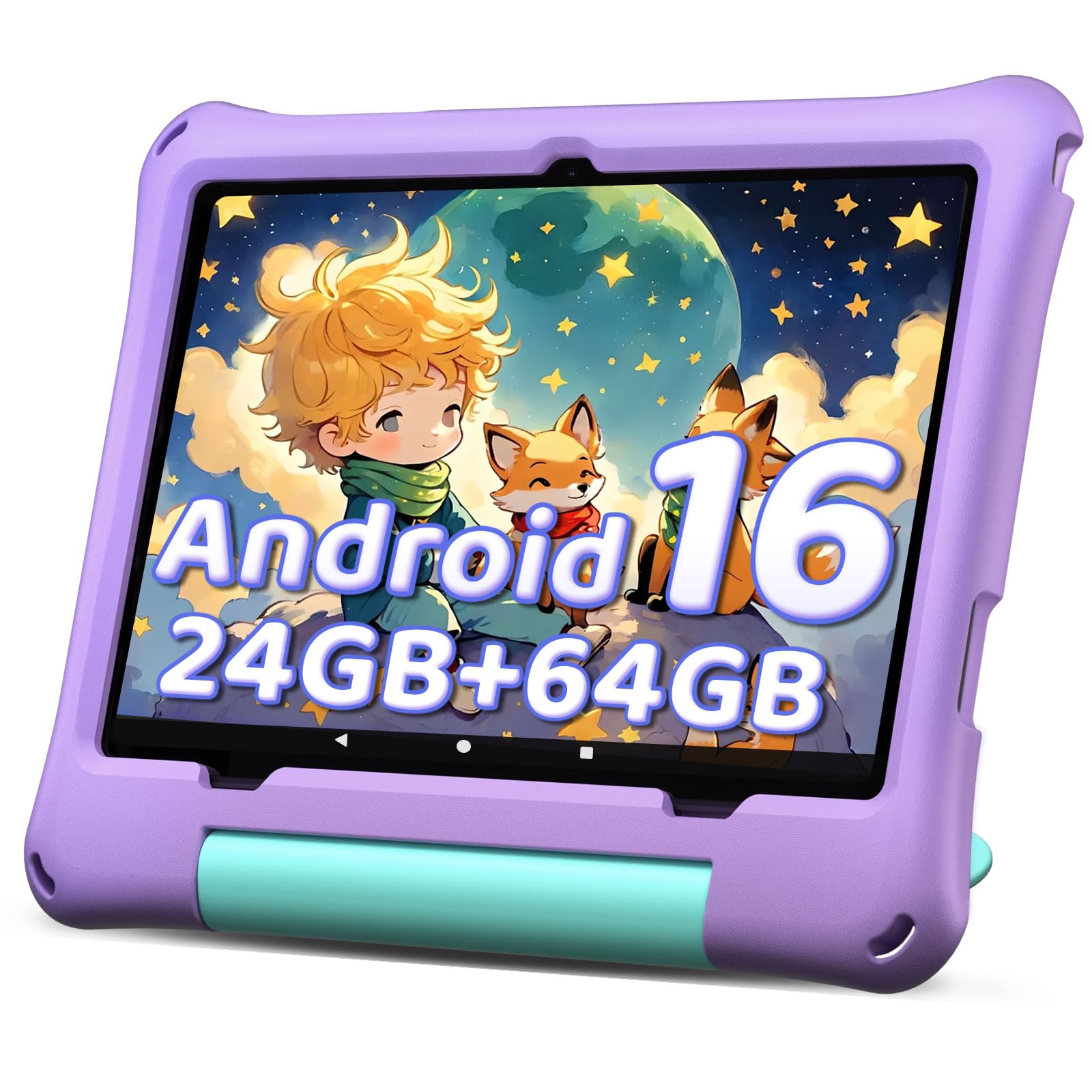
The URAO Kids Tablet runs a full version of Android 16, giving parents access to Google Kids Space and the entire Play Store — not just Amazon's curated apps. Its 24GB of RAM and 64GB of storage (expandable to 1TB) keep YouTube Kids, learning apps, and light games running without major slowdowns, a step ahead of similarly priced competitors that often rely on outdated Android versions.

This tablet suits families who want modern Android software and prefer Google's parental controls over Amazon's ecosystem. However, it lacks a replacement warranty — damage repairs are out of pocket — and battery life can fall short of the advertised six hours, especially during video streaming or gaming. The included silicone case offers basic drop protection, but several reports note screen cracking after minor falls, so a heavier-duty case is worth considering for younger kids.

Tip: To extend battery life, lower screen brightness and close unused apps; consider a thicker protective case for active toddlers.

Bottom line: This tablet delivers strong value for families who want a full Android experience for their kids and are comfortable handling out-of-pocket repairs and managing battery expectations.

4

aiprotablet with Keyboard

aiprotablet with Keyboard

School productivity

Our Score 9.0/10
Check Price

Worth Noting

  • Charging port durability may become an issue over months of daily use
Screen
10.1-inch IPS
Durability
Case included
Battery Life
6000mAh, claimed 8h
Parental Controls
Basic parental controls

The included keyboard, mouse, and stylus make this tablet feel like a mini laptop for kids who need to type assignments or draw. The 10-inch screen and Octa-Core processor handle basic school apps and casual games without noticeable lag, so a child can switch between a math app and a drawing tool without waiting.

This bundle fits families who want a single device that covers both tablet play and keyboard-based schoolwork. The parental controls and kid-friendly case are simple to set up for ages 7-8. But because the model is newer to the market, its long-term durability under daily charging and drops is not yet established — occasional charging port issues have been noted in early use.

Bottom line: If your child needs a keyboard and stylus for schoolwork, this bundle delivers the tools at a low price — just be aware that it hasn't accumulated years of use data yet.

5

LeapFrog LeapPad Academy

LeapFrog LeapPad Academy

Preschool education

Our Score 8.6/10
Check Price

Worth Noting

  • Screen can crack from a minor drop despite the included bumper.
  • Battery life is short and the charging port may stop working after a few months of use.
  • The tablet may occasionally freeze or crash, requiring a restart.
Screen
7-inch (1024x600)
Durability
Bumper case
Battery Life
Rechargeable (unspecified)
Parental Controls
Yes, locked environment

The LeapFrog LeapPad Academy comes preloaded with 20+ educator-approved apps that teach math, reading, and coding in a format designed for preschoolers. While the top pick Fire HD 8 Kids provides broader app access through Amazon's store, the LeapPad focuses on a curated, ad-free learning environment. However, the hardware is less robust; the screen can crack from minor drops and charging issues may appear after a few months.

In supervised, light use - say, a preschooler working through a lesson at the kitchen table - the tablet performs well. The interface is intuitive, and children stay engaged without distractions. But the tablet is not suited for rough handling; some users have noted occasional freezes or crashes that require a restart.

This tablet is best for parents who prioritize educational content over hardware longevity and who can supervise use in a controlled setting. It works well for occasional learning sessions but is not a durable companion for active toddlers or for families expecting a device that lasts through multiple children.

Tip: Use a high-quality micro-USB cable and avoid bending the connector to prolong charging port life.

Bottom line: If your priority is curated preschool learning content and you can provide a low-impact environment, the LeapPad Academy delivers. For families needing a tougher tablet that lasts, the Fire HD 8 Kids is the safer bet.

6

COLORROOM Android 15 Tablet

COLORROOM Android 15 Tablet

Occasional use

Our Score 8.6/10
Check Price

Worth Noting

  • Over a few months, some units may experience charging issues or stop powering on
  • Battery drain can be rapid, and the claimed 8-12 hours is not always achieved
Screen
10.1-inch IPS
Durability
EVA bumper case
Battery Life
6000mAh, claimed 8-12h
Parental Controls
Yes (basic)

The COLORROOM tablet brings Android 15 and a bundled EVA bumper case to a budget-friendly price point. Young children can use it for occasional games and videos with simple parental controls. However, some units have been noted to stop working after a few months of use, and battery life may fall short of the advertised duration.

Tip: The protective bumper reduces fall damage, but consider a tempered glass screen protector for added safety.

Bottom line: Accepts if you need a cheap tablet for occasional use where a failure would not be a major disruption – consider a model with a replacement guarantee for daily use.

7

aiprotablet 10 inch Android 16

aiprotablet 10 inch Android 16

Budget flexible

Our Score 8.2/10
Check Price

Worth Noting

  • Battery life may be inconsistent, with some units draining quickly or not charging after weeks
  • Touch screen may become unresponsive or device may not power on in some cases
Screen
10-inch IPS
Durability
Protective case
Battery Life
6000mAh, claimed 6h
Parental Controls
Yes (basic)

The aiprotablet delivers a bright, clear 10-inch IPS display and includes a protective case at a budget-friendly price. Android 16 allows flexibility for educational apps and parental controls, with 24GB RAM and expandable storage for apps and media. However, battery life can drain quickly or stop charging after a few weeks, and touch screen responsiveness or power-on issues may occur in some units. These concerns make it a gamble for long-term performance, pushing more consistent options into a safer position for families who need a tablet to last.

Bottom line: Best suited for families on a tight budget who need a large screen now, but are willing to accept the possibility of shorter battery life or hardware issues. If long-term performance is a priority, consider a more established kids tablet.

8

ZZB Kids Tablet 10 Inch

ZZB Kids Tablet 10 Inch

Occasional use

Our Score 8.4/10
Check Price

Worth Noting

  • In a household where the tablet is used daily, the screen or internal components may become unresponsive within the first few weeks.
  • Charging the battery takes several hours, and a full charge may not cover a long car ride or multiple play sessions.
Screen
10-inch (1280x800)
Durability
EVA bump case
Battery Life
6000mAh, claimed 8h
Parental Controls
Yes

The ZZB Kids Tablet is the cheapest 10-inch option in this roundup, and for undemanding toddlers who only need a few minutes of video or a simple app here and there, it can fill that role. The included EVA bump case and preloaded kid-friendly apps show some thought toward the intended age group. However, the hardware quality is where the savings show: some units arrive with a screen that becomes unresponsive within the first few weeks, and the 6000mAh battery can drain noticeably faster than the claimed 8 hours, especially with the screen brightness turned up for a child. Charging is also slow, so planning ahead is necessary.

Bottom line: Consider this only as a backup or travel-only tablet for toddlers who need minimal, occasional screen time — not a device for daily learning or entertainment.

How to Choose

Screen Size and Resolution

Larger screens offer better viewing for games and videos, but smaller tablets are easier for small hands to hold and more portable. An 8-inch display hits a sweet spot for most kids aged 3-7, while 10-inch models suit older children who use the tablet for longer periods.

Note that screen resolution matters more for reading and app clarity than for casual video playback. A 1280x800 IPS panel is standard in this category and adequate for children's apps.

Battery Life

Battery life ratings are based on mixed usage; heavy gaming can cut endurance by half. Lithium-ion batteries degrade over time, and charging habits affect lifespan. Amazon's Fire tablets generally deliver consistent battery performance across thousands of reviews, whereas budget Android models often fall short of their claims.

Look for tablets with fast charging if your child uses the tablet for long stretches. A replaceable battery is rare at this price point.

Parental Controls

The difference between basic screen-time limits and full remote management is significant. Amazon's parental controls allow you to set time limits, filter content by age, and manage multiple profiles from a parent dashboard. Budget Android tablets rely on Google Kids Space, which offers curated apps but lacks the same level of remote control or content granularity.

If you need to monitor and adjust settings from your phone while away, an Amazon Fire tablet is the better choice.

Durability

A protective case is standard, but the real differentiator is the warranty. Amazon's 2-year worry-free guarantee covers accidental damage, including cracked screens, for free replacement. No budget Android tablet offers this, meaning a single drop can cost you the full price of the device.

The bundled case material (silicone vs. hard plastic) also affects drop protection. Thicker cases with raised edges are better for toddlers.

Content and Subscriptions

Preloaded content libraries like Amazon Kids+ or LeapFrog's app suite save time downloading apps and ensure age-appropriate material. However, these ecosystems are closed; Amazon Kids+ does not include Google Play Store apps out of the box. Android tablets offer full access to the Play Store, but parents must curate content manually.

The value of a content subscription depends on how often your child uses the tablet. If they use it daily, a subscription like Amazon Kids+ ($5/month after the first year) can be worth it.

Frequently Asked Questions