Smart Home & Security

4 Best Smart Display 2026: Match Your Smart Home Ecosystem

Which smart display matches your voice assistant and smart home setup? This guide helps you choose between Alexa, Google, and security-focused displays.

Smart displays promise recipes, video calls, and smart home control. The reality often involves slow touchscreens, Wi-Fi drops, or ads you can't escape. The key isn't just screen size or sound - it's choosing the voice assistant ecosystem you already live in.

Amazon Alexa displays dominate the market, but Google Assistant options offer a cleaner calendar and photo experience. Security-focused displays like eufy serve a specific purpose for camera owners. This guide helps you pick based on your existing smart home devices and daily use case, not marketing claims.

The best smart display for you is the one that integrates seamlessly with your home. Screen size and sound matter, but ecosystem lock-in decides whether you'll love it or regret it.

1

Echo Show 11

Top Pick
Echo Show 11

Kitchen hub

Our Score 8.8/10
Check Price

Worth Noting

  • Touchscreen response can feel sluggish on some units, mainly when swiping through menus
  • Occasional glitches or unresponsive behavior may appear, varying between individual devices
  • Wi-Fi and streaming app connectivity can be inconsistent in some homes
Voice Assistant
Alexa
Screen & Resolution
11" Full HD
Streaming Integration
Alexa apps

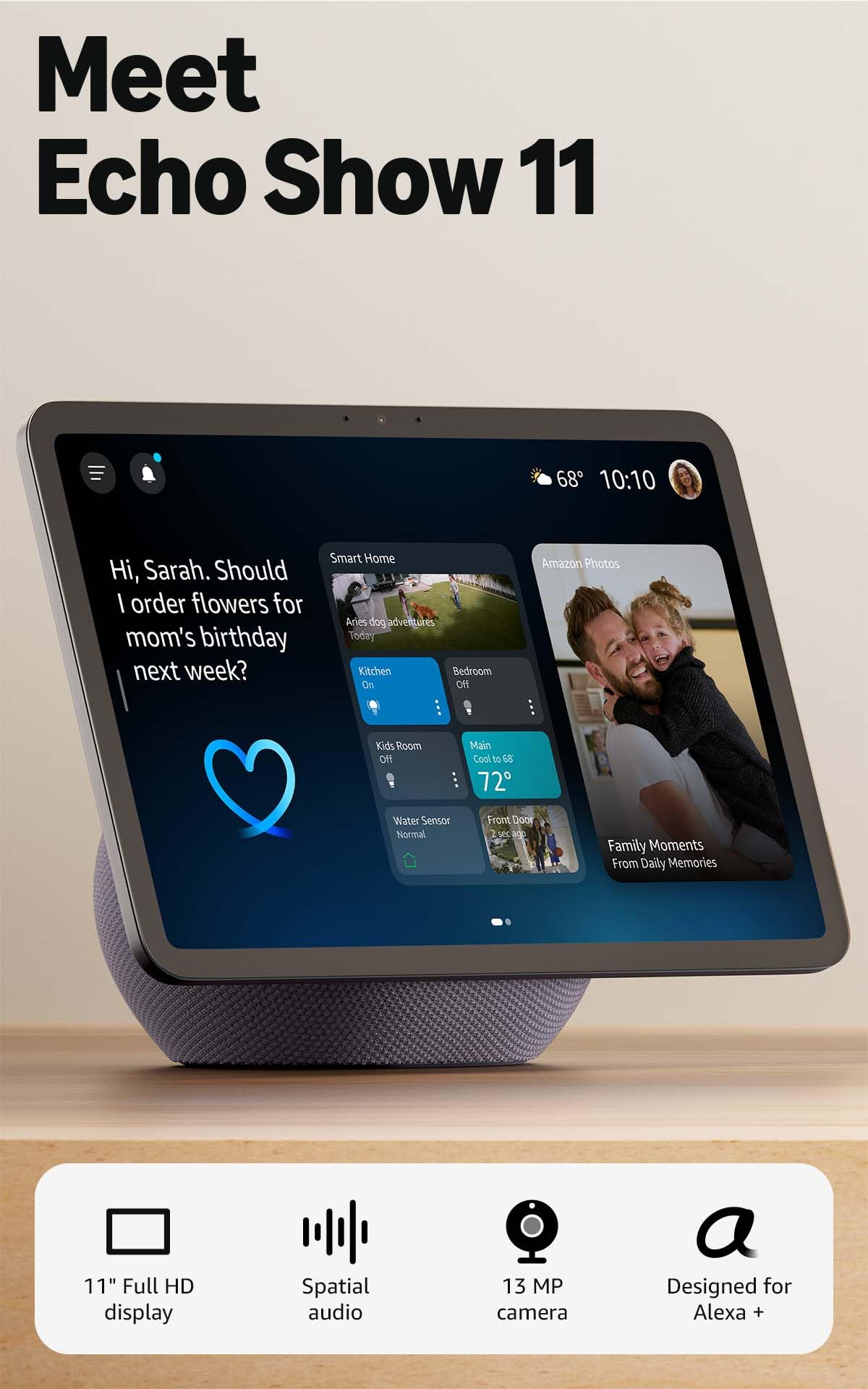
Spatial audio and a bright Full-HD screen make the Echo Show 11 feel more like a compact TV than a smart display. The sound has noticeable depth and bass, enough to fill a kitchen or small living room without needing a separate speaker. Text and images stay crisp, so reading recipes or viewing photos is comfortable from a few feet away.

The 11-inch size works well for two people gathered around a counter, but touchscreen responsiveness can lag on some units. If you primarily use voice commands to control music, calls, or smart home devices, that variability matters less. The screen auto-frames during video calls, keeping faces centered without manual adjustment.

This display fits best in homes already committed to the Alexa ecosystem, where it acts as a central hub for smart lights, locks, and sensors via Zigbee and Matter. Families who cook with step-by-step recipes, want a photo frame, or make regular video calls will find the size and audio a natural fit. Occasional Wi-Fi drops or app hiccups may occur in some units, so a stable network helps. For buyers seeking the absolute largest screen, the 21-inch model exists, but on a typical counter this size offers a better footprint.

If touchscreen lag occurs, using voice commands or the Alexa app as a remote can bypass the issue.

Bottom line: The Echo Show 11 earns its place as the balanced choice: strong sound and screen, deep Alexa integration, and a size that works for most kitchens and family rooms.

2

Echo Show 21 Bundle

Echo Show 21 Bundle

Kitchen TV hub

Our Score 9.4/10
Check Price

Worth Noting

  • Occasional freezing during streaming (Hulu reported) may require a restart.
  • Large size may dominate a small counter, limiting placement options.
Voice Assistant
Alexa
Screen & Resolution
21" Full HD
Streaming Integration
Built-in Fire TV

While the Echo Show 11 offers the best balance for most households, the Echo Show 21 provides a significantly larger canvas for movie nights and family photos. The premium adjustable stand allows 360-degree swivel and 30-degree tilt, so you can dial in the perfect viewing angle.

Built-in Fire TV brings streaming apps like Netflix and Prime Video directly to the display, and the sound is powerful enough to fill a large room. Integration with Ring cameras feels seamless, making it easy to check the front door while cooking.

This smart display is best for movie enthusiasts and families who have ample counter space and want a large kitchen TV that doubles as a smart hub. The 21-inch size will dominate a small counter, and occasional streaming app freezes (Hulu reported) can interrupt viewing.

Tip: If you plan to use streaming apps heavily, a stable Wi-Fi connection helps minimize possible freezes.

Bottom line: For those with space and a desire for a primary home entertainment hub, the Echo Show 21 delivers an immersive experience that smaller displays can't match.

3

eufy E10

eufy E10

eufy security monitor

Our Score 8.4/10
Check Price

Worth Noting

  • Multi-camera live view can drop or fail to load, limiting simultaneous monitoring
  • Some units may freeze or become unresponsive after a few months of use
Voice Assistant
None
Screen & Resolution
8" —
Streaming Integration

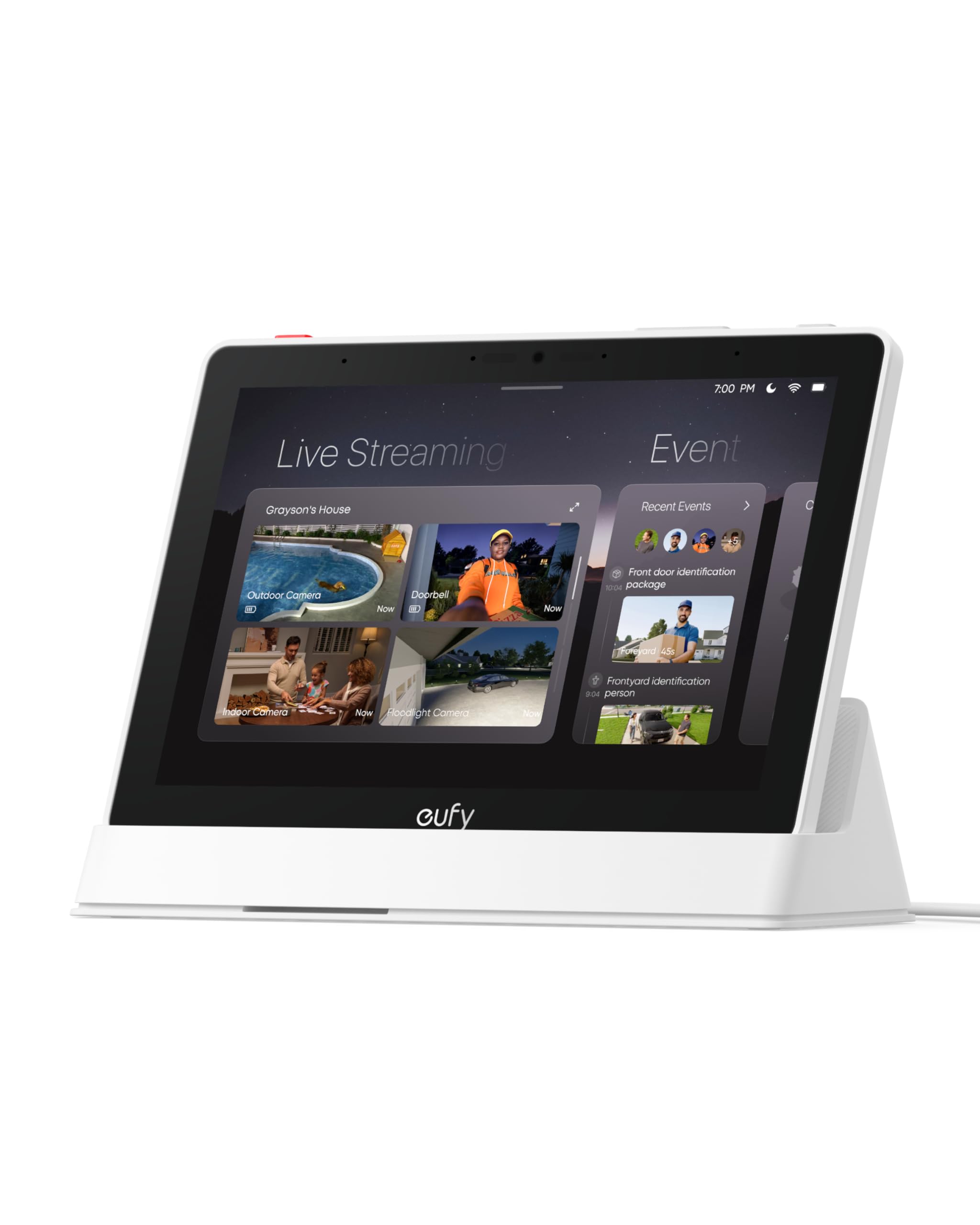
The eufy E10 excels as a purpose-built monitor for the eufy security ecosystem, delivering seamless camera and doorbell integration that a general smart display cannot match. Unlike the Echo Show 11 with its Alexa voice assistant, the E10 focuses purely on security alerts and live feeds.

This display is best for existing eufy camera owners who want a dedicated monitor for hands-free door alerts and local event storage. It lacks a voice assistant and streaming apps, so it is not a replacement for an Echo Show or Google Nest Hub. Some units have exhibited stability issues after months of use, and the entire experience is locked to eufy devices.

Single-camera live views are clear and quick to load when a doorbell rings. However, attempting to display multiple camera feeds simultaneously can result in dropped connections or failed loading, making multi-camera monitoring unpredictable.

Tip: For stable multi-camera viewing, stick to one or two feeds at a time.

Bottom line: A focused security monitor that serves eufy owners well, but the Echo Show 11 offers far more versatility for anyone wanting a general smart display.

4

Changingtouch F16S

Changingtouch F16S

Family dashboard

Our Score 8.2/10
Check Price

Worth Noting

  • Interface may become unresponsive and require a restart every few weeks.
  • Smart home reach is limited to Google Assistant compatible devices
Voice Assistant
Google Assistant
Screen & Resolution
15.6" Full HD
Streaming Integration
Google Play

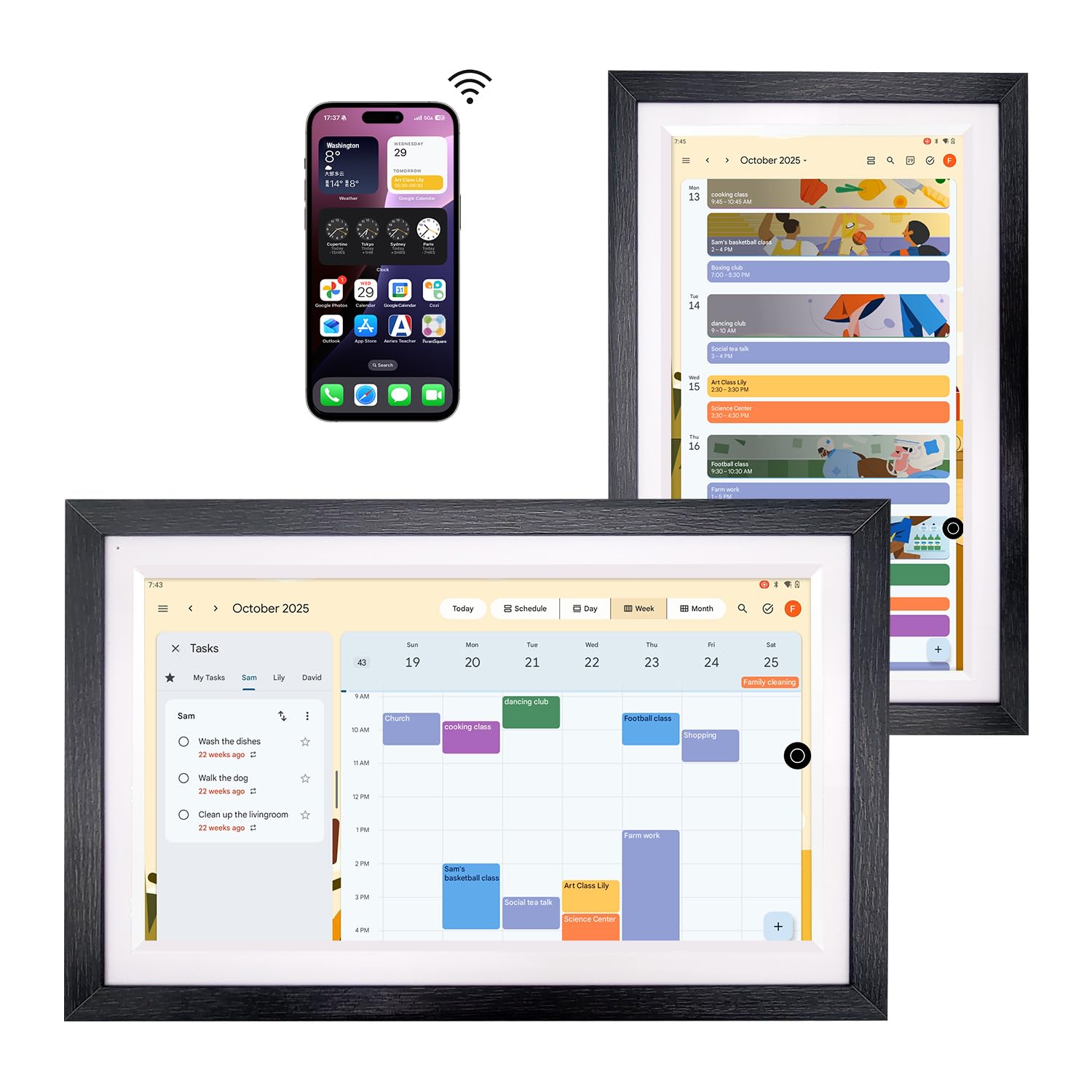
The Changingtouch F16S stands out with its 15.6-inch anti-glare screen and genuine walnut frame that blends into a kitchen or living room decor without looking like a gadget. Where the top pick leans into Alexa's ecosystem depth, this display focuses on doing two things well: syncing Google Calendar for the whole family and rotating through high-resolution photos as a digital frame. Setup takes minutes with a Google account, and the interface keeps calendar events, shared chores, and photo albums front and center.

The anti-glare panel holds up well on bright counters, and the Full HD resolution gives photos and calendar text a crisp, readable look. Some users report the occasional need to restart the device when the interface slows down — a minor friction point in an otherwise responsive system. Because the display runs Android with Google Play, you can install typical smart display apps like YouTube or recipe guides, but the smart home integration doesn't reach beyond what Google Assistant natively supports.

This is the display to buy if your household already uses Google Calendar for scheduling, Google Photos for memories, and Google Assistant for quick timers or weather checks. The tradeoff: it won't control Zigbee lights or act as a smart home hub the way an Echo Show can, and the occasional software hiccup may require a quick reboot. For families who prioritize a sleek, furniture-like object and a centralized calendar dashboard over broad home automation, the F16S delivers that focus well.

Tip: Restart the device every couple of weeks to keep the interface responsive — a quick power cycle clears up any lag.

Bottom line: For Google-first homes that want a beautiful family calendar and photo frame without a subscription, the Changingtouch F16S nails that niche — just be prepared for the occasional restart.

How to Choose

Screen Size and Resolution

Larger screens (15 inches and up) are better for recipes and movies but dominate counter space. A 21-inch display like the Echo Show 21 can feel like a second TV, while an 8-inch model is best for a nightstand.

Resolution matters for video calls and text clarity. Full HD (1080p) is the standard for most mid-range and premium models. Budget displays often have lower resolution, making text look fuzzy from arm's length.

Voice Assistant Ecosystem

Alexa and Google Assistant are not interchangeable. Alexa has thousands of skills and deep integration with Amazon services like Fire TV, Ring, and Amazon Music. Google Assistant connects seamlessly to Google Calendar, Photos, and Nest devices.

Once you choose an ecosystem, switching later means replacing all your smart home devices. Check which assistant your existing smart bulbs, locks, and plugs support before buying a display.

Built-in Smart Home Hub

A built-in hub (Zigbee, Matter) lets you control lights and sensors without a separate bridge. Amazon Echo Show 11 and 21 include this, while the Changingtouch and eufy E10 do not.

Without a hub, you'll need a separate hub for each protocol, adding cost and complexity. If you plan to expand your smart home, a display with a built-in hub saves the hassle.

Sound Quality and Speaker Power

Better speakers make a big difference for music and video soundtracks. The Echo Show 11 uses spatial audio with dual bass drivers, filling a medium kitchen. Smaller displays often have tinny sound.

If you want to use the display as a primary music speaker, look for models with dedicated woofers or tweeters. Otherwise, a basic speaker is fine for alerts and brief videos.

Integration with Streaming Services

Amazon displays with Fire TV built-in (Show 15, Show 21) let you stream Netflix, Hulu, and Prime Video directly. Google Assistant displays can access apps via Google Play, but the selection is narrower.

Without built-in streaming, you're limited to casting from a phone or using browser-based options. If watching video is a priority, choose a display with native streaming support.

Frequently Asked Questions