Smart Home & Security

12 Best Smart Lock 2026: Built-In Wi-Fi That Actually Stays Connected

Find a smart lock that balances reliable Wi-Fi, battery life, and fingerprint accuracy without the connectivity drops that plague many models.

Many smart locks promise seamless remote access but deliver frequent Wi-Fi drops and short battery life. The gap between marketing and everyday use can leave you locked out or changing batteries monthly.

This guide cuts through the confusion by focusing on locks that balance connectivity, battery longevity, and fingerprint reliability. The result is a set of picks that match your specific door and smart home setup.

Whether you need a retrofit for a rental or a full-featured deadbolt for a family home, the right choice hinges on understanding the trade-offs in Wi-Fi architecture and battery chemistry. No single lock works for every situation — but the best ones target yours.

1

LOCKSTAR Smart Lock

Top Pick
LOCKSTAR Smart Lock

General use

Our Score 9.2/10
Check Price

Worth Noting

  • Auto-lock can engage while the door is still open if the timer is not adjusted.
  • Security certification is not disclosed; physical security level is unknown compared to Grade 1 deadbolts.
Battery Life
4 AA, ~1 year
Connectivity
Wi-Fi+Bluetooth (gateway)
Security Rating
Grade 3 (presumed)
Smart Home Support
Alexa, Google

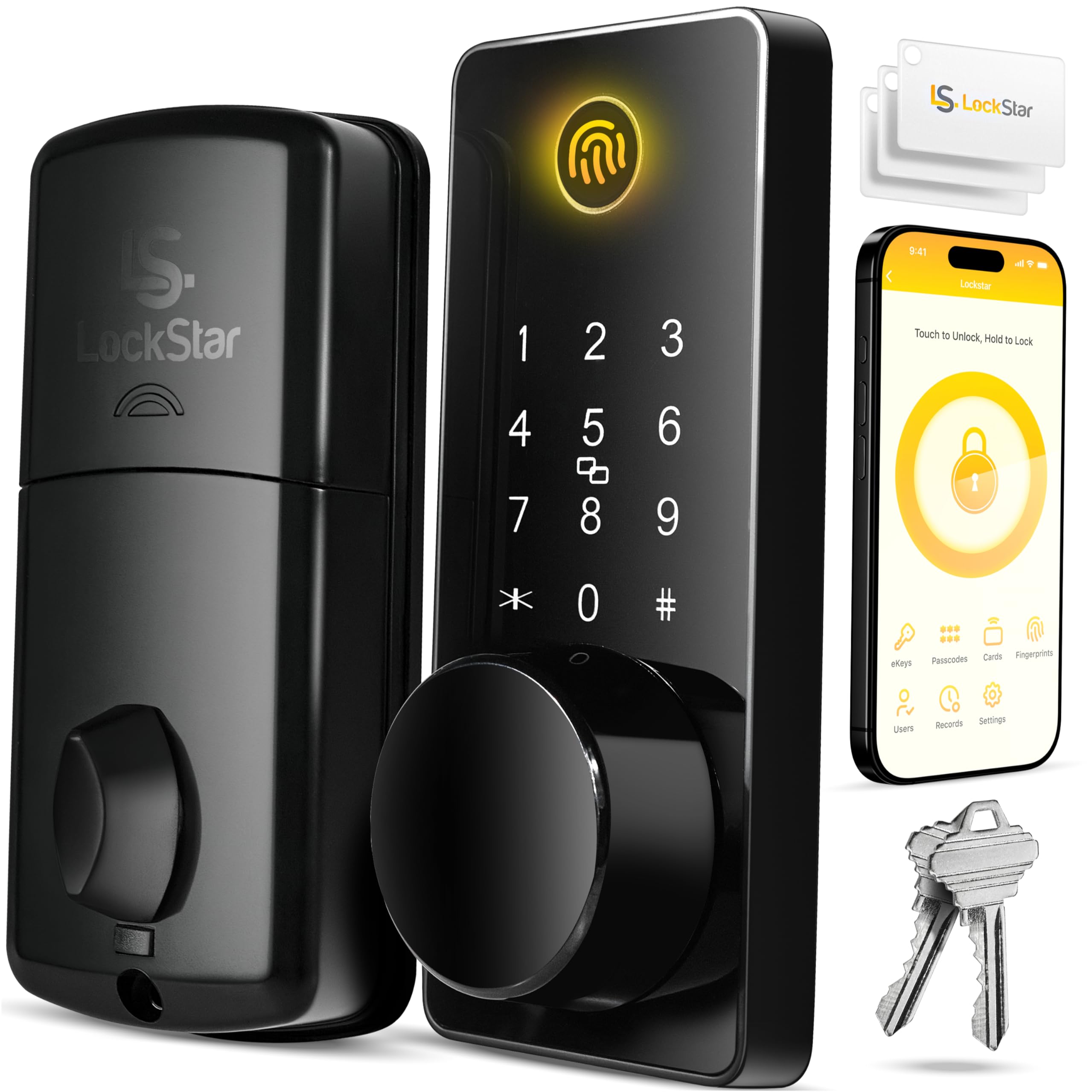
Build quality and reliability are exceptional across a large sample, with each unlock method — fingerprint, keypad, app, key fob, and voice — working consistently. The included Wi-Fi gateway provides stable remote access, a feature often missing from similarly priced locks.

The auto-lock feature needs a brief timer adjustment to avoid engaging before the door is fully closed. Once set, it functions reliably. Where Schlage Encode users sometimes face Wi-Fi drops, LOCKSTAR maintains a stable connection, making it a more dependable daily driver.

This lock suits families who want every possible entry option and need a lock that works both with and without Wi-Fi. It is less ideal for buyers who prioritize a well-known brand name over real-world reliability — the tradeoff is a lower-profile name for better performance at a lower cost.

Tip: Set the auto-lock timer to 30 seconds or more in the app to prevent premature locking.

Bottom line: If you want a smart lock that actually works every time without the premium price tag, this is the one to get.

2

Schlage Encode Wi-Fi

Schlage Encode Wi-Fi

Brand trust

Our Score 8.8/10
Check Price

Worth Noting

  • Wi-Fi connection may drop, requiring a router power cycle to restore
  • Under heavy daily use, battery replacement every 2-3 months is possible
Battery Life
4 AA, ~6 months
Connectivity
Built-in Wi-Fi
Security Rating
Grade 1
Smart Home Support
Alexa, Google

The Schlage Encode locks with a touchscreen keypad, app, or voice, supports up to 100 access codes, and works with Alexa and Google Home — a strong fit for homeowners who manage many users and want a well-known brand. The tradeoff is that Wi-Fi connectivity may drop, sometimes needing a router reset, and battery life can be as short as two to three months under heavy use rather than the advertised six months.

Bottom line: For homeowners who need many guest codes and value brand reputation over perfect battery life and Wi-Fi stability, the Schlage Encode delivers the core smart lock experience with a trusted name.

3

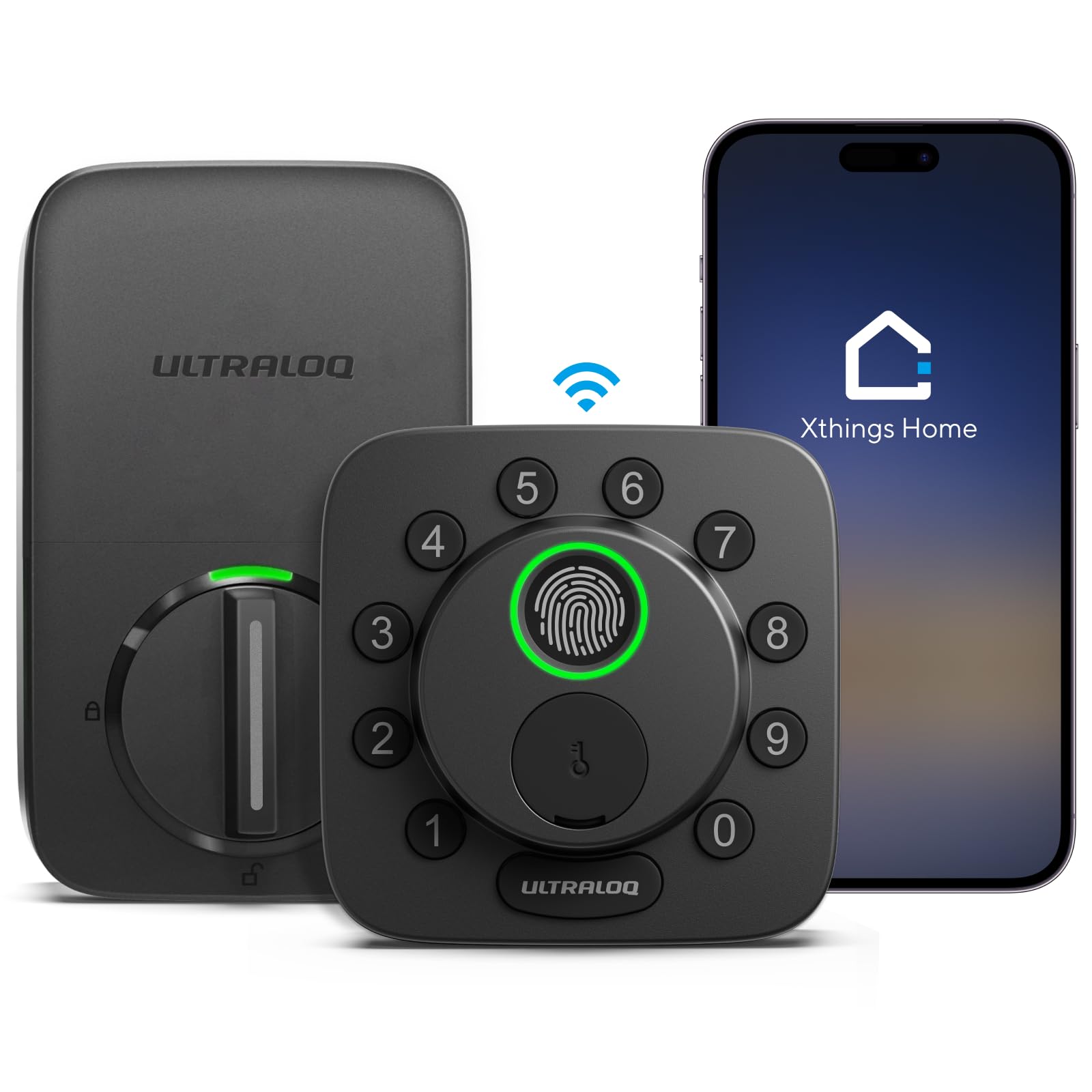
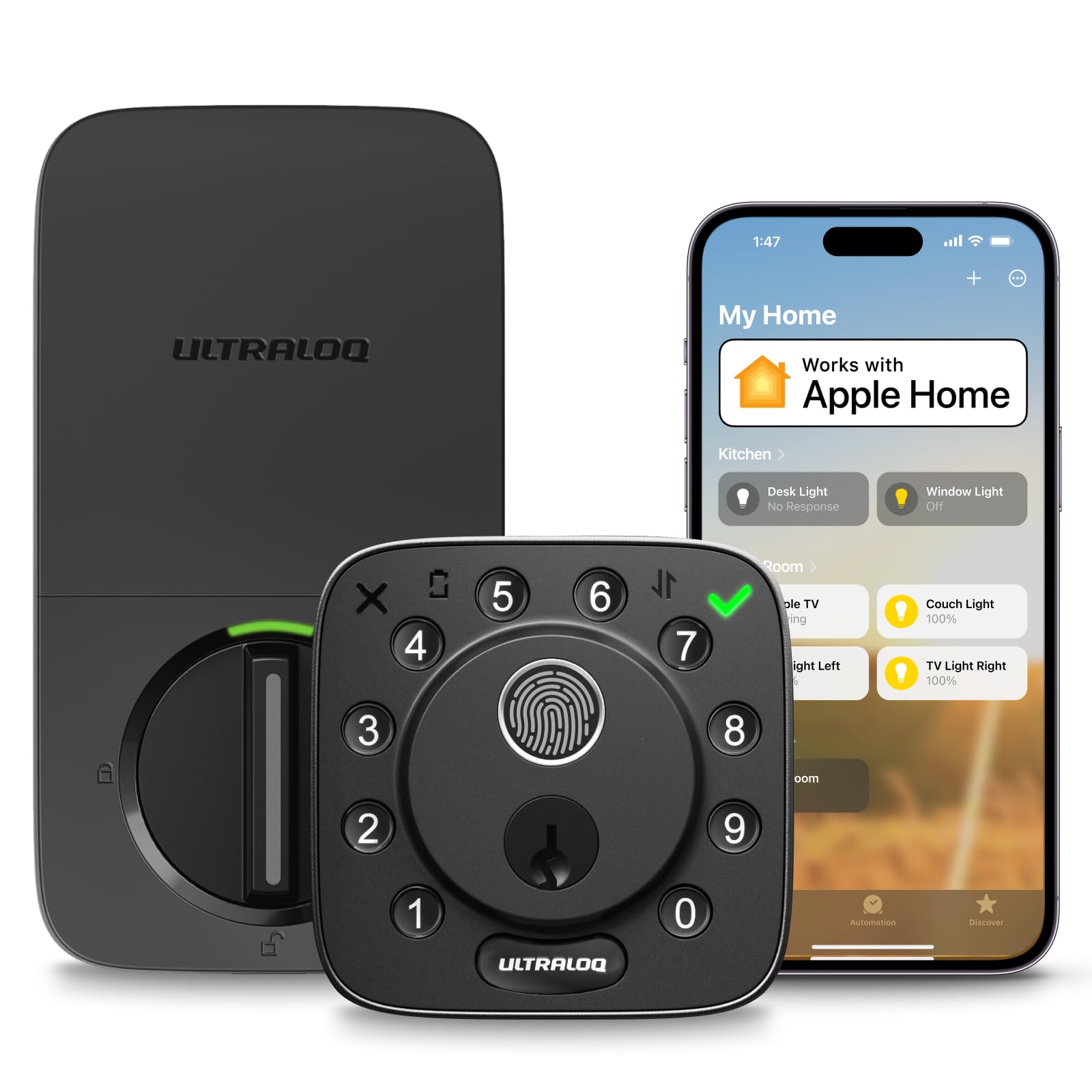
ULTRALOQ Bolt FP

ULTRALOQ Bolt FP

Apple HomeKit

Our Score 8.6/10
Check Price

Worth Noting

  • Some units may encounter latch or electronics issues within a few months of use.
  • Wi-Fi bridge can disconnect periodically, requiring occasional manual reconnection.
Battery Life
8 AA, ~1 year
Connectivity
Built-in Wi-Fi
Security Rating
Grade 1, IP65
Smart Home Support
Apple HomeKit, Alexa, Google

Native Apple HomeKit support with Siri voice control and a bundled door sensor for open/close alerts set this lock apart from most competitors. The trade-off is that long-term performance can vary, making this a better fit for Apple HomeKit enthusiasts who want voice control and auto-unlock and are comfortable with occasional troubleshooting. For those willing to accept those boundaries, the ULTRALOQ Bolt delivers a feature-rich HomeKit experience at a mid-range price.

Bottom line: For Apple HomeKit households that value voice control and a door sensor, the ULTRALOQ Bolt offers compelling features at a mid-range price, provided you can accept the possibility of early hardware issues and Wi-Fi hiccups.

4

Veise VE017

Veise VE017

Budget app lock

Our Score 8.8/10
Check Price

Worth Noting

  • Fingerprint sensor may fail to register on the first attempt with dry or dirty fingers
  • Bluetooth-only design requires a separate Wi-Fi gateway for remote access away from home
Battery Life
4 AA, ~12 months
Connectivity
Bluetooth (gateway opt.)
Security Rating
Grade 3, IP55
Smart Home Support
Alexa, Google (gateway)

For under $50, the Veise VE017 packs Bluetooth app control, fingerprint scanning, a keypad, IC card support, and physical key access — an unusually broad set of entry options at this price point. The tradeoff is connectivity: Bluetooth range limits remote management to within about 30 feet, so away-from-home access requires an optional Wi-Fi gateway (sold separately). This makes the VE017 a strong fit for homeowners who want app-based keyless entry on a budget, or for secondary doors and rental properties where local Bluetooth access is sufficient.

Bottom line: If you need a low-cost smart lock with Bluetooth app control and don't require built-in Wi-Fi, the Veise VE017 delivers solid features — just account for the extra cost of the optional gateway if remote access is a priority.

5

Tapo DL110

Tapo DL110

Rechargeable

Our Score 9.2/10
Check Price

Worth Noting

  • Auto-lock may engage before the door is fully closed, causing a jam.
Battery Life
Rechargeable, ~1 year
Connectivity
Built-in Wi-Fi
Security Rating
Grade 2
Smart Home Support
Alexa, Google

The Tapo DL110's built-in rechargeable battery is a standout - it lasts roughly a year, eliminating the need for disposable battery swaps. Unlike the eufy lock that drains AAs quickly, this Tapo keeps going. The auto-lock feature may jam if the door isn't fully closed, so it's best for doors that latch consistently. This lock suits TP-Link ecosystem users and anyone wanting to avoid battery waste, but how it holds up over years of heavy use is still unknown - a safer bet for moderate-traffic entry doors.

Bottom line: If your door latches reliably and you prefer rechargeable batteries over disposables, the DL110 delivers a unique advantage. For heavier use or where jamming is a concern, the top pick's more established track record is worth considering.

6

August Smart Lock Pro

August Smart Lock Pro

Renters

Our Score 8.8/10
Check Price

Worth Noting

  • No keypad or fingerprint sensor
  • Premium price for a lock that lacks a built-in keypad.
Battery Life
4 AA, ~3-6 months
Connectivity
Wi-Fi via hub
Security Rating
Smart Home Support
Alexa, Google, Siri

Unlike the top pick, the August Smart Lock Pro retrofits over your existing deadbolt – you keep your original keys and lock cylinder. Landlords won't object, and installation takes minutes without drilling.

This suits renters who want app-based access and auto-unlock without replacing hardware. However, auto-unlock can be inconsistent depending on your phone and location, and the included Wi-Fi bridge may drop connection occasionally. If you need a keypad for guests or family without smartphones, you'll have to hand out physical keys or share app access.

Bottom line: For renters who need app access and can't change the deadbolt, this is the only option that fits – but buyers wanting a keypad or improved reliability should consider the top pick.

7

ULTRALOQ Bolt SE

ULTRALOQ Bolt SE

Matter/Thread

Our Score 8.6/10
Check Price

Worth Noting

  • Fingerprint recognition can be inconsistent, requiring alternative unlock methods at times.
Battery Life
4 AA, up to 18 months
Connectivity
Built-in Wi-Fi, Matter
Security Rating
Grade 3, IP65
Smart Home Support
Matter, Alexa, Google, Apple

Matter/Thread support at a budget-friendly price is the main draw for cross-platform smart home setups. Installation is simple, but performance consistency can vary across units, and fingerprint recognition may be inconsistent. This lock fits tech enthusiasts willing to troubleshoot rather than those seeking a worry-free daily driver.

Bottom line: A fit for smart home tinkerers who prioritize Matter compatibility and don't mind occasional fingerprint hiccups or hardware variance.

8

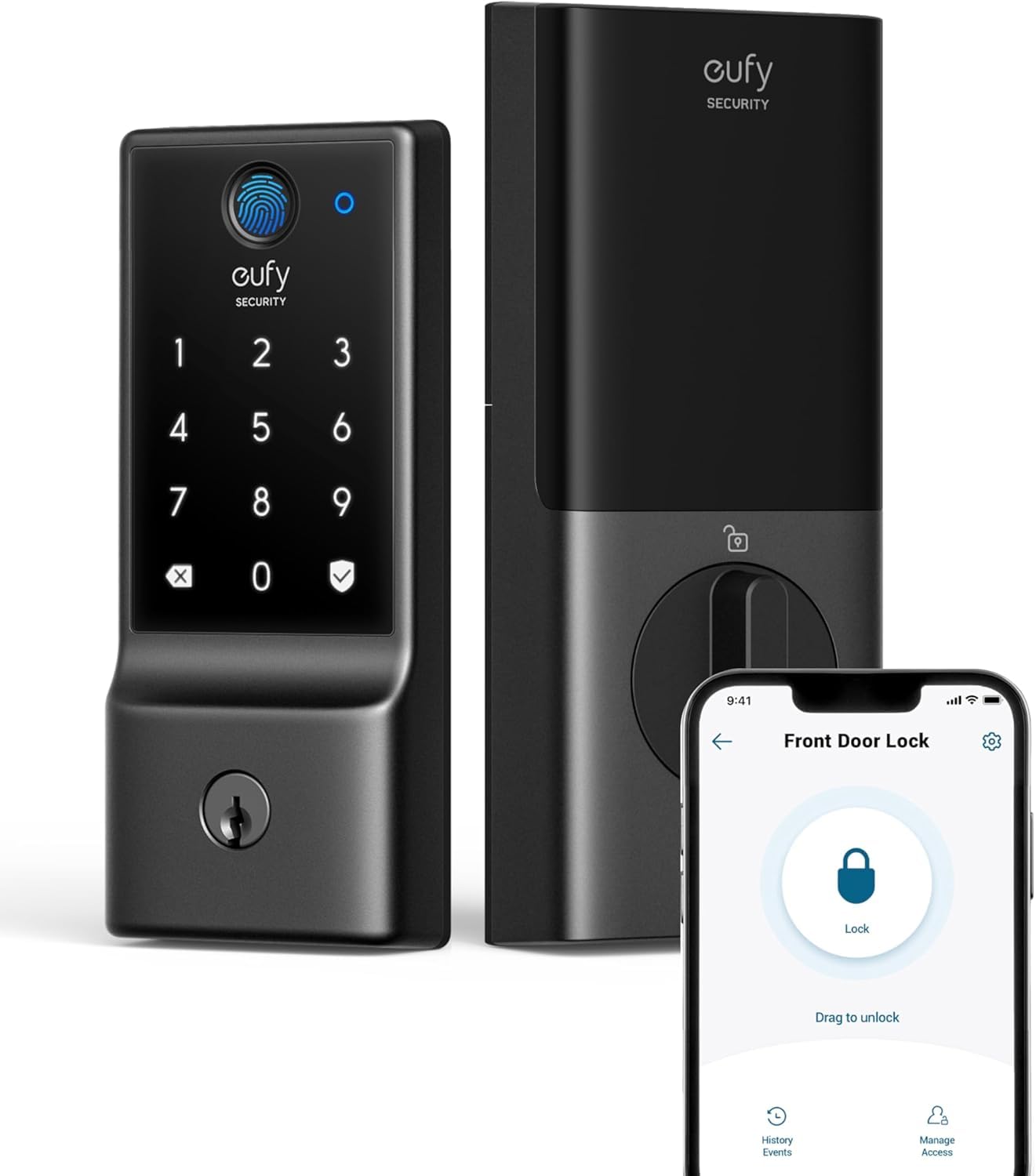
eufy C220

eufy C220

eufy ecosystem

Our Score 8.6/10
Check Price

Worth Noting

  • Eight AA batteries may require replacement within a month under normal use.
Battery Life
8 AA, ~8 months
Connectivity
Built-in Wi-Fi
Security Rating
Grade 3, IP53
Smart Home Support
eufy, Alexa, Google

The eufy C220 pairs naturally with eufy cameras and doorbells for a unified smart entry experience. Installation is quick on standard deadbolts. However, the eight AA batteries may need monthly replacement, and the fingerprint sensor can be inconsistent in wet weather — conditions that reduce day-to-day convenience.

Bottom line: Only consider if you already use eufy security gear and can accept frequent battery changes plus occasional fingerprint retries.

9

Yamiry YR01

Yamiry YR01

Multi-unlock

Our Score 8.6/10
Check Price

Worth Noting

  • Fingerprint sensor can be inconsistent, requiring keypad or app as backup.
Battery Life
4 AA, unspecified
Connectivity
Bluetooth (gateway sold separately)
Security Rating
Smart Home Support
Alexa, Google (gateway)

The Yamiry YR01 offers fingerprint, keypad, app, key, and voice unlock options at a budget-friendly price with easy installation and solid build quality. However, it lacks an interior lock button — you must use the app or a physical key to lock from inside. This makes it best for rentals where the occupant never needs to lock manually.

Bottom line: Best suited for rental properties where app-based access is the primary method.

10

Veise VE06-L

Veise VE06-L

Handle set

Our Score 9.0/10
Check Price

Worth Noting

  • Lever handles can come loose or detach after months of use on doors operated frequently.
Battery Life
4 AA, unspecified
Connectivity
Bluetooth (gateway opt.)
Security Rating
Grade 3, IP54
Smart Home Support
Alexa, Google (gateway)

This Veise set bundles matching lever handles with a smart deadbolt, streamlining door upgrades. Installation is quick and the finish looks neat. However, the lever handles can come loose or detach after a few months of regular use, limiting its appeal for high-traffic doors.

Bottom line: Best for low-traffic doors or guest rooms where the handles won't face daily heavy use.

11

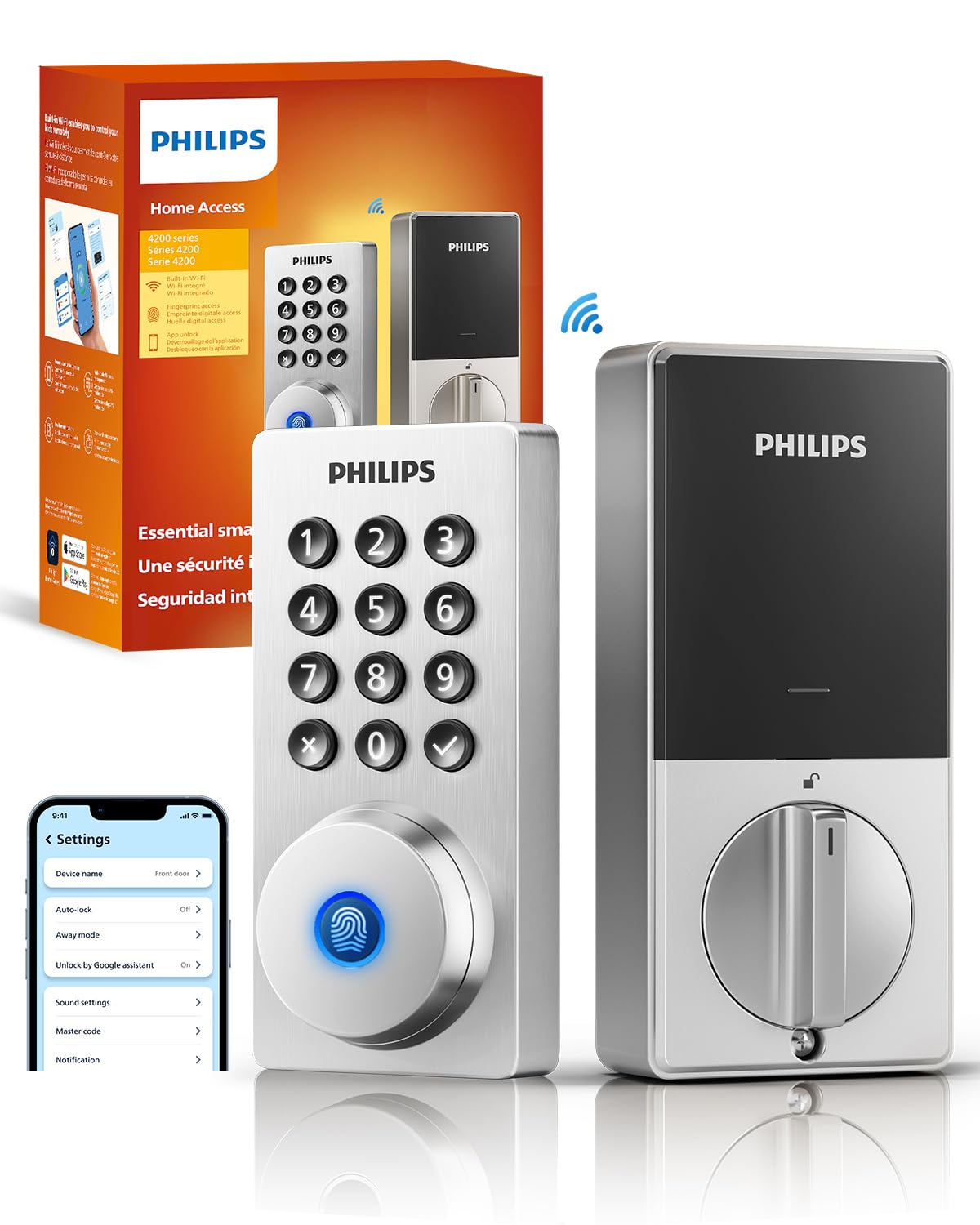
Philips DDL242X

Philips DDL242X

Philips brand

Our Score 8.8/10
Check Price

Worth Noting

  • 8 AA batteries may need replacement every few weeks under normal use, and the lock can stop responding after months.
Battery Life
8 AA, unspecified
Connectivity
Built-in Wi-Fi
Security Rating
Smart Home Support
Alexa, Google

Installation and fingerprint recognition are smooth, and built-in Wi-Fi works for remote access. However, the 8 AA batteries can drain within weeks, and the lock may stop working after a few months, making this suitable only as a backup or low-traffic entry point.

Bottom line: Best for infrequent use entries or as a spare lock where battery changes every few weeks are acceptable.

12

Nest x Yale

Nest x Yale

Nest ecosystem

Our Score 8.6/10
Check Price

Worth Noting

  • Wi-Fi connectivity through the Nest Connect can drop, affecting remote access
Battery Life
4 AA, ~6 months
Connectivity
Wi-Fi via Nest Connect
Security Rating
Smart Home Support
Google Assistant, Nest

The Nest x Yale Lock delivers seamless voice control and tight integration within Nest/Google Home ecosystems, with a sleek design and straightforward installation. However, the premium price and occasional connectivity and reliability issues make it a narrow fit—best for committed Nest households who value ecosystem cohesion over cost and consistency.

Bottom line: Best suited for dedicated Nest/Google Home households where integration takes priority over cost and connectivity consistency.

How to Choose

Connectivity Type

Built-in Wi-Fi lets you control the lock from anywhere without extra hardware. It also means the lock draws more power, which can cut battery life in half compared to Bluetooth-only models. Bridges or hubs add a single point of failure if they lose connection.

Bluetooth-only locks work only within smartphone range (about 30 feet). To unlock remotely, you need a separate Wi-Fi gateway that connects the lock to your home network. This adds cost and setup steps, but often saves battery life.

Battery Life and Type

Most smart locks use AA batteries, typical life spans range from 3 months to over a year. Heavy Wi-Fi usage and frequent motor activity drain them faster. Locks with rechargeable lithium packs reduce ongoing waste but need a full recharge day when depleted.

Short battery life (under 3 months) is a common complaint in this category. If you forget to replace batteries, many locks still accept a physical key as backup. Always check whether replacement batteries are standard AA or a proprietary pack.

Smart Home Ecosystem

Smart locks work best when they speak the same language as your existing voice assistants and automation routines. Native support for Alexa, Google Assistant, or Apple HomeKit avoids the need for extra hubs or IFTTT workarounds. Apple HomeKit locks require a special chipset, which limits options but ensures tighter privacy controls.

Matter is a newer standard that aims to unify different ecosystems, but current Matter locks are still rare. If you plan to expand your smart home, a lock that supports Matter via Thread may offer better future compatibility, though the technology is still maturing.

Security Rating

BHMA (Builders Hardware Manufacturers Association) grades measure physical strength and durability. Grade 1 is the highest — resistant to forced entry and suitable for high-traffic front doors. Grade 2 is adequate for most residential use. Grade 3 is entry-level and best for interior or low-risk doors.

A high security grade does not guarantee digital security. A Grade 1 lock can still have weak encryption or a vulnerable firmware update process. Look for locks that support two-factor authentication and automatic firmware updates for the best digital protection.

Frequently Asked Questions