Cameras & Photography

9 Best Portable Photo Printer of 2026: Reliable Prints Without the Color Headaches

Which portable photo printers actually produce consistent colors and last beyond a few dozen prints - for scrapbooking, travel, or home.

Portable photo printers promise instant gratification, but the reality often deviates: prints come out with a pinkish hue, or the device stops working after a handful of uses. The gap between marketing claims and everyday experience is wide in this category.

The core divide is between ZINK (zero-ink) and dye-sublimation technology. ZINK printers are smaller and cheaper, but they frequently struggle with color accuracy - skin tones shift blue or pink. Dye-sub models produce more consistent, archival-quality prints, but they are bulkier and demand higher per-photo costs.

This guide separates the handful of printers that deliver on their promises from the many that don't. The right choice depends on whether you prioritize pocket portability or print quality, and how much you value reliability over upfront savings.

1

Canon Selphy CP1500 4x6

Top Pick
Canon Selphy CP1500 4x6

Home photo enthusiast

Our Score 8.8/10
Check Price

Worth Noting

  • WiFi pairing can be finicky, especially with iPhones, and may require app reinstallation
  • Color output may appear slightly muted or with a greenish tint on certain prints
  • A small number of units may stop printing after a few cartridges
Print Size
4x6 inches
Technology
Dye Sublimation
Print Speed
~41 seconds
Connectivity
Wi-Fi, USB, memory card

The Canon Selphy CP1500 prints a 4x6 photo in 41 seconds and includes a 3.5-inch LCD for editing and printing without a phone — a combination no other portable printer offers. Using dye-sublimation technology, it produces sharp, detailed prints with consistent color across glossy and matte paper. The printer supports borderless printing and water-resistant coatings that protect images from accidental spills.

Color output can appear slightly muted or carry a greenish tint on some prints, particularly on subjects with subtle tones. WiFi pairing has been noted to be inconsistent, especially with iOS devices, though the printer also accepts USB and memory card inputs. A small number of units may stop printing after a few cartridges, which is worth checking during the return period. For events or travel, the optional battery pack provides genuinely cordless operation.

This printer suits home enthusiasts who print frequently and want fast, lab-quality 4x6 prints without always tethering to a phone. The built-in screen makes it easy to crop, rotate, and add borders directly. If you need perfect color accuracy out of the box or rely exclusively on WiFi, the tradeoffs are worth considering — the Selphy delivers strong performance for its mid-range price point.

The CP1500 competes with lower-priced dye-sub printers that include more starter media but lack the LCD and faster print speed. For users who value speed, onboard editing, and optional battery portability, the Canon offers a clearer long-term value.

Tip: Print via USB or memory card for a more reliable connection if WiFi proves inconsistent.

Bottom line: The Selphy CP1500 is the fastest 4x6 printer for home enthusiasts who prioritize speed, built-in editing, and consistent prints over perfect out-of-box color accuracy.
2

Liene M100 4x6

Liene M100 4x6

Budget-conscious 4x6 buyer

Our Score 9.0/10
Check Price

Worth Noting

  • Each 4x6 print takes about a minute, which adds up during batch printing.
  • iPhone users may experience intermittent WiFi connection drops or pairing failures.
  • Some units may show mechanical issues after several months of use, indicating variable build quality.
Print Size
4x6 inches
Technology
Dye Sublimation
Print Speed
~59 seconds
Connectivity
Wi-Fi Hotspot

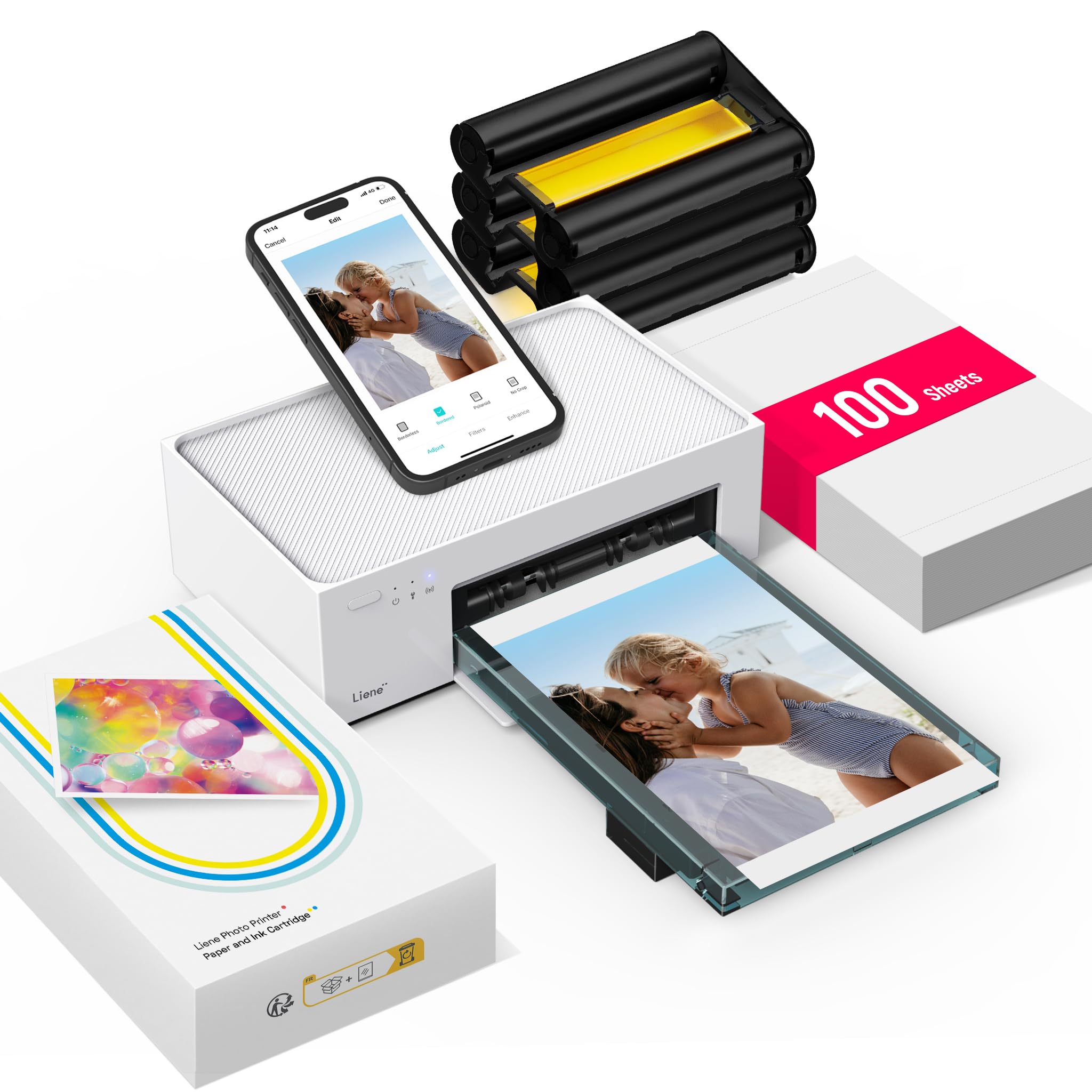
The Liene M100 delivers vibrant 4x6 prints using dye-sublimation technology, matching the color accuracy of the Canon Selphy CP1500 at a more accessible price point. The included 100 sheets and three ink cartridges reduce the initial cost per print, making it a compelling option for home photo enthusiasts.

Direct Wi-Fi hotspot printing lets you print from your phone without joining a home network, which is useful for travel or guests. Print speed averages about a minute per photo, acceptable for individual prints but slower for batch jobs. The app interface is intuitive and gets you printing quickly once the initial pairing is complete.

This printer is best suited for home users who value print quality over speed and are comfortable with occasional WiFi pairing hiccups, especially if they use iPhones. Some units have shown inconsistent long-term durability, so buyers needing heavy daily use or flawless performance may prefer the Canon Selphy instead. For casual weekend printing and scrapbooking, the M100 hits a sweet spot of cost and output.

Tip: For more reliable iPhone connectivity, use the printer's direct Wi-Fi hotspot mode instead of connecting through your home network.

Bottom line: For home photo enthusiasts who want great print quality at a lower entry cost and can work around occasional connectivity hiccups, the Liene M100 is a smart buy. Those needing consistent daily performance may find better long-term reliability elsewhere.

3

Liene M200 4x6 Battery

Liene M200 4x6 Battery

Traveler needing battery 4x6

Our Score 9.2/10
Check Price

Worth Noting

  • When connecting via the printer's WiFi hotspot, the process may take a few attempts to sync
Print Size
4x6 inches
Technology
Dye Sublimation
Print Speed
~59 seconds
Connectivity
Wi-Fi hotspot

The Liene M200 packs a rechargeable battery that delivers 40 prints per charge, making it the most portable option for printing 4x6 photos without needing a power outlet. Its magnetic cassette stores paper and cartridge together, so you can grab it and go.

This printer is best for travelers who want lab-quality prints on the road and don’t mind occasional paper jams or app disconnections. If you need a printer that works without hiccups every time, a corded model like the Canon Selphy is a safer bet.

Print speed is about 59 seconds per photo, and colors come out vibrant with good contrast. The dye-sublimation process gives prints a protective coating, so they resist smudging and water better than ZINK alternatives.

Bottom line: For a traveler who values portability over absolute reliability, the M200 delivers on its battery promise.

4

Canon Ivy 2 2x3 Zink

Canon Ivy 2 2x3 Zink

On-the-go sticker prints

Our Score 9.2/10
Check Price

Worth Noting

  • Some prints may come out blurry or darker than expected, depending on the source image.
  • Color output can lean blue or pink, making true-to-life reproduction difficult.
  • Durability may vary; some units have been noted to cease operation after several months of use.
Print Size
2x3 inches
Technology
ZINK Zero-Ink
Print Speed
~50 seconds
Connectivity
Bluetooth 5.0

Compact enough to slip into a pocket at 0.55 lbs, the Canon Ivy 2 pairs quickly via Bluetooth and produces sticky-back 2x3 prints through a clean app interface. Where larger dye-sub printers like the Selphy CP1500 deliver lab-quality colors, the Ivy 2 prioritizes portability and ease of use over print fidelity.

This printer suits casual users who value pocketability and quick setup over true-to-life color reproduction. The ZINK technology produces prints that can appear with a blue or pink tint and darker than the original image — not for those needing accurate photo reproduction.

Tip: Pre-edit photos in the app to brighten and adjust color temperature for better results.

Bottom line: For a portable sticker printer that fits in a bag and works reliably out of the box, the Ivy 2 is a practical choice — just don't expect print quality to match a dedicated photo printer.

5

Epson PictureMate PM-400

Epson PictureMate PM-400

Photo enthusiast, premium quality

Our Score 9.0/10
Check Price

Worth Noting

  • Initial wireless pairing may take a few tries
  • Prints can appear darker or have a cyan tint when using automatic color modes
  • Some units have been noted to shut down mid-print or become unresponsive after limited use.
Print Size
4x6 and 5x7
Technology
Inkjet (6-color)
Print Speed
~36 seconds
Connectivity
Wi-Fi, USB

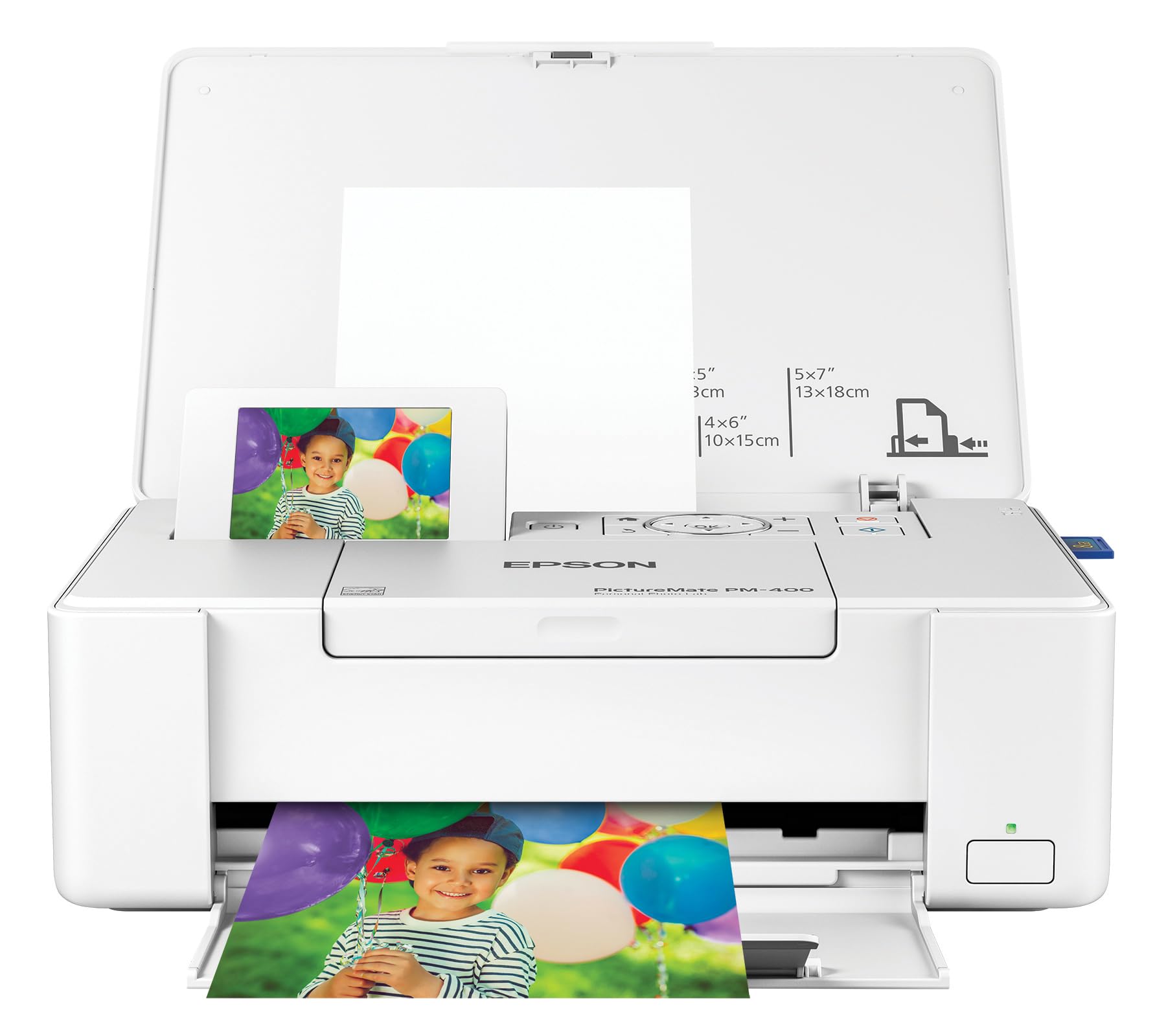
The Epson PictureMate PM-400 produces borderless prints up to 5x7 inches with color accuracy and detail that match commercial photo labs – a capability no other portable printer offers. Where the top pick (Canon Selphy CP1500) tops out at 4x6 and uses dye-sub technology, the PM-400’s six-color inkjet system delivers richer gradients and smoother transitions, especially in skin tones and skies. The tradeoff is slower print speed (about 36 seconds per 4x6) and a heavier chassis that won't slip into a pocket or small bag.

This printer suits photo enthusiasts who want lab-quality 5x7 prints at home and don't mind sacrificing absolute portability for larger output. The 6-pound weight is fine for moving between rooms but not for travel. Wireless setup can require multiple attempts during initial pairing, and a small number of units have been noted to stop responding mid-print. Buyers comfortable with a one-time setup effort and willing to work around occasional connectivity quirks will get prints that rival what a drugstore kiosk delivers – at a lower per-print cost over time.

The built-in 2.7-inch LCD lets you preview, crop, and adjust brightness before printing, reducing wasted paper. Ink is sold individually, so you replace only the spent color – a practical advantage over all-in-one cartridges. Print quality holds up well across different paper types (glossy, matte, borderless), though some users find auto color adjustments push images slightly dark or cyan-tinted; manual fine-tuning in the app or printer menu usually resolves this.

Tip: Use the included USB cable for the first Wi-Fi configuration to bypass wireless pairing issues – the printer holds the connection afterward.

Bottom line: If you regularly print 5x7 borderless photos and want lab-grade results at home, the PM-400 delivers – just budget a few extra minutes for initial setup and accept the occasional wireless glitch.

6

Kodak Mini 2 Retro 2x3

Kodak Mini 2 Retro 2x3

Casual mini prints

Our Score 8.4/10
Check Price

Worth Noting

  • Bluetooth connection can be finicky with iPhones, requiring repeated pairing
  • Paper jams can damage the ink cartridge, and the printer may stop working after limited use
Print Size
2.1x3.4 inches
Technology
4PASS Dye Sublimation
Print Speed
~55 seconds
Connectivity
Bluetooth

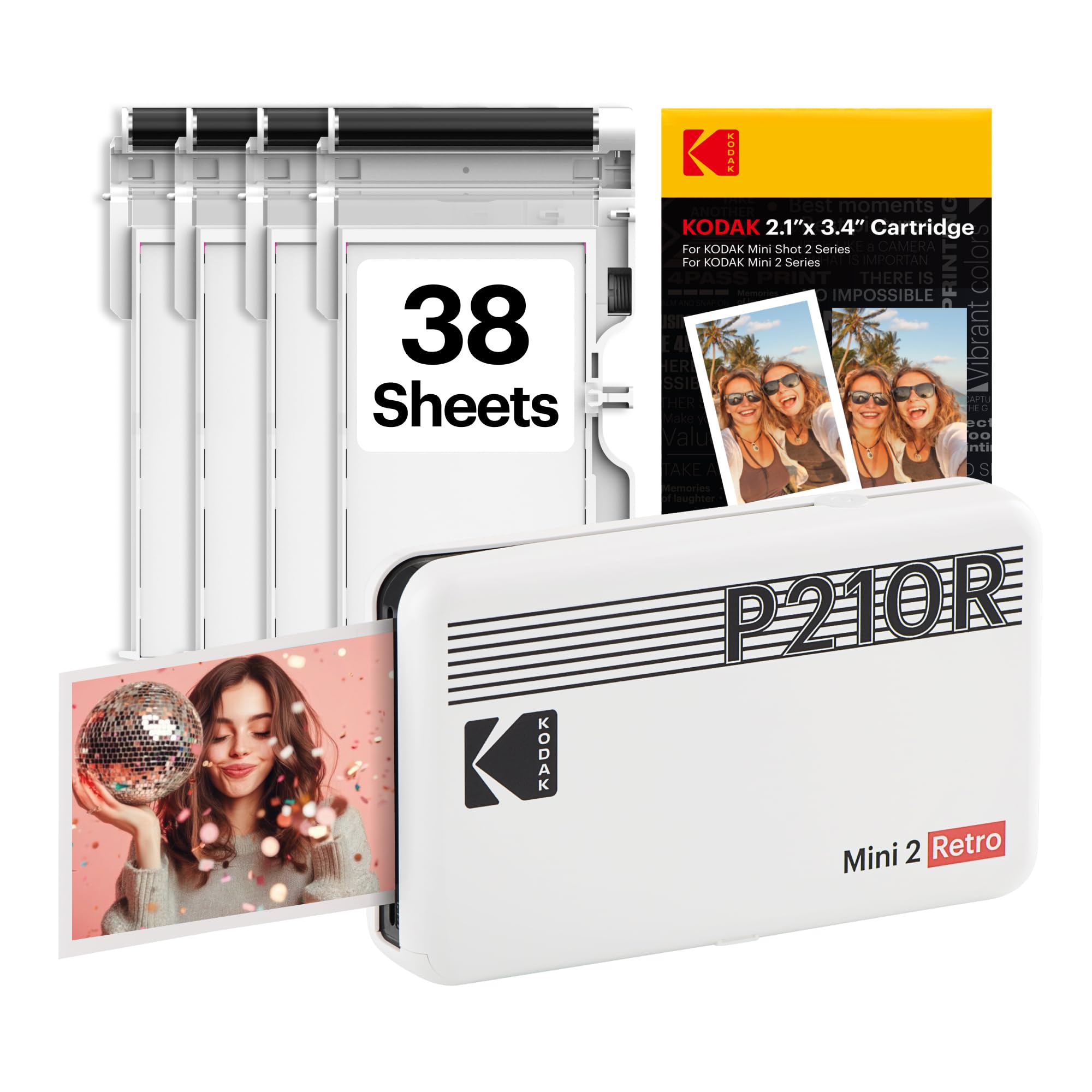
The Kodak Mini 2 Retro offers a simple app experience and surprisingly good print quality for its tiny credit-card-sized prints. Its cute, pocketable design appeals to teens and scrapbookers who want instant photo souvenirs. However, the printer can jam during operation, sometimes ruining the ink cartridge in the process, and some units may stop producing prints after limited use. These limitations mean it is best suited for occasional printing where a few failures are acceptable, rather than for anyone needing consistent results across many prints.

Bottom line: Best for teens and scrapbookers who print occasionally and can accept the risk of jams and early failure, but not for anyone needing consistent, long-term performance.

7

HP Sprocket 2x3 Zink

HP Sprocket 2x3 Zink

Casual pocket printer

Our Score 9.0/10
Check Price

Worth Noting

  • Colors lean pink, which shows in skin tones and light areas
  • Some units may stop working after a few months of use, making long-term consistency unpredictable.
Print Size
2x3 inches
Technology
ZINK Zero-Ink
Print Speed
~50 seconds
Connectivity
Bluetooth

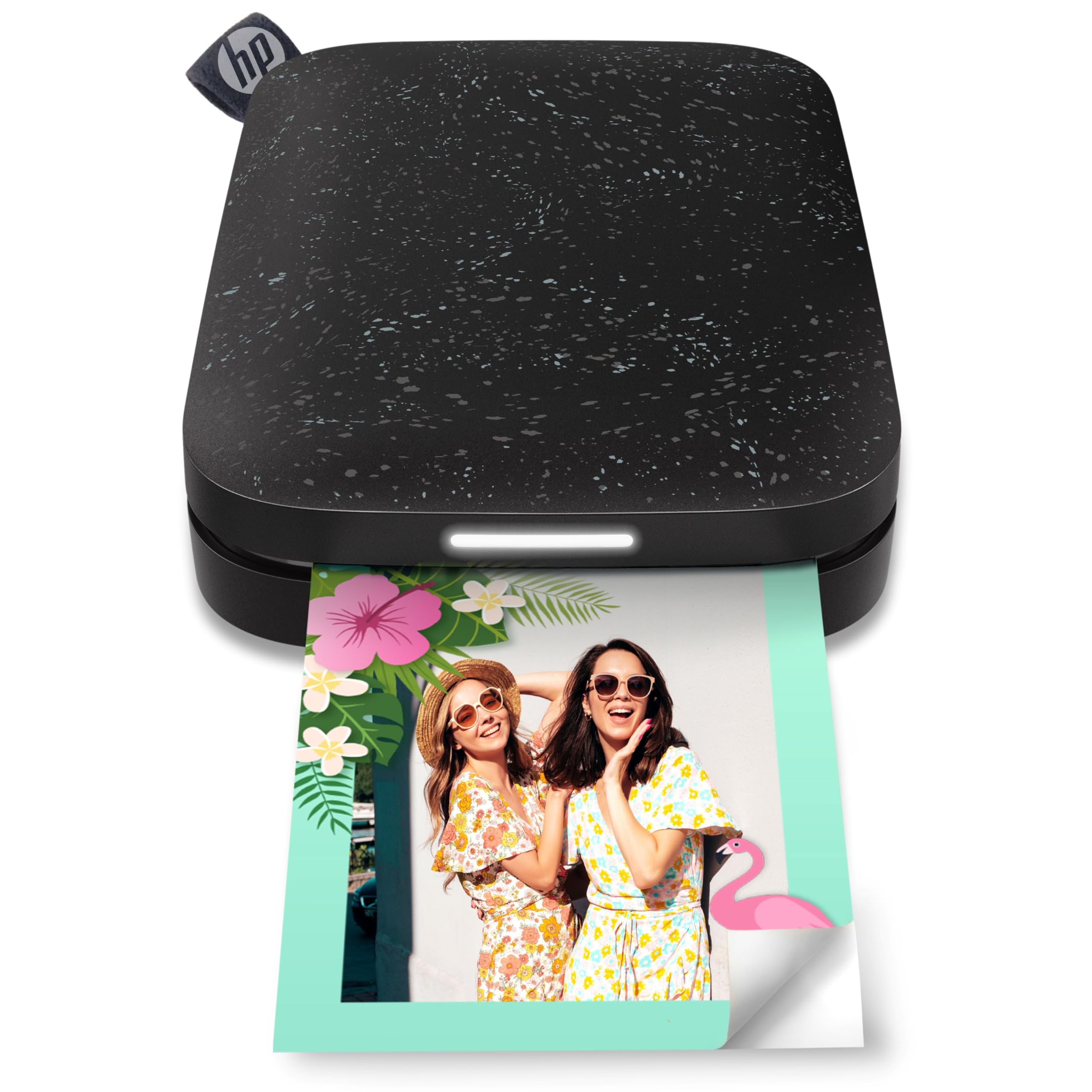
The HP Sprocket delivers exactly what its name suggests: a printer small enough to slip into a pocket, with an app that pairs quickly and prints in seconds. The sticky-back 2x3 prints are ideal for party favors, scrapbooks, or handing out photos at events. Augmented reality effects add a playful layer that the top ZINK contenders don't offer, and the large user community means plenty of shared tips and templates.

Where the Sprocket stumbles is in color fidelity. Prints carry a pink hue—visible in skin tones and white backgrounds—that makes true-to-life reproduction a challenge. Some units also stop working after limited use, so consistency between units varies. For casual sharing where perfect color isn't the goal and portability is the priority, these tradeoffs are manageable; for anyone wanting accurate photo prints, the Canon Ivy 2 is a more dependable choice.

Bottom line: Worth considering for casual event printing and on-the-go sharing where portability matters more than color accuracy or long-term reliability.

8

Liene Amber M110 4x6/3x3

Liene Amber M110 4x6/3x3

Dual-size versatility

Our Score 9.4/10
Check Price

Worth Noting

  • Long-term durability under frequent use is unconfirmed due to the model's limited track record.
Print Size
4x6 and 3x3
Technology
Dye Sublimation
Print Speed
~59 seconds
Connectivity
Bluetooth

The Liene Amber M110 stands out as the only portable photo printer with separate paper trays for 4x6 prints and 3x3 adhesive stickers, producing colors that match the original photo closely. Setup takes under a minute, and the printer outputs a 4x6 print in about a minute. The dual-tray design is convenient for switching between sizes without reloading paper. However, the M110 is a newer model, and its long-term durability under regular use has not been established through extended user experience. This makes it a good fit for casual or moderate use where print volume is low to moderate, rather than for heavy daily printing.

Bottom line: For users who need both 4x6 prints and 3x3 stickers from one compact printer and prioritize immediate print quality over proven longevity, the M110 delivers.

9

YOTON YP01 4x6

YOTON YP01 4x6

Budget 4x6 AR video

Our Score 9.0/10
Check Price

Worth Noting

  • No built-in battery - printing requires a power outlet, limiting on-the-go portability.
  • AR video feature depends on the companion app and smartphone, adding an extra setup step.
Print Size
4x6 inches
Technology
Dye Sublimation
Print Speed
~50 seconds
Connectivity
Wi-Fi (hotspot)

The YOTON YP01 prints 4x6 dye-sublimation photos and adds a unique twist: each print can be scanned with the app to play a linked video. It comes with 54 sheets and a ribbon, and its compact size makes it easy to store. The printer relies on a Wi-Fi hotspot connection and requires a power outlet, so true portability is limited. Print quality and long-term durability have not been independently verified across many units, so this is a choice for early adopters who prioritize the AR feature over proven consistency.

Bottom line: Best for budget buyers who want to surprise friends or family with hidden video messages in their prints and are comfortable with an unproven product.

How to Choose

Print Size

The most fundamental split: 4x6 printers produce traditional photo sizes suitable for framing and albums, while 2x3 pocket printers create sticky-back miniatures ideal for journals, scrapbooks, and party favors.

A 4x6 print requires a larger device (often plug-in, though some offer batteries) and costs roughly $0.20-$0.40 per print. A 2x3 print from a ZINK printer costs about $0.10-$0.15 but the tiny size limits display options. Choose based on whether you want to fill a photo album or decorate a notebook.

Technology

Dye-sublimation (dye-sub) printers use heat to transfer dye onto paper, creating continuous-tone prints that resist fading and water damage. The paper and ink come as a bundled cartridge, so you always replace both together.

ZINK (zero-ink) printers embed dye crystals in the paper itself; a thermal head activates specific colors. This eliminates ink cartridges but the result is a layered dot pattern, which often gives a 'plastic' look with visible color shifts, especially in skin tones. ZINK prints are also more susceptible to heat and UV damage over time.

Connectivity

Wi-Fi direct (hotspot) printers create their own network, letting you connect directly without a router. This works universally but sometimes requires a manual network switch on your phone. Bluetooth pairing is simpler but can drop with iPhones if the printer is not on the iOS MFi list.

If you primarily use an iPhone, avoid printers with known Bluetooth connectivity complaints (many Kodak models) and prefer Wi-Fi hotspot or printers with a dedicated USB port. Android users generally have fewer pairing issues.

Portability

Truly portable 4x6 printers include a rechargeable battery and weigh around 1.5-2 lbs. Desktop-only models must be plugged in, limiting them to a single spot. Battery capacity varies: some manage 40 prints per charge, others less than 20.

Pocket 2x3 ZINK printers are lighter (under 1 lb) and small enough for a purse or bag. Their battery life is typically enough for 20-30 prints. The trade-off is print quality: you sacrifice color accuracy for the convenience of printing anywhere.

Print Speed

Speed matters when you are printing multiple photos. Canon Selphy CP1500 prints a 4x6 in about 41 seconds, while most dye-sub printers average 55-60 seconds. ZINK pocket printers are similar, around 50 seconds per 2x3.

Slower speeds are tolerable for occasional prints but become frustrating if you want to print 20+ photos at a party. Consider your typical batch size: if you often print in bulk, prioritize a speeder model.

Included Media

The starter bundle often includes a small number of sheets and a single ink cartridge. Some printers like the Liene M100 ship with 100 sheets and multiple cartridges, significantly lowering the initial cost per print.

Check the per-print cost of replacement media before buying. Some printers are cheap upfront but expensive over time (e.g., Kodak Dock Era paper can exceed $0.50 per print). Dye-sub cartridges typically cost $15-$25 for 100 prints, while ZINK paper runs $10-$15 for 50 sheets.

Frequently Asked Questions