Phone & Tablet Accessories

9 Best Mobile Gaming Controllers of 2026: Hall Effect Sticks Without the Drift

Find the mobile controller that actually fits your phone and gaming style – from budget wired to premium Bluetooth, with Hall Effect sticks that resist drift.

Mobile gaming controllers promise console-like control, but the reality often involves disconnects, unresponsive buttons, or a tight squeeze with your phone case. The market is split between budget Bluetooth models with reliability issues and pricier wired options that sacrifice convenience. The solution isn't just spending more – it's knowing which trade-offs matter for your setup.

Hall Effect joysticks have become the benchmark above $40, effectively eliminating stick drift. But Bluetooth latency remains a wildcard, especially for fast-paced shooters. This guide prioritizes controllers that balance connection stability, build durability, and real-world fit – whether you're on Android, iOS, or playing cloud games.

1

GameSir G8 Plus

Top Pick
GameSir G8 Plus

Multi-platform

Our Score 8.8/10
Check Price

Worth Noting

  • Bluetooth latency can become noticeable in fast-paced competitive games or crowded wireless areas
  • Compact form factor may feel restrictive for those used to full-size console controllers, especially during extended play sessions
  • Button responsiveness has been inconsistent in some units after heavy use; triggers may occasionally stick or lose feel
Connection Type
Bluetooth + Wired
Battery & Charging
2x 500mAh, wireless
Ergonomics & Weight
Full-size, comfortable
Device Compatibility
iOS, Android, Switch, PC

The G8 Plus feels substantial in hand, with a grip and button layout that recall premium console controllers. Hall Effect joysticks and analog triggers eliminate drift and wear concerns, while Bluetooth and wired connectivity give you flexibility across iOS, Android, Switch, and PC. It also packs gyro aiming, dual vibration motors, and swappable faceplates – features typically seen on far pricier pads.

In practice, the controller pairs easily with most devices and works well with cloud gaming services like Xbox Game Pass and GeForce Now. That said, Bluetooth performance can vary depending on the environment – some users report occasional input lag or brief disconnects in crowded wireless spaces. Button responsiveness has also been noted to degrade on certain units after extended use, with triggers occasionally feeling sticky rather than crisp.

This controller suits gamers who split their play across phone, tablet, Switch, and PC and want a single device that handles all of them without fuss. It’s especially good for long cloud-gaming sessions where comfort matters. However, those with larger hands may find the compact form restrictive, and competitive players who rely on wired-only consistency should test Bluetooth latency before committing.

Tip: Pair the controller before starting a game session; Bluetooth reconnection can be slow if you switch devices frequently.

Bottom line: If you play across multiple devices and want gyro, vibration, and Hall Effect sticks at a reasonable price, the G8 Plus is the controller to get. For those needing wired-only zero latency or larger grips, alternatives exist.
2

8BitDo Ultimate Mobile

8BitDo Ultimate Mobile

Android

Our Score 9.0/10
Check Price

Worth Noting

  • D-pad can feel overly clicky and button spacing may feel cramped for some hand sizes
  • No passthrough charging
  • Occasional input lag may appear in fast-paced games, limiting use for competitive play
Connection Type
Bluetooth
Battery & Charging
Long battery, no passthrough
Ergonomics & Weight
Xbox-like, large phone fit
Device Compatibility
Android (iOS via reviews)

The 8BitDo Ultimate Mobile Gaming Controller brings Xbox-style ergonomics and Hall Effect joysticks to Android devices, offering a premium feel at a mid-range price. Bluetooth pairing is quick, and the controller accommodates large phones even with thick cases, making it a solid option for extended gaming sessions.

Best suited for Android gamers who prioritize comfort and battery life over multi-platform flexibility. The D-pad has a noticeably clicky action and the face buttons sit close together — a layout that suits some hands better than others. Input lag can surface in fast-paced titles, so competitive shooters should test before committing. The controller is officially Android-only, though some iOS users have reported successful pairing. No passthrough charging means you’ll need to charge the controller separately from your phone.

Build quality feels consistent across units, with durable plastic and a textured grip that reduces hand fatigue during long play. Battery life holds up well over several days of casual use, and the Hall Effect triggers provide smooth analog input for racing or flight games. The two back paddles add welcome extra control once mapped through the 8BitDo software.

Tip: Charge the controller separately — you won’t be able to power your phone through it during gameplay.

Bottom line: If you’re an Android gamer focused on comfort and battery life, this controller delivers. Just know the D-pad character and charging setup before buying.

3

GameSir X5 Lite

GameSir X5 Lite

Android budget

Our Score 8.6/10
Check Price

Worth Noting

  • iOS game compatibility is limited; Call of Duty Mobile and many App Store titles do not recognize the controller.
  • Compact frame may feel cramped for larger hands during longer gaming sessions.
  • USB-C connection can be inconsistent depending on phone case thickness or port alignment.
Connection Type
USB-C wired
Battery & Charging
Passthrough charging
Ergonomics & Weight
135g, compact
Device Compatibility
Android & iPhone 15/16

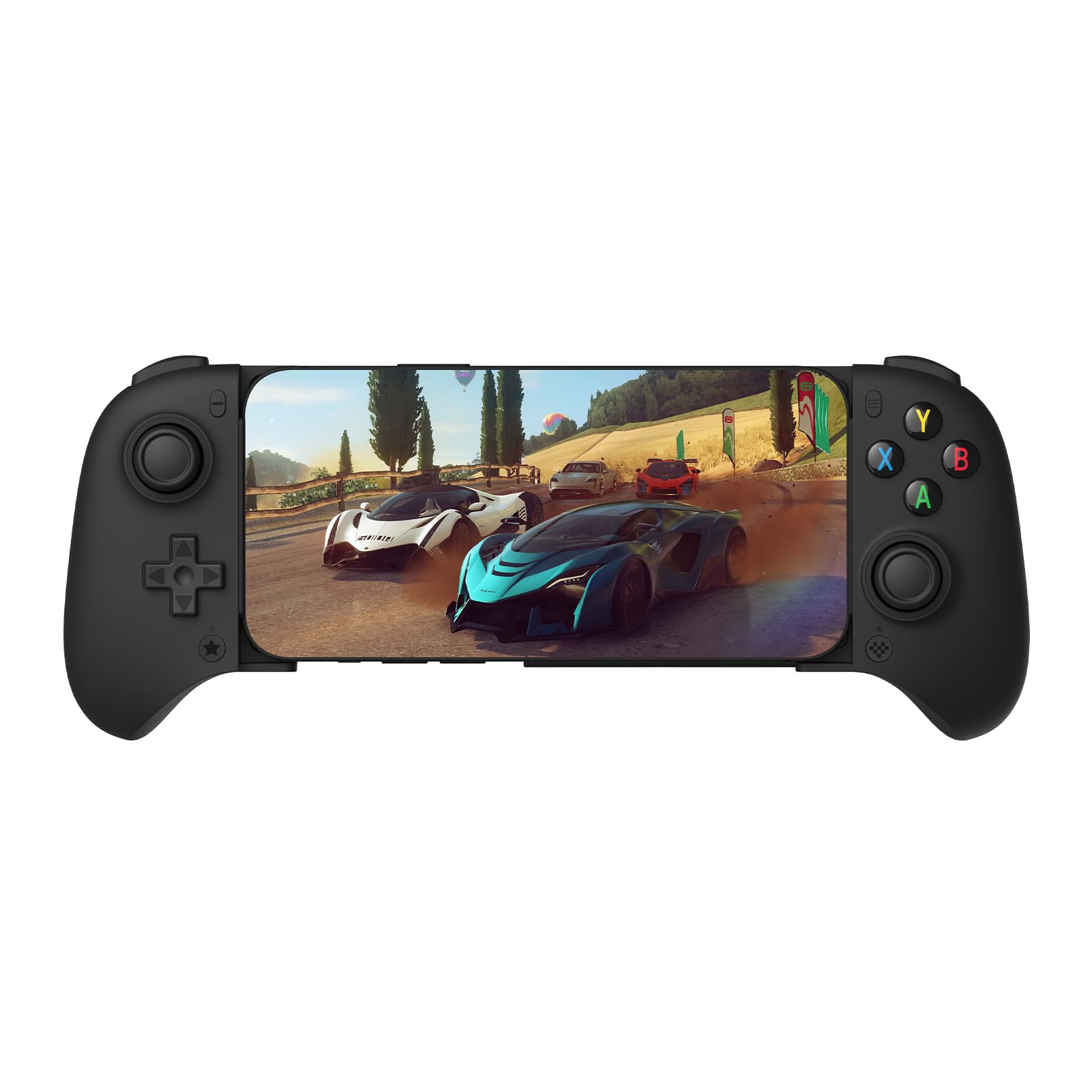
At $35 and 135 grams, the GameSir X5 Lite undersells every other wired controller on weight and price while still including Hall Effect joysticks and passthrough charging. It snaps onto Android phones and the iPad Mini via a tight USB-C connection — no Bluetooth pairing, no batteries to manage. The tradeoff for that low weight is a compact frame that suits smaller to medium hands best; larger hands will find the grip width limiting during extended play.

This is a solid fit for Android gamers who want a dedicated controller for cloud gaming, emulation, or native titles and don't need wireless freedom. The wired connection eliminates input lag, and the Hall Effect sticks resist drift over time. But iOS support is narrow: games like Call of Duty Mobile don't register inputs, and many App Store titles ignore the controller entirely. Also, the USB-C plug can sit loose on some phone cases — removing the case or checking fit before buying avoids most issues.

Tip: If the USB-C plug feels loose, remove your phone case before connecting; a slim case may still work, but thicker bumpers can prevent a secure fit.

Bottom line: For Android users who want a lightweight, drift-resistant wired controller at the lowest possible cost, the X5 Lite delivers where it counts — just don't expect iOS game support or a spacious grip.

4

Razer Kishi Ultra

Razer Kishi Ultra

Premium full-size

Our Score 9.0/10
Check Price

Worth Noting

  • Wired-only connection; no Bluetooth for wireless flexibility
  • Connectivity can be inconsistent between units, with occasional dropouts
  • Premium pricing with possible build inconsistencies across units
Connection Type
USB-C wired
Battery & Charging
Wired (no battery)
Ergonomics & Weight
Full-size, premium
Device Compatibility
iOS, Android, iPad Mini, PC

The Razer Kishi Ultra brings full-size Hall Effect and TMR joysticks to a mobile form factor, along with Sensa HD Haptics and Chroma RGB lighting that match console-grade feedback. Buttons and triggers deliver the same tactile response as a standard Xbox or PlayStation controller, making this one of the few mobile controllers that feels uncompromised in hand.

Built for iPad Mini gamers and those who want a true console-like grip during long sessions, the ergonomic design supports extended use without hand fatigue. The wired USB-C connection ensures zero latency but tethers you to the device. Some units may show connectivity or build inconsistencies, so the premium price warrants a quick inspection on arrival.

Virtual Controller Mode expands compatibility to games without native controller support, and the wired link works across Android, iOS, iPad Mini, and PC. Ideal for serious mobile gamers who prioritize latency and haptic feedback over wireless convenience. Buyers who need Bluetooth or portability should consider the GameSir G8 Plus instead.

Tip: Since the controller is wired-only, consider a USB-C extension cable if your device case makes the connection tight.

Bottom line: A focused controller for iPad Mini enthusiasts who demand full-size controls and low latency, but the wired-only design and unit variability mean it's not the universal mobile gaming solution – the GameSir G8 Plus offers broader appeal.

5

abxylute M4

abxylute M4

Retro portable

Our Score 8.6/10
Check Price

Worth Noting

  • Smooth joystick texture may not provide enough grip for precise control
  • D-pad and buttons can be less responsive in fast-paced games
  • Compact size becomes uncomfortable during long gaming sessions
Connection Type
Bluetooth
Battery & Charging
12 hours
Ergonomics & Weight
Pocket-sized, magnetic
Device Compatibility
iOS, Android, Switch 1/2, PC

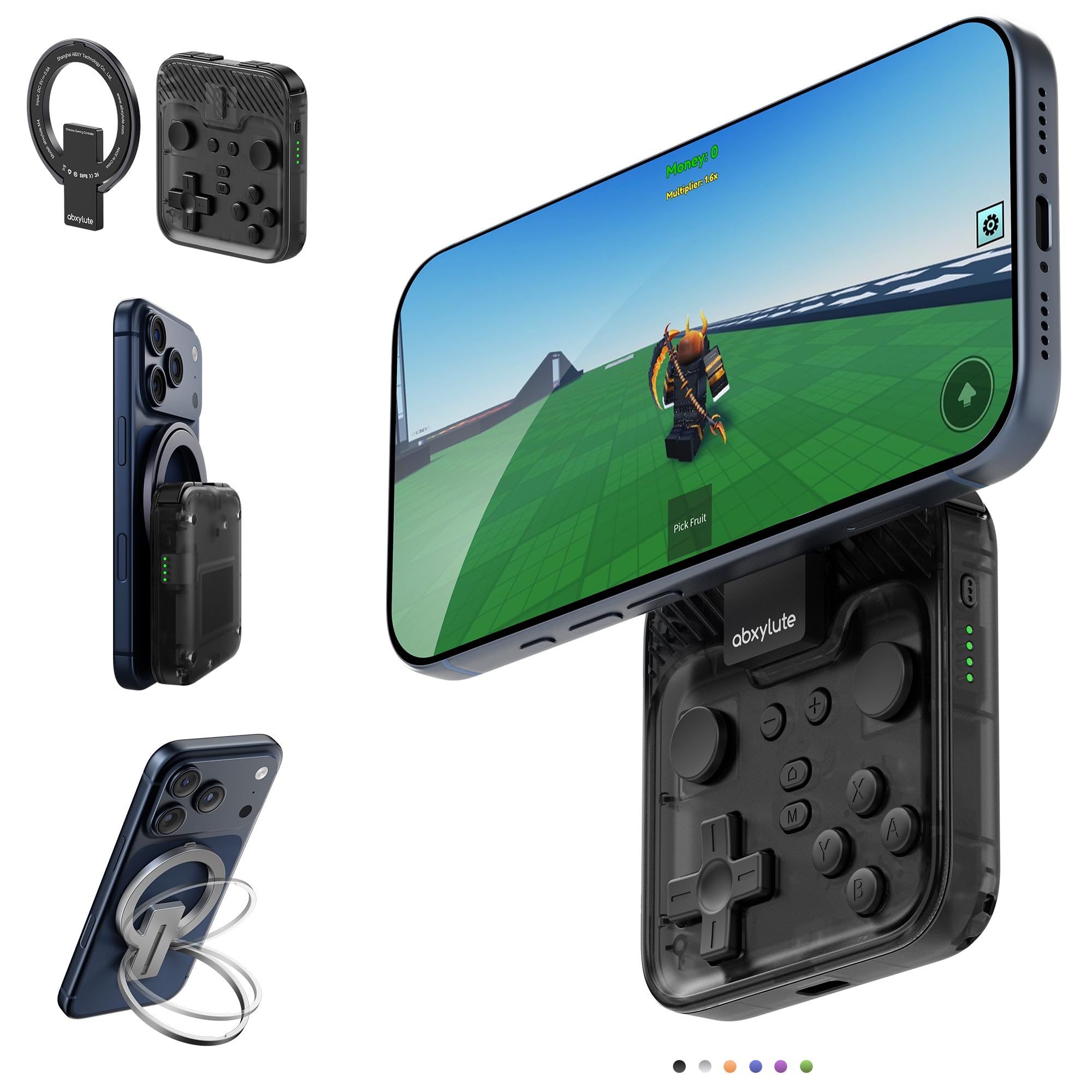
The abxylute M4 packs a magnetic snap-on design, a built-in kickstand, and 12 hours of battery life into a pocket-sized frame that slides easily into a bag or pocket. It works with Android, iPhone, Switch, and PC, and pairs well with emulators like Delta and RetroArch for retro gaming.

This controller is best suited for quick gaming sessions on the go, especially retro emulation or casual play. Its compact size means it becomes less comfortable during extended use, and the D-pad and buttons may feel less responsive than larger controllers. It is not ideal for competitive shooters or long marathon sessions.

The M4 feels well-constructed for its size, with a secure magnetic attachment that doubles as a kickstand for tabletop play. Compatibility spans multiple platforms and emulators, making it a flexible companion for retro enthusiasts.

Bottom line: Ideal for retro gaming on the go and short trips, but not a pick for extended play or competitive titles.

6

Mocagen MC2

Mocagen MC2

Multi-platform

Our Score 8.4/10
Check Price

Worth Noting

  • When playing at a distance, Bluetooth connection may drop intermittently.
  • For long gaming sessions on a phone, the battery drains since there is no way to charge the phone.
  • In competitive shooters, the right stick may develop drift after extended use.
Connection Type
Bluetooth + Wired
Battery & Charging
18 hours, no passthrough
Ergonomics & Weight
Xbox-like, comfortable
Device Compatibility
iOS, Android, Switch, PC

The Mocagen MC2 connects with iPhones, Android devices, Nintendo Switch (including Switch 2), and PC over Bluetooth or USB-C, giving it one of the widest platform support lists in its price range. Hall Effect joysticks, analog triggers, programmable back paddles, and RGB lighting are included — features typically reserved for more expensive controllers.

During extended play, some units have developed right-stick drift or joystick sticking, which can throw off aim in shooters or steering in racing games. The controller cannot charge the phone while gaming, so the phone’s battery drains during long sessions. Occasional Bluetooth disconnects have been noted, particularly when the controller is several feet from the device.

This controller fits budget-minded gamers who play across multiple platforms and want customizable RGB without spending over $50. It handles casual play, emulation, and cloud gaming well. Competitive players or those who need uninterrupted phone charging during long mobile sessions should consider the GameSir G8 Plus for more consistent joystick performance and passthrough charging.

Tip: Use the USB-C wired connection on PC for a more stable experience and to avoid Bluetooth dropouts.

Bottom line: The Mocagen MC2 packs broad compatibility and flashy extras at a low cost, but stick drift variability and the lack of phone charging make it a secondary pick for mobile gamers who want consistent performance above all else.

7

SCUF NOMAD

SCUF NOMAD

iPhone casual

Our Score 8.0/10
Check Price

Worth Noting

  • Smaller size may be uncomfortable for those with larger hands
  • Input lag can be noticeable enough to make fast-paced games difficult
Connection Type
Bluetooth
Battery & Charging
16 hours
Ergonomics & Weight
Small hands
Device Compatibility
iPhone only

Good build quality and easy setup make the SCUF NOMAD pleasant to handle for casual use. The compact size fits small hands well and the customizable paddles add some convenience. However, noticeable input lag and Bluetooth connectivity issues mean this controller struggles with any game requiring quick reactions. The small frame also becomes uncomfortable for larger hands, so this is best left for turn-based puzzles or casual iPhone gaming.

Bottom line: Only recommended for casual turn-based games on iPhone where input lag is tolerable and small hands are a priority.

8

ASUS ROG Tessen

ASUS ROG Tessen

Android compact

Our Score 8.4/10
Check Price

Worth Noting

  • Compact size may cause discomfort during longer sessions for users with larger hands.
  • Durability can be inconsistent, with occasional reports of structural issues.
Connection Type
USB-C wired
Battery & Charging
Wired (no battery)
Ergonomics & Weight
Foldable, compact
Device Compatibility
Android only

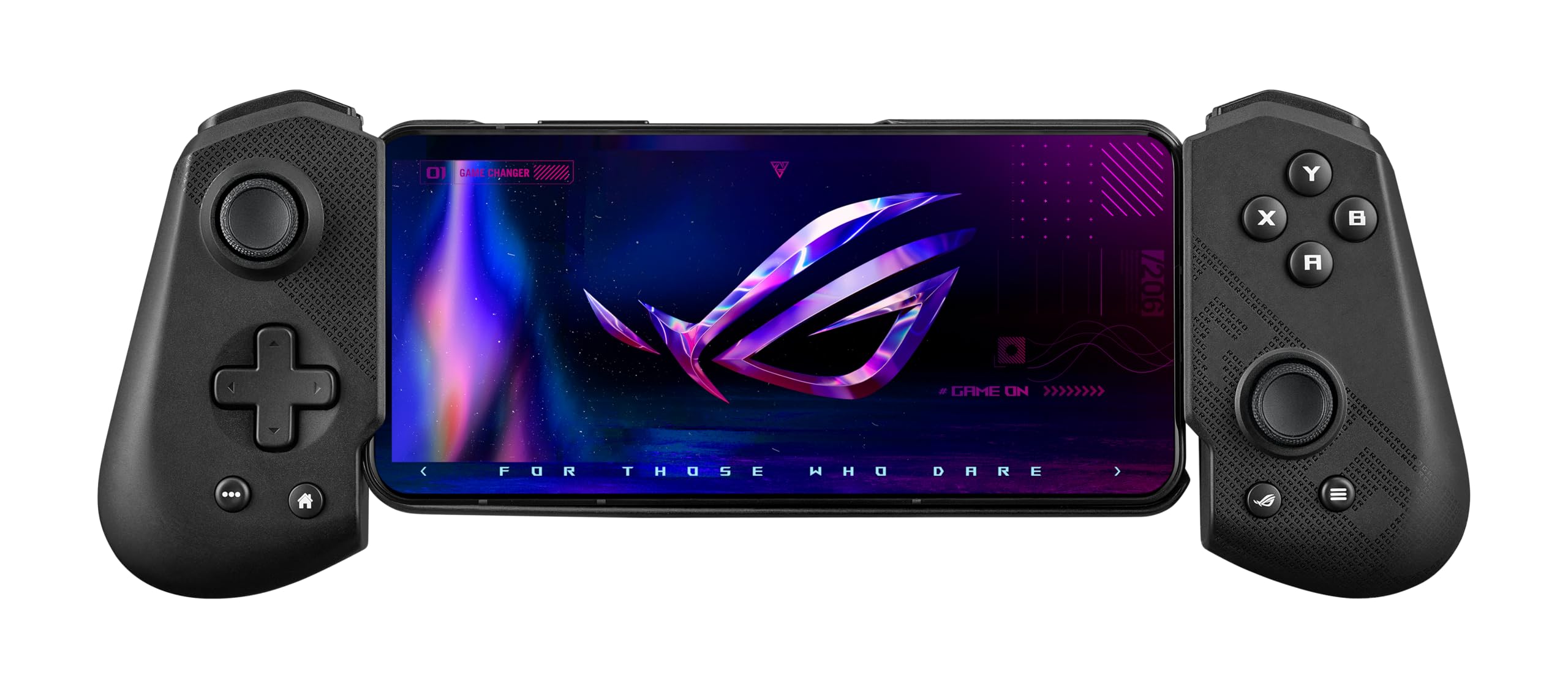
The ROG Tessen packs a responsive tactile feel and solid build into a foldable design that fits phones with thick cases. Its USB-C wired connection eliminates latency, and programmable back paddles add flexibility for supported games. However, the compact layout is best suited for smaller hands; anyone with larger hands will find the grip cramped during extended sessions. Durability also varies between units, with some showing structural issues under normal use. The lack of Bluetooth and iOS support further narrows its audience to Android gamers who value portability over broad compatibility.

Bottom line: Fits Android gamers with smaller hands who need a pocketable wired controller and can accept the possibility of durability variance.

9

Turtle Beach Atom

Turtle Beach Atom

iPhone cloud

Our Score 8.0/10
Check Price

Worth Noting

  • Controller may turn off unexpectedly during a session
  • Plastic build can feel cheap and flimsy with extended use
Connection Type
Bluetooth
Battery & Charging
20 hours
Ergonomics & Weight
Compact
Device Compatibility
iPhone only

The Turtle Beach Atom's cobalt blue design and magnetic fusion make it one of the more visually distinct mobile controllers at a budget-friendly price. The build quality feels adequate for the cost, and the compact shape is easy to slip into a bag. However, constant disconnections and input lag make it unsuitable for any fast-paced gaming. This controller is best reserved for casual cloud gaming sessions where timing isn't critical, and where reliability can take a back seat to aesthetics.

Bottom line: If you prioritize aesthetics over performance and only play slow-paced casual games on your iPhone, the Atom's design is worth considering, as long as you accept occasional connectivity quirks.

How to Choose

Connection Type

Wired USB-C controllers offer zero input lag and never need charging, making them ideal for competitive shooters and cloud gaming. The trade-off is that they tether you to your phone and often don't work with cases thicker than a few millimeters.

Bluetooth controllers provide flexibility for couch gaming and work with multiple devices, but they introduce 10–30ms of latency and need recharging. If you play rhythm games or competitive FPS, latency below 20ms is critical – check reviews for your specific phone model.

Hall Effect Joysticks

Hall Effect joysticks use magnets to detect position instead of physical contact, which completely eliminates traditional stick drift caused by wear. They are now standard in controllers above $40, but not all implementations are equal – some have loose stems or poor dead zones.

Carbon-film analog sticks (common in sub-$30 controllers) will eventually drift after hundreds of hours. If you game regularly, the extra cost for Hall Effect pays off in longevity. Even then, check for reports of 'right stick drift' specifically, as that's a common weakness even in some Hall models.

Device Compatibility

Not every controller works with every phone or game. iOS controllers often require an MFI certification, and even USB-C models may not support all apps on iPhone. Android generally supports more controllers, but some games (like Call of Duty Mobile) have whitelists that exclude certain third-party gamepads.

Tablet compatibility also varies – the iPad Mini fits many stretchable controllers, but larger iPads require a dedicated mode or full-size grip. Always verify your specific phone model in recent reviews, as fit issues with camera bumps and case thickness are common.

Ergonomics & Weight

Weight and grip shape directly affect fatigue during long sessions. A 135g controller like the GameSir X5 Lite is great for travel but can feel cramped for larger hands after an hour. Full-size controllers weighing 200g+ distribute pressure better and reduce hand cramping.

Button layout matters too – controllers with Xbox-style offset sticks tend to feel more natural for console players, while PlayStation-style parallel sticks suit others. Back paddles add functionality but can be accidentally pressed if positioned poorly.

Battery & Charging

Bluetooth controllers typically offer 12–20 hours of play per charge, but that's reduced if you use RGB lighting or vibration. Some models lack passthrough charging for the phone, meaning you can't charge while gaming – a dealbreaker for long sessions.

Wired controllers eliminate battery anxiety but drain your phone's battery faster. Pass-through charging (a USB-C port on the controller) lets you plug in both the controller and phone simultaneously, but is rare on budget wired models.

Frequently Asked Questions