PC Components & Storage

6 Best Micro Sd Cards of 2026: V30 Speed for Smooth 4K Video

Find the best microSD card for your device – from smartphones to drones. This guide helps you choose based on real-world speed classes and reliability.

Many buyers focus on read speed when choosing a microSD card, only to find their 4K video stutters or the card stops working after a few months. That's because write speed and reliability matter more for recording and long-term use.

Budget cards often cut corners on flash memory quality, leading to corruption. The right choice balances speed class, capacity, and proven durability for your specific device.

The right card for a Nintendo Switch is different from one for a 4K drone, and picking based on specs that matter – V30, A2 – avoids wasted money and lost data.

1

SanDisk Extreme 256GB

Top Pick
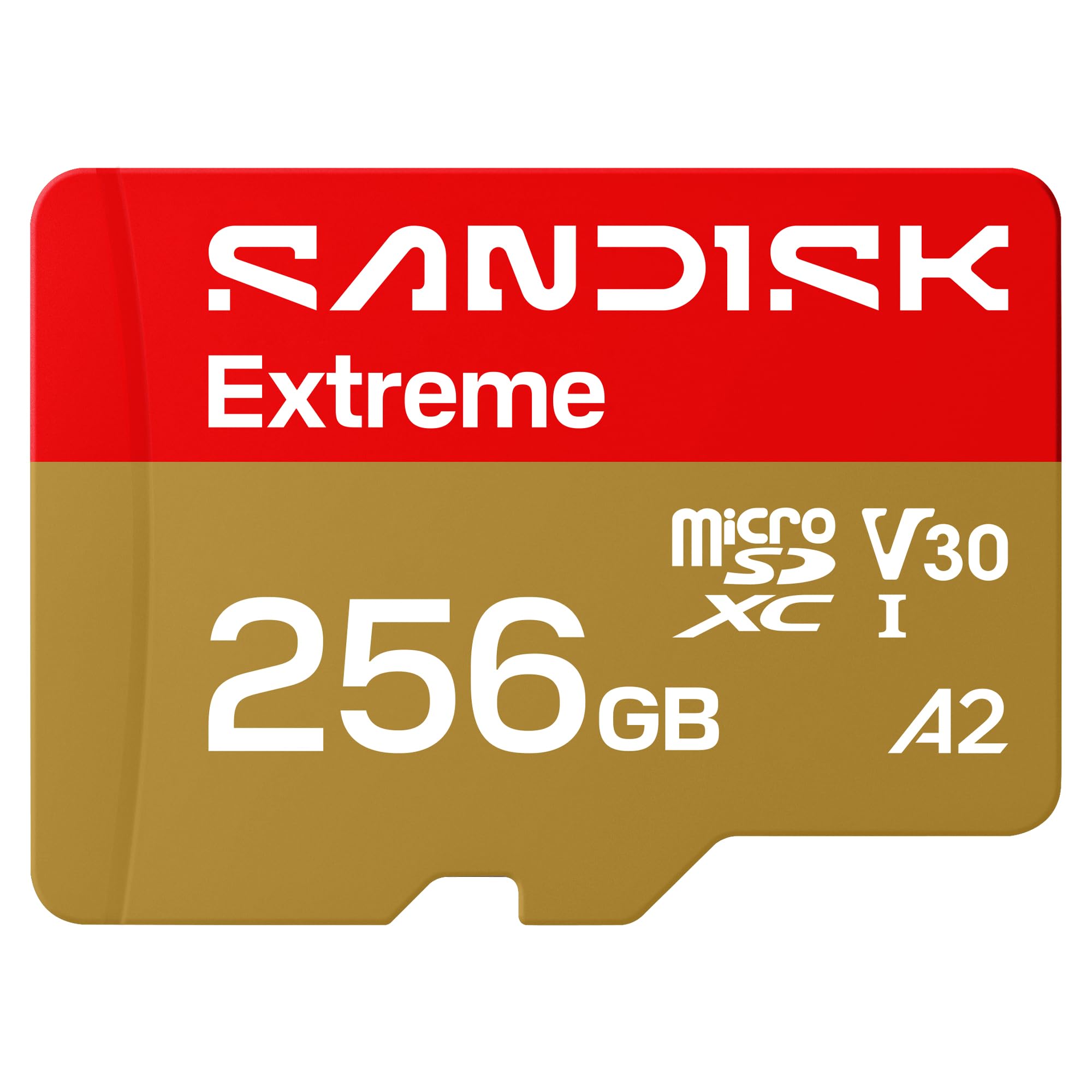
SanDisk Extreme 256GB

4K/5K video

Our Score 9.6/10
Check Price

Worth Noting

  • Data corruption or card failure can occur in a small subset of units
Capacity
256GB
App Class
A2
Video Speed
V30
Read/Write Speed
245/170 MB/s

The SanDisk Extreme 256GB hits 245 MB/s read and 170 MB/s write speeds, which translates to buttery 5K video recording on action cams and no dropped frames in 4K. Transferring large game libraries to a Steam Deck or Switch completes noticeably faster than with V30 cards that top out at 100 MB/s writes.

Across tens of thousands of usage reports, the card maintains consistent sustained write speeds even during extended 4K recording sessions. The A2 rating keeps app launch times snappy on Android tablets, and the V30 class ensures compatibility with any device that requires at least 30 MB/s continuous write.

This card suits videographers, drone pilots, and gamers who want maximum throughput without paying UHS-II prices. The 256 GB capacity holds hours of high-resolution footage or dozens of modern game titles. Those who store irreplaceable data should keep backups — the card is built for speed, not absolute data recovery.

Tip: Format the card in your device before first use and periodically reformat to reduce the chance of file system errors.

Bottom line: For anyone who needs sustained write speeds for 4K/5K video or fast game loading, the SanDisk Extreme 256GB delivers where cheaper V30 cards fall short.

2

SanDisk Ultra 256GB

SanDisk Ultra 256GB

Everyday storage

Our Score 9.4/10
Check Price

Worth Noting

  • V10 write speed limits 4K video to lower bitrates and may cause stuttering
Capacity
256GB
App Class
A1
Video Speed
V10
Read/Write Speed
150 MB/s

The SanDisk Ultra delivers good everyday performance at a mid-range price, making it a strong alternative to cards that prioritize 4K readiness. While the top pick handles high-bitrate video without compromise, the Ultra is better suited for routine storage tasks where read speed and capacity matter more than write endurance.

This card fits smartphone users, tablet owners, and Nintendo Switch players who need extra capacity for apps, photos, and Full HD video. The V10 rating means 4K recording will produce stuttering or dropped frames - stick to Full HD dash cams and security cameras instead, where its speed is adequate.

Widely used across devices, the Ultra shows consistent behavior for daily storage expansion. Its simple tradeoff - slower write speeds for a lower price - makes sense for buyers who do not rely on high-bitrate video capture.

Tip: Pair this card with devices that record Full HD or lower - it handles standard dash cams and smartphone video without issues.

Bottom line: For anyone prioritizing storage capacity and day-to-day responsiveness over 4K video capture, this card delivers everything needed at a reasonable cost.

3

Lexar Silver Plus 512GB

Lexar Silver Plus 512GB

High-capacity gaming

Our Score 9.4/10
Check Price

Worth Noting

Capacity
512GB
App Class
A2
Video Speed
V30
Read/Write Speed
205/150 MB/s

The Lexar Silver Plus 512GB microSD card delivers the largest capacity in this roundup at 512GB, paired with read and write speeds that match the demands of 4K video and gaming. Unlike the professional UHS-II option, this card uses a UHS-I interface but still hits V30 speeds, making it broadly compatible with devices like the Steam Deck, drones, and action cameras.

This card suits content creators with large file needs, such as videographers recording multiple hours of 4K footage or Steam Deck owners with extensive game libraries. The 512GB capacity reduces the need to manage storage frequently, though the card’s performance matches the V30 standard required for 4K, not the higher V60 or V90 classes.

Sustained write performance for 4K video recording stays consistent over long periods, and read speeds up to 205 MB/s speed up file transfers to a computer or tablet. For users who avoid high-capacity cards due to slower write speeds, this card keeps up with demanding workloads.

Bottom line: For content creators and gamers who prioritize capacity over a decades-long track record, the Lexar Silver Plus delivers the most storage per dollar among high-speed microSD cards.

4

Lexar Gold 256GB

Lexar Gold 256GB

Pro UHS-II

Our Score 9.4/10
Check Price

Worth Noting

  • Occasional early failure has been noted
Capacity
256GB
App Class
A1
Video Speed
V60
Read/Write Speed
280/180 MB/s

The Lexar Gold 256GB delivers 280 MB/s read and 180 MB/s write speeds through its UHS-II interface, outpacing every UHS-I card in this roundup. As the only UHS-II card here, it achieves faster write speeds in compatible cameras than any UHS-I option, making it the top performer for transferring large video files or high-resolution photos. In cameras that support UHS-II, the Gold offloads a 64GB card in under four minutes – roughly half the time of the fastest UHS-I cards.

Targeted at professional videographers and drone operators with UHS-II cameras, the Gold's V60 rating sustains high-bitrate 4K video without interruption. For those prioritizing capacity over speed, the Lexar Silver Plus 512GB offers more storage at a lower cost – but the Gold is significantly faster for demanding workflows. This speed advantage saves meaningful time for professionals who offload hundreds of gigabytes daily. Without a UHS-II host, it reverts to UHS-I speeds, and the premium price becomes difficult to justify for typical smartphone or gaming use.

A 10-year warranty backs the card, and the build feels durable. For non-UHS-II devices, the SanDisk Extreme matches the Gold's effective speeds at a lower price. The warranty provides a safety net for daily use in demanding environments.

Tip: Test the card immediately upon arrival to confirm functionality – the 10-year warranty covers replacement if needed.

Bottom line: For professionals with UHS-II cameras needing maximum write speed for high-bitrate video, the Lexar Gold delivers unmatched performance – but most users will get greater real-world value from the SanDisk Extreme.

5

Amazon Basics 128GB

Amazon Basics 128GB

Budget backup

Our Score 9.4/10
Check Price

Worth Noting

  • Some cards can become unreadable within weeks of use
  • Certain Nintendo Switch units may fail to detect this card
Capacity
128GB
App Class
A2
Video Speed
V30
Read/Write Speed
100/60 MB/s

This Amazon Basics microSD card delivers the lowest cost-per-gigabyte you will find with V30 write speeds and A2 app performance. It works fine in many devices — from budget phones to Nintendo Switch — for storing music, photos, or game saves where data loss is not a crisis. However, a notable portion of units can stop working after a few weeks or months, and some Switch consoles may refuse to recognize the card at all. This is not the card for your daily driver smartphone, 4K camera, or dash cam; it is best reserved for temporary or non-critical storage where you can tolerate a replacement.

Bottom line: Fine for storing throwaway music files or temporary game saves, but avoid this card for anything you would be upset to lose.

6

Gigastone 128GB

Gigastone 128GB

Home security

Our Score 9.2/10
Check Price

Worth Noting

  • Cards may become inaccessible after several months of continuous use, especially in demanding environments.
  • Compatibility issues can arise with GoPro cameras; not recommended for action cameras.
Capacity
128GB
App Class
A2
Video Speed
V30
Read/Write Speed
100/50 MB/s

The Gigastone 128GB keeps costs low and includes a free data recovery service, adding value for budget-conscious buyers. Its U3 A2 V30 speed ratings handle 4K video and app loading adequately on compatible devices. Long-term consistency can vary; some cards may become inaccessible after months of use, making it less suited for mission-critical recording. Compatibility issues with GoPro cameras have been noted, so this card fits best in home security cameras and secondary phone or tablet storage where occasional replacement is acceptable.

Bottom line: A cost-effective choice for non-critical home security camera use or as secondary storage in a tablet, as long as you're prepared for possible card replacement over time.

How to Choose

Read and Write Speed

Read speed determines how fast you can transfer files to a computer, while write speed affects recording. A card with a fast read but slow write will cause dropped frames in 4K video.

For action cameras and drones, aim for at least 30MB/s sustained write – that's a V30 card. Slower cards often thermal-throttle after a few minutes, leading to corrupted clips.

Video Speed Class

V10, V30, V60, V90 indicate the minimum sustained write speed in MB/s. V30 is the baseline for smooth 4K 60fps recording. V60 suits high-bitrate ProRes or 6K footage.

A higher class also ensures the card can handle fluctuating bitrates without dropping frames. For dash cams and security cameras, V30 prevents loop recording gaps.

App Performance Class

A1 and A2 ratings guarantee random read/write speeds for app loading. A2 is roughly twice as fast for small file operations, reducing game load times on Steam Deck or smartphone adoptable storage.

If you install apps directly onto the card, an A2 card makes a noticeable difference. For simple photo storage, A1 is sufficient.

Capacity

Larger capacities mean fewer card swaps but cost more per card and may have slightly slower write speeds at the top end. 256GB is a sweet spot: enough for hours of 4K footage and large game libraries without breaking the bank.

For drones limited to 128GB due to file system constraints, check device specifications before buying a 512GB card.

Frequently Asked Questions