PC Components & Storage

10 Best External SSD of 2026: Match Speed to Your Actual Ports

Which portable SSDs deliver real-world speeds without reliability risks? For everyday users, creators, and gamers needing fast, trustworthy storage.

Many portable SSDs promise blistering 2,000MB/s speeds, but those numbers only materialize if your laptop has a USB 3.2 Gen 2x2 port. Most MacBooks, older PCs, and even some modern ultrabooks top out at 1,000MB/s over USB 3.2 Gen 2. That gap between marketing and real-world performance leaves buyers paying a premium for speed they cannot use.

The bigger hidden cost is reliability. Within the same price bracket, drives from some brands fail at alarming rates while others run for years without issue. The safest path is to pick a drive with a proven track record of sustained performance and low failure complaints — not the one with the biggest number on the box.

This guide focuses on the trade-off between rugged durability and everyday value, and on matching your port to the right speed tier. Knowing your laptop’s USB capabilities first will save you money and frustration.

1

Samsung T7 1TB

Top Pick
Samsung T7 1TB

General users

Our Score 9.4/10
Check Price

Worth Noting

  • During sustained writes over 30GB, the drive can become warm and may throttle speeds or temporarily disconnect.
Interface
USB 3.2 Gen 2
Durability
Read/Write Speed
1050 MB/s

The Samsung T7 delivers sequential read speeds up to 1,050MB/s in a drive smaller than a credit card. Transfers and game loads complete noticeably faster than older USB 3.0 drives, and performance stays consistent across typical daily tasks like file backups, photo editing, and moving large game libraries.

During sustained writes of 30GB or more, the aluminum casing can become warm to the touch. In some cases, the drive may throttle transfer speeds or briefly disconnect to cool down – a behavior typical of compact SSDs without active cooling. For the vast majority of file transfers under that threshold, the T7 runs cool and maintains full speed.

This drive suits students, professionals, and gamers who need a portable SSD for regular file transfers, game storage, and backups. It is less ideal for users who routinely move very large video files or perform continuous backups of 50GB+ without breaks – those buyers may prefer the T7 Shield with better thermal management or a larger drive with active cooling.

Plug-and-play setup works with Windows, Mac, and Android devices out of the box. The included 256-bit AES encryption software adds password protection without significant speed loss, and Samsung backs it with a three-year warranty.

Tip: For transfers over 30GB, allow the drive to cool between sessions or use a USB fan pad to maintain peak performance.

Bottom line: For anyone needing a fast, portable SSD for daily use, the Samsung T7 balances speed, size, and cost without the durability concerns found in many alternatives.

2

Samsung T7 Shield 2TB

Samsung T7 Shield 2TB

Outdoor creators

Our Score 9.4/10
Check Price

Worth Noting

  • Limited Android compatibility via Samsung's app and occasional Mac recognition issues
Interface
USB 3.2 Gen 2
Durability
IP65, 3m drop
Read/Write Speed
1050 MB/s

The T7 Shield matches the standard T7's 1050MB/s read speed and 2TB capacity, but adds IP65 dust and water protection plus 3-meter drop resistance — a practical upgrade for outdoor work.

The rubberized casing provides a secure grip, and despite the added protection, the drive stays credit-card-sized and light enough for a pocket. Owners regularly highlight the build quality and the ample 2TB capacity for media files.

This rugged SSD suits photographers shooting in the field, travelers who want a drive that can handle baggage bumps, and console gamers. The main compromise is Android compatibility: Samsung's app may not work with all devices, and some Mac users see initial recognition issues that are typically resolved by reformatting.

Tip: If you encounter Mac recognition issues, try formatting the drive to exFAT before first use.

Bottom line: For outdoor and travel use where ruggedness matters more than price, the T7 Shield is the right choice — just double-check Android or Mac compatibility before buying.

3

Lexar ES3 1TB

Lexar ES3 1TB

Budget shoppers

Our Score 8.8/10
Check Price

Worth Noting

  • iPhone compatibility is not guaranteed; some users experience detection issues or disconnects
Interface
USB 3.2 Gen 2
Durability
Read/Write Speed
1050 MB/s

The Lexar ES3 1TB matches the 1050MB/s read speeds of many premium portable SSDs for roughly $50 less. This NVMe drive handles large file transfers, video editing, and game storage without the lag of slower SATA-based alternatives, and the USB 3.2 Gen 2 interface delivers full speed on any compatible USB-C port.

Windows and Android users get a straightforward plug-and-play experience with 256-bit AES encryption available for added security. iPhone compatibility is inconsistent — some users report the drive not being recognized or disconnecting intermittently, so it is not suited for iOS-centric workflows.

The aluminum enclosure feels sturdy for daily handling, and the three-year warranty offers reasonable protection. Setup requires no drivers, and the drive is ready to use out of the box. For the price, the build quality and speed are hard to beat on a PC-focused budget.

Tip: Test iPhone compatibility before relying on this drive for important data, as some units may not connect reliably.

Bottom line: For Windows and Android users seeking a fast external SSD without paying a premium, the Lexar ES3 1TB delivers outstanding value — just keep iPhone use off the table.

4

Samsung T9 1TB

Samsung T9 1TB

Speed-focused PC

Our Score 9.2/10
Check Price

Worth Noting

Interface
USB 3.2 Gen 2x2
Durability
Read/Write Speed
2000 MB/s

The Samsung T9 Portable SSD pushes sequential read speeds to 2,000MB/s, doubling the throughput of the top pick T7 when connected to a USB 3.2 Gen 2x2 port. This makes it the fastest option in this roundup for users who have the right hardware.

Large project files and 4K video transfers complete in roughly half the time of standard USB 3.2 Gen 2 drives. The drive's compact size and 5-year warranty add to the value for those who can take advantage of the speed.

The T9 is best for PC gamers and content creators with a USB 3.2 Gen 2x2 port who need maximum portable speed. Mac users will not achieve the full 2,000MB/s because Macs lack Gen 2x2 support — the drive performs at around 1,000MB/s in those cases, similar to the T7.

Bottom line: If your PC has a Gen 2x2 port, the T9 is the speed choice; without it, the top pick T7 delivers the same real-world performance for less.

5

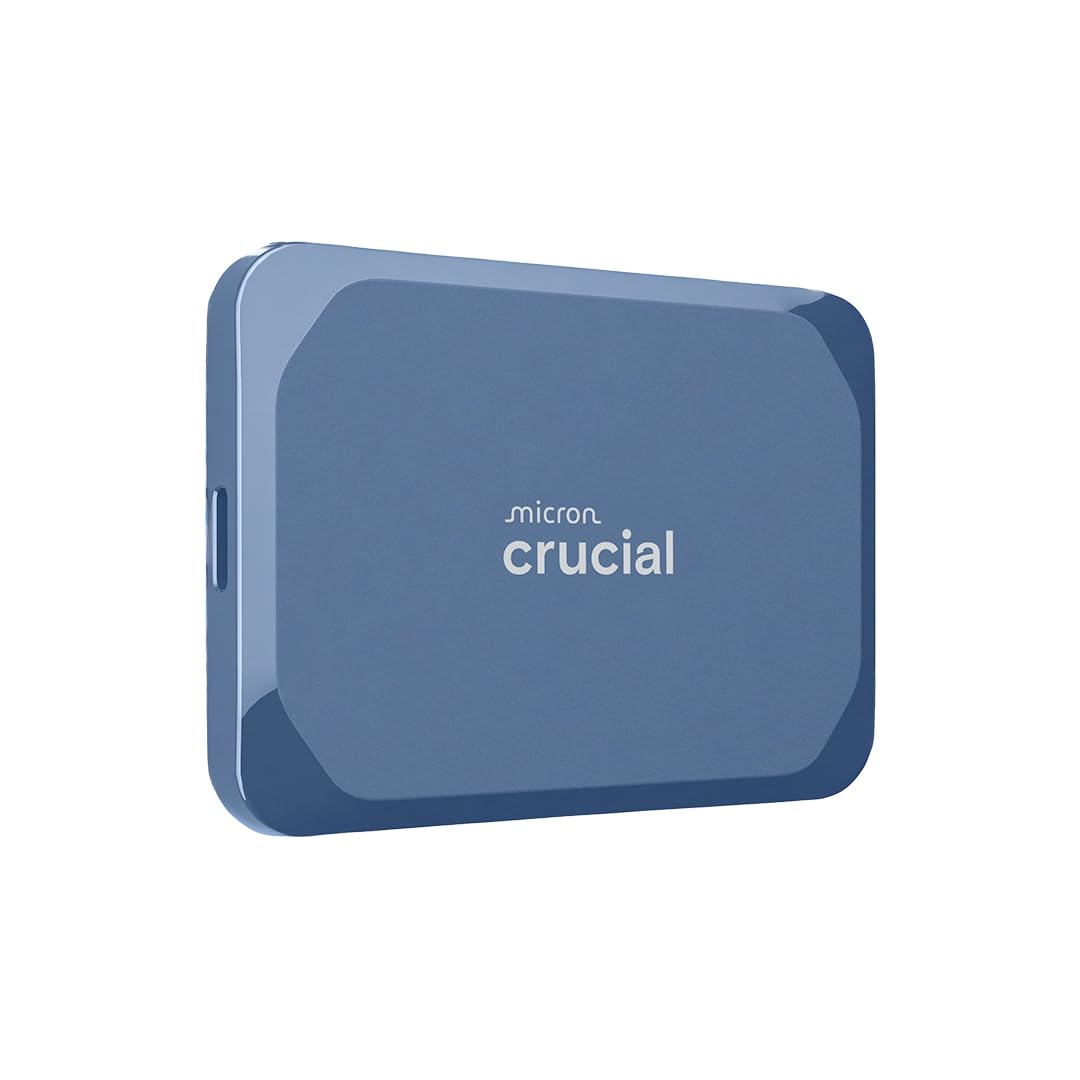
Crucial X10 8TB

Crucial X10 8TB

Massive capacity

Our Score 9.0/10
Check Price

Worth Noting

  • Intermittent disconnects can occur during use, requiring a cable swap or port change
Interface
USB 3.2 Gen 2x2
Durability
IP55, 2m drop
Read/Write Speed
2100 MB/s

The Crucial X10 8TB packs more storage into a pocketable footprint than any competing drive, delivering 2100MB/s reads over USB 3.2 Gen 2x2. Its aluminum body is smaller than most 2TB models, making it the lightest way to carry an entire media library without a bag.

This drive suits content creators handling large 4K/8K footage archives who prioritize capacity per cubic inch above all else. However, sustained write sessions push internal temperatures past 73°C, triggering throttling that drops speeds noticeably. The premium price also limits it to professionals with the budget to pay for unmatched density.

Tip: If disconnects happen, try a different USB-C cable or port; the drive is sensitive to connection quality.

Bottom line: If you absolutely need 8TB of portable storage that slips into a coin pocket, the X10 is unmatched — just keep sustained writes short and budget for the premium.

6

Crucial X9 2TB

Crucial X9 2TB

Daily use

Our Score 9.2/10
Check Price

Worth Noting

  • Occasional mounting issues or unresponsiveness can occur after extended use
  • Windows 11 and Xbox Series X compatibility can be inconsistent
Interface
USB 3.2 Gen 2
Durability
IP55, 2m drop
Read/Write Speed
1050 MB/s

This drive offers good portability and IP55 durability. It is small and light, fitting easily in a pocket. Speeds reach 1050MB/s over USB-C, suitable for daily backups and travel. The IP55 rating and 2m drop protection add some durability. However, some units develop mounting issues or become unresponsive within months. Additionally, compatibility gaps with Windows 11 and Xbox Series X have been noted. It is a decent option if you keep backups and do not need full system compatibility, but not a drive to trust with irreplaceable data.

Bottom line: A space-efficient portable SSD for everyday use if you maintain backups and avoid Windows 11 or Xbox. Not the right choice for primary data or full system compatibility.

7

WD My Passport 2TB

WD My Passport 2TB

Travelers

Our Score 9.0/10
Check Price

Worth Noting

  • Heats up during extended transfers, potentially throttling write speeds.
  • Unit-to-unit variability in long-term reliability; some may disconnect or become unreadable.
Interface
USB 3.2 Gen 2
Durability
Read/Write Speed
1050 MB/s

This drive’s claim to fame is its size and weight – at 2TB it’s barely bigger than a credit card and light enough to forget in a pocket. Ideal for travelers who need a second drive for non-critical files. But the compact design comes with thermal constraints: sustained writes generate enough heat to slow throughput. Additionally, some users have encountered disconnection issues or data access problems within the first few months of use. For critical backups or heavy daily transfers, more thermally stable alternatives like the Samsung T7 provide greater peace of mind.

Tip: Avoid sustained large-file transfers; let the drive rest between sessions to manage heat.

Bottom line: Best suited as a lightweight secondary drive for on-the-go file access, not for primary backups or heavy workloads.

8

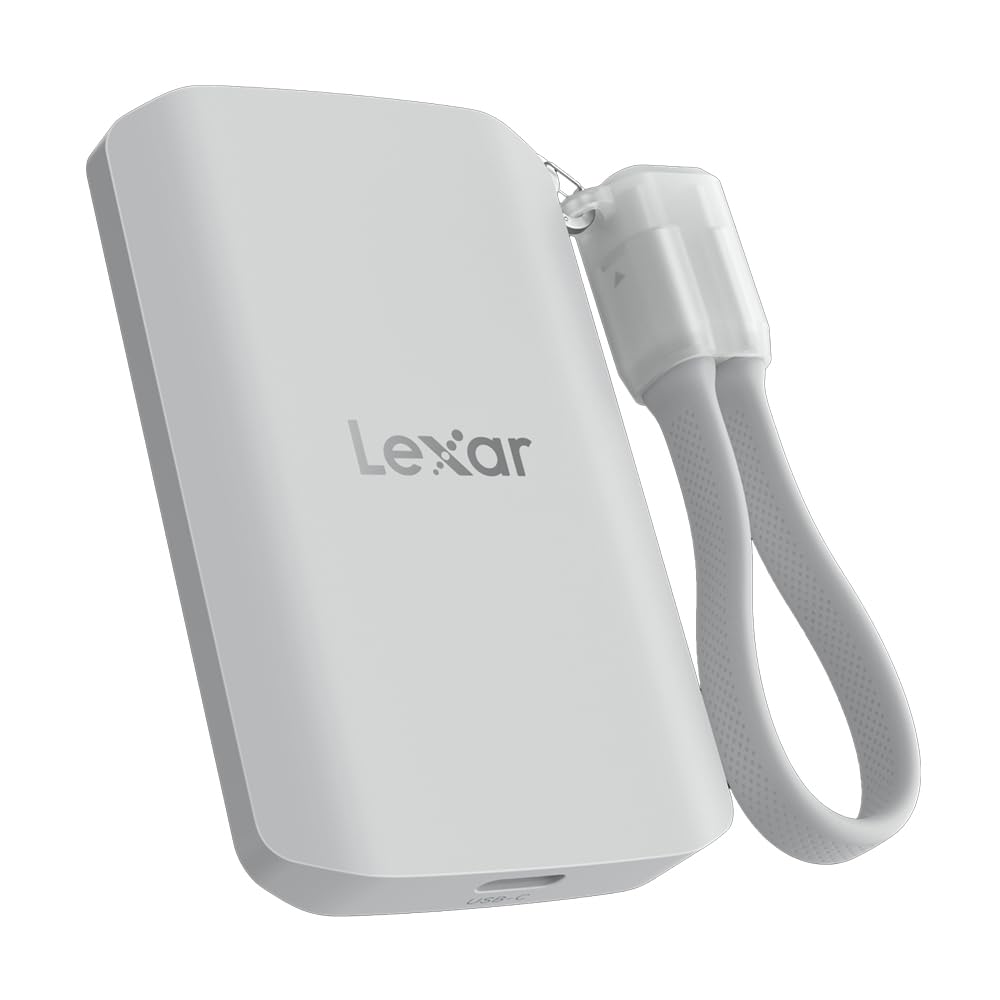
Lexar ES5 1TB

Lexar ES5 1TB

MagSafe users

Our Score 9.0/10
Check Price

Worth Noting

  • MagSafe feature adds cost without benefit for non-iPhone users; cheaper alternatives with similar speeds exist.
  • Requires a USB 3.2 Gen 2x2 port to reach full 2000 MB/s speed
Interface
USB 3.2 Gen 2x2
Durability
IP65, 3m drop
Read/Write Speed
2000 MB/s

The Lexar ES5 achieves 2000 MB/s on compatible USB 3.2 Gen 2x2 ports, but real-world transfers for large files typically land between 200-500 MB/s — sufficient for offloading ProRes video. Its MagSafe attachment keeps the drive flush against an iPhone, eliminating cable management during shooting. IP65 dust and water resistance plus 3-meter drop tolerance make it field-ready. The catch: with limited user feedback, the drive's long-term reliability under heavy use isn't established. For iPhone filmmakers who value magnetic convenience over a decade-long track record, the ES5 fits a narrow but real niche.

Bottom line: For iPhone filmmakers who need a MagSafe-attached drive for on-the-go ProRes recording, the ES5 is a practical option — provided you prioritize magnetic convenience over established longevity.

9

Lexar Professional Go 2TB

Lexar Professional Go 2TB

iPhone filmmakers

Our Score 8.8/10
Check Price

Worth Noting

  • Some units may stop being recognized after months of use
  • Priced at a premium over general-purpose SSDs with similar read speeds, making it a niche tool rather than an everyday drive.
Interface
USB 3.2 Gen 2
Durability
IP65, 1m drop
Read/Write Speed
1050 MB/s

The Lexar Professional Go is the smallest 2TB portable SSD we've tested, and it delivers consistent 1050MB/s reads that match iPhone ProRes recording requirements. Its IP65 rating and 1m drop protection add confidence for field use. However, for general file storage faster alternatives exist at lower prices, and some units have exhibited intermittent connectivity problems over time. This drive shines specifically as a dedicated companion for mobile filmmakers shooting directly to their iPhone; outside that role it faces stiff competition from more established options.

Bottom line: A focused tool for mobile filmmakers recording directly to an iPhone; not the best pick for everyday backup or general data transfer.

10

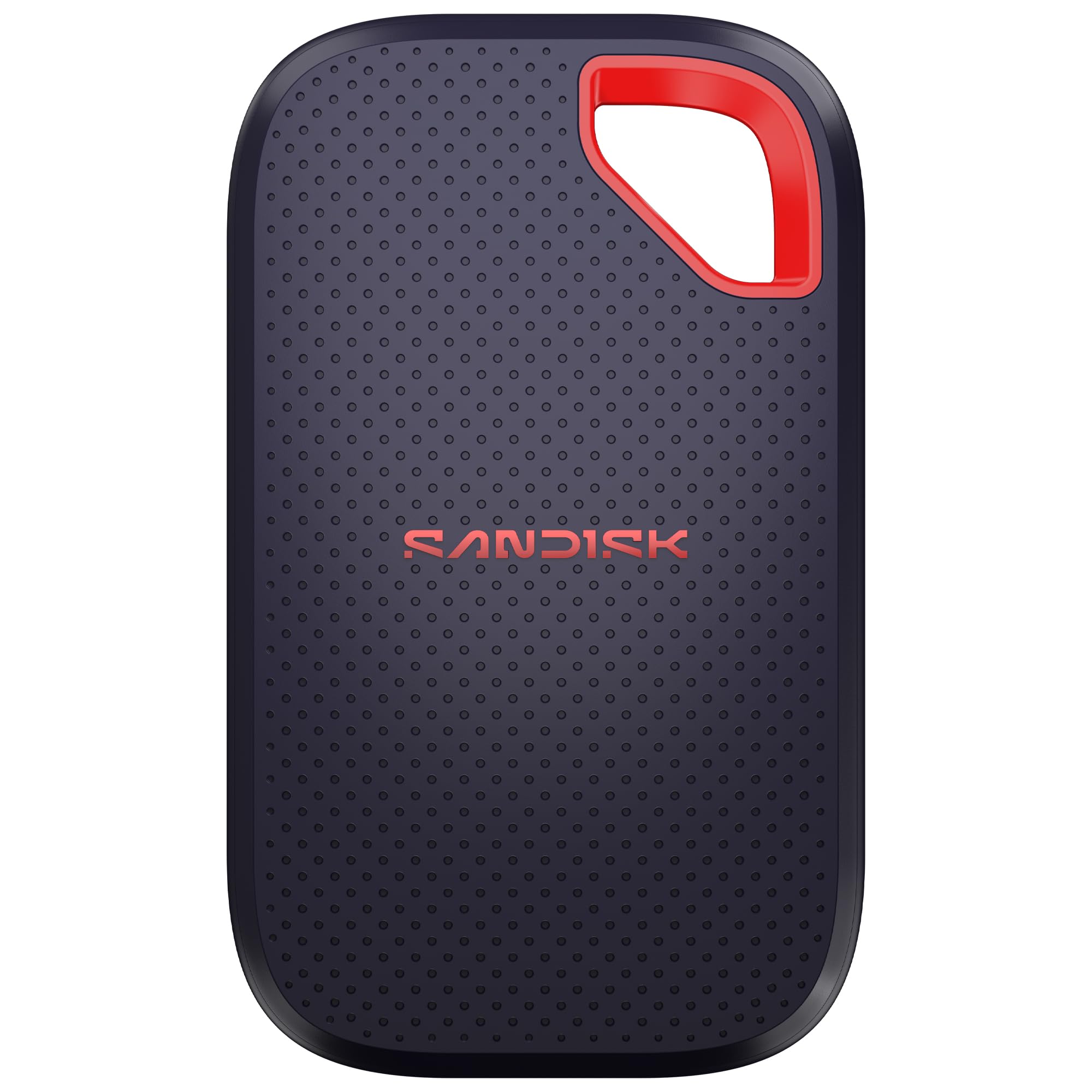
SanDisk Extreme 1TB

SanDisk Extreme 1TB

Early adopters

Our Score 9.0/10
Check Price

Worth Noting

  • Premium pricing compared to similarly specced drives
  • Endurance over years of use has not been confirmed, a concern for long-term storage
Interface
USB 3.2 Gen 2x2
Durability
IP65, 3m drop
Read/Write Speed
2000 MB/s

The SanDisk Extreme 1TB offers the fastest USB-C transfer speeds available (2000MB/s) in a compact, drop-resistant package (IP65, 3m drop). Early adopters report snappy file transfers and a sturdy build. However, this is a new model with limited field exposure; unlike the Samsung T7 with years of widespread use, its durability over time is not yet confirmed. The premium price further narrows its audience: only those who value the latest design and are willing to accept some uncertainty about long-term reliability should consider it. For everyday storage, the more established T7 provides comparable real-world speed with a consistent history.

Tip: To achieve the advertised 2000MB/s, connect to a USB 3.2 Gen 2x2 port; standard USB-C ports limit speed to around 1000MB/s.

Bottom line: Consider the SanDisk Extreme 1TB if you prioritize cutting-edge speed and design and are comfortable as an early adopter; otherwise, the Samsung T7 offers consistent, long-term performance at a lower price.

How to Choose

Read/Write Speed

The headline speed (1050MB/s vs 2000MB/s) only matters if your computer's USB port can deliver it. USB 3.2 Gen 2 maxes out at ~1000MB/s, while USB 3.2 Gen 2x2 and Thunderbolt 3/4 can push 2000MB/s or more. A faster drive plugged into a slower port still works, but you get the lower speed.

For general file backups, photo libraries, and game loading, 1000MB/s is more than enough. The extra speed helps only when moving large video files (e.g., 4K ProRes) or when editing directly off the drive. If you rarely transfer files over 10GB, the savings from a slower drive are better spent on capacity.

Interface

USB 3.2 Gen 2 (10Gbps) is the most common and compatible standard across PCs and Macs. USB 3.2 Gen 2x2 (20Gbps) is rarer and primarily found on newer Windows laptops. Thunderbolt 3/4 offers similar speed but uses a different connector and is more common on Macs.

The key trade-off: a Gen 2x2 drive is backward-compatible with Gen 2 ports, but at reduced speed. If you ever upgrade to a device that supports 2x2, you'll unlock the full speed. For most buyers today, a Gen 2 drive is the safer, cheaper bet.

Durability

Durability ratings like IP65 (dust-tight and water-jet protected) and drop resistance (2-3 meters) matter if you take the drive outdoors or toss it in a bag without a case. Rubberized casings absorb impact better than metal or plastic.

However, rugged drives are often bulkier and more expensive. If the drive stays on a desk or in a padded laptop sleeve, a non-rugged model saves money and weight. The trade-off is real: rugged protection adds $50-80 to the price.

Capacity per Dollar

Capacity per dollar varies widely. Budget drives like the Lexar ES3 offer 1TB for around $150, while premium models cost $200-250 for the same capacity. High-capacity drives (4TB, 8TB) have a higher per-terabyte cost because they use denser NAND and larger enclosures.

For most users, 1TB is the sweet spot for price and portability. If you need more than 2TB, consider a desktop external HDD for backup and a smaller portable SSD for active work. You'll save money and reduce risk of data loss from a single drive.

Thermal Management

Portable SSDs generate heat during sustained writes. Drives with metal enclosures or built-in heat sinks dissipate heat better, maintaining speed over long transfers. Plastic-cased drives can throttle after 20-30GB of continuous writing, slowing to HDD-like speeds.

If you regularly transfer large files (e.g., 50GB+ video projects), look for a drive with a metal body and positive user reports about sustained performance. For occasional backups, thermal throttling is rarely noticeable.

Frequently Asked Questions