Office Electronics

9 Best Macro Pad of 2026: Find the Right Balance of Keys and Software

Choose the best macro pad for streaming, gaming, or productivity — from budget LCD pads to premium Elgato models with deep plugin ecosystems.

Macro pads have become essential tools for streamers, video editors, and productivity users who want to offload repetitive shortcuts. But the category splits between one dominant player — Elgato — and a growing crowd of budget alternatives that offer similar hardware at half the price.

The trade-off isn't just cost. It's software polish, plugin depth, and long-term reliability. A cheap pad with 15 LCD keys looks great on paper, but if the software crashes mid-stream or lacks a critical plugin, the savings evaporate. Conversely, paying Elgato's premium makes sense only if you actually use the ecosystem.

This guide cuts through the confusion by matching specific use cases to the right pad — whether you need a few meeting shortcuts, a full OBS control deck, or a mechanical pad with hot-swappable switches for a custom typing feel.

1

Elgato Stream Deck MK.2

Top Pick
Elgato Stream Deck MK.2

Streamers, creators

Our Score 9.6/10
Check Price

Worth Noting

  • Priced higher than many Chinese alternatives with similar key counts
  • Software may crash or lose device connection during heavy customization
Key Type
LCD
Knobs / Dials
0
Software Plugins
Extensive plugins
Programmable Keys
15 LCD

Elgato's Stream Deck software remains the benchmark for macro pad customization, with hundreds of plugins covering OBS, Twitch, Spotify, Philips Hue, and countless other apps. The drag-and-drop interface makes assigning actions immediate, no scripting required. The 15 LCD keys offer a practical middle ground: enough for streaming scenes, editing shortcuts, and daily productivity without consuming desk space.

The MK.2's build is solid – the non-slip base keeps it in place during frantic streaming sessions, and the keys provide satisfying tactile feedback. The LCD screens are bright and clear, making it easy to read labels at a glance. USB-C connectivity ensures fast data transfer and a modern connection that stays secure.

This device suits streamers and creators who value deep software integration. Its plugin ecosystem covers OBS, Twitch, YouTube, and hundreds of other apps, reducing repetitive actions. The occasional software crash or device disconnection during heavy customization is a known edge case – it doesn't affect daily use but is worth noting for those planning complex multi-layer setups. For budget-conscious buyers or those needing more than 15 keys, the FIFINE D6 or Stream Deck XL offer alternatives.

Beyond streaming, the Stream Deck excels in productivity workflows. Assigning keyboard shortcuts, launching applications, controlling music playback, or even automating home lighting via Philips Hue becomes a one-tap affair. The software's folder system allows layering keys for essentially unlimited actions, making it a fit for video editors, audio engineers, and anyone managing many repetitive tasks.

Tip: Save your profile frequently when making extensive changes – a crash may undo unsaved work.

Bottom line: A practical mid-range pick for streamers and productivity users who want the largest plugin library and dependable hardware – the occasional software hiccup is a minor tradeoff for access to that ecosystem.

2

Elgato Stream Deck Mini

Elgato Stream Deck Mini

Compact shortcuts

Our Score 9.6/10
Check Price

Worth Noting

  • Limited to 6 keys, which may feel restrictive for complex workflows
  • Micro USB connection instead of USB-C (older, less convenient standard)
Key Type
LCD
Knobs / Dials
0
Software Plugins
Extensive plugins
Programmable Keys
6 LCD

The same drag-and-drop software and plugin library that powers larger Elgato models fits into this 6-key, budget-friendly form. Setup is instant — assign shortcuts for Zoom mute, OBS scene swaps, or Spotify playlists without digging through menus.

This is best for streamers with few scenes, work-from-home users who want quick meeting controls, or Elgato fans on a budget. The 6-key count will feel restrictive if your workflow involves multiple apps or layered shortcuts, and the micro USB connection is an older standard that some may prefer to avoid.

Despite the small key count, the plugin ecosystem remains the same as its larger siblings — integrations for OBS, Twitch, Office, Adobe, smart home, and more. The LCD keys are responsive and the software rarely stumbles during configuration.

Tip: If your workflow grows beyond 6 shortcuts, the 15-key Stream Deck MK.2 offers the same software with more room to expand.

Bottom line: A capable entry point for those who need only a handful of shortcuts and want Elgato's mature software ecosystem.

3

FIFINE D6

FIFINE D6

Budget streamers

Our Score 9.0/10
Check Price

Worth Noting

  • Limited software compatibility
  • Inconsistent button responsiveness
Key Type
LCD
Knobs / Dials
0
Software Plugins
OBS-focused
Programmable Keys
15 LCD

The FIFINE D6 packs 15 LCD keys into a compact desktop pad at roughly half the price of comparable Elgato models. Setup is quick with its proprietary software, and the buttons offer a tactile, responsive feel during use. This combination makes it a natural starting point for budget-conscious streamers who want many shortcuts without a steep investment.

This controller works best with OBS Studio, where its software integrates smoothly for scene switching and shortcut assignments. Streamlabs users will find the compatibility limited, so those on other platforms should verify support first. Some units have shown inconsistent button responsiveness, where a press may not register — something to consider if you need every action to execute on the first try.

This isn't a replacement for a Stream Deck — the software ecosystem is narrower and the hardware has a known variability in key registration. But for streamers starting out or working with a strict budget, the D6 offers 15 LCD keys at a price that is hard to beat.

Tip: Consider assigning less time-sensitive shortcuts to the D6, and save critical scene switches for a more consistent controller.

Bottom line: For OBS streamers on a tight budget who want 15 LCD keys without spending Elgato money, the D6 delivers solid value — just be aware that occasional missed presses may require repeating an action.

4

KEEBMONKEY Megalodon

KEEBMONKEY Megalodon

Keyboard enthusiasts

Our Score 8.4/10
Check Price

Worth Noting

  • Some units have been reported to develop malfunctions after weeks of use
Key Type
Mechanical (OLED)
Knobs / Dials
3 knobs
Software Plugins
VIA/QMK open
Programmable Keys
16 mechanical

The KEEBMONKEY Megalodon stands out with its aluminum alloy body, hot-swappable Gateron Yellow switches, and three clickable knobs. Full VIA/QMK support with onboard memory and multiple layers means you can assign complex key combinations and macros for different apps, then store them directly on the device.

This pad targets mechanical keyboard hobbyists and users who want complete control over every key and knob action. Photo and video editors will appreciate the smooth knobs for scrubbing timelines, but streamers expecting instant out-of-box setup should look elsewhere — VIA programming takes time to learn, and the OLED display is small and not essential for daily use.

Build quality feels premium for the mid-range price, with a satisfying mechanical key press and knobs that have just the right resistance. The hot-swap socket allows you to swap switches without soldering, letting you experiment with different tactile or linear feels.

Tip: Expect to spend time learning VIA software to program layers — the effort pays off for full control over every key and knob.

Bottom line: A strong pick if you value hot-swap flexibility and QMK-based control, but skip it for plug-and-play simplicity.

5

TourBox Lite

TourBox Lite

Creative professionals

Our Score 9.2/10
Check Price

Worth Noting

  • Wheel-and-knob layout offers no practical advantage for gaming or streaming setups that rely on multi-key macros.
  • macOS users may need to troubleshoot driver connectivity before the device is recognized.
Key Type
Membrane
Knobs / Dials
wheel + knob
Software Plugins
Adobe presets
Programmable Keys
8 + wheel + knob

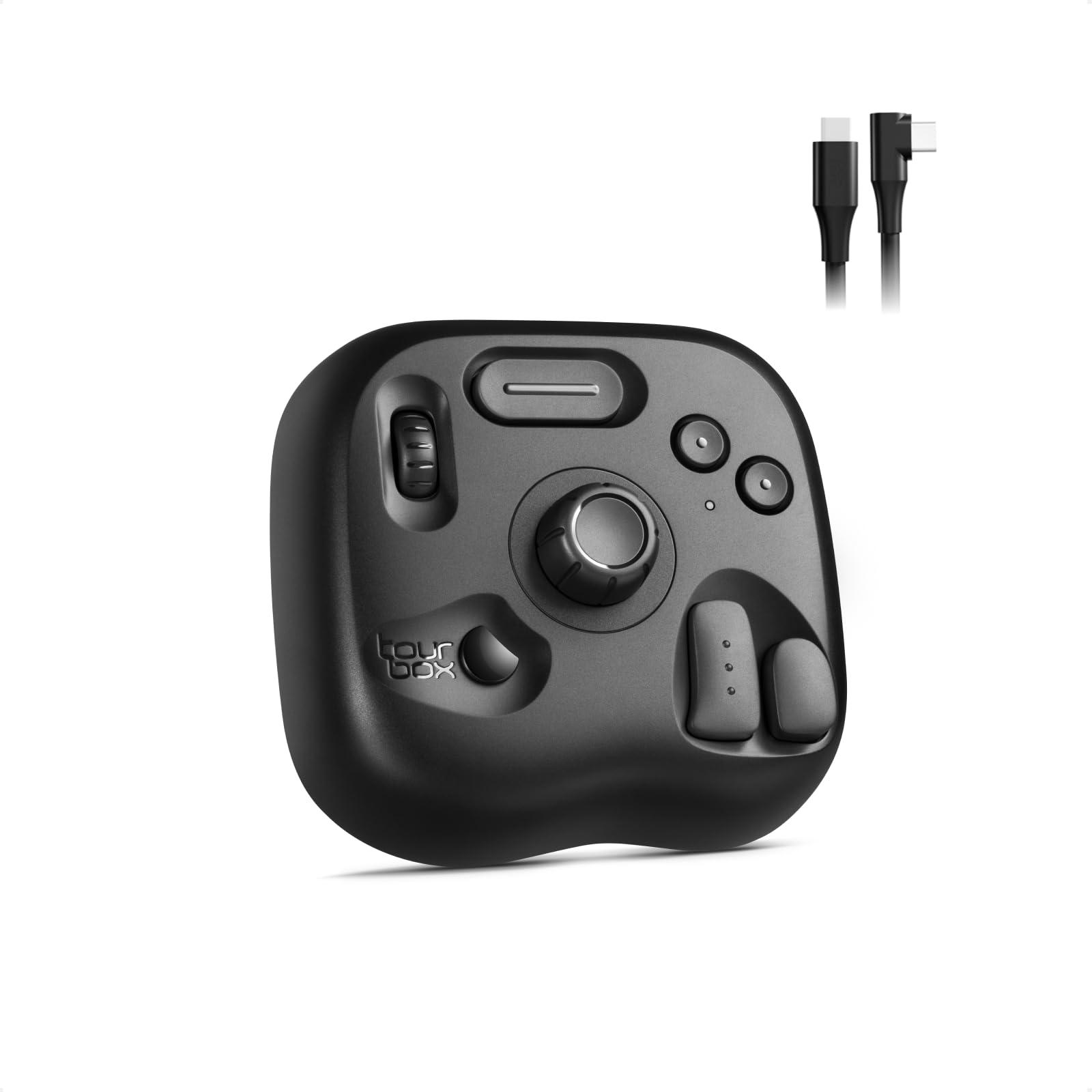
Unlike general-purpose macro pads that rely on LCD keys, the TourBox Lite uses a contoured hand rest, a scroll wheel, and a rotary knob — a layout derived from hand scans that reduces finger travel during repetitive editing tasks. The result is immediate gains in speed for brush size adjustments, timeline scrubbing, and layer navigation in Photoshop and Premiere.

This makes it a natural fit for digital artists and video editors who spend hours in Adobe Creative Cloud or DaVinci Resolve. The TourBox Console software detects apps automatically and applies relevant presets, so setup takes minutes. However, its specialized input method offers no practical advantage for gamers or streamers who need multi-key macros, and some macOS users have encountered driver-related connection issues that require troubleshooting.

The hand-scan-derived shape keeps the wrist in a neutral position during long sessions — a design choice that supports sustained use without fatigue. The physical wheel and knob provide tactile feedback that on-screen shortcuts cannot match, reinforcing the productivity lift for repetitive creative tasks.

Bottom line: If you live in Adobe or DaVinci and want hardware that fits your hand, the TourBox Lite accelerates editing without the complexity of a full macro pad.

6

VSDINSIDE VSD M18

VSDINSIDE VSD M18

Budget streamers

Our Score 8.8/10
Check Price

Worth Noting

  • Troubleshooting issues may take time due to slower customer support response times
  • Some features become available only after firmware updates, which can add setup time for users wanting full functionality out of the box
Key Type
LCD
Knobs / Dials
0
Software Plugins
Proprietary limited
Programmable Keys
18 (15 LCD + 3)

The VSDINSIDE VSD M18 offers 18 programmable keys (15 with LCD screens) for roughly half the price of the top-pick Elgato Stream Deck MK.2. Build quality holds up well at this price, with responsive buttons that have a satisfying click and a surrounding RGB light ring. The initial setup is intuitive, but some features require firmware updates to unlock fully, and customer support response times can be slow if you run into trouble.

This pad is a solid fit for budget-conscious streamers, gamers, and work-from-home users who want LCD key labels without spending $100+. It's also a good entry point for first-time macro pad buyers. However, if your workflow depends on extensive third-party app plugins (like Adobe Premiere or Discord), or you need a more compact footprint, the Elgato Mini or an alternative with a mature plugin ecosystem may serve you better. The VSD M18's dimensions (4.6 x 4.1 inches) are moderate, not ultra-compact.

Tip: Check for firmware updates immediately after unboxing to ensure all features are enabled; the update process is straightforward but requires a USB connection.

Bottom line: For streamers and shortcut users on a tight budget, this is the most cost-effective way to get LCD macro keys — just be prepared for occasional software tinkering and limited plugin support compared to the more expensive Elgato.

7

ActionRing N3

ActionRing N3

Audio control

Our Score 9.2/10
Check Price

Worth Noting

  • Only six LCD keys limit the number of shortcuts without frequent layer switching
  • Software can be resource-heavy and may cause occasional lag
Key Type
LCD
Knobs / Dials
3 dials
Software Plugins
60+ icon packs
Programmable Keys
6 LCD + 3 dials

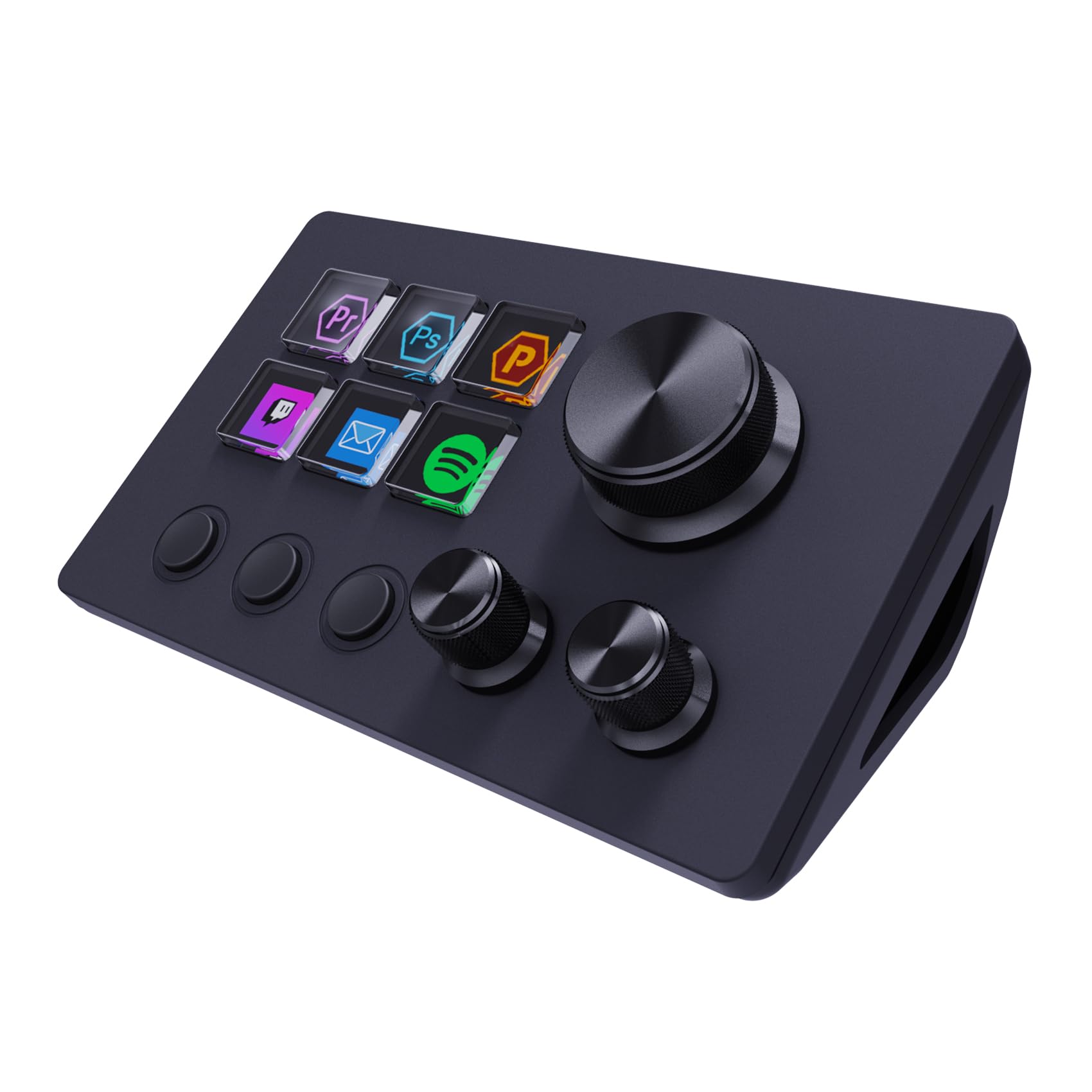
The ActionRing N3 hits a sweet spot for budget buyers who want physical dials to control audio or scroll through timelines — the three dials are responsive and complement the six LCD keys. Setup is straightforward, and the compact design fits neatly beside a laptop or monitor. However, the six-key limit means you will need to layer heavily for complex workflows, and the software can use more system resources than expected, occasionally causing lag. These constraints place it below more established options like the FIFINE D6, which offers 15 keys for a similar price with fewer software concerns.

Bottom line: Ideal for budget-minded streamers or creators who need physical dials for audio control and can adapt to a six-key layout, rather than those requiring many direct shortcuts.

8

VSDINSIDE N4 Pro

VSDINSIDE N4 Pro

Windows streamers

Our Score 8.8/10
Check Price

Worth Noting

  • Setting up the N4 Pro requires time and patience
  • The touch bar and some dial functions do not work on macOS, limiting utility for Mac users
Key Type
LCD
Knobs / Dials
4 knobs + touch
Software Plugins
500+ plugins
Programmable Keys
10 LCD + 4 knobs

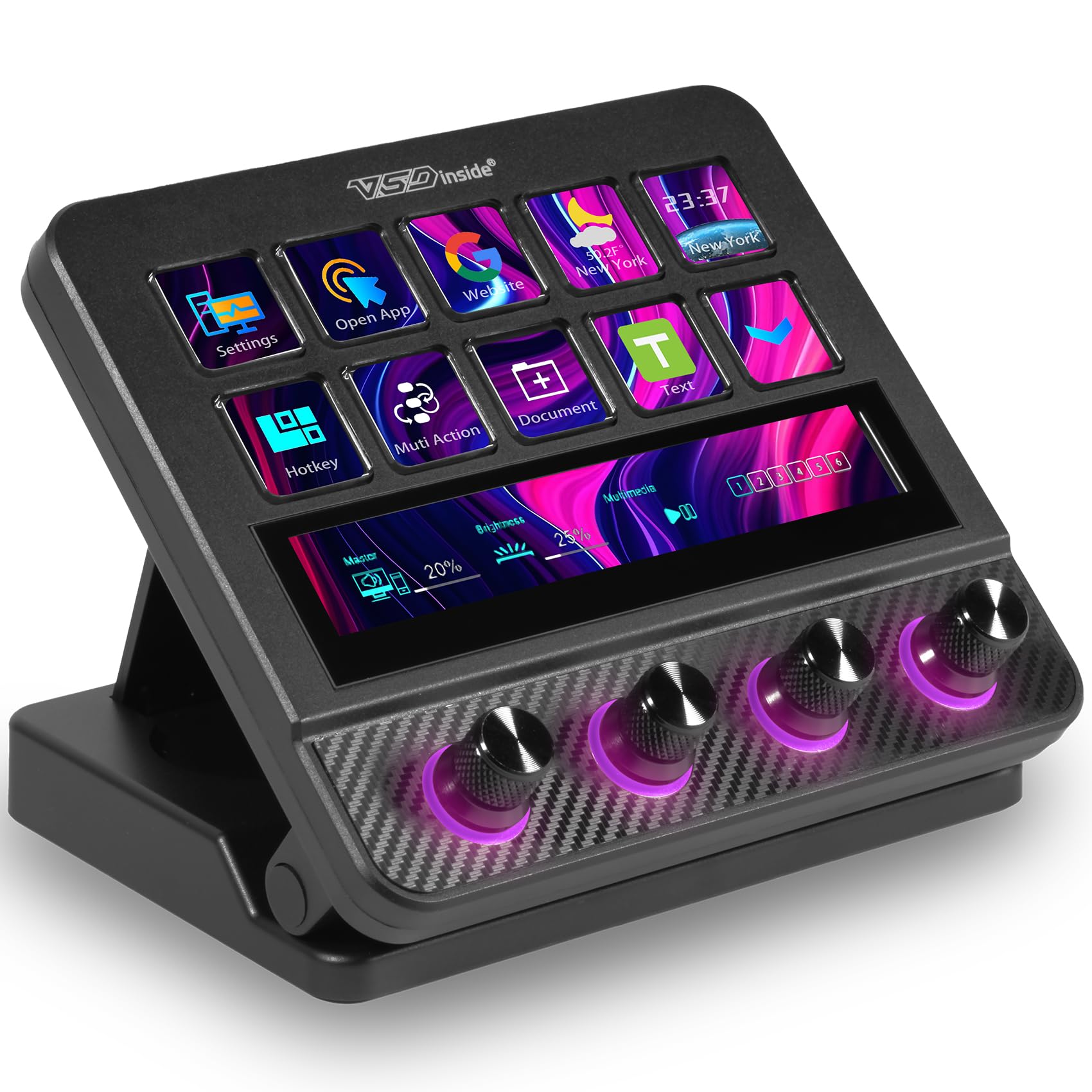
The VSDINSIDE N4 Pro delivers a physical control set that few competitors match: four knobs, a touch bar, and ten LCD keys with haptic feedback. Its software supports over 500 plugins, allowing deep customization for audio mixing and workflow shortcuts. However, the setup process demands patience from beginners, and the touch bar and dials lose functionality on macOS – this is a device for Windows users willing to invest time in configuration.

Bottom line: Best for Windows streamers who prioritize physical knobs and a premium feel over a large plugin library and simple setup.

9

BTXETUEL 4-Key

BTXETUEL 4-Key

Copy/paste tasks

Our Score 8.6/10
Check Price

Worth Noting

  • Some units have missing or non-functional RGB lighting.
  • Only 4 keys limits functionality to very basic shortcuts.
Key Type
Mechanical
Knobs / Dials
0
Software Plugins
Web-based config
Programmable Keys
4 mechanical

The BTXETUEL Mini 4-Key pad is built for one thing: speeding up copy/paste work. Its four mechanical keys come pre-loaded with Ctrl+A, X, C, V, and work right out of the box on Windows, Mac, and Linux. For anyone whose day involves endless clipboard actions, this is a cheap, portable way to avoid thumb fatigue. However, the four-key limit makes it impractical for general macro needs — streaming, gaming, or multi-application workflows are out of reach. Some units arrive with non-functional RGB lighting, and Mac compatibility has been inconsistent in some cases. This is a highly specialized tool, not a replacement for a full macro pad.

Bottom line: Best suited for office workers or data entry personnel who primarily need clipboard shortcuts and want the cheapest mechanical keypad available.

How to Choose

Programmable Key Count

More keys mean more shortcuts at your fingertips, but also a larger footprint and higher cost. A 6-key pad like the Elgato Mini fits beside a keyboard with room to spare, ideal for users who only need scene switching or mute toggles. 15 keys cover most streaming and productivity workflows without overwhelming the desk.

Beyond 15 keys, the marginal utility drops for most people. The 32-key Elgato XL is useful only if you run multiple apps simultaneously or have complex scene setups. Choose the smallest number that covers your daily actions — you can always add folders or pages in software.

LCD Visual vs Mechanical

LCD keys display dynamic icons or text, letting you identify actions at a glance without memorizing layouts. This is critical for streaming where you switch scenes quickly. The trade-off is that LCD pads rely on software to update the display — if the software crashes, you lose visual feedback.

Mechanical pads (like the KEEBMONKEY Megalodon) use physical switches with no labels, but offer superior tactile feel and hot-swap options. They're better for users who want a custom typing experience and don't need visual cues. Some mechanical pads include a small OLED screen for basic info.

Knobs and Dials

Physical knobs provide analog control for volume, scrubbing timelines, or adjusting brush sizes — actions that are awkward with buttons. A pad with three dials can handle audio mixing in OBS while leaving keys for scene switching.

The catch: not all software supports knobs equally. On macOS, some dials on budget pads may be non-functional or require manual mapping. If you need reliable knob control, test compatibility first, or stick with Elgato's ecosystem.

Software and Plugins

The software ecosystem is the hidden differentiator. Elgato's Stream Deck app supports hundreds of plugins for OBS, Twitch, Spotify, Philips Hue, and Zoom — drag-and-drop actions that work out of the box. Budget alternatives (FIFINE, VSDINSIDE) have proprietary software with limited plugins, often requiring manual configuration.

A pad is only as good as its software. If you rely on a specific app like Streamlabs or DaVinci Resolve, verify plugin support before buying. Some budget pads work well with OBS Studio but fail with Streamlabs. Open-source VIA/QMK pads (like KEEBMONKEY) offer flexibility but require learning curve to set up layers and macros.

Switch Type and Hot-Swap

Mechanical switches provide tactile or linear feedback that can reduce fatigue during long sessions. Hot-swappable sockets let you change switches without soldering, so you can experiment with different feels (clicky, linear, silent) over time.

This matters most for users who type or press keys frequently — gamers and editors. A hot-swap pad costs more but extends the device's lifespan. For streamers who rarely press keys, membrane or scissor-switch pads are sufficient and quieter.

Frequently Asked Questions