Office Electronics

9 Best Ereader of 2026: The Right Screen, Battery, and Ecosystem for You

Which e-reader delivers the sharpest text, longest battery, and most flexible library borrowing? This guide sorts the options.

Most readers assume any e-reader will do the job, but subtle differences in screen quality, waterproofing, and light temperature can change your daily reading experience.

Color e-ink looks noticeably darker than black-and-white, and the entry-level Kindle misses warm light entirely. These aren't dealbreakers, but they matter more after a few months of use.

The right e-reader matches how you actually read: by the pool, in bed, or commuting. This guide focuses on the specs that drive real satisfaction.

1

Kindle Paperwhite 16GB

Top Pick

Kindle Paperwhite 16GB

Avid readers

Our Score 9.2/10
Check Price

Worth Noting

  • Power button on the bottom edge may be pressed accidentally when gripping the device there.
  • A minority of units may have a slight yellow tint or uneven lighting along the screen edge.
Light
Warm/cool
Screen
7-inch, 300 PPI
Battery
Up to 12 weeks
Ecosystem
Kindle

The 7-inch glare-free display delivers sharp, crisp text that reads like paper, and the faster processor makes page turns nearly instant. Upgraded internals mean menus and library navigation feel responsive without lag, a clear step up from earlier Paperwhite models.

Battery life stretches for weeks under normal use, and the lightweight design lets you hold it comfortably for hours with one hand. The power button sits on the bottom edge, which can be pressed accidentally depending on grip — a usability tradeoff rather than a flaw. Most users find it easy to adapt with a case or slight adjustment.

This Kindle suits avid readers who want a no-compromise device: waterproof for pool or bath, warm light for night reading without eye strain, and a screen that stays readable in direct sunlight. If you need a color display or are on a strict budget, the Basic Kindle or a color e-reader may be better alternatives. A small percentage of units may show a slight yellow tint or uneven lighting at the edges, a quality-control variance worth checking upon arrival.

Tip: If you hold the device by the bottom edge, a slim case or adjusted grip can prevent accidental power-button presses.

Bottom line: For dedicated readers who want waterproofing, warm light, and a sharp, fast screen without compromises, this Kindle Paperwhite delivers everything that matters.

2

Kindle 16GB

Kindle 16GB

Budget readers

Our Score 9.2/10
Check Price

Worth Noting

  • Screen refresh can leave residual ghosting between page turns, though it clears after a full refresh.
  • For night reading, the cool-only front light can be harsh on the eyes compared to models with warm light adjustment.
  • Near water, the Kindle is not protected
Light
Cool only
Screen
6-inch, 300 PPI
Battery
Up to 6 weeks
Ecosystem
Kindle

Weighing just 158 grams, the Kindle 16GB is the lightest e-reader in Amazon's lineup, with a 6-inch 300 PPI e-ink display that delivers sharp text. Page turns are noticeably faster than previous entry-level models, and the compact form factor slides easily into small bags.

This is the right device for readers who want a basic, affordable Kindle for daytime reading on the go. It lacks the warm light and waterproofing that make the Paperwhite better suited for night readers or poolside use. The cool-only front light is adequate in bright conditions but can feel harsh in dark rooms, and there is no auto-brightness adjustment.

Amazon's vast ebook library and WhisperSync support are fully intact, and the 16 GB storage holds thousands of titles. The trade-offs are clear: you sacrifice premium features for the lightest possible carry and the lowest price in the current Kindle family.

Bottom line: For readers who prioritize weight and price above all else, the Kindle 16GB is the right call. If you need waterproofing or warm light, step up to the Paperwhite.

3

Kobo Clara BW

Kobo Clara BW

Library users

Our Score 8.8/10
Check Price

Worth Noting

  • When side-loading EPUBs or PDFs from non-Kobo sources, the device may experience database errors or freezes.
Light
Warm/cool
Screen
6-inch, 300 PPI
Battery
Up to 2 weeks
Ecosystem
Kobo

The Kobo Clara BW’s 6-inch Carta 1300 display produces sharp, high-contrast text, aided by the ComfortLight PRO that shifts from cool to warm tones to reduce eye strain. It’s also waterproof (IPX8) and includes a dark mode option — a solid feature set for a mid-range eReader. The standout differentiator is the built-in OverDrive support: borrow library books directly from the device, no extra app needed.

This eReader suits library patrons who value easy access to digital collections without being tied to Amazon. However, its smaller user base means less community support and troubleshooting resources. While store-bought and library books run smoothly, side-loading content from other sources can occasionally cause database errors or freezes — a limitation to consider for those who transfer files from non-Kobo retailers or personal archives.

Weighing 175 grams, the Clara BW is noticeably lighter than the Paperwhite, making it comfortable for extended one-handed reading. Its 16GB storage holds thousands of books, and the battery typically lasts up to two weeks under moderate use.

Tip: For a smooth experience with personal files, test a few EPUBs before committing your full library.

Bottom line: If you borrow most of your ebooks from libraries and prefer an open ecosystem, the Clara BW is the most direct route — just be aware of occasional side-loading quirks.

4

Kobo Libra Colour

Kobo Libra Colour

Comic readers

Our Score 9.0/10
Check Price

Worth Noting

  • Occasional software freezes or update loops can interrupt reading sessions
  • In a well-lit room, the color screen appears darker and less sharp than black-and-white e-readers
Light
Warm/cool
Screen
7-inch color, 300/150 PPI
Battery
Up to 4 weeks
Ecosystem
Kobo

The Kobo Libra Colour combines a 7-inch color E Ink display with physical page-turn buttons and active stylus support – a feature set unique among mainstream e-readers. Its open ecosystem integrates OverDrive, Google Drive, and Dropbox for seamless library borrowing and file transfer, giving you more control over your reading content than Kindle's walled garden.

Comic readers, note-takers, and Kobo ecosystem fans will find the color display and open library integration appealing. The physical buttons make one-handed reading comfortable, and stylus support adds note-taking flexibility. However, the color Kaleido 3 screen is noticeably darker and less sharp than a black-and-white e-reader, and occasional software freezes have been reported – so if your primary use is text-only novels, a dedicated monochrome device will deliver better clarity and fewer distractions.

In practice, the color screen makes magazine layouts and comic panels look vibrant, but the darker background requires more front light than a standard e-reader. The software freezes, while not constant, can interrupt reading – though many users find the tradeoff acceptable for the added color capability.

Tip: Crank up the front light to compensate for the darker screen – still not as crisp as a monochrome e-reader for text.

Bottom line: If you read comics or take color notes and prefer an open ecosystem with physical buttons, the Libra Colour is a strong contender. For pure text reading, a black-and-white e-reader offers better clarity.

5

Ocean 7" eReader

Ocean 7" eReader

Button lovers

Our Score 9.0/10
Check Price

Worth Noting

  • Battery endurance can vary between individual units
  • Note-taking implementation feels sluggish for frequent writing
Light
Screen
7-inch, 300 PPI
Battery
Ecosystem
Android

The Ocean 7" eReader sets itself apart with tactile page-turn buttons and an open Android platform, delivering snappy performance and a premium build. The 300 PPI e-ink screen is crisp for reading, and the 64GB storage comfortably holds large comic libraries and PDF collections.

This device suits users who want the flexibility of Android with physical buttons for one-handed reading. Battery life can vary between units, making it less ideal for extended travel without access to charging. Long-term durability under heavy use is a known vulnerability, so early adopters should treat it as a capable but unproven option over time.

The note-taking feature is present but limited — it handles basic annotations, though those expecting a fluid writing experience may find the implementation sluggish. For reading and occasional markup, it does the job.

Tip: The note-taking feature relies on an optional stylus (not included) and is best for occasional annotations, not extended writing sessions.

Bottom line: A button-driven Android e-reader with ample storage for media-heavy readers who can tolerate battery inconsistency and skip heavy note-taking.

6

VIWOODS AiPaper Reader

VIWOODS AiPaper Reader

Tech enthusiasts

Our Score 8.6/10
Check Price

Worth Noting

  • Software can exhibit lag and ghosting, requiring manual screen refreshes
  • Battery life may be shorter than typical e-readers for some usage patterns
Light
Adjustable front light
Screen
6.13-inch, 300 PPI
Battery
Ecosystem
Android

The Viwoods AiPaper stands out for its 4G connectivity, allowing book downloads and syncing without Wi-Fi, and its open Android system that runs Kindle, Libby, Kobo, and other apps natively. The 300 PPI Carta 1300 display delivers sharp, paper-like text, and the device itself is impressively light and thin. However, the software is not as polished as dedicated e-readers - occasional lag and ghosting require manual refreshes, and battery life can be inconsistent. Long-term durability is unverified given the limited number of units in circulation, making this a niche option for users who prioritize app flexibility and 4G over a seamless, worry-free reading experience.

Tip: Manually refreshing the screen after page turns reduces ghosting - the device includes a dedicated refresh button for this.

Bottom line: Best suited for readers who need 4G access away from home and want to use multiple app stores, provided they are comfortable with occasional software quirks and an unproven track record.

7

Kobo Clara Colour

Kobo Clara Colour

Budget color

Our Score 8.8/10
Check Price

Worth Noting

  • Screen contrast is low and appearance can be grainy, making text less crisp than black-and-white models.
  • Performance can be sluggish, with occasional freezes during navigation.
Light
Warm/cool
Screen
6-inch color, 300/150 PPI
Battery
Up to 2 weeks
Ecosystem
Kobo

For buyers who prioritize color above all else and have a strict budget, the Kobo Clara Colour offers a 6-inch color display at an entry-level price. Its compact size and decent battery life are practical for light use. However, the color e-ink screen suffers from reduced contrast and a grainy appearance, and the device can feel sluggish with occasional unresponsiveness – issues that make it a better fit for browsing book covers than for immersive reading.

Bottom line: Best suited for readers who want a splash of color on a tight budget and can tolerate lower contrast and slower performance – for all else, consider a monochrome model.

8

Paperwhite Sig Ed 32GB

Paperwhite Sig Ed 32GB

Tech enthusiasts

Our Score 9.4/10
Check Price

Worth Noting

  • Power button on the bottom edge may be pressed accidentally when holding the device
  • Some units can experience freezes, glitches, or dead pixels
Light
Warm/cool
Screen
7-inch, 300 PPI
Battery
Up to 12 weeks
Ecosystem
Kindle

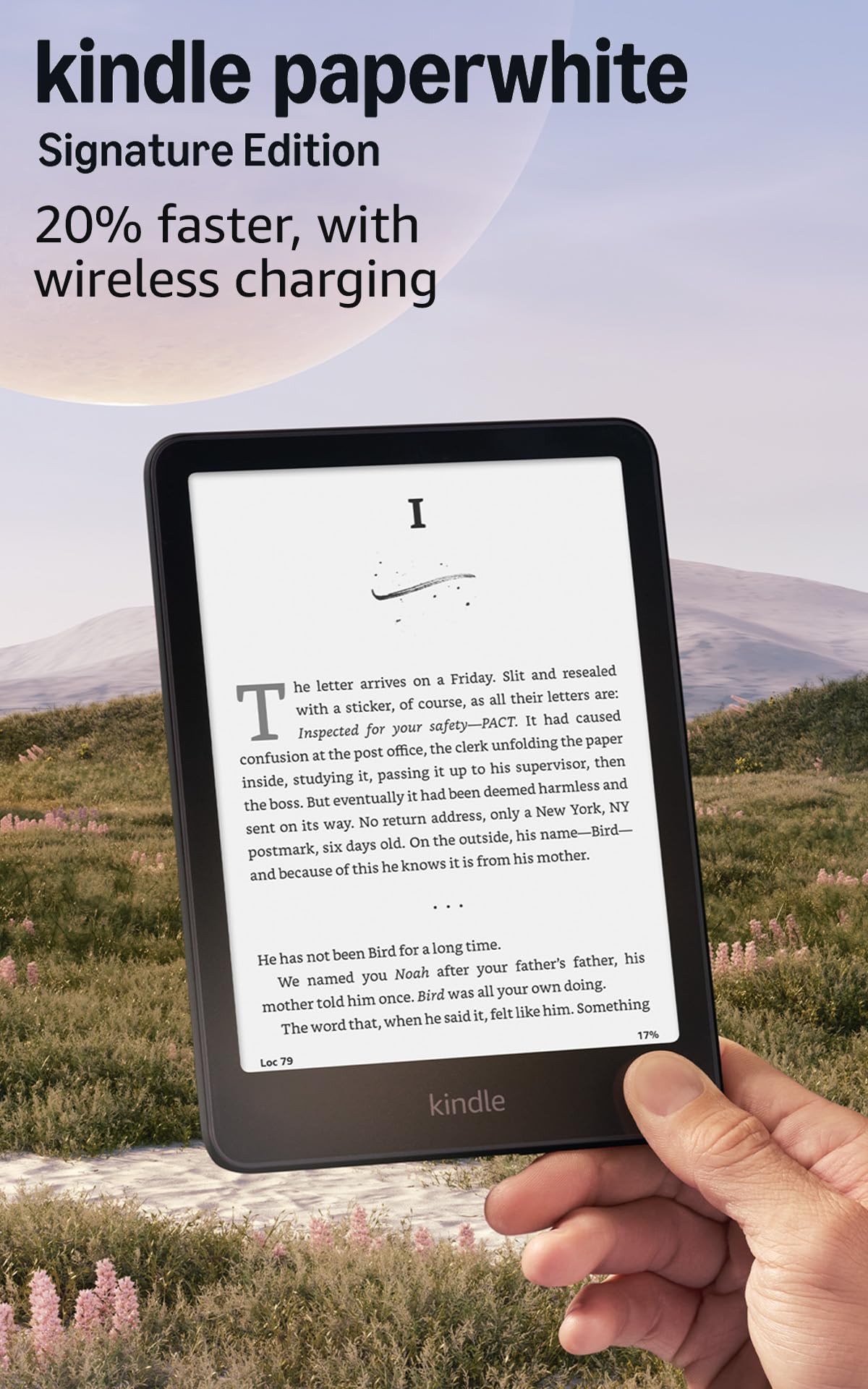
The Kindle Paperwhite Signature Edition adds wireless charging, an auto-adjusting front light, and 32GB of storage — features that appeal to those who want the latest convenience. However, Amazon's standard Paperwhite covers the same reading experience with fewer reliability concerns, making the Signature Edition a secondary choice. Some units have been noted to experience freezes or dead pixels, and the power button placement on the bottom edge can be accidentally pressed. This is best for readers who value the extra storage and wireless charging enough to accept occasional unit variances.

Bottom line: This model fits readers who prioritize wireless charging and extra storage and are willing to accept the possibility of occasional glitches — otherwise, the standard Paperwhite offers fewer concerns.

9

Kindle Colorsoft 16GB

Kindle Colorsoft 16GB

Color fans

Our Score 9.0/10
Check Price

Worth Noting

  • In a well-lit room, the color screen will look muted compared to a tablet
  • Battery life is about 8 weeks, less than the 12 weeks of the Paperwhite, which may require more frequent charging on extended trips
Light
Warm/cool
Screen
7-inch color, 300/150 PPI
Battery
Up to 8 weeks
Ecosystem
Kindle

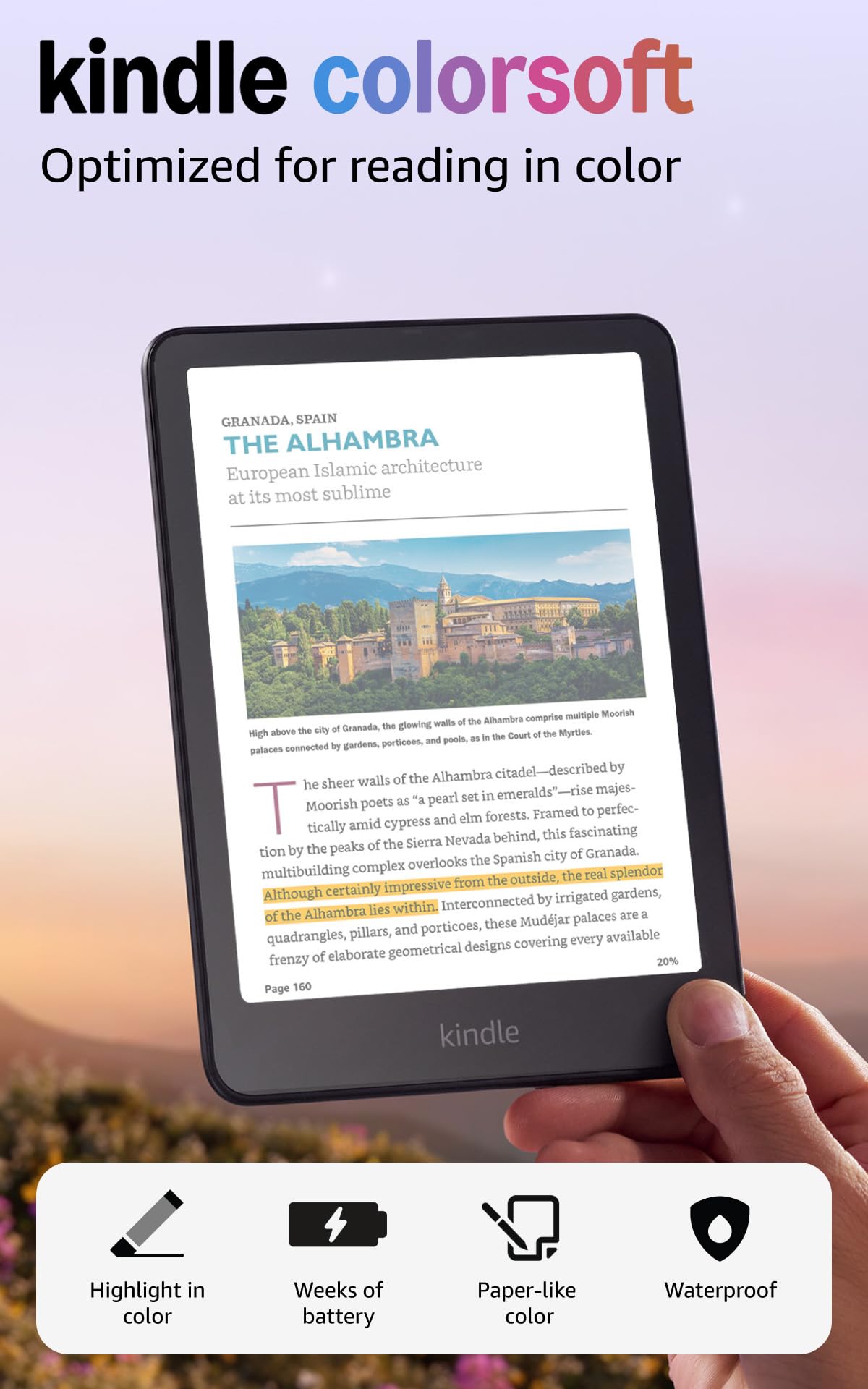
The Color osf brings color to covers and highlighting, keeping the same waterproof build and Kindle interface you know. The display is intentionally muted compared to a tablet — acceptable if you value e-ink readability over vibrancy. Battery life runs up to 8 weeks, which is shorter than the Paperwhite, and occasional software glitches have been noted. This is a first-generation color e-reader with compromises that suit Kindle fans who prioritize color accents over battery longevity or vivid screen quality.

Bottom line: Fits best for Kindle devotees who want color accents on covers and highlights, and who accept a shorter battery and muted display over a tablet-like experience.

How to Choose

Screen Size and Resolution

Screen size affects portability and reading comfort. Six-inch models slip into a coat pocket easily, while 7-inch ones offer more text per page and better handling of PDFs.

All modern e-readers hit 300 PPI for crisp text, but color e-ink screens drop to 150 PPI when displaying color, making text less sharp. If you read mostly novels, a black-and-white screen delivers the sharpest experience.

Waterproof Rating

Waterproofing (IPX8) means the device can survive submersion in up to 2 meters of water for 60 minutes. This isn't just for poolside reading – it adds everyday durability against rain, spills, and bathroom steam.

Budget models skip this feature entirely. If you read near water or want peace of mind, the $20-30 premium for a waterproof model is well worth it.

Battery Life

Advertised battery life (e.g., 'up to 12 weeks') is based on daily reading of 30 minutes with Wi-Fi off and light at minimum. Real-world usage with warm light, frequent page turns, and occasional Wi-Fi syncing cuts that roughly in half.

Color e-readers and Android-based devices consume more power, often delivering 2-4 weeks instead of 6-12. If you travel for months without charging, stick with a monochrome Kindle or Kobo.

Front Light Adjustability

A front light with warmth adjustment lets you shift from cool blue light (good for daytime) to warm amber (easier on eyes at night). Basic models offer only a cool white front light, which can feel harsh in dark rooms.

The hidden trade-off: warm light reduces perceived brightness, so you may need to increase intensity. But the sleep benefits are well-documented – it's a feature many buyers only realize they need after a few late-night reading sessions.

Ecosystem

Amazon's Kindle store has the largest selection and features like Kindle Unlimited, but it's a closed system. Kobo offers direct OverDrive/Libby integration for library borrowing, and Android e-readers let you install any reading app (Kindle, Libby, Kobo, etc.).

The trade-off: Kindle's ecosystem is polished and vast, but you're locked in. Kobo and Android devices give you more freedom at the cost of a smaller store and sometimes less refined software.

Frequently Asked Questions