Office Electronics

9 Best Document Camera of 2026: Find the Right Balance of Performance and Price

Avoid the frustration of constant refocusing and upside-down images. Find the document camera that fits your classroom and your budget.

A document camera should make your live demos effortless. In practice, many models introduce a new frustration: constant refocusing every time you shift a worksheet. That interrupts the flow and wastes class time. The real challenge is finding a camera that balances image quality with reliable focusing.

Beyond autofocus, factors like capture area, built-in lighting, and plug-and-play compatibility separate the daily drivers from the occasional disappointments. Most educators find the $70 to $100 range delivers the best combination of Sony sensor performance and build quality. This guide breaks down the key specs and trade-offs so you can match the camera to your specific teaching style.

1

IPEVO V4K 8MP

Top Pick
IPEVO V4K 8MP

Dependable all-rounder

Our Score 9.0/10
Check Price

Worth Noting

  • Companion software can be buggy or require manual installation and troubleshooting
Sensor
Sony CMOS
Autofocus
Yes
Resolution
8MP 3264x2448
Built-in Mic
No

Plug-and-play setup across Mac, Windows, and Chromebook in seconds, with no driver hunting. The 8MP Sony sensor delivers crisp, color-accurate text and fine detail that makes documents and diagrams easy to read without squinting.

The multi-jointed stand stays put during active demonstrations, and the weighted base resists tipping. Build quality feels solid enough for daily classroom shuffling between desks and storage shelves.

This is for teachers who need a dependable daily driver for live in-class demos and remote lessons. It lacks wireless connectivity and a built-in light, so it suits desk-based setups with consistent room lighting. Autofocus can occasionally hunt when switching materials, requiring a quick press of the refocus button — a minor interruption in an otherwise smooth workflow.

Bottom line: The IPEVO V4K is the safest buy for educators who need consistent document camera performance without fuss — its occasional autofocus hiccup is a minor tradeoff in an otherwise capable package.
2

OKIOCAM S-4K

OKIOCAM S-4K

Mobile teachers

Our Score 9.0/10
Check Price

Worth Noting

  • Capture area limited to U.S. Letter in landscape - cannot show A3 documents or large objects.
  • No built-in light or microphone - needs external lighting and separate mic for best results.
  • Image quality degrades in low light, with visible noise visible in dim environments.
Sensor
Sony Exmor R CMOS
Autofocus
Yes (four button)
Resolution
8MP 3264x2448
Built-in Mic
No

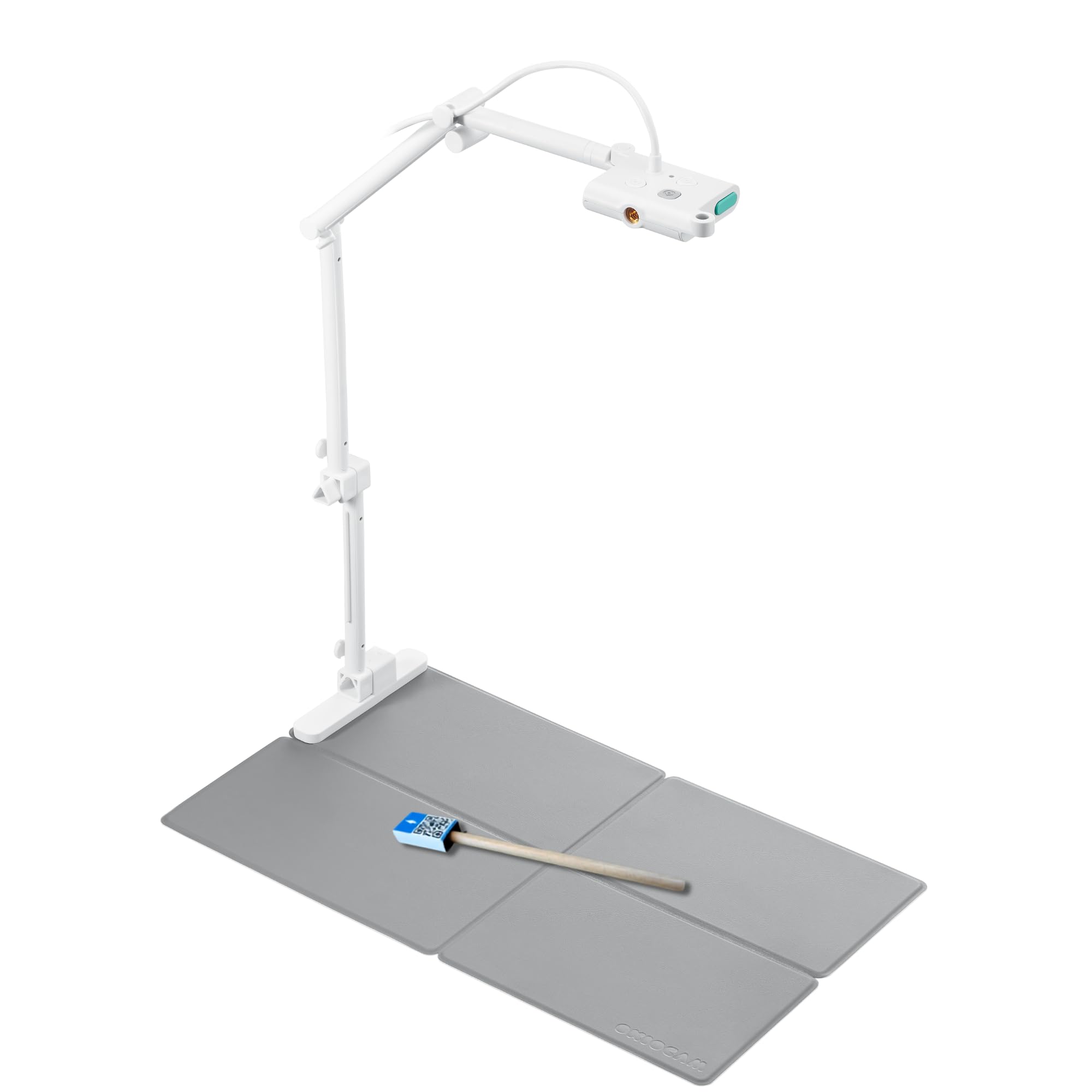
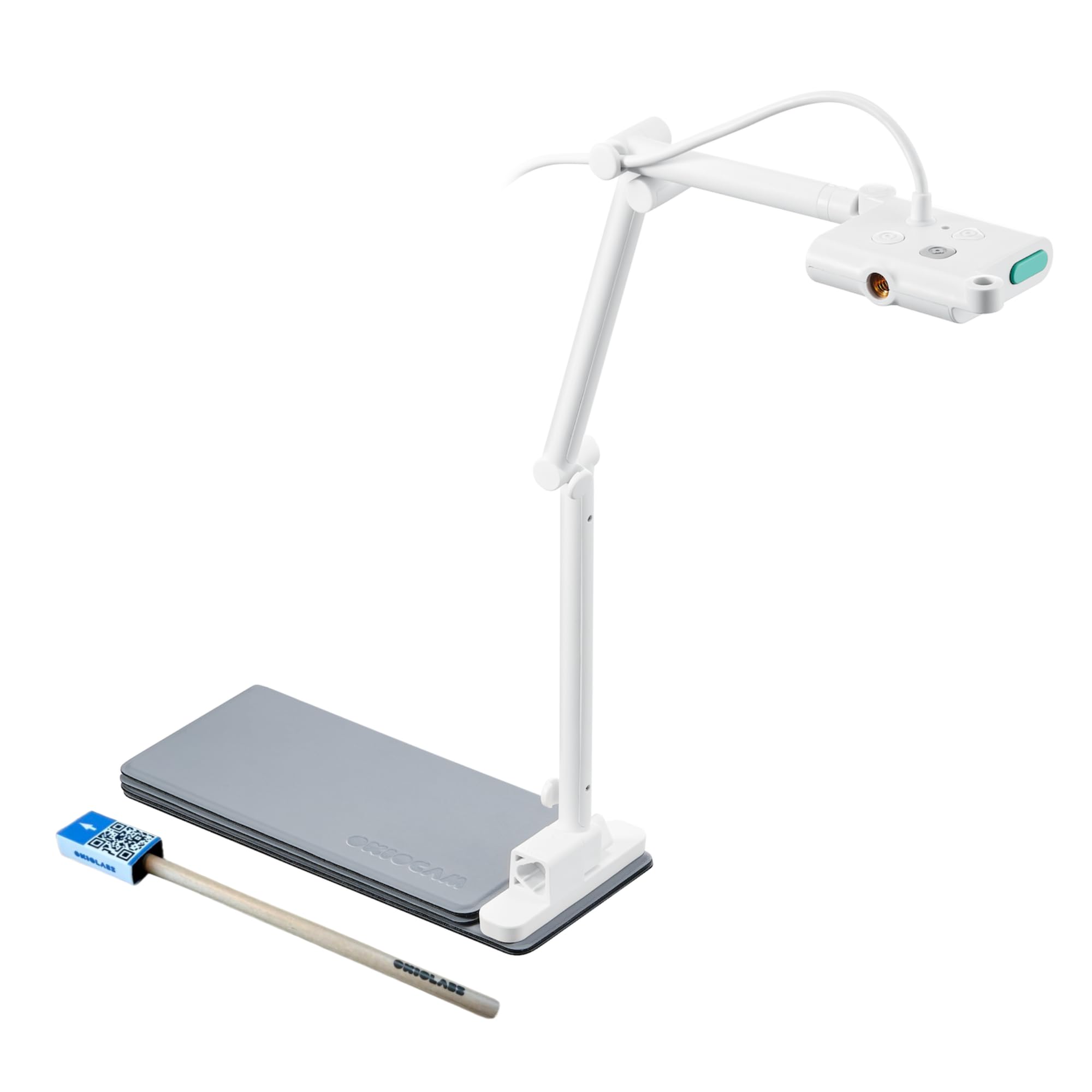
The OKIOCAM S-4K packs a full 8MP Sony sensor into a body that folds smaller than a typical novel - at 269 grams, it is the most portable document camera available. While the IPEVO V4K is the established all-rounder for a fixed desk, the S-4K suits teachers who move between classrooms or work from home. Its foldable arm and compact footprint make it easy to toss into a bag without fuss.

This camera works best for educators who already have good lighting and a separate microphone. Setup is plug-and-play across PC, Mac, and Chromebook - no drivers needed. The tradeoff: capture area maxes at U.S. Letter in landscape, so large textbooks or A3 documents require repositioning. Without a built-in light, low-light performance suffers - noise becomes visible in dim environments. For those who control lighting, this is manageable; poorly lit rooms call for another option.

The AI-powered OKIOPoint pointer is a genuine convenience for live presentations, letting you highlight without a laser pointer or physical pointer. Autofocus works well for most flat documents, and the build quality is solid for the mid-range price. At this price point, the S-4K offers strong value for its core feature: extreme portability.

Tip: Use a small USB ring light or desk lamp to compensate for the lack of built-in lighting - significantly improves image quality in dim rooms.

Bottom line: The OKIOCAM S-4K is a specialized tool for teachers who need maximum portability and can work within its capture and lighting constraints. For all-purpose classroom use, the IPEVO V4K remains the safer bet.

3

INSWAN INS-2 13MP

INSWAN INS-2 13MP

Art instructors

Our Score 9.2/10
Check Price

Worth Noting

  • Autofocus can be slow to lock on in low-contrast lighting
  • Built-in LED light may not fully illuminate the entire A3 area, requiring supplemental room lighting for consistent brightness.
Sensor
Sony CMOS
Autofocus
Dual-mode
Resolution
13MP 4K
Built-in Mic
Yes

The INSWAN INS-2's 13MP Sony sensor delivers true 4K output, revealing fine details in artwork, schematics, and small print that 8MP cameras miss. Its flexible arm and A3 capture area accommodate large documents and open textbooks with ease.

This camera is ideal for art and design instructors who need to project high-resolution details, and for teachers sharing large-format documents or two-page spreads. The built-in LED and microphone support live demonstrations, though the autofocus can hunt in low-contrast conditions and the LED may not fully cover an A3 sheet — external lighting helps when needed.

The included Documate software adds annotation, OCR, and whiteboard tools that enhance remote teaching and document sharing. Plug-and-play USB connectivity works with Windows, Mac, and Chromebook without extra drivers, and the sturdy build stands up to daily classroom use.

Tip: Use the one-touch manual focus button when the camera hunts – it restores sharpness quickly.

Bottom line: For art teachers and detail-oriented instructors, the INS-2's resolution advantage is worth the trade-off of occasional autofocus hesitation – pair with external lighting for large documents.

4

THUSTAR 8MP A3

THUSTAR 8MP A3

Budget teachers

Our Score 8.8/10
Check Price

Worth Noting

  • In dimly lit rooms, the 8MP sensor can produce visible noise
  • Autofocus requires a manual button press to refocus after moving objects
Sensor
CMOS
Autofocus
One-touch
Resolution
8MP 2448p
Built-in Mic
Dual

For under $50, the THUSTAR 8MP A3 delivers a feature set that typically costs twice as much: A3-sized capture area, a three-level LED light, and dual microphones. This makes it a strong candidate for classrooms where budget is tight but full-page coverage and good lighting are essential. Image quality in well-lit rooms is serviceable for textbooks and worksheets, though the 8MP sensor can introduce noise in dim conditions. Autofocus is one-touch only — you press a button on the arm to refocus after moving the document, which works fine for static demos but adds a step for fast-paced presentations.

This camera is best for budget-conscious educators who need to capture A3 documents or open books without repositioning, and who want built-in lighting and microphones to simplify setup. The tradeoff is clear: you trade continuous autofocus and top-tier low-light performance for the lowest price point with full A3 support. Build quality is lighter and less premium than the IPEVO V4K or OKIOCAM models, but that’s expected at this price. If your priority is maximizing features per dollar rather than absolute image fidelity or hands-free refocusing, this is the smart choice.

Tip: Press the autofocus button on the camera arm to refocus after moving the document — it’s a manual step but fast.

Bottom line: If A3 coverage and built-in lighting are priorities and you’re working within a tight budget, this is the most feature-rich option under $50.

5

OKIOCAM T-4K

OKIOCAM T-4K

Large documents

Our Score 9.0/10
Check Price

Worth Noting

  • No built-in LED light or microphone
  • Autofocus can be slow to adjust when switching between objects, especially in low contrast
Sensor
Sony Exmor R CMOS
Autofocus
Yes (four button)
Resolution
8MP 3264x2448
Built-in Mic
No

The OKIOCAM T-4K offers the largest capture area in this price range — ledger-size coverage that shows two full textbook pages side by side. Its Sony Exmor R sensor provides crisp, lag-free video at 30 fps, making it suitable for live demonstrations and online teaching.

This camera is best for teachers who need to display oversized documents or open books and have adequate room lighting. There is no built-in light or microphone, so dim environments will affect image sharpness. The autofocus can be slow to lock on, but a manual refocus button provides a quick workaround.

For teachers who can supply their own lighting, the T-4K is a capable tool that avoids the small capture area of more portable alternatives.

Tip: Use a desk lamp or overhead lighting for best image quality — the camera has no built-in light source.

Bottom line: If your teaching requires showing large documents or open books and you have steady room lighting, the T-4K is a practical, cost-effective option. For those who need a built-in light or microphone, the top pick offers a more complete package.

6

kitchbai 8MP A3

kitchbai 8MP A3

Affordable A3

Our Score 8.8/10
Check Price

Worth Noting

  • Digital zoom only with minimal practical magnification
  • One-touch autofocus requires a button press to refocus
Sensor
CMOS
Autofocus
One-touch
Resolution
8MP 2448p
Built-in Mic
Dual

The kitchbai delivers sharp document detail and works out of the box with Windows, Mac, and Chrome OS — no driver hunting required. Its compact, foldable frame tucks into a desk drawer when not in use, making it a convenient backup option. However, its one-touch autofocus and digital zoom are best suited for static documents; teachers who frequently switch between objects or need close-up detail will find the manual re-focusing and limited magnification a slowdown. This places it as a secondary choice for budget-conscious classrooms that can work within these constraints.

Bottom line: If you need an affordable A3 camera for fixed-position document sharing and don’t mind pausing to refocus, this is a capable backup or secondary unit. For dynamic live demonstrations, consider a model with continuous autofocus.

7

PAKOTOO 8MP A3

PAKOTOO 8MP A3

Tight budget

Our Score 8.8/10
Check Price

Worth Noting

  • Autofocus is one-touch only, requiring a manual press to refocus
  • Some units may stop working after several months of use
Sensor
CMOS
Autofocus
One-touch
Resolution
8MP 2448p
Built-in Mic
Dual

This camera provides A3 capture, a three-level LED, and dual microphones at a very low price. Setup is immediate and image quality is adequate for classroom use when lighting is sufficient. However, the autofocus relies on a button press rather than continuous tracking, and some units may stop working after several months of use. Similar to the THUSTAR model but with more early unit issues noted, this camera suits occasional or backup duty where the budget is the main driver and some performance variance is acceptable.

Bottom line: Worth considering only as a backup camera or for occasional classroom use where the budget is the top priority and you are willing to accept the possibility of early replacement.

8

IPEVO VZ-X Wireless

IPEVO VZ-X Wireless

Wireless demos

Our Score 9.2/10
Check Price

Worth Noting

  • Wireless connection may drop or interfere with existing Wi-Fi in some environments.
  • No built-in microphone at this price point.
Sensor
Sony CMOS + Ambarella SoC
Autofocus
Yes
Resolution
8MP (varies by mode)
Built-in Mic
No

The IPEVO VZ-X offers Wi-Fi, HDMI, and USB connections with a 12-hour battery for tetherless use. Image quality holds up well thanks to a Sony sensor and fast autofocus. However, wireless performance can drop in crowded Wi-Fi environments, and the premium price omits a built-in microphone — making it a specialty tool for those who genuinely need to move around untethered.

Bottom line: Best for educators who frequently move around the room and need a direct HDMI connection to a TV or projector without a computer.

9

Gawervan 1080p

Gawervan 1080p

Minimum budget

Our Score 8.6/10
Check Price

Worth Noting

  • Manual focus only: requires physical adjustment for different distances
  • No built-in LED light; needs good ambient lighting for clear images
Sensor
CMOS
Autofocus
No (manual)
Resolution
1080p/12MP still
Built-in Mic
Dual

The Gawervan delivers a usable 1080p image for displaying text and simple objects, and setup is genuinely plug-and-play on any recent OS. At this price, the manual focus ring and lack of a built-in light are expected tradeoffs: you must adjust focus manually when switching between document distances, and dim rooms need a desk lamp. It handles emergency or occasional use fine, but for daily teaching or live demos with frequent object changes, a model with autofocus and an LED (like the THUSTAR A3 camera) is worth the extra cost.

Tip: Keep a small desk lamp nearby — the camera needs good ambient light to produce clear images.

Bottom line: Keep this camera as a cheap backup or for the rare occasion you need to share a document on screen — it does the job but lacks the convenience and image quality for regular classroom use.

How to Choose

Resolution

Resolution determines how clearly fine text and details appear on screen. An 8MP camera (about 3264x2448) is the current sweet spot: it shows textbook pages and handwriting sharply on smartboards without overwhelming your computer. 1080p (2MP) models are noticeably blurrier when you zoom in on small print.

True 4K cameras (13MP) capture even more detail, which matters for art reproduction or reading tiny schematics. But the higher resolution often demands better lighting, and the file streams can cause lag on older laptops. Match the resolution to your typical subject, not a marketing number.

Sensor Quality

The sensor is the eye of the camera. Sony CMOS sensors consistently deliver better color accuracy and low-light performance than generic CMOS sensors found in budget models. A Sony sensor can produce clear images with just room light, while cheaper sensors introduce grain and color shifts in the same conditions.

If you teach in rooms with variable lighting, investing in a Sony-sensor camera saves the cost of a dedicated desk lamp. For brightly lit classrooms, generic sensors are adequate and can keep the price under $50.

Autofocus Reliability

Autofocus is the most complained-about feature in document cameras. Continuous autofocus adjusts constantly as you move objects, but it can hunt back and forth, blurring the image mid-demo. One-touch autofocus requires a button press, giving you control but adding a step each time you switch materials.

The trade-off is speed versus stability. For fast-paced demos with frequent object changes, a responsive continuous system saves frustration. For fixed setups where you rarely change distance, a manual or one-touch focus is more reliable and avoids hunting entirely.

Max Capture Area

Capture area dictates how much of a page or book you can show at once. A3-size (16.5 x 11.6 inches) covers full worksheets and two-page spreads. Letter-size (8.5 x 11 inches) is fine for single pages but forces you to pan across larger materials.

If you regularly display open textbooks, maps, or blueprints, choose a camera with at least A3 capture. Smaller cameras are more portable but require repositioning during lessons, which can break the flow.

Built-in Lighting and Microphone

LED lights built into the camera arm help illuminate documents in dim rooms, but most budget LEDs are weak over a full A3 area. They work well for close-up A4 documents. If your room has uneven overhead lighting, a camera with an adjustable LED is a practical addition.

Built-in microphones are convenient for quick audio capture, but their quality is often mediocre. For serious teaching, a separate USB microphone provides clearer audio. No built-in mic is a reasonable omission if you already have a headset.

Frequently Asked Questions