Computers & Accessories

11 Best Laptop Sleeve of 2026: The Ones That Actually Fit and Protect

Find a laptop sleeve that fits your device’s exact dimensions and survives daily carry, without the guesswork on padding, water resistance, and zipper quality.

Every laptop sleeve looks similar in a product photo, but the difference between a sleeve that works and one that frustrates comes down to three things: precise fit, reliable zippers, and honest water resistance. Too many budget options feel right until the zipper jams or the sleeve lets moisture through in a light rain.

This guide cuts through the inconsistency by focusing on what matters most for a laptop you carry every day. We look at internal dimensions, corner protection, pocket layout, and whether a sleeve actually stays closed when you need it to. The goal is a sleeve that disappears into your bag while keeping your laptop safe from bumps and weather.

Whether you commute by bike, fly weekly, or just want a sleek cover for your 14-inch work laptop, the right sleeve balances protection and portability without breaking the bank or falling apart after a few months.

1

tomtoc 360° 14in Sleeve

Top Pick
tomtoc 360° 14in Sleeve

MacBook Pro 14

Our Score 9.6/10
Check Price

Worth Noting

  • Snug fit can leave temporary indentations on some laptop lids
Pockets
Front zipper pocket
Carrying Options
Water Resistance
Water resistant
Internal Dimensions
12.31 x 8.71 x 0.61 in

The tomtoc 360° sleeve uses reinforced CornerArmor padding and has passed military-grade drop testing — a level of protection rarely found in a slim fabric sleeve. YKK zippers, common in premium luggage, ensure the closure won't snag or fail over time.

The recycled fabric exterior feels substantial and resists light rain, while the slim profile adds minimal bulk to a laptop bag. A front pocket provides quick access to cables and documents, though it's not sized for bulky chargers.

The fit is intentionally snug to keep the laptop secure — this can leave temporary indentations on some laptop lids. A thin cloth placed between the laptop and sleeve during the first few uses prevents any marks.

This sleeve is for 14-inch MacBook Pro owners who want maximum drop protection without adding a hard shell. The tight fit is a deliberate design choice that prioritizes safety over quick in-and-out access, making it ideal for commuters and students who carry their laptop in a bag.

Tip: Test with a thin cloth between laptop and sleeve if you are concerned about surface marks.

Bottom line: The tomtoc 360° sleeve gives 14-inch MacBook Pro owners the best drop protection in its class, with a fit that is intentionally tight — a minor adjustment for those who prioritize laptop safety.

2

MOSISO 16in Sleeve

MOSISO 16in Sleeve

Budget-conscious buyers

Our Score 9.4/10
Check Price

Worth Noting

  • Sizing can be inconsistent; the case may be slightly too large or too small for some laptops.
  • No water resistance, so the sleeve offers no protection against rain or spills.
Pockets
Vertical side pocket
Carrying Options
Water Resistance
None
Internal Dimensions
15.55 x 0.79 x 11.42 in

With over 62,000 reviews and a budget-friendly price, the MOSISO 16-inch sleeve offers a soft fleece lining and a vertical front pocket for accessories. It focuses on core protection without extra compartments, keeping the slim profile intact.

This sleeve suits buyers who need a straightforward padded case for a 15- to 16-inch laptop without frills. Sizing can vary between units, so measuring your laptop dimensions before purchase helps ensure a reasonable fit.

The polyester exterior lacks water resistance, making this a sleeve for dry commutes rather than rainy days. For basic scratch and bump protection at a low cost, the MOSISO delivers.

Tip: Measure your laptop dimensions against the stated internal dimensions (15.55 x 0.79 x 11.42 in) before ordering to minimize fit surprises.

Bottom line: For budget buyers who want a basic padded sleeve and don't need water resistance or a guaranteed precise fit, the MOSISO offers solid value.

3

tomtoc 360° 14in PC

tomtoc 360° 14in PC

14-inch Windows users

Our Score 9.6/10
Check Price

Worth Noting

  • On laptops with glossy or soft-touch lids, the snug fit may leave temporary pressure marks.
  • Front pocket is too small for large power bricks or thick chargers.
Pockets
Front zipper pocket
Carrying Options
Water Resistance
Water resistant
Internal Dimensions
12.8 x 9.14 x 0.91 in

The tomtoc 360 sleeve brings military-grade drop protection to 14-inch Windows laptops, using the same CornerArmor design and YKK zippers found on the Mac variant. The recycled polyester fabric feels solid, and the water-resistant exterior handles light rain without adding bulk.

This sleeve fits Dell, HP, Lenovo, ASUS, and Acer 14-inchers best. The snug internal dimensions can leave temporary pressure marks on some laptop lids — less of a concern with matte or metal finishes. The front pocket works well for cables and small plugs but is too shallow for large power bricks.

Drop protection comes from reinforced corner bumpers that absorb impact, and the YKK zippers move smoothly without snagging. For the mid-range price, the build quality matches sleeves costing more, making it a straightforward choice for everyday commutes.

Tip: The snug fit may mark some devices; place a thin cloth between sleeve and laptop if you notice indentations.

Bottom line: For 14-inch Windows laptop owners who want solid protection without paying the MacBook premium, this tomtoc sleeve delivers dependable build and safety in a slim package.

4

MOSISO 360 16in Case

MOSISO 360 16in Case

Travelers

Our Score 9.6/10
Check Price

Worth Noting

Pockets
4 front zipper pockets
Carrying Options
Handle, trolley strap, side opening
Water Resistance
None
Internal Dimensions
15.35 x 10.43 x 0.79 in

Four zippered front pockets and a side-opening design distinguish the MOSISO 360 from minimalist sleeves. The back trolley strap slides onto roller luggage handles, while reinforced edges and thick padding provide 360-degree drop protection.

Best for commuters and travelers who pack a charger, cables, mouse, and notepad alongside their 16-inch laptop. Front pockets work well for standard accessories, though large power bricks may not fit. No water resistance means this case suits indoor use and dry weather conditions.

Tip: Store bulky chargers in the main compartment or a separate pouch if they don't fit the front pockets.

Bottom line: If your daily carry includes several accessories and you often travel with a roller bag, this case provides the organization and protection that slim sleeves lack.

5

Comfyable Puffy Sleeve

Comfyable Puffy Sleeve

Fashion-conscious

Our Score 9.6/10
Check Price

Worth Noting

  • Magnetic closure can be challenging to open with one hand due to strong magnets.
  • Not suitable for heavy-duty drop protection; this is a stylish sleeve for casual carry.
Pockets
Carrying Options
Water Resistance
Waterproof (nylon)
Internal Dimensions
13.5 x 9.5 x 0.7 in

The Comfyable Puffy Laptop Sleeve stands out with its quilted puffer design that looks like a pillow, offering a distinct aesthetic compared to conventional neoprene sleeves. While the top pick from tomtoc focuses on military-grade drop protection, this sleeve emphasizes softness and style, backed by a waterproof crinkle nylon exterior and a plush fleece interior that prevents scratches.

Ideal for fashion-conscious users who carry their laptop in a low-risk environment – like a student moving between dorms or a coffee shop worker – the sleeve keeps the device safe from light bumps and rain. The magnetic closure can be stiff and may require two hands to open, and the lack of substantial padding means it is not suited for heavy drops or rough travel; it is a stylish carry solution rather than a rugged protector.

At just 210 grams, the sleeve adds negligible weight to your bag. The quilted exterior also makes it a natural gift option for those who appreciate design-driven accessories over plain padded cases.

Tip: To make opening easier, slide the laptop slightly sideways before pulling open the magnetic flap.

Bottom line: For buyers who value style, softness, and water resistance over rugged drop protection, this puffy sleeve delivers on its fashion-forward promise – just be prepared for a stiff magnetic closure and treat it as a casual carry companion.

6

Ytonet TSA 15.6in

Ytonet TSA 15.6in

Frequent flyers

Our Score 9.2/10
Check Price

Worth Noting

  • Outer fabric can tear after extended heavy use.
  • Handle-only carry design; no shoulder strap.
Pockets
Mesh pocket
Carrying Options
Handle, 180° open
Water Resistance
Water resistant
Internal Dimensions
14.6 x 10.6 x 1.6 in

Unlike the ultra-lightweight waterproof sleeve, the Ytonet case opens flat for airport security — a feature that saves time at TSA checkpoints. At a budget-friendly price, it includes a handle and weighs little, making it easy to carry through terminals.

Inside, the laptop compartment fits 15.6-inch laptops with room for a charger and documents in the mesh pocket. The water-resistant nylon adds a layer of protection against light moisture.

This sleeve is best for frequent flyers who value TSA convenience and want a lightweight carry. The outer fabric is not built for heavy daily commuting — it may show wear over time — and there is no shoulder strap, so it suits airport-to-desk travel rather than all-day walking with a laptop.

Tip: If you need a shoulder strap for longer walks, look for a sleeve with detachable strap; the handle works fine for short carries.

Bottom line: A practical travel sleeve for TSA convenience at a low price, but it's best kept for occasional airport trips rather than daily commutes.

7

Voova 15.6in Sleeve

Voova 15.6in Sleeve

Travelers

Our Score 9.4/10
Check Price

Worth Noting

  • Sizing runs slightly small; may not fit thicker 16-inch laptops or bulky gaming models.
  • Minimal foam padding offers less shock absorption than padded sleeves.
Pockets
Two front pockets
Carrying Options
Handle
Water Resistance
Waterproof nylon
Internal Dimensions
15.35 x 10.6 x 1.18 in

The Voova sleeve is ultra-light at 0.22 pounds and uses waterproof nylon to keep your laptop dry in wet weather. Two front pockets hold chargers and cables, though the padding is thinner than on dedicated protective sleeves. The fit is snug – laptops thicker than 1.18 inches may not slide in easily, and the limited cushioning means it's better suited for light commutes than heavy drops. While it lacks the organization and padding of top picks, its rain-ready design and low weight make it a focused travel companion.

Tip: Measure your laptop's thickness before ordering – this sleeve fits slim 15.6-inch models best.

Bottom line: Ideal for travelers who prioritize lightweight waterproofing over maximum padding and organization.

8

Lenovo Urban 14in

Lenovo Urban 14in

Lenovo laptop owners

Our Score 9.4/10
Check Price

Worth Noting

  • Water resistance is limited to light rain; heavy rain may lead to water penetration.
  • Fit is generous
Pockets
Large front pocket
Carrying Options
Handle
Water Resistance
Water-resistant (limited)
Internal Dimensions
14.5 x 9.8 x 1.1 in

The Lenovo Urban Laptop Sleeve offers rubber corner bumpers that cushion against drops, a sturdy handle for carrying, and a large front pocket for accessories. It's a cost-effective option for Lenovo owners who want a matching branded accessory. However, the water-resistant polyester fabric handles light drizzle but lets moisture through in heavier rain – not a sleeve for wet commutes. The interior measures generously, so non-Lenovo 14-inch laptops (like a MacBook Pro) may slide around rather than fit snugly. This sleeve is best for Lenovo laptops that match its dimensions and for users who prioritize corner protection over waterproofing.

Bottom line: Choose this if you own a Lenovo 14-inch laptop and want a branded sleeve with protective corner bumpers – but plan to keep it dry in heavy rain.

9

BAGSMART 15.6in Strap

BAGSMART 15.6in Strap

Casual carry

Our Score 9.4/10
Check Price

Worth Noting

  • Sizing can be inconsistent
  • Plastic handle and strap clips can break under tension
Pockets
Front pocket
Carrying Options
Shoulder strap, handle
Water Resistance
Not specified
Internal Dimensions

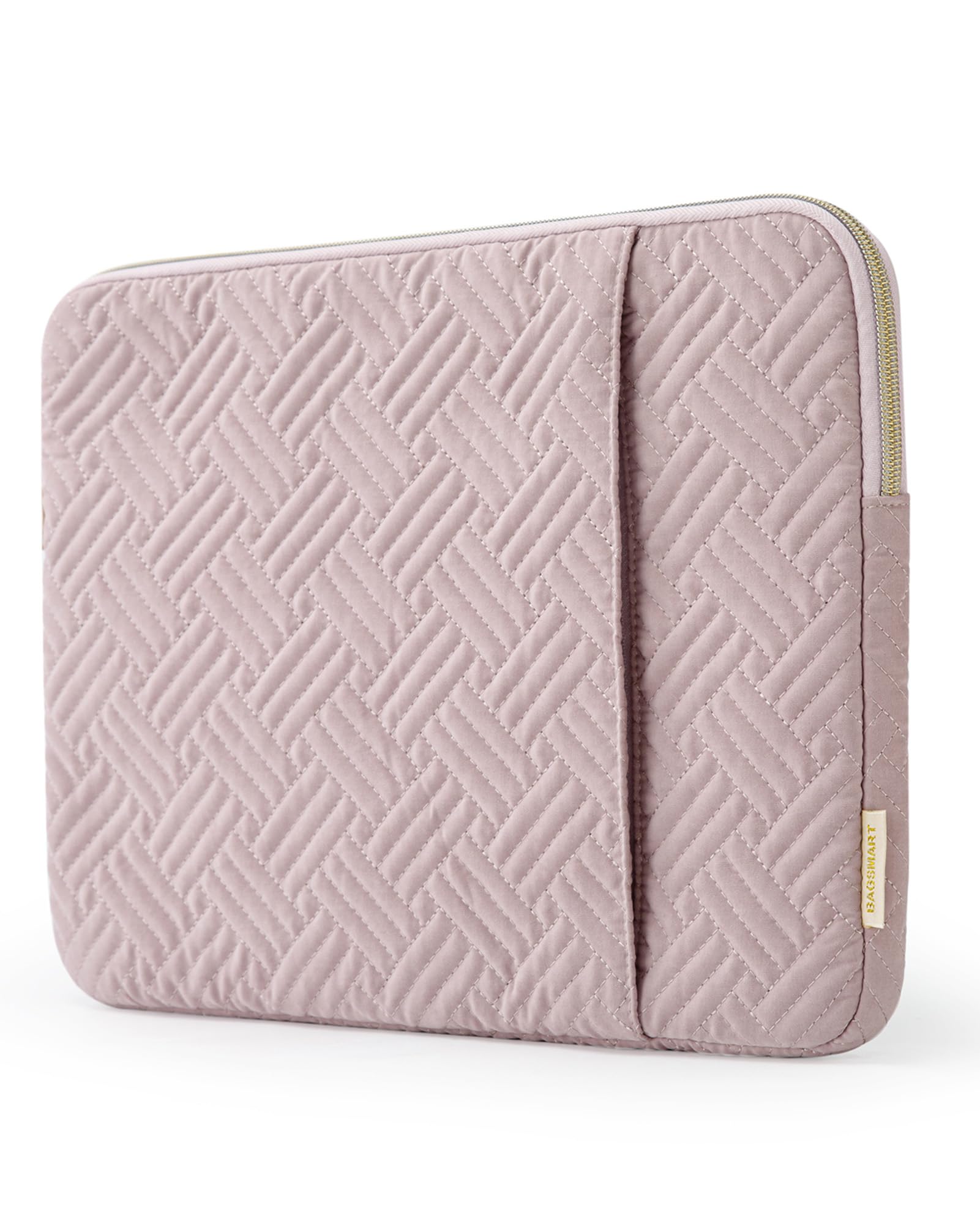
The BAGSMART 15.6-inch sleeve combines a quilted polyester exterior with a padded interior and a detachable shoulder strap, making it a visually appealing option for light, casual use. The front pocket offers space for a charger and accessories, and the soft lining helps protect the laptop from scratches. However, the handle and strap clips use plastic hardware that can break under regular tension, and sizing can be inconsistent. This sleeve suits users who prioritize looks and portability over rugged durability — for daily commuting or heavier use, a sleeve with sturdier hardware is a better fit.

Bottom line: Best for occasional carry or as a gift where style matters more than ruggedness.

10

BAGSMART 13in Sleeve

BAGSMART 13in Sleeve

13-inch MacBook

Our Score 9.6/10
Check Price

Worth Noting

  • Loose fit allows the laptop to slide around inside the sleeve.
  • Pastel-only color selection may not suit those preferring darker tones.
Pockets
Front zipper pocket
Carrying Options
Water Resistance
Water resistant
Internal Dimensions
13.8 x 10 x 0.8 in (external)

The BAGSMART sleeve offers a soft fleece interior and water-resistant polyester exterior in several pastel color options, providing adequate scratch protection for daily commuting. However, the interior dimensions run larger than a typical 13-inch laptop, allowing the device to shift around. This makes it less ideal for those who want a precise, secure fit, but for users who prioritize a cute look and soft padding over a snug enclosure, it works fine.

Tip: Adding a thin cloth or foam pad can help reduce movement inside the sleeve.

Bottom line: This sleeve suits buyers who value a soft, attractive design and a low price, and can accept that their laptop won't be held tightly in place.

11

Hsmienk 15.6in Sleeve

Hsmienk 15.6in Sleeve

Budget buyers

Our Score 9.4/10
Check Price

Worth Noting

  • Size may be too tight for some 15.6-inch laptops
  • No water resistance for wet conditions
Pockets
Front pocket
Carrying Options
Water Resistance
None
Internal Dimensions
15.7 x 11.2 x 1 in (external)

For buyers on a tight budget, this sleeve offers decent foam padding and a soft fleece interior that protects against scratches. It works well for occasional use or as a secondary sleeve for portable monitors. However, fit consistency is a point of caution — some 15.6-inch laptops may be too snug, especially thicker models. The sleeve also omits a handle and water resistance, so it's best kept inside a backpack for dry commutes. Minimal features and potential fit issues keep this from being a primary recommendation.

Tip: Measure your laptop's width and thickness; the sleeve can be snug for thicker devices.

Bottom line: A suitable choice if you need a budget sleeve for occasional short trips and are willing to verify your laptop's dimensions beforehand.

How to Choose

Internal Dimensions

A sleeve’s listed size (e.g., “14-inch”) is a rough guideline, not a guarantee. The actual internal width and depth vary by brand, and even a quarter-inch difference can make the fit either too tight or too loose. A tight sleeve may press against hinges or leave pressure marks on the lid; a loose one lets the laptop slide around, reducing shock protection.

Always measure your laptop’s width, depth, and thickness (check manufacturer specs or measure yourself), then compare against the sleeve’s internal dimensions. Many budget sleeves only list external size, which can be misleading.

Padding and Corner Protection

Not all padding is equal. Sleeves with a uniform foam sheet offer basic scratch protection, but reinforced corners absorb impact from drops that hit the most vulnerable points. Tomtoc’s CornerArmor and MOSISO’s 360-degree edges are examples of targeted protection that exceeds simple foam padding.

For daily commuters or anyone who carries a laptop in a bag with other items, look for at least 0.5 inches of padding on all sides and stiffened corner inserts. Thin neoprene sleeves (often under $15) may protect against scratches but offer negligible drop protection.

Number and Size of Pockets

Pockets add convenience but also bulk. A single front pocket is enough for a charger and mouse, but if you carry a large power brick, check the pocket dimensions – many front pockets are too shallow for 60W+ adapters. Sleeves with multiple pockets (like the MOSISO 360) work well for travelers who want to store cables, a portable SSD, and earphones in one package.

Remember that pockets increase the sleeve’s profile. If you slide the sleeve into a tight backpack compartment, a bulky front pocket may make it harder to insert or remove.

Water Resistance Level

'Water-resistant' typically means the fabric repels light splashes, but zippers are the weakest point – water can seep through the zipper track in heavy rain. 'Waterproof' sleeves (like the Voova or Comfyable) use sealed seams or coated nylon that keeps rain out, but they are often less breathable and may trap moisture inside.

If you commute in wet climates, choose a sleeve with a waterproof membrane and a flap covering the zipper. For occasional drizzle, a water-resistant exterior is sufficient, but avoid assuming it will survive a downpour.

Carrying Options

A sleeve with a handle is convenient for short walks from car to office, but if you rely on public transit or walk long distances, a shoulder strap reduces arm strain. Some sleeves, like the Ytonet, offer a TSA-friendly 180-degree opening that lets you slide the laptop out without removing the sleeve entirely – a big time saver at airport security.

For travelers who attach the sleeve to a roller bag, a back trolley strap is essential. Without it, the sleeve can slip off or get caught in escalators. Sleeves without any carrying option are best for sliding into a larger backpack or briefcase.

Frequently Asked Questions