Computers & Accessories

8 Best Laptop Cooling Pad of 2026: Quiet Cooling That Actually Works

Which laptop cooling pads stay quiet without sacrificing actual temperature drops — and which add noise but no real airflow.

A cooling pad that's whisper-quiet but barely moves air, or one that sounds like a mini jet engine while actually keeping your laptop cool — that's the real split few listings mention. Many budget pads flaunt fan counts and 'ultra-quiet' claims, yet those small fans often push so little air that CPU temps barely budge. Even worse, plastic legs and hinge clips can snap within a few months, leaving you with a wobbly, useless slab.

The truth is that cooling effectiveness depends far more on a sealed pressure chamber and fan power than on how many LED-lit blades are spinning. A single high-RPM turbofan sealed against your laptop's bottom intakes can outperform eight scattered fans. The trade-off is noise, and that's exactly what this guide helps you navigate — matching the right cooling approach to how you actually use your laptop, whether that's gaming, binge-watching on the couch, or all-day office work.

By focusing on fan design, foam seals, and build materials instead of flashy spec sheets, you'll find a pad that either fades into the background or pushes serious air when you need it most.

1

TECKNET 3-Fan Cooler

Top Pick
TECKNET 3-Fan Cooler

Quiet everyday use

Our Score 9.0/10
Check Price

Worth Noting

Laptop Size
12–17 inches
Sealed Chamber
Fan Type & Power
Three fixed 1200 RPM fans
USB Connectivity
Dual USB ports

Three fixed 1200 RPM fans and a 1.44-lb chassis deliver silent cooling without complexity. The pad lowers laptop temperatures enough to prevent throttling during web browsing, streaming, and light gaming, all while producing little more than a soft hum. Even in quiet rooms, the noise blends into the background, never drawing attention. The three fans push enough air to keep CPU and GPU temperatures in check under typical loads, preventing uncomfortable keyboard warmth and performance dips.

Daily functionality is as simple as it gets: plug the USB cable into your laptop, flip the switch, and the three fans spin up immediately. There's no software, no RGB lighting, and no fiddly knobs. The dual USB port design replaces the one you give up on the laptop, so you don't lose connectivity. This no-frills approach also makes it less prone to failure — there are no complex electronics or fragile adjustment mechanisms to break.

At 1.44 pounds and just over an inch thick, the TECKNET 3-Fan slips easily into a backpack side pocket, making it a natural companion for students and remote workers. The two height settings let you tilt the keyboard or keep the laptop flat, accommodating different desk setups. The plastic chassis shows no signs of brittleness or cracking, even with regular transport.

For anyone seeking steady, silent cooling without extra features, this pad is an ideal match. It's built for everyday use, light to moderate gaming, and portable workstations. The one thing it doesn't do is offer variable fan speed — the fans run at a fixed 1200 RPM. If you need adjustable airflow, a pad with stepless control will suit you better. But for the majority of users who just want their laptop to run cooler and quieter, this is the simplest path.

Tip: The fans run at a fixed speed, but you can switch the pad off entirely when no active cooling is needed, keeping things silent during light tasks.

Bottom line: The TECKNET 3-Fan Cooler delivers exactly what a quiet, portable cooling pad should: consistent temperature drops with minimal noise and zero hassle. It's the clear choice for everyday laptop users who don't need adjustable fan speeds.
2

llano V12

llano V12

High-performance gaming

Our Score 9.0/10
Check Price

Worth Noting

  • Fan noise above 1000 RPM becomes intrusive in quiet environments; headphones are necessary to enjoy the full cooling ceiling.
Laptop Size
15.6–19 inches
Sealed Chamber
Memory foam seal
Fan Type & Power
5.5-inch turbofan, 2800 RPM
USB Connectivity
3-port USB 2.0

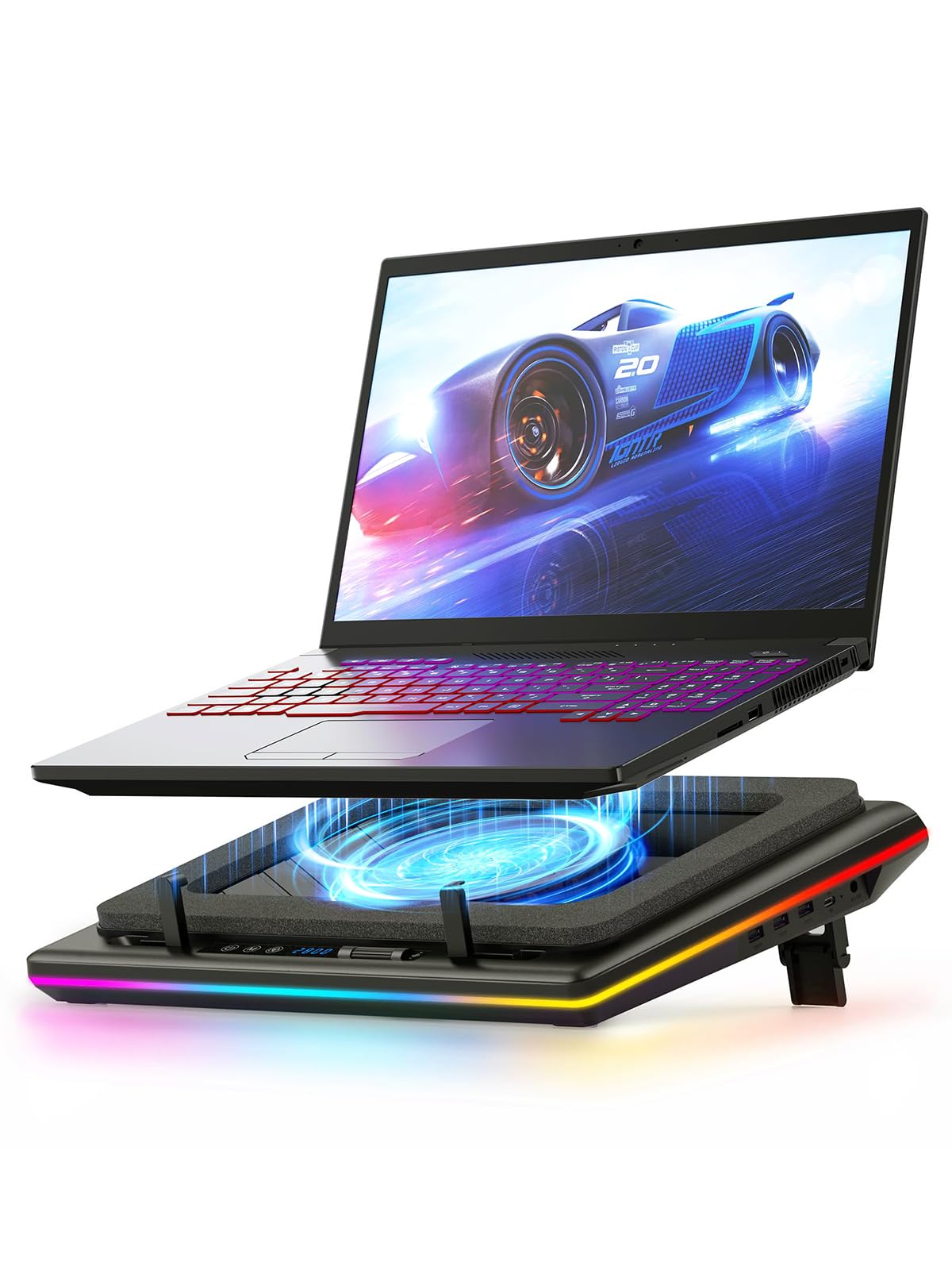
The llano V12 centers on a 5.5-inch turbofan spinning up to 2800 RPM and a memory foam rim that seals against the laptop underside, forming a pressure chamber that forces air directly through chassis vents. Unlike the dual-turbofan alternative that peaks at 65 dB, the V12’s noise scales more gradually, though it still demands headphones beyond 1200 RPM. A stepless dial gives precise control from an easy 500 RPM up to maximum blast, letting you dial cooling back for lighter tasks.

Under sustained gaming loads, the sealed chamber prevents air leakage and pushes cool intake directly to hot components, cutting GPU and CPU temperatures enough to eliminate throttling and stabilize framerates. The tradeoff is noise: past 1000 RPM the whoosh fills a room, and at full speed the drone is assertive. Anyone gaming with a closed-back headset won't notice, but it’s not suited to quiet shared spaces. The built-in 3-port USB 2.0 hub and three tilt angles (3°, 12°, 15°) add desk utility, and the RGB ring adds ambient lighting without draining laptop power.

This cooler targets owners of 17- to 19-inch gaming notebooks that run hot and throttle under load, where a wall outlet and permanent desk space are available. It’s not for lightweight travel or silent offices; headphones are a strong recommendation. If you already game with a headset, the noise disappears behind audio, and the cooling advantage over slim multi-fan pads becomes obvious.

Tip: Keep the fan under 1000 RPM for everyday productivity to stay near-silent; reserve maximum speed for headset gaming sessions where the roar is masked by audio.

Bottom line: If your gaming laptop thermal-throttles during extended sessions and you already reach for a headset, the V12’s pressure-chamber design justifies its premium with the largest temperature drops short of the loudest industrial alternatives.

3

Targus Lap Chill Mat

Targus Lap Chill Mat

Lap comfort

Our Score 8.8/10
Check Price

Worth Noting

  • Laptops with slick metallic or glossy bottoms may slide over the rubber stops, compromising lap stability.
  • Airflow is modest; high-performance laptops under heavy load may not see significant temperature drops.
Laptop Size
Up to 17 inches
Sealed Chamber
Fan Type & Power
Dual fans, USB powered
USB Connectivity
USB-A connection

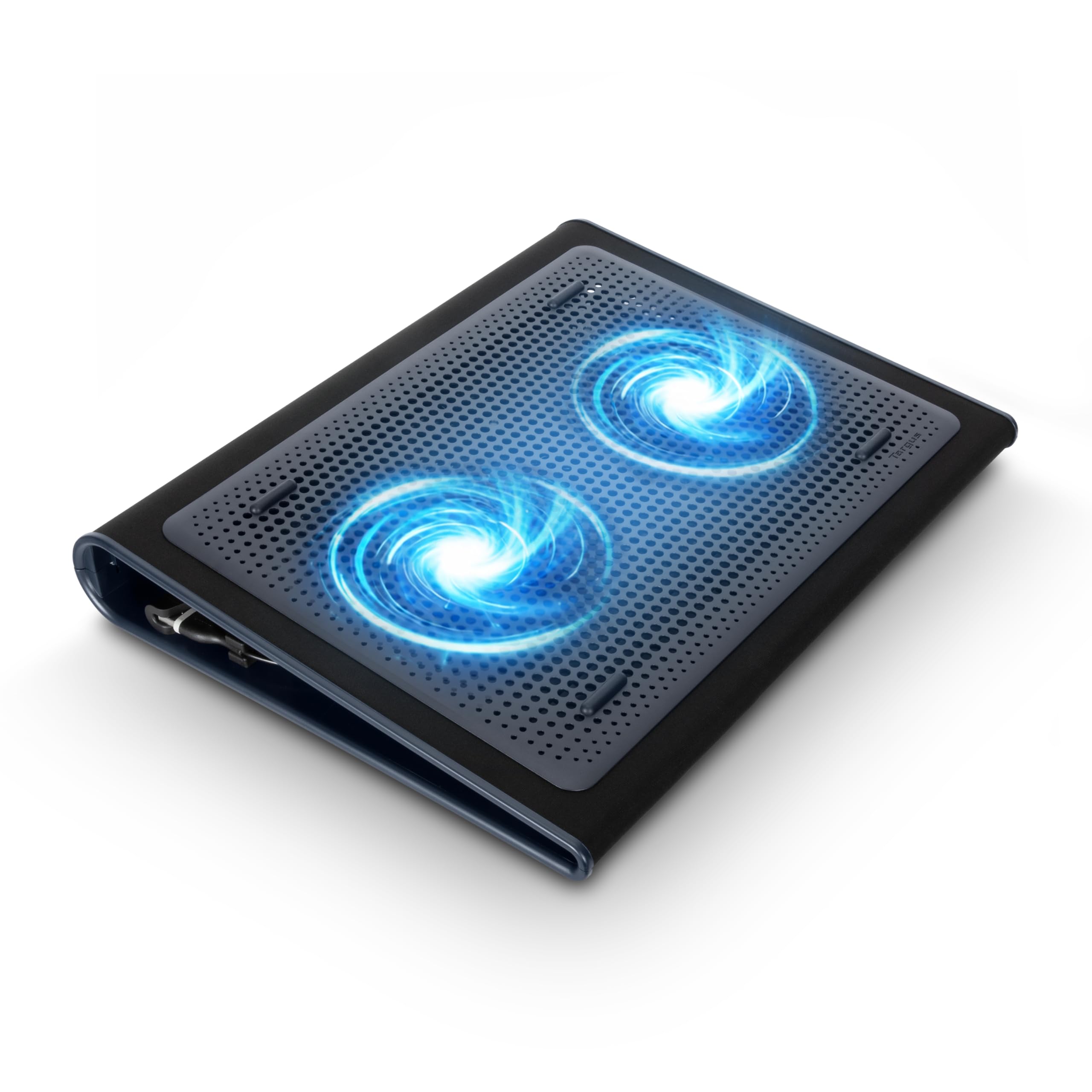
The Targus Lap Chill Mat stands apart from the desk-centric cooling pads in this set with a soft neoprene base that cushions bare legs while acting as an insulator against heat. Two integrated fans draw air across an open mesh top, pulling heat away without the hard edges or vibration that many other options introduce.

Fan noise measures near inaudible levels in a quiet room — a characteristic that makes this pad suitable for shared workspaces or late-night use without disturbing others. The neoprene remains cool to the touch even after hours, and the lightweight 2-pound design shifts easily from lap to desk.

The cooling mechanism focuses on airflow beneath the chassis rather than brute-force temperature reduction. For standard office tasks, streaming, or browsing, the difference in CPU and GPU thermals is noticeable and keeps the system from ramping up its internal fans. Users pushing a gaming laptop or rendering rig may not see the same benefit — the airflow is modest and won't tame sustained high-TDP loads. This pad suits lap-first users who prioritize comfort and silence over aggressive cooling.

Tip: For laptops with glossy metal bottoms, a thin non-slip silicone sheet under the laptop can improve grip on the rubber stops.

Bottom line: For lap-centric users who want to keep their laptop and legs cool without fan whir, the Targus Chill Mat is the option this category often overlooks.

4

Razer Cooling Pad

Razer Cooling Pad

Smart cooling

Our Score 8.8/10
Check Price

Worth Noting

  • At medium to high speeds, fan noise can reach vacuum-like levels, disrupting quiet environments without headphones.
Laptop Size
14–18 inches
Sealed Chamber
Airtight pressure chamber, foam seals
Fan Type & Power
140mm brushless, 3000 RPM
USB Connectivity
3-port USB-A

Among laptop cooling pads, the Razer Laptop Cooling Pad stands apart with software-driven adaptive cooling that automatically fine-tunes a powerful 140mm blower fan. Unlike typical turbofan pads that demand manual adjustments, the built-in pressure chamber and Synapse ecosystem let the cooler respond to thermal loads in real time — ramping airflow when a GPU spikes and easing off during lighter tasks.

Smart control extends to custom fan curves and Chroma RGB lighting, all managed through Razer Synapse. Three USB Type-A ports on the back help reclaim desk space, and the sealed foam chamber plus three magnetic frames ensure a tight fit on laptops from 14 to 18 inches. The pressure-chamber design directs airflow where it counts, cutting through surface temperatures rather than scattering air.

This cooling pad is tailored for Razer Blade owners who can leverage the HyperBoost feature, and for enthusiasts already invested in the Synapse ecosystem. The adaptive cooling makes a tangible difference in preventing thermal throttling during extended gaming sessions. However, the tradeoff is noise: the blower fan becomes extremely loud at medium to high speeds. In a shared office or quiet bedroom, the vacuum-like sound will be intrusive — a non-issue if you always game with headphones, but a boundary for mixed-use spaces.

Tip: Use closed-back headphones to mask fan noise — the auto-curve keeps speeds lower during lighter workloads, but gaming will push it into the loud range.

Bottom line: If you own a Razer Blade or demand automated thermal management that adapts to workload, this pad's software intelligence and build quality justify the premium, provided you seal the deal with a good headset.

5

IETS GT500

IETS GT500

Maximum cooling

Our Score 9.0/10
Check Price

Worth Noting

  • Support legs can snap if handled roughly or moved frequently
  • Fan noise reaches 65 dB at maximum speed, overwhelming quiet environments
Laptop Size
13–17.3 inches
Sealed Chamber
Combined foam seal
Fan Type & Power
Dual 5000 RPM turbofans
USB Connectivity
3-port USB

The IETS GT500 prioritizes raw cooling over quiet operation, setting it apart from the silent top pick. Dual 5000 RPM industrial turbofans inside a metal enclosure force air through a sealed foam gasket, creating focused pressure that drives heat out of hot-running laptops. This brute-force approach contrasts with single large-fan pressure chambers, delivering comparable temperature drops with a different acoustic profile.

Day-to-day reliability stands out among high-powered coolers; the metal chassis and consistent fan output make it a dependable thermal partner during extended gaming sessions. Infinitely variable speed control allows fine-tuning — lower RPMs keep noise tolerable while still moving more air than most competitors. A 3-port USB hub reclaims connectivity lost when the cooler occupies one port, and the sealed foam seal prevents air from escaping around the laptop's edges, concentrating airflow where it matters.

This cooler targets overclockers and gamers whose laptops exhibit chronic thermal throttling and who wear closed-back headphones. At full speed, fan noise reaches 65 dB — loud enough to overpower conversations and disturb others in the room, ruling out shared offices or quiet living spaces. The plastic support legs are fragile; a careless bump or frequent folding can cause them to snap. Treat the GT500 as a stationary workstation accessory, not a portable stand.

Tip: Keep the cooler on a stable, flat desk and avoid folding or moving it with the laptop mounted to protect the fragile support legs.

Bottom line: The GT500 is a cooling-first solution for those who will trade peace and quiet for the lowest possible temperatures. If your laptop throttles and you game with headphones, this is a capable thermal partner — just handle the legs with care and keep the speed dial below maximum when possible.

6

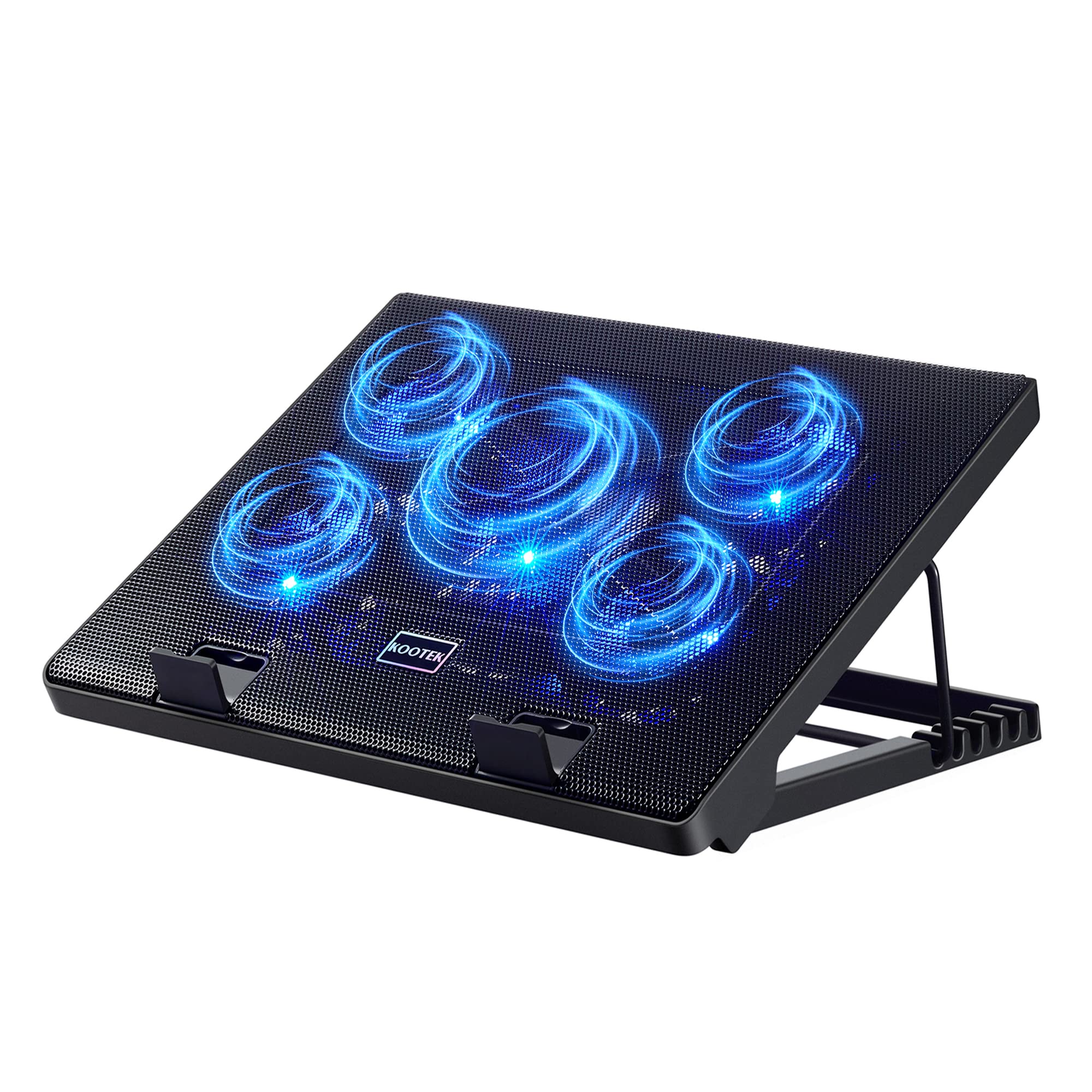
Kootek 5-Fan Cooler

Kootek 5-Fan Cooler

Budget multi-fan

Our Score 8.8/10
Check Price

Worth Noting

  • The plastic height-adjustment clips and fan housings can develop stress fractures with repeated adjustment or rough handling.
Laptop Size
12–17 inches
Sealed Chamber
Fan Type & Power
5 fans (1 large, 4 small)
USB Connectivity
Dual USB

Where most budget coolers lock you into a single angle and one-touch power, the Kootek gives you independent switches for its large central fan and four surrounding fans, plus six distinct height levels. The metal mesh platform adds a more premium feel than fully plastic rivals, and dual USB ports mean you don't lose connectivity.

The five-fan layout generates enough airflow to bring down ultrabook and productivity laptop temperatures by several degrees, and the noise stays in the background — present but not distracting in an office. It's not engineered for overclocked gaming machines, but for everyday multitasking and light editing, the cooling headroom is genuine.

This cooler fits anyone who works long hours at a desk and wants both cooling and posture flexibility without stretching the budget. The six height settings genuinely help reduce neck strain, and the fan controls let you dial noise down when you need quiet. The compromise is long-term physical integrity: the plastic height-adjustment clips and fan housings are susceptible to stress cracking under frequent repositioning or travel. If you plan to set it once and leave it on your desk, the risk is minimal; if you intend to toss it in a bag daily, consider a more rugged alternative.

Tip: Set the pad to your most-used angle and leave it there; the plastic clips last longer when adjustments are infrequent.

Bottom line: If you want flexible fan control and adjustable ergonomics without spending much, the Kootek delivers — just treat it as a stationary desk accessory, not a travel companion, and it should hold up.

7

havit HV-F2056

havit HV-F2056

Also Great

Our Score 9.0/10
Check Price

Worth Noting

  • Fixed fan speed eliminates any ability to adjust cooling intensity or noise
  • Fan motors can stop functioning after a few months of intensive daily use

Three fixed-speed fans in a slim 697g chassis that slips easily into a backpack. The cooling is adequate for everyday browsing, office tasks, and light media consumption, all while remaining impressively quiet — even in a silent room, the hum is barely noticeable. The fan speed is non-adjustable, limiting control for temperature spikes. More critically, fan motors can wear out after a few months of heavy daily use, so this cooler is less suited for sustained gaming sessions. For a lightweight, affordable companion that prioritizes silence and portability over long-haul durability, it delivers on its promise.

Bottom line: For lightweight daily use where portability matters more than marathon gaming, this cooler offers quiet operation at a minimal cost — just plan to replace it if fans eventually give out.

8

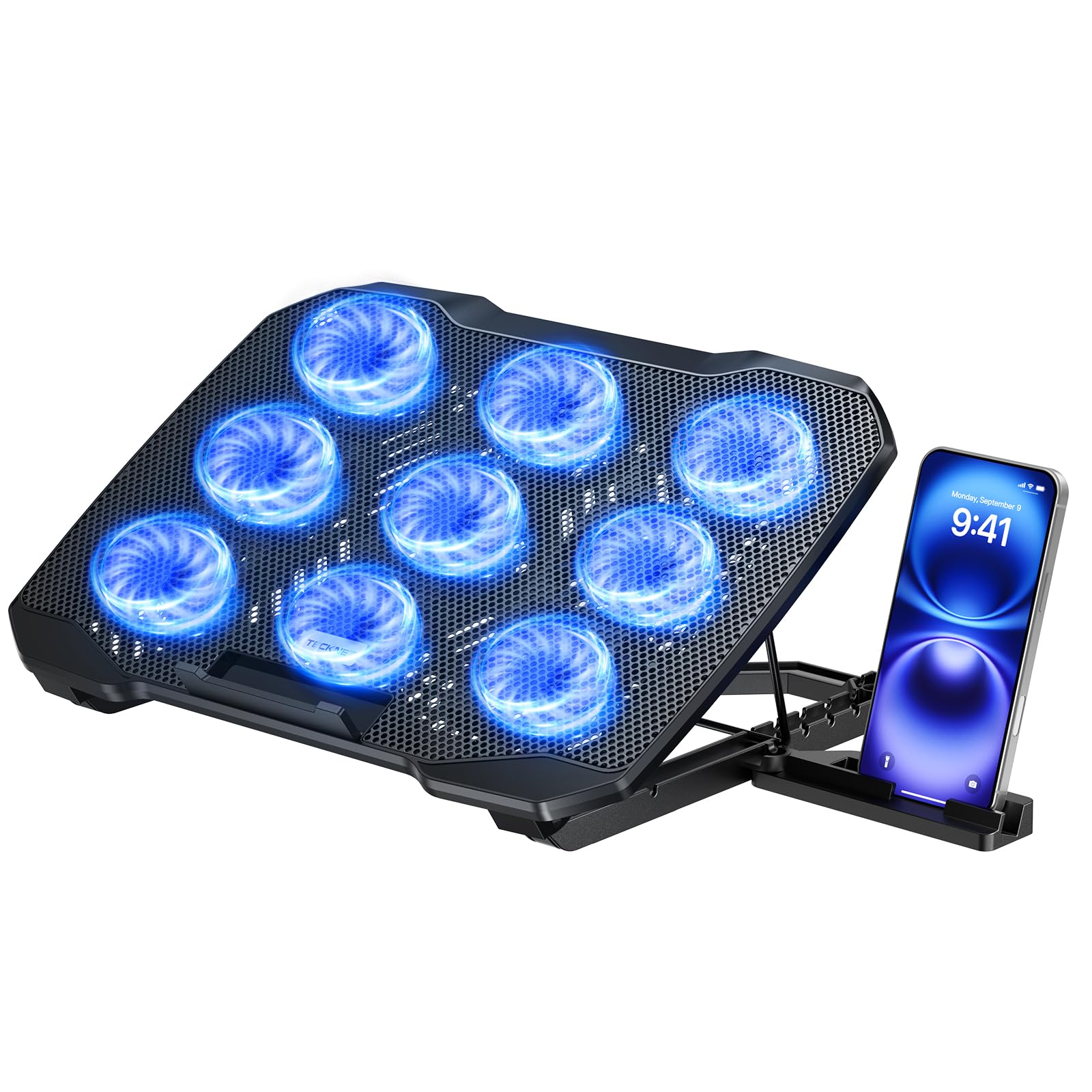
TECKNET 9-Fan Cooler

TECKNET 9-Fan Cooler

Also Great

Our Score 8.8/10
Check Price

Worth Noting

  • 17.3-inch laptops overhang the pad edges, making the mount less secure.
  • Flex in the frame when lifted can let fan blades strike the metal mesh, generating a rattling sound.

Nine fans with stepless speed deliver noticeable cooling performance and remain quiet for their count, keeping mid-sized laptops comfortable under load. The alloy mesh adds rigidity and the phone holder is a handy extra. However, the frame may flex when lifted from the front, allowing fan blades to strike the metal mesh and create noise. The claimed 17.3-inch support is optimistic—laptops at that size overhang and sit less securely, making this pad well suited for 15.6-inch and smaller machines.

Tip: Avoid lifting the pad from the front edge; always support it from the sides to keep the fan blades from contacting the mesh.

Bottom line: This cooler suits 15.6-inch laptop users who want nine-fan configurability and a phone holder—handle by the sides to prevent frame flex noise.

How to Choose

Fan Type and Power

Multiple small fans spread across a pad may look impressive, but they often lack the static pressure to push air through tight intake grilles. A single large, high-speed turbofan creates a focused airstream that forces heat out of the chassis. The consequence is that a pad with one powerful fan can drop GPU temperatures 10-15°C, while a five-fan array may barely shift the dial.

If your laptop has bottom intakes directly above the pad, prioritize high-RPM single-fan designs with sealed edges. For laptops with side or rear exhaust, fan count becomes almost irrelevant, and you may only need a basic airflow assist.

Sealed Foam / Pressure Chamber

A foam seal around the pad’s edge creates a pressurized chamber that prevents air from escaping sideways, funneling it directly into the laptop’s intake vents. Without this seal, even a powerful fan wastes much of its airflow. Memory foam or high-density seals conform to uneven laptop bottoms, something flat plastic pads cannot match.

This design is most impactful for gaming laptops with large bottom intakes. For ultrabooks with tiny slits, the benefit is smaller, and a regular open pad may be sufficient.

Noise Level at Usable Speeds

Pad makers often claim ‘quiet,’ but real-world decibel measurements paint a different picture. At 5000 RPM, turbofans can hit 65 dB — louder than normal conversation. The hidden trade-off is that cooling power and silence are inversely related: if you need aggressive cooling, you will hear the fans.

For shared spaces or late-night work, look for a pad that stays below 30 dB at its effective speed. Fixed 1200 RPM fans are a safe bet for near-silent operation, while variable-speed turbofans let you choose between moments of quiet and on-demand cooling.

Build Quality and Durability

Plastic height-adjustment legs and clip-on phone holders are the first things to snap on sub-$30 pads. The mechanical stress of daily repositioning weakens thin plastic, often within months. Metal meshes and reinforced hinges survive far longer. A soft neoprene lap pad avoids breakable mechanical parts entirely but offers no tilt support.

If you move the cooler frequently, look for rubberized feet, metal frames, or simple designs with fewer moving parts. Treat budget plastic models as consumables that may need replacement every year or two.

USB Hub and Connectivity

A built-in USB hub recovers the port the pad itself occupies, which matters when your laptop has only one or two ports. However, many pads use USB 2.0, limiting data speeds to 480 Mbps. If you plan to plug in external SSDs or high-res webcams, a pad with USB 3.0 (5 Gbps) or pass-through feels less like a downgrade.

Pass-through that powers the pad and peripheral devices simultaneously adds convenience, but check whether the hub draws enough power from a single laptop port to drive a hard drive and the fans together.

Laptop Size Compatibility

A pad listed as ‘fits 17 inches’ may still leave a 17.3-inch gaming laptop overhanging, stressing the hinges and blocking air intakes at the edges. Foam-sealed pads often use magnetic frames to adapt to different sizes, which is more secure than rubber grips alone. Measure your laptop’s width and depth, not just the screen diagonal, before buying.

Thin-and-light laptops with bottom intakes near the rear edge especially need precise alignment with the pad’s fan position; a generic large pad may miss the hotspot entirely.

Adjustable Fan Speed and Height

Fixed-speed pads lock you into one noise and cooling level, which can be too mild for heavy loads or too loud for a quiet room. Variable fan control — whether physical knob, touch panel, or software curve — lets you match airflow to task. Height adjustment serves ergonomics: raising the keyboard 6 to 15 degrees reduces wrist strain and can improve airflow under the chassis.

The trade-off is that complex controls may themselves become failure points. Stepless knobs hold up better than flimsy touch panels that misregister taps. Prioritize the feature you will actually use daily.

Frequently Asked Questions