PC Components & Storage

11 Best Hard Drive Docking Station 2026: Avoid Data-Loss with Proven Docks

Which docking stations safely read, write, and clone your drives without risking data loss – from budget single-bay to professional duplicators.

Many budget hard drive docking stations promise convenience but some introduce a hidden risk: corrupted drives and lost data. The difference often comes down to power adapter quality and USB bridge chipset – components you can't see in product photos. This guide focuses on docks that have proven reliable across thousands of real-world uses, so you can connect drives with confidence.

Whether you need a simple single-bay reader for occasional backups or a multi-bay cloner for IT work, the right dock balances features with build quality. Offline cloning is handy but not a system recovery tool; knowing the limits avoids surprises. We've sorted through the options to highlight docks that consistently do their job without compromising your data.

From the best-selling dual-bay with offline clone to professional-grade duplicators, each pick earns its place through sustained user satisfaction.

1

Sabrent EC-HD2B Dual Bay

Top Pick
Sabrent EC-HD2B Dual Bay

Home backups, cloning

Our Score 9.0/10
Check Price

Worth Noting

  • Some units may arrive non-functional or stop working after a few months.
  • Offline cloning may not work for OS drives or when the target drive is smaller than the source.
Bays
2
Interface
USB 3.0 Type-A
Max Capacity
20+ TB per bay
Offline Clone
Yes

The Sabrent EC-HD2B handles both 2.5-inch and 3.5-inch SATA drives out of the box, reading and writing via USB 3.0 without driver installations or additional software. The upright design accepts drives of up to 20 TB per bay, making it a straightforward tool for accessing internal drives externally or transferring data between two drives.

The offline clone function copies from one bay to the other at speeds up to 60 MB/s, a useful process for duplicating data drives or upgrading storage without tying up a computer. The cloning works well for data drives and SSDs but can hit issues when the target drive is smaller than the source or when cloning an operating system drive with hidden partitions. For typical file backups and media libraries, the process runs without complications.

This dock is best suited for home users who need occasional backups, drive duplication, or IT hobbyists upgrading laptop drives. It does not fit mission-critical continuous operation where any downtime is unacceptable; for 24/7 use, a RAID enclosure would be more appropriate. Some units may arrive non-functional or develop issues after a few months, so inspecting and testing the dock promptly after purchase is wise.

The dual-bay design with independent drive slots avoids the power adapter and chipset compromises seen in cheaper alternatives, and the cost sits in the mid-range, delivering strong feature density without a premium price tag. The Sabrent supports both major drive form factors and works reliably with larger enterprise drives and Linux-based systems, adding flexibility for users with mixed hardware.

Tip: Test the clone function with a non-critical drive first to verify partition alignment before duplicating important data.

Bottom line: For home backup and occasional drive duplication, the Sabrent EC-HD2B delivers the core features without unnecessary extras. Check the unit promptly on arrival to confirm function.

2

MAIWO K3082H

MAIWO K3082H

Budget dual-bay hub

Our Score 9.0/10
Check Price

Worth Noting

  • Drive bay doors are plastic and can snap off after repeated opening.
  • In rare cases drives may become RAW, though this is isolated and not a pattern.
Bays
2
Interface
USB 3.0 Type-A
Max Capacity
24 TB per bay
Offline Clone
Yes

The MAIWO K3082H pairs dual SATA bays with a three-port USB 3.0 hub, letting you connect drives and peripherals from a single cable. Transfers are quick enough for 7200 RPM drives, and the offline clone button duplicates drives without a computer. It handles 2.5- and 3.5-inch SATA drives up to 48 TB total.

This dock suits home users who want a budget-friendly way to access multiple drives and attach a mouse or flash drive without reaching around the PC. That plastic build keeps the price low, but the drive bay doors are fragile and may pop off with repeated opening. If you swap drives daily or need a rugged unit, a more expensive aluminum dock is a better fit.

Performance is consistent for typical backup and cloning tasks. The USB hub adds convenience, and the charging port provides 2.4A for tablets. The main sacrifice is build quality: plastic construction feels light, and the bay doors need gentle handling. For occasional use at a desk, the K3082H delivers solid function without straining the wallet.

Tip: Open the drive bay doors by lifting from the center edge to reduce stress on the plastic hinges.

Bottom line: If you need a dual-bay dock with cloning and a USB hub for occasional home use, this is the best value under $30 – just treat the plastic doors gently.

3

RSHTECH RSH-DS01C

RSHTECH RSH-DS01C

USB-C dual-bay

Our Score 9.0/10
Check Price

Worth Noting

Bays
2
Interface
USB-C / USB 3.0
Max Capacity
22 TB per bay
Offline Clone
Yes

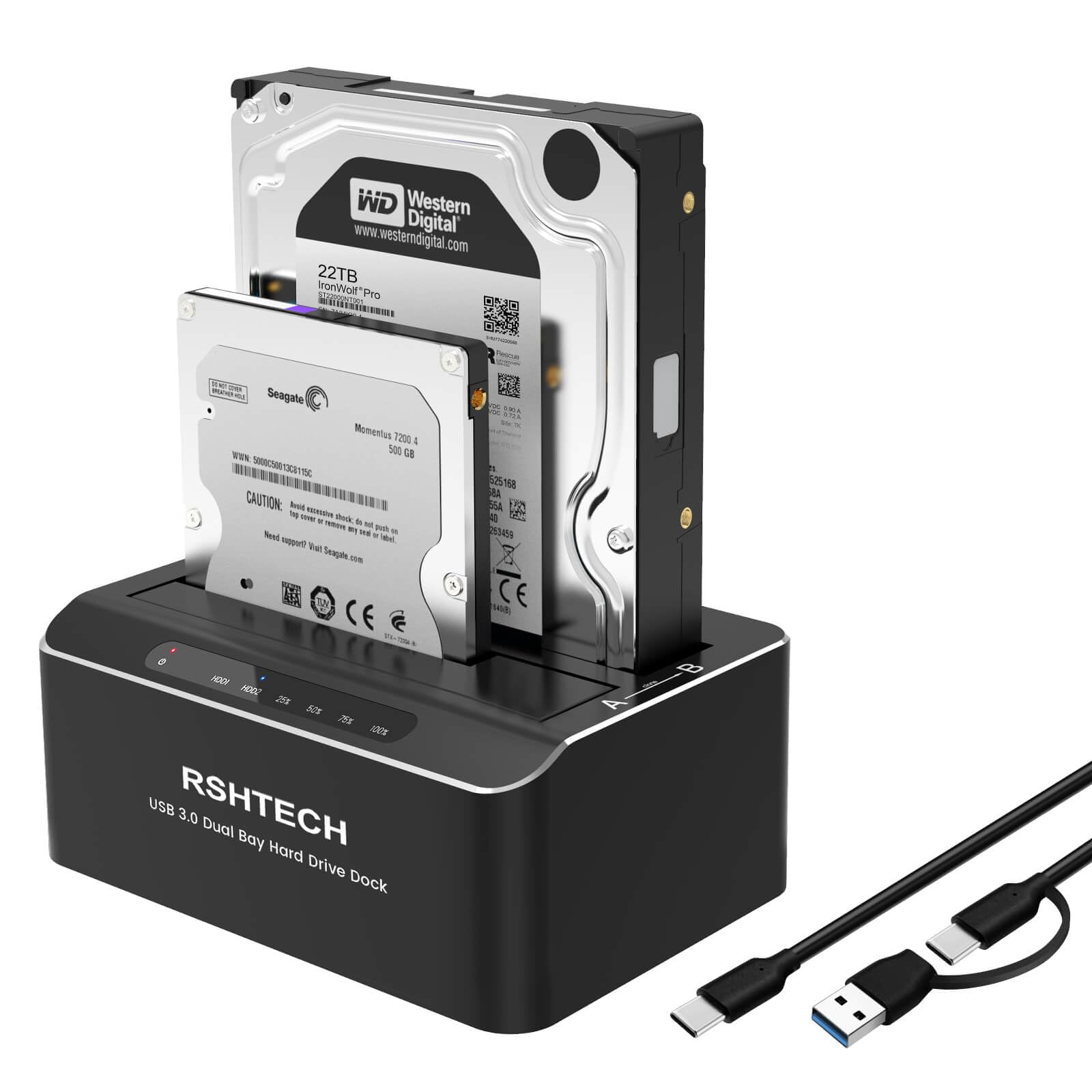
The RSHTECH RSH-DS01C is one of the few dual-bay docking stations that pairs USB-C connectivity with a full aluminum enclosure at a mid-range price. While most docks in this segment use plastic, the metal body gives the RSH-DS01C a noticeably sturdier feel. Its USB-C / USB 3.0 2-in-1 cable works with both modern and older computers, avoiding the need for a separate adapter.

Early user feedback highlights two key strengths: the offline clone function works reliably, and the dock is genuinely plug-and-play — no drivers or configuration required. The two bays accept both 2.5-inch and 3.5-inch SATA drives, including SSDs, and the maximum capacity of 22 TB per bay covers almost any scenario. Users report that files transfer at expected USB 3.0 speeds without hiccups.

This dock is a smart fit for buyers who prioritize USB-C and metal build quality in a dual-bay dock. If you are upgrading from a plastic single-bay unit or want to keep a clean desk with a single cable, the RSH-DS01C delivers. It pairs well with laptops that have limited USB-A ports, and the offline clone feature is handy for backups without a computer.

Bottom line: For a USB-C dual-bay dock with aluminum construction and consistent early performance, this is a cost-effective option that challenges the market leader.

4

StarTech SDOCK2U313R

StarTech SDOCK2U313R

Professional offline cloning

Our Score 8.8/10
Check Price

Worth Noting

  • Clone speed may drop below the rated 28 GB/min when working with drives over 8 TB
  • Occasional data corruption has been reported during offline cloning
  • Unit-to-unit consistency varies; a small number may develop issues within the first few months
Bays
2
Interface
USB 3.2 Gen2
Max Capacity
Any SATA capacity
Offline Clone
Yes (sector-by-sector)

The StarTech SDOCK2U313R sets itself apart from the top pick with a dedicated offline cloning chip that handles encrypted drives (BitLocker included) and pushes data at up to 28 GB/min over USB 3.2 Gen2. Its aluminum housing and tool-free bay design feel substantial – this is a dock meant to sit on a workbench for daily drive duplication, not occasional file transfers.

This dock targets IT staff who clone multiple drives each day and need offline operation that doesn't tie up a computer. It supports any SATA capacity up to 10 TB and beyond. That said, cloning speed can drop noticeably when working with very large drives – a 10 TB clone may take significantly longer than the rated speed suggests. Additionally, a small portion of units have experienced data corruption or stopped working within weeks, so the 2-year warranty and regular backups are worth factoring into your workflow.

The standalone cloning feature works well for typical drive sizes, and the ability to copy encrypted drives without software is a genuine time-saver in enterprise environments. The build quality gives confidence during repeated insertions, and the included USB-C cable provides modern connectivity. For the premium price, you get a tool that does one job thoroughly, provided you accept the occasional speed variance for very large data sets.

Tip: For drives over 8 TB, expect clone speeds to drop; consider running a verify pass after each copy.

Bottom line: If your workflow demands offline cloning of encrypted drives and you're willing to pay a premium, this dock delivers – just budget extra time for large clones and keep backups.

5

Tccmebius SATA+IDE

Tccmebius SATA+IDE

Legacy IDE drives

Our Score 8.4/10
Check Price

Worth Noting

  • USB 2.0 transfers can feel slow when moving large files; for quick access to small IDE drives it is fine.
  • In some cases, the dock may not detect drives on certain computer systems
  • Build quality can be inconsistent: a few units arrive with bent pins or fail to connect on arrival.
Bays
2 (1 SATA, 1 IDE)
Interface
USB 2.0
Max Capacity
20 TB SATA, 1 TB IDE
Offline Clone
No

The Tccmebius dock stands apart from the usual SATA-only designs by supporting both SATA and IDE drives in 2.5-inch and 3.5-inch sizes, plus a multi-format card reader for SD, CF, MS, and TF cards. This makes it a single tool for accessing hard drives from older PCs and legacy media without needing multiple adapters.

This dock targets users recovering data from old IDE drives or vintage computers — the IDE slot is what sets it apart. For that use case it works well, but the USB 2.0 interface maxes out at 480 Mbps, so large SATA transfers will take noticeably longer than with a USB 3.0 dock. Some units have arrived with bent pins or loose connections, so inspecting the hardware on delivery is sensible.

✦ Tip: Before first use, inspect the IDE connector for bent pins and ensure the power adapter is firmly plugged in; some units benefit from a gentle wiggle to seat the connection.

Bottom line: If you need to extract data from an old IDE drive or read a stack of memory cards, this dock fills a niche no USB 3.0 SATA-only dock can — just keep expectations in check for speed and unit consistency.

6

SSK DK102 Single Bay

SSK DK102 Single Bay

Budget single-bay

Our Score 9.0/10
Check Price

Worth Noting

  • Plastic drive slot cover can detach over time
Bays
1
Interface
USB 3.0 Type-A
Max Capacity
20 TB
Offline Clone
No

The SSK DK102 connects any SATA drive via USB 3.0, supporting capacities up to 20TB. That’s the same transfer potential as pricier single-bay docks, without the extra cost of dual-bay models that add offline cloning. Both 2.5-inch and 3.5-inch drives fit the slot, covering laptop and desktop SATA drives. The USB 3.0 interface ensures data transfer isn’t a bottleneck for modern HDDs.

This dock is aimed at buyers who need occasional access to old hard drives — for data recovery, file transfers, or repurposing spare drives. The plastic flap covering the drive slot can detach over time, so it’s best suited for infrequent use rather than daily swapping. The bundled power adapter supplies 3.5-inch drives, while 2.5-inch drives run off the USB bus. It’s a practical tool for recovering data from old laptops or bringing external drives back into service.

Setup takes seconds: insert the drive and connect the USB cable. No driver installation is required — the system recognizes the drive immediately. Transfer speeds are more than adequate for mechanical HDDs, and the dock’s small footprint leaves room on the desk. Given its low cost, this dock represents one of the most affordable ways to read SATA drives.

Tip: Gently close the flap after inserting a drive to avoid stressing the hinge.

Bottom line: For occasional drive access on a budget, the SSK DK102 delivers the essentials without complications.

7

Sabrent EC-DFLT Single Bay

Sabrent EC-DFLT Single Bay

Single-bay alternative

Our Score 8.8/10
Check Price

Worth Noting

  • Some SATA drives, particularly older or enterprise models, may not be detected
  • Thin plastic build can cause the lid to loosen or break off over time
Bays
1
Interface
USB 3.0 Type-A
Max Capacity
20 TB
Offline Clone
No

The Sabrent EC-DFLT is the most popular single-bay lay-flat dock for good reason: it accepts any 2.5- or 3.5-inch SATA drive with no tools needed and runs over USB 3.0 with UASP for solid transfer speeds. The budget-friendly price makes it a simple way to use internal drives without buying separate enclosures. However, the plastic construction feels thin, and the lid that covers the drive slot can work loose after repeated use. Some drives, especially older or enterprise models, may not be recognized at all. Without offline cloning or a second bay, this dock is best for occasional single-drive access rather than regular backup workflows or drive duplication.

Bottom line: This dock fits users who need occasional access to a single SATA drive at the lowest cost, provided they can accept the flimsy build and possible compatibility hiccups with older drives.

8

ORICO DD28C3-C

ORICO DD28C3-C

Budget USB-C cloning

Our Score 8.6/10
Check Price

Worth Noting

  • In a quiet room the power-up and drive-insertion beep is piercing and cannot be turned off
  • Transfer speeds can lag behind other docks, especially with larger files
Bays
2
Interface
USB-C
Max Capacity
22 TB per bay
Offline Clone
Yes

The ORICO DD28C3-C offers dual SATA bays, USB-C connectivity, and offline cloning at a low price, making it a capable tool for quick drive swaps or backups. However, the unit emits a loud beep on power-up and each time a drive is inserted — this cannot be disabled, which rules it out for quiet workspaces or bedrooms. Transfer speeds may be inconsistent, and some systems may not recognize the USB-C port. For users who can tolerate the beep and work in a garage or server room, it serves its purpose at a budget price.

Bottom line: Best for a workshop, garage, or server room where the beep won't bother, or when low-cost offline cloning is the priority.

9

ORICO 5-Bay Cloner

ORICO 5-Bay Cloner

Multi-bay bulk duplication

Our Score 8.0/10
Check Price

Worth Noting

  • Transfer speeds can drop when cloning multiple drives simultaneously
  • Vibration noise from 2.5-inch drives may be noticeable in quiet office or home environments
Bays
5
Interface
USB 3.2 Gen1 Type-C
Max Capacity
20 TB per bay
Offline Clone
Yes (1:4)

The ORICO 6656C3-C uses an aluminum chassis and tool-free drive slots that make inserting and swapping drives smooth. Its 1:4 offline clone mode suits professionals who need to duplicate multiple 2.5-inch or 3.5-inch SATA drives at once. However, when several drives are active simultaneously, transfer speeds can drop noticeably, reducing throughput compared to single-drive docks. Also, 2.5-inch drives may produce noticeable vibration noise in quiet settings. With relatively few user experiences documented and a premium price, this dock is a niche tool — ideal if you absolutely need five bays, but overkill if you only manage a couple of drives.

Bottom line: Best for IT departments or media teams that regularly duplicate multiple drives; not a practical choice for single-drive backups or home users.

10

Benfei Dual Bay

Benfei Dual Bay

Budget dual-bay with UASP

Our Score 8.8/10
Check Price

Worth Noting

  • Random disconnects may occur on certain systems, causing USB peripherals to fail
Bays
2
Interface
USB 3.1 Type-C
Max Capacity
Offline Clone
Yes

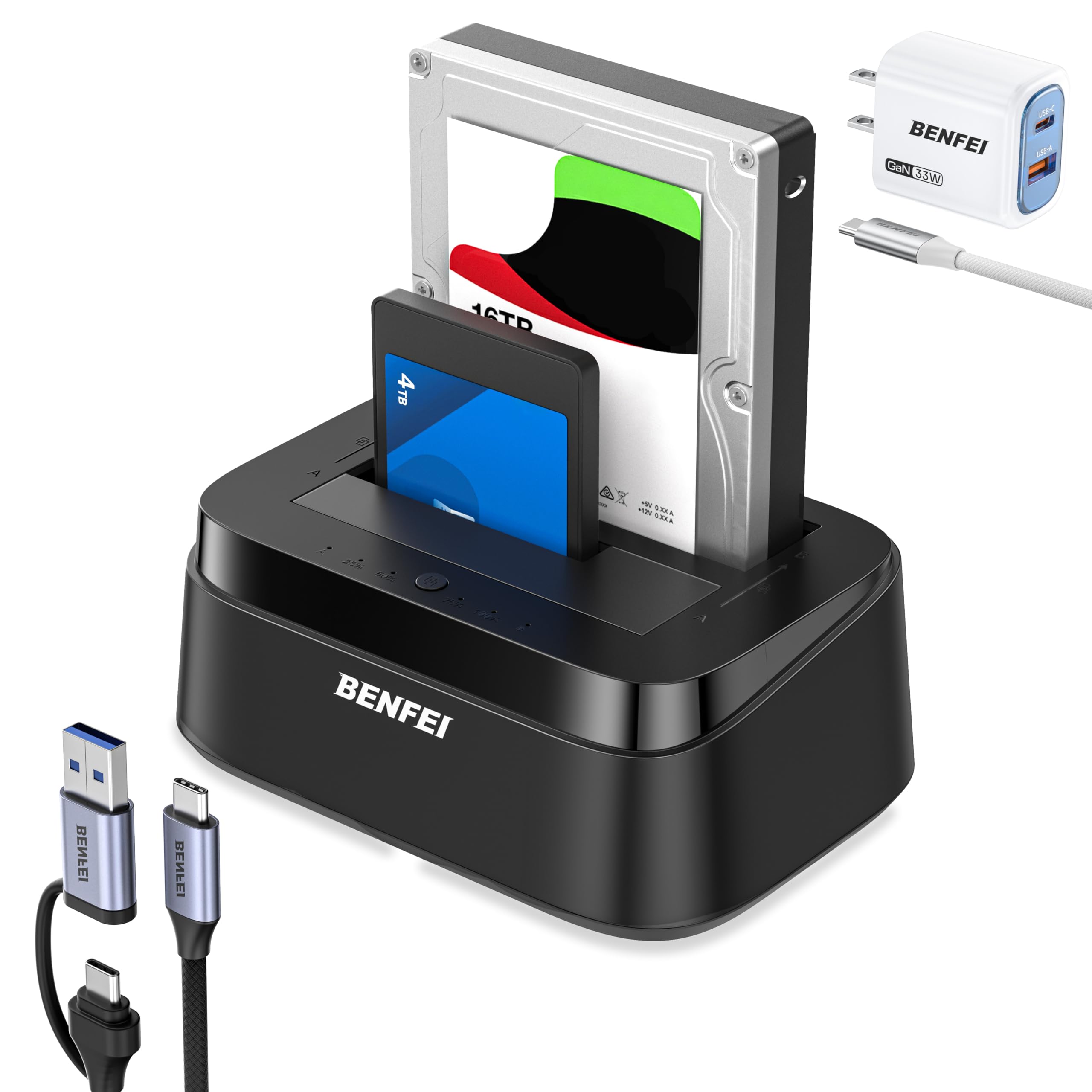
The BENFEI docking station gives you a low-cost way to connect two SATA drives via USB-C with UASP for faster transfers. Offline cloning is a handy addition for one-button duplication without a computer. The trade-off: random disconnects have been noted on some systems, potentially knocking out connected peripherals — a limitation that makes this dock a reasonable choice for occasional, non-critical access rather than daily data work.

Bottom line: If you need a cheap dual-bay dock for infrequent drive access or cloning where an occasional disconnect won't derail your workflow, this fits the bill.

11

UGREEN CM198

UGREEN CM198

New USB-C dual-bay

Our Score 8.6/10
Check Price

Worth Noting

Bays
2
Interface
USB 3.0 Type-C
Max Capacity
24 TB per bay
Offline Clone
Yes

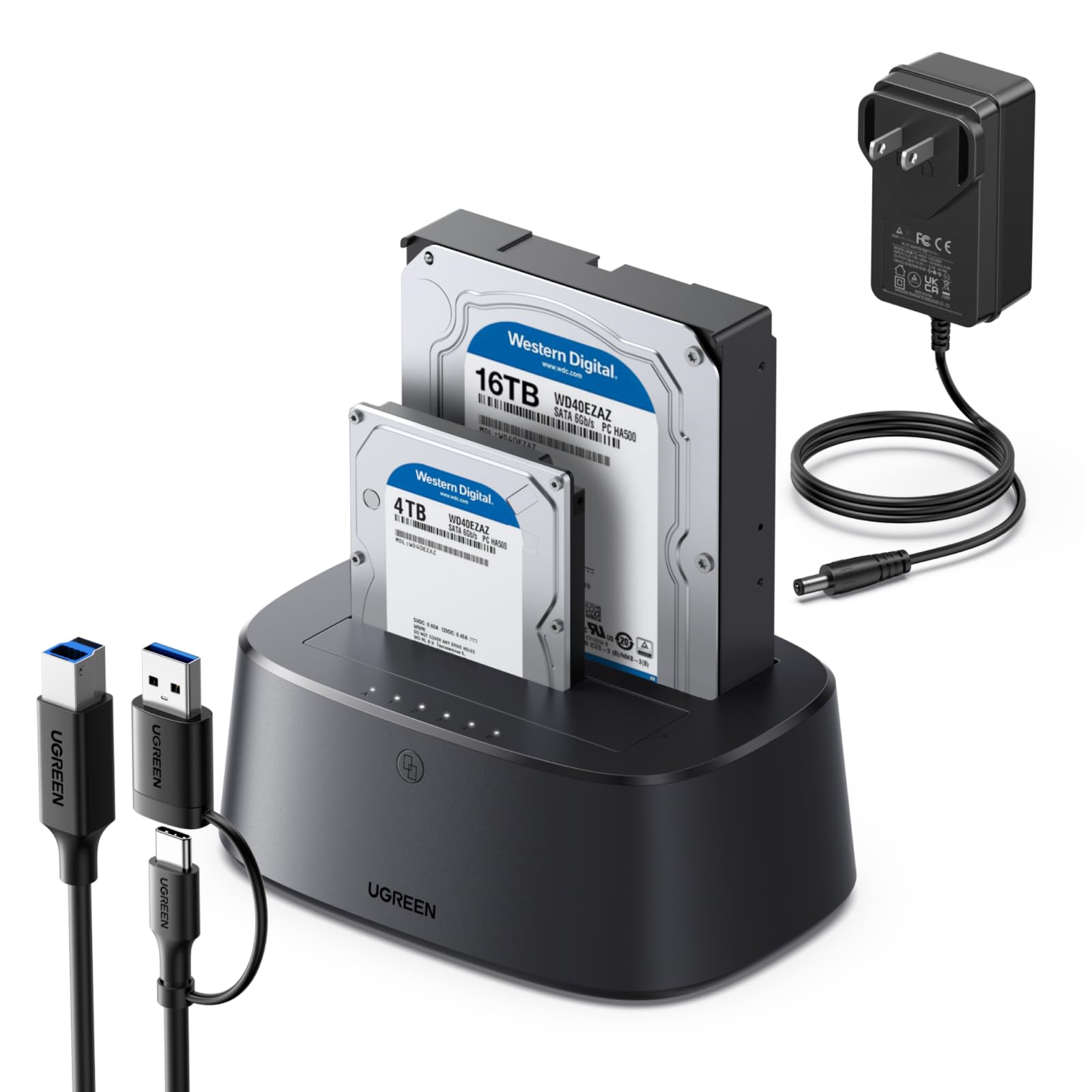
The UGREEN CM198 brings USB-C connectivity, offline cloning, and support for large drives at a mid-range price. It is a straightforward solution for quickly accessing or duplicating 2.5-inch and 3.5-inch SATA drives without software. However, this is a fresh model in UGREEN's lineup, so its long-term behavior is still being observed — it suits early adopters who prioritize features over an established usage history.

Bottom line: Best for early adopters who want USB-C and cloning without paying a premium, but not for those needing a long track record.

How to Choose

Number of Bays

Single-bay docks are the simplest way to read one drive at a time. They work fine for occasional backups or accessing old data, but you cannot clone or compare drives without swapping cables.

Dual-bay docks let you copy directly between two drives without a computer, and they save desk space when you need to work with multiple drives. Multi-bay docks (five bays, for example) are for bulk duplication but often sacrifice speed when all bays are active.

Host Interface

USB 3.0 Type-A is the most common and works with nearly any computer. USB-C offers a smaller connector and is essential for modern laptops that lack Type-A ports. However, the interface speed matters less than the bridge chipset: a UASP-enabled dock can feel snappier than a non-UASP one even over the same USB generation.

USB-C docks often include a USB-A adapter for backward compatibility, but some have had connection stability issues. If your computer has both ports, a straight USB-C connection is preferable for signal integrity.

Offline Clone Function

Offline cloning copies one drive to another without connecting to a PC. It is useful for upgrading drives or making duplicates, but it has limits: most docks cannot clone a Windows boot drive because they do not adjust partition sizes. The result is often a non-booting destination drive.

Sector-by-sector clones (like on the StarTech model) work with encrypted drives but take longer. For data drives, simpler offline clone methods are sufficient. Always verify that the source is smaller than or equal to the target capacity.

Maximum Drive Capacity

Most docks support up to 20TB per bay, which covers nearly all consumer drives. Higher capacity ratings are often marketing claims; the actual limit depends on the controller and power delivery. If you plan to use enterprise drives above 20TB, check user reports for that specific model.

For IDE drives, capacities are limited to 1TB or less due to the older interface. If you only need to access modern SATA drives, any dock with a 20TB rating is sufficient.

Build Materials and Power Adapter

Aluminum or metal construction dissipates heat better and feels more durable than plastic. Plastic docks are lighter and cheaper but their doors and latches can break off after repeated use. The power adapter quality is the hidden variable: weak adapters cause spin-up failures and random disconnects, especially with 3.5-inch drives.

If you plan to leave the dock powered on for extended periods, invest in a model with a well-reviewed power supply. The extra $10-$15 often buys a significantly more reliable unit.

Frequently Asked Questions