Computers & Accessories

9 Best Ergonomic Mouse 2026: Reduce Wrist Strain Without Sacrificing Durability

Find an ergonomic mouse that truly fits your hand size and work style, from budget verticals to premium trackballs, without falling prey to scroll wheel failures and short battery life.

Many ergonomic mouse buyers discover that the promise of wrist relief often comes with a hidden trade-off: the scroll wheel stops responding after a few months, or the rechargeable battery dies prematurely. That's a category-wide vulnerability that affects everything from budget verticals to premium trackballs.

The real challenge isn't just finding an upright shape — it's finding one that holds up to daily use and actually matches your hand size. Small-handed users often end up with oversized mice, while large-handed buyers struggle with cramped grips. We've sorted through the most common pitfalls to highlight the picks that balance comfort with longevity, and highlight the trade-offs you need to know.

Whether you prefer a vertical grip or a stationary trackball, the right choice depends on how you work and how long you expect the mouse to last. This guide helps you match a mouse to your needs without the guesswork.

1

Logitech Lift Ergo

Top Pick
Logitech Lift Ergo

S/M Hands

Our Score 9.0/10
Check Price

Worth Noting

DPI
4000
Battery
1 AA (24 months)
Hand Size
S/M Hands
Connectivity
Bluetooth, Logi Bolt

The Logitech Lift’s ergo-certified 57-degree vertical angle encourages a more natural handshake posture, reducing wrist strain during long work sessions. The quiet clicks keep your desk environment distraction-free, and the two-year battery life on a single AA battery means you rarely need to think about power.

Throughout a full workday, the Lift’s sculpted shape provides consistent support for small to medium hands. The rubber side grip and textured palm rest help maintain control without slipping, and the 4000 DPI sensor tracks accurately on most surfaces.

This mouse is intended for professionals with small to medium hands who want a vertical design for wrist strain relief and are willing to pay a premium for Logitech’s build quality. Larger hands will likely feel cramped – the Lift is not a fit for that group. Additionally, some units can develop button or connectivity issues after a year of use, so it is worth factoring in the possibility of needing a replacement within that timeframe.

The Lift connects via Bluetooth or the included Logi Bolt USB receiver, allowing you to switch between up to three paired devices with a single button press. DPI adjustment up to 4000 lets you fine-tune cursor speed to your preference.

Bottom line: For small to medium hands, the Lift delivers the most refined vertical ergonomic experience with quiet operation and exceptional battery life – worth the premium if comfort is your priority.

2

ProtoArc EM11 NL

ProtoArc EM11 NL

S/M Hands

Our Score 8.8/10
Check Price

Worth Noting

  • Scroll wheel may develop skipping or unresponsiveness in some units after extended use
  • Cursor tracking can feel slightly inconsistent, and the smooth surface may cause hand slippage for some grip styles
DPI
2400
Battery
500mAh Rechargeable
Hand Size
S/M Hands
Connectivity
Bluetooth, 2.4GHz

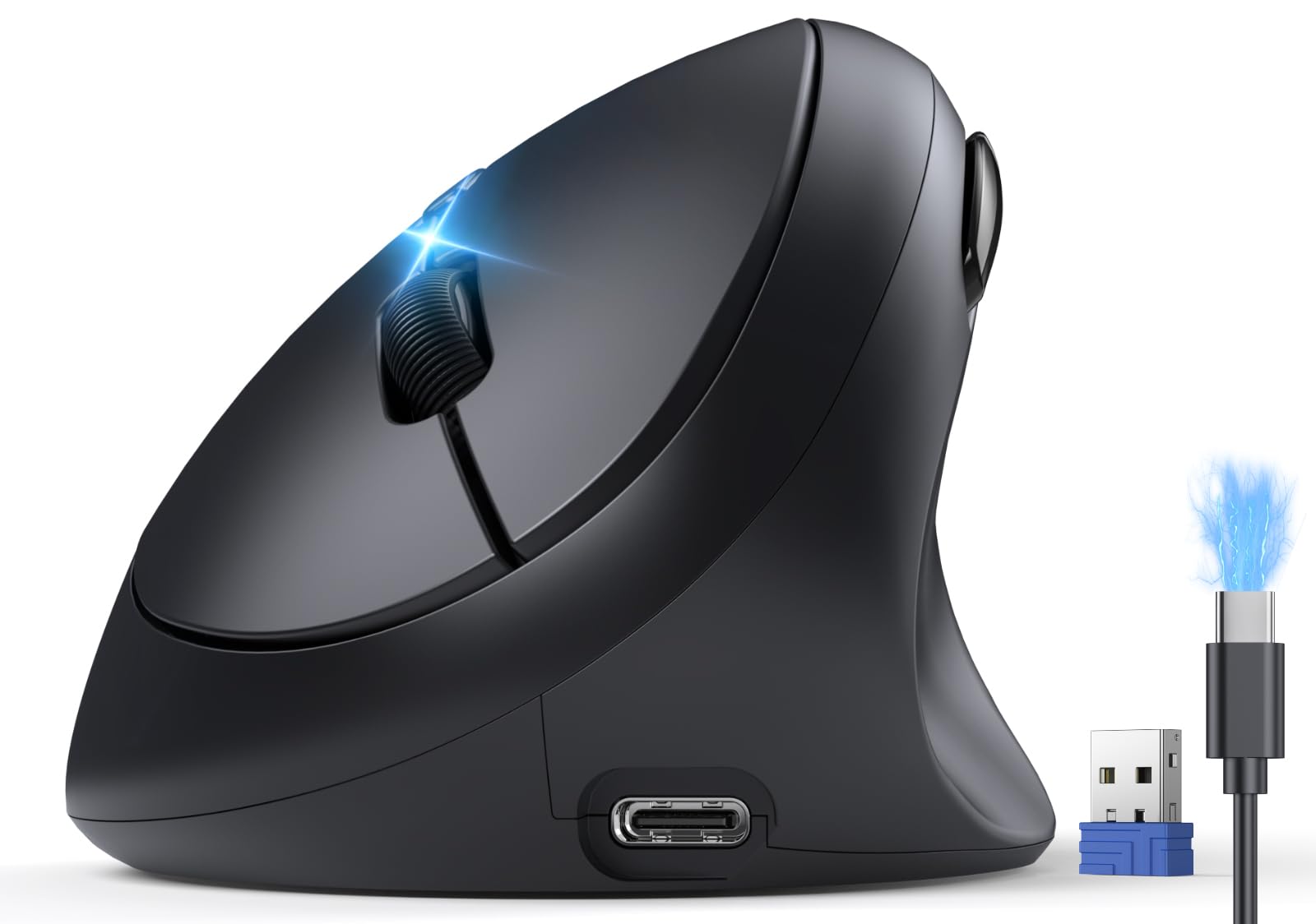
Under $25, the ProtoArc EM11 NL competes with premium vertical mice on comfort and build quality. The body uses a matte, textured finish that feels dense and well-assembled, not hollow or creaky — a detail that stands out at this price point.

The 57-degree angle and contoured grip support a natural handshake position that reduces forearm and wrist tension during extended use. The 500mAh rechargeable battery lasts through several workdays on a single charge, and switching between Bluetooth and the included 2.4GHz receiver is seamless via the base button.

This mouse is best for users with hand lengths under 7.5 inches who want an affordable vertical design to test or adopt as a daily driver. However, some units have shown scroll wheel skipping or complete inactivity after a few months of use — a limitation that makes this less suitable for buyers who need guaranteed uptime or plan to keep the mouse beyond two years.

Tip: Keep the scroll wheel area free of dust and debris to reduce the chance of skipping issues.

Bottom line: A cost-effective vertical mouse that matches premium-level comfort for small-handed users, provided you accept the possibility of scroll wheel quirks over time.

3

Logitech M575S Trackball

Logitech M575S Trackball

Trackball Users

Our Score 9.2/10
Check Price

Worth Noting

  • Right-hand only design; no left-handed version is offered.
DPI
2000
Battery
1 AA (18 months)
Hand Size
Connectivity
Bluetooth, Logi Bolt

By keeping your hand stationary and using only your thumb to move the cursor, this trackball eliminates the arm travel required by conventional mice. That makes it a distinct alternative to vertical designs like the Logitech Lift, especially for users who want to minimize shoulder and forearm motion rather than rotate their wrist.

This mouse suits users with limited desk space, those dealing with forearm or shoulder strain, and trackball enthusiasts seeking a daily driver. However, the connection is limited to one device at a time — no quick switching between computers — and the ball needs periodic cleaning to stay smooth. If you need multi-device flexibility, consider the Lift or MX Master series instead.

Build quality feels solid, with quiet clicks and consistent tracking that holds up over long sessions. The 18-month battery life from a single AA eliminates recharging hassles, though the trackball does require occasional maintenance to keep the sensor free of dust and debris.

Tip: Clean the ball and sensor every few weeks to maintain smooth tracking.

Bottom line: For users who want to keep their hand still and don’t need to switch between computers, the M575S provides consistent ergonomic relief at a mid-range price.

4

TECKNET Rechargeable

TECKNET Rechargeable

S/M Hands

Our Score 9.2/10
Check Price

Worth Noting

  • Left and right clicks can require extra force or miss clicks in some cases.
  • For hand sizes over 7.5 inches, the compact body feels cramped.
DPI
4800
Battery
600mAh Rechargeable
Hand Size
S/M Hands
Connectivity
Bluetooth, 2.4GHz

The TECKNET uses a 52-degree angle and a 600mAh rechargeable battery, keeping small hands comfortable while reducing charge frequency. It pairs via Bluetooth 5.0/3.0 or the included 2.4GHz receiver, switching between devices without re-pairing. For its price, the build feels solid enough for daily office use, and the quiet clicks won't disturb a shared workspace.

This mouse suits users with hand lengths under 7.5 inches who want a vertical design to reduce wrist strain and prefer wireless flexibility. The tradeoff: left and right buttons can require extra force or miss clicks entirely in some cases, so consistent click feedback is not guaranteed. Anyone with larger hands should skip this — the compact body quickly feels cramped.

Battery life stretches to about two months with typical use, and the USB-C port makes topping up convenient. The 800–4800 DPI adjustment covers most screen resolutions. These features make it a capable daily driver for the right hand size, though the button inconsistency may frustrate users who rely on precise clicks.

Tip: Test the button feel before committing — some units may require more deliberate pressing.

Bottom line: The TECKNET is a cost-effective vertical mouse for small-handed office users who prioritize comfort, battery life, and dual connectivity. Those with larger hands or a need for consistent click feedback should consider the Logitech Lift instead.

5

Anker Vertical Ergo Mouse

Anker Vertical Ergo Mouse

M/L Hands

Our Score 8.4/10
Check Price

Worth Noting

  • Scroll wheel and button failures can occur within months of regular use
  • Too large for smaller hands
DPI
1600
Battery
2 AAA (not incl.)
Hand Size
M/L Hands
Connectivity
2.4GHz USB

The Anker Vertical Ergo Mouse delivers noticeable wrist strain reduction at a budget-friendly price, making it the least expensive way to try a vertical design. However, the scroll wheel and buttons can become unresponsive within a few months of regular use, and the shape only suits medium-to-large hands. This makes it a short-term solution for testing the ergonomic concept rather than a daily driver for years.

Bottom line: Best for budget-conscious buyers who want to test a vertical mouse with minimal financial risk, accepting that it may need replacement within a year.

6

TECKNET TK-MS007

TECKNET TK-MS007

Medium Hands

Our Score 8.8/10
Check Price

Worth Noting

  • Some units may develop erratic scrolling or cursor freezes during use.
  • A small number of units may become unresponsive within the first weeks.
DPI
4800
Battery
2 AAA (claimed 24mo)
Hand Size
Medium Hands
Connectivity
Bluetooth, 2.4GHz

Switching to a vertical angle can ease wrist pressure, and this TECKNET model brings Bluetooth 5.0 and 2.4GHz connectivity with adjustable DPI at an entry-level price. The 57-degree hand position (right-hand only) and quiet clicks suit medium-handed users exploring ergonomic shapes. However, QC consistency varies: some units encounter erratic scrolling or become unresponsive within weeks, making this better suited as a low-risk trial than a daily workhorse for precise tasks.

Bottom line: A low-cost entry point for testing vertical ergonomics, best for budget-conscious buyers who can tolerate possible unit-to-unit differences over demanding daily use.

7

PHILIPS SPK7858

PHILIPS SPK7858

Contoured Style

Our Score 9.2/10
Check Price

Worth Noting

  • Compact design may feel small for users with larger hands.
  • Functionality can be inconsistent
DPI
4000
Battery
500mAh Rechargeable
Hand Size
S/M Hands
Connectivity
Bluetooth, USB-A/C

The PHILIPS SPK7858 brings an attractive design with a side scroll wheel and a USB-A/C dual receiver to the desk, offering quiet clicks and a color-changing LED for visual flair. The contoured right-handed shape provides a comfortable grip for extended sessions, and the 500mAh rechargeable battery supports up to 25 days of heavy use without swapping AAs. Value for money is solid given the feature set — the build feels premium for its price tier.

However, this mouse carries a notable risk: a minority of units can become unresponsive within a few weeks of use, making it a less dependable choice for those who need consistent daily performance. The compact form also suits small to medium hands best; larger hands may find it cramped. If the style and side scroll are priorities and you are willing to accept some uncertainty, this could work as a secondary or light-use mouse.

Bottom line: Best suited as a secondary or discretionary purchase where the stylish design and side scroll appeal outweigh the possibility of early failure.

8

Lenovo Yoga Pro Mouse

Lenovo Yoga Pro Mouse

Sleek Design

Our Score 9.0/10
Check Price

Worth Noting

  • Scroll wheel responsiveness can vary, feeling either too sensitive or unresponsive in some units
  • Battery life may degrade faster than expected, with some units not holding charge
DPI
4000
Battery
Rechargeable (2-3 mo)
Hand Size
Connectivity
Bluetooth 5.1

The Lenovo Yoga Pro Mouse impresses with its soft-touch materials and near-silent clicks, making it a pleasant companion in shared workspaces. Its sleek tidal teal design matches the Lenovo Yoga lineup perfectly. However, the scroll wheel can feel unresponsive or overly sensitive in some cases, and there are occasional reports of Bluetooth disconnection or battery degradation within months. These issues are not guaranteed but worth checking if you need the mouse to function flawlessly beyond a year.

Bottom line: Best suited for Lenovo ecosystem users who prioritize design and quiet operation over long-term reliability.

9

Logitech MX Master 2S

Logitech MX Master 2S

Productivity Focus

Our Score 9.2/10
Check Price

Worth Noting

  • Forward/back navigation buttons are small and set deep into the thumb rest, demanding a precise hand angle.
  • Some units may develop unresponsive buttons or lose connection after extended use.
DPI
4000
Battery
Rechargeable (70 days)
Hand Size
M/L Hands
Connectivity
Bluetooth, Unifying

The Logitech MX Master 2S is a legendary contoured mouse for productivity enthusiasts. Hyper-fast scrolling, a dedicated thumb wheel, and seamless switching between three devices make it a workflow powerhouse. Build quality is high, and the battery lasts weeks between charges. However, the 2S uses micro-USB instead of USB-C, and the forward/back buttons are positioned close to the thumb rest, which can feel awkward for some hand sizes. A minority of units may experience button responsiveness or connectivity issues over time. For buyers who want these features and can accept the older connector and occasional variability, it remains a solid choice — but newer Logitech options (like the Lift vertical) offer USB-C and more refined ergonomics for similar money.

Tip: The forward/back buttons sit close to the thumb rest — allow a few days to adjust hand position for easy reach.

Bottom line: A feature-rich contoured mouse for large-handed productivity users who don't mind micro-USB and are comfortable with possible button variability; better suited as a budget alternative to newer Logitech ergo models than a primary daily driver for reliability-seekers.

How to Choose

Ergonomics Type

Vertical mice rotate your hand into a handshake position, reducing pronation strain on the forearm and wrist. Contoured mice keep your hand flat but provide a thumb rest and sculpted grip, which works well for users who prefer a more traditional feel but need wrist support.

Trackball mice eliminate arm and shoulder movement entirely because your thumb or fingers roll the ball while your hand stays still. This makes them ideal for small desks or users with existing shoulder issues, but they require a different muscle memory and periodic cleaning.

Hand Size

Hand size is the most overlooked spec. A mouse that is too large forces you to stretch your fingers, causing strain in the tendons; a mouse that is too small leads to a cramped claw grip that can aggravate carpal tunnel symptoms. Measure your hand length from wrist crease to middle fingertip.

Most budget vertical mice are designed for hand lengths under 7.5 inches. If your hands are larger, look for models explicitly marked for medium to large hands, such as the Logitech MX Master 2S or the Anker vertical. A half-inch difference can change the entire comfort profile.

Connectivity

Bluetooth offers convenience for multiple devices and works without a dongle, but can introduce a small lag and dropouts in crowded wireless environments. A 2.4GHz USB receiver provides a more stable connection with lower latency, but ties you to one computer and consumes a USB port.

Many budget options now include both Bluetooth and a USB receiver, giving you flexibility. If you regularly switch between a laptop and desktop, look for multi-device support with a dedicated button to toggle connections.

Battery

Rechargeable mice save money on batteries but lose capacity over a year or two, eventually needing more frequent charges or becoming unusable. AA-powered models like the Logitech Lift can last up to two years on a single battery, making them better for users who want a set-and-forget solution.

If you choose rechargeable, check the battery capacity: 500mAh to 600mAh typically provides one to two months of daily use. Units that claim months of battery life often rely on marketing numbers under light use; real-world heavy use cuts that significantly.

DPI and Sensor Quality

DPI determines cursor speed: higher DPI (e.g., 4000+) allows fast movement across large monitors without lifting the mouse, but lower DPI is better for precision tasks like photo editing. Most modern mice have adjustable DPI, so the range matters more than the maximum.

Sensor quality affects tracking on different surfaces. Optical sensors work on most desks, but if you use a glass desk or unusual surface, look for mice with a laser sensor or explicit mention of glass tracking. Avoid mice with erratic cursor behavior, a common complaint in budget models.

Frequently Asked Questions