Office Electronics

9 Best Monitor Light Bar of 2026: Real Eye-Care Without the Premium Price

Struggling to find a monitor light bar that doesn't glare, flicker, or cost a fortune? This guide finds the ones that deliver real eye-care.

Monitor light bars promise eye-care and no screen glare, but the reality often differs. Many budget models use cheap optics that still scatter light onto the screen, while premium ones charge a premium for features that may not matter for your desk. The key is matching the light bar to your monitor type and daily usage.

Auto-dimming sensors sound great, but in practice they often misread ambient light, forcing manual override. A separate wireless controller or reliable touch controls make daily adjustments far more practical than reaching for the bar itself.

The best monitor light bars prioritize high CRI (95+) and flicker-free LEDs over flashy RGB backlight modes. That combination delivers real, long-term comfort without the upcharge.

1

Quntis Glow with Remote

Top Pick
Quntis Glow with Remote

Gamers & work

Our Score 9.4/10
Check Price

Worth Noting

  • Remote control uses disposable AAA batteries, not a rechargeable cell
  • Light bar can become warm after extended use, noticeable if touched
Mounting
Sliding weighted clip
Brightness
Stepless dimming
Extra Features
Remote, backlight, 3 modes, memory
Color Temp Range
2700K-6500K

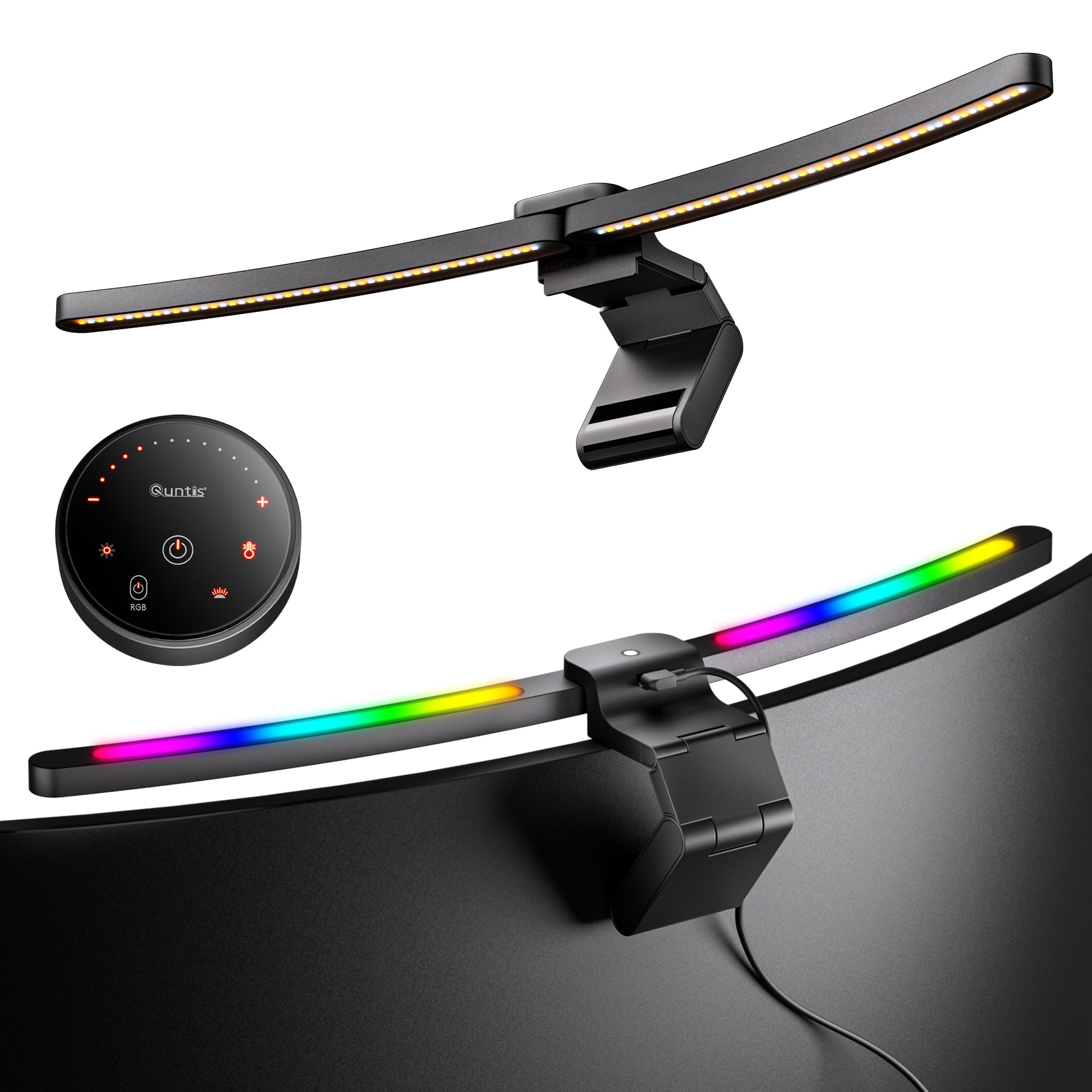
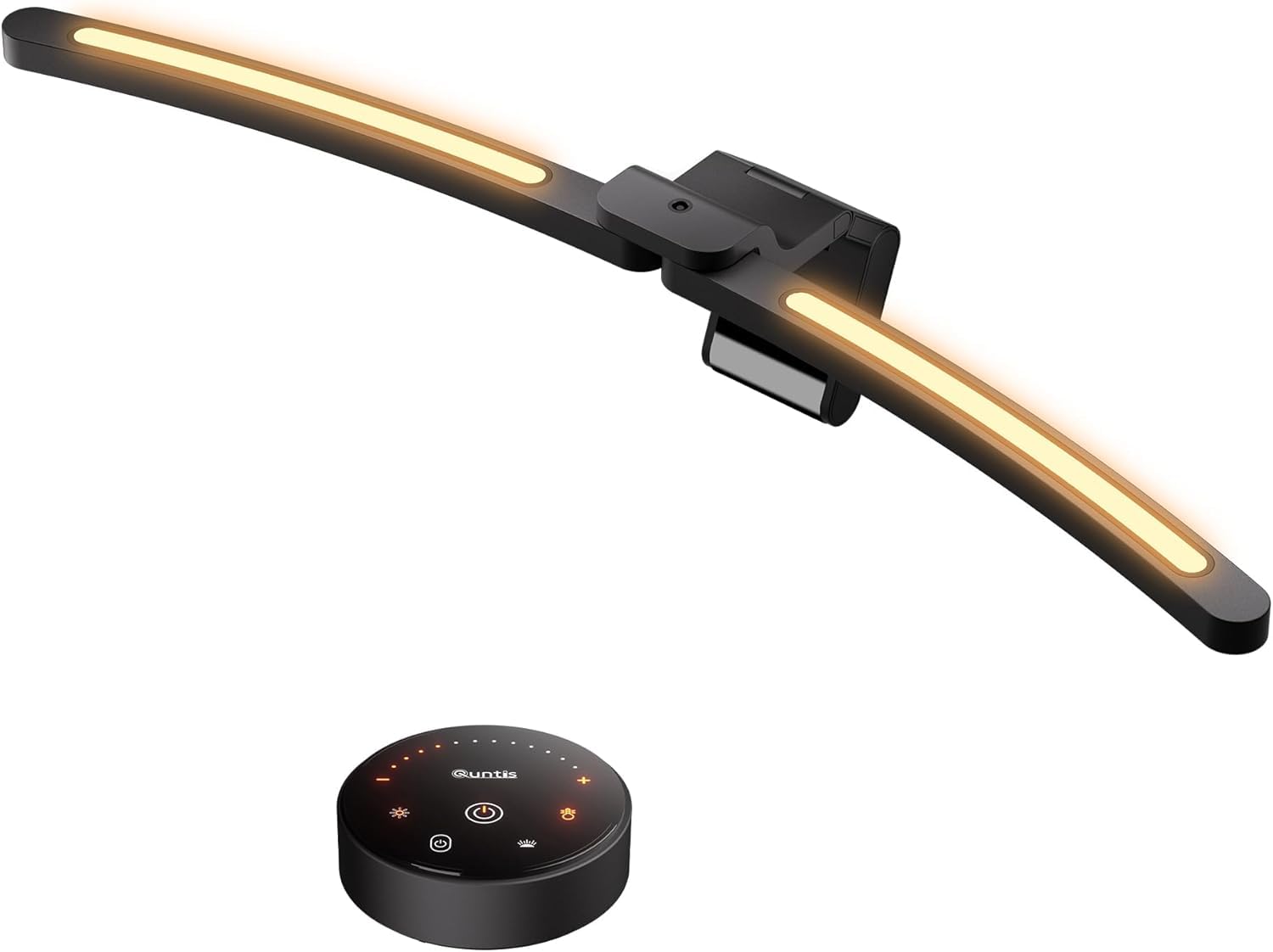
The Quntis monitor light bar brings remote control convenience and a dual front-and-back lighting system to a mid-range price — a combination rarely seen at this level. The weighted clip mounts securely on flat or slightly curved monitors, and the included puck-style remote allows adjusting brightness and color temperature from a distance without reaching for the bar.

The aluminum body gives the bar a solid feel, while the asymmetric optics reduce screen glare effectively for most desk setups. Extended use generates noticeable warmth along the top edge — warm to the touch but not hot — and the remote relies on AAA batteries rather than a rechargeable cell, which is less convenient for those who prefer a dial with a built-in battery. For typical work sessions, these tradeoffs remain minor.

This light bar suits users who want both task lighting for the desk and a soft backlight to reduce eye strain, all controlled without needing to touch the monitor. It is not for those who prefer a single touch-only panel or zero-gadget simplicity. The backlight adds depth to work setups and immersive gaming, and the front light’s asymmetric optics minimize screen glare. Those who keep spare AAA batteries handy will find the remote convenient; the bar’s warmth during long sessions is a tradeoff that heavier users should consider.

For roughly a quarter of the price of the premium BenQ Halo 2, the Quntis delivers comparable remote control and a functional backlight. The build quality and lighting performance hold up well against competitors costing twice as much. The main compromises — battery-operated remote and slight heat — are minor when balanced against the cost savings.

Tip: Use rechargeable AAA batteries in the remote to keep it always ready and reduce waste.

Bottom line: For anyone seeking a remote-controlled monitor light with backlight without jumping to the premium tier, the Quntis delivers — battery swap and gentle warmth are small asks for this feature set.

2

BenQ ScreenBar Halo 2

BenQ ScreenBar Halo 2

8+ hr daily

Our Score 9.4/10
Check Price

Worth Noting

  • Premium price may not appeal to buyers who only need basic desk lighting
  • Wireless controller uses disposable batteries and can require multiple taps to wake
Mounting
Fits 0.17-2.36 in, 1000-1800R
Brightness
Stepless, auto-adjusting
Extra Features
Wireless puck, backlight, motion sensor, memory
Color Temp Range
2700K-6500K

The wireless controller sets the Halo 2 apart: a smooth dial allows quick brightness and color temperature changes without reaching for the bar. Unlike the wide-beam option that lacks a remote, this puck stays on your desk for easy access. The backlight can be tuned from warm to cool, adding ambient depth behind the monitor.

In practice, the asymmetric optics keep the screen free of glare while lighting the desk evenly. The motion sensor auto-wakes the light when you approach, but the puck occasionally requires two taps to respond — a minor annoyance rather than a dealbreaker. The disposable batteries in the remote need replacement every few months, and the backlight's color adjustment is a welcome bonus for reducing eye fatigue during long sessions.

This light is best suited for professionals and enthusiasts who spend eight or more hours daily at a screen, especially those with curved monitors (1000R to 1800R). The premium price is justified if you want the wireless convenience and backlight customization, but it's overkill if you only need basic task lighting or don't use the motion sensor. Casual users can find capable alternatives at half the cost.

Tip: Keep spare batteries in your desk drawer; the puck responds best when the battery level is fresh.

Bottom line: For those who value wireless control, ambient backlight, and build quality over budget, the Halo 2 delivers a refined experience — but it's a luxury that casual users can skip.

3

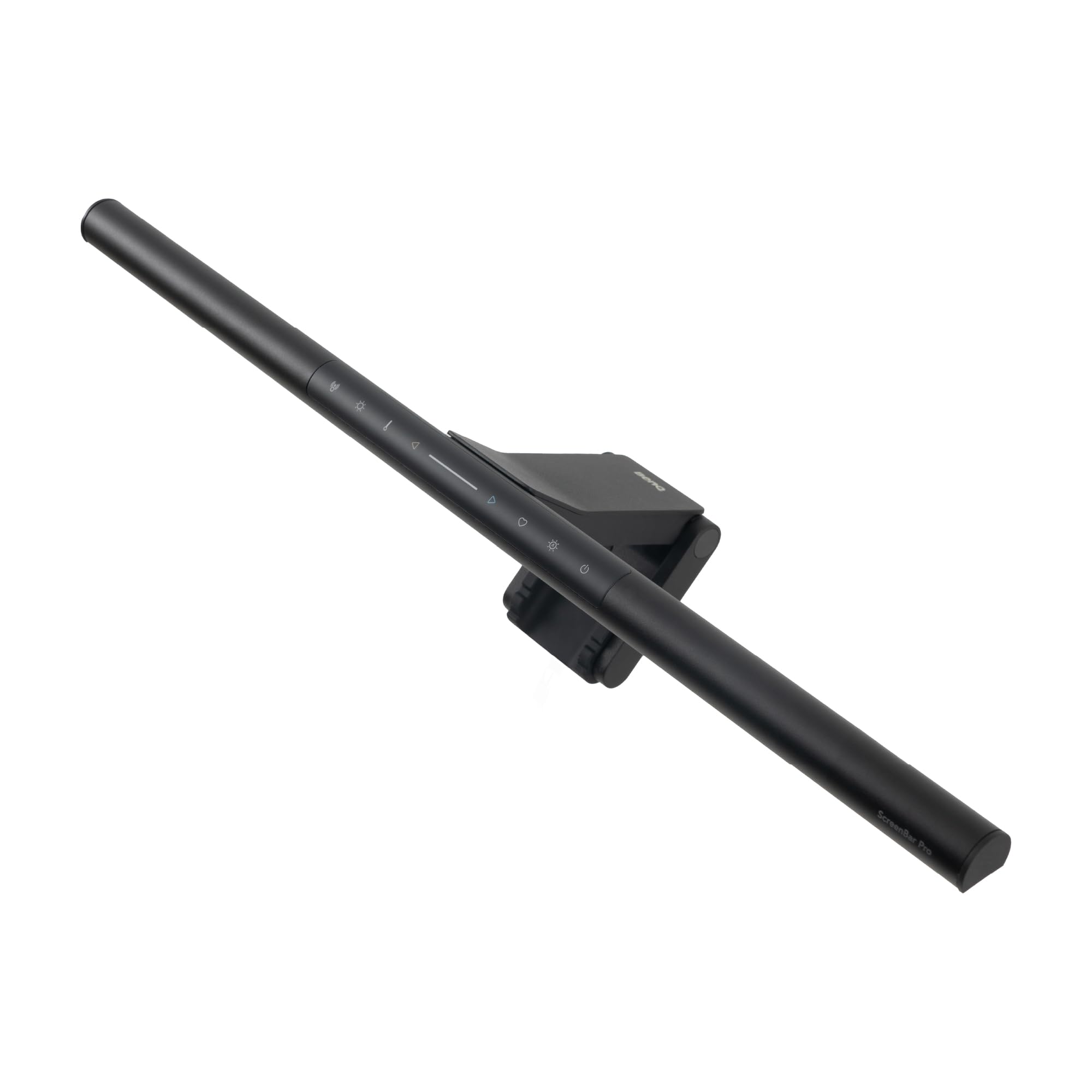
BenQ ScreenBar Pro

BenQ ScreenBar Pro

Multi-monitor desks

Our Score 9.6/10
Check Price

Worth Noting

  • Controls are on the bar itself, which can be inconvenient for tall monitor setups or when the bar is mounted high
  • Motion sensor may activate from adjacent foot traffic, not just when seated
Mounting
Fits 0.17-2.56 in, 1000-1800R
Brightness
>1000lx center, 500lx 33x20 in
Extra Features
Motion sensor, auto on/off, ultrawide coverage
Color Temp Range
Stepless

The ScreenBar Pro’s ultrawide beam covers desks that stretch across multiple monitors, eliminating the dark zones typical of narrow bars. Light distribution stays even across a 33x20 inch area at 500 lux, with over 1000 lux at center — enough for detailed paperwork without washing out the screen. The asymmetric optics prevent reflection even on glossy panels, and the motion sensor reliably toggles the light on when you sit down and off when you leave, without false triggers from passing movement in most setups.

Where this design diverges from competitors is the tradeoff for that wide coverage: all controls live on the bar itself. No wireless remote means you’ll reach up to adjust brightness or color temperature — not a problem if the bar sits at eye level, but awkward for tall monitors or curved screens where the bar is mounted high. The sensor range is also generous enough that it may catch movement from adjacent walkways, causing the light to turn on when you’re not at your desk.

This bar is best suited for professionals with large, multi-monitor setups who prioritize even, glare-free light and the convenience of hands-free on/off. If you frequently tweak lighting settings or have the bar mounted out of easy reach, consider whether the lack of a remote will frustrate daily use. The build quality is solid, with a matte finish and a weight-balanced clamp that fits most monitor bezels and 1000-1800R curves.

Tip: If you mount the bar on a thick curved monitor above eye level, test the reach before committing — the bar's touch controls require arm extension for any adjustment.

Bottom line: For multi-monitor desks where wide coverage and motion-activated lighting are the priority, this is the most effective option — just be prepared to reach for the bar to adjust settings.

4

Quntis Curved RGB

Quntis Curved RGB

Ultrawide curved

Our Score 9.4/10
Check Price

Worth Noting

  • In a dark room the backlight brightness is fixed and cannot be turned down independently
  • The clamp extends rearward and can interfere with webcam placement or feel oversized on desks with tight rear clearance
Mounting
For 34+ curved 1000-3000R, clamp
Brightness
Center 1400 lux
Extra Features
Foldable arms, RGB backlight, auto-dimming, remote
Color Temp Range
3000K-6500K

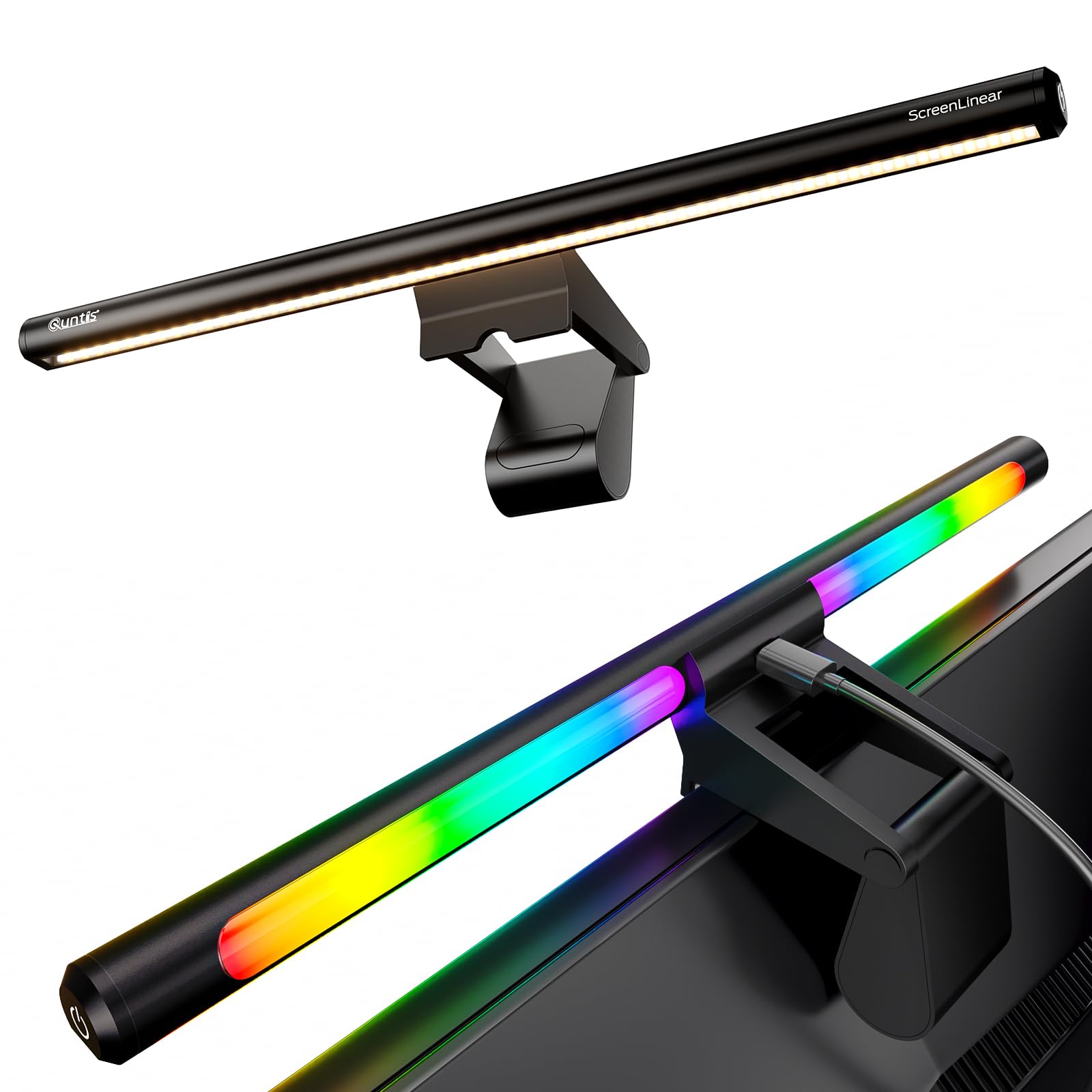
The Quntis Curved RGB delivers 1400 lux at center with a wide beam that eliminates dark corners on 34-inch ultrawide curved screens. The foldable arms adjust to different curve radii (1000R-3000R), and the 15 RGB backlight modes add a splash of ambient color behind the monitor for gaming or mood lighting.

Task light covers the full width of a 34-inch curved monitor without glare on the screen. The backlight brightness, however, is fixed and cannot be dimmed independently — in a pitch-black room the glow may feel too bright if you want subtle ambiance. The clamp extends about an inch behind the monitor, so it can block webcam mounting on some stands or feel bulky on desks with limited rear clearance.

This bar suits gamers and professionals who own a 34-inch or larger curved ultrawide and want both effective task lighting and RGB flare. If you prefer a minimal, non-RGB look or use a flat/smaller monitor, look elsewhere. The non-adjustable backlight is a clear tradeoff, but for those who keep it on a single brightness setting, it works as a consistent ambient fill.

Tip: If the fixed backlight brightness feels too intense in a dark room, try positioning the bar slightly forward to shift the backlight angle, or use a USB dimming cable inline.

Bottom line: For owners of 34+ curved monitors who want a bright task light plus RGB ambient flare, this bar delivers a lot at a mid-range price – as long as the non-adjustable backlight brightness fits your setup.

5

Quntis ScreenLinear Pro

Quntis ScreenLinear Pro

Budget desk lighting

Our Score 9.2/10
Check Price

Worth Noting

  • In rooms with mixed lighting, the auto-dimming sensor may adjust brightness inconsistently.
  • On thin or uneven monitor bezels, the mounting clip may not hold securely.
Mounting
Clip-on, fits flat/curved up to 1000R
Brightness
Up to 900 lux (auto), stepless
Extra Features
Auto-dimming, memory function, touch control
Color Temp Range
3000K-6500K

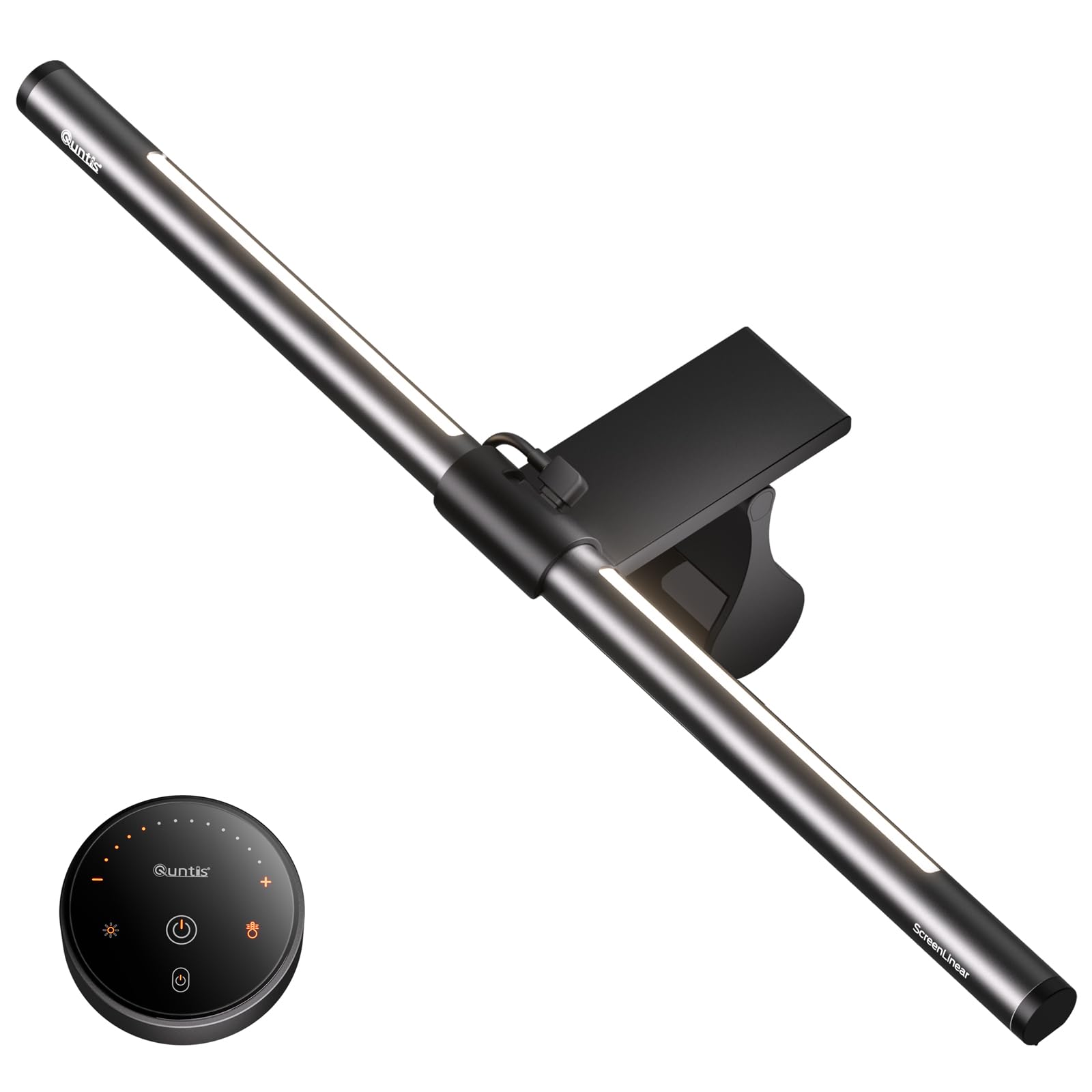
The Quntis ScreenLinear Pro achieves a color rendering index of 98 and includes auto-dimming, features typically reserved for lamps costing significantly more. This combination makes it a compelling option for budget-conscious users who want eye-care lighting without the premium price tag.

The sensor that powers auto-dimming can occasionally misread the lighting in a room, resulting in brightness that feels too dim or too bright for the task. Similarly, the clip-on mount works well on standard flat monitors but may not grip securely on ultra-thin or heavily curved bezels.

This lamp is best suited for users with standard flat monitors who want a no-fuss, affordable upgrade to reduce eye strain. If your monitor has a thin bezel or you rely heavily on consistent auto-dimming, consider the mid-range alternative with a remote and backlight for more control.

Tip: For thin bezels, adding a small felt pad on the clip can improve grip and prevent slipping.

Bottom line: A smart pick for standard-monitor owners who want high-CRI illumination on a budget, as long as you are comfortable occasionally adjusting brightness manually when the auto sensor drifts.

6

Quntis 24 RGB Modes

Quntis 24 RGB Modes

Budget gamers

Our Score 9.0/10
Check Price

Worth Noting

  • RGB backlight brightness is fixed
  • Touch controls can be triggered by accidental brushes and are hard to locate in low light
Mounting
Triangular counterweight clip
Brightness
Up to 900 lux center
Extra Features
24 RGB backlight modes, touch control, memory
Color Temp Range
3000K-6500K, 5 presets

The Quntis monitor light bar offers 24 RGB backlight modes that create an immersive gaming atmosphere, paired with a 900 lux task light that delivers clear, glare-free desk illumination. The high CRI 95 rating ensures natural color rendering, and the triangular counterweight clip installs quickly on most monitors.

Touch controls on the bar respond to light touches, which can be triggered inadvertently when reaching across the desk — in a dark room you may need to fumble to find the sensor. The RGB backlight has 24 modes but no independent brightness adjustment, so it runs at a fixed level. These limitations are manageable for users focused on ambient effects rather than precise tuning.

This bar suits budget-conscious gamers who want vibrant ambient lighting and a capable desk lamp without spending premium dollars. First-time monitor light bar buyers curious about RGB effects will find it a low-risk entry point. The touch controls and non-dimmable backlight are tradeoffs that gamers prioritizing atmosphere over fine control can accept.

Tip: Place the bar slightly forward so your hand doesn't brush the control strip when adjusting the monitor.

Bottom line: A budget RGB light bar with immersive effects and solid task lighting, best for gamers who prioritize ambiance over precise control and don't mind touch-only operation.

7

ONWAY Curved

ONWAY Curved

Curved monitor users

Our Score 9.0/10
Check Price

Worth Noting

  • Red standby LED on remote stays lit when light is off, noticeable in dark rooms
  • Some units may develop flickering after several months of use
Mounting
Flexible clamp for 27-34 curved
Brightness
275 lm, stepless
Extra Features
Remote, auto-dimming, camera mount, memory
Color Temp Range
3000K-6500K

The ONWAY Curved Monitor Light Bar delivers a stable mount on 1000R/1800R curved monitors and includes a responsive wireless remote for adjusting brightness and color temperature. Auto-dimming works smoothly in most lighting conditions. However, some units may develop flickering after several months of use, and the red standby LED on the remote stays lit when the light is off, which can be distracting in dark rooms. These quality-control variances prevent it from ranking higher among options with more consistent long-term performance.

Bottom line: Suitable for curved monitor owners who want a remote and auto-dimming, but best considered only if you are willing to risk potential flickering over time.

8

YEELIGHT Monitor Light Bar

YEELIGHT Monitor Light Bar

Tight budget

Our Score 9.2/10
Check Price

Worth Noting

  • 250 lumens may leave a large desk poorly lit
  • Touch controls can be unresponsive at times and lack tactile feedback.
Mounting
Clip-on, fits flat/curved 0.3-1.1 in
Brightness
250 lumens, stepless
Extra Features
Full-metal body, three color presets, memory
Color Temp Range
2700K-6500K, 3 presets

The YEELIGHT Monitor Light Bar brings an all-metal build and three color temperature presets to the most affordable end of the market. The full-metal construction distinguishes it from flimsier budget options, and the three preset color temperatures provide quick adaptability. However, the 250-lumen output limits its use to smaller desks where the lower brightness is adequate, and the touch-only controls can be unresponsive at times. If you need brighter illumination or prefer a remote, the Quntis Glow delivers higher output and auto-dimming at a slightly higher cost.

Bottom line: If your monitor sits on a small desk and you’re comfortable with touch-only adjustments, the YEELIGHT delivers reliable eye-care lighting at an unbeatable price without the plasticky feel of cheaper alternatives.

9

Quntis Curved Dual Arm

Quntis Curved Dual Arm

Large curved

Our Score 9.2/10
Check Price

Worth Noting

  • Backlight color temperature is fixed; only brightness can be adjusted
  • Remote control feels low-rent and buttons are poorly labeled, especially in low light
Mounting
Sliding weighted clip for 34+ 1000-3000R
Brightness
Center >1400 lux
Extra Features
Dual arms, auto-dimming, remote, memory
Color Temp Range
Stepless, 4 presets

This Quntis bar delivers over 1400 lux at center and a CRI of 98, making it a precise tool for creative professionals working on large curved screens. The dual pivoting arms allow you to direct light exactly where needed without hitting the screen. However, it’s a specialist item: the backlight only adjusts in brightness, not color temperature, and the bundled remote has a cheap feel with unclear labels. With a limited user base (114 reviews), it’s a secondary pick for anyone who doesn’t own a 34-inch+ 1000R–3000R curved monitor.

Bottom line: Only consider this bar if you own a 34-inch+ curved monitor and need brute-force task lighting with high color accuracy on a tight budget.

How to Choose

Brightness and Uniformity

Brightness is measured in lux at center and across the desk. A 900-lux center is fine for most desks, but ultrawide monitors need wider beams to avoid dark corners. The trade-off: higher brightness often means more heat and power draw.

Uniform coverage matters more than peak brightness. Lights that concentrate in the center force you to adjust your posture to stay in the sweet spot. Look for models that specify coverage area or beam angle.

Color Temperature Range

Color temperature affects perceived comfort. Warm (2700-3000K) is best for dark rooms and reduces blue light exposure; cool (6000-6500K) mimics daylight and helps focus. Stepless adjustment lets you tune throughout the day.

Many budget bars only offer 3 presets instead of stepless control. That forces a compromise if your ideal temperature falls between presets. For long sessions, stepless is worth the small premium.

Glare-Free Design

True glare-free design uses asymmetric optics that direct light forward at a shallow angle, preventing it from reflecting off the screen surface. Flat, cheap diffusers scatter light upward and cause noticeable glare on glossy monitors.

The only way to verify is to check for mention of 'asymmetric optical design' or 'patented light guide' in the specs. If it's not there, the light bar likely splashes light onto the screen.

Mounting Versatility

Not all clamps fit all monitors. Thin bezels (under 0.2 inches) and heavy curve radii (1000R) require specialized weighted clips or adjustable arms. A standard clip on a curved monitor leaves a gap at the ends, reducing coverage.

Consider also webcam clearance: some clamps block the top bezel where a camera sits. Look for 'webcam cutout' or L-shaped USB-C connectors that allow clearance.

Extra Features

Auto-dimming sounds convenient but often misreads mixed ambient light (e.g., sunlight plus room lights). Manual stepless control is more reliable. A wireless puck controller is far more convenient than touch buttons on the bar, especially in multi-monitor setups.

Backlight (ambient light behind the monitor) reduces eye strain by balancing contrast, but only if its brightness and color temperature are independently adjustable. Fixed backlight brightness can be more distracting than helpful.

Frequently Asked Questions