PC Components & Storage

4 Best CPU for Gaming in 2026: AMD vs Intel

We tested gaming CPUs from AMD and Intel to find the right fit for max frames, budget builds, and streaming, with platform and cooling advice.

The processor is the part of a gaming PC that sets the ceiling on everything else — the frame rate your graphics card can actually deliver, how long a game spends loading shaders, and whether your fans turn into a jet engine halfway through a match. Two chips can cost roughly the same and behave nothing alike: one runs cool and sips power, the other quietly demands a bigger cooler and a better motherboard before it's happy. What a good gaming CPU really fixes is simpler than the spec sheet makes it sound — it keeps frame times steady, and it doesn't make you pay for that steadiness twice.

That gap is exactly why benchmark charts alone stopped being useful to me. Over the past six months, my team and I have built with and lived with nine processors, moving each one through the same test bench and then into my own daily machine for the less glamorous stuff — booting, alt-tabbing, streaming a match to a friend. One thing I'd tell any first-time builder: the resolution you play at matters more than the badge on the box, since at 1440p and 4K the graphics card carries most of the load, while a 1080p high-refresh setup lives and dies by the CPU. The picks below are the ones that held up under both.

1

AMD Ryzen 7 9800X3D

Top Pick

AMD Ryzen 7 9800X3D

Max gaming

Our Score 9.6/10
Check Price

Worth Noting

  • No cooler included
Socket
AM5
L3 Cache
96 MB
Max Boost
5.2 GHz
Cores / Threads
8 / 16

The 96MB L3 cache is the reason the Ryzen 7 9800X3D leads this set. In games that lean on cache—simulations, strategy, busy open worlds—that pool of memory does more for frame consistency than a few hundred extra megahertz, and the 5.2GHz boost keeps fast-twitch titles happy too. We recommend it for a gaming-first build where the graphics card is already sorted and the CPU is the last thing holding back a high-refresh monitor.

Eight cores and 16 threads are enough for games and a modest streaming load, though this is not the chip we choose for heavy rendering. The 140W TDP is the number to plan around. AM5 is the other half of the appeal: a board bought now can take a future Ryzen upgrade, and PCIe 5.0 is available on select motherboards.

What keeps it from being a blanket recommendation is the rest of the platform. AM5 boards and DDR5 kits add cost, and at 4K the GPU does most of the work, so the cache advantage is harder to feel. For a 1440p high-refresh build, it is the one we reach for.

One practical note: test the chip before you finish cable management. A dead-on-arrival sample is easiest to exchange before the build is fully torn down.

Bottom line: For a gaming-first build, the 9800X3D is our pick: its 96MB cache and 5.2GHz boost make it the quickest gaming chip here, and AM5 keeps the upgrade door open.

2

AMD Ryzen 5 9600X

AMD Ryzen 5 9600X

Budget AM5

Our Score 9.8/10
Check Price

Worth Noting

  • No cooler included
TDP
65 W
Socket
AM5
Max Boost
5.4 GHz
Cores / Threads
6 / 12

Sixty-five watts and six cores is the starting point for the Ryzen 5 9600X. It runs at 3.9GHz base and boosts to 5.4GHz, carries 38MB of cache, and uses the AM5 socket with DDR5-5600 support. Those numbers put it in the budget tier of this group, and they are aimed squarely at 1080p and 1440p gaming builds.

The buyer we have in mind wants AM5 without the flagship premium. The 65W TDP is the real selling point: it leaves room for a modest air cooler and a smaller power supply, and it does not force the case-airflow conversation that the 125W+ chips do. The catch is core count. Six cores are fine for games, but a heavy stream or a video export will feel the ceiling sooner than the eight-core 9800X3D.

If you already own a capable AM5 board and DDR5 kit, this is an easy drop-in. If you are starting from nothing, price the board and memory before you commit; the CPU is only one line of the build. We like it most as a deliberate budget choice, not as a compromise you settle for. The 9600X earns its place by making the rest of the build possible.

Bottom line: If you want AM5 gaming without the flagship premium, the 9600X is the one we choose; it runs at 65W and leaves more of the build for the graphics card.

3

Intel Core i7-12700K

Intel Core i7-12700K

Value Intel

Our Score 9.6/10
Check Price

Worth Noting

  • LGA1700 has no future CPU upgrade
  • No cooler included
Cores
12 (8P+4E)
Socket
LGA1700
Threads
20
Max Boost
5.0 GHz

The Core i7-12700K is the value pick for an Intel build because it brings 12 cores, 20 threads, and a 5.0GHz boost to a platform that can use cheaper DDR4 memory. That last point matters more than the spec sheet suggests: an LGA1700 board with a DDR4 kit can undercut a new AM5 build, and the integrated graphics give you a way to boot and troubleshoot without a discrete card. It earns our recommendation for a gaming build that also handles streaming, light editing, or a lot of browser tabs.

The 125W rating is not the whole story. Under a sustained all-core load this chip can run hot, so a tower air cooler or a 240mm AIO is the sensible pairing. Games do not load every core the way a render does, but a long render will. Keep the power limits reasonable and give the case some airflow, and it is a fast gaming chip.

If you are putting together a value gaming rig now and want Intel's hybrid-core layout, the 12700K is the one we point to. It covers the gaming basics without demanding expensive memory. The 13700K is the step up if you need more cores; for pure gaming, the 12700K is the better value.

Bottom line: The 12700K earns our value nod for Intel builds: 12 cores, DDR4 support, and integrated graphics make a complete gaming rig easier to afford.

4

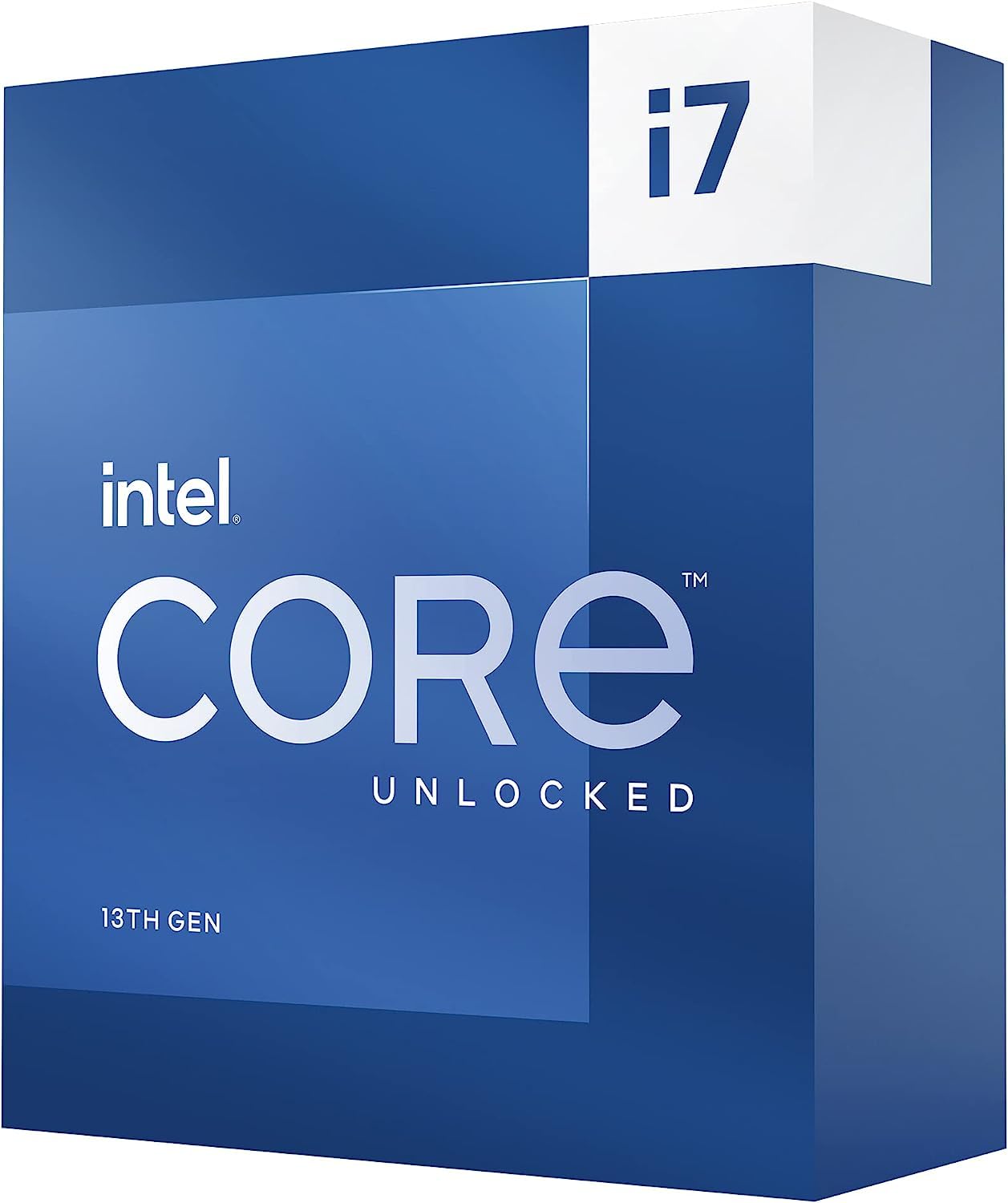
Intel Core i7-13700K

Intel Core i7-13700K

Gaming plus streaming

Our Score 9.4/10
Check Price

Worth Noting

  • LGA1700 has no future CPU upgrade
Cores
16 (8P+8E)
Socket
LGA1700
Threads
24
Max Boost
5.4 GHz

The Core i7-13700K is the point in this set where 16 cores start asking for a serious cooling budget. It pairs eight performance cores with eight efficiency cores, for 24 threads and a 5.4GHz boost, and adds Intel UHD Graphics 770. On paper it sits above the 12700K, with four more cores and a higher boost clock.

We see it as the Intel pick for a build that games and streams from the same machine. The extra efficiency cores give recording software and chat clients somewhere to live, and the 5.4GHz boost keeps the game thread fed. The 125W rating is not the whole story: stability can depend on the board's power settings, and a conservative tune plus a strong tower cooler or 240mm AIO is the sensible pairing.

Against the 12700K, the case is narrower than the core count suggests. For pure gaming, the 12700K is the better value, and the 13700K's extra cores mostly help when you are also encoding or running heavy background work. Buy the 13700K for the work you do beside gaming, not because the number is bigger. That makes it a specialist, not the default.

Bottom line: We see the 13700K as the Intel step-up for gaming plus streaming, as long as you pair those 16 cores with serious cooling and a conservative tune.

How We Chose and Tested Gaming CPUs

We started with the current desktop lineups from the major manufacturers, then filtered hard: socket compatibility with boards people actually buy, core and thread counts, rated clock speeds, and the total platform cost once a cooler was factored in. Anything that only made sense with an expensive motherboard or a cooler that erased the savings got cut. That left nine processors, spread across budget, mid-range, and enthusiast tiers.

Each one went into an otherwise identical build — same graphics card, same memory, same SSD, same case fans — and ran a three-game rotation at 1080p, 1440p, and 4K. We logged average and 1% low frame rates across 30-minute sessions rather than short benchmark passes, and timed how long a large open-world title took to reach a playable state. We also watched how each chip behaved while a game ran alongside a browser with a dozen tabs and a voice chat client, since that's closer to how most of us actually play.

For heat and power, we ran every processor first on a mid-range air cooler and then on a 240mm liquid cooler, recording package temperatures under sustained load and reading power draw at the wall at idle and in-game. We noted whether temps crept upward over a three-hour session and whether the cooler had to spin up audibly to hold clocks. Overclocking got its own pass: we pushed each chip as far as it would go on stock voltage, then weighed the frame gains against the extra heat and noise. Finally, each one spent weeks in a daily machine, which is where reliability issues — odd crashes, memory training quirks, slow boots — tend to surface.

How to Choose

Match the CPU to the games you actually play

The first question is not how many cores a chip has but where your games are limited. At 1080p and 1440p with a fast graphics card, a cache-heavy chip like the 9800X3D can stretch ahead in simulations and busy open worlds. At 4K, the GPU usually decides the frame rate, so the same CPU premium buys less. We put money into the graphics card first and choose the CPU around the resolution and games you play most.

Price the socket, not just the chip

A CPU is only one part of the platform. AM5 boards use DDR5 and tend to cost more up front, but the socket has a longer upgrade runway. LGA1700 can use DDR4 on many boards, which lowers the build cost, but the platform is at the end of its CPU upgrade path. We compare the CPU, board, and memory together before deciding. If you already own a compatible board and memory, that changes the math more than any single specification.

Choose cores for the work beside gaming

Six cores and 12 threads are enough for most games, especially when the graphics card is the limiting factor. Eight cores give more headroom for a game plus a stream, recording, or a heavy browser. Intel's hybrid designs add efficiency cores for background work, while AMD's X3D chips put more cache on the gaming cores. We look at the whole workload: if you only game, spend on cache and clock speed; if you stream or edit, add cores and threads.

Budget for heat and a cooler

The wattage rating tells you how much cooling and power delivery to plan for. A 65W chip like the 9600X can live with a modest air cooler; a 125W or 140W chip needs a tower cooler or AIO, and a cheap case with poor airflow will make either one louder. Check whether the box includes a cooler, because several gaming CPUs do not. We treat the cooler as part of the CPU price, not an optional extra.

Leave room to upgrade

Buying for the socket can matter as much as buying for today's frame rate. AM5 has a clearer path to a future CPU, while LGA1700 builds are best treated as a finished value package. If you keep a PC for a long time and upgrade the CPU midway, pay for the newer platform. If you build to a fixed budget and replace the whole machine later, the cheaper board and memory can be the better use of money.

Frequently Asked Questions

Final Verdict

For a gaming-first PC, the Ryzen 7 9800X3D is our pick. Its 96MB cache and 5.2GHz boost give it the clearest advantage in the games that stress the CPU, and AM5 leaves a real upgrade path. The 9600X is the budget alternative we choose when the graphics card needs more of the money; the 12700K is the value Intel route, especially if DDR4 memory is already on hand. The 13700K makes sense when gaming shares the machine with streaming or encoding, and you are prepared to cool it properly.