Office Electronics

11 Best Conference Speakerphone of 2026: Picks for Real-World Clarity

Find the right conference speakerphone for your room size and connectivity needs, with picks that balance mic array quality, wireless reliability, and battery life.

Many conference speakerphones advertise high mic counts and AI noise cancellation, but real-world performance often comes down to how well the array handles voices at different distances. A 6-microphone design can sound hollow if the algorithm prioritizes background suppression over speech clarity, while a well-tuned 4-mic unit can cover a small room with natural sound.

Bluetooth reliability is another common pain point: dropouts and pairing frustrations are the top complaint across the category. For mission-critical calls, a wired USB connection sidesteps that headache entirely, though it tethers you to a desk. The trade-off between wireless freedom and rock-solid connection is one you'll face with every choice.

This guide cuts through the marketing to match speakerphones to how you actually work — whether that's a solo home office, a huddle room for six, or a medium conference space for a dozen. The right pick balances mic coverage, connectivity stability, and battery life without overspending on features that don't translate to better meetings.

1

Anker PowerConf A3301

Top Pick
Anker PowerConf A3301

Home office, small rooms

Our Score 8.8/10
Check Price

Worth Noting

  • In loud environments, background noise can still pass through the speaker
  • Voices more than a few feet from the unit may not be captured clearly, limiting effective room size
  • Bluetooth connections with cell phones can drop or struggle to pair
Battery Life
24 hours
Connectivity
Bluetooth 5.3 + USB-C
Mics & Array
6 mics, 360°
Platform Cert
Zoom Certified

The PowerConf’s six microphones capture speech from any direction, and the 24-hour battery means you can leave it unplugged for days of meetings. Zoom certification ensures compatibility with the platform’s audio settings.

Across thousands of user sessions, the speakerphone maintains consistent audio for groups of up to four or five people seated around it. The USB-C port provides a solid wired connection for desktop setups, while Bluetooth 5.3 offers wireless convenience for mobile devices.

Home office workers who take calls from a desk, and small meeting rooms with a handful of participants, will find the PowerConf a capable tool. It’s less ideal for large conference tables or environments where a reliable Bluetooth link to a phone is critical – in those cases, the EMEET Luna Plus with its satellite mic may be a better fit.

The unit’s solid build and straightforward controls have been praised for durability over time, adding to its appeal as a long-term desk accessory.

Tip: When using the speakerphone at a desk, connect via USB-C for the most stable audio and to keep the battery charged.

Bottom line: For its price, the PowerConf combines long battery life and multiple connectivity options in a well-executed package – a sensible choice for anyone who needs a capable speakerphone for small-group calls.

2

EMEET Luna Plus Kit

EMEET Luna Plus Kit

Medium rooms, groups

Our Score 9.2/10
Check Price

Worth Noting

  • Daisy chain cable is not included, adding cost for expansion
  • Bluetooth connection can be unstable in some cases, favoring wired use
Battery Life
10 hours
Connectivity
Bluetooth 5.3 + USB + Dongle
Mics & Array
8+1 mics (incl. satellite)
Platform Cert

The EMEET Luna Plus Kit delivers 8+1 microphones (including a satellite mic) that cover a 14-person conference table with clarity. While the Anker PowerConf offers broader Bluetooth reliability and longer battery, the Luna Plus Kit's satellite mic pulls in voices from the far end of the table — something a single-speakerphone array struggles with in larger spaces.

Setup is straightforward via USB, Bluetooth 5.3, or the included dongle. VoiceIA noise cancellation handles common office background chatter well. Some users have noted the Bluetooth connection can drop momentarily, so for critical meetings, the wired USB connection is the more stable fallback.

This speakerphone fits small businesses and teams meeting in medium-to-large conference rooms where a single unit's mic range falls short. The daisy chain feature (cable sold separately) extends coverage to up to 25 people — a cost you will want to factor in. For solo desktop use or budget-constrained buyers, a simpler device like the EMEET M0 Plus makes more sense.

Tip: Keep the USB cable handy for important calls; Bluetooth works well but wired eliminates any drop risk.

Bottom line: For teams that need to hear every voice around a large table, the Luna Plus Kit delivers where standalone speakerphones fall short — just plan for the extra cable if you need daisy chaining.

3

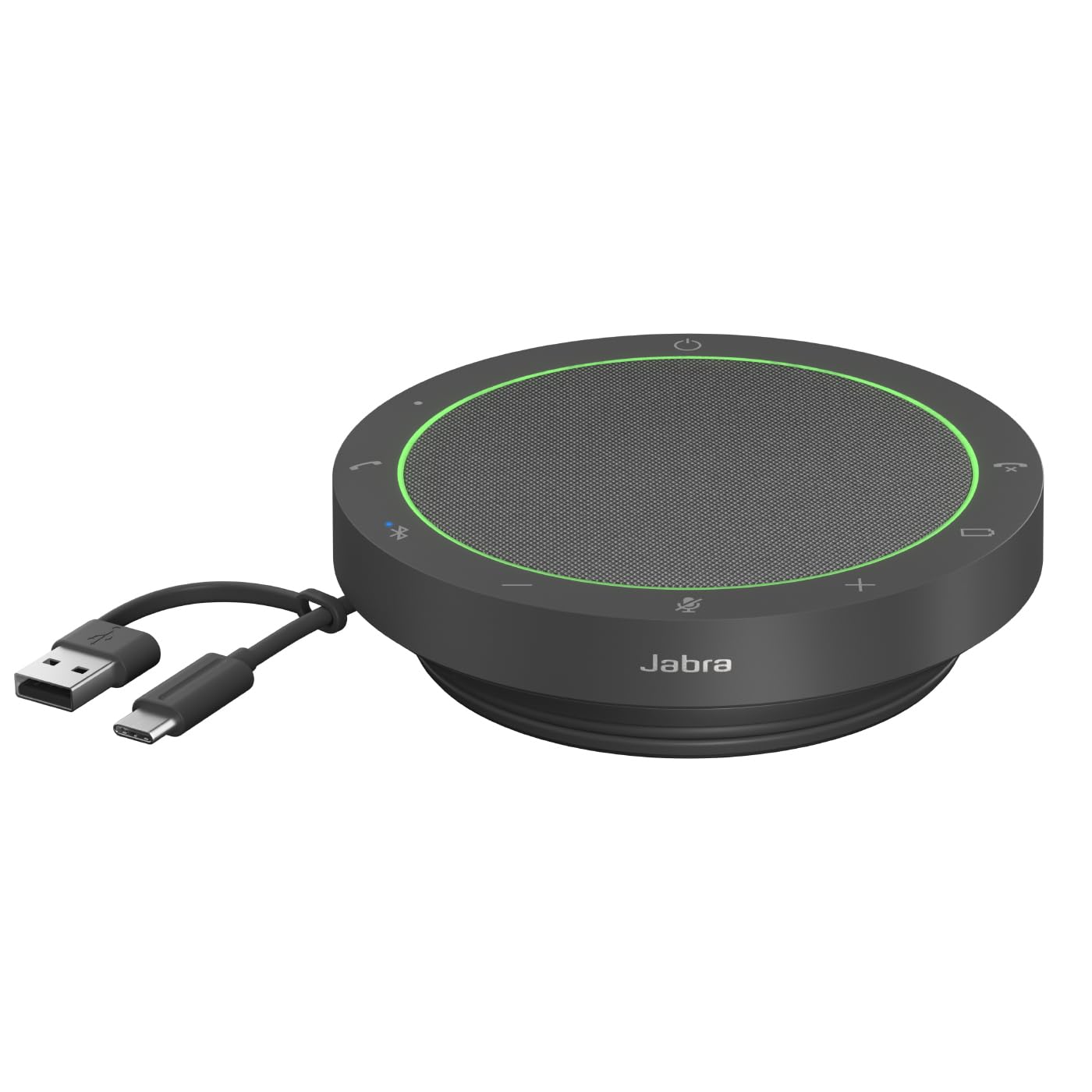
Jabra Speak2 55

Jabra Speak2 55

Small rooms, Teams

Our Score 9.2/10
Check Price

Worth Noting

  • Touch controls respond with a noticeable lag compared to physical buttons
  • Bluetooth connection can drop during calls in environments with many competing wireless signals
  • Premium pricing limits its appeal for teams on a strict budget
Battery Life
12 hours
Connectivity
Bluetooth 5.1 + USB-C
Mics & Array
4 beamforming
Platform Cert
Microsoft Teams

For Teams-heavy workflows, this speakerphone offers certified one-touch meeting join and mute sync, plus a four-microphone array that suppresses background noise more aggressively than generic alternatives. The dark grey aluminum body feels dense and well-made, suitable for daily desk use or conference room deployment.

This device fits professionals who spend most of their day in Microsoft Teams meetings and want clear audio without fighting echo or chatter. The touch controls respond with a slight delay compared to physical buttons, and Bluetooth stability can waver in dense wireless environments. Buyers who need instant tactile feedback or flawless wireless may want to test it first.

✨ Tip: For faster mute/unmute, use the Teams on-screen controls or keyboard shortcut instead of the speaker's touch pad.

Bottom line: The Jabra Speak2 55 delivers on Teams integration and build quality, but the touch interface and occasional Bluetooth hiccups make it a fit for users who prioritize audio clarity over ease of use.

4

Anker PowerConf S330

Anker PowerConf S330

Home office desktop

Our Score 8.8/10
Check Price

Worth Noting

  • Microphone sensitivity varies, leading to uneven pickup.
  • Speaker output struggles to cut through ambient noise in busy rooms.
Battery Life
Connectivity
USB only (USB-C + adapter)
Mics & Array
4 mics
Platform Cert

The Anker PowerConf S330 brings smart voice enhancement to a wired USB speakerphone, adjusting audio in real time for clearer speech. Its plug-and-play design works with PC and Mac without driver installation, and the noise cancellation effectively filters out home office background sounds.

This model fits home office users who work from a fixed desk and want a simple USB connection without Bluetooth pairing. The microphone and speaker are best suited to quiet, smaller spaces — positioning the unit close to you helps maintain consistent pickup, and the volume is adequate for individual use but may not overcome a noisy room.

Compared to wireless alternatives, the S330 trades mobility for a more stable connection and a lower price point. For those who never move their speakerphone, this wired approach avoids battery anxiety and Bluetooth dropouts.

Tip: Place the speakerphone within arm's reach to improve mic pickup consistency.

Bottom line: For home office workers who want a stable USB connection and clear voice, the S330 delivers. If you need wireless freedom or louder output for group use, consider the top pick.

5

EMEET M0 Plus

EMEET M0 Plus

Budget, small rooms

Our Score 8.6/10
Check Price

Worth Noting

  • Bluetooth connection can drop unexpectedly during calls.
  • Microphone clarity falls off beyond a few feet of the unit.
Battery Life
10 hours
Connectivity
Bluetooth 5.0 + USB-C
Mics & Array
4 AI mics, 360°
Platform Cert

The EMEET M0 Plus packs four microphones with 360-degree pickup, noise reduction, and daisy-chain support into a package that costs less than most competitors' entry-level offerings. For small huddle rooms or home offices where participants sit within a few feet of the speaker, it provides clear voice reproduction that keeps meetings moving.

Where this unit differs from higher-priced options like the Anker PowerConf is in its wireless stability and microphone reach. Bluetooth connections can drop during calls, and the microphone performance degrades noticeably past about three feet. These limits are manageable when the speaker is placed at the center of a small table with everyone seated close by, but they rule out use in larger rooms or setups where people move around.

Setup is genuinely plug-and-play via USB-C or Bluetooth, and the 10-hour battery covers a full day of back-to-back meetings. The daisy-chain feature allows linking two units to cover up to 16 people, which is a rare capability at this price.

Tip: Place the speaker at the center of the table and keep participants within a three-foot radius to get the most out of the microphone array.

Bottom line: Best suited for budget-focused buyers who keep their group small and stay within arm's reach of the speaker.

6

Jabra Speak 510

Jabra Speak 510

Travel, solo use

Our Score 9.4/10
Check Price

Worth Noting

  • Single microphone limits pickup range in group settings; ideal for solo use
Battery Life
15 hours
Connectivity
Bluetooth + USB
Mics & Array
1 mic
Platform Cert

The Jabra Speak 510 stands out for its portability - at 195 grams with a carry pouch, it fits easily into a laptop bag. Call clarity is strong for one-on-one conversations, with background noise filtered effectively. Unlike the Teams-certified competitor in this roundup, the Speak 510 prioritizes weight and battery life over multi-microphone coverage.

This speakerphone suits solo remote workers and frequent travelers who need a lightweight companion for calls. Those who regularly host group meetings will want a multi-microphone alternative.

Battery life reaches 15 hours on a charge, enough for a full week of daily calls. Bluetooth pairing is straightforward, and the USB connection offers a wired fallback when needed. The noise cancellation handles common office background sounds like typing or HVAC hum without distorting speech.

Tip: Position the speakerphone within a foot of your face for best voice pickup - it's designed for close-range use.

Bottom line: For individual travelers and remote workers who value portability over group coverage, the Jabra Speak 510 delivers clear call quality without extra weight. If you frequently host team calls, consider a multi-microphone model.

7

Jabra Speak 410

Jabra Speak 410

Desktop reliability

Our Score 9.4/10
Check Price

Worth Noting

  • Wired-only design restricts placement; no Bluetooth for wireless freedom.
  • Single microphone limits voice pickup to one speaker; not for groups.
Battery Life
Connectivity
USB only (wired)
Mics & Array
1 mic
Platform Cert

The Jabra Speak 410 offers clear call audio with effective background noise filtering, ideal for individual desktop conversations. Its USB connection works without drivers, making setup quick. However, this model is wired-only and uses a single microphone, limiting placement flexibility and pickup range. For group meetings or multi-device setups, newer models with multi-mic arrays and Bluetooth offer broader coverage.

Bottom line: Suits solo desktop workers who prefer a simple wired connection over wireless or multi-user flexibility.

8

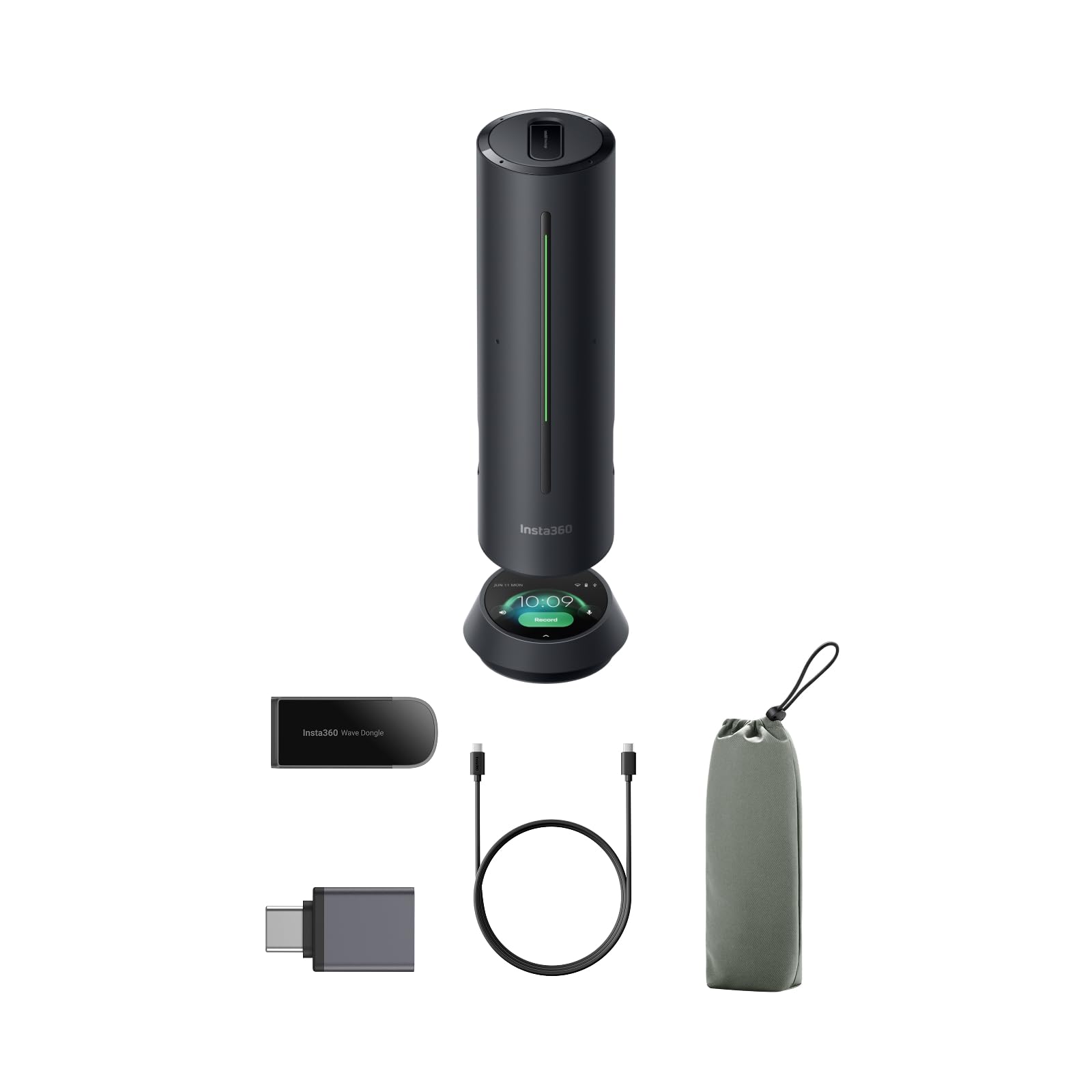
Insta360 Wave

Insta360 Wave

AI transcription, tech

Our Score 9.2/10
Check Price

Worth Noting

  • Full AI features, including transcription and summaries, require a USB or dongle connection to a computer; not available when used standalone via Bluetooth.
Battery Life
Connectivity
Bluetooth + USB-C + Dongle
Mics & Array
8 mics, 3D array
Platform Cert
Zoom Certified

The Wave delivers clear audio from its 8-microphone array and built-in AI transcription, but its noise cancellation algorithm can clip the first moment of speech. The premium price and these early-adopter quirks make it a niche choice for tech enthusiasts who prioritize integrated recording.

Bottom line: A specialist tool for tech enthusiasts who value integrated recording and transcription over convenience.

9

PolaTab Q95 mini

PolaTab Q95 mini

Desktop with USB hub

Our Score 8.8/10
Check Price

Worth Noting

  • Speaker volume can be insufficient for anything beyond a small huddle room
  • Wired-only design limits placement flexibility and mobility
Battery Life
Connectivity
USB only (no Bluetooth)
Mics & Array
1 omnidirectional
Platform Cert

The PolaTab Q95 mini's strength is its straightforward wired approach: plug into a USB port, and the 360-degree pickup handles small-room calls with clarity. The built-in two-port USB hub adds convenience for connecting a mouse or webcam without reaching the computer. But this design comes with tradeoffs: no Bluetooth means you're tethered to the desk, and the speaker output is moderate at best. For a home office or a personal workspace where placement is fixed and rooms are compact, the Q95 mini covers the basics effectively. Larger conference spaces or users who need wireless flexibility should look elsewhere, as the volume and mobility constraints are real boundaries.

Bottom line: A cost-effective wired option for fixed desktop setups where a USB hub is handy — skip it if you need room-filling volume or Bluetooth.

10

Poly Sync 20

Poly Sync 20

Portable, phone charger

Our Score 8.4/10
Check Price

Worth Noting

  • Bluetooth can drop or delay connection in areas with wireless interference
  • Charging circuit may stop functioning after several months in some units
Battery Life
20 hours
Connectivity
Bluetooth + USB-C
Mics & Array
Multi-array
Platform Cert

The Poly Sync 20 delivers clear audio for calls and music, supported by a 20-hour battery that lasts through a workday. Its USB-C port can charge a phone, adding convenience for mobile use. Bluetooth connectivity can be inconsistent in some environments, with occasional drops or delays, and a small number of units may experience charging issues after months of use. These limitations make it a better fit for portable, tolerance-heavy scenarios rather than critical meetings where wired fallback is unavailable.

Bottom line: Fits portable use where a wired backup is available and minor Bluetooth quirks are acceptable.

11

Poly Sync 40

Poly Sync 40

Music + calls, medium

Our Score 8.8/10
Check Price

Worth Noting

  • Premium pricing limits value compared to similarly capable options
  • Occasional audio crackling can occur during playback
Battery Life
30 hours
Connectivity
Bluetooth + USB-A/C
Mics & Array
Multi-array (steerable)
Platform Cert

This speakerphone delivers impressive bass and clear audio for both calls and music, backed by a 30-hour battery and IP64 dust/water resistance that suits flexible workspaces. The 40W output fills medium rooms well. However, the premium price sits above many alternatives, and occasional audio crackling has been noted in some units. Best for those who want a hybrid music/conference speaker with robust build, but the cost and potential audio consistency hold it back as a universal choice.

Bottom line: If you need a durable speakerphone with music-grade bass for medium rooms and are willing to accept the possibility of audio quirks, the Sync 40 delivers on its core promises.

How to Choose

Microphone Array and Count

Microphone count is often misleading. A 6-mic array with poor beamforming can miss voices three feet away, while a refined 4-mic system can cover a small table. The real differentiator is how the device handles voice arrival time and direction, not just the number of holes in the grille.

For solo desk use, a single high-quality mic suffices. For group meetings of six to ten people, look for at least four mics with 360-degree coverage and ideally a satellite mic that extends the pickup zone. Avoid relying solely on advertised mic counts without checking real-world feedback on pickup distance.

Wireless Connectivity

Bluetooth offers convenience but introduces latency, interference, and occasional dropouts — the most common complaint in this category. Bluetooth 5.0+ improves range and stability, but even the best chips can struggle in crowded office environments or when paired with certain phone models.

Wired USB connections provide zero-dropout reliability and consistent audio quality. If you never move your speakerphone from the desk, a wired model is the smarter choice. For those who need flexibility, look for models with both Bluetooth and USB-C, and test Bluetooth performance with your primary device before committing.

Battery Life

Battery life claims are often based on standby or low-volume playback. Real-world usage in continuous calls can cut ratings by 30–40%. A speakerphone rated for 24 hours may last 15 hours during back-to-back meetings with maximum volume.

Consider your typical workday: if you need all-day wireless use, aim for at least 12 hours of rated call time. For short meetings or desktop use, a wired option eliminates battery anxiety altogether. Lithium-ion cells degrade over time, so a replaceable battery is a plus for long-term ownership.

Noise Cancellation

Noise cancellation in conference speakerphones works by analyzing microphone inputs to isolate speech from background sound. But aggressive algorithms can cut off the beginning of words or create a hollow, processed voice. Some models allow adjusting the sensitivity, while others are fixed.

For quiet home offices, basic echo cancellation is enough. In open-plan spaces or with loud fans, look for speakerphones that mention beamforming or multi-mic noise suppression. Be wary of marketing claims: test with your own environment if possible, as performance varies widely across brands.

Platform Certification

Certification from Microsoft Teams, Zoom, or Google Meet ensures that mute controls, call pickup, and volume sync work seamlessly with that platform. Without certification, basic functions may still work, but you might miss one-touch join or status integration.

If you use a single platform for all meetings, paying extra for certification is worthwhile. For mixed-platform users, a certified model for your primary system and a universal fallback is a practical compromise. Note that certification does not guarantee superior audio quality — it only guarantees software compatibility.

Frequently Asked Questions