Office Electronics

9 Best Scientific Calculator of 2026: Trusted Models for Every Test

Which scientific calculator actually passes exams and lasts more than a semester? This guide helps students and engineers find the right tool without wasting money on broken features.

The scientific calculator market is dominated by Texas Instruments and Casio, but budget models often cut corners on button feel and battery reliability. A calculator that jams mid-exam or arrives dead on arrival is a waste of time and money.

The right pick depends on your coursework — from basic algebra to engineering exams like the FE. Multi-line displays and proper exam approval matter more than a long list of functions you will never use.

This guide highlights calculators that balance price, build, and exam compatibility so you can buy with confidence and focus on the test, not the tool.

1

TI-30XIIS

Top Pick
TI-30XIIS

Budget students

Our Score 9.6/10
Check Price

Worth Noting

  • Buttons require firm pressure and may feel unresponsive during fast-paced use.
Power
Solar+battery
Display
2-line LCD
Functions
Basic trig, stats, logs
Exam Approval
Most standardized tests

The TI-30XIIS covers every essential scientific function required from middle school through early college math and science. Its two-line LCD shows both entry and result, which simplifies checking work. The solar-plus-battery power means it keeps running even when classroom lighting dims, and it is approved for most standardized exams including the SAT, ACT, and AP tests.

In practice, the calculator handles one- and two-variable statistics, three angle modes, logs, antilogs, and basic trigonometry without hesitation. The keypad layout is logical, though the number keys sit slightly close together for larger hands. The plastic body absorbs the bumps of a backpack or desk drawer without cracking, and the hinge on the protective cover feels firm after years of use.

This model suits students who need a dependable scientific calculator for homework, quizzes, and exams – no graphing, no CAS, no distraction. Budget-conscious buyers get reliable performance without overspending. The firm button press can slow down rapid calculations, so anyone who types quickly may need a moment to adjust. That tradeoff rarely matters in a test setting where accuracy trumps speed.

Tip: Press each key deliberately until you feel the click – the firm response helps prevent skipped entries during exams.

Bottom line: Grabs the essential scientific functions, lasts through semesters of use, and leaves cash in your pocket – ideal for any student who doesn't need graphing.

2

TI-36X Pro

TI-36X Pro

Engineering students

Our Score 9.6/10
Check Price

Worth Noting

  • Silver key labels create glare under bright lights, making them hard to read.
  • Button layout feels cramped, especially for users with larger hands.
Power
Solar+battery
Display
4-line MultiView
Functions
280+ functions (integrals, matrices)
Exam Approval
NCEES (FE/PE)

The TI-36X Pro brings advanced calculus tools—integrals, derivatives, complex numbers—to a non-graphing form factor that is NCEES-approved for engineering exams. This puts it a step ahead of the TI-30XIIS, which covers only basic scientific functions, making the Pro the preferred upgrade for students who outgrow the budget model. With over 280 built-in functions, it handles everything from symbolic algebra to statistical regression.

Engineering students and FE/PE candidates who need to compute integrals, solve matrices, and handle vector calculations in an exam environment will find this calculator appropriate. The tradeoff: silver key labels can be difficult to read under direct light, and the closely spaced buttons may cause occasional mispresses for those with larger fingers—limitations that exam-focused users typically adapt to over time.

The multi-line MathPrint display shows expressions in textbook-like format, and the solar-plus-battery power source reduces battery changes. Once the menu navigation is learned, accessing functions like numerical integration and differentiation becomes swift.

At a mid-range price, this calculator delivers mathematical power comparable to graphing models for a fraction of the cost, making it a sensible investment for advanced coursework without paying graphing premiums. For FE and PE exam candidates, the NCEES approval adds confidence that this calculator will be permitted in the test center.

Bottom line: For engineering students and exam candidates who need advanced functions without the bulk or cost of a graphing calculator, the TI-36X Pro delivers—provided you can work around the small, glare-prone keys.

3

Casio fx-115ES Plus 2

Casio fx-115ES Plus 2

College students

Our Score 9.6/10
Check Price

Worth Noting

  • Button labels in silver on white keys can be hard to read in low-light conditions.
Power
Battery (LR44)
Display
4-line Natural Textbook
Functions
280+ functions
Exam Approval
FE, PE, SAT, ACT

The fx-115ES Plus 2 packs over 280 functions, a 4-line Natural Textbook Display that shows fractions and integrals exactly as written, and NCEES approval for FE and PE exams. It rivals the TI-36X Pro in capability while staying more affordable, making it a go-to for students who need more than a basic scientific calculator but don't require graphing.

This calculator suits college students taking calculus, statistics, or engineering courses, and FE/PE exam candidates who need an approved model. The silver-on-white key labels can be hard to read under dim lighting — a tradeoff to consider if you often work in low-light environments. For those requiring graphing, the fx-115ES is not the answer.

Build quality supports daily handling in lecture halls and exam rooms. The battery-powered design (LR44 included) eliminates the need for solar reliance, and the interface is intuitive enough to use without constant manual checks.

Beyond exam use, the fx-115ES handles matrix operations, derivatives, and integrals with ease, matching the functionality of pricier models.

Tip: Use under adequate lighting or a small desk lamp to make the silver key labels readable.

Bottom line: For college-level STEM and professional exams, the fx-115ES Plus 2 is the budget-friendly scientific calculator that doesn't cut corners on functionality.

4

NumWorks

NumWorks

High school graphing

Our Score 9.4/10
Check Price

Worth Noting

  • Lacks built-in Computer Algebra System for advanced symbolic algebra
  • Some units may become unresponsive or fail to power on after months of use
Power
Rechargeable USB-C
Display
2.8" color
Functions
Graphing, Python, open-source
Exam Approval
SAT, ACT, AP, IB

The NumWorks graphing calculator stands out for its clean interface and color display that make navigation feel more like a modern app than a traditional calculator. Its USB-C rechargeable battery lasts months on a single charge, and the open-source OS allows community-driven updates. For high school students taking SAT, ACT, AP, or IB exams, the NumWorks provides graphing capabilities without the steep learning curve of TI models.

In practice, the calculator can become unresponsive or fail to power on after extended periods of use. A hard reset (rear button) usually resolves the issue, but occasional glitches may interrupt a test session. This is a known behavior that some units exhibit, so exam-day confidence may be lower than with a TI-84.

This calculator fits students who want a straightforward graphing tool for standardized tests and who dislike TI's complex menus. It is not well suited for engineering professionals who need Computer Algebra System (CAS) features or for buyers who prioritize long-term dependability above all else. The lack of built-in CAS means symbolic manipulation tasks require a separate device or software.

Tip: If the screen freezes or the calculator won't turn on, press the recessed reset button on the back with a paper clip — this resolves most temporary glitches.

Bottom line: If you want a graphing calculator that feels modern and requires less setup time than a TI-84, the NumWorks delivers. Just be comfortable with the possibility of needing a hard reset now and then.

5

TI-30XS MultiView

TI-30XS MultiView

Multi-line budget

Our Score 9.6/10
Check Price

Worth Noting

  • Some units may develop screen burn-in or case cracks within weeks
Power
Solar+battery
Display
4-line MultiView
Functions
Stacked fractions, exponents
Exam Approval
GED, SAT, ACT

The TI-30XS MultiView adds a multi-line display with natural textbook notation, making it easier to review stacked fractions and exact square roots during algebra and GED prep. It covers core scientific functions and is exam-approved for SAT and ACT. However, for advanced features like integrals and complex numbers, the TI-36X Pro outpaces it decisively — this model is best for standard math courses rather than engineering or calculus.

Bottom line: A practical option for students focused on algebra and standardized tests who want a multi-line display, as long as they accept the possibility of build defects.

6

Sharp EL-531

Sharp EL-531

Budget basic

Our Score 9.2/10
Check Price

Worth Noting

  • No backlight
Power
Solar+battery
Display
12-digit 2-line
Functions
273 functions, 2 modes
Exam Approval

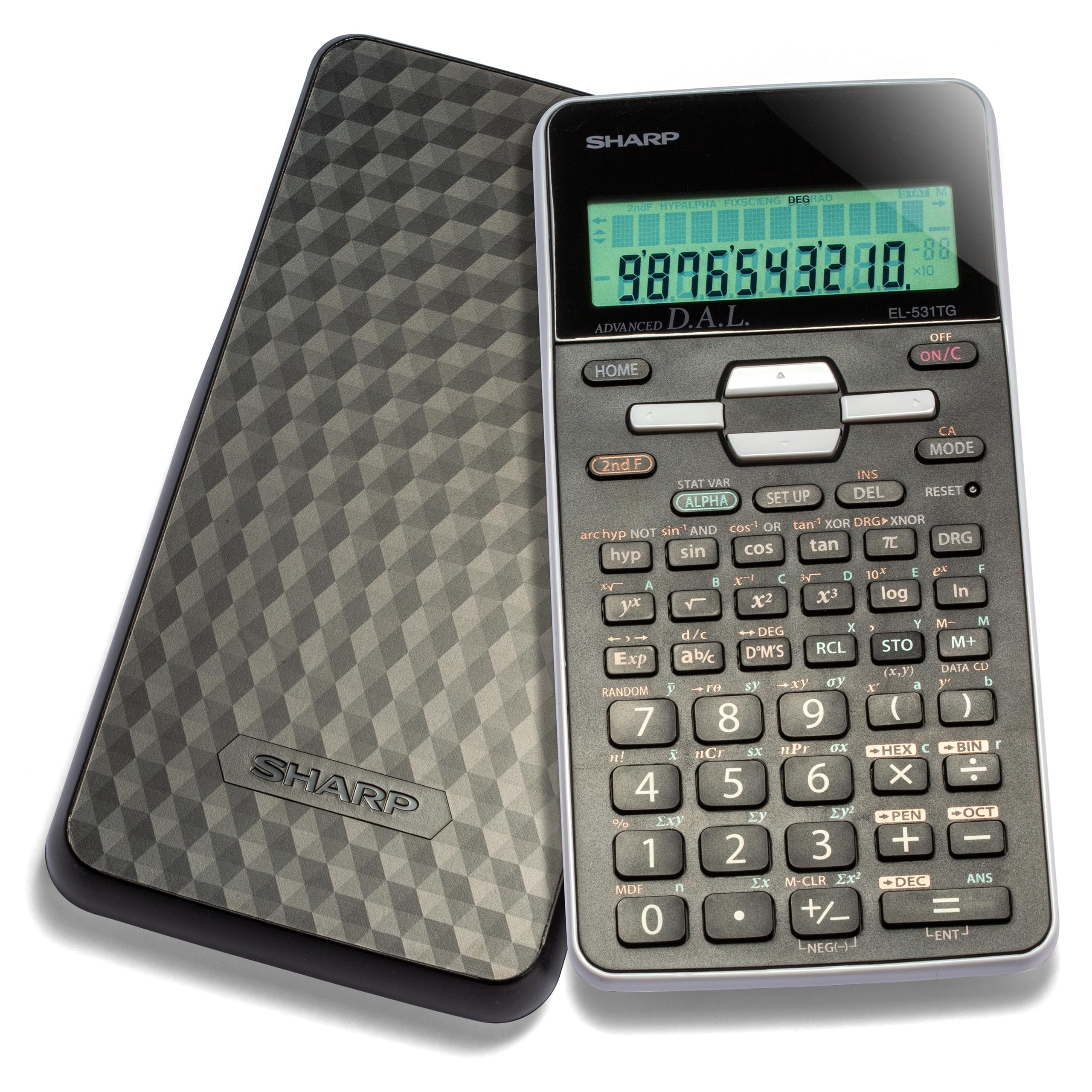
This Sharp covers essential scientific functions like sin, cos, log, and exponents with a two-line display and solar-plus-battery power. Build quality feels solid for the price, and the button layout is intuitive for middle school and high school algebra. However, it lacks a backlit display – the screen requires good ambient light – and its 273 functions fall short of what advanced high school or college engineering courses demand. The TI-30XIIS offers more features and a multi-line display at a similar budget price, making this Sharp best for students who only need basic calculations in well-lit classrooms.

Bottom line: Best for middle school students in well-lit classrooms who need a no-frills scientific calculator and don't require graphing or multi-line displays.

7

NEWYES 991ES MAX

NEWYES 991ES MAX

Innovative scratchpad

Our Score 8.8/10
Check Price

Worth Noting

  • No exam approval for standardized tests like SAT or FE exams limits use in high-stakes settings.
Power
USB-C+solar
Display
4-line LCD
Functions
417 functions, writing pad
Exam Approval

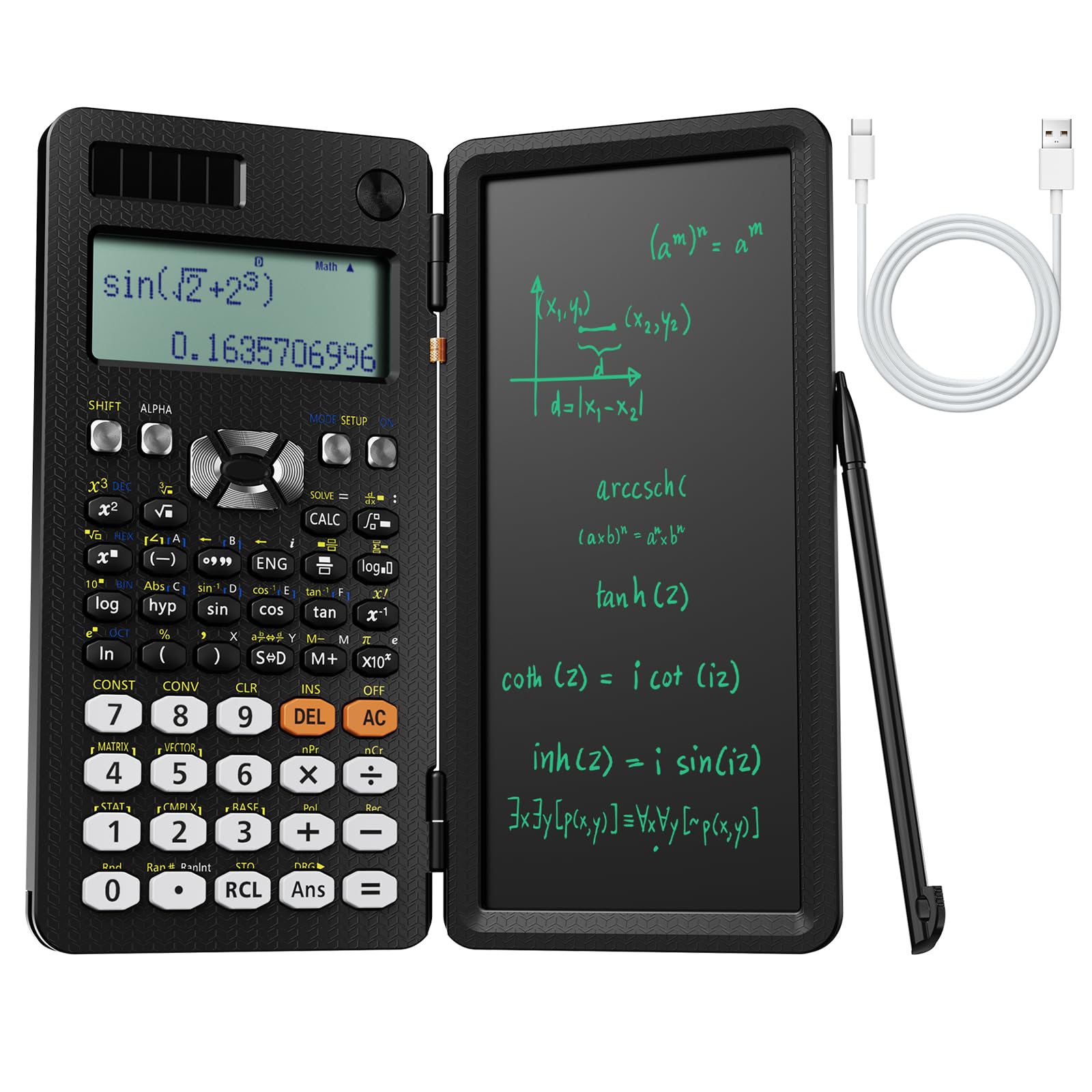
The NEWYES 991ES MAX packs 417 functions and a writing pad that lets you jot down calculations directly on the device, making it handy for working through multi-step problems. The USB-C and solar power options keep it charged in most settings, and the four-line display shows expressions clearly. However, it lacks approval for high-stakes standardized exams, so it is better suited for practice, homework, and everyday calculations rather than test-day reliance.

Bottom line: Ideal for students who like to keep scratch notes alongside their calculations and don't need exam approval. The writing pad adds genuine convenience for practice sessions.

8

HP Prime G2

HP Prime G2

Tech-savvy users

Our Score 8.8/10
Check Price

Worth Noting

  • Steep learning curve requires dedicated time to master the interface and features.
  • Occasional power-on failures and charging issues after minor drops.
Power
Rechargeable lithium-ion
Display
3.5" multi-touch color
Functions
CAS, RPN, Python
Exam Approval
SAT, AP, IB

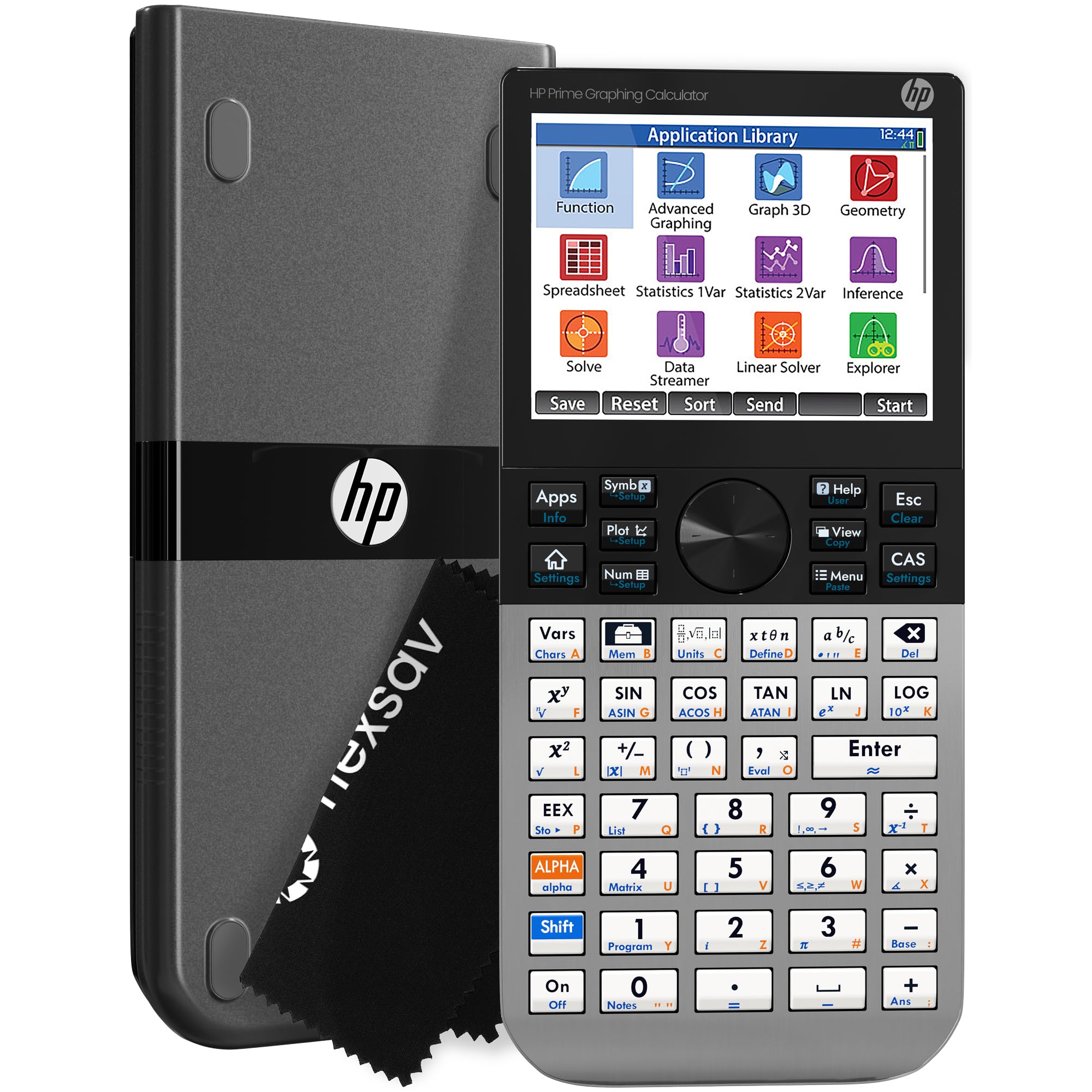
The HP Prime G2 is the fastest graphing calculator available, with a responsive touch screen and crisp color display that make navigating complex graphs and CAS operations feel fluid. Its brushed metal build feels premium. However, the calculator has a steep learning curve requiring manual study, and some units have experienced power-on failures or charging issues after minor drops. Battery life also falls short of expectations for those who use it extensively. This is a powerful tool for advanced users who value speed and touch input, but it is not a worry-free daily driver for students who need reliability above all else.

Bottom line: Best suited for tech-savvy students and professionals who prioritize speed and touch input over absolute reliability, and are comfortable with a steep learning curve.

9

TI-84 Evo

TI-84 Evo

Early adopters

Our Score 9.4/10
Check Price

Worth Noting

  • Graphing and other operations may take longer than expected during timed exams.
  • Premium price compared to previous TI-84 models feels steep for the value offered.
Power
Rechargeable USB-C
Display
2.8" LCD larger area
Functions
Python, icon-based
Exam Approval
SAT, ACT, AP, IB

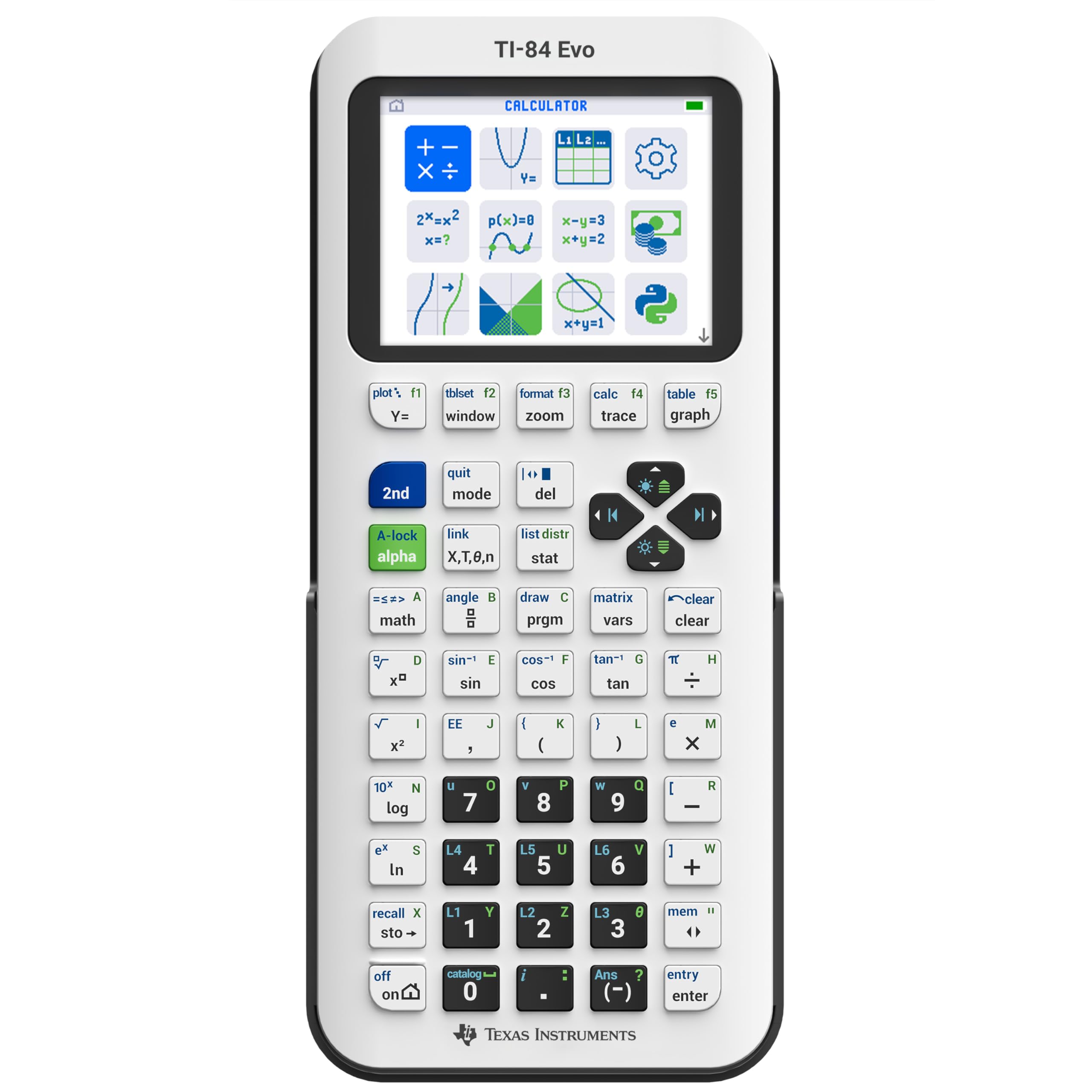
The TI-84 Evo brings welcome updates like USB-C charging and a larger display, but early performance reports show that some operations can be slower than expected. Long-term durability under daily use is not yet established, so this is best for students who want the latest features and are willing to accept some uncertainty.

Tip: Allow extra time for complex graph renders during practice sessions to avoid exam surprises.

Bottom line: A tempting upgrade for tech-savvy students, but only if you're comfortable with a newer model that hasn't been widely tested.

How to Choose

Display Type

A single-line display shows only the last entry, making it easy to lose track of long expressions. Multi-line displays (2-line or 4-line) let you see your input and result at the same time, reducing errors during complex calculations.

Natural Textbook Display shows fractions, exponents, and integrals as they appear in textbooks. This is a genuine time-saver for algebra and calculus students who frequently enter nested expressions.

Number of Functions

Not every student needs 400+ functions. Middle school algebra requires only basic arithmetic, trig, and logarithms. College engineering or statistics demands integrals, derivatives, matrices, and complex numbers.

Buying a calculator with too many functions can clutter the interface and slow you down. Focus on models that cover your current class and the next two levels, not the entire catalog.

Power Source

Solar-powered calculators never need battery swaps but can darken in low light, making the screen unreadable. Battery-only models are reliable in any lighting but require periodic replacement.

Rechargeable lithium-ion calculators offer consistent power and USB convenience, but if the battery dies mid-exam you may not have a replacement. A dual solar+battery backup is the safest bet for long exam days.

Build Quality and Button Responsiveness

Button feel is the most common frustration in budget scientific calculators. Mushy or stiff keys slow down data entry and can cause errors during timed tests. Models with metal dome switches provide crisp tactile feedback.

Plastic casing wears differently across brands; some calculators develop loose battery covers or cracked screens after months in a backpack. Check reviews for durability mentions before committing.

Exam Approval

Not all calculators are allowed on standardized tests. The SAT, ACT, and AP exams permit certain graphing and scientific models, while the FE and PE exams have a strict approved list (e.g., TI-36X Pro and Casio fx-115ES).

Buying a calculator that is banned from your target exam wastes money and adds stress. Always cross-check the official exam policy before purchasing.

Frequently Asked Questions