Computers & Accessories

8 Best Computer Headset for Work 2026: Which Actually Block Noise for You

Find the computer headset that cancels noise for both you and your callers, not just the microphone.

Most headsets sold for work advertise 'noise cancellation,' but that feature usually applies only to the microphone — it helps your callers hear you better, but does nothing to block the clatter of an open office or a barking dog on your end. The gap between what buyers expect and what they get is the most common source of frustration in this category.

This guide cuts through that confusion by separating headsets that cancel noise for you (headphone ANC) from those that cancel noise for your listeners (mic ENC). It also covers the trade-off between wired reliability and wireless convenience, and identifies the few models that deliver genuine dual noise control without reaching premium prices.

The right headset depends on your specific work environment — home office, co-working space, or busy call center — and knowing exactly what 'noise cancelling' means in each case is what makes the difference between a satisfying purchase and a return.

1

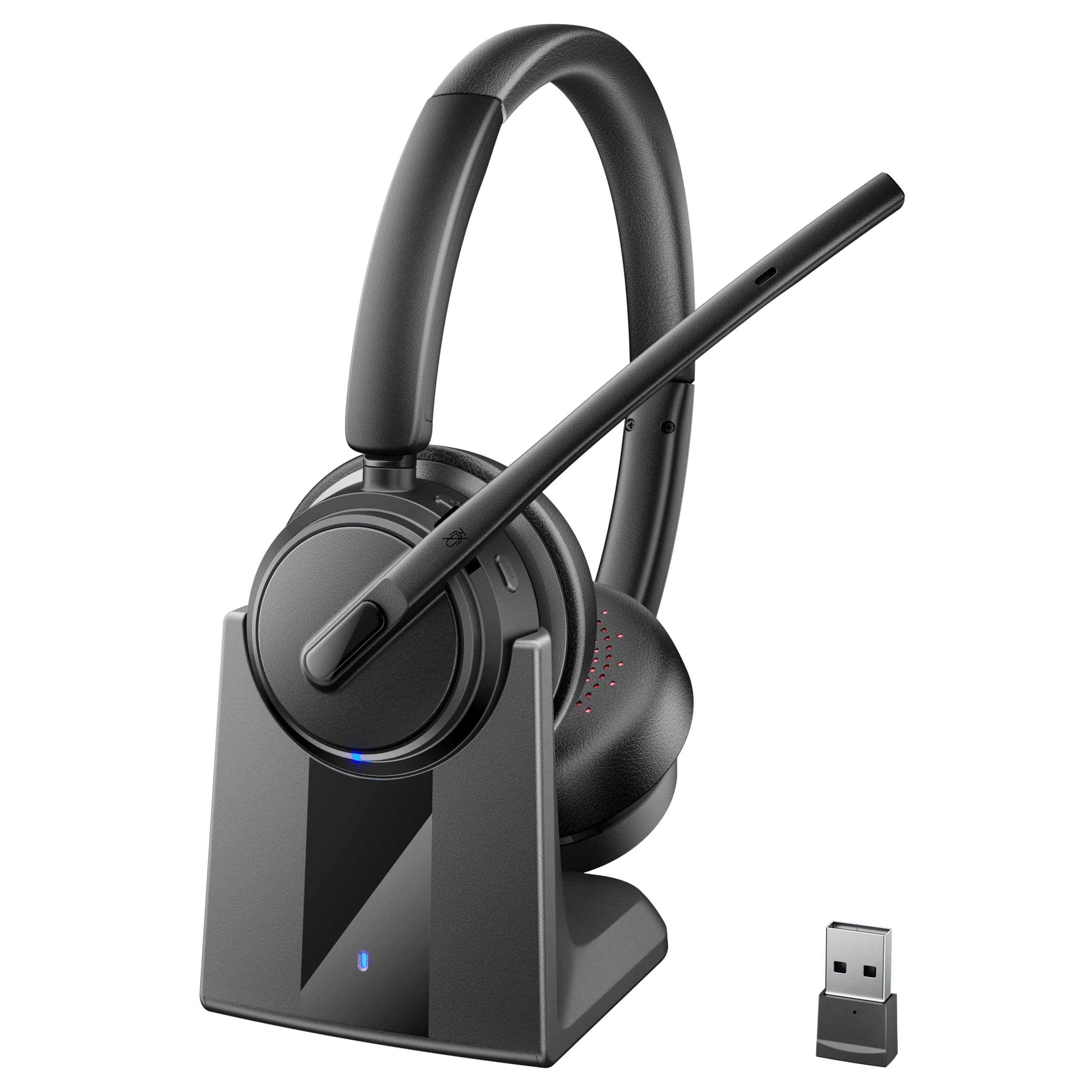
Angteela M112 ANC

Top Pick
Angteela M112 ANC

Wireless ANC work

Our Score 8.6/10
Check Price

Worth Noting

  • The mid-range cost is higher than simple wired headsets without noise cancellation.
Build Quality
Plastic
Wired/Wireless
Wireless (BT+USB dongle)
Comfort (Extended)
Breathable leather, adjustable
Mic Noise Cancellation
Hybrid ANC+ENC

The Angteela M112 combines hybrid active noise cancellation for the wearer with environmental noise cancellation for the microphone, creating a focused audio environment on both sides of a call. Sound quality is clear and natural for conversations, with enough detail for music during breaks.

Bluetooth 5.4 and the included Qualcomm USB dongle provide a stable, low-latency connection to PCs — no driver installation required. Battery life reaches 35 hours of talk time, easily covering multiple workdays, and the flip-to-mute boom mic offers a physical mute confirmation that software controls cannot match.

This headset suits remote workers, call center agents, and anyone spending hours in video conferences who needs to block out office or home ambient noise. The plastic build keeps weight low and comfort high for all-day wear, though those accustomed to metal-framed headsets may notice a difference in perceived durability. It is not the cheapest option — budget shoppers will find adequate performance in wired alternatives — but for the combination of ANC, wireless freedom, and microphone clarity, the price is fair.

Compared to alternatives like the Mopchnic DH18, which extends battery life further with a charging base, the Angteela’s hybrid noise cancellation and updated Bluetooth standard give it an edge for noise-sensitive work environments where call clarity matters more than maximum runtime.

Bottom line: For professionals who need genuine noise cancellation for themselves and callers, the Angteela M112 delivers that capability at a mid-range price without the compromises typical of cheaper wireless headsets.

2

Logitech H390 USB-A Wired

Logitech H390 USB-A Wired

Budget wired calls

Our Score 8.6/10
Check Price

Worth Noting

  • For glasses wearers in back-to-back meetings, ear pads can create pressure points after an hour
  • During extended workdays, headband clamping force may cause discomfort for larger head sizes
  • Under daily heavy use, the headband hinge or microphone arm can loosen over time
Build Quality
Plastic, durability concerns
Wired/Wireless
Wired (USB-A)
Comfort (Extended)
On-ear, 7oz
Mic Noise Cancellation
Active (mic-side)

Among wired budget headsets, the Logitech H390 stands out for its widespread adoption and consistent plug-and-play performance. Unlike lightweight alternatives that require app setup, the H390 connects instantly via USB-A and delivers clear stereo sound without any software configuration. That simplicity comes with tradeoffs: the ear pads can feel snug after a couple of hours, and some units have shown durability issues over extended use.

The microphone uses active noise cancellation to filter out background noise for listeners, but the ear cups themselves do not block ambient sound. In-line controls on the cable allow quick mute and volume adjustments without fumbling through software menus. The 30mm drivers provide clarity for speech and music, though bass response is modest.

This headset suits budget-minded remote workers who need consistent audio for daily calls and don't require all-day wear. It is also a fit for users who prioritize ease of setup over comfort for marathon sessions. If you wear glasses or have a larger head, the clamping force may become noticeable during long meetings – the H390 is best reserved for short to moderate work calls.

Tip: Adjust the headband to the loosest setting and take a five-minute break every hour to reduce pressure on the ears.

Bottom line: For buyers seeking a wired work headset with consistent audio clarity at a budget-friendly price, the H390 delivers – just keep expectations realistic for extended wear and long-term durability.

3

Lenovo Gen2 USB-A

Lenovo Gen2 USB-A

Lightweight all-day

Our Score 9.2/10
Check Price

Worth Noting

  • AI noise cancellation requires the separate Lenovo LADM app, which may not be installable on company-managed computers.
  • Noise cancellation works only for the microphone (outgoing audio), not for reducing ambient sound in the wearer's ears.
Build Quality
Lightweight plastic
Wired/Wireless
Wired (USB-A)
Comfort (Extended)
140g, replaceable pads
Mic Noise Cancellation
AI app-based

At just 140 grams, this Lenovo headset is significantly lighter than the Logitech H390 and other budget wired options, reducing the physical weight on the head during extended video calls. Replaceable earcups add longevity, and the wired USB-A connection means no battery anxiety — it works as long as your laptop has power. The inline controls with mute button handle the basics, though the volume slider is welcome for quick adjustments.

This headset suits professionals who work from a static desk and want a design that disappears on the head. The AI noise cancellation via the Lenovo LADM app improves call clarity by filtering background noise for the listener, but the app must be installed separately — a potential blocker on corporate computers where app installs are restricted. The noise reduction only applies to outgoing audio, so the wearer still hears their environment. For those who can use the app and value lightweight comfort over wireless freedom, this is a strong fit.

Tip: Install the Lenovo LADM app before your first meeting to activate AI noise cancellation; the headset works without it but with standard call quality.

Bottom line: If you prioritize weight over wireless convenience and can install the companion app, this is the most comfortable budget wired headset for all-day calls.

4

Mopchnic DH18 Wireless

Mopchnic DH18 Wireless

Wireless long battery

Our Score 9.0/10
Check Price

Worth Noting

  • On-ear design may feel less secure during movement compared to over-ear alternatives.
  • Higher price than many wired headsets with similar call quality.
Build Quality
Wired/Wireless
Wireless (BT+USB dongle)
Comfort (Extended)
Double-cushion, lightweight
Mic Noise Cancellation
ENC (mic-side)

The Mopchnic DH18 delivers up to 80 hours of music playback and 50 hours of talk time, with a USB dongle that pairs instantly to any Windows or Mac computer without drivers. Its included charging base keeps the headset docked and topped up, eliminating the need for constant cable management. While it lacks the active noise cancellation found in the Angteela M112, the battery endurance and base make it a compelling option for all-day wireless use.

The on-ear design may feel less enveloping than over-ear models, and the fit can shift during extended wear. This headset suits call center staff and remote workers who value battery longevity and wireless convenience over noise isolation. Its mid-range price is higher than basic wired sets, but the charging base and long runtime offset that cost for users who need uninterrupted calls. The microphone reduces ambient noise for the person on the other end, though the wearer hears surrounding sounds.

Double-cushion earpads and a lightweight build keep the headset comfortable after hours of use. Voice clarity is consistently clear on both ends, with no distortion during calls. For those who don't require active noise cancellation, the DH18 provides a focused wireless experience.

Bottom line: The Mopchnic DH18 is a strong wireless candidate for call-heavy jobs that demand long battery life and a charging dock, especially if active noise cancellation isn't a priority.

5

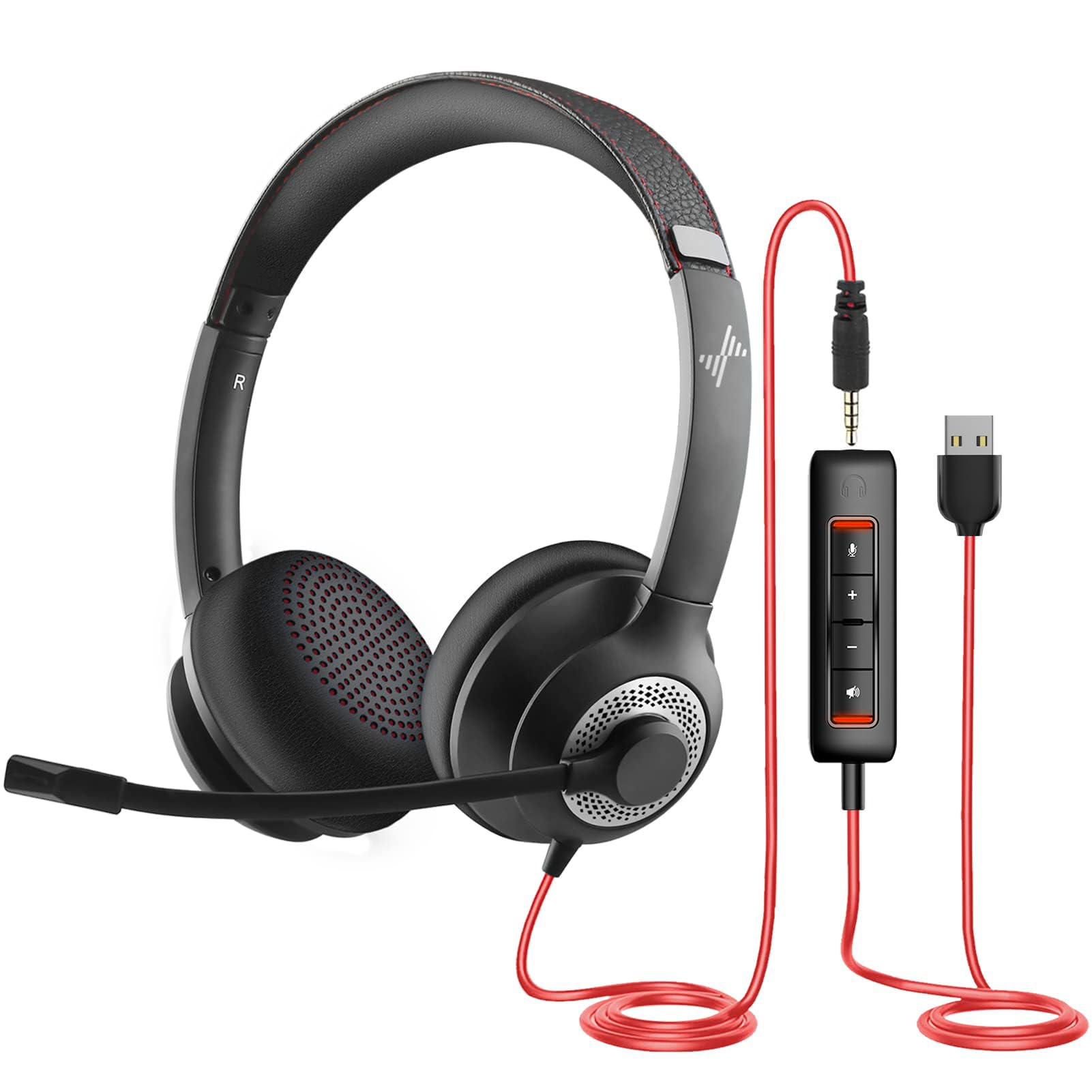
JIAMQISHI USB+3.5mm

JIAMQISHI USB+3.5mm

Dual connectivity

Our Score 8.4/10
Check Price

Worth Noting

  • Clamping force can cause discomfort for larger heads
Build Quality
Wired/Wireless
Wired (USB+3.5mm)
Comfort (Extended)
Soft ear pads, adjustable
Mic Noise Cancellation
Unidirectional boom

The JIAMQISHI headset offers both USB and 3.5mm connections, letting you move between a desktop PC and a mobile device without switching headsets. Its padded on-ear design and adjustable headband provide lasting comfort for long work sessions.

This headset fits budget buyers who need basic call quality for home office or virtual meetings, especially those who value dual-device flexibility. Be aware that the microphone's consistency can vary -- some units have shown cutting-out behavior after a few weeks, so testing early is advisable.

Audio quality for voice calls is clear, and the unidirectional mic effectively blocks background noise for listeners. The in-line controls are handy for mute and volume, and the long cable offers desk flexibility.

Bottom line: A cost-effective dual-connectivity headset with good comfort for daily calls, provided you confirm the microphone function early.

6

PrancyBt KH122M

PrancyBt KH122M

Wireless budget

Our Score 8.0/10
Check Price

Worth Noting

  • Quality control can vary
Build Quality
Plastic, reliability issues
Wired/Wireless
Wireless (BT+USB dongle)
Comfort (Extended)
Soft cushion
Mic Noise Cancellation
Claimed ANC (mic)

The PrancyBt KH122M delivers crisp audio for conversations, a comfortable fit for extended wear, and battery that lasts through a full workday — all bundled with a charging base at a budget-friendly price. A dedicated mute button and Bluetooth 5.2 with USB dongle make setup simple for computer-based calls. However, quality control can be inconsistent: some units may develop issues within a few months of use, which makes this headset better suited for light, non-critical work where a temporary alternative is acceptable.

Bottom line: Best for occasional use where the low price and charging stand convenience outweigh the risk of unit variability.

7

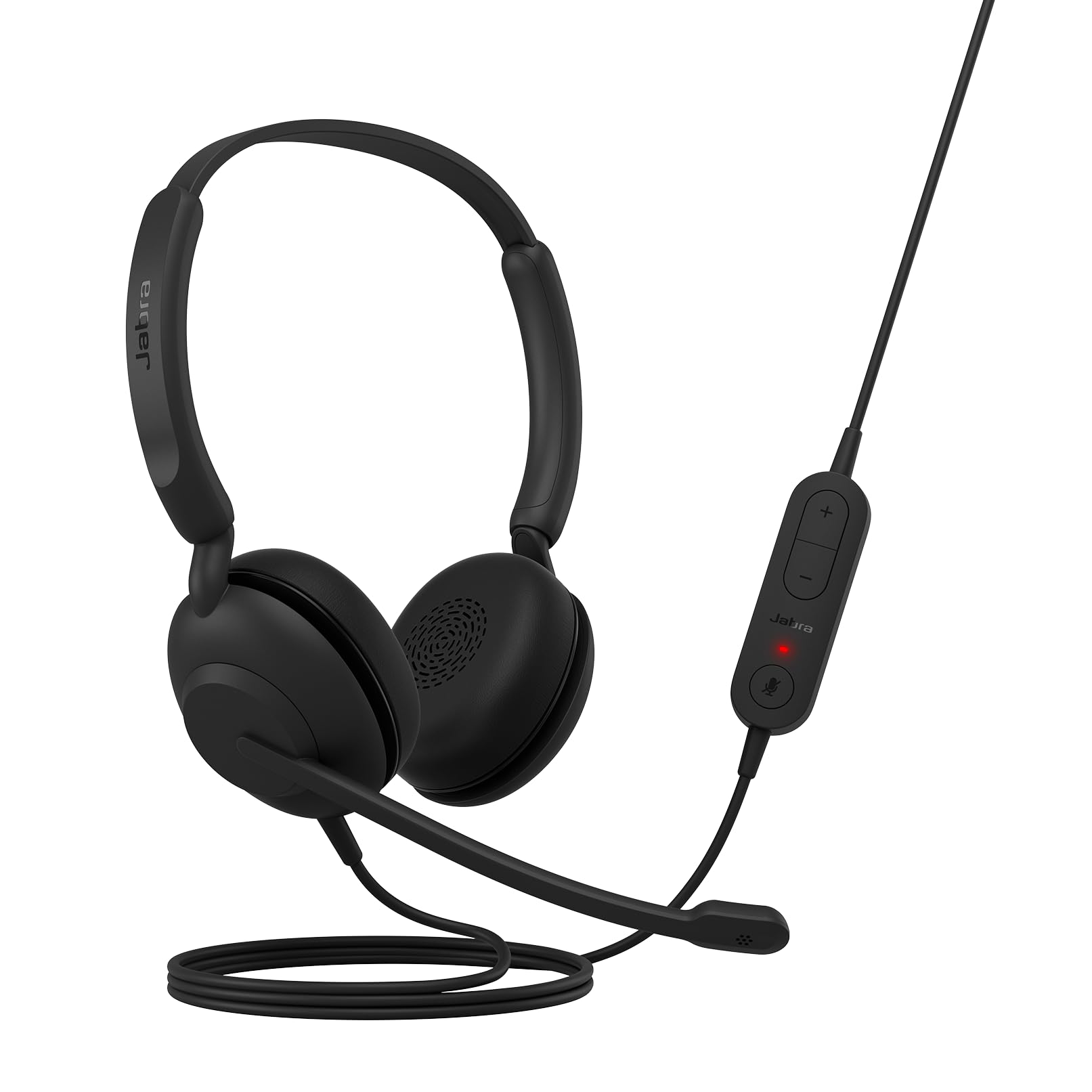
Jabra Evolve 10

Jabra Evolve 10

Simple wired

Our Score 8.8/10
Check Price

Worth Noting

  • Noise cancellation for listeners can be less effective than advertised, with possible static on some units.
  • Lacks a flip-to-mute boom mic
Build Quality
Recycled plastic
Wired/Wireless
Wired (USB-A)
Comfort (Extended)
On-ear, 141g
Mic Noise Cancellation
Passive (claimed NC)

The Jabra Evolve 10 delivers a comfortable, lightweight design with easy plug-and-play USB-A setup and clear call audio — using 50% recycled plastic for eco-conscious buyers. However, the advertised noise cancellation for listeners is passive and may not block background noise as expected; some units can also introduce static. This is a basic wired headset suited for simple calls in quiet environments, but it's outperformed by similarly priced options that handle noise more effectively.

Bottom line: Best for buyers who prioritize a simple, lightweight wired headset with eco credentials and don't need effective noise cancellation for their listeners.

8

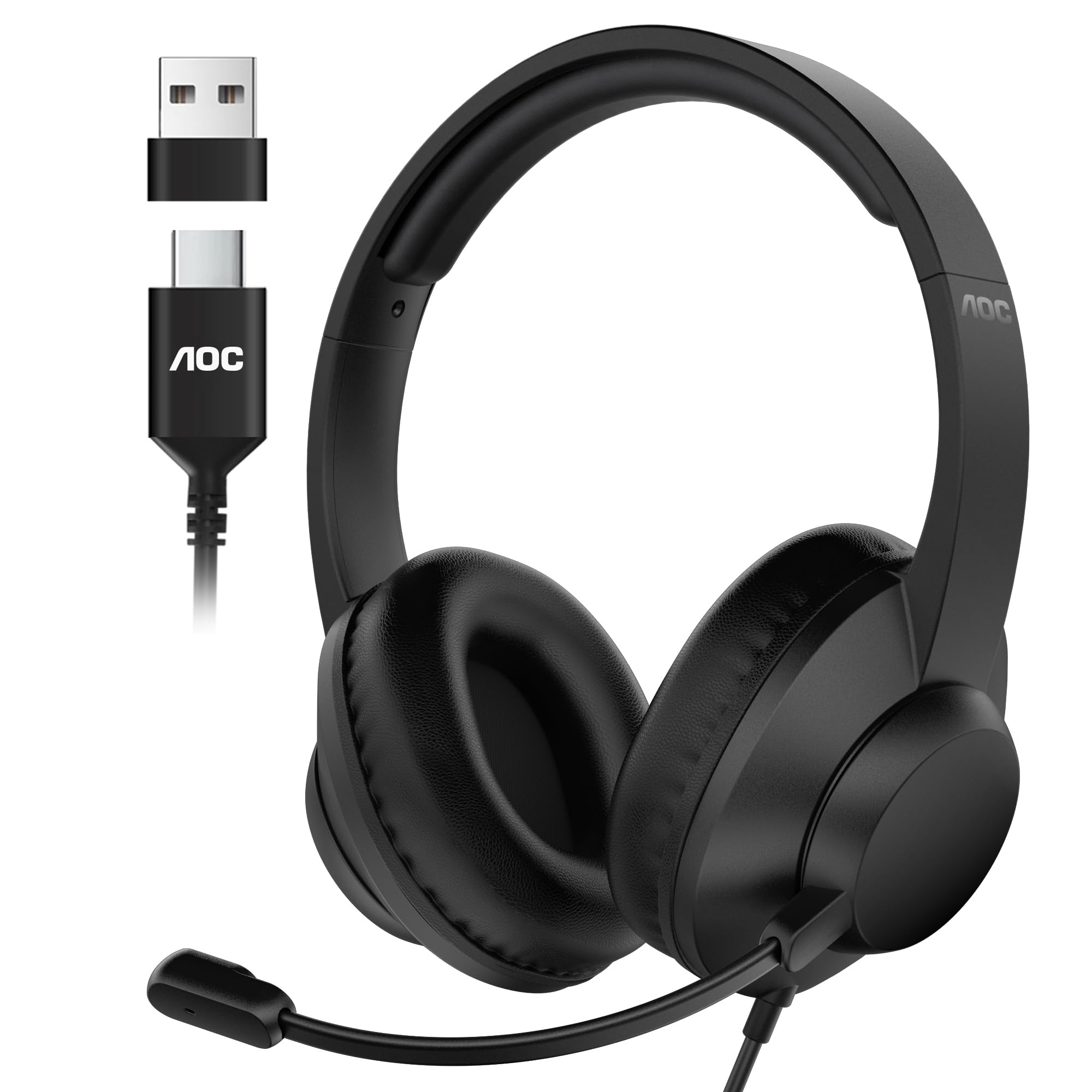
AOC ACW2220 USB-A/C

AOC ACW2220 USB-A/C

USB-C budget

Our Score 8.2/10
Check Price

Worth Noting

  • Background noise remains audible in busy environments
  • Some headsets may develop issues after extended use
Build Quality
Plastic, QC issues
Wired/Wireless
Wired (USB-A/C)
Comfort (Extended)
Over-ear, 91g
Mic Noise Cancellation
Passive

The AOC USB Headset delivers lightweight over-ear comfort with dual USB-A/C connectivity at a budget-friendly price — a practical fit for users who need compatibility across modern laptops. Sound quality handles calls and video playback clearly, and the soft cushions suit extended wear. However, the passive isolation does little to block background noise, making it less suited to noisy offices or shared spaces. Unit consistency can also vary; some headsets may develop issues after weeks of daily use.

Bottom line: A viable option for budget-conscious users who need USB-C compatibility and over-ear comfort, but not for those requiring noise isolation or guaranteed long-term durability.

How to Choose

Microphone Noise Cancellation

Noise cancellation on a headset usually means the microphone filters out background sound so your voice comes through clearly. This is ENC (environmental noise cancellation) and it helps your callers, not you. If you need to block out office chatter or a loud fan for your own ears, you need headphones with ANC (active noise cancellation).

Many budget headsets advertise 'noise cancelling' but only deliver passive isolation or mic-side filtering. Check the spec: ANC for headphones is rare under $50. The Angteela M112 is one of the few at mid-range that offers both hybrid ANC for your ears and ENC for your listeners.

Wired vs Wireless

Wired headsets offer zero latency, no battery anxiety, and lower cost for similar performance. A $25 USB headset can match the call quality of a $50 wireless model. The trade-off is a tether and limited mobility.

Wireless headsets with a dedicated USB dongle (not plain Bluetooth) provide the best of both worlds: stable connection to your computer without pairing hassles, plus freedom to stand or walk. Bluetooth-only models may drop or glitch with older PC adapters. Look for a dongle included in the box.

Comfort for Extended Wear

Comfort depends primarily on weight and ear cushion material. Headsets under 150 grams (like the Lenovo Gen2 at 140g) cause less neck fatigue over a full workday. Memory foam or protein leather cushions distribute pressure better than thin foam pads. On-ear designs with high clamping force can cause pain for glasses wearers or those with larger heads.

If you wear a headset for 8+ hours, prioritize weight and cushion type over price. The extra $20 for memory foam can prevent daily discomfort.

Battery Life

Battery life claims are often measured at 50% volume and with ANC off. Real-world runtime is typically 70-80% of the advertised number. For a workday of 8-10 hours of calls, look for at least 30 hours of talk time. Models with a charging base (like the Mopchnic DH18 or Angteela M112) eliminate cable hunting and keep the battery topped up between meetings.

Quick charge is important: a 10-minute charge should give at least 2 hours of use. Avoid wireless headsets that require proprietary cables or have non-replaceable batteries if you plan to keep them for more than two years.

Durability and Build Quality

Plastic frames and foam ear pads are common at budget prices, but they are also the first components to fail. Headband cracks and mic arm breakage appear in reviews of several popular models within the first year. Replaceable earcups (like on the Lenovo Gen2) add longevity. Metal-reinforced headbands are more durable but increase cost and weight.

For daily use, look for reinforced cables, a swivel joint on the mic arm, and user-replaceable pads. Headsets with fixed cables and thin foam typically need replacement within 12-18 months.

Frequently Asked Questions