Cameras & Photography

7 Best Camera Slider of 2026: Smooth Motion Without the Motorized Gamble

Which camera slider delivers silky-smooth pans without the stability headaches? From budget manual to pro motorized, find the right slider for your rig.

Motorized camera sliders promise effortless tracking shots, but the reality often includes micro-jitters at start and stop points. A quick scroll through user feedback reveals that stability issues are the most common complaint on these units, especially at lower price points.

Manual sliders, on the other hand, trade that automation for consistent, buttery motion and a much lower chance of mechanical failure. With a little practice, a manual pull can match the smoothness of a motorized unit at a fraction of the cost and weight.

The real choice comes down to whether you need repeatable motorized moves for time-lapses and solo shooting, or if you are willing to invest a few minutes of setup time for reliable manual pans. This guide breaks down the best options for both camps, focusing on what actually holds up in real use.

1

Zecti 16" Manual Slider

Top Pick
Zecti 16" Manual Slider

Budget manual

Our Score 8.8/10
Check Price

Worth Noting

  • On uneven surfaces or with long telephoto lenses, vibration may appear in footage
Drive Type
Manual
Noise Level
Silent (manual)
Slider Length
16 in
Build Material
Carbon fiber

The Zecti 16-inch slider glides with a buttery smoothness that rivals sliders costing three times as much. Its four sealed bearings and carbon fiber rail reduce friction and weight simultaneously, making fluid pans easy to execute by hand. For travel content creators who need a compact stabilizer that fits in a backpack, this design hits the sweet spot between portability and performance.

Where the Zecti separates itself from pricier options is in its forgiving nature: the adjustable legs and built-in bubble level let you level the rail on rocks, tabletops, or uneven ground without extra accessories. That said, the slider’s light weight becomes a tradeoff when total payload approaches four pounds. With a mirrorless body and a short prime lens, motion stays glassy; attach a telephoto zoom or a DSLR with a battery grip, and you may notice slight vibrations on the final clip. Keeping the load under 4.4 lbs avoids this entirely.

This slider is built for shooters who prioritize manual control over automation. If you’re comfortable pulling your own pans and want a tool that rewards practice with smooth results, the Zecti delivers. It’s less suited for heavy cine rigs or for creators who need repeatable motorized moves for time-lapses or product shots. For run-and-gun documentary work or vlogging, the included carrying case and quick setup make it a natural companion.

Build quality punches above its price bracket. The carbon fiber rail feels rigid, the leg locks hold firmly, and the slider can be positioned horizontally, vertically, or at any angle thanks to the adjustable feet. Some users noted that the slider’s surface finish shows wear over time, but mechanical smoothness persists. At this price point, skipping the motor and investing in precision bearings pays off in reliability.

Tip: Use on stable surfaces and keep total payload under 4 lbs for best results.

Bottom line: For shooters who value smooth manual motion and portability over motorized automation, this slider delivers consistent results at a budget-friendly price.

2

GVM 48" Motorized Slider

GVM 48" Motorized Slider

Budget motorized

Our Score 8.6/10
Check Price

Worth Noting

  • Vibration at start/stop can introduce micro-jitters in footage
Drive Type
Motorized
Noise Level
Quiet
Slider Length
48 in
Build Material
Carbon fiber

The GVM 48-inch motorized slider brings app-controlled motion to a long carbon-fiber rail at a mid-range price – making it the longest motorized option in GVM’s lineup. It suits videographers who want wide sweeping shots and programmable time-lapses without jumping to premium-priced alternatives.

This slider is best for content creators moving from manual to motorized, time-lapse shooters, and anyone needing extended travel distance on a budget. The tradeoff: some units may produce micro-jitters at start or stop, and stability isn’t as consistent as more expensive sliders. That vibration is less noticeable in fast-paced B-roll or time-lapses where motion blur hides small imperfections, but it can be a concern for critical static shots.

The carbon fiber build keeps the rig lightweight for transport, and the included NP-F battery means no wall power needed on location. Motor noise is low enough for interview settings, though not completely silent. App control allows programmable moves, but some users may prefer the simplicity of the included remote.

Tip: Using a slow acceleration setting in the app can reduce start/stop vibration; if that’s insufficient, a quick warp stabilizer pass in editing often smooths out micro-jitters.

Bottom line: For videographers seeking a long-travel motorized slider at a reasonable price, the GVM 48-inch is a capable choice – just be prepared to manage start/stop vibration through app settings or post-processing.

3

IFOOTAGE Shark Nano II

IFOOTAGE Shark Nano II

Pro gimbal

Our Score 8.8/10
Check Price

Worth Noting

  • App connectivity can drop during use, affecting remote control.
Drive Type
Motorized
Noise Level
<20 dB
Slider Length
26 in
Build Material
Aluminum/carbon

The Shark Nano II stands out by offering a 26-inch motorized slider that pairs directly with DJI RS gimbals, enabling complex multi-axis moves that typical sliders cannot match. Its brushless motor runs quietly (<20 dB), making it suitable for sound-sensitive shoots. The touchscreen interface and app allow programming up to eight waypoints for automated motion.

This slider is built for professional filmmakers who already use a DJI RS gimbal and need compact, automated panning and tracking. The premium pricing reflects the specialized integration; it is not a general-purpose slider for budget-minded videographers. Solo shooters will appreciate the AI tracking capability, though the 26-inch travel limits wide sweeping shots compared to longer models like the 48-inch GVM.

The slider's silent operation and 15.4 lb payload capacity allow it to handle mirrorless and DSLR rigs without strain. The carbon fiber rails keep weight manageable for on-the-go shooting.

Tip: Use the touchscreen for primary control; the app is handy for programming but may disconnect – test before critical shoots.

Bottom line: For gimbal-equipped filmmakers seeking precise multi-axis motion in a compact slider, the Shark Nano II delivers where others don't. Its premium price and travel length limit its appeal to those who prioritize gimbal integration above all else.

4

GVM 31" Motorized Slider

GVM 31" Motorized Slider

Compact motorized

Our Score 8.8/10
Check Price

Worth Noting

  • Wired remote may be less responsive on certain units
  • Start/stop points can have a slight vibration that needs to be smoothed in editing.
Drive Type
Motorized
Noise Level
Quiet
Slider Length
31 in
Build Material
Carbon fiber

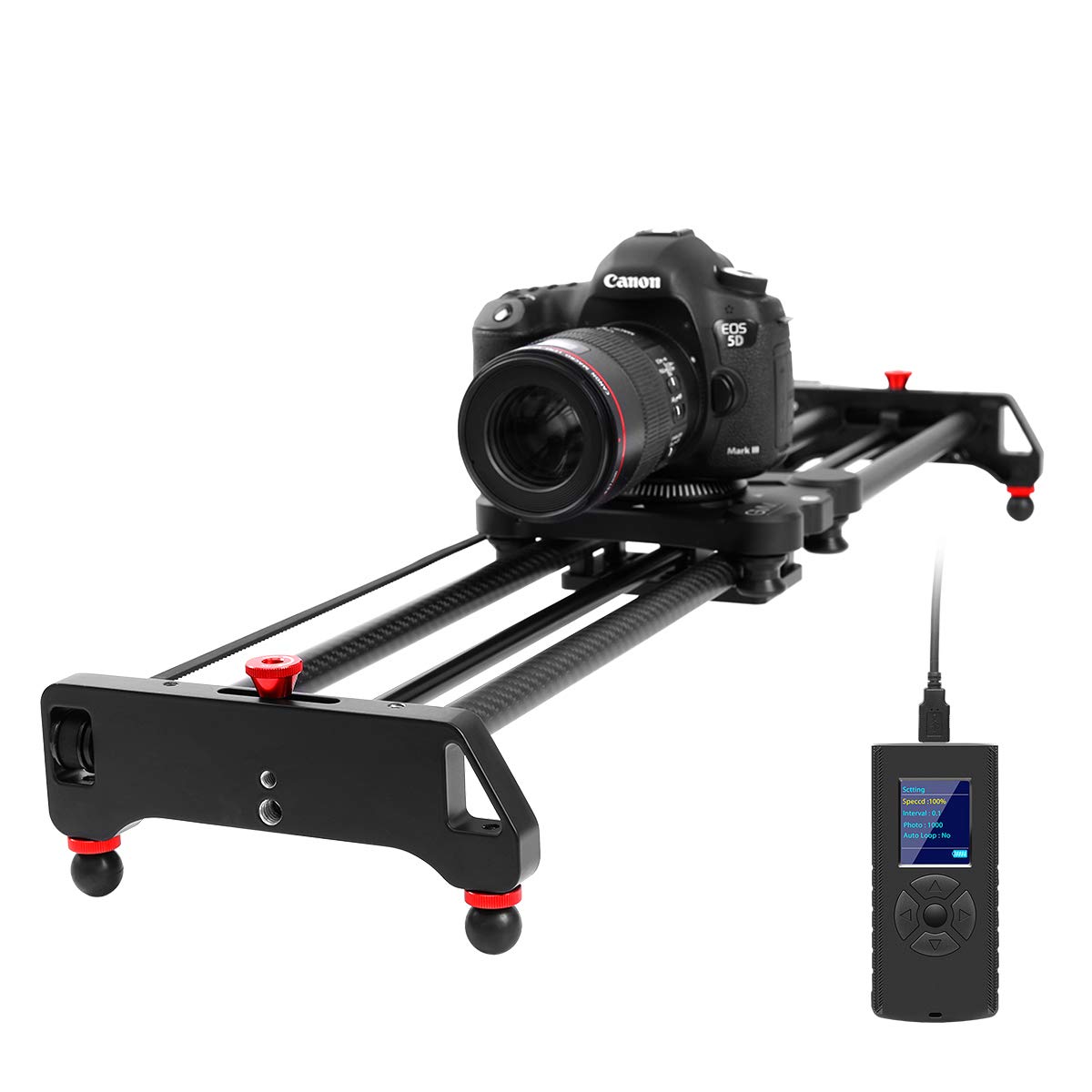
The GVM 31-inch slider delivers motorized panning, tracking, and time-lapse sequences via a simple wired remote — no app or Bluetooth required. Setup takes about five minutes, and the carbon fiber rail provides a stable platform for cameras up to 20 pounds. The 31-inch length hits a sweet spot between portability and framing flexibility, making it a practical choice for run-and-gun shooting or studio work.

This slider works best for intermediate videographers who want automated motion without relying on a smartphone app. The wired remote gives direct control over speed, direction, and panorama modes, but it can be finicky on some units — a quick unboxing test confirms whether yours is fully functional. The start and stop points of each move may introduce a minor vibration that shows up in footage; accounting for that in post-processing is standard practice here.

Build quality is a standout: the carbon fiber rail feels solid, and the motor moves smoothly across the length. For the price (mid-range among motorized sliders), it delivers polished results that compare well with longer models from the same brand. The compromises — wired-only control and the occasional start/stop jitter — are manageable for most users who prioritize a compact, capable motorized slider over wireless convenience.

Tip: Test the remote's responsiveness right after unboxing to catch any issues early.

Bottom line: A dependable motorized slider for videographers who want controlled motion at a reasonable price, provided the remote works as expected.

5

NEEWER 16" Manual Slider

NEEWER 16" Manual Slider

Entry-level manual

Our Score 8.2/10
Check Price

Worth Noting

  • Manual operation requires consistent hand control; motorized time-lapses are not possible
  • Rail length limits panning distance to 16 inches, less suited for wide landscape shots
Drive Type
Manual
Noise Level
Silent (manual)
Slider Length
16 in
Build Material
Carbon fiber/aluminum

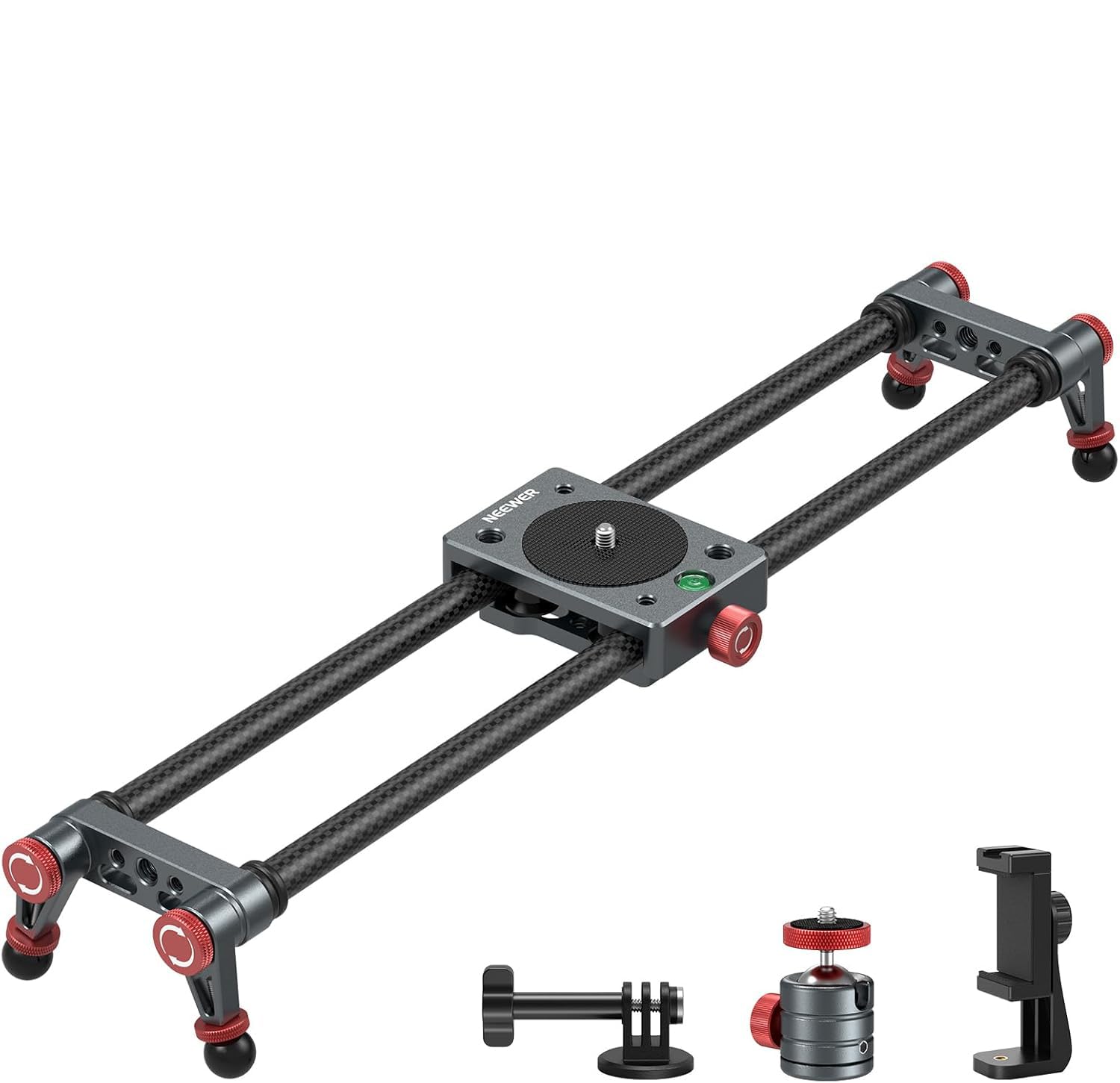
This NEEWER slider bundles a carbon fiber rail, ball head, phone clamp, and action camera mount for a low entry price. Its 16-inch length and light weight suit travel vloggers with smartphones or action cameras. The manual operation is basic but adequate for simple pans. That said, the product has limited real-world validation, so potential issues like binding or wear may not surface until after purchase. For those willing to spend a little more, the Zecti offers a known track record of smooth motion.

Bottom line: This slider suits beginners who want to try smooth panning on a strict budget with a lightweight smartphone or action camera, but those needing reliable performance for heavier setups should look to the Zecti.

6

Accsoon Toprig S60

Accsoon Toprig S60

App-controlled slider

Our Score 8.2/10
Check Price

Worth Noting

  • Requires separate purchase of NP-F batteries
  • App connectivity may drop or delay during complex time-lapse sequences
Drive Type
Motorized
Noise Level
<30 dB
Slider Length
24 in
Build Material
Aluminum alloy

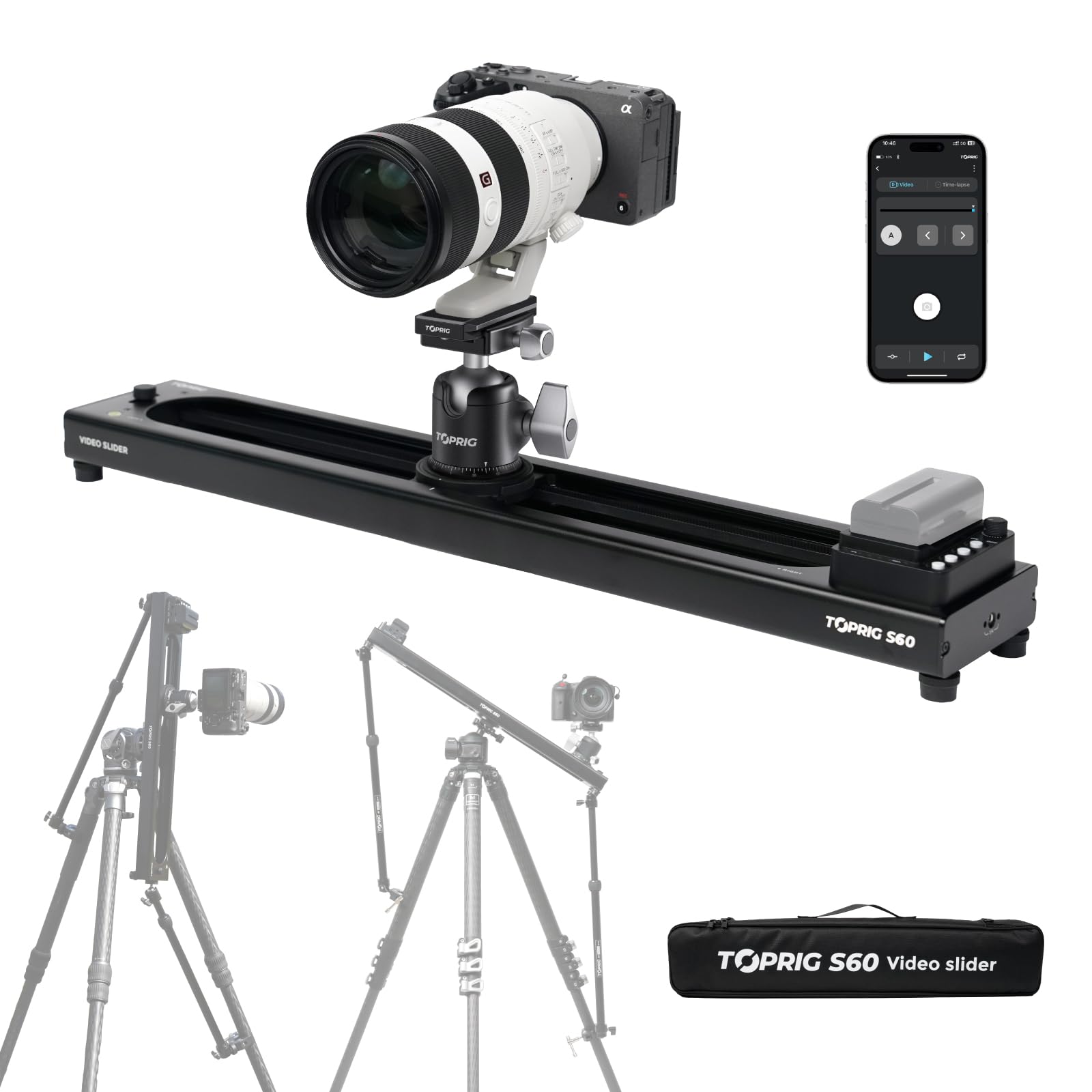
The Accsoon Toprig S60 packs wireless app control, dual power (NP-F battery or USB-C), and a 120° panoramic function into a 24-inch aluminum slider. Its brushless motor operates quietly under 30 dB, and the battery can last up to 60 hours. However, because this slider has limited user feedback, its long-term reliability and consistent app performance are not yet established — an element of uncertainty for those who depend on gear for paid work.

Tip: Run a test sequence with the app before a paid shoot to verify connection stability.

Bottom line: This slider suits tech enthusiasts willing to experiment with a newer brand, but it carries more uncertainty than established options.

7

NEEWER 3-Wheel Dolly

NEEWER 3-Wheel Dolly

Floor dolly

Our Score 8.8/10
Check Price

Worth Noting

  • Motor noise can be picked up by camera microphones in quiet settings
  • Remote control may have intermittent responsiveness across some units
Drive Type
Motorized
Noise Level
Audible motor
Slider Length
Build Material
Aluminum alloy

This motorized floor dolly offers solid metal construction and three speed settings, letting you circular-track small objects on a tabletop. The motor hum, however, can be audible in quiet shooting environments and may get picked up by built-in camera microphones. Remote control responsiveness varies between units, so initial testing is advisable. It works well for product videographers who control audio separately, but it’s not a substitute for a smooth panning slider.

Bottom line: A decent option for tabletop product videography when you can isolate motor noise or use external audio, but not a general-purpose slider replacement.

How to Choose

Slider Length

Slider length determines both the range of motion and portability. A longer slider (40 inches or more) allows for wider panning shots and sweeping reveals but requires a sturdy tripod setup to avoid amplifying vibrations. Shorter sliders (under 20 inches) are easier to pack and work well on tabletops for product or close-up work.

For run-and-gun shooting, a 24- to 31-inch slider offers a practical balance between travel and portability. If you are shooting time-lapses or architectural interiors where camera movement covers a lot of ground, a 48-inch slider is more appropriate, but expect to carry a heavier case and invest in a robust tripod.

Motorized vs. Manual

Motorized sliders automate the pan, making them ideal for repeatable moves, time-lapses, and solo shooting where you cannot pull the slider yourself. However, the motor and gearing introduce potential failure points: micro-jitters at start/stop, motor noise bleeding into audio, and electronics that can die after a few months.

Manual sliders rely on your own steady pull, which takes practice but eliminates electronics failure. The same money that buys a mid-range motorized slider often gets a higher-quality manual unit with smoother bearings and better build. If your shooting style allows for a second person or careful setup, manual gives more reliable results per dollar.

Payload Capacity

Payload capacity is the maximum weight the slider can carry horizontally, typically less when tilted. A DSLR with a standard zoom lens weighs around 3-4 pounds, but adding a large telephoto lens or a rig with a monitor and cage can push over 8 pounds. Choosing a slider with at least 2x your camera weight gives a safety margin for smooth tracking.

Lightweight sliders rated for 4-5 pounds work fine for mirrorless bodies and action cameras, but heavier setups need sliders with 10+ pound capacity. Exceeding the rated payload causes bearing strain and introduces chatter that ruins footage. Always check the horizontal limit – sliders often list a lower payload when used at an angle.

Noise Level

Motor noise is a hidden dealbreaker for videographers capturing live audio or quiet scenes. A slider with a brushless motor running under 25 dB is nearly inaudible at a few feet, while cheaper motorized units often produce a persistent hum that forces you to replace audio in post. Manual sliders are silent by nature, making them the go-to for interviews or dialogue-heavy shoots.

When shopping, look for explicit decibel ratings rather than marketing claims like 'whisper quiet'. If the spec is missing, assume the motor will be audible. For solo shooting where you can use a scratch track or add sound effects, noise is less critical, but for professional work, silent operation is mandatory.

Build Material

Carbon fiber sliders are lightweight and resist temperature changes that can cause metal rails to expand or contract. However, not all carbon fiber is the same – some budget sliders use thin carbon tubes that flex under load, introducing wobble. Aluminum alloy is heavier but typically stiffer and more durable over the long term.

The trade-off between weight and rigidity matters most for travel. A carbon fiber 48-inch slider may weigh 4-5 pounds versus 7-8 for aluminum, making a difference in a backpack. But if you primarily shoot from a studio or a car, aluminum offers better stiffness for less money. Check the rail diameter and construction in photos rather than relying on the material name alone.

Control Method

Control method ranges from simple wired remotes to smartphone apps and touchscreens. Wired remotes are reliable and battery-friendly but limit your reach on set. Apps give you wireless programming for complex moves and time-lapses, but connectivity drops and app crashes are common pain points, especially on iOS. Touchscreens on the slider body (like on the IFOOTAGE Nano) are the most direct but add cost.

If you primarily shoot repeatable motion-controlled time-lapses, app control is worth the occasional hiccup. For simple A-B pans during interviews, a wired remote is simpler and less failure-prone. Avoid sliders that force you to use a smartphone for basic operation unless you are comfortable with the app ecosystem.

Frequently Asked Questions