Computers & Accessories

9 Best 2-In-1 Laptop of 2026: Match Your Workflow to the Right Form Factor

Deciding between a convertible and detachable? This guide helps you choose the best 2-in-1 laptop for performance, portability, and budget.

Many 2-in-1 laptops promise seamless transitions between laptop and tablet, but real-world use reveals trade-offs. Convertibles keep the keyboard attached, adding weight in hand, while detachables shed weight but often require separate keyboard purchases. ARM-based models, like those in the Copilot+ PC lineup, extend battery life but can stumble on legacy x86 software.

The real challenge is matching the form factor to your actual workflow. A large convertible with a full keyboard and numeric keypad suits professionals who need to type for hours. A lightweight detachable with a high-resolution display shines for note-taking and drawing. Price and reliability also vary sharply between Windows convertibles and budget Chromebooks.

This guide focuses on the specs that directly affect daily use — processor, RAM, storage type, and weight — so you can pick a device that fits your routine without surprises.

1

Lenovo Yoga 7i 16"

Top Pick

Lenovo Yoga 7i 16"

Power users

Our Score 9.0/10
Check Price

Worth Noting

  • At 4.63 lbs, holding it as a tablet for long periods can strain the wrists
  • 16-inch screen may feel bulky for frequent travel or cramped desks
RAM
16GB LPDDR5
Display
16" 1920x1200 Touch
Storage
2TB PCIe 4.0 SSD
Processor
Core Ultra 7 155U

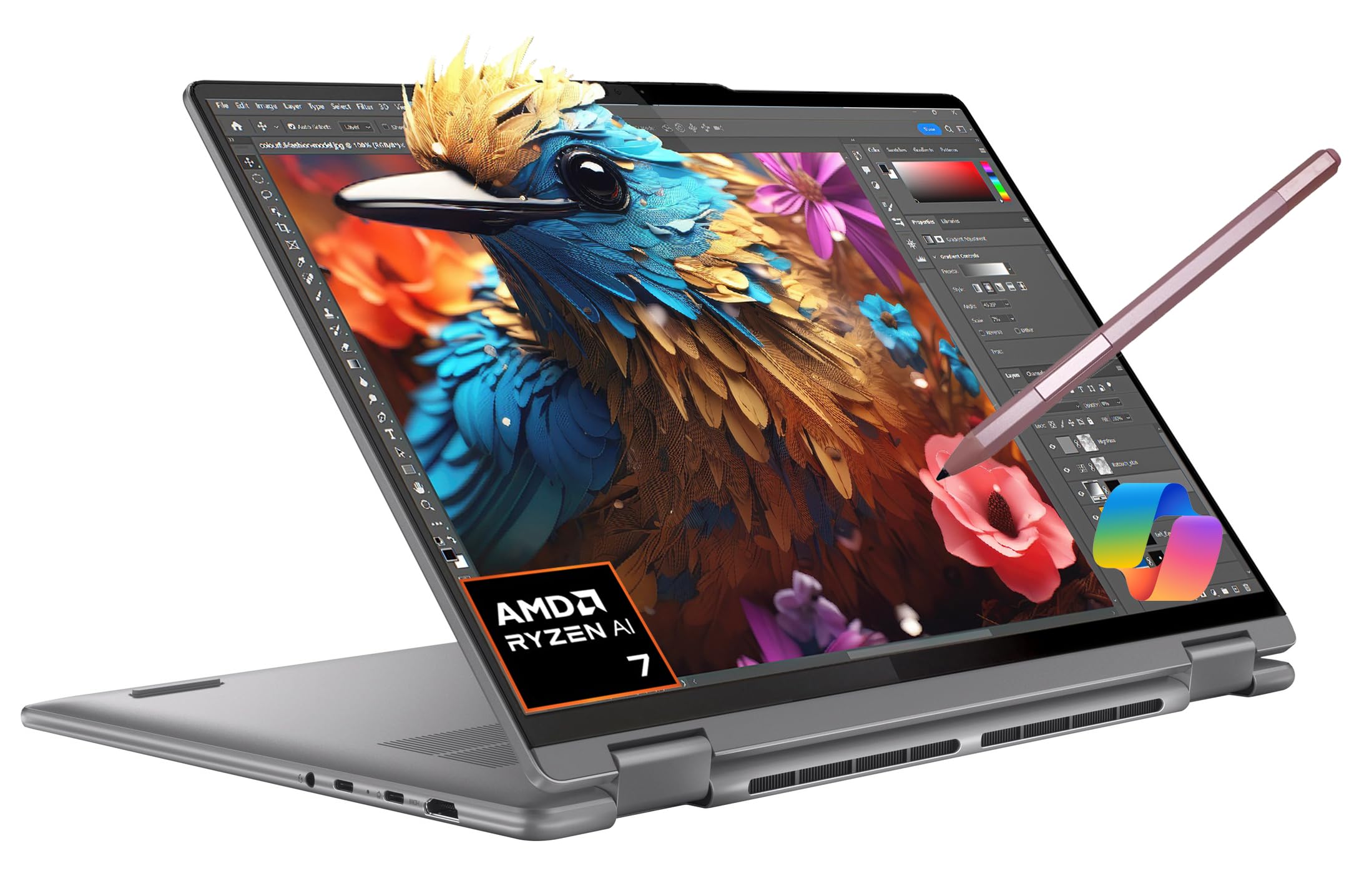
A 2TB PCIe 4.0 SSD and 16GB LPDDR5 RAM set this Lenovo apart from other convertibles — enough local storage for large media libraries, design files, or virtual machines, and memory to keep dozens of browser tabs and applications open without slowdown. The Core Ultra 7 155U processor handles demanding workloads predictably.

Battery life holds up through a full workday of mixed productivity tasks, and the 16-inch 1920x1200 touchscreen responds accurately to taps and swipes. The build feels solid, with no creaking or flex in tablet mode. Cooling stays quiet during spreadsheets and video calls; sustained loads like rendering or compiling may trigger fan noise, but it stays moderate.

This 2-in-1 targets power users who need both a primary laptop and occasional tablet — business professionals juggling large datasets, creative workers storing high-res assets, or anyone who wants Windows 11 Pro without ARM compatibility concerns. The 4.63-pound weight and 16-inch footprint make it less suited for commuters who hold the device in tablet mode for extended periods; it works best on a desk, lap, or tabletop where the weight stabilizes it.

The touchscreen supports pen input with good sensitivity, and the 360-degree hinge feels sturdy at all angles. Keyboard travel is adequate for long typing sessions, and the port selection covers USB-C, USB-A, HDMI, and a headphone jack — no dongles needed for most setups.

Tip: When using in tablet mode, support the device on a flat surface or your lap rather than holding it one-handed — the weight is manageable when braced.

Bottom line: If your workflow demands a convertible with desktop-grade storage and memory, this is the direct match — no detachable keyboard, no ARM tradeoffs, just a well-built screen and a full keyboard.

2

Surface Pro 2024 13"

Surface Pro 2024 13"

Creative pros

Our Score 8.8/10
Check Price

Worth Noting

  • Keyboard and pen sold separately, increasing overall investment
  • Some x86 applications may not run or require workarounds due to ARM architecture
  • In some cases, the device can shut down unexpectedly or lose keyboard connection
RAM
16GB LPDDR5
Display
13" 2880x1920 Touch
Storage
512GB SSD
Processor
Snapdragon X Plus (10C)

The Surface Pro 2024's 13-inch PixelSense Flow display delivers sharp colors and fine detail at a resolution most 2-in-1s in this class don't match. It's also under 2 lbs without the keyboard, making it noticeably lighter than convertible alternatives like the Yoga 7i. The detachable kickstand design and touchscreen offer flexible positioning for drawing, note-taking, or media viewing.

The Snapdragon X Plus processor paired with 16GB of RAM handles daily productivity, creative apps, and media consumption with ease. Battery life comfortably covers a full workday, and the build quality feels premium across the chassis. The 512GB SSD provides ample storage for most users, though those with large media libraries may want more.

This Surface Pro suits creative professionals and students who prioritize display quality and portability above all. However, buyers should be aware that some x86 applications may not run natively due to ARM architecture, and the keyboard and pen are sold separately — adding to the total cost. For those who need guaranteed compatibility with legacy Windows software or want a built-in keyboard, a convertible like the Yoga 7i is a stronger fit.

Tip: The full laptop experience requires the keyboard (sold separately) — factor that into your budget.

Bottom line: A top-tier detachable for those who prioritize display quality and portability over raw storage and guaranteed app compatibility. Best suited for creative professionals and students willing to accept ARM limitations and accessory costs.

3

HP OmniBook X Flip 16"

HP OmniBook X Flip 16"

Early adopters

Our Score 9.0/10
Check Price

Worth Noting

  • At 3.21 kg (7.1 lbs), it is one of the heaviest 2-in-1s, making extended tablet use uncomfortable
  • Occasional early defects such as OS corruption or screen issues have been reported
RAM
16GB LPDDR5x
Display
16" WUXGA Touch 400nit
Storage
512GB PCIe 4.0 SSD
Processor
Ryzen AI 5 340

The HP OmniBook X Flip delivers an AMD Ryzen AI 5 processor with a 50 TOPS NPU for Copilot+ AI features, paired with 16GB DDR5 RAM and a bright 16-inch touchscreen -- all at a mid-range price. Users report smooth performance for daily tasks and light creative work, with the touchscreen praised for color accuracy.

Where it differs from the lighter, more consistent Yoga 7i is in its weight: at 7.1 pounds, this is one of the heaviest 2-in-1s around. The 360-degree hinge works as expected, but extended tablet use is impractical due to the heft.

Early adopters who want to explore Copilot+ without spending over $900 will find good value here. That said, occasional quality control issues -- including OS corruption and screen problems -- have been noted, so confirming return policy before purchase is recommended.

Tip: At 7.1 lbs, it is best kept on a desk -- not ideal for carrying between meetings.

Bottom line: For early adopters who want Copilot+ AI features and a large touchscreen without overspending, this HP delivers -- just be prepared to test the unit immediately after purchase.

4

Lenovo IdeaPad 5 Flex 14"

Lenovo IdeaPad 5 Flex 14"

Casual users

Our Score 8.8/10
Check Price

Worth Noting

  • 8GB soldered RAM can't be upgraded; multitasking with many tabs or apps may cause slowdowns.
  • Build quality feels less premium than higher-end Yoga convertibles
RAM
8GB LPDDR5x
Display
14" WUXGA Touch
Storage
512GB PCIe 4.0 SSD
Processor
Core Ultra 5 225U

For under $800, the IdeaPad 5 Flex comes with a modern Intel Core Ultra 5 225U processor, 512GB SSD, and Windows 11 Pro — a spec combination that usually costs more in Lenovo's lineup. The 14-inch touchscreen and 360° hinge deliver the convertible experience without the premium price of the top pick, which packs 2TB storage and 16GB RAM.

This is a straightforward option for students and casual users who stick to web browsing, Office apps, and streaming. The 8GB LPDDR5x RAM is soldered and not upgradeable, so running heavy multitasking — like a dozen browser tabs plus a video call and a document — can push the system to its limits, causing slowdowns.

The chassis has a utilitarian feel; it lacks the aluminum finish of higher-end Yoga models, though the hinge feels solid. For light daily use, performance is consistent and the SSD keeps things responsive. The price-to-spec ratio is strong for a Windows 2-in-1, but buyers should be certain their workload won't outgrow the memory ceiling.

Tip: Close unused applications and limit open browser tabs to keep the system responsive under memory pressure.

Bottom line: A practical entry into Windows 2-in-1s for light users who want modern hardware without overspending, provided they can manage within 8GB of memory.

5

Lenovo Yoga 7i 16" AMD

Lenovo Yoga 7i 16" AMD

Business users

Our Score 8.4/10
Check Price

Worth Noting

  • Large touchpad may register accidental palm touches while typing
  • Battery life may not match manufacturer claims under real-world use
RAM
16GB LPDDR5
Display
16" WUXGA Touch 300nit
Storage
1TB SSD
Processor
Ryzen 7 7735U

The Lenovo Yoga 7i delivers strong processing power with its AMD Ryzen 7 7735U and 16GB of RAM, handling business multitasking and productivity software without hesitation. The free IST Precision Pen adds value for note-taking and light sketching, while the solid build quality supports daily office use. This is a capable convertible for users who need reliable AMD performance on a budget.

The large touchpad can cause accidental palm touches while typing, which interrupts workflow. Battery life falls short of advertised estimates, making it less suited for all-day unplugged use. The 300-nit touchscreen is adequate indoors but struggles under bright light. With only one unit left in stock, availability is the biggest barrier to purchase.

Bottom line: This deal works for budget-conscious business users who prioritize processing power over display brightness and battery endurance, and who can act quickly on the remaining stock.

6

Surface Pro 2025 12"

Surface Pro 2025 12"

Early adopters

Our Score 8.6/10
Check Price

Worth Noting

  • Keyboard cover not included, adding significant cost to the base price
  • ARM architecture may cause compatibility issues with some x86 Windows applications
RAM
16GB
Display
12" 2196x1464 Touch
Storage
256GB UFS
Processor
Snapdragon X Plus (8C)

The 2025 Surface Pro brings the latest Copilot+ AI features into a slim 12-inch detachable under two pounds without the keyboard. The Snapdragon X Plus processor with 45 TOPS NPU accelerates local AI tasks, and the PixelSense touchscreen stays crisp for drawing or reading. However, the keyboard cover is sold separately, raising the effective price, and the ARM chip may not run all x86 software smoothly. This is a device for early adopters who prioritize the newest AI and portability over universal app compatibility.

Tip: Check which x86 apps you rely on — many now have ARM-native versions, but legacy software may require a workaround.

Bottom line: This Surface Pro fits buyers who want the newest AI features and a lightweight detachable, but only if they’re prepared to pay extra for the keyboard and verify that their essential apps work on ARM.

7

ASUS Chromebook Flip CX1

ASUS Chromebook Flip CX1

Students

Our Score 8.8/10
Check Price

Worth Noting

  • Some units may freeze or overheat during extended use.
  • Speed can lag when opening many tabs or running multiple apps.
RAM
8GB LPDDR4X
Display
14" FHD Touch
Storage
128GB eMMC
Processor
Celeron N4500

The ASUS Chromebook Flip CX1 offers a compelling package for budget-conscious students: 8GB RAM, 128GB storage, and a convertible touchscreen at a budget-friendly price. It handles web browsing, document editing, and video streaming smoothly for typical school use. However, some units may experience freezing or overheating under sustained load, and battery life can fall short of the advertised 10 hours. Chrome OS also limits compatibility with certain Windows applications. These reliability and platform limitations keep it from being a top-tier recommendation, but for the price, it still fits students who need a basic 2-in-1 for light work and media.

Bottom line: For students on a tight budget who need a basic Chromebook for schoolwork and can tolerate occasional performance hiccups, the Flip CX1 is a reasonable choice — just keep expectations in check.

8

Samsung Chromebook Plus V2

Samsung Chromebook Plus V2

Casual users

Our Score 8.6/10
Check Price

Worth Noting

  • Battery life can be inconsistent; some units lose charge quickly when idle.
  • Some units may stop charging or powering on within months of use.
RAM
4GB LPDDR3
Display
12.2" 1900x1200 Touch
Storage
64GB eMMC
Processor
Intel Celeron

The Samsung Chromebook Plus V2 is the cheapest 2-in-1 laptop available with a built-in stylus, offering good value for basic cloud-based schoolwork and note-taking. However, some units may stop charging or powering on within months, and battery life can drop to around two hours when idle. These durability and battery limitations mean this Chromebook is best suited as a secondary device for users who can tolerate potential early hardware issues.

Bottom line: This Chromebook fits only if you need an extremely cheap secondary device for light cloud tasks and can accept the risk of early hardware issues.

9

HP Chromebook 14" Renewed

HP Chromebook 14" Renewed

Budget users

Our Score 9.2/10
Check Price

Worth Noting

  • Performance slows down when several apps or tabs are open
  • Some units may experience freezing or fail to power on
RAM
4GB DDR5
Display
14" FHD Touch
Storage
64GB eMMC
Processor
Intel N100

The HP 14 2-in-1 Chromebook delivers the lowest entry price for a convertible 14-inch touchscreen Chromebook, and its build quality is surprisingly solid for the money. Basic web browsing and school assignments run without issue. However, as a renewed unit, individual quality varies — some units may freeze, glitch, or fail to start, and battery life can be as short as 4 hours. Performance also becomes sluggish when multiple apps are open. This Chromebook is only suitable for the most cost-sensitive buyers who accept the risk of inconsistent reliability and are not depending on it as a primary device.

Bottom line: Best left for emergency budget needs where cost is the only priority and reliability is not critical.

How to Choose

Processor

The processor determines how smoothly apps run and how well the laptop handles multitasking. Intel Core Ultra 7 and AMD Ryzen 7 offer strong performance for demanding workloads, while Celeron and entry-level chips are limited to basic browsing and document editing.

For creative software or heavy multitasking, look for at least a Core Ultra 5 or Ryzen 5. ARM chips like Snapdragon X Plus deliver excellent battery life but may not run x86 applications without emulation slowdowns.

RAM

8GB of RAM is enough for light web browsing, email, and streaming video. However, opening a dozen browser tabs alongside Office apps can push 8GB to its limit, causing slowdowns and occasional lockups.

16GB is the sweet spot for anyone who multitasks regularly, uses virtual machines, or edits photos. RAM is often soldered in 2-in-1s, so choose your capacity upfront — there is no upgrade path.

Storage

Fast SSD storage dramatically improves boot times and app loading compared to eMMC. A 512GB or 1TB PCIe 4.0 SSD is standard in mid-range models, while budget Chromebooks often use slower eMMC storage in 64-128GB capacities.

If you store large files locally, a 2TB SSD like the one in the Lenovo Yoga 7i saves you from juggling external drives. For cloud-first users, 256GB may suffice, but avoid eMMC unless the device is strictly for casual use.

Display

A higher resolution and brightness matter if you work outdoors or do photo editing. 1920x1200 or 1920x1080 is adequate for most, but 2880x1920 on the Surface Pro provides sharper text and more screen real estate for creative work.

Touch responsiveness is generally good across all models listed, but note that lower-priced Chromebooks often have dimmer screens (under 300 nits) that can be hard to see in bright rooms.

Form Factor & Weight

Convertibles like the Yoga 7i keep the keyboard permanently attached, adding weight (4.6-7.1 lbs) but offering a full typing experience in all modes. Detachables like the Surface Pro separate into a tablet weighing under 2 lbs, but the keyboard costs extra and adds bulk when carried.

If you plan to use the device as a tablet for hours, a lighter detachable is more comfortable. If you type more than you draw, a convertible saves you from hunting for the keyboard.

Frequently Asked Questions