Computers & Accessories

5 Best UPS Battery Backup of 2026: Real Run Times for Your Gear

Find a UPS battery backup that fits your actual load — from network gear to gaming rigs — with real-world runtime expectations, not marketing numbers.

UPS battery backup listings often claim impressive runtimes, but those numbers typically come from a low 100W load — nowhere near what a desktop PC and monitor actually draw. The result: your UPS may shut off after just a few minutes during an outage, leaving you scrambling.

Noise is another hidden trade-off. Many budget and mid-range units produce constant beeping or coil whine that makes them unsuitable for quiet rooms. Knowing which models allow mute options or have quieter operation changes the experience.

This guide skips the marketing numbers and focuses on real-world capacity needs — from low-power network gear to demanding gaming PCs. The picks balance runtime, output quality, and noise, so you get backup you can actually rely on.

1

CyberPower CP1500PFCLCD

Top Pick
CyberPower CP1500PFCLCD

Home offices

Our Score 9.2/10
Check Price

Worth Noting

  • Under high loads like a gaming PC, backup time may be only a few minutes
  • Battery capacity can diminish after two to three years of regular use, requiring replacement to maintain full runtime.
AVR
Yes
Waveform Type
Pure sine wave
Battery & Warranty
3 yr warranty
VA / Watt Capacity
1500VA / 1000W

The CyberPower CP1500PFCLCD delivers pure sine wave output that Active PFC power supplies require, avoiding the compatibility hiccups simulated sine wave units can cause. Automatic Voltage Regulation (AVR) corrects minor sags and spikes without tapping the battery, preserving runtime for when it actually matters.

The color LCD shows load level, battery charge, and estimated runtime at a glance – a feature more common on pricier units. PowerPanel software allows remote monitoring and automatic shutdown scheduling across Windows, macOS, and Linux, making it easy to integrate into a home office or small server setup.

Under a high-draw gaming PC or server, backup time may be only 3-8 minutes – enough to save work and shut down cleanly, but not for extended work sessions. Battery capacity can diminish within 2-3 years of regular use, a typical lifespan for this class of UPS. The tradeoff is a deliberate one: clean power delivery takes priority over long runtime.

This unit suits home offices, small business workstations, and gaming rigs where equipment sensitivity and data integrity matter more than hours of backup. It is less appropriate for buyers on a tight budget under $150 or anyone needing a compact wall-mountable unit for a modem and router only.

Tip: Run a self-test monthly and keep the unit in a cool, ventilated space to help extend battery service life.

Bottom line: For buyers who value clean sine wave power and dependable AVR over marathon runtime, this UPS delivers the best combination of compatibility, features, and long-term protection in the 1500VA class.

2

APC BE600M1

APC BE600M1

Budget setups

Our Score 9.0/10
Check Price

Worth Noting

  • Battery may lose capacity faster than expected within the first year of use.
  • Audible alarm cannot be turned off and will be noticeable in quiet spaces.
  • Some units may not switch to battery power during an outage, leaving equipment unprotected.
AVR
No
Waveform Type
Simulated sine wave
Battery & Warranty
3 yr warranty
VA / Watt Capacity
600VA / 330W

At this price point, the APC BE600M1 is the cheapest entry into battery backup for low-power network gear — essential protection for routers and modems during short outages. It contrasts with higher-capacity, pure sine wave units that cost twice as much and are more appropriate for full desktop systems.

This unit works best for someone who needs basic protection for a router, modem, or a low-wattage desktop and can place it out of earshot. The constant audible alarm cannot be silenced, and some units may not switch to battery during an outage — tradeoffs that are manageable when the equipment isn't critical and the unit is tucked away in a utility closet.

Setup is plug-and-play with USB connectivity for monitoring, and it works seamlessly with Unraid and other NAS systems for automated shutdowns. For the price, it delivers reliable power during flickers while keeping internet equipment online.

Tip: Position the UPS out of earshot, as the audible alarm cannot be disabled.

Bottom line: If you need basic backup for a router and modem and can ignore the noise, this is the most cost-effective option — but for any critical desktop setup, the additional investment in a pure sine wave unit is justified.

3

APC BX1500M

APC BX1500M

Home offices

Our Score 9.0/10
Check Price

Worth Noting

  • In a quiet office or bedroom, the fan hum and possible coil whine can be distracting.
  • Battery may need replacement within two to three years, sooner than the battery-only outlets suggest.
  • Some units may stop providing backup power within the first year; the three-year warranty covers replacement.
AVR
Yes
Waveform Type
Simulated sine wave
Battery & Warranty
3 yr warranty
VA / Watt Capacity
1500VA / 900W

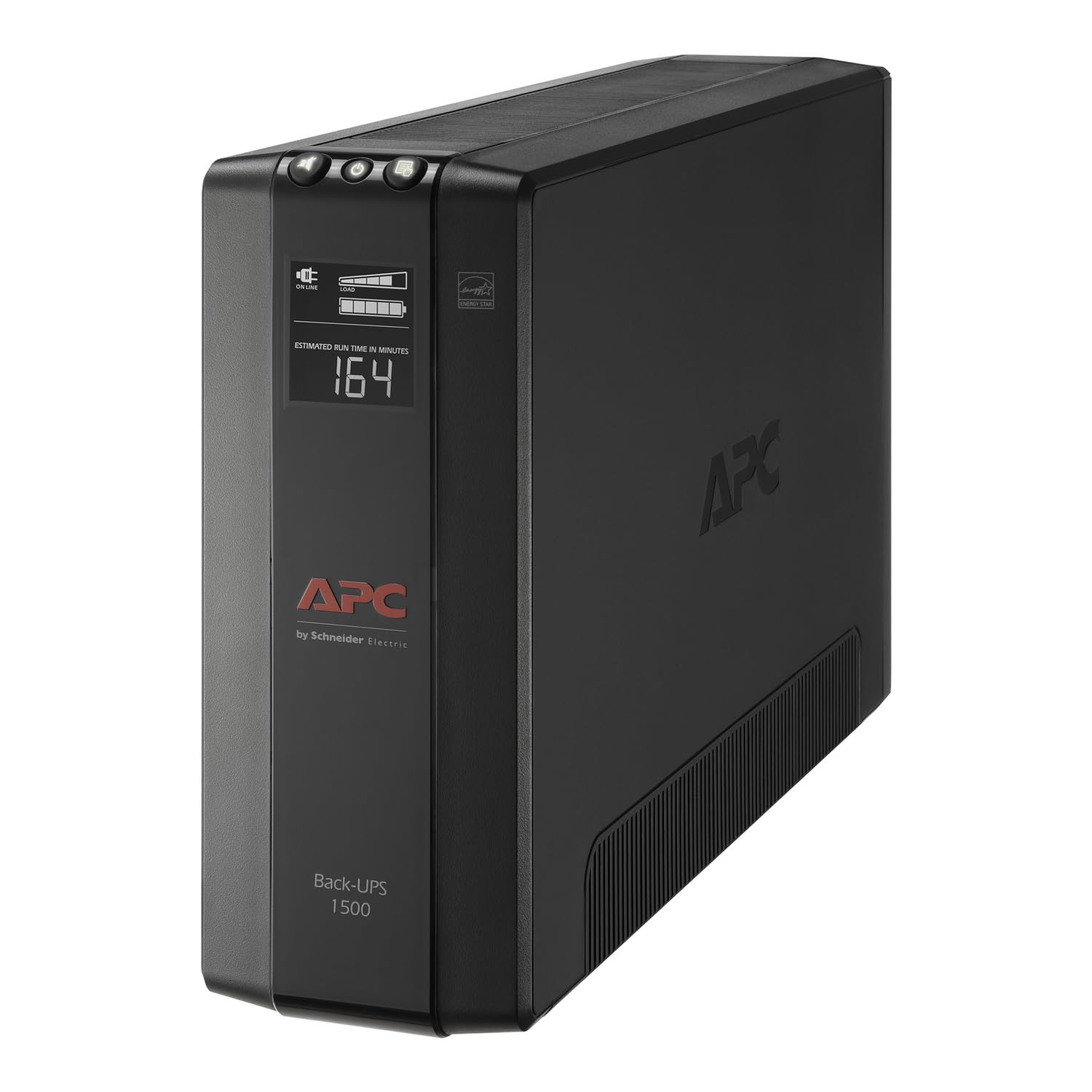
The APC BX1500M packs 1500VA / 900W of backup capacity with automatic voltage regulation (AVR) into a mid-range price, making it a capable workhorse for a home office that needs to keep a desktop, monitor, and router running through brief outages. The LCD display gives clear real-time status, and setup is plug-and-play.

This unit uses simulated sine wave output, which works fine for most computer power supplies but may not play well with devices that have Active PFC power supplies—the CyberPower top pick delivers pure sine wave for broader compatibility. The fan and transformer can produce a noticeable hum or coil whine, especially in a quiet room, and some units develop a continuous beeping sound after a few months.

Battery life tends to be shorter than the advertised figures; users often report needing a replacement within two to three years. In a minority of cases, the unit may stop providing backup power within the first year—the three-year warranty and $75k equipment protection provide a safety net, but it's a factor to weigh if uptime is critical.

Tip: Place the unit in a well-ventilated area away from bedrooms; the fan noise is less noticeable in a garage or utility room.

Bottom line: A cost-effective 1500VA UPS with AVR, best for home offices that can tolerate some fan noise and where simulated sine wave is sufficient. If you need silence or pure sine wave for sensitive gear, the CyberPower CP1500PFCLCD is worth the extra cost.

4

Tripp Lite OMNI1500LCDT

Tripp Lite OMNI1500LCDT

Utility use

Our Score 8.8/10
Check Price

Worth Noting

  • Fan noise during battery operation can be noticeable in quiet rooms
  • Battery life can drop off after several years of light use; occasional replacements may be needed sooner than expected.
  • Some units may not switch to battery backup when the power goes out, leaving connected equipment unprotected.
AVR
Yes
Waveform Type
Simulated sine wave
Battery & Warranty
3 yr warranty
VA / Watt Capacity
1500VA / 810W

The Eaton Tripp Lite OMNI1500LCDT delivers a 1500VA capacity with automatic voltage regulation and a clear LCD that shows runtime, load, and voltage at a glance. It competes directly with the APC BX1500M on paper, offering similar features at a comparable mid-range price.

This unit suits buyers who are open to trying a brand outside the APC/CyberPower duopoly and who can place the UPS in a utility room or basement. The simulated sine wave output works fine for standard desktop PCs and network gear without Active PFC power supplies. Keep in mind that some units have shown inconsistency in switching to battery during an outage, so this is not the best choice for mission-critical setups where every power loss must be covered without exception.

Tip: For best experience, install this unit in a basement or utility room where fan noise during outages is less intrusive.

Bottom line: A solid pick for those who need a 1500VA UPS with AVR and can place it in a location where fan hum and beeping won't disrupt daily life.

5

CyberPower ST625U

CyberPower ST625U

Network gear

Our Score 9.0/10
Check Price

Worth Noting

  • Beeping during battery operation cannot be turned off
  • Battery capacity (360W) limits backup to low-power devices; any desktop with a dedicated GPU will drain it in seconds.
  • Unit reliability can vary; some owners report loss of battery capacity within the first year of use.
AVR
No
Waveform Type
Simulated sine wave
Battery & Warranty
3 yr warranty
VA / Watt Capacity
625VA / 360W

At about half the footprint of a typical 1500VA UPS, the CyberPower ST625U squeezes battery backup and surge protection into a space that fits next to a modem or under a desk. Eight outlets (four battery-backed, four surge-only) plus two USB charging ports give enough connectivity for a Wi-Fi router, cable modem, a network switch, and maybe a mini PC. For users who just want to keep the internet running during a flicker, this unit covers the essentials without taking over the desk.

The tradeoffs become clear when a power outage hits. The ST625U emits a continuous beep that cannot be silenced — in a living room or open office, it will be heard by everyone nearby. And with only 360W of battery capacity, any desktop PC with a dedicated graphics card or high-wattage CPU will drain the battery in seconds. This UPS is suited for setups where the primary concern is keeping low-power networking gear alive through short interruptions, not powering a full workstation.

Tip: Place the ST625U in a closet or utility area where the beeping during an outage won't interrupt work or sleep.

Bottom line: If your goal is to keep a modem, router, and a lightweight computer online through brief power dips — and you can tolerate an audible beep — this compact UPS provides the most value per dollar. For anything heavier, look at the pure sine wave top pick instead.

How to Choose

VA and Watt Capacity

VA (volt-amps) and watts measure your UPS's output capacity. The watt rating is the real-world limit for your connected devices. Add up the wattage of your PC, monitor, and peripherals — a typical desktop with monitor draws 300-500W under load.

If your UPS wattage is too close to that number, runtime drops to seconds. Aim for at least 20% headroom above your total load to get enough time for a safe shutdown.

Battery-Backup Outlets

Not all outlets on a UPS provide battery backup. Some are surge-only. Check how many battery-backed outlets you need for essential devices like your computer, router, and modem.

A common trap is plugging a printer or desk lamp into a battery outlet — those devices don't need backup and will drain the battery faster during an outage.

Waveform Type

Waveform type determines which electronics can safely run on battery power. Simulated sine wave (also called modified sine wave) works fine for routers, modems, and basic power supplies. Pure sine wave is required for Active PFC power supplies found in modern gaming PCs, servers, and some audio equipment.

Using simulated sine wave with Active PFC hardware can cause the PSU to shut down or malfunction when the UPS switches to battery. If you have a recent desktop or gaming rig, pure sine wave is not a luxury — it's a necessity.

Automatic Voltage Regulation (AVR)

AVR corrects minor voltage fluctuations (brownouts) without switching to battery power. This preserves battery life and keeps your equipment running smoothly during unstable utility conditions.

Homes with aging wiring or areas prone to voltage sags benefit most from AVR. If your power is generally stable, you may not need it, but it adds a layer of protection for sensitive electronics at minimal extra cost.

Battery & Warranty

UPS batteries degrade over time and typically need replacement every 2-4 years. A user-replaceable battery saves you from buying a whole new unit. Check whether the model supports easy swap-out or requires disassembly.

Warranty length and connected equipment insurance vary. Most consumer UPS units carry a 3-year warranty and a dollar amount of protection for your gear. Higher insurance limits matter if you're protecting expensive electronics.

Frequently Asked Questions