Computers & Accessories

11 Best Tablets of 2026: Avoid Battery and Reliability Surprises

Which Android tablets actually deliver on battery life and reliability, and which ones cut corners? A guide for students, families, and media lovers.

Tablet marketing often promises all-day battery and smooth performance, but many models in the mid-range and budget segments fail to deliver either after a few months of real-world use. The gap between advertised specs and lived experience is especially wide when it comes to battery life and reliability.

This guide identifies tablets that consistently earn high marks for battery endurance, display quality, and long-term software support. We highlight the key trade-offs you will encounter, such as screen size versus battery life, so you can match the device to your daily habits.

Whether you are a student taking notes, a parent buying for a child, or a cord-cutter streaming videos, understanding these trade-offs helps you avoid the frustration of early battery drain or sluggish performance. The right tablet is the one that matches your actual usage patterns.

1

Samsung Tab S10 FE

Top Pick
Samsung Tab S10 FE

Samsung phone users

Our Score 9.4/10
Check Price

Worth Noting

  • No charger included in the box
  • Smart Switch file transfer can be finicky and accessory compatibility may vary.
Display
10.9" LCD 90Hz
Processor
Exynos 1580
RAM & Storage
8GB/128GB
Battery & Charging
20 hours

The Samsung Galaxy Tab S10 FE offers a strong mix of endurance and practicality. Its 20-hour battery easily lasts through a full day of classes, streaming, and browsing without needing a charge. The IP68 water resistance handles splashes and dust, a feature rarely seen at this price. Under the hood, the Exynos 1580 processor handles everyday apps and multitasking smoothly, though it's not built for demanding gaming titles.

The 10.9-inch 90Hz LCD display provides a crisp, colorful view for reading and video. While not as deep as AMOLED, the 2304x1440 resolution keeps text sharp and images detailed. The included S Pen is responsive for handwritten notes and annotations, leveraging Samsung’s note-taking software. Speakers deliver decent sound for personal listening; external speakers or headphones improve the experience in noisy settings.

Ideal buyers are students taking notes in class, professionals managing documents and meetings, or anyone in the Samsung ecosystem wanting a secondary screen. You will need to supply your own USB-C charger – Samsung does not include one. Transferring data via Smart Switch can be inconsistent, so a manual transfer method may be more reliable. Those who prioritize AMOLED screens or heavy gaming performance should consider the Idea Tab Pro or Tab S11 instead.

Despite the missing charger, the Tab S10 FE holds its own as a daily driver. The S Pen and water resistance add genuine value for on-the-go use, and the battery reduces anxiety about running out of power. It earns its place as a top pick for anyone wanting a balanced Android tablet without stepping up to a premium price bracket.

Tip: Since no charger is included, pick up a USB-C fast charger (25W or higher) to take advantage of fast charging.

Bottom line: Students and professionals looking for a long-lasting, water-resistant tablet with a built-in pen will find this a practical daily companion.

2

Lenovo Idea Tab Pro

Lenovo Idea Tab Pro

Students and professionals

Our Score 9.2/10
Check Price

Worth Noting

  • Heavy enough that one-handed use for long periods becomes tiring
  • Battery can drain faster than expected during gaming or video streaming
Display
12.7" 3K LCD 90Hz
Processor
Dimensity 8300
RAM & Storage
8GB/128GB
Battery & Charging
10200mAh

The Idea Tab Pro's 12.7-inch 3K LCD screen is noticeably larger and sharper than the Samsung Tab S10 FE's display, and the MediaTek Dimensity 8300 handles PUBG and other demanding titles without stutter. The included pen and folio case add immediate value, making this a well-equipped package for the mid-range price.

For students and professionals who spend most of their time at a desk or using the folio stand, the weight is a minor tradeoff – the larger screen real estate boosts productivity for split-screen note-taking or document editing. Battery life can drop noticeably under heavy gaming or streaming, so this tablet pairs best with regular access to charging.

Tip: Use the included folio case as a stand during long sessions – the weight becomes a non-issue when propped up.

Bottom line: Pick the Idea Tab Pro if you value a large, sharp screen and gaming performance over battery endurance and lighter weight – it's a cost-effective alternative to the top pick for desk-bound or stand-supported use.

3

Fire HD 10

Fire HD 10

Budget-conscious families

Our Score 9.0/10
Check Price

Worth Noting

  • Performance can lag when running graphic-heavy games or multiple apps at once
  • Battery capacity may degrade noticeably after a year of regular use
Display
10.1" 1080p LCD
Processor
Octa-core
RAM & Storage
3GB/32GB
Battery & Charging
13 hours

The Fire HD 10 packs a 13-hour battery, a sharp 1080p display, and a lightweight design that’s child-friendly into a budget-friendly package. The octa-core processor handles streaming, browsing, and e-reading without noticeable delay, making it a solid daily driver for basic tasks.

Parents will appreciate the built-in Amazon Kids mode, which offers rich content controls and a durable build that survives drops. The tablet boots quickly and the interface stays responsive for light multitasking, though heavy apps may test its limits.

This tablet is tailored for families on a budget who stream video, read ebooks, and use casual apps. Note that the app ecosystem is limited to Amazon’s Appstore — Google Play Store is not available, so some popular titles and Google services may be absent.

Bottom line: If you need a tablet for kids or light home use and can live without Google apps, the Fire HD 10 delivers excellent value with trade-offs in performance and app selection.

4

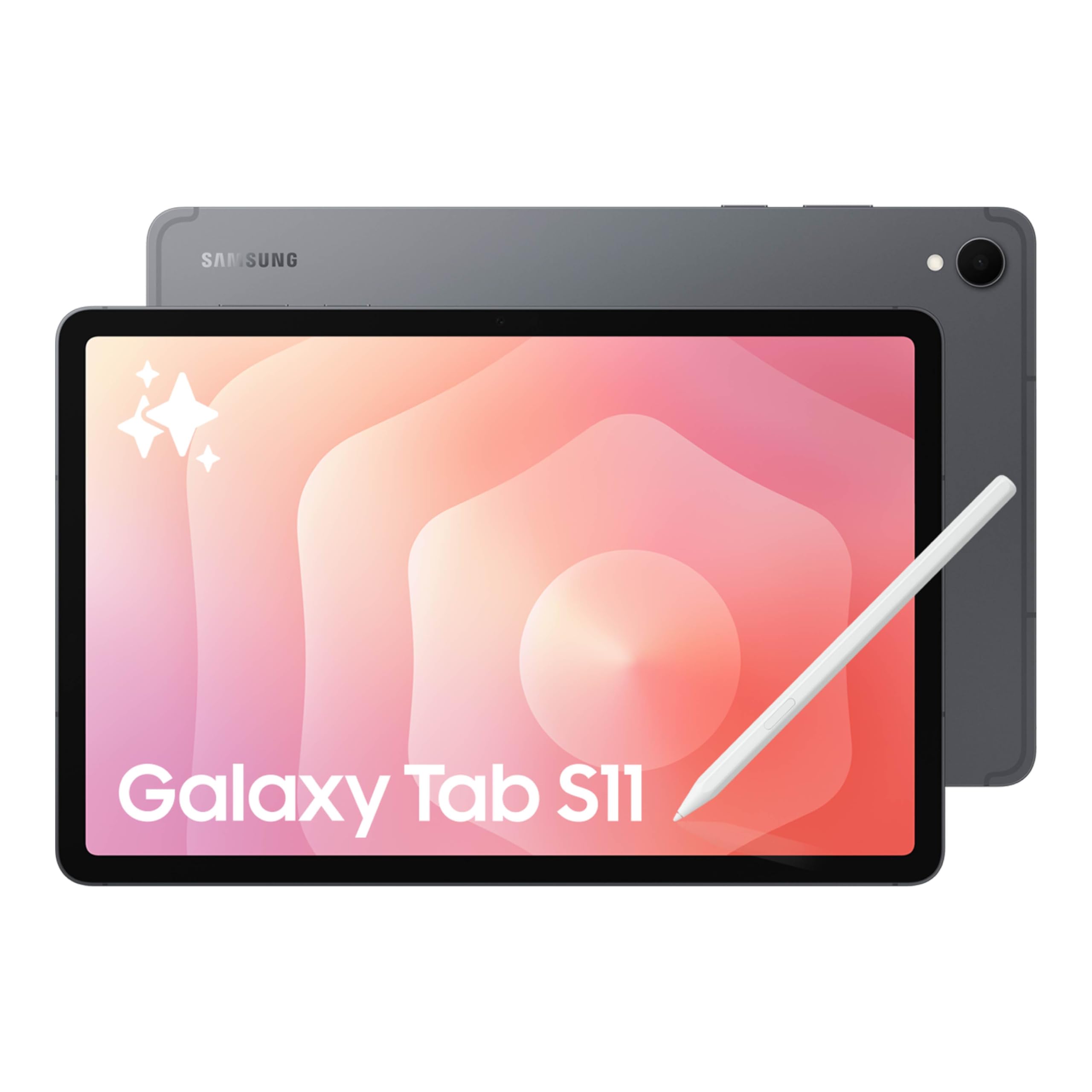
Samsung Tab S11

Samsung Tab S11

Media enthusiasts

Our Score 9.4/10
Check Price

Worth Noting

  • No charging brick included
  • Under heavy use, the battery drains faster than some rivals; best for mixed daily use.
  • Premium price tag positions it above many similarly specced tablets from other brands.
Display
11" AMOLED 2X 120Hz
Processor
Dimensity 9000 series
RAM & Storage
12GB/128GB
Battery & Charging
8400mAh

The 11-inch Dynamic AMOLED 2X display on the Samsung Galaxy Tab S11 delivers richer colors and deeper blacks than any other tablet here, making it the go-to choice for HDR movies and vibrant games. The 120Hz refresh rate keeps scrolling and animations smooth, and the 2560x1600 resolution gives text and images crisp detail. While the top pick (S10 FE) offers longer battery life and water resistance, the Tab S11's screen is in a different league for visual content.

The included S Pen supports Galaxy AI features for note-taking and creative work, and the MediaTek Dimensity processor handles multitasking and demanding apps without lag. However, the tablet does not ship with a charging brick – a growing trend that requires an extra purchase. The 8400mAh battery provides a full day of moderate use, but heavy gaming or streaming can bring it down by evening.

This tablet suits media enthusiasts who prioritize screen quality over battery endurance, and power users who want responsive performance for emulation and productivity. Samsung ecosystem fans will appreciate the seamless integration with other Galaxy devices. But if you need all-day battery under heavy use, or want a charger included out of the box, the S10 FE is a more practical choice. The premium price also puts it above many similarly specced tablets from other brands.

Tip: Purchase a 45W USB-C charger separately; the tablet supports fast charging.

Bottom line: If screen quality is your top priority and you don't mind buying a charger separately, the Tab S11 delivers the best visual experience in this roundup. For longer battery and water resistance at a lower price, the top pick remains the more balanced choice.

5

TCL NXTPAPER 14

TCL NXTPAPER 14

Musicians

Our Score 8.8/10
Check Price

Worth Noting

  • 60Hz refresh rate suits static content but feels dated for fast scrolling or gaming
  • No charger included in the box
  • Some units may experience boot loops or sluggish performance
Display
14.3" 2.4K LCD 60Hz
Processor
Helio G99
RAM & Storage
8GB (16GB)/256GB
Battery & Charging
10000mAh

The TCL NXTPAPER 14 stands out with its 14.3-inch matte LCD that reduces glare and mimics the texture of paper — ideal for reading sheet music or long-form articles. The included 4096-level stylus and flip case add to the package, making it ready out of the box. Compared to the slimmer 11.5-inch NXTPAPER option, this model prioritizes screen real estate over portability, targeting users who need a large canvas more than pocketability.

This tablet suits musicians who display sheet music during practice or performance, avid readers who want a book-like experience, and artists who prefer a matte surface for sketching. The 60Hz refresh rate is fine for static content but will feel dated for fast scrolling or casual gaming, and the MediaTek Helio G99 handles basic browsing and note-taking without issues. Note that the tablet does not include a charger, and some units may experience boot loops or sluggishness — a QC consideration worth acknowledging before purchase.

Tip: The tablet does not include a charger; you'll need a compatible USB-C power adapter.

Bottom line: If your primary need is a large, glare-free screen for sheet music, reading, or drawing, and you can accept the performance limitations and possible QC variance, the NXTPAPER 14 is a unique tool that few competitors offer.

6

Lenovo Idea Tab

Lenovo Idea Tab

College students

Our Score 9.2/10
Check Price

Worth Noting

  • Performance may feel inconsistent in heavier apps or multitasking scenarios
  • No cellular option
Display
11" 2.5K IPS 90Hz
Processor
Dimensity 6300
RAM & Storage
8GB/256GB
Battery & Charging
~12 hours

The Lenovo Idea Tab delivers 256GB of storage and an 11-inch 2.5K IPS touchscreen with a smooth 90Hz refresh rate, paired with a MediaTek Dimensity 6300 processor that handles note-taking, streaming, and casual gaming without fuss. The included Tab Pen and folio case add genuine value out of the box, saving you a separate purchase.

This tablet is best for college students who want a capable device for note-taking, sketching, media consumption, and light productivity without stretching their budget. It avoids the higher price of the Idea Tab Pro while still offering strong storage and a vivid display. Keep in mind that some users have observed occasional sluggishness in demanding apps, and the WiFi-only design means no cellular connectivity for on-the-go internet access.

Tip: If you need internet away from WiFi, pair with a portable hotspot or tether your phone.

Bottom line: Ideal for students who prioritize storage and included accessories over raw power or mobile data.

7

Samsung Tab A11+

Samsung Tab A11+

Families and kids

Our Score 9.0/10
Check Price

Worth Noting

  • Occasional lag when playing demanding games due to the MediaTek processor.
  • Battery life may drain faster than expected in some units, though most get a full day.
Display
11" LCD 90Hz
Processor
MediaTek MT8775
RAM & Storage
6GB/128GB
Battery & Charging
26.34Wh

Priced competitively, the Samsung Galaxy Tab A11+ delivers smooth performance for browsing, streaming, and light productivity, thanks to its 90Hz display and 6GB RAM. The 128GB storage is generous, and expandable storage adds flexibility. However, the processor can lag with demanding games, and battery life is adequate for a full day of moderate use – not exceptional. For families who want an affordable tablet for kids and casual media consumption, this is a strong value. The 2-year warranty adds peace of mind.

Bottom line: Best for families who need a budget-friendly tablet for media and light productivity, not for gaming or heavy apps.

8

Lenovo Idea Tab Plus

Lenovo Idea Tab Plus

Students with big screen

Our Score 9.2/10
Check Price

Worth Noting

  • Inconsistent performance and occasional app crashes can occur under heavier workloads
Display
12.1" 2.5K IPS 90Hz
Processor
Dimensity 6400
RAM & Storage
8GB/128GB
Battery & Charging
13 hours

The Lenovo Idea Tab Plus delivers a bright, sharp 12.1-inch 2.5K screen with a smooth 90Hz refresh rate, supported by quad speakers with Dolby Atmos that make movies and music immersive. The included pen and folio case add real value for note-taking and reading, and battery life comfortably covers a full day of light use with fast charging when needed. However, the MediaTek Dimensity 6400 can show stutter and app crashes under heavier multitasking or demanding apps — this tablet suits streaming, browsing, and note-taking far better than professional workloads. If those tasks are primary, the faster Idea Tab Pro is a more consistent alternative, but at this price the screen and bundle are hard to match.

Bottom line: For media consumption, note-taking, and streaming on a budget, the Idea Tab Plus delivers a big screen and included accessories — just keep expectations moderate for performance-heavy tasks.

9

TCL NXTPAPER 11 Plus

TCL NXTPAPER 11 Plus

Avid readers

Our Score 8.8/10
Check Price

Worth Noting

  • Boot time around 30-40 seconds can feel slow when powering on from off.
  • Occasional app compatibility issues and lag, such as YouTube freezing.
Display
11.5" 2.2K IPS 120Hz
Processor
Helio G100
RAM & Storage
8GB (16GB)/256GB
Battery & Charging
8000mAh

The NXTPAPER 11 Plus stands out with its 11.5-inch 2.2K 120Hz matte display that reduces glare and eye strain, ideal for long reading sessions or digital sketching. The included 4096-level stylus and flip case add value, and the 8000mAh battery easily lasts a day of mixed use. However, the tablet takes 30-40 seconds to boot and some apps like YouTube can lag or freeze, making it less suited for quick productivity or heavy multitasking. For buyers who prioritize eye comfort over raw speed and can tolerate occasional stutter, this is a focused tool for reading and light note-taking, not a general-purpose slate.

Bottom line: Best for readers and artists who want a comfortable display and don't mind waiting for startup or occasional app hiccups.

10

Apple iPad 10th Gen

Apple iPad 10th Gen

Apple ecosystem users

Our Score 9.6/10
Check Price

Worth Noting

  • Apple Pencil and keyboard are not included, adding cost for productivity use
  • 64GB storage can fill up quickly with modern apps and media files
Display
10.9" Liquid Retina
Processor
A14 Bionic
RAM & Storage
4GB/64GB
Battery & Charging
All-day

The iPad 10th Gen delivers Apple's smooth A14 performance, a crisp 10.9-inch Liquid Retina display, and all-day battery with access to the largest tablet app library. The 64GB base storage fills up quickly, and the Apple Pencil and keyboard cost extra, making the total price higher than Android competitors. This works for Apple ecosystem loyalists or those using cloud storage, but buyers seeking more storage and included accessories should consider the Samsung Tab S10 FE.

Tip: Use iCloud or an external Lightning/USB-C drive to supplement the 64GB storage for media files.

Bottom line: Best for Apple ecosystem users who don't need extensive local storage or plan to use cloud services — Android alternatives offer more base storage and included accessories at similar prices.

11

Samsung Tab A11 8.7"

Samsung Tab A11 8.7"

Travel companion

Our Score 9.0/10
Check Price

Worth Noting

  • Small 8.7-inch screen can feel cramped for media playback or document work.
  • International version lacks US warranty
Display
8.7" TFT 90Hz
Processor
Helio G99
RAM & Storage
4GB/64GB
Battery & Charging
5100mAh

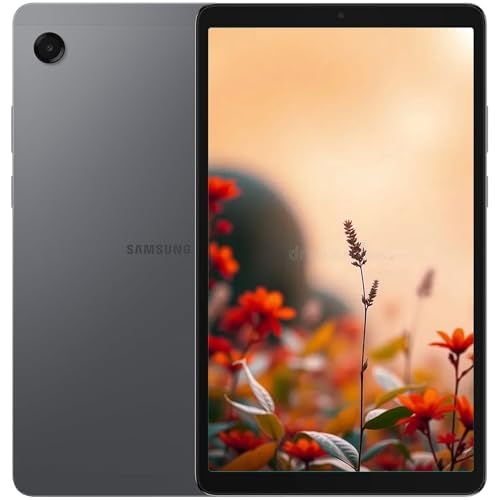
The Samsung Galaxy Tab A11's 8.7-inch body is notably lightweight and easy to hold in one hand, making it a good fit for reading e-books or handing to a child during travel. The MediaTek Helio G99 processor handles basic apps and browsing without lag. However, the small TFT display at 1340x800 resolution limits comfortable media consumption — movies and games feel cramped. This is an international model, meaning there is no US warranty, so buyers should consider coverage options. Performance is adequate for light tasks, making it a reasonable budget option for those who prioritise portability over screen size.

Bottom line: A good travel or kids' tablet if screen size and warranty are secondary concerns, but not for those who want a primary media device.

How to Choose

Display Type and Resolution

Display technology determines how content looks in different lighting. LCD panels are common and cost-effective, but AMOLED screens deliver deeper blacks and higher contrast for HDR movies. Higher resolution (2.5K and above) makes text sharper for reading and note-taking, but it also drains more battery.

Refresh rate matters for scrolling and gaming: 90Hz or 120Hz feels smoother than the standard 60Hz. However, a high-refresh display consumes extra power, so consider whether you prioritize fluid motion or longer battery life.

RAM and Storage

RAM affects how many apps you can keep open without reloading. 4GB is fine for light browsing, but 8GB is the sweet spot for multitasking and productivity. Storage capacity is more permanent: 64GB fills up fast with apps and media, while 128GB or 256GB gives room for offline content.

Expandable storage via microSD is a useful safety net on Android tablets, but not all models support it. If you plan to store movies, books, or game files, prioritize models with either ample internal storage or a card slot.

Processor Performance

The processor (SoC) determines how smoothly apps run and how long the tablet stays responsive over years of updates. Mid-range chips like MediaTek Dimensity series handle daily tasks well, but heavy gaming or video editing demands a higher-end chip like the Exynos 1580 or Apple A14.

A faster processor also uses more power under load, which can shorten battery life. The trade-off is between raw performance and endurance: choose a processor that matches your heaviest use case, not the one that looks best on paper.

Battery Life and Charging

Manufacturer battery claims are based on ideal conditions like low brightness and Wi-Fi only. Real-world battery life depends on screen brightness, app usage, and cellular connectivity. A 10,000mAh battery typically lasts a full day of mixed use, but heavy gaming or streaming can cut that in half.

Charging speed matters when you need to top up quickly. Many tablets now omit the charging brick, so check the box contents. Also, batteries degrade over time; read user feedback to see if a model's battery holds up after six months.

Included Accessories

A bundled stylus and case can save you $50 to $100 compared to buying them separately. If you plan to take notes or sketch, a tablet with an included pen is far more convenient. Some bundles include a folio case that doubles as a stand, which is essential for typing or watching video without holding the tablet.

Without these accessories, the total cost of ownership rises significantly. If you need a keyboard for productivity, check whether the tablet supports a specific keyboard cover and whether that adds extra expense.

Frequently Asked Questions