TVs & Video

9 Best TVs of 2026: Value and Performance That Last

Best TVs for home entertainment: how to pick a reliable 4K set without overspending on features you don't need.

Shopping for a new TV often means navigating a maze of specs, brands, and price tags. Many budget-friendly sets look great on paper but deliver slow interfaces, early failures, or screens damaged in transit. The gap between marketing hype and everyday use is wider than most buyers expect.

The good news is that spending a bit more—roughly $300 to $600—dramatically improves both reliability and picture quality. At that sweet spot, you get 4K resolution, a responsive smart platform, and HDR support that actually makes a difference. For smaller rooms or secondary use, a well-chosen 1080p set under $150 can still be a smart buy if you know where to look.

This guide cuts through the confusion by matching each TV to a specific use case: gaming, home theater, streaming, or a simple bedroom set. No single TV is right for everyone, but the right one for your space and habits is out there.

1

Roku 55" Plus Series Mini-LED

Top Pick

Roku 55" Plus Series Mini-LED

Streaming enthusiasts

Our Score 9.2/10
Check Price

Worth Noting

  • Single USB port may require a hub for users connecting multiple drives or peripherals.
Resolution
4K
HDR Support
Dolby Vision, HDR10+, HLG
Display Type
Mini-LED QLED
Refresh Rate
60Hz

The Mini-LED backlighting on this Roku produces deep blacks and bright highlights that make HDR content stand out. Combined with QLED color, the picture delivers vibrant, accurate colors across a wide viewing angle, handling Dolby Vision and HDR10+ with confidence. This panel outperforms many similarly priced competitors in contrast and brightness.

The integrated sound system includes a subwoofer and supports Dolby Atmos, filling a medium-sized room without distortion. Dialogue stays clear even at moderate volume, and the bass adds presence to movies and music. Most owners find they don't need a separate soundbar for day-to-day viewing.

Roku's operating system is among the fastest and most intuitive on the market. Apps load quickly, the remote includes voice control, and the interface stays clutter-free. No lag or unexplained slowdowns – it simply works as expected from power-on.

This TV suits streaming enthusiasts who want an all-in-one screen with high picture quality and sound. Competitive gamers needing 120Hz or VRR should look elsewhere – the 60Hz panel is a clear boundary. The 55-inch size is the largest available in this series, so those wanting a bigger screen will need to consider other models.

Tip: Use a powered USB hub if you need multiple connections.

Bottom line: For streaming-focused households, this Roku delivers a high-quality picture and sound experience without the typical compromises at this price. The 60Hz panel only matters if you need competitive gaming features.

2

TCL 75" QM6K Mini-LED QLED

TCL 75" QM6K Mini-LED QLED

Gamers, large screen

Our Score 8.8/10
Check Price

Worth Noting

  • The included stand may cause a slight backward tilt depending on surface and assembly.
  • Some units may arrive with power-on problems; TCL customer support can be difficult for replacements.
Resolution
4K
HDR Support
Dolby Vision, HDR10+, HLG
Display Type
Mini-LED QLED
Refresh Rate
144Hz

The TCL 75-inch QM6K delivers bright, saturated HDR performance that stands out in rooms with ambient light, thanks to its mini-LED backlight and QLED color. The picture quality at this price point is strong, with Dolby Vision support adding depth to supported content.

For gamers, the 144Hz panel and VRR support provide smooth motion and reduced tearing during fast-paced play. Low input lag keeps gameplay responsive, making it a solid option for console and PC gaming alike, while the price undercuts most competitors with similar specs.

This TV is best suited for buyers who want a large gaming screen with high refresh rate and mini-LED brightness without stepping up to OLED pricing. Keep in mind that some units may arrive with power-on issues, and TCL's support process can be time-consuming to navigate for such cases.

Tip: If the TV tilts backward after assembly, confirm the stand is fully tightened and consider wall mounting for a level position.

Bottom line: For gamers who want a large-screen gaming TV with high refresh and mini-LED brightness at a competitive price, this TCL is a strong option — provided you can manage the possibility of early unit issues.

3

LG 65" OLED C5 4K

LG 65" OLED C5 4K

Home theater enthusiasts

Our Score 9.0/10
Check Price

Worth Noting

  • Some units experience Wi-Fi connectivity drops or fail to power on after extended use; a wired connection helps mitigate.
Resolution
4K
HDR Support
Dolby Vision, HDR10, HLG
Display Type
OLED evo
Refresh Rate
120Hz

The LG C5's OLED evo panel produces per-pixel lighting that eliminates blooming entirely, delivering true black levels and precise highlights that mini-LED TVs like the TCL 75-inch cannot match. For home theater, this means shadow detail and contrast that pull you into the scene.

This TV suits enthusiasts who prioritize image quality over screen size and gamers who need four HDMI 2.1 ports, 120Hz, and variable refresh rate. The Magic Remote's cursor control is polarizing — those accustomed to a D-pad may find it imprecise during menu navigation. The premium price reflects the panel's capabilities, but remains out of reach for budget-focused buyers.

Built-in 2.2-channel sound with Dolby Atmos provides clear dialog and decent bass for a TV, reducing the immediate need for a soundbar. Wi-Fi performance can be inconsistent in some setups; connecting via Ethernet avoids potential dropouts and ensures stable streaming.

Tip: If the cursor remote frustrates, the LG ThinQ app provides a traditional D-pad alternative for navigation.

Bottom line: The LG C5 is the right choice for home theater enthusiasts and serious gamers who value picture quality over screen size and don't mind the Magic Remote's learning curve.

4

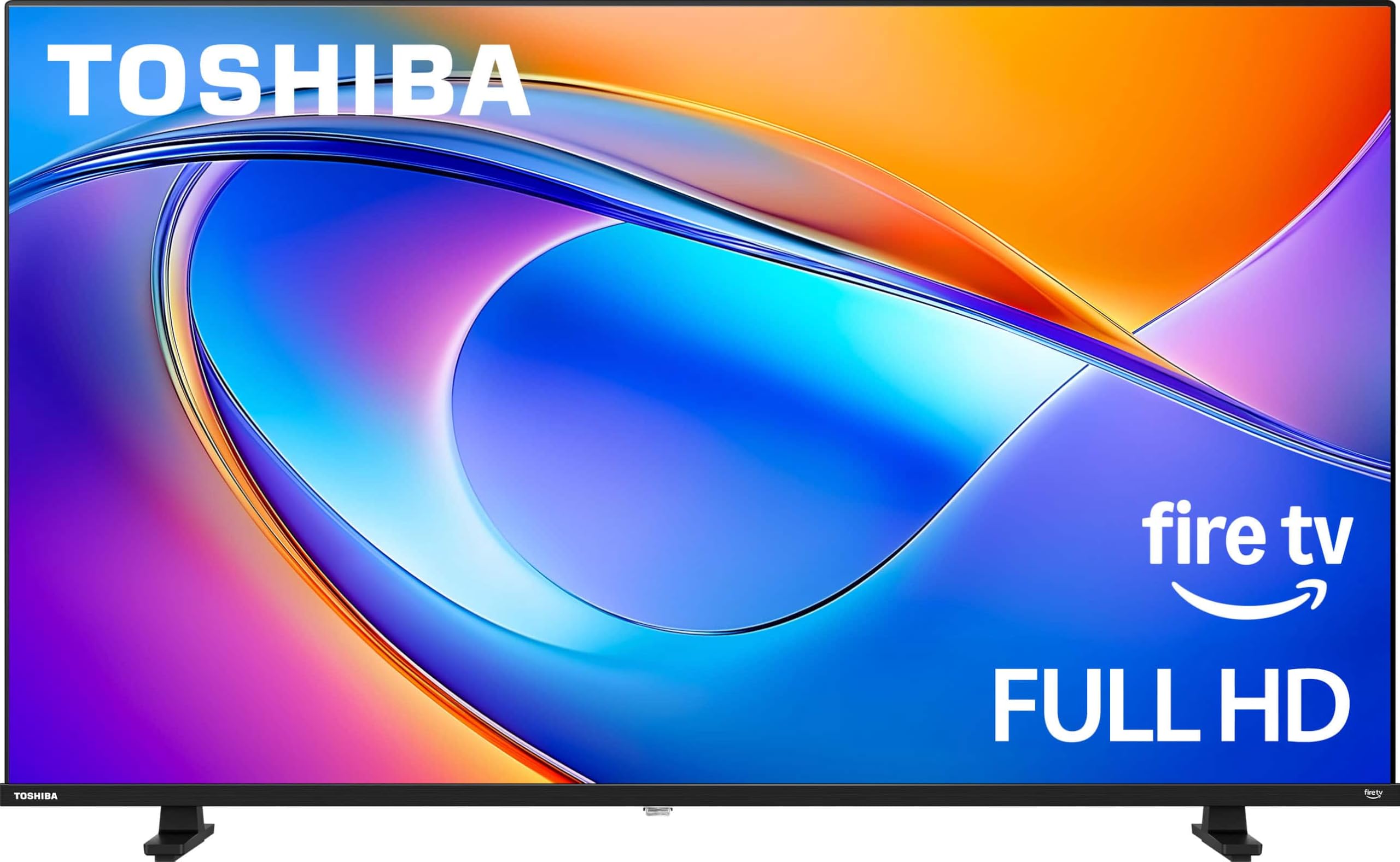
Toshiba 40" V35 1080p Fire TV

Toshiba 40" V35 1080p Fire TV

Budget small TV

Our Score 9.0/10
Check Price

Worth Noting

  • Some units may develop glitches or become unresponsive over time
Resolution
1080p
HDR Support
Display Type
LED
Refresh Rate
60Hz

The Toshiba 40-inch V35 offers a no-fuss smart TV experience at a price that undercuts most competitors in this size class. Its Fire TV platform responds quickly, and the 1080p LED panel with REGZA upscaling delivers a crisp image for everyday viewing — a meaningful step up from cheaper 720p sets.

This TV suits buyers adding a second screen for a bedroom, kids' room, or home office where 4K isn't necessary. The built-in speakers produce thin, tinny audio that lacks bass, so a soundbar is worth considering if dialogue clarity matters. While most units perform as expected out of the box, occasional glitches and early failures have been noted — a risk acceptable at this price point, especially with a good return policy.

Setup takes minutes: plug in, connect to Wi-Fi, and log into Amazon accounts. The 40-inch footprint fits neatly on a desk or dresser, and the compact bezels maximize screen space.

Bottom line: A straightforward, budget-friendly TV for secondary rooms that delivers a stable Fire TV experience and a crisp 1080p picture without unnecessary extras.

5

Amazon Ember 55" 4-Series 4K

Amazon Ember 55" 4-Series 4K

Amazon ecosystem

Our Score 8.6/10
Check Price

Worth Noting

  • Navigating the Fire TV interface can feel sluggish, especially when switching apps
  • Some units may develop freezing or black screen issues after extended use
Resolution
4K
HDR Support
HDR10+
Display Type
LED
Refresh Rate
60Hz

The Amazon Ember 55-inch 4-Series delivers sharp 4K picture quality with HDR10+ support and a responsive Fire TV interface that integrates seamlessly with Alexa and Prime Video. Wi-Fi 6 ensures smooth streaming, and the price often falls below $400, making it a strong value for Amazon-centric households.

Ideal for buyers already invested in Amazon's ecosystem who want a simple all-in-one TV without a separate streaming device. The setup is quick, and the Alexa voice control works well. However, occasional freezing or black screen issues have been noted, so long-term dependability is a factor to weigh before committing.

The LED panel delivers acceptable contrast for most living rooms, though black levels are not as deep as premium options. For its price, the picture is solid for mixed content, but serious home theater enthusiasts will want to step up to a higher-tier model.

Bottom line: For Amazon Prime households wanting an affordable 55-inch 4K TV with built-in Fire TV, the Ember is a sensible option — but those who prioritize long-term dependability should consider alternatives.

6

Sony 75" BRAVIA 3 4K

Sony 75" BRAVIA 3 4K

PS5 owners

Our Score 8.8/10
Check Price

Worth Noting

  • Google TV platform can be slow and may freeze intermittently
  • WiFi connectivity may drop out on some units
Resolution
4K
HDR Support
Dolby Vision, HDR10, HLG
Display Type
LED
Refresh Rate
60Hz

The Sony 75-inch BRAVIA 3 delivers a vivid, color-accurate 4K image that stands out in this price range. Its built-in Google TV platform, while serviceable for basic browsing, can exhibit occasional sluggishness and freezes, particularly when launching apps or switching inputs. Some units also encounter WiFi connectivity drops. For PS5 gamers, the exclusive Auto HDR Tone Mapping and Game Menu provide a seamless experience that outweighs the smart platform quirks, especially if paired with an external streaming device. This set suits buyers who prioritize picture fidelity and console integration over a snappy all-in-one smart TV experience.

Bottom line: Best suited for PS5 owners who value picture quality and can accept smart platform limitations by using an external streaming device.

7

Insignia 75" F50 4K Fire TV

Insignia 75" F50 4K Fire TV

Largest screen, budget

Our Score 8.8/10
Check Price

Worth Noting

  • Screen may arrive with damage or develop cracks
  • Some units may freeze, glitch, or stop working over time
Resolution
4K
HDR Support
HDR10
Display Type
LED
Refresh Rate
60Hz

The Insignia F50 delivers an enormous 75-inch 4K display for a price that undercuts every other option in this size class. The Fire TV platform makes setup quick and navigation familiar, and the picture is respectable for the budget category. However, screen damage during shipping can occur and some units may develop glitches or stop working over time, so this TV is best reserved for a secondary room where a potential return is less disruptive.

Tip: Unbox and inspect the screen immediately; choose a retailer with a hassle-free return policy.

Bottom line: This 75-inch Insignia is best suited for a basement or guest room where budget is the priority and the buyer is comfortable managing a potential return.

8

Amazon Ember 40" 2-Series 1080p

Amazon Ember 40" 2-Series 1080p

Small rooms, budget

Our Score 8.8/10
Check Price

Worth Noting

  • Built-in speakers produce thin sound; external soundbar may be needed for clear audio
  • Occasional app crashes can require a restart to restore function
Resolution
1080p
HDR Support
Display Type
LED
Refresh Rate
60Hz

The 40-inch 1080p display delivers good picture quality and simple setup for the price, making it a convenient choice for a child's room or guest area. Wi-Fi 6 ensures smooth streaming on Amazon Prime and other services. However, the built-in speakers produce thin sound that may benefit from an external soundbar, and occasional app crashes can require a reboot. These limitations are manageable for a secondary TV where 4K isn't needed and audio upgrades are easy.

Tip: Adding a budget soundbar improves dialogue clarity and overall audio presence.

Bottom line: Best suited as a second TV for a bedroom or guest room where 4K isn't required and a soundbar can be added to address the audio.

9

Samsung 55" U8000F 4K

Samsung 55" U8000F 4K

Budget 55-inch 4K

Our Score 8.4/10
Check Price

Worth Noting

  • In a home with fragile delivery expectations, screen damage upon arrival is a possible outcome
  • The remote's small size and occasional lag can be frustrating
Resolution
4K
HDR Support
HDR10+
Display Type
LED
Refresh Rate
60Hz

The Samsung 55-inch U8000F delivers a solid 4K picture for its price — colors and contrast are pleasing for casual viewing. The primary concern is that units can arrive with cracked screens, a result of packaging not handling shipping impacts well. Additionally, the remote is small and occasionally unresponsive, which may require a replacement. These compromises keep it behind the more reliable 55-inch Fire TV option in this price range, though the U8000F offers slightly better value if you are willing to accept the risk and plan to use an external remote.

Bottom line: Only worth the gamble if you can manage returns and plan to replace the remote.

How to Choose

Resolution: 4K vs 1080p

4K is now the standard for screens 50 inches and larger, offering four times the detail of 1080p. But the benefit is only visible when sitting close enough—usually within 6 feet for a 55-inch set. For smaller screens (32 to 43 inches) in bedrooms or kitchens, 1080p is often indistinguishable from 4K at typical viewing distances.

Budget 4K sets also tend to cut corners on processing power, so upscaling lower-resolution content can look worse than a well-implemented 1080p panel. If you mostly stream standard HD or watch cable, a quality 1080p TV can be a smarter choice than a sluggish 4K model.

Display Technology

LED is the most common and affordable, but it relies on edge or direct lighting that can cause uneven brightness and blooming. QLED adds a quantum-dot layer for richer colors and higher brightness, making it ideal for bright rooms. Mini-LED uses many tiny LEDs for finer local dimming, approaching OLED contrast without the burn-in risk.

OLED delivers perfect blacks and infinite contrast because each pixel emits its own light. However, it's more expensive, less bright in very sunny rooms, and susceptible to permanent image retention if static elements are displayed for hours daily. Choose OLED for dark-room movie watching, and Mini-LED or QLED for mixed lighting.

Refresh Rate

A 60Hz panel refreshes 60 times per second, which is fine for movies, streaming, and casual gaming. For fast-paced action like competitive shooters or sports, a 120Hz or 144Hz panel reduces motion blur and makes movement feel smoother. The difference is most noticeable when panning the camera or tracking fast objects.

High refresh rates require matching content sources—a PS5 or Xbox Series X can output 120Hz, but most streaming services are locked at 60Hz. Buying a 120Hz TV only makes sense if you actually plan to use it for gaming or have a device that benefits. Otherwise, you're paying for a feature you won't use.

HDR Support

HDR expands the range of brightness and color, but not all HDR is equal. Dolby Vision is the most advanced format, with dynamic metadata that adjusts scene by scene. HDR10+ is similar but less widely supported. Standard HDR10 is static and offers less impact. A TV that supports Dolby Vision and HDR10+ will handle the widest range of content.

The real bottleneck is the panel's peak brightness. A budget 4K TV may advertise HDR10 but can't produce the 600+ nits needed to actually show HDR highlights. Check real-world brightness figures, not just format support. For HDR to matter, aim for a TV with at least 400 nits sustained brightness.

Smart TV Platform

The operating system dictates how quickly you can navigate apps and how often you'll face frustration. Roku OS is the fastest and simplest, with minimal bloatware and reliable updates. Google TV offers deep integration with Android but can be sluggish on lower-end hardware. Fire TV is fine for Amazon Prime users but often lags on cheap sets.

Tizen (Samsung) and webOS (LG) are proprietary and receive updates for years, but their app stores are smaller. A common workaround for a slow built-in smart TV is to plug in an external streaming stick (Roku, Fire TV, Apple TV) for a snappy, future-proof experience. Don't let a sluggish OS ruin an otherwise good panel.

Frequently Asked Questions