Smart Home & Security

9 Best Indoor Security Camera of 2026: Connected, No Monthly Fees

Many indoor security cameras sacrifice stable Wi-Fi or require subscriptions. This guide highlights models that keep a solid connection and record locally for free.

Choosing an indoor security camera means navigating a trade-off: affordable models often drop WiFi connections or require a monthly fee for basic recording. Premium brands lock advanced features behind subscriptions, leaving buyers stuck between cost and reliability.

The best cameras in this guide avoid that compromise. They offer clear video, local storage, and stable connectivity at a fair price. Whether you need pan/tilt coverage, AI detection without fees, or a multi-room setup, there is a model that delivers on the fundamentals.

This guide cuts through confusion by prioritizing stable WiFi, free local storage, and honest pricing. The picks below range from budget-friendly pan/tilt models to premium 4K options, each suited to a specific need.

1

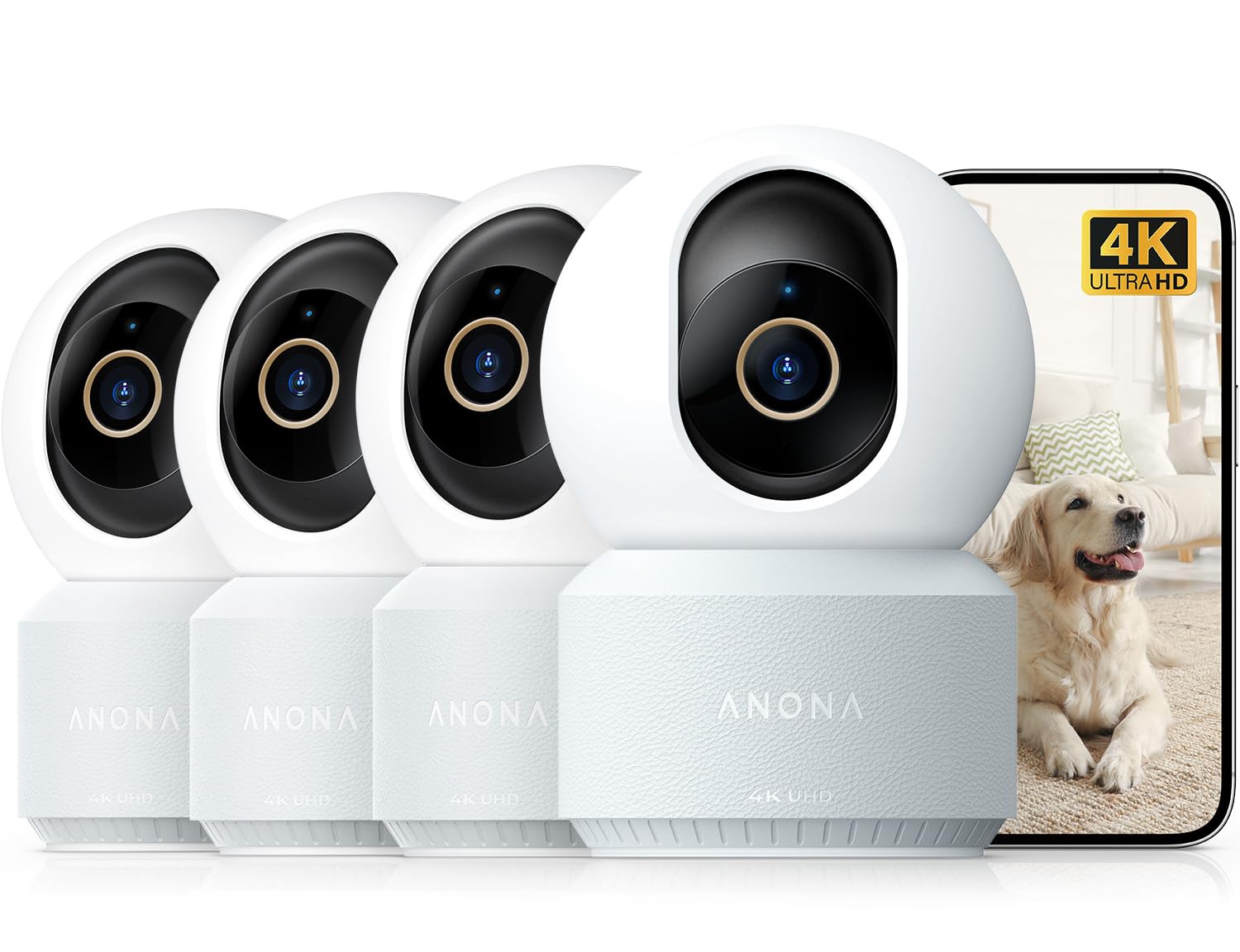
Anona 4K 4-Pack

Top Pick
Anona 4K 4-Pack

Whole-home monitoring

Our Score 8.8/10
Check Price

Worth Noting

  • In rare cases, a camera may stop functioning after several months of use.
Pan/Tilt
360° pan/tilt
Resolution
4K UHD
AI Detection
Free person/pet
Local Storage
microSD (free)

The Anona 4K cameras produce sharp, detailed video both day and night, with a 360-degree pan and 110-degree tilt that covers every corner. Wi-Fi 6 support helps maintain a steady connection in households with many devices, and the 8x digital zoom lets you examine fine details without losing resolution.

AI detection reliably identifies people, pets, and baby crying – alerts appear quickly in the app. The auto-tracking feature follows movement smoothly, and local recording to a microSD card (up to 512 GB) works without any subscription. Encrypted cloud storage is also available.

A privacy mode turns off recording and tilts the lens away, and two-way audio allows you to communicate through the camera. These extras add flexibility for home monitoring without extra costs.

Connectivity drops are possible in some network conditions, but this kit offers better overall consistency than budget alternatives. It suits buyers who want 4K and free AI across multiple rooms – a strong fit for whole-home pet, baby, or security monitoring.

Tip: To reduce potential connectivity interruptions, keep cameras close to your router or use a mesh network.

Bottom line: An uncommon value in the indoor camera market – 4K, pan/tilt, and free AI across four cameras, with manageable tradeoffs.

2

aosu 2K Pan/Tilt

aosu 2K Pan/Tilt

Budget pan/tilt

Our Score 9.0/10
Check Price

Worth Noting

  • WiFi disconnection may occur when the camera is far from the router
  • In some cases, the camera may stop functioning after several months of use
Pan/Tilt
360° pan/tilt
Resolution
2K QHD
AI Detection
None
Local Storage
microSD (free)

The aosu 2K Pan/Tilt delivers clear 2K QHD video, 360-degree horizontal coverage, and responsive motion tracking at a price that undercuts most competitors. Its one-touch call feature adds convenience for checking in on kids or pets, and the night vision remains usable in low light without washing out details.

This camera is best for budget buyers who want pan/tilt functionality and local storage without monthly fees. However, its WiFi performance is sensitive to distance from the router; sporadic disconnections have been noted when placed more than a room or two away. For reliable operation, it fits a smaller space or a monitored area near the access point.

Tip: Place the camera within 15 feet of your router to minimize disconnection risks.

Bottom line: A cost-effective way to get pan/tilt and 2K video without a subscription, best suited for small rooms or areas with strong WiFi coverage.

3

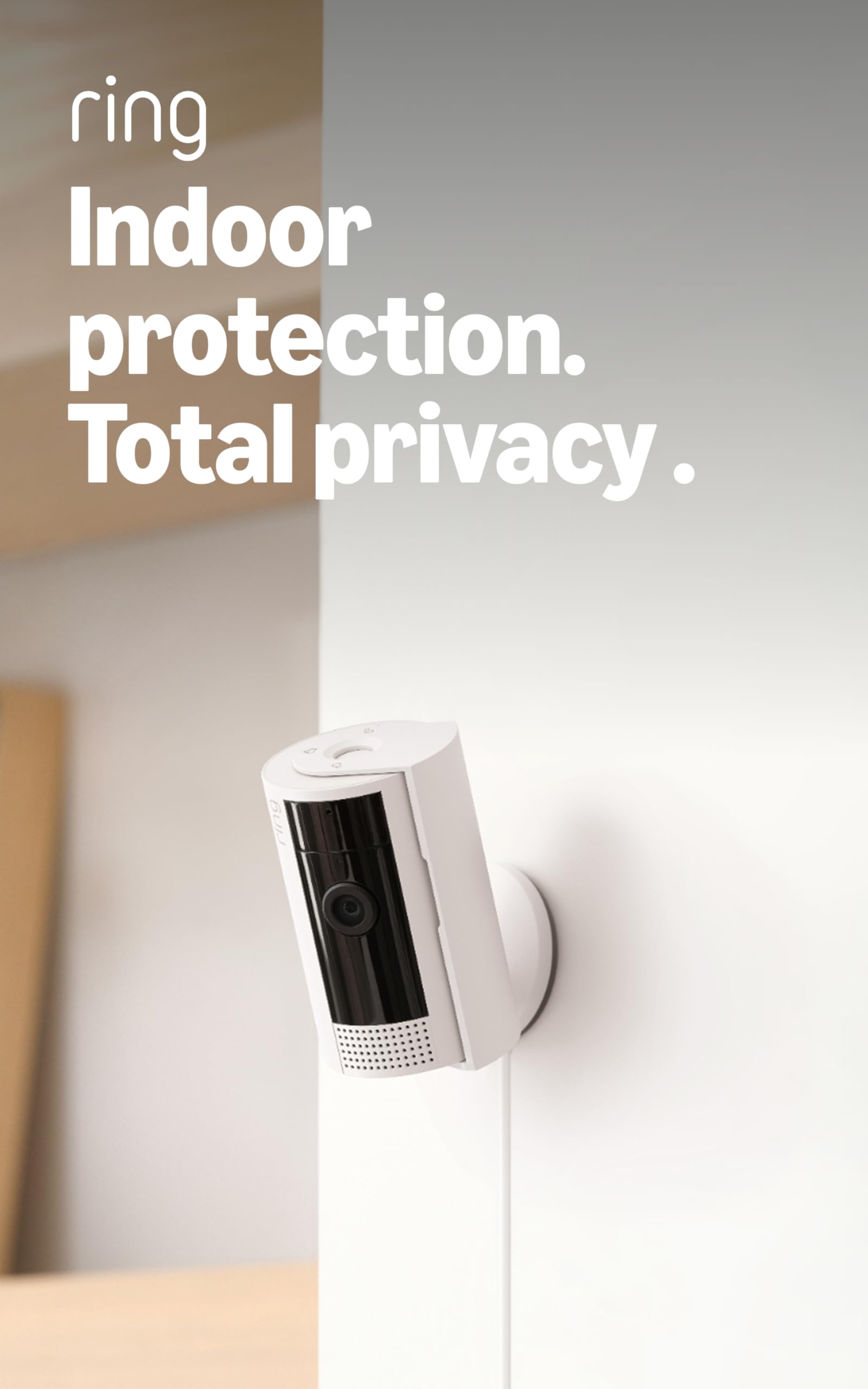
Ring Indoor Cam Plus 2K

Ring Indoor Cam Plus 2K

Ring ecosystem

Our Score 9.2/10
Check Price

Worth Noting

  • Requires a Ring Protect subscription for any cloud recording or AI motion alerts
  • Night vision may appear grainy in very low-light spaces, despite color mode assistance
  • WiFi connection drops can interrupt streaming in areas with weaker signal
Pan/Tilt
Fixed
Resolution
Retinal 2K
AI Detection
Subscription required
Local Storage
Cloud subscription

The Ring Indoor Cam Plus delivers noticeably sharper 2K video than its predecessor, with the 4x digital zoom letting you read labels or identify faces across a room. Setup is plug-and-play via the Ring app, and the physical privacy cover offers a clear visual when the camera is off.

This camera makes sense if you already pay for Ring Protect and want better resolution in the same app. You'll need that subscription for cloud recording and AI alerts — without it, the camera only streams live video. Night vision in very dim rooms can look grainy, though color low-light mode helps in near-darkness. Connectivity drop-outs can occur, so a strong WiFi signal near the camera helps stability.

For buyers outside the Ring ecosystem, the subscription cost and mixed low-light performance make it less compelling than the top pick with free local storage and on-device AI. The Cam Plus is a meaningful step up from the original Ring Indoor Cam, but it remains a niche tool for committed Ring users.

Tip: Place the camera within 15 feet of your router to minimize WiFi drop-offs — the camera relies on a stable connection for reliable streaming.

Bottom line: A worthy upgrade for existing Ring subscribers who want sharper video and 4x zoom, but not a strong choice for buyers who prefer no monthly fees or better night vision.

4

LaView 4-Pack 1080p

LaView 4-Pack 1080p

Many rooms

Our Score 8.6/10
Check Price

Worth Noting

  • No pan/tilt
  • Audio clarity can be muffled during two-way talk
  • WiFi connection may drop in areas far from the router
Pan/Tilt
Fixed
Resolution
1080p
AI Detection
None
Local Storage
microSD (free)

The LaView 4-pack puts four 1080p cameras in your home for a price that undercuts nearly every other multi-pack on the market. The app guides you through setup in minutes, and each camera records directly to a microSD card (up to 128GB) or a 30-day cloud trial — no monthly fees required. Night vision reaches 33 feet, enough for typical rooms.

This setup is best for covering multiple spaces on a tight budget — a living area, a nursery, a garage — where you want a live view and motion alerts, not a full security system. The cameras are fixed (no pan/tilt), so you must position each to cover the area you care about. Audio quality is average: you can hear a knock or a dog bark, but two-way conversation may sound muffled.

WiFi connectivity can be inconsistent. Cameras placed farther from the router may experience buffering or occasional disconnects. The app supports up to nine simultaneous feeds, but streaming multiple cameras at once may tax a weaker network. For basic monitoring in rooms close to the router, the LaView handles the job.

Tip: Place cameras within range of a strong WiFi signal to minimize disconnects; the app lets you check signal strength during setup.

Bottom line: If you need to cover multiple rooms on a shoestring budget and pan/tilt isn't a priority, the LaView 4-pack gets the job done. For reliable security monitoring, a single higher-end camera is a better investment.

5

Google Nest Cam Indoor 3Gen

Google Nest Cam Indoor 3Gen

Google Home

Our Score 9.2/10
Check Price

Worth Noting

  • Advanced AI alerts and video history require Google Home Premium subscription
Pan/Tilt
Fixed
Resolution
2K HDR
AI Detection
Subscription required
Local Storage
Cloud subscription

This wired Google Nest Cam produces sharp 2K HDR video with accurate color night vision and a wide 152-degree field of view. It pairs instantly with the Google Home app, and voice commands through Gemini respond quickly. The connection stays consistent for most setups, making it a reliable addition to a Google-centric smart home.

This camera is best suited to Google Home users who want the tightest integration available — with the Home app, Gemini voice controls, and smart home routines. Buyers outside that ecosystem face a tradeoff: advanced alerts and full video history require the Google Home Premium subscription, which adds an ongoing cost. For those willing to invest in the ecosystem, the experience is polished; for others, subscription-free alternatives offer similar hardware with lower long-term cost.

Bottom line: Ideal for Google Home loyalists who value native integration over subscription-free operation, but less compelling for buyers outside that ecosystem.

6

Tapo C120 2K+

Tapo C120 2K+

Indoor/outdoor

Our Score 8.8/10
Check Price

Worth Noting

  • Fixed lens
  • WiFi disconnection can interrupt live viewing and notifications, especially if the signal is weak.
  • Long-term dependability can vary; some units may become unresponsive after months of continuous use.
Pan/Tilt
Fixed
Resolution
2K QHD 4MP
AI Detection
Free person/pet/vehicle
Local Storage
microSD (free)

IP66 weatherproofing and a magnetic base let the Tapo C120 mount on metal surfaces under eaves or indoors without extra hardware. Alongside that, free person/pet/vehicle detection and 2K video with color night vision cover most monitoring needs – no monthly fees required. Unlike the top pick’s pan/tilt coverage, this fixed lens suits a single, deliberate camera angle.

This camera fits buyers who want a dedicated view of a porch, baby’s room, or garage without recurring subscription expenses. The trade-off: WiFi disconnection may occur, and the fixed field of view means you set it once and accept that perspective. It is best placed where the camera can stay plugged in and within good signal range.

Over extended use, occasional units may need a power cycle to restore connectivity – worth considering if the camera will monitor a critical area unsupervised for long periods. The magnetic mount and weather resistance remain strong advantages for semi-outdoor spots like a covered patio or entryway.

Tip: Place the camera within range of a strong WiFi signal or add a range extender to minimize disconnection issues.

Bottom line: For a single fixed location indoors or under cover, the Tapo C120 delivers sharp 2K video and free AI alerts without subscription – just be prepared to manage occasional WiFi hiccups.

7

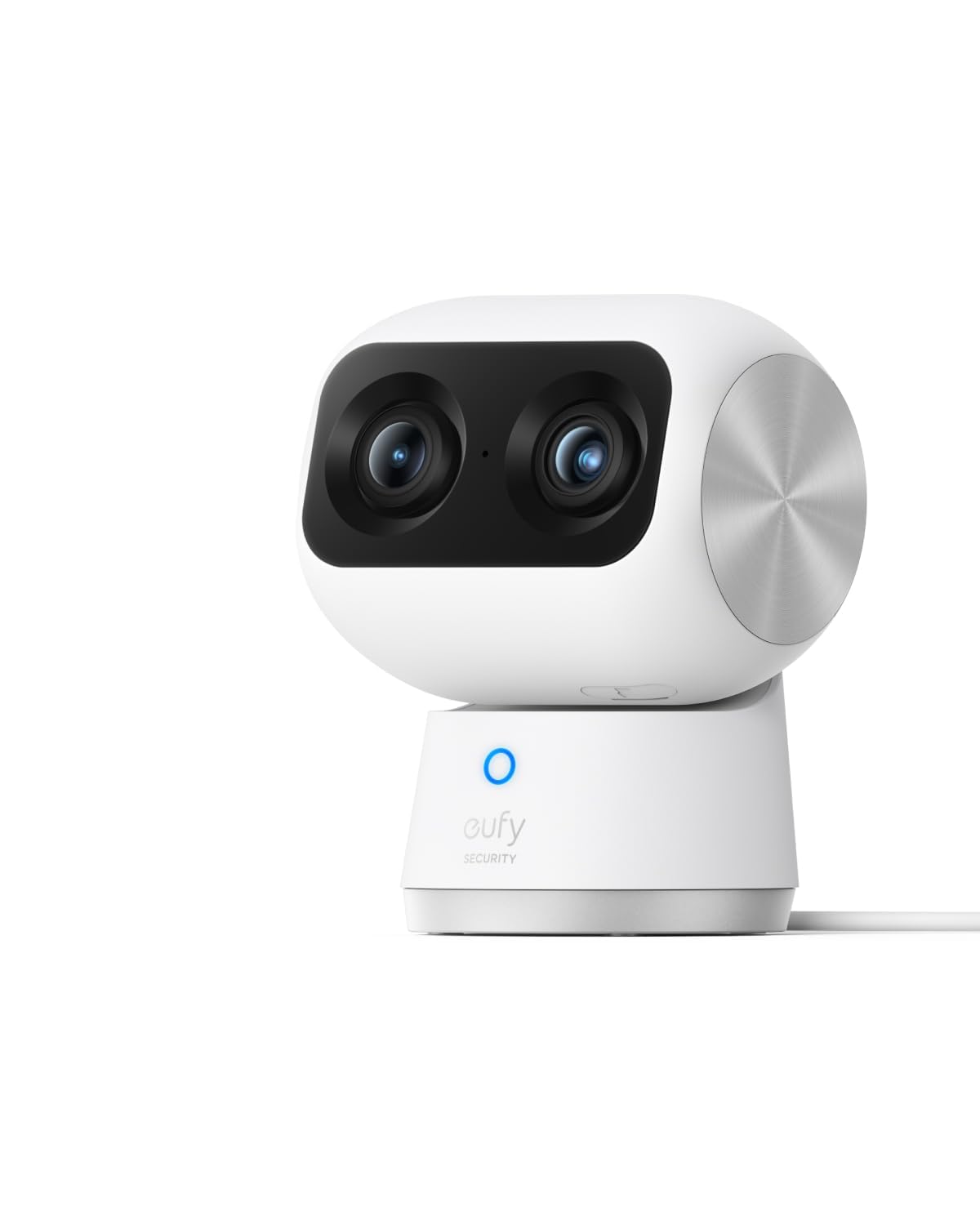
eufy S350 4K Dual Cam

eufy S350 4K Dual Cam

Detailed zoom

Our Score 8.8/10
Check Price

Worth Noting

  • WiFi connectivity may drop intermittently, requiring a strong router signal
  • Some units may become unresponsive after months of use
Pan/Tilt
360° pan/tilt
Resolution
4K UHD
AI Detection
Free human/pet
Local Storage
microSD (free)

The dual-lens system on this eufy S350 captures crisp 4K video and its 8x hybrid zoom lets you read medication labels or small print from across the room — a capability most indoor cameras lack. All recording and AI detection run locally on a microSD card, no monthly fee. However, at a premium price for a single camera, and with some units experiencing connectivity drops or becoming unresponsive after months of use, it suits buyers who specifically need that zoom detail and accept the possibility of hardware variance. For general home monitoring, the top pick Anona 4K offers comparable 4K resolution with better long-term consistency across a 4-pack.

Bottom line: Best suited for users who need to read fine details like medication labels from across the room and are willing to accept the possibility of hardware variance over time.

8

Tapo 2K Pan/Tilt 2-Pack

Tapo 2K Pan/Tilt 2-Pack

Two cameras

Our Score 9.0/10
Check Price

Worth Noting

  • Requires a strong WiFi connection; some units may disconnect intermittently
  • Occasional reliability issues where cameras go offline or stop responding
Pan/Tilt
360° pan/tilt
Resolution
2K
AI Detection
Free person/baby
Local Storage
microSD (free)

The Tapo 2K Pan/Tilt 2-Pack delivers sharp 2K video with motorized pan/tilt coverage and motion tracking, all stored locally on a microSD card up to 512GB without any monthly fees. This makes it a compelling option for budget-conscious buyers who need two cameras for baby or pet monitoring. However, reliable operation depends on a strong, uncongested WiFi network — some units can drop connection or require occasional resetting. If you have a solid WiFi setup and can accept minor connectivity hiccups, this set offers outstanding per-camera value.

Bottom line: Best suited for buyers who need two pan/tilt cameras on a tight budget, have a reliable WiFi network near the cameras, and can tolerate occasional disconnects.

9

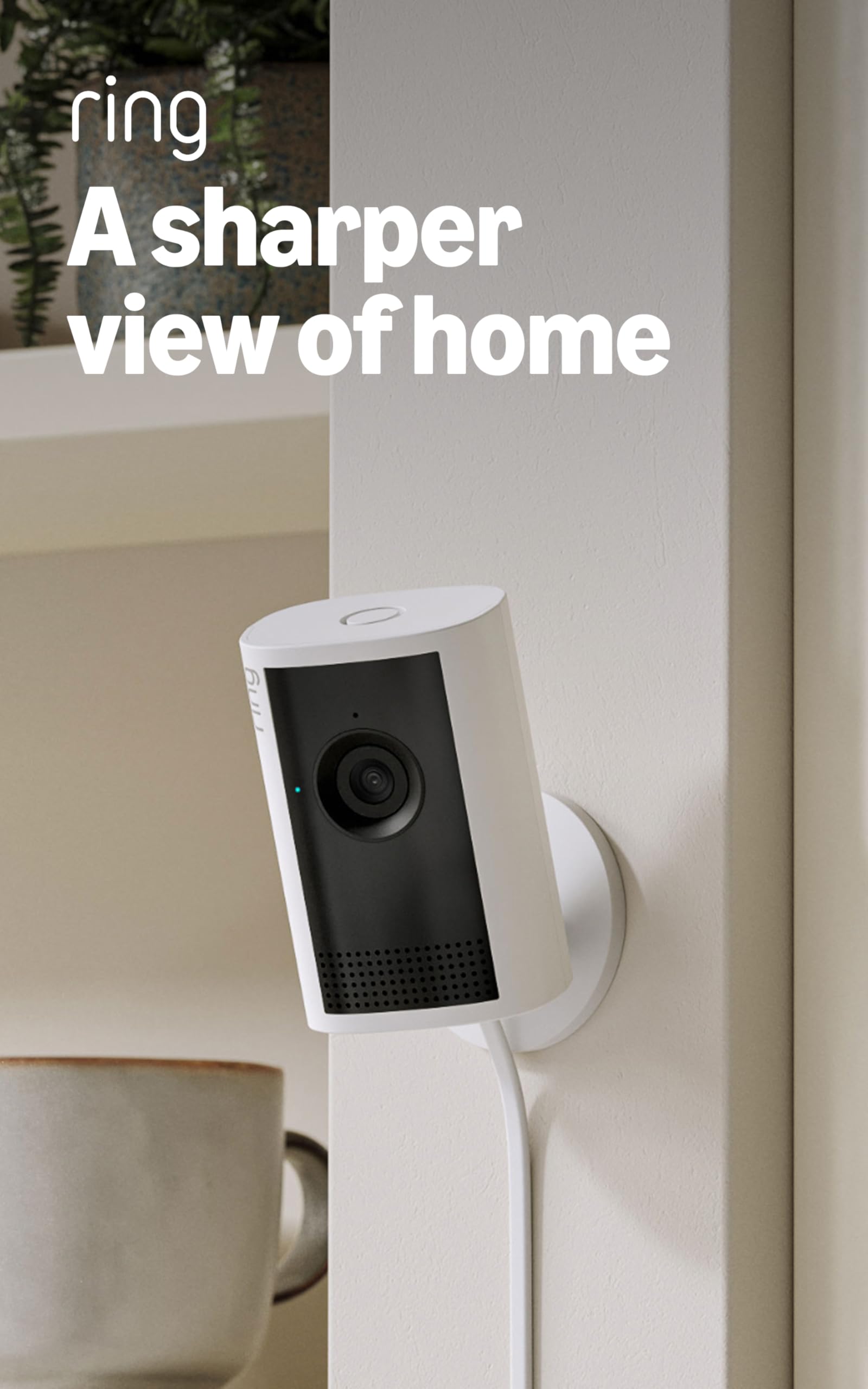
Ring Indoor Cam 1080p

Ring Indoor Cam 1080p

Most popular

Our Score 9.4/10
Check Price

Worth Noting

  • Cloud recording and AI alerts require a Ring Protect subscription
  • WiFi connectivity can be intermittent in homes with weaker signals, less noticeable when placed near the router
Pan/Tilt
Fixed
Resolution
1080p
AI Detection
Subscription required
Local Storage
Cloud subscription

The Ring Indoor Cam delivers crisp 1080p day and night video with a privacy cover that physically blocks the lens when not in use. Setup takes minutes through the Ring app, and motion alerts are triggered accurately. For those already in the Ring or Alexa ecosystem, this camera slots in without friction. The tradeoff: video is 1080p (not 2K or 4K), there is no pan or tilt, and cloud recording and AI alerts require a Ring Protect subscription. This makes it best for buyers who prioritize ecosystem simplicity and a large support community over raw specs or subscription-free recording.

Bottom line: A sensible choice for existing Ring or Alexa households that value simplicity over higher resolution or subscription-free recording.

How to Choose

Resolution

Higher resolutions like 4K provide sharper detail and better zoom capability, but they generate larger video files and require more bandwidth. On a weak or congested network, 4K streams may buffer or lag. 1080p is sufficient for general monitoring and uses less data.

If you need to read small text or identify facial features, 2K or 4K is worth the upgrade. For basic awareness, 1080p keeps costs low and performance stable.

Pan/Tilt

Pan/tilt cameras can scan an entire room from a single mount, reducing blind spots. However, the moving mechanism adds a potential failure point: after months of use, gears can jam or motors fail. Fixed cameras are simpler and generally more durable.

Choose pan/tilt if you need to change viewing angles remotely, but expect the camera to be less reliable over time than a fixed unit.

Local Storage vs Subscription

Local microSD recording eliminates monthly fees, but not all cameras support it. Some models require a paid cloud subscription for any recording. Even with local storage, most cameras need WiFi to stream live video and send alerts.

Check whether the camera encrypts local footage and if you can access it without internet. Subscription cameras often offer AI features and extended history, but the annual cost can exceed the camera price within two years.

AI Detection

Free on-device AI detection (person, pet, vehicle) reduces false alerts from leaves or shadows, but it varies by model. Cameras that process AI locally keep data private and avoid fees. Those that rely on cloud servers often lock accurate detection behind a subscription.

A camera with free AI detection is ideal for security without recurring costs. If you only need motion alerts, a simpler model without AI may suffice.

Connectivity Stability

WiFi reliability is the most common pain point in indoor cameras. Dual-band support (2.4 and 5 GHz) helps avoid interference from other devices. Budget cameras often use cheaper WiFi modules that struggle with distance or congestion, leading to frequent disconnects.

Place your camera within 30 feet of the router for best performance. If your home has many smart devices, consider a model with Wi-Fi 6 or wired Ethernet (rare but available in some pro models).

Frequently Asked Questions