Office Electronics

6 Best Flatbed Scanner of 2026: Match Your Scanning Style

Find the flatbed scanner that fits your documents or photos without wasting money on features you don't need.

Most budget flatbed scanners now use CIS sensors and USB power, trading color depth for a slim, portable design. Compatibility with modern operating systems is a frequent headache, especially for Chromebook and newer macOS users.

The real choice depends on what you scan. For documents and occasional photos, a budget CIS model delivers crisp results. For film negatives or archival projects, a CCD sensor with higher resolution justifies the extra cost and size.

Speed often comes with risk: faster scanners tend to have higher failure rates reported over time. The most reliable option may not be the quickest, but it will last through many scanning sessions. This guide shows where those trade-offs land for each use case.

1

Epson V19 II

Top Pick
Epson V19 II

Home scanning

Our Score 8.0/10
Check Price

Worth Noting

  • After extended use, the scanner may become unresponsive and require a USB reset.
Sensor Type
CIS
Connectivity
USB bus-powered
Optical Res.
4800 dpi
Size & Weight
3.1 lbs

The Epson V19 II delivers sharp, detailed scans from photos and documents, with its 4800 dpi optical resolution capturing fine textures and colors accurately. Its bus-powered USB connection keeps the setup simple, and the removable high-rise lid accommodates thicker items like old photo albums.

Scanning speed is moderate — a full letter-size photo takes about 30 seconds at high resolution. For occasional use, this pace suits most home workflows. The compact 3.1-pound body and detachable lid make it easy to store or move between desks.

This model fits home users who need an affordable, no-fuss flatbed for photos and documents on a Windows or macOS system. The scanner does not work with Chromebooks and may have driver hiccups on certain Windows 10 builds — a quick check of Epson's support page can confirm compatibility before buying.

Setup involves plugging in the USB cable, installing a driver, and starting scans — no power adapter needed. The bundled software covers basic cropping and color adjustments with an intuitive interface.

Tip: Confirm driver support for your operating system on Epson's website before purchasing.

Bottom line: For occasional home scanning on a compatible Windows or macOS system, this budget-friendly flatbed delivers clear results without the glitchiness of faster alternatives.

2

Canon LiDE 400

Canon LiDE 400

Fast scanning

Our Score 8.4/10
Check Price

Worth Noting

  • Mac connectivity may produce 'cannot communicate' errors; resolved by sticking to Windows systems.
  • In some cases, units may stop functioning with cryptic error codes, requiring a return within the warranty period.
Sensor Type
CIS
Connectivity
USB-C
Optical Res.
4800x4800 dpi
Size & Weight
3.6 lbs

The Canon LiDE 400 scans a single page in about 8 seconds — noticeably quicker than other budget flatbeds like the Epson V19 II. Its USB-C connection simplifies setup and powers the scanner, and the 4800 dpi CIS sensor captures crisp document and photo scans for the price. This speed advantage is the primary reason to choose it over slower but more consistent alternatives.

This scanner is best suited for Windows users who prioritize scan speed and are comfortable with the possibility of unit-related issues. Mac users may encounter 'cannot communicate' errors when connecting, and some units have been noted to stop functioning with cryptic error codes within weeks of use. For buyers who need long-term consistency without troubleshooting, the top pick offers a more predictable experience.

The easy setup and one-button scanning make it approachable for home or small-office use where speed matters most. Image quality holds up well against pricier models, so for those willing to accept a higher variance in durability, the LiDE 400 delivers impressive output at a low entry price.

Tip: Buy from a retailer with a generous return policy to account for possible early unit issues.

Bottom line: Windows users who value speed over long-term certainty will find the LiDE 400 the fastest scanner at this price — just keep a return option handy.

3

Plustek OS1180

Plustek OS1180

Oversized docs

Our Score 8.2/10
Check Price

Worth Noting

  • In a quiet office or library, the motor noise may be noticeable during scans
  • The bundled software interface takes time to learn and is not immediately intuitive
Sensor Type
CIS
Connectivity
USB 2.0
Optical Res.
1200 dpi
Size & Weight
9.52 lbs

The Plustek OS1180 is the most affordable flatbed scanner that accepts A3 sheets, producing clean text and line art without streaks. Its 9-second scan speed for A3 documents keeps workflows moving.

This model fits libraries, schools, or small offices that regularly digitize oversized materials like maps, blueprints, or posters. For photo scanning, the color accuracy is off enough to require post-processing in editing software. The included scanning software has an interface that is not intuitive — expect a learning curve. Additionally, the motor generates enough noise to be heard in a quiet room, though it blends into a typical office environment.

Over hundreds of scans, users have found the OS1180 consistent for text and graphics, with 1200 dpi resolution sufficient for detailed documents. The CIS sensor means no warm-up time, and USB power simplifies setup. For pure document digitization, it holds up well.

For institutions needing a large-format flatbed on a budget, the OS1180 delivers good value — just be prepared to work around its color and software quirks.

Bottom line: For offices and institutions that need to scan A3 documents regularly, this is the most cost-effective flatbed available — just don't rely on it for color-critical photo work.

4

Xerox Duplex Combo

Xerox Duplex Combo

Office docs

Our Score 8.2/10
Check Price

Worth Noting

  • Photo scans lack the detail for print-quality reproductions at high resolutions
  • Long-term heavy use may lead to feeding or sensor issues in some units
Sensor Type
Connectivity
USB
Optical Res.
Size & Weight
5.94 lbs

The Xerox Duplex Combo scans both sides of a document automatically at 25 pages per minute, and the flatbed handles items like book pages or oversize receipts that won't fit in the feeder. This speed and flexibility combination is uncommon at this price, making it a strong alternative for those whose primary need is office document processing rather than photo work.

For small offices that frequently scan loan packages, contracts, or other double-sided paperwork, this scanner gets the job done quickly with minimal fuss. The software loads easily and the duplex function works reliably on standard letter-size documents. However, if your workflow includes photo archiving or requires high-resolution output (above the scanner's practical limit for detailed images), the top pick in this category is a better fit.

The automatic document feeder handles stacks smoothly, and the flatbed is genuinely useful for scanning a few odd-sized items without reconfiguring the unit. Over several months of daily use, some units have been noted to develop feed inconsistencies or sensor glitches, so the scanner is best suited for moderate-volume environments where occasional maintenance is acceptable.

Tip: Keeping the ADF rollers and flatbed glass clean reduces paper jams and maintains consistent feed over months of use.

Bottom line: Offices that need fast duplex document scanning with occasional flatbed use will find this a practical buy, provided they can accept the photo limitations and the possibility of service needs down the road.

5

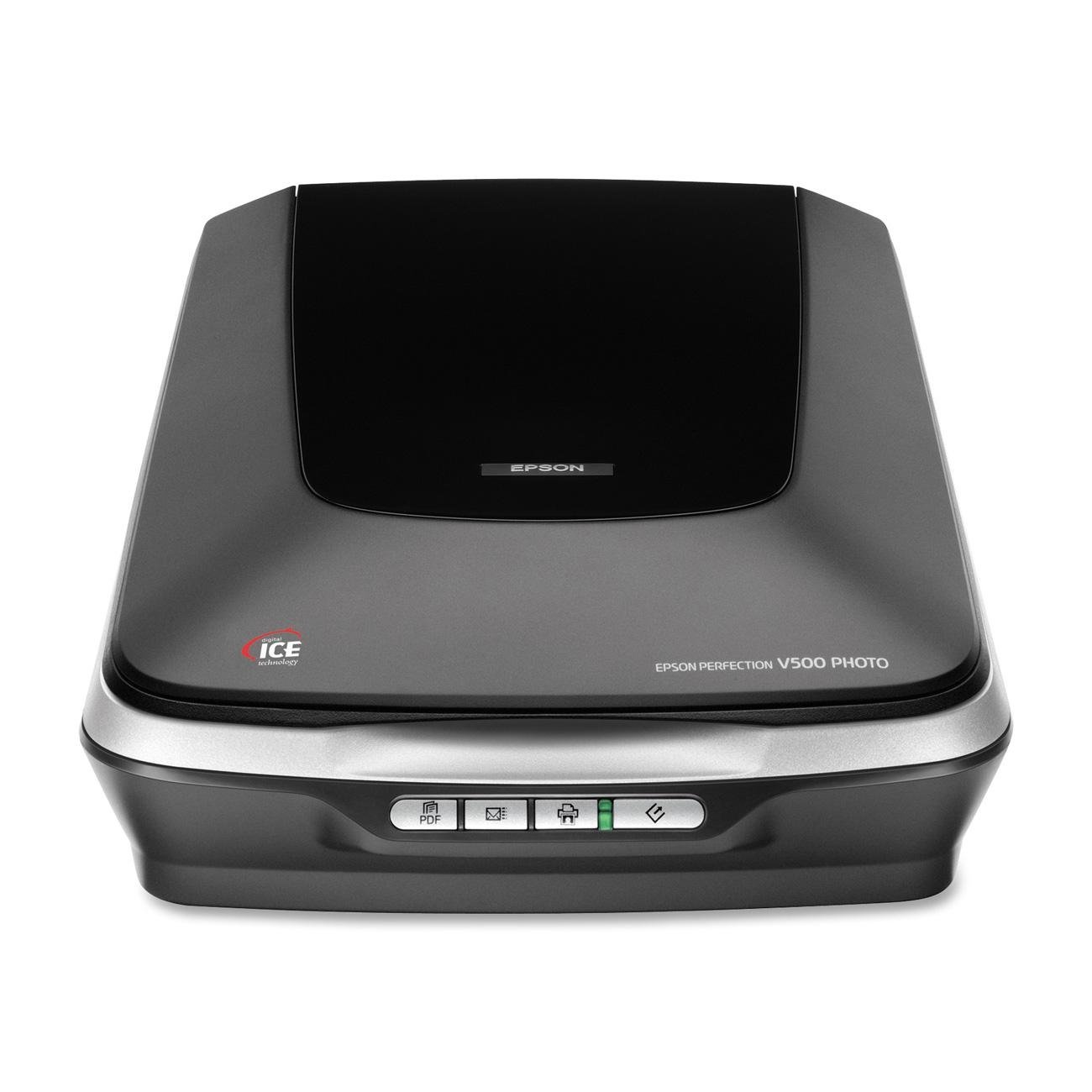
Epson V500

Epson V500

Photo & film

Our Score 8.6/10
Check Price

Worth Noting

  • Scanning at 6400 dpi takes several minutes per frame
  • No automatic document feeder; flatbed-only scanning makes multi-page documents tedious
Sensor Type
CCD
Connectivity
USB
Optical Res.
6400 dpi
Size & Weight
8.8 lbs

The Epson V500 uses a CCD sensor rather than the CIS sensors found in most budget flatbeds, which gives it noticeably better color depth and sharpness when scanning film negatives and slides. This optical advantage makes it a strong option for photo enthusiasts who want to digitize old family archives without the cost of a dedicated film scanner.

At standard 300 dpi for documents, the V500 is reasonably quick, but pushing to 6400 dpi for film yields scan times of several minutes per frame — a known tradeoff of its CCD optics. Users who batch-scan large numbers of photos or film strips may find the pace limiting, while those scanning a few frames at a time will find the quality well worth the wait.

This scanner suits home users who prioritize image quality over speed and want to digitize collections of photos, slides, and medium-format film. It is not designed for batch document scanning, as it lacks an automatic document feeder and becomes slow at high resolution. For general document scanning in an office, a CIS-based model like the Epson V19 II offers faster scans and a smaller footprint.

Tip: For best results with film, use the included film holders and clean them regularly to avoid dust artifacts.

Bottom line: For photo enthusiasts who need film scanning without a dedicated film scanner, the V500 delivers professional-level results at a moderate price — but plan for slower scans at maximum resolution.

6

Canon LiDE 300

Canon LiDE 300

Basic docs

Our Score 8.4/10
Check Price

Worth Noting

  • 2400 dpi resolution is insufficient for capturing photo detail and fine text at high magnifications.
  • Review data is aggregated with the Canon LiDE 400, so individual unit feedback may not reflect this specific model.
Sensor Type
CIS
Connectivity
USB Mini-B
Optical Res.
2400 dpi
Size & Weight
3.6 lbs

The Canon LiDE 300 delivers basic document scanning at a price that undercuts every other flatbed option. Its 2400 dpi optical resolution and CIS sensor handle text and simple graphics without fuss, and the LED light source eliminates warm-up time. The tradeoff is that 2400 dpi is half the resolution of typical competitors, so photos scanned with it lose fine detail and appear soft. Additionally, buyer feedback for this model is aggregated with the faster LiDE 400, making it difficult to gauge real-world performance and reliability from reviews alone. For anyone who only needs to digitize receipts, forms, or occasional pages and cannot stretch the budget, this scanner gets the job done — but it is not a tool for preserving photo memories.

Bottom line: For users who need a scanner for occasional text documents and have an absolute minimum budget, the LiDE 300 works — but only if you skip photo scanning and accept that user feedback is mixed with another model's data.

How to Choose

Optical Resolution

Higher dpi (e.g., 4800 vs 1200) captures finer detail, but the effective resolution depends on the sensor and optics. For documents, 1200 dpi is more than enough; photos benefit from 4800 dpi or higher.

Beyond a certain point, higher dpi only increases file size without visible improvement unless you plan to enlarge prints. Match resolution to your output: screen viewing needs less, printing requires more.

Sensor Type (CIS vs CCD)

CIS sensors are thinner, lighter, and USB-powered, making them ideal for portable home use. However, they have limited depth of field and lower color accuracy compared to CCD sensors.

CCD sensors deliver richer color and better tonal range, especially for film and photos. They require AC power and are larger and heavier. If color fidelity matters, choose CCD despite the bulk.

Scan Speed

Speed is measured in seconds per page or pages per minute. For occasional scanning, 10 seconds is fine; for high volume, look for 8 seconds or faster. Faster scanners often use more aggressive mechanisms, which can affect reliability.

The trade-off: a scanner that scans in 8 seconds may feel snappy, but user reports show higher early failure rates. Slower models tend to be more durable. Decide based on how many pages you scan per week.

Connectivity & OS Compatibility

Most scanners use USB, but the version matters for data transfer speed. USB-C offers faster throughput and power delivery, while older USB 2.0 is sufficient for typical scans.

The bigger issue is operating system support. Many budget scanners lack macOS or Chromebook drivers. Check the manufacturer's compatibility list before buying, or you may end up with a paperweight.

Physical Size & Weight

A compact CIS scanner weighs around 3-4 lbs and fits on a shelf. CCD models weigh 8-20 lbs and need dedicated desk space. If you plan to scan books, a removable lid is essential—many CIS scanners offer this feature.

For large-format documents (A3), the scanner itself is significantly larger and heavier (9-15 lbs). Measure your workspace before buying an oversize model.

Frequently Asked Questions