Office Electronics

13 Best Fax Machines of 2026: Reliable Models That Avoid WiFi Dropouts

Stop fighting WiFi drops and high toner costs — the best fax machines for offices that actually need reliable faxing.

Fax machines have become a niche category, but for offices that still send and receive dozens of pages daily, a reliable fax line is non-negotiable. The problem is that most all-in-one printers treat fax as an afterthought — and the most frequent complaint across hundreds of reviews is wireless connectivity that drops mid-transmission.

That doesn't mean you need to settle for a basic dedicated fax machine that prints on thermal paper. The best options today balance laser-quality output, fast speeds, and stable networking. Whether you need a standalone fax unit for heavy daily use or an all-in-one that handles scanning and copying too, the trade-off usually comes down to Ethernet stability versus wireless convenience.

This guide cuts through the marketing noise to highlight the models that actually deliver consistent fax performance without hidden costs or constant reconnection headaches.

1

Brother MFC-L2820DW

Top Pick
Brother MFC-L2820DW

Small offices

Our Score 8.6/10
Check Price

Worth Noting

  • Windows driver compatibility may require manual installation in mixed-OS environments.
Duplex
Automatic
Wireless
Wi-Fi, Ethernet, USB
Print Speed
36 ppm
Paper Capacity
250 sheets

The Brother MFC-L2820DW prints 36 pages per minute in crisp monochrome, with automatic duplex and a fax modem integrated into a compact chassis. The print engine stays quiet during operation, and output remains consistently sharp — a combination that suits small-office demands for speed and legibility.

Setup involves connecting to WiFi or Ethernet and installing the toner; most offices will have it running within minutes. Running costs stay low because the standard toner cartridge handles thousands of pages before needing a swap, and replacement cartridges are reasonably priced.

This all-in-one fits small offices and home offices that fax regularly and don't need color output. The wireless connection can drop under heavy interference, though plugging into Ethernet eliminates that vulnerability entirely. If your workspace has a wired network port, the Brother handles fax, print, scan, and copy without hiccups.

The control panel includes a numeric keypad for fax dialing and a small display for navigation. Paper handling covers a 250-sheet input tray and a 50-sheet automatic document feeder for multi-page faxes and copies.

Tip: For the most stable connection, use the Ethernet port instead of WiFi – this bypasses wireless drops entirely.

Bottom line: If your office uses Ethernet for networking, the Brother MFC-L2820DW is the most straightforward mono laser all-in-one with fax at a mid-range price.


2

Brother FAX-2840

Brother FAX-2840

High-volume fax

Our Score 8.8/10
Check Price

Worth Noting

  • Large footprint occupies more desk space than expected.
  • No Ethernet or Wi-Fi
  • Does not print or scan
Duplex
Wireless
USB only
Print Speed
Paper Capacity
250 sheets

The Brother FAX-2840 sends a fax in just 2.5 seconds per page, making it one of the fastest dedicated fax machines you can buy. Unlike the top-pick all-in-one Brother, this is a pure fax device – no printing, no scanning, no wireless. Its laser engine holds up well over years of heavy use, with users reporting few problems even after thousands of pages.

This machine is best for offices that handle more than 20 faxes per day and want a standalone unit that stays out of the way. The clear tradeoff is that you will need a separate device to print or scan documents. It connects via USB for PC faxing but lacks Ethernet or Wi-Fi, so it depends entirely on a phone line for transmission. Its sturdy build comes with a sizable footprint – plan for a dedicated spot on a desk or counter.

Running costs stay low: the starter toner lasts for months, and replacement cartridges are affordable. The 250-sheet paper tray handles daily batches without constant refills, and the 16 MB memory stores up to 400 pages for out-of-paper reception. Setup is straightforward – plug into a phone line and it is ready to send and receive.

Bottom line: For offices that send and receive over 20 faxes daily and want a no-frills machine that stays out of the way, the FAX-2840 delivers consistent performance without the complexity of a multi-function device.

3

HP LaserJet Pro 3101fdw

HP LaserJet Pro 3101fdw

Small teams

Our Score 8.4/10
Check Price

Worth Noting

  • Starter toner cartridge may deplete quickly under high-volume use
  • Wireless connectivity may drop during use; Ethernet is a reliable alternative
Duplex
Automatic
Wireless
Wi-Fi, Ethernet, USB
Print Speed
35 ppm
Paper Capacity
250 sheets

The HP LaserJet Pro 3101fdw delivers a solid 35 ppm print speed and sharp text output, matching the pace of pricier mono laser all-in-ones. Automatic duplexing comes standard, and the print quality suits professional documents. Where it differs from the top pick is wireless reliability: occasional disconnections have been reported, but using Ethernet resolves this completely, and mobile printing via AirPrint works without hiccups over a wired connection.

Small office teams with Ethernet access will find this a well-priced alternative. The starter toner may deplete faster than expected under high-volume use, but standard and high-yield replacements are available. Setup is guided by the HP Smart app, and the intuitive control panel makes copy, scan, and fax operations easy to access.

The 250-sheet paper tray and 50-sheet automatic document feeder handle typical daily tasks. Fax transmission is clear over a phone line, and the printer supports both scan-to-email and scan-to-folder. For teams that prioritize speed and print quality over wireless convenience, this HP covers the essentials without overspending.

Tip: Using Ethernet rather than Wi-Fi eliminates connection instability entirely — a simple cable run ensures consistent operation.

Bottom line: For offices that can use Ethernet, this HP offers strong print speeds and quality at a competitive price — ideal if you don't need flawless Wi-Fi.

4

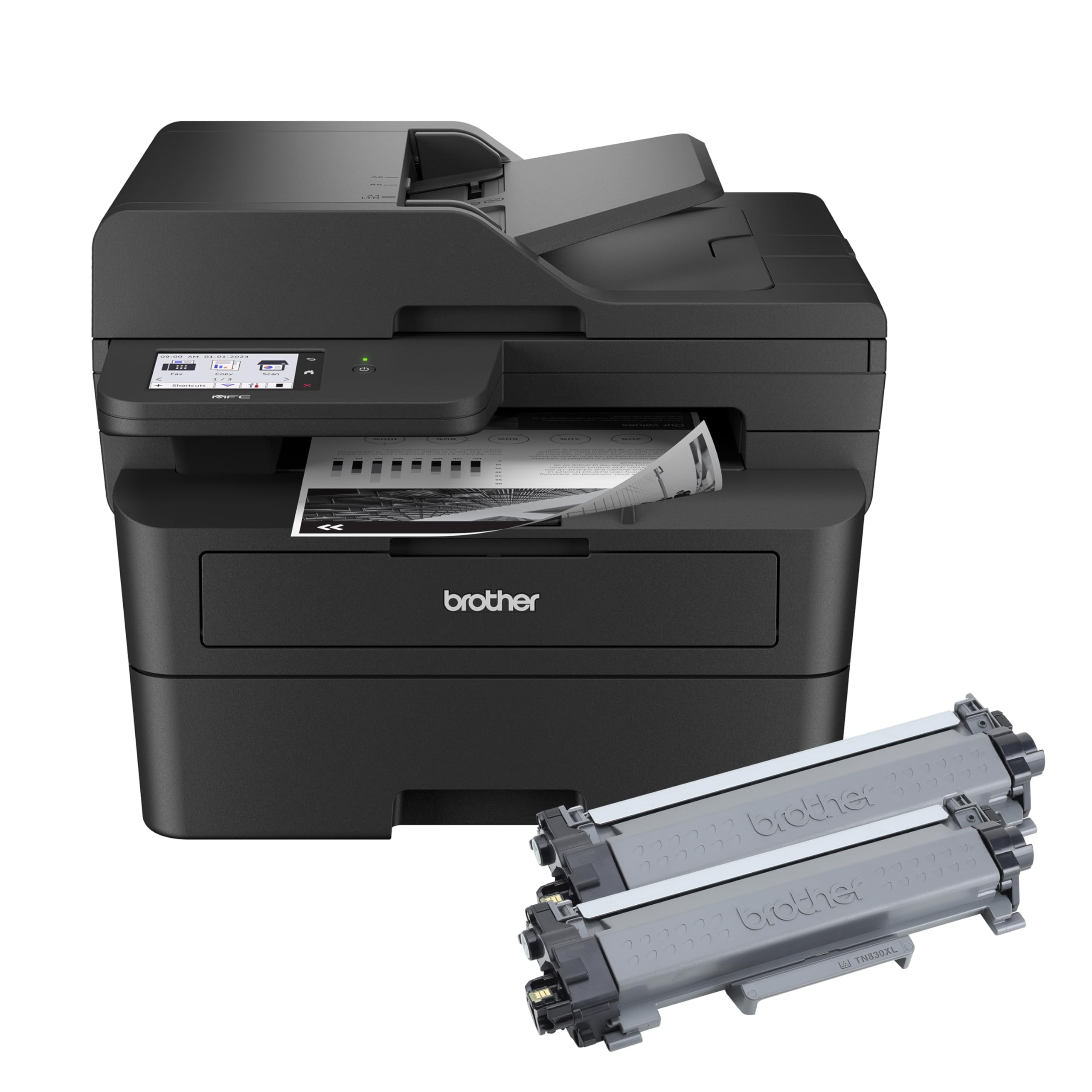
Brother MFC-L2900DW XL

Brother MFC-L2900DW XL

Home offices

Our Score 9.0/10
Check Price

Worth Noting

  • Software and driver installation can be cumbersome, especially on networked setups.
  • No color printing
Duplex
Automatic
Wireless
Wi-Fi, Ethernet, USB
Print Speed
36 ppm
Paper Capacity
250 sheets

Brother packs a full year’s worth of toner into the box with the MFC-L2900DW XL, rated for 4,200 pages before a single refill. That upfront savings, combined with 36 ppm print speed and single-pass duplex scanning, makes this the cost leader among wireless laser fax machines. It undercuts the top pick on per-page cost right out of the gate, though the top pick has a longer track record in the market.

This printer suits high-volume home offices where every sheet counts and supply budgets are tight. The included toner alone covers most small offices for a year. The tradeoff: with fewer units in the field, long-term reliability data is thinner than on the top pick, though Brother’s broader reputation for durable mono lasers offers some confidence. Driver installation can require patience — some users find the software setup more involved than expected.

Print quality is crisp, dense black text on plain paper, and the automatic duplex scanning scans both sides in one pass, cutting scanning time in half. The 250-sheet paper tray handles typical workloads, and dual-band Wi-Fi provides stable wireless connections when positioned within reasonable range of the router.

Tip: Use Brother’s wired Ethernet connection during setup to bypass potential Wi-Fi driver hiccups; switch to wireless after the printer is configured.

Bottom line: If you send heavy black-and-white faxes and want to minimize running costs from day one, this Brother delivers the best per-page value in its class.

5

HP LaserJet Pro 4101fdw

HP LaserJet Pro 4101fdw

Medium teams

Our Score 8.6/10
Check Price

Worth Noting

  • In high-volume environments, some units can develop hardware issues within months
  • Replacement toner cartridges cost a premium, raising long-term operating expenses
Duplex
Automatic
Wireless
Wi-Fi, Ethernet, Bluetooth
Print Speed
42 ppm
Paper Capacity
350 sheets

The HP LaserJet Pro 4101fdw prints at 42 pages per minute, with the first page out in seconds, and its 350-sheet tray handles larger jobs without constant refills. That pace puts it ahead of the budget-oriented HP models in this lineup.

This printer is built for medium-sized teams logging 5,000+ pages per month, where every second saved on prints adds up. However, some units can develop hardware issues within months of heavy use, and the replacement toner cartridges carry a premium price. Offices that can accept these tradeoffs in exchange for maximum throughput will find this HP a strong fit.

Setup is straightforward via the intuitive interface, and mobile printing options make it easy to send jobs from anywhere on the network. Black-and-white output is sharp, with crisp text and solid grayscale.

Bottom line: For teams that measure productivity in pages-per-minute, the HP LaserJet Pro 4101fdw delivers unmatched speed — just factor in the higher toner costs and possible hardware variability.

6

Canon MF753Cdw II

Canon MF753Cdw II

Color scanning

Our Score 8.2/10
Check Price

Worth Noting

  • In a dense wireless environment, the Wi-Fi connection may drop intermittently
  • The plastic shell can feel less solid than comparably priced laser printers, particularly around paper trays.
Duplex
Automatic
Wireless
Wi-Fi, Ethernet, USB
Print Speed
35 ppm
Paper Capacity
250+50 expandable

Printing speeds of 35 ppm in both color and black-and-white, along with a single-pass duplex ADF for scanning, make this Canon a strong contender for offices that process a mix of documents. The scan resolution captures fine details that mono lasers miss, and the printer runs quietly during operation.

Wireless connectivity can drop when the network is crowded, so connecting via Ethernet removes that concern entirely. The chassis uses plastics that feel less dense than what some other brands offer at this price point, though the printer remains functional under normal use.

This machine suits offices that value color output and high-quality scanning over absolute build robustness. Using a wired Ethernet connection is recommended for consistent fax and print jobs. Users who need a simple, always-on wireless setup may find the Wi-Fi behavior frustrating.

Tip: Use an Ethernet cable for the most stable connection; Wi-Fi usability varies by environment.

Bottom line: For offices that prioritize color fax and scan quality over pure wireless convenience, this Canon delivers strong speed and resolution — just keep it wired.

7

Canon FAXPHONE L190

Canon FAXPHONE L190

Basic faxing

Our Score 8.2/10
Check Price

Worth Noting

  • No wireless connectivity
  • Paper jams can occur in the ADF after extended use
Duplex
Automatic
Wireless
USB only
Print Speed
26 ppm
Paper Capacity
250 sheets

This Canon delivers sharp text prints and dependable faxing in a compact wired package. Its automatic duplex copying and simple setup make it a practical choice for a dedicated fax machine placed next to a computer. However, the lack of wireless connectivity means it cannot be shared across a network or used for mobile printing, and it lacks printing capability beyond fax and copy — best suited for users who need a straightforward, low-cost fax/copier without modern networking demands.

Tip: Keep it connected via USB to a single computer; no network sharing is possible.

Bottom line: Fits best as a low-cost, dedicated fax/copier for a single user who does not need wireless or printing beyond fax and copy.

8

Epson WF-4834

Epson WF-4834

Color budget

Our Score 8.6/10
Check Price

Worth Noting

  • Paper jams can occur in the main paper path when using non-standard or folded documents.
  • Automatic document feeder may not reliably handle mixed-page fax batches without manual intervention.
Duplex
Automatic
Wireless
Wi-Fi, Ethernet, USB
Print Speed
25 B&W, 12 color
Paper Capacity
500 sheets

The Epson WF-4834 offers a generous 500-sheet paper capacity and automatic duplexing at a mid-range price, making it an attractive entry for small offices needing color fax capability. However, the starter ink cartridges can deplete within days under moderate use, and ADF paper feeding has been noted to jam on mixed document types. These reliability and running-cost concerns keep it from being a long-term workhorse for fax-heavy or high-volume printing.

Bottom line: This fits a small office that occasionally faxes in color and wants to keep the initial spend low, but running costs and feed reliability make it a budget compromise rather than a daily driver.

9

Brother MFC-L3720CDW

Brother MFC-L3720CDW

Occasional color

Our Score 8.2/10
Check Price

Worth Noting

  • No duplex scanning
  • Color toner replacements are expensive, particularly for low-volume printing
Duplex
Automatic
Wireless
Wi-Fi, Ethernet, USB
Print Speed
19 ppm
Paper Capacity
250 sheets

This Brother brings color printing, scanning, copying, and fax to a desktop at a mid-range price. Setup is straightforward over Wi-Fi, and the physical build feels solid. Fax operation is basic but functional for occasional document transmission. The catch: dependability varies between units — some work without issue for years, others develop problems sooner. Duplex scanning is missing, so two-sided originals require manual flipping. For a small office that needs color and fax but can accept these boundaries, it gets the job done. If you require consistent performance or automatic duplex scanning, the L3780CDW adds those features for a slightly higher cost.

Bottom line: Fits best when fax and color are occasional needs and you can work around the lack of duplex scanning — but if dependability or scanning volume matter, consider stepping up.

10

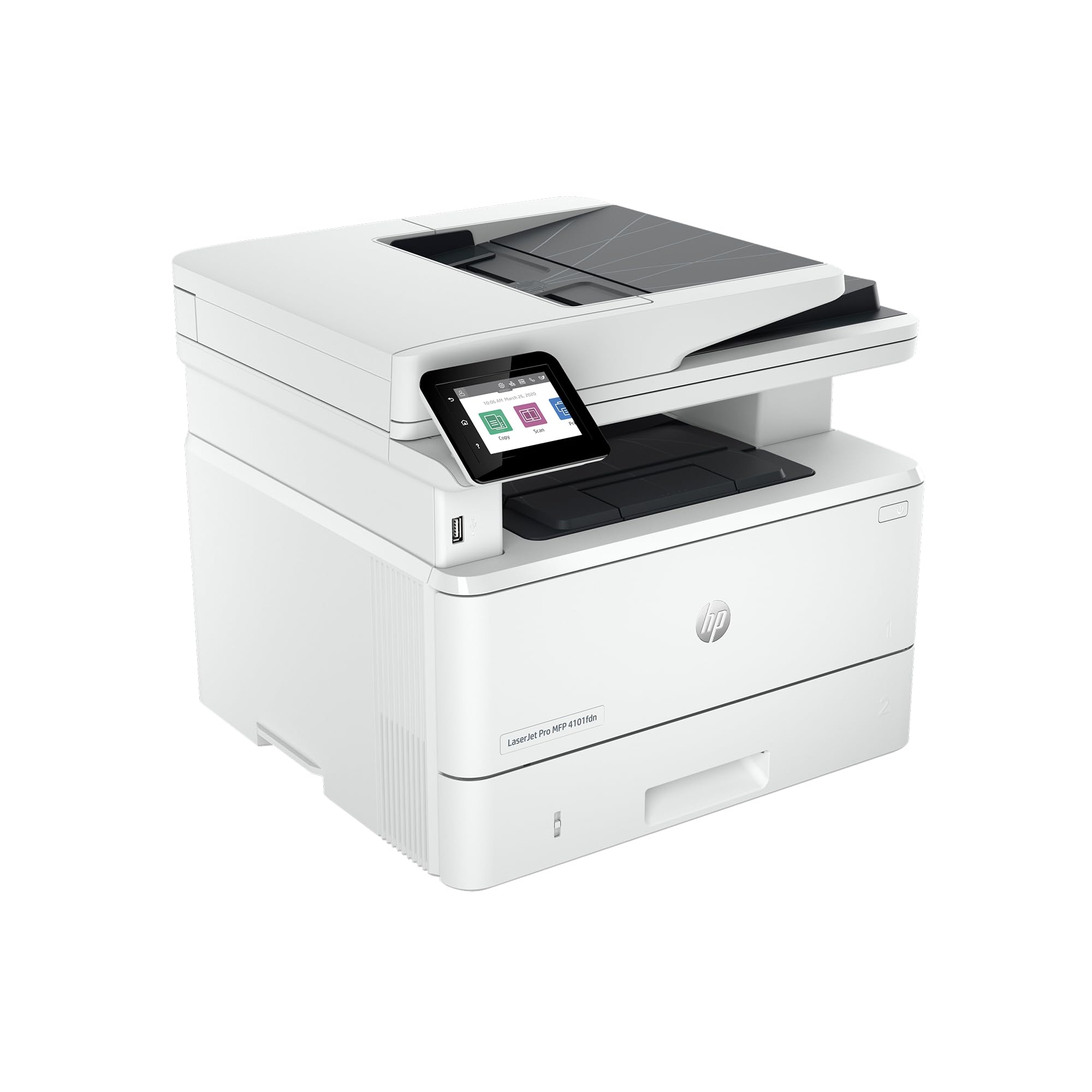
HP LaserJet Pro 4101fdn

HP LaserJet Pro 4101fdn

Wired offices

Our Score 8.4/10
Check Price

Worth Noting

  • Only works with Ethernet or USB, no wireless connectivity
  • Setup instructions can be unclear, leading to frustration
Duplex
Automatic
Wireless
Ethernet, USB
Print Speed
42 ppm
Paper Capacity
350 sheets

This HP delivers fast 42 ppm printing and automatic duplex scanning, making it effective for high-volume fax and document handling in offices that use Ethernet. The lack of wireless connectivity limits placement to wired setups, and the premium price doesn't include the convenience of Wi-Fi found on the 4101fdw. It suits secure environments where wireless is prohibited, but most buyers will find the wireless model a better value.

Bottom line: Best for offices that require a wired-only printer with fax and maximum speed, but skip it if you have Wi-Fi or want the added features of the wireless 4101fdw.

11

Canon MF462dw II

Canon MF462dw II

Expandable capacity

Our Score 8.4/10
Check Price

Worth Noting

  • Driver installation can be overly complicated with manual download steps
Duplex
Automatic
Wireless
Wi-Fi, Ethernet, USB
Print Speed
37 ppm
Paper Capacity
250+100 expandable

The Canon imageCLASS MF462dw II delivers 37 ppm print speed with the first page out in under 5 seconds, and an optional 550-sheet cassette brings total paper capacity to 800 sheets — a fit for offices that outgrow standard trays. Text output is sharp and clear. However, driver installation can be overly complicated, requiring manual downloads and setup steps that some users find frustrating. This makes it less suitable for teams that need a plug-and-play experience without IT support. Compared to the top pick Brother model, the Canon offers higher expandability but trades off ease of use and a longer track record.

Bottom line: This Canon works well for offices that prioritize paper capacity and speed, and have someone comfortable managing driver installations.

12

Epson EcoTank ET-15000

Epson EcoTank ET-15000

Volume color

Our Score 8.4/10
Check Price

Worth Noting

  • High initial purchase price compared to standard inkjet printers.
  • Large footprint requires dedicated space
Duplex
Automatic
Wireless
Wi-Fi, Ethernet, USB
Print Speed
17 B&W, 9 color
Paper Capacity
250 sheets

The ET-15000 delivers exceptional ink economy and vibrant color output, making it a strong candidate for anyone printing thousands of pages per year. Setup is straightforward, and refilling the ink tanks is mess-free. However, some units may experience printhead issues or paper jams, and the automatic document feeder can be finicky. These quirks mean the printer is best suited for environments where occasional downtime is acceptable and a backup device exists for critical fax or document tasks.

Bottom line: For users printing thousands of color pages annually who can handle occasional maintenance, the ET-15000's ink savings outweigh its risks.

13

Canon MF665Cdw

Canon MF665Cdw

Risk-tolerant

Our Score 8.0/10
Check Price

Worth Noting

  • Replacement toner cartridges carry a noticeable cost over time
  • Some units may lose wireless connection or stop working entirely
Duplex
Automatic
Wireless
Wi-Fi, Ethernet, USB
Print Speed
26 ppm
Paper Capacity
250+1 multipurpose

The Canon MF665Cdw delivers sharp color laser output and fast printing up to 26 pages per minute, making it a tempting entry point for small offices that want color without a large upfront investment. However, the trade-off comes in two forms: some units may experience wireless dropouts or hardware issues over time, and replacement toner cartridges add up quickly. This printer fits best when color quality matters more than absolute reliability or low running costs, and when you’re willing to use a wired Ethernet connection to sidestep WiFi instability. Compared to the higher-reliability color laser options on the market, the MF665Cdw is a budget-conscious choice with known compromises.

Tip: For a smoother setup, connect via Ethernet first and update firmware before configuring WiFi; this avoids many initial frustrations.

Bottom line: Suitable for budget-focused buyers who need color fax capability and can tolerate occasional connectivity hiccups – use Ethernet for best stability.

How to Choose

Print Technology: Laser vs Inkjet

Laser printers use toner powder and are more economical for black-and-white documents, with per-page costs around 1-3 cents. Inkjets use liquid ink and have lower upfront prices but higher running costs, especially for color. The hidden trade-off: inkjet printheads can clog if the machine sits idle for weeks, while laser toner doesn't degrade. For fax machines used intermittently, laser is the more reliable choice.

Print Speed and Fax Speed

Print speed (pages per minute) determines how fast received faxes come out and how quickly you can make copies. Fax send speed depends on the modem: 33.6K modems transmit a page in about 3 seconds, while slower 9600 bps modems take 15 seconds. The hidden trade-off: faster print speeds often require higher-yield toner cartridges that cost more upfront but lower per-page costs in the long run.

Wireless vs Wired Connectivity

WiFi offers convenient placement anywhere in the office, but it is the single most common failure point in fax machines. Interference from routers, walls, and other devices can cause random disconnections mid-fax. Ethernet provides a stable, dedicated connection that eliminates these issues. The trade-off: using Ethernet tethers the machine to a router, but many models also support Wi-Fi Direct for mobile printing when needed.

Paper Capacity and ADF

Paper capacity determines how often you need to refill. A 250-sheet tray is fine for moderate use; 350+ sheets suits high-volume offices. An Automatic Document Feeder (ADF) lets you load multiple pages for faxing or copying without standing at the machine. The hidden trade-off: ADFs on budget models are prone to jams after a year of use, while higher-end units use sturdier rollers that last longer.

Duplex Printing and Scanning

Automatic duplex printing flips pages automatically, saving paper and time. Single-pass duplex scanning reads both sides of a document in one pass, which is twice as fast as double-pass scanners. The hidden trade-off: duplex scanning is rare in budget all-in-ones; if you regularly fax or scan double-sided documents, paying extra for single-pass duplex is worth it.

Frequently Asked Questions