Networking & Wi-Fi

9 Best Ethernet Switch for Home of 2026: Pick the Right Ports and Features

Find the right gigabit switch for your home: from plug-and-play basics to managed PoE, without overpaying or getting unreliable hardware.

Home Ethernet switches look simple: plug in cables, get internet. But after a year, some start dropping connections or die entirely. The trick isn't just picking a brand - it's matching the right balance of ports, management, and build quality to your actual setup.

Most home users are best served by a fanless, unmanaged 8-port gigabit switch that just works. But if you need Power over Ethernet for cameras or VLANs for network segmentation, a cheap managed switch can introduce instability. The key is knowing where to compromise and where not to.

This guide cuts through the clutter to show you which switches deliver consistent performance for your specific needs - whether that's a $10 five-port for a media console or a multi-gig upgrade for a NAS.

1

NETGEAR GS308

Top Pick
NETGEAR GS308

Basic home expansion

Our Score 9.6/10
Check Price

Worth Noting

  • Some units may stop functioning within months of purchase
PoE
No
Ports
8 x 1Gb
Speed
1Gb
Management
Unmanaged

The GS308 delivers exceptional plug-and-play simplicity: connect cables and devices appear on the network instantly. No software, no configuration – auto-negotiation handles speed and duplex for each port.

Gigabit throughput holds steady for file transfers and streaming, with per-port speeds consistently near wire rate. The fanless metal chassis runs cool and silent, making it suitable for placement in living rooms or home offices where noise matters.

The metal housing is sturdy enough for desktop or wall-mount installation, and the compact footprint leaves room alongside a router or media console. Energy-efficient design (IEEE 802.3az) reduces power draw when ports are idle.

Among budget 8-port switches, the GS308 shows a narrower margin of early-life concerns than the TP-Link alternative, making it the more consistent choice for long-term home use. That consistency is backed by a three-year warranty covering replacements.

This switch is aimed at home users expanding their wired network with game consoles, PCs, or smart TVs – no management features or PoE required. A small percentage of units may experience issues within months of purchase, but the warranty handles replacements with minimal friction.

Bottom line: The GS308 is the straightforward pick for adding wired ports at home – no admin duties, no noise, just consistent gigabit connectivity.

2

TP-Link LS1005G

TP-Link LS1005G

Extreme budget

Our Score 9.4/10
Check Price

Worth Noting

  • Ports are very close together, making thick Ethernet cables difficult to use side by side
PoE
No
Ports
5 x 1Gb
Speed
1Gb
Management
Unmanaged

At under $10, this 5-port gigabit switch delivers exactly what it promises: instant wired connectivity without any setup fuss. It's the most affordable way to expand your home network if you only need a couple of extra ports.

The switch is fanless and runs cool, with a tiny footprint that fits behind a desk or entertainment center. It's truly plug-and-play — connect power and Ethernet cables, and it works immediately with no configuration.

This switch is best for extreme budget builds or adding a couple of wired ports behind a TV or desk. However, the ports are very close together, so thick, booted Ethernet cables may not fit side by side — plan to use standard patch cables or leave a gap between ports.

Tip: Use standard patch cables rather than thick booted ones to fit all ports simultaneously.

Bottom line: For under $10, this switch does one thing well: add gigabit ports without headaches. Just pair it with slim cables.

3

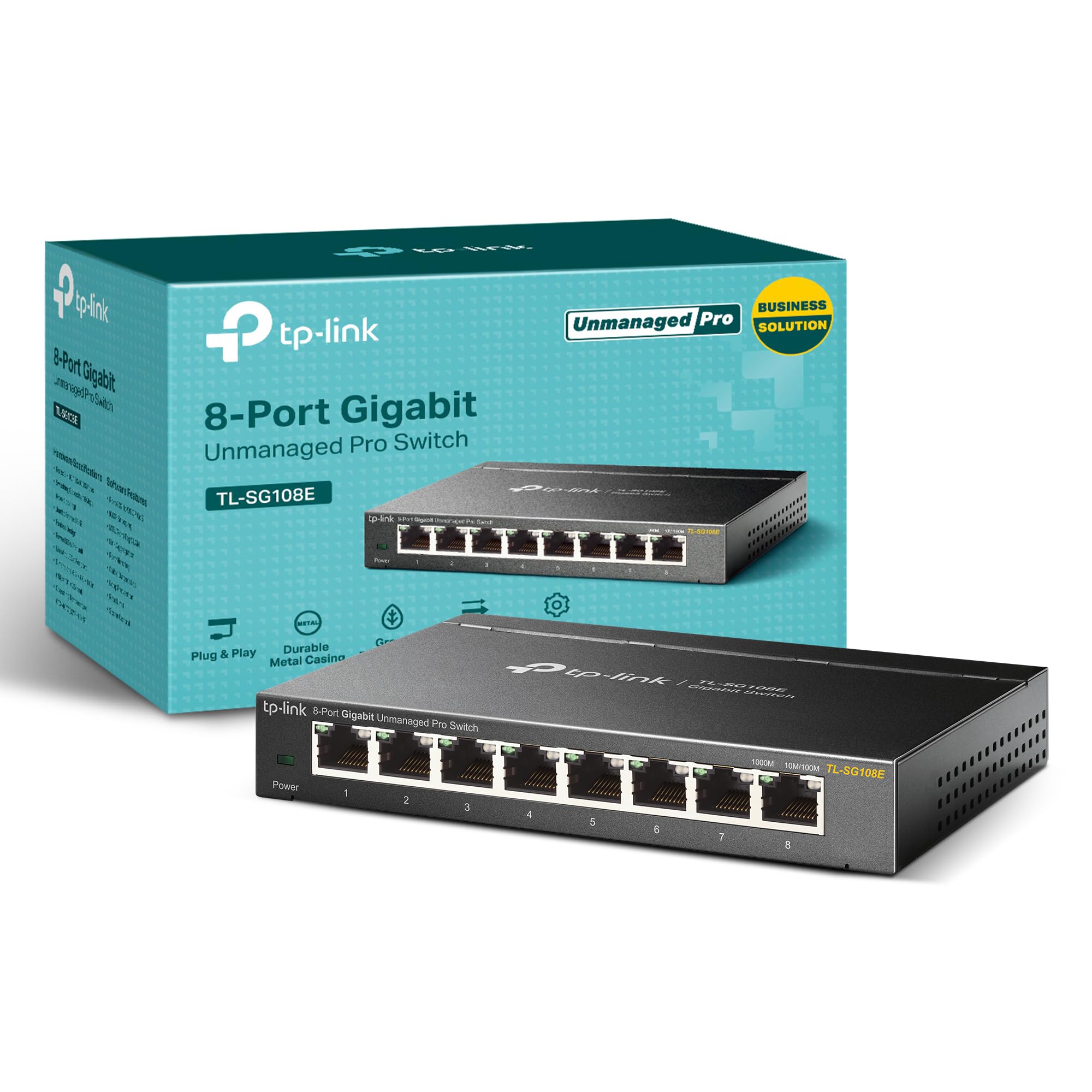
TP-Link TL-SG108E

TP-Link TL-SG108E

Budget VLANs

Our Score 9.4/10
Check Price

Worth Noting

  • Connectivity may drop after initial setup, requiring patience to stabilize
  • No plug-and-play experience
PoE
No
Ports
8 x 1Gb
Speed
1Gb
Management
Managed (web/software)

TP-Link TL-SG108E packs managed-switch features like VLAN, QoS, IGMP snooping, and link aggregation into a fanless metal chassis at a price that matches many unmanaged 8-port switches. This makes it a strong option for home lab users who need traffic segmentation or bandwidth control without the usual enterprise markup.

The switch is best suited for enthusiasts who enjoy tinkering with network configurations. After setting up VLANs or QoS through the web interface, many find it runs smoothly for days. However, some report that connectivity can become intermittent after initial configuration - this is a tradeoff for those who value feature density over plug-and-play reliability.

Stability improvements often come with patience: resetting to defaults and reapplying settings in a specific order resolves drop issues for some. The metal case and fanless operation keep it quiet in a home office or lab rack, and the lifetime warranty (from TP-Link) offers some peace of mind.

Tip: If you experience drops after initial setup, try a factory reset and reconfigure one feature at a time to isolate the cause.

Bottom line: If you need VLAN segmentation for a home lab or IoT network on a tight budget, the TL-SG108E delivers. For anyone wanting a set-and-forget switch, the extra configuration effort and occasional connectivity quirks make unmanaged alternatives a better fit.

4

UGREEN 10-Port PoE

UGREEN 10-Port PoE

Camera setups

Our Score 9.4/10
Check Price

Worth Noting

  • Port Isolation mode is the only traffic segmentation
  • 60W total PoE budget across 8 ports may limit power-hungry devices like PTZ cameras or multiple high-draw APs.
  • Extend mode caps each port to 10Mbps
PoE
PoE+ (60W)
Ports
8 PoE+ + 2 Gb uplink
Speed
1Gb
Management
Unmanaged (3 modes)

This 10-port PoE switch stands out by offering 8 powered ports and two gigabit uplinks at a price roughly 40% below comparable Netgear models. Its three modes — Standard, Port Isolation, and Extend (up to 820ft) — provide basic traffic separation and distance extension without entering full management territory. The metal case and fanless design keep operation quiet and cool, and the PoE Auto Recovery feature can automatically reboot unresponsive devices, reducing manual intervention.

This switch suits anyone expanding a security camera system or adding PoE access points on a budget. The 60W PoE budget handles multiple standard cameras, and the Extend mode is useful for placing a single camera far from the switch (though each port drops to 10Mbps in that mode). With around 200 reviews on the market, its long-term track record is less established than models from brands like Netgear or TP-Link — a consideration for permanent installs, but less of a concern for immediate, budget-driven deployments.

Bottom line: For anyone building a PoE camera system on a budget, this switch delivers the ports and power at a price that's hard to beat — just be aware that its long-term track record is shorter than more established options.

5

BrosTrend 2.5Gb 8P

BrosTrend 2.5Gb 8P

Multi-gig upgrade

Our Score 9.2/10
Check Price

Worth Noting

  • Full 2.5Gb speed not guaranteed in all setups
PoE
No
Ports
8 x 2.5Gb
Speed
2.5Gb
Management
Unmanaged

The BrosTrend 2.5Gb Switch delivers multi-gig speeds across all eight ports without the noise or configuration required by managed alternatives. It’s a plug-and-play upgrade from 1Gb networks, meaning any device that supports 2.5Gb will automatically connect at the higher rate. The fanless design keeps it silent, suitable for a desk or media cabinet.

This switch is best for homes with a NAS, gaming PC, or other 2.5Gb-capable devices that need a local speed upgrade. Those still using 1Gb equipment will see no benefit — the extra bandwidth only appears when both ends of the connection support it. Some setups may not reach the full 2.5Gb speed; cable quality and device limitations are common factors that can cap throughput below the advertised rate.

The plastic housing keeps weight low and costs down, and the unit stays cool even under sustained load. It includes a wall-mount kit for out-of-sight placement. The 40 Gbps switching capacity is adequate for simultaneous high-speed transfers across multiple ports.

Bottom line: For users already invested in 2.5Gb devices, this switch provides a cost-effective way to expand that capability across multiple ports without moving to more expensive or complex hardware.

6

TRENDnet 16-Port

TRENDnet 16-Port

Many wired devices

Our Score 9.4/10
Check Price

Worth Noting

  • Port problems and unit stoppages can occur after 1-2 years of use, making long-term installations a risk
PoE
No
Ports
16 x 1Gb
Speed
1Gb
Management
Unmanaged

Offering 16 gigabit ports in a fanless metal case with an internal power supply, the TRENDnet TEG-S17D delivers good value for setups needing many wired connections. The fanless design keeps it cool and quiet during operation, fitting well in noise-sensitive spaces like home offices or temporary workstations.

This switch is suited for temporary high-port-count environments, such as event networking, short-term home expansions, or lab setups where replacement after a year or two is acceptable. Port problems and unit stoppages after 1-2 years have been noted, so it is not a set-and-forget solution for permanent installations.

Bottom line: Best for short-term or replaceable deployments where 16 ports are needed at a low upfront cost.

7

Netgear GS308EP

Netgear GS308EP

Managed PoE

Our Score 9.6/10
Check Price

Worth Noting

  • Advanced management capabilities are limited; no CLI, SNMP, or L3 routing available.
PoE
PoE+
Ports
8 PoE+ (62W)
Speed
1Gb
Management
Easy Smart (VLAN, QoS)

The GS308EP powers PoE cameras and access points consistently, thanks to its 62W budget and dependable hardware. Its Easy Smart interface provides VLAN and QoS controls that work well for isolating camera traffic or prioritizing bandwidth for critical devices. These features make it a solid fit for home users who want more than a dumb switch but don't need full CLI or SNMP management.

Where it falls short is in advanced management — there's no command-line interface, no L3 routing, and the web GUI is basic compared to proper smart switches. It also carries a higher price than competing PoE switches with similar port counts, making it a less obvious value choice. For home networks with a handful of PoE devices and basic VLAN needs, this is a capable option, but buyers eyeing enterprise-grade features should look elsewhere.

Bottom line: Best suited for home users who need PoE for a few cameras or APs and want basic VLAN control without paying for an enterprise-grade switch.

8

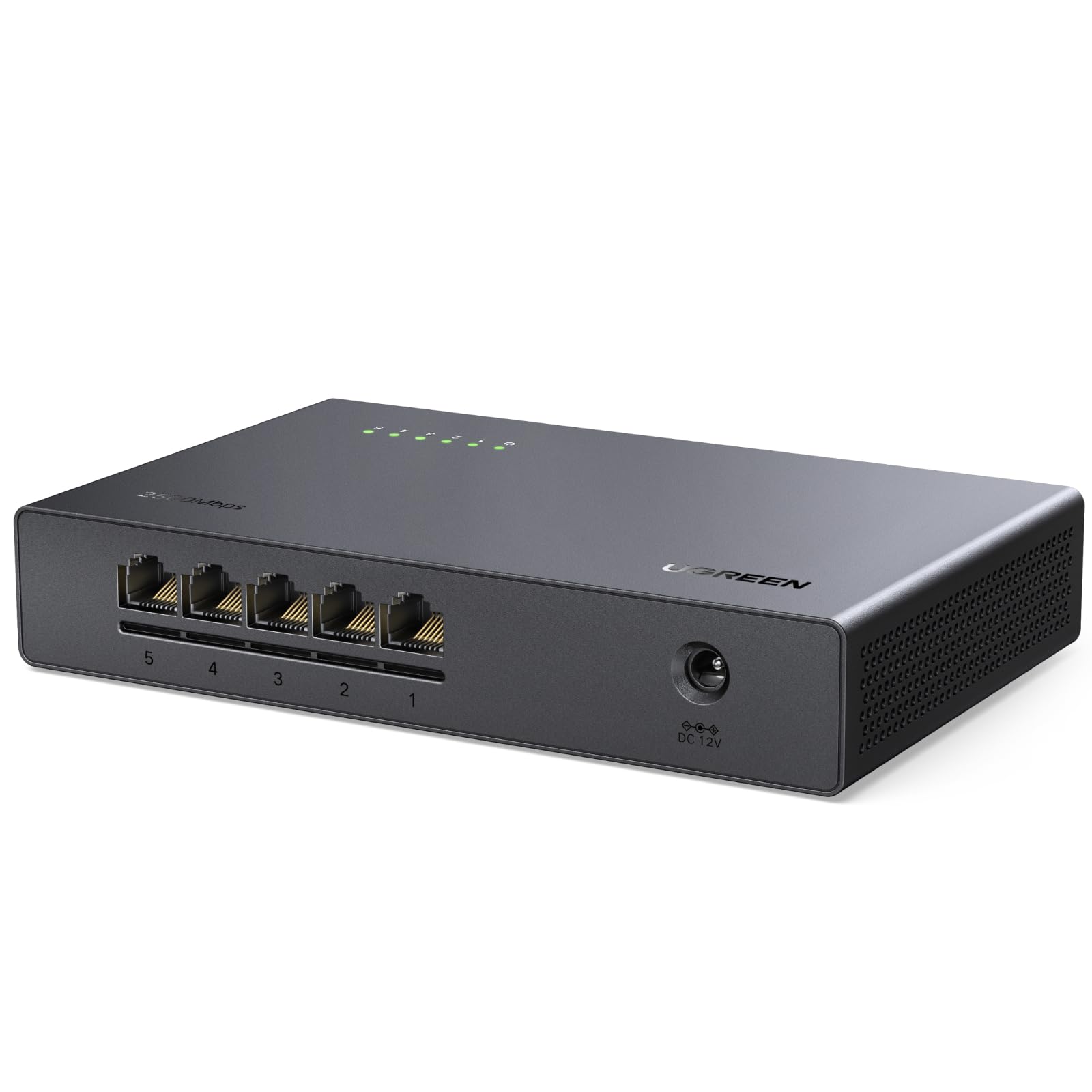
UGREEN 5P 2.5Gb

UGREEN 5P 2.5Gb

Budget multi-gig

Our Score 9.4/10
Check Price

Worth Noting

  • Plastic casing feels lightweight and less durable than metal alternatives.
  • Limited to five ports, making it impractical for connecting multiple 2.5Gb devices.
PoE
No
Ports
5 x 2.5Gb
Speed
2.5Gb
Management
Unmanaged

For users needing to upgrade a single device to 2.5Gb without spending much, this UGREEN switch delivers the speed. It connects directly to a NAS or gaming PC and removes the bottleneck that a 1Gb link creates. All five ports run at 2.5Gb, and the unit is fanless and plug-and-play. However, the plastic casing feels lightweight and the port count is limited to five, which restricts expansion. The BrosTrend alternative offers more ports for a similar price, making this UGREEN best reserved for focused single-device upgrades rather than whole-network multi-gig.

Bottom line: Best for home users who need to upgrade a single NAS or PC to 2.5Gb on a tight budget, but not suitable for broader multi-device networks.

9

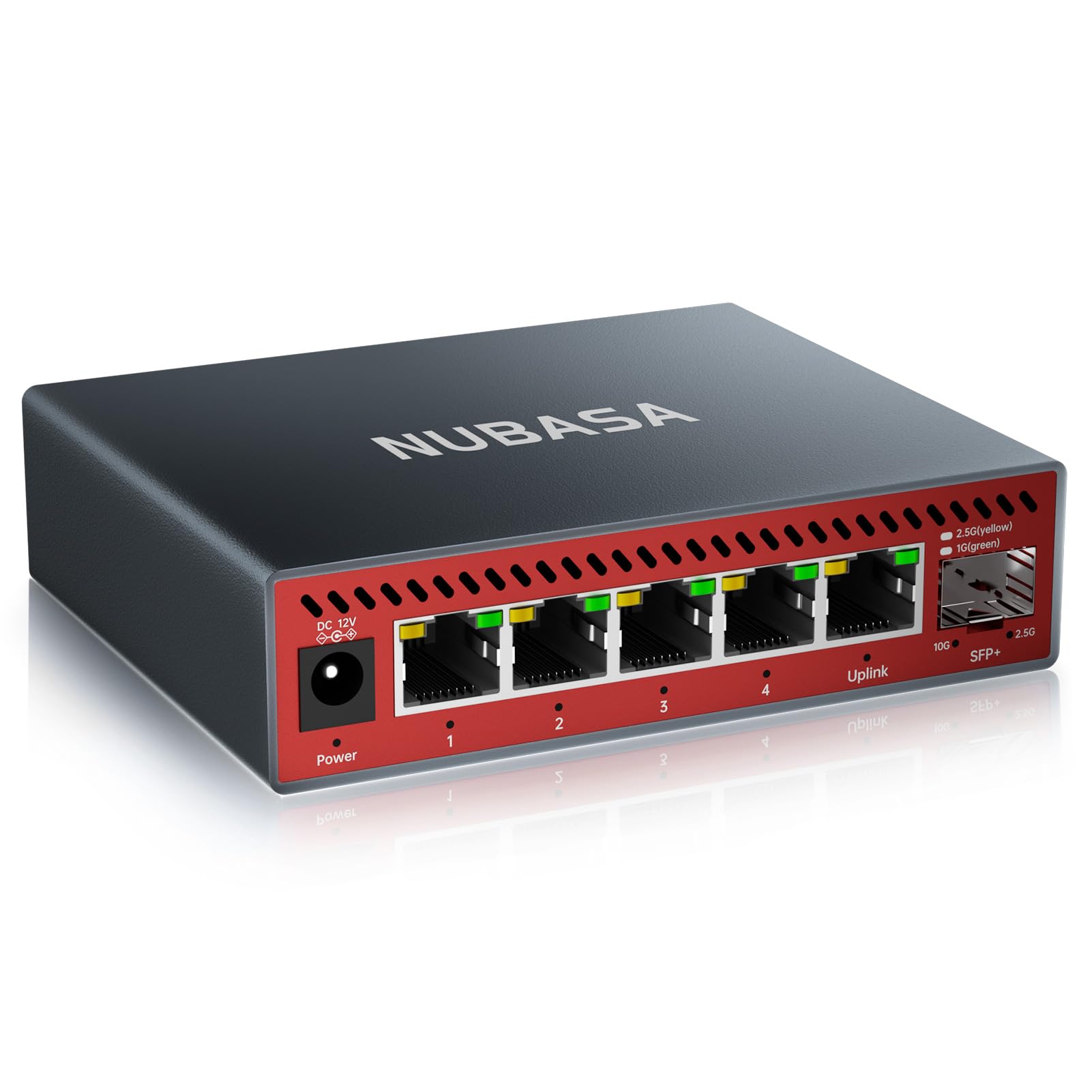
NUBASA 5P 2.5Gb

NUBASA 5P 2.5Gb

Premium multi-gig

Our Score 9.4/10
Check Price

Worth Noting

  • For continuous heavy multi-gig traffic, long-term durability is not yet broadly verified.
  • The switch may have undocumented compatibility nuances that only become apparent with broader use.
PoE
No
Ports
5 x 2.5Gb + 10Gb SFP+
Speed
2.5Gb / 10Gb
Management
Unmanaged

The NUBASA 5-port switch uses a premium aluminum chassis that dissipates heat effectively, keeping the unit cool. It delivers the advertised 2.5Gb speeds on all five ports and includes a Cat6a cable for the 10Gb SFP+ uplink. However, the long-term performance of this switch under sustained multi-gig load has not been established across a large number of units, and any potential quirks are not yet well documented. This makes it best suited for early adopters who value build quality and are comfortable with a shorter track record.

Bottom line: Suited for home network enthusiasts building a small multi-gig setup who prioritize build quality and are comfortable with a product that has a shorter real-world track record.

How to Choose

Ports

Every switch port adds a wired connection, but more ports also mean a larger footprint and higher power draw. A 5-port switch is fine for a desk or TV area, while 8 ports cover a home office and entertainment center. 16-port models are overkill unless you're wiring an entire house.

The hidden trade-off: cheap 5-port switches often pack ports too tightly. Thick Ethernet cables with boots may not fit side by side, forcing you to use slim patch cables or angled adapters. Always check port spacing before buying a compact model.

Management

Unmanaged switches are plug-and-play - no configuration, no fuss. Managed switches let you create VLANs to isolate guest traffic, prioritize gaming traffic with QoS, or monitor port usage. For 99% of home users, unmanaged is the right call.

The catch: entry-level managed switches under $30 often have buggy firmware. Users report dropped connections, devices getting kicked off the network, or VLAN configuration that simply stops working after a firmware update. If you don't know why you need management, you don't need it.

Power over Ethernet

PoE delivers power and data over one cable, ideal for IP cameras, video doorbells, or wireless access points in spots without outlets. A PoE switch replaces multiple wall warts with a single power cord.

The trap: not all PoE switches have enough power budget. A camera drawing 15W will work, but four cameras plus an access point can exceed the total budget. Always sum the power consumption of your devices and leave at least 20% headroom. Also, the switch will run warmer than non-PoE models - ventilation matters.

Speed Tier

Gigabit (1Gb) is still plenty for streaming, gaming, and most internet plans. 2.5Gb switches are emerging for NAS transfers and multi-gig broadband, but they cost more and require compatible cables and devices to see any benefit.

The reality: many 2.5Gb switches report occasional underperformance due to cable quality or device negotiation. You need Cat6 cabling and a 2.5Gb NIC in your PC or NAS to realize the speed. If your internet is under 1Gb, a 2.5Gb switch won't make web pages load faster - it's for local network traffic.

Build Quality

Metal cases dissipate heat better and feel more durable, while plastic cases are lighter and cheaper. Fanless operation is standard for home switches - fans add noise and attract dust.

The longevity gap: metal switches with internal power supplies (like the TRENDnet 16-port) tend to last longer than plastic ones with external power bricks. But even metal switches can fail prematurely - don't assume 'metal = bombproof.' Check warranty length and user reports of failure rates before deciding.

Frequently Asked Questions