Car & GPS

13 Best Cycling GPS Computer 2026: Features You Actually Need

Find the cycling GPS computer that matches your rides: navigation for explorers, battery for endurance, or training metrics for racers.

Cycling GPS computers have become more affordable, but the gap between advertised features and real-world performance is wider than ever. Budget units pack color screens and navigation at tempting prices, yet many struggle with rerouting or battery life when you need them most.

The key is matching the computer's strengths to how you actually ride. A touchscreen is great for maps but problematic with wet gloves; buttons are reliable but slower for data fields. Similarly, battery life estimates often assume battery-saver mode, so real endurance can be half the claim.

This guide cuts through the marketing to match each type of rider with the right mix of navigation, battery, and training features. Whether you're a daily commuter, weekend explorer, or competitive racer, there's a computer that fits your specific needs without overpaying for extras you won't use.

1

Garmin Edge 540

Top Pick
Garmin Edge 540

Serious road cyclists

Our Score 9.0/10
Check Price

Worth Noting

  • Button-only menu navigation can be slow for map zoom or screen changes
  • Initial screen customization and widget setup take patience to learn
UI
Buttons only
Display
2.6-inch LCD
Navigation
Turn-by-turn, ClimbPro
Battery Life
26h (42h saver)

Multi-band GPS tracking locks onto routes quickly and holds position reliably even under heavy tree cover or in urban canyons. The adaptive coaching engine suggests workouts based on your fitness trends, and ClimbPro shows remaining ascent and grade on every hill. Performance data flows seamlessly to power meters, heart rate straps, and smart trainers via ANT+ and Bluetooth.

Battery life easily spans 100+ mile rides; the battery saver mode extends runtime to over 40 hours for multi-day adventures. The button interface feels deliberate — changing data fields or zooming the map requires multiple presses rather than a swipe. This suits riders who prefer tactile feedback and don't need to flick through menus mid-ride.

This is the right computer for road cyclists and racers who train with power meters, follow structured workouts, and want turn-by-turn navigation on unfamiliar routes. The all-button design means less distraction in wet or gloved conditions, but map browsing is slower than on touchscreen alternatives like the Edge 840. Budget-first riders or those who rely on finger taps will find the interface limiting.

Tip: Set up your data screens and routes on the Garmin Connect app before heading out to minimize button pressing on the road.

Bottom line: For riders who prioritize accurate performance data, long battery life, and tactile button control over touchscreen convenience, the Edge 540 delivers precisely what it promises — no need to pay more for the 840 unless you want hybrid input.

2

Garmin Edge 840

Garmin Edge 840

Serious cyclists

Our Score 9.0/10
Check Price

Worth Noting

  • Premium price over the Edge 540 for a touchscreen that may go unused by button-first riders
UI
Touch + buttons
Display
2.6-inch LCD touch+buttons
Navigation
Turn-by-turn, ClimbPro
Battery Life
26h (32h saver)

The Edge 840 adds a responsive touchscreen to the familiar button interface, letting you switch between tap-to-zoom map control and tactile button presses in any weather. For riders who want to pan around routes or edit data fields on the fly, this hybrid input is a practical upgrade over the button-only Edge 540. However, if you rarely use the touchscreen, the 540 delivers the same core training features and multi-band GPS for less money.

This computer suits serious cyclists who regularly use ClimbPro, adaptive coaching, and advanced navigation. Garmin ecosystem users will appreciate the seamless integration with power meters, heart rate monitors, and radar. The touchscreen is especially useful when previewing climbs or adjusting routes mid-ride. For those who prefer a pure button experience, the Edge 540 is a more cost-effective alternative.

Battery life reaches 26 hours in standard mode and 32 hours in battery saver mode, enough for a full day of riding with GPS and sensors active. The 32GB internal storage accommodates detailed maps and offline routes. GPS lock is quick and tracking remains steady, even in tree cover or urban canyons.

Tip: Consider the Edge 540 if you primarily rely on button controls and want to save on cost.

Bottom line: If you want the added flexibility of a touchscreen for map interaction and data field changes, the Edge 840 is the right choice over the button-only 540, despite the higher price.

3

COROS DURA Solar

COROS DURA Solar

Ultra-distance cyclists

Our Score 9.2/10
Check Price

Worth Noting

  • Bluetooth sensor pairing can be less reliable than Garmin or Wahoo systems
  • A small number of units have experienced issues after firmware updates
UI
Touchscreen + scroll wheel
Display
2.7-inch MIP color touch
Navigation
Turn-by-turn, smart reroute
Battery Life
120 hours (solar)

The COROS DURA Solar’s 120-hour GPS battery life, extendable indefinitely via solar charging, sets it apart from every other cycling computer in this price bracket. Dual-frequency GNSS delivers accurate tracking even in challenging environments, and the 2.7-inch MIP color touchscreen responds smoothly alongside a dedicated scroll wheel for quick menu navigation. Riders coming from the Garmin Edge 540 will notice the similar feature set but substantially longer endurance between charges.

This computer is built for ultra-distance cyclists, bikepackers, and anyone already using a COROS watch who wants seamless ecosystem integration. The solar panel on the top edge keeps the battery topped off during long days in the sun, effectively eliminating range anxiety. However, Bluetooth sensor pairing can be less reliable than Garmin or Wahoo systems, and the COROS ecosystem supports fewer third-party accessories such as power meters and smart trainers. Riders who rely on a wide sensor network may find these limits frustrating; for everyone else, the core navigation and tracking experience is solid and responsive.

In practice, the solar charging works best with direct sun exposure – overcast days still extend battery life but not indefinitely. The UI remains fluid during rides, and turn-by-turn navigation with Google Maps integration offers smart rerouting when you stray off course. Setup is straightforward via the COROS app, and route syncing takes seconds. For the mid-range price, the DURA Solar delivers battery performance that no competitor touches, making it a focused choice for long-haul riders.

Tip: Check COROS’ official sensor compatibility list before purchasing; pairing is most reliable when using COROS-brand or listed third-party sensors.

Bottom line: For ultra-distance riders who prioritize battery life over ecosystem breadth, the COROS DURA Solar offers a focused, cost-effective solution that outlasts the Garmin Edge 540 – with tradeoffs in sensor compatibility that matter only to riders invested in a wide accessory ecosystem.

4

iGPSPORT BiNavi

iGPSPORT BiNavi

Recreational cyclists

Our Score 9.0/10
Check Price

Worth Noting

  • Menu system and app navigation can be non-intuitive; setting up routes requires patience.
  • Wi-Fi and Bluetooth syncing can be finicky, sometimes needing multiple attempts to complete.
UI
Touchscreen
Display
3.5-inch color touchscreen
Navigation
Offline maps, rerouting
Battery Life
35 hours

The iGPSPORT BiNavi stands out with its 3.5-inch color touchscreen — the largest in its price tier — and a 35-hour battery claim that holds up in real-world riding. Paired with dual-band GPS and offline maps, it brings navigation capabilities usually found on devices costing twice as much.

This computer suits recreational cyclists who prioritize a big, bright map display and want to control music from their handlebar. It also fits riders new to GPS computers who are willing to spend time on setup — the iGPSPORT app and menu system are less intuitive than Garmin or Wahoo, and syncing via Wi-Fi or Bluetooth may require patience. If you need turnkey simplicity or deep training analytics, this isn't the best fit.

Battery life in practice reaches 12+ hours with GPS and sensor connectivity, matching what you'd expect from a mid-range unit. The display remains readable in direct sunlight, a common pain point for cheaper models. Music control from the unit is a rare convenience at this price.

Tip: Spend some time exploring the menu and app settings before your first ride — the interface rewards patience.

Bottom line: If a large screen and long battery matter more than a polished interface, the BiNavi delivers solid navigation at a compelling price.

5

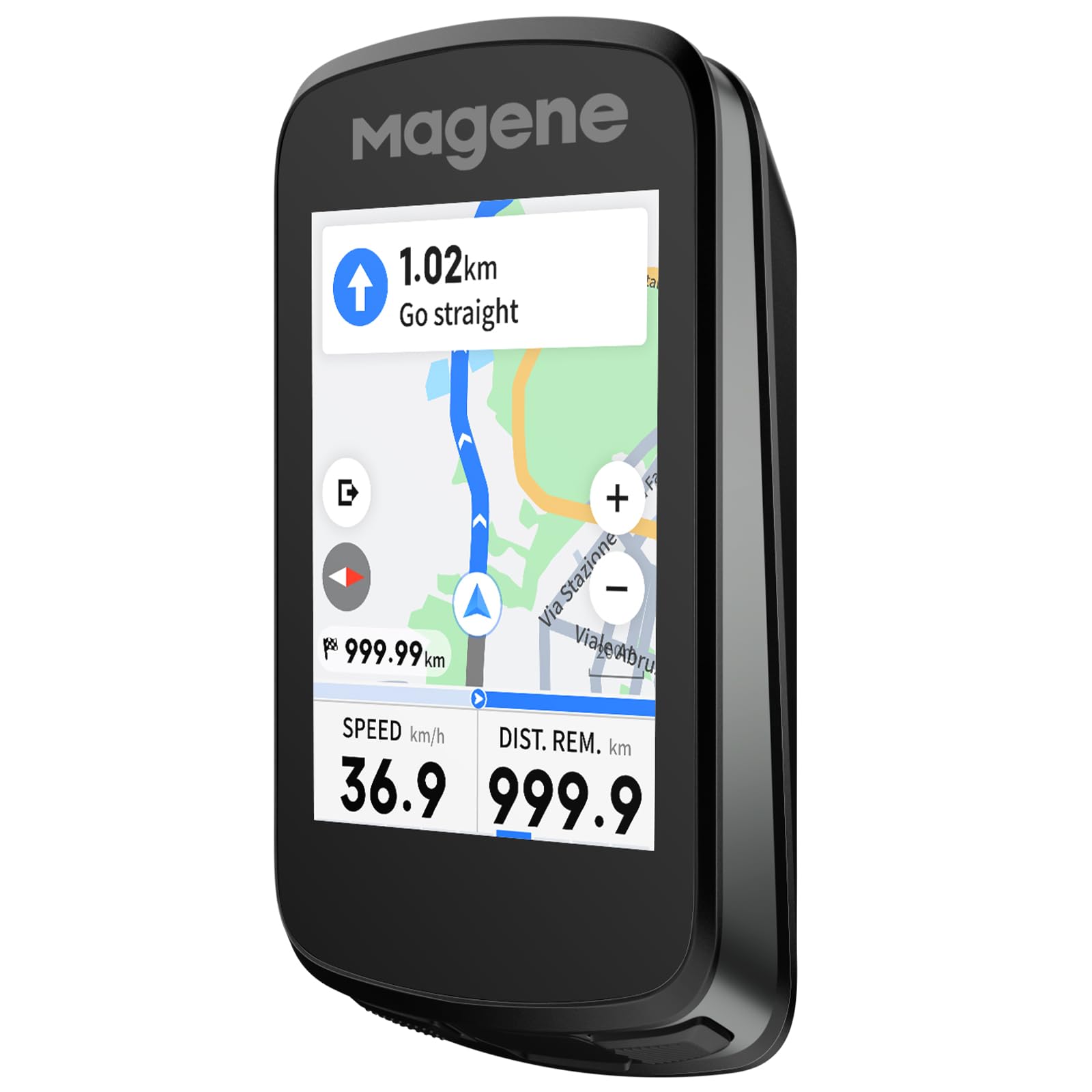
Magene C606 V2

Magene C606 V2

ClimbPro seekers

Our Score 8.8/10
Check Price

Worth Noting

  • Navigation rerouting and ClimbPro accuracy can be inconsistent, especially when off-route
UI
Touchscreen
Display
2.8-inch color touchscreen
Navigation
Turn-by-turn, ClimbPro
Battery Life
25 hours

The C606 V2 stands out among mid-range cycling computers for its premium build and responsive 2.8-inch color touchscreen that works smoothly even in rain. It offers ClimbPro and live segments typically reserved for Garmin's higher-tier models, making it a strong alternative for riders who want these features without the premium price. However, the software ecosystem lags behind Garmin in maturity, and the brand relies on third-party apps for full functionality.

This computer suits riders who prioritize build quality, touchscreen interaction, and budget-friendly access to advanced climbing data. It is not ideal for cyclists who need reliable turn-by-turn navigation for exploring unfamiliar roads, as rerouting can be unpredictable when deviating from a planned route. Riders comfortable with occasional software quirks and app-based setup will get the most out of this device.

Battery life reaches 25 hours in real-world conditions, and fast charging gets you back on the road quickly. The IPX7 waterproof rating holds up in heavy rain. The navigation limitation is the main drawback: ClimbPro accuracy and rerouting may not match Garmin's consistency, so pre-loading routes and sticking to them is recommended.

Tip: Pre-load your route and avoid relying on automatic rerouting during rides; the device performs best when sticking to a planned course.

Bottom line: For riders who can accept occasional navigation quirks, the C606 V2 delivers premium climbing and live segment features at a mid-range price.

6

Wahoo ELEMNT Bolt V3

Wahoo ELEMNT Bolt V3

Button-only fans

Our Score 8.8/10
Check Price

Worth Noting

  • Map navigation with buttons is slower than touchscreen for zooming and panning.
  • 20-hour battery is adequate but trails competitors that offer 40+ hours.
UI
Buttons only
Display
2.3-inch LCD
Navigation
Turn-by-turn, auto route sync
Battery Life
20 hours

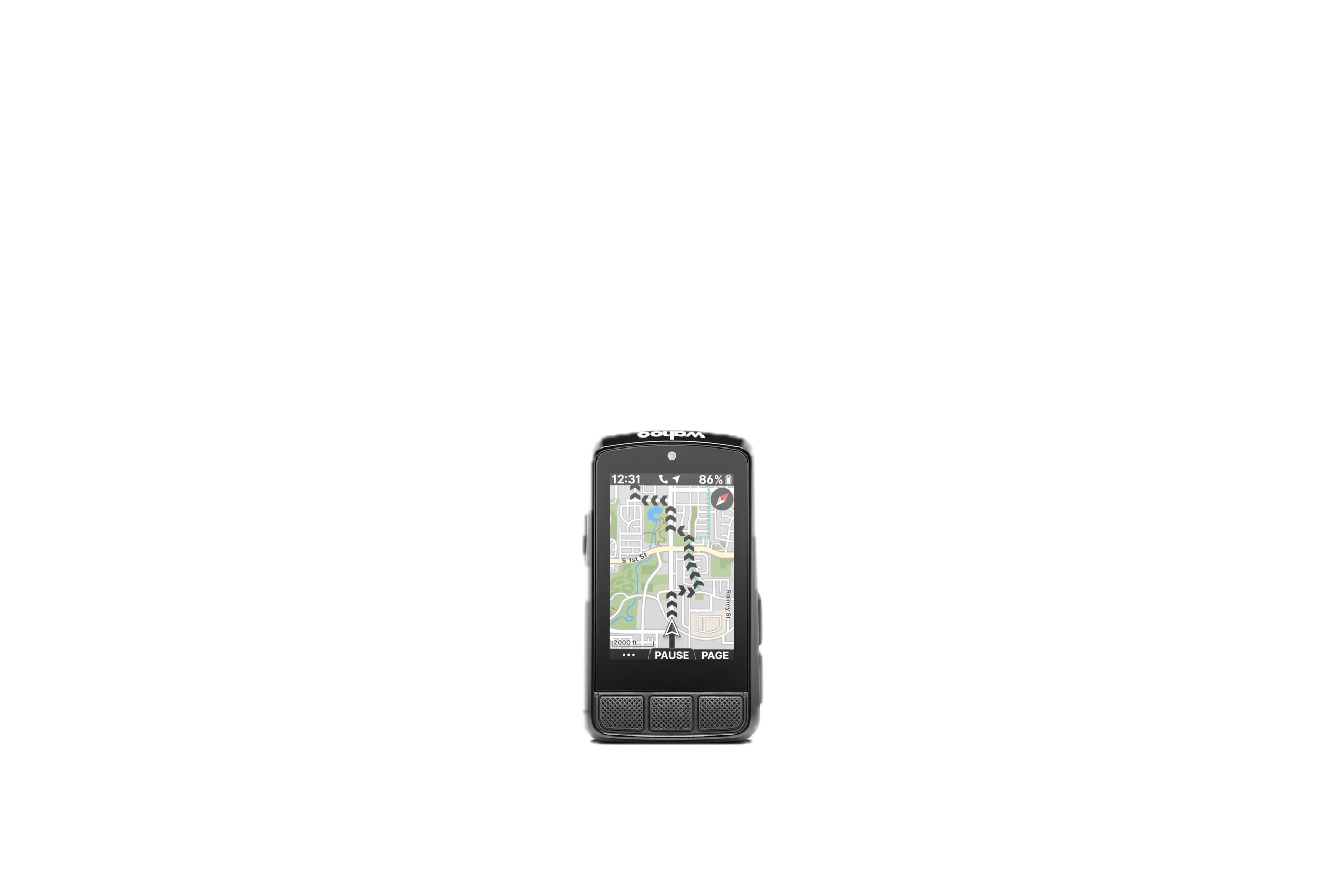
The Bolt V3's button-only design makes it one of the most straightforward cycling computers to operate, even with gloves. Setup is quick: Wahoo sensors and Kickr trainers pair automatically, and routes from Strava or Komoot appear on the device without manual file transfers. The button layout is intuitive - two side buttons handle zoom and options while central buttons scroll through data pages.

This computer is best for riders who value simplicity over advanced metrics. Triathletes will appreciate the seamless upload to TrainingPeaks. However, occasional GPS lock loss and rare sensor disconnections have been noted, and a few units may exhibit battery degradation over time. These issues, while not universal, mean the Bolt V3 is best suited for riders who prioritize ease of use over absolute reliability.

The 2.3-inch LCD display delivers sharp, glare-resistant visuals in bright sunlight. On-device turn-by-turn navigation guides you through planned routes without needing your phone, and the IPX7 waterproof rating handles downpours without issue.

Bottom line: The Bolt V3 is the right pick for riders who want a no-fuss computer that syncs effortlessly with their Wahoo ecosystem and prioritizes simplicity over raw metrics.

7

CYCPLUS G1

CYCPLUS G1

Budget commuters

Our Score 8.6/10
Check Price

Worth Noting

  • GPS satellite lock can take several minutes on first startup each ride.
  • No turn-by-turn navigation or map support
UI
Buttons only
Display
2-inch LED
Navigation
None
Battery Life
50 hours claimed

The CYCPLUS G1 delivers accurate speed and distance tracking via GPS at a price that undercuts most competitors. The display shows large numbers that remain readable in bright sunlight, and the battery lasts through multi-day commutes. However, this is a no-frills computer: there is no turn-by-turn navigation, no map display, and no support for power meters, cadence sensors, or heart rate monitors. GPS acquisition can take several minutes on first start, which requires planning ahead. For riders who only want elapsed time, current speed, and trip distance without any frills, the G1 is a capable entry point.

Tip: Power on the computer a few minutes before you start riding to give it time to lock onto GPS satellites.

Bottom line: For riders on a strict budget who only need distance, speed, and time with long battery life, and can accept the lack of navigation and slow GPS lock, the G1 delivers exceptional value.

8

GEOID CC600

GEOID CC600

Budget color GPS

Our Score 8.4/10
Check Price

Worth Noting

  • Navigation is basic; it does not reroute if you deviate from the planned course.
  • Connectivity with external sensors and the app can be inconsistent for some setups.
UI
Buttons
Display
2.4-inch color LCD
Navigation
Basic turn reminders
Battery Life
24 hours

The GEOID CC600 is one of the most affordable cycling computers with a color display and 24-hour battery life, making it easy to read speed, distance, and basic route guidance. The build quality feels solid for the price. However, the navigation feature is limited to following pre-loaded routes without recalculating if you go off course, so it works best for commuters who stick to familiar paths. Some users have also noted occasional connectivity issues with sensors and the companion app. For riders needing reliable rerouting or advanced training metrics, this falls short — it is better suited as a basic GPS tracker with a color screen than as a primary navigation device.

Bottom line: Best for budget-conscious commuters who want a color screen and basic tracking without expecting reliable rerouting.

9

iGPSPORT BSC300T

iGPSPORT BSC300T

Budget navigator

Our Score 8.8/10
Check Price

Worth Noting

  • Interface can be confusing when configuring routes and navigating menus.
  • Display readability in bright sunlight is only average, with small data fields.
UI
Touchscreen
Display
2.4-inch color touch
Navigation
Offline maps, off-course warning
Battery Life
20 hours

The iGPSPORT BSC300T delivers offline maps and a color touchscreen at a price well below most competitors, with quick GPS lock and easy ANT+ sensor pairing. Its e-bike battery level display adds utility for electric bike users. However, the interface can feel non-intuitive when setting up routes, and screen readability in direct sunlight is average — areas where higher-priced units pull ahead. This suits riders who want navigation features without paying premium, and who don't mind spending extra time learning the menus.

Bottom line: If your priority is offline navigation and e-bike support on a mid-range budget, and you can accept a learning curve and moderate sunlight visibility, this is a capable choice.

10

Garmin Edge 1050

Garmin Edge 1050

Enthusiasts, group riders

Our Score 9.2/10
Check Price

Worth Noting

  • Occasional screen freezes or unexpected reboots can interrupt a ride.
  • Price premium over the Edge 840 is steep relative to the added features.
UI
Touchscreen
Display
3.5-inch color touch
Navigation
Turn-by-turn, group ride
Battery Life
20h (60h saver)

The Edge 1050's display is the brightest in the category, making map data and performance fields readable even in direct sunlight. Group ride tools like in-ride messaging and road hazard alerts work well for peloton riders. However, the unit can freeze or restart mid-ride, and the premium price offers only incremental improvements over the Edge 840's hybrid button-touch design. For cyclists focused on training metrics and reliability, the more affordable 540 or 840 may be better fits.

Bottom line: If you prioritize the best display and group ride integration and can accept the possibility of odd software glitches, the Edge 1050 delivers. Otherwise, the Edge 840 offers most of the same functionality for less.

11

Garmin Edge Explore 2

Garmin Edge Explore 2

Recreational navigator

Our Score 8.6/10
Check Price

Worth Noting

  • On long rides or multi-day tours, battery life may require a mid-ride charge, especially with the display at higher brightness.
  • Setting up custom routes or navigating the settings menus can feel unintuitive compared to training-focused models.
UI
Touchscreen
Display
3-inch color touch
Navigation
Preloaded maps, rerouting
Battery Life
16 hours

The Garmin Edge Explore 2 delivers a generous 3-inch color touchscreen with preloaded maps and reliable GPS rerouting when you miss a turn. E-bike riders get range-aware routing that adjusts for battery level. For road cyclists seeking training metrics or long-distance battery endurance, the 16-hour claimed life often drops with the screen at normal brightness, and the menu system for route creation and data fields is less fluid than on Garmin's sportier models. This computer suits recreational cyclists who value map clarity and e-bike support over advanced analytics or all-day power.

Bottom line: A solid choice for recreational cyclists and e-bike riders who want a big-screen navigator without training analytics, provided you keep rides under the battery's real-world limit.

12

COOSPO BC107

COOSPO BC107

Budget basic GPS

Our Score 8.6/10
Check Price

Worth Noting

  • Setup process can be confusing due to poor manual and app interface.
  • Charging or power failure may occur after several months, requiring replacement.
UI
Buttons
Display
2.4-inch segment LCD
Navigation
None
Battery Life
80 hours

The BC107's 80-hour battery life is its standout feature, backed by GPS that reliably tracks speed, distance, and elevation. For commuters and casual riders who don't need turn-by-turn navigation or mapping, it offers exceptional value at under $50. However, the lack of navigation means it's not suitable as a primary cycling computer for anyone who follows routes. Additionally, some units may experience charging or power issues after extended use, and the initial setup can be confusing due to a sparse manual. These limitations make it a strong choice for budget-focused riders who prioritize battery life over navigation.

Bottom line: For commuters and casual riders who never need navigation and can accept a potentially finicky setup, the BC107 offers unmatched battery life for the price.

13

COOSPO CS600

COOSPO CS600

Budget touch radar

Our Score 9.0/10
Check Price

Worth Noting

  • No rerouting if you stray from the loaded GPX route
  • Screen brightness may be insufficient in shady or low-light conditions
UI
Touchscreen
Display
2.4-inch color touch
Navigation
Breadcrumb route
Battery Life
36 hours

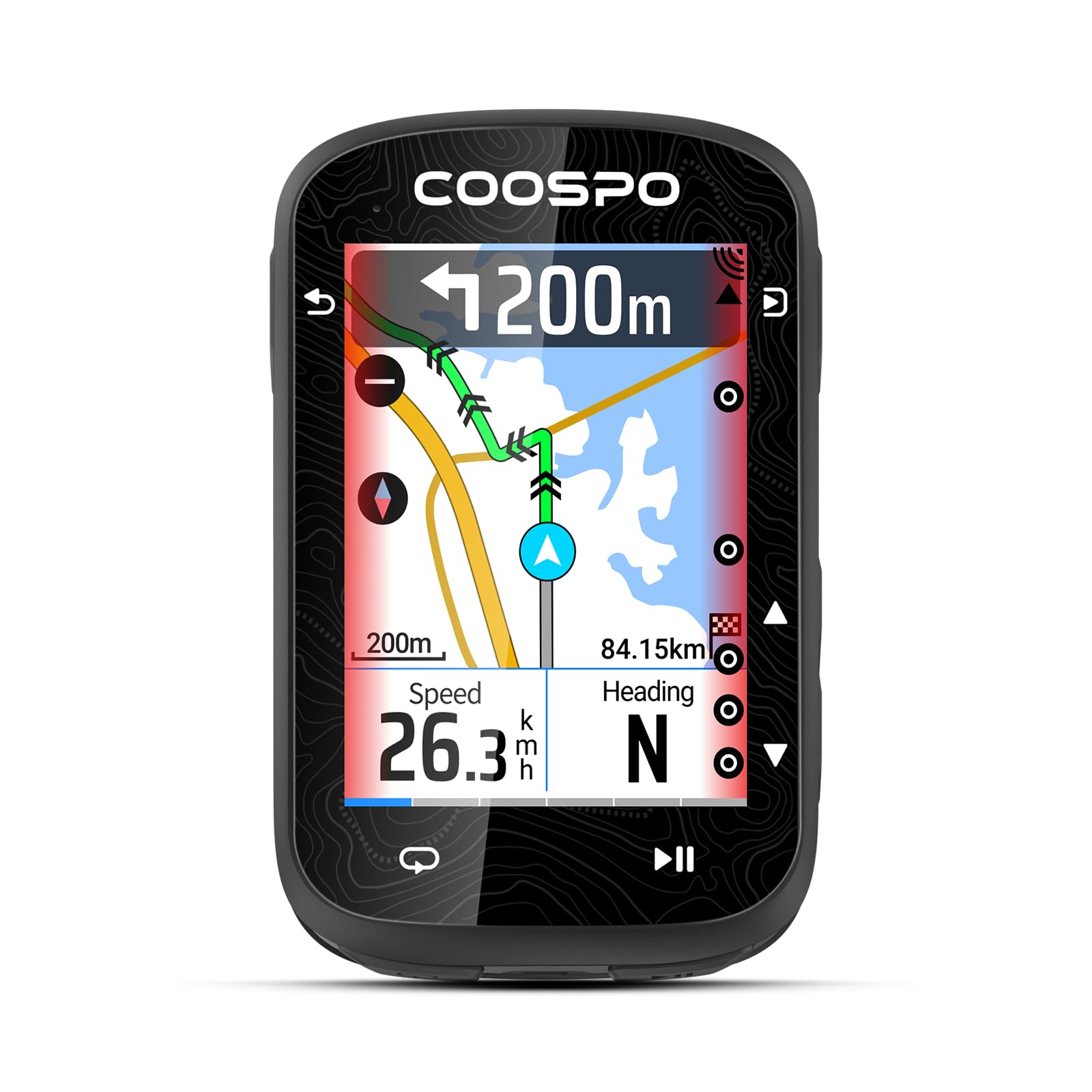
This budget-friendly computer offers a responsive color touchscreen and long battery life, plus compatibility with bike radar, making it a strong option for riders who stick to pre-planned routes. However, if you deviate from the loaded GPX route, the breadcrumb navigation provides no guidance — there is no automatic rerouting. Additionally, the display can be hard to read in shaded areas or low-light conditions. These limitations make it less suitable for explorers who frequently detour mid-ride or need turn-by-turn navigation with rerouting.

Bottom line: Fits riders who follow pre-loaded GPX routes and want a color touchscreen with radar support at a low price, but not for those who need on-the-fly rerouting or bright display readability in shade.

How to Choose

Display Size and Type

Larger color touchscreens make maps and data fields easy to read, but they consume more power and can be hard to see in bright sunlight if the brightness isn't high enough. Smaller monochrome LCDs are more power-efficient and remain readable in direct sun, but they offer less detail for map navigation.

For riders who follow pre-loaded routes or explore frequently, a color touchscreen around 2.7 to 3.5 inches provides the best balance of clarity and battery life. If you only need speed and distance numbers, a smaller segment LCD will last for days on a single charge.

Battery Life

Manufacturers often quote battery life under battery-saver mode with minimal screen activity. In real-world use with the display always on, GPS tracking, and sensor data streaming, you can expect roughly half the claimed time. For example, a 20-hour claimed unit may only give 10–12 hours on a long ride with navigation.

If you ride centuries or multi-day tours, look for a computer with at least 25 hours of real-world endurance or solar charging. For most weekend riders, 15–20 hours of real use is sufficient, but always add a buffer for unexpected delays or cold weather that can drain batteries faster.

Navigation Capabilities

Navigation ranges from basic breadcrumb trails that show your route on a line to full turn-by-turn directions with automatic rerouting if you stray off course. The cheaper units often skip rerouting entirely, leaving you to backtrack manually. This is a critical difference for riders who explore unfamiliar roads or trails.

If you stick to familiar routes, breadcrumb navigation is adequate. But for adventurous riding, invest in a model with offline maps and rerouting. Also check if the device supports route import from apps like Strava or Komoot, which makes planning much easier.

Sensor Connectivity

ANT+ and Bluetooth are the two main protocols for pairing sensors like heart rate monitors, power meters, cadence sensors, and radar. ANT+ is more stable for multiple concurrent connections, while Bluetooth is common for phone sync. Most mid-range and premium computers support both.

If you plan to use a power meter or smart trainer, ANT+ is essential. Budget computers may only offer Bluetooth, which works for basic sensors but can lag with multiple devices. Also verify compatibility with your specific sensors, especially radar units which require specific support.

User Interface: Buttons vs Touchscreen

Touchscreens offer fast map zooming and data field customization, but they struggle with wet gloves, rain, or sweaty fingers. Physical buttons are reliable in all weather and can be operated without looking, but menu navigation and data field changes require more steps.

Hybrid models with both touch and buttons give the best of both worlds, but they are more expensive. If you ride in wet climates or use heavy gloves, prioritize buttons. If you value quick map interaction and don't mind occasional screen wiping, a touchscreen works well.

Frequently Asked Questions