Phone & Tablet Accessories

5 Best Cell Phone for Seniors 2026: Avoid Carrier Lock-Ins and 3G Pitfalls

Which senior phones actually work on modern networks without hidden monthly fees? Compare unlocked 4G options with large buttons, SOS, and hearing aid support.

Many phones marketed for seniors run on outdated 3G networks or lock you into expensive monthly plans. A phone that seems cheap upfront can become a money pit or stop working altogether when carriers shut down older frequencies.

The real challenge is finding a device that works on the senior's existing network, has buttons they can actually feel, and includes safety features without requiring a contract. Flip phones and bar phones each have clear trade-offs in portability, battery life, and charging ease.

This guide cuts through the confusion by focusing on network compatibility, ease of use, and long-term value. The right phone for your senior is the one that stays usable for years, not the one with the lowest sticker price.

1

artfone G6 Flip

Top Pick
artfone G6 Flip

Hearing assistance flip

Our Score 8.6/10
Check Price

Worth Noting

  • 0.3MP camera captures only low-resolution snapshots
  • 1300 mAh battery may need daily charging with moderate use; talk time is 8 hours
  • Only works with T-Mobile and its MVNOs
SOS Button
Yes
Form Factor
Flip
Battery/Charging
1300 mAh, dock
Carrier Compatibility
T-Mobile only

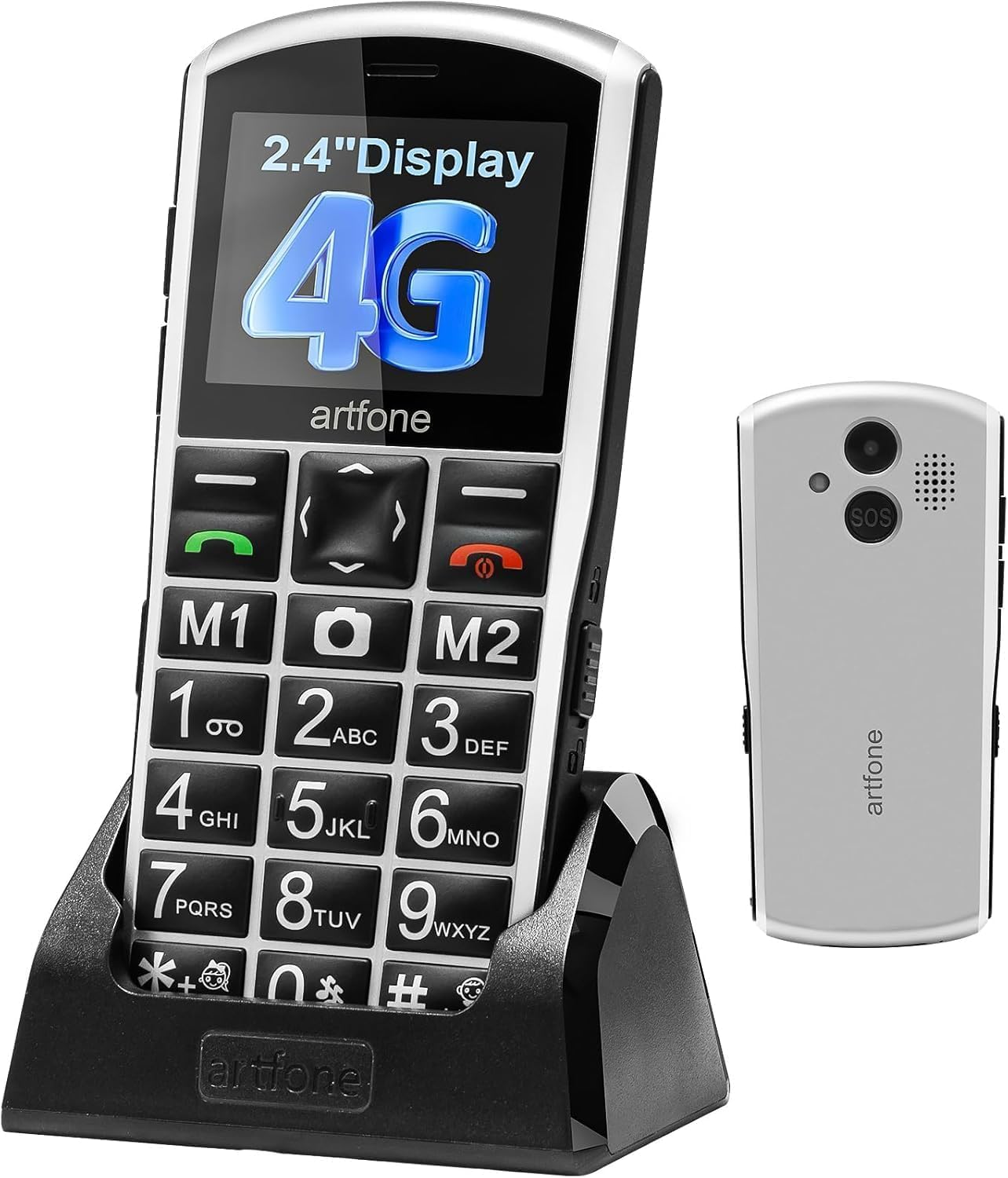
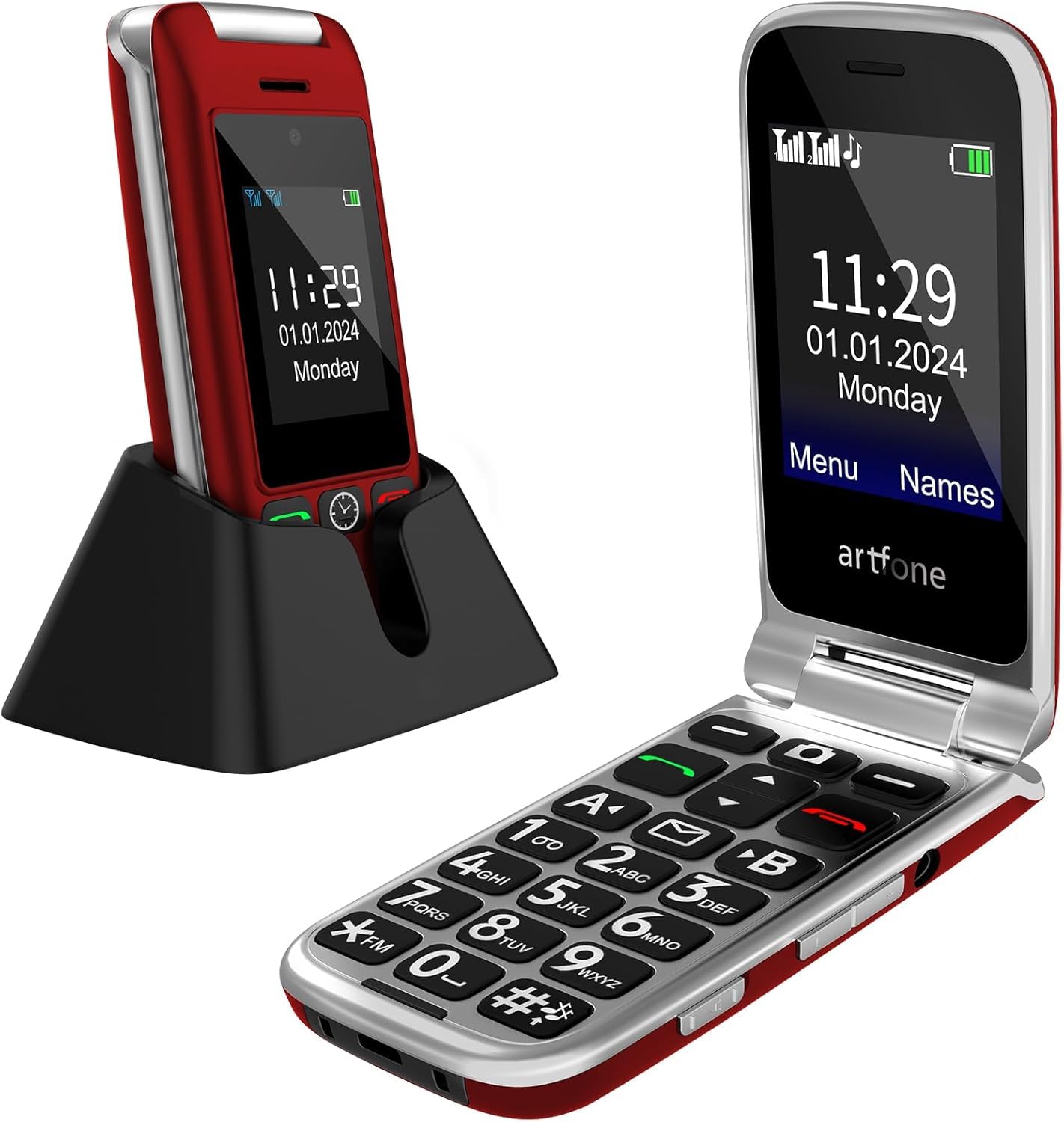
The artfone G6 Flip Phone puts hearing clarity front and center with a dedicated hearing enhancement mode that amplifies incoming call volume and reduces background noise. The dual 2.4-inch and 1.8-inch screens make caller ID and notifications easy to read without opening the phone, and the large, tactile buttons help avoid misdials. It is a focused design for seniors who value straightforward communication over extra features.

With a 0.3-megapixel camera, photos will be grainy and suitable only for quick snapshots or basic documentation. The 1300 mAh battery delivers about 8 hours of talk time, which may require nightly charging for regular use. These are acceptable tradeoffs for a budget device aimed at simplicity, but buyers who want to share high-quality pictures or go multiple days without charging should consider alternatives.

This phone operates only on T-Mobile and its MVNOs (such as Mint Mobile or Metro by T-Mobile) – it will not work on Verizon or AT&T networks. Seniors on those carriers or who need a device with a lengthy track record in US reviews may want to look elsewhere. However, for those whose carrier is compatible and who need hearing assistance plus a physical SOS button, the G6 offers those essentials at a budget-friendly price, even if long-term reliability remains uncertain due to limited US user feedback.

Tip: Keep the charging dock handy for overnight top-ups – the battery suits daytime calls, not all-day streaming or apps.

Bottom line: If your network is T-Mobile-based and hearing assistance is a priority, this flip phone delivers the core senior-friendly features at a price that is hard to beat – just accept the camera and battery as secondary concerns.

2

GrandPad Tablet

GrandPad Tablet

Family video sharing

Our Score 8.6/10
Check Price

Worth Noting

  • High upfront cost compared to basic flip phones or simplified smartphones
  • Network connectivity can be inconsistent in areas with weak 4G LTE
  • Requires ongoing monthly subscription starting at $25 per month
SOS Button
No
Form Factor
Tablet
Battery/Charging
4550 mAh, wireless
Carrier Compatibility
Own service plan

The GrandPad offers a tablet experience designed specifically for seniors, with oversized icons and an interface that mirrors a companion app on family members' phones. It prioritizes video calls and photo sharing over traditional phone functions, placing it in a different class from flip phones and basic cell phones.

This device suits seniors who want to stay visually connected with family through video calls and photo exchanges, and families willing to manage the required monthly data plan starting at $25 per month. The curated environment limits access to approved contacts and apps, creating a secure space for users who do not need a full smartphone.

When connected to a strong 4G LTE signal, the experience is fluid and engaging for sharing moments. However, network connectivity can be inconsistent in some areas, so the device works best where coverage is solid. The upfront cost places it in a premium tier compared to basic senior phones, but for the intended family-sharing use case, the tradeoff may be manageable.

Tip: Confirm 4G LTE coverage in the senior's home before purchasing, as the device relies on cellular data for all core features.

Bottom line: GrandPad is the right fit for families who want a secure, curated communication device for a senior, but the monthly plan and upfront price demand a deliberate commitment to the full package.

3

AGM M9 Rugged

AGM M9 Rugged

Rugged outdoor phone

Our Score 8.0/10
Check Price

Worth Noting

  • Extremely limited storage (0.12 GB) and RAM (48 MB) may slow performance with many contacts.
  • Only compatible with T-Mobile networks; not usable on Verizon or AT&T.
  • Some units have exhibited intermittent connectivity or function issues.
SOS Button
No
Form Factor
Slate
Battery/Charging
1200 mAh, replaceable
Carrier Compatibility
T-Mobile only

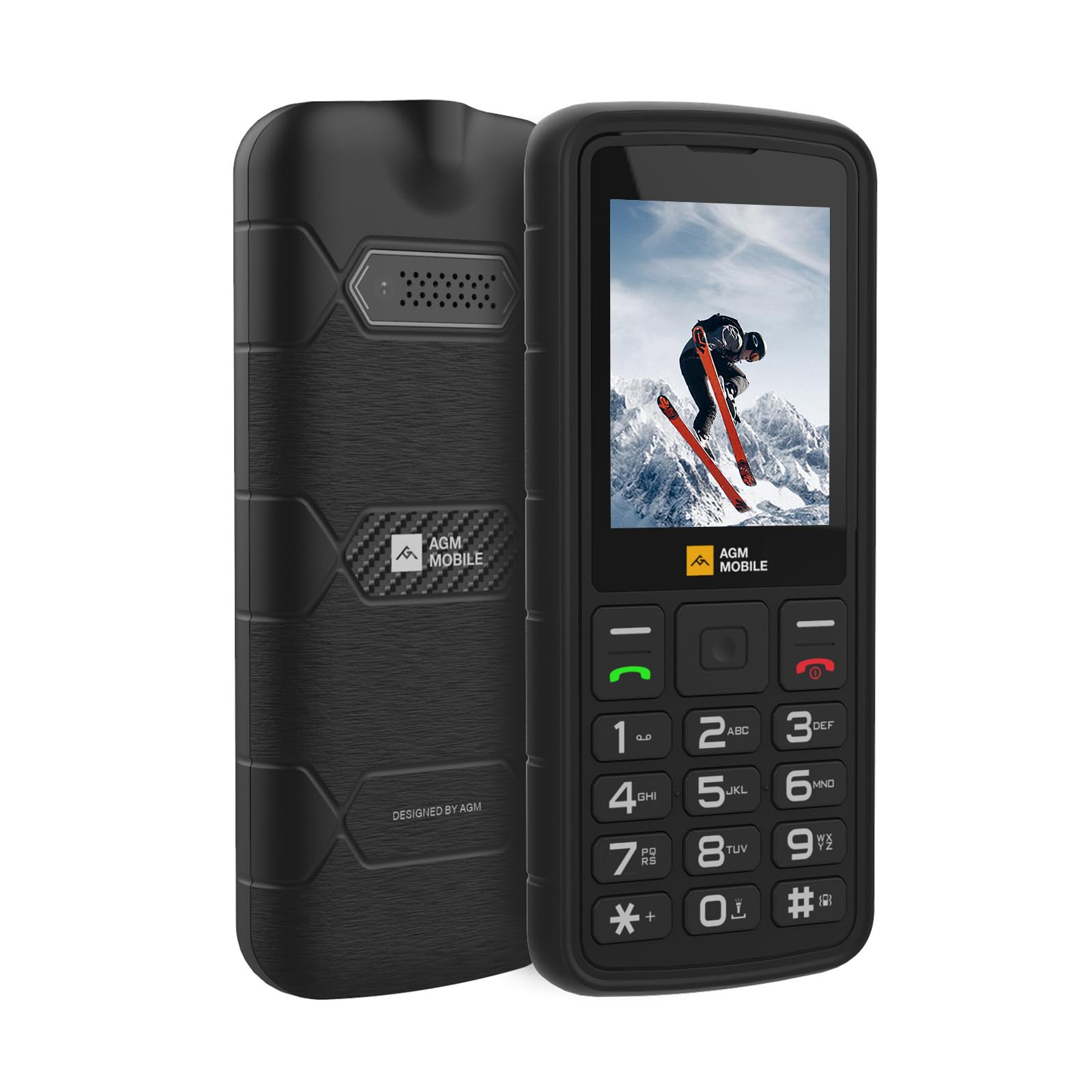
Where the top pick focuses on senior-friendly features like hearing enhancement and SOS, the AGM M9 prioritizes physical toughness. Its IP68/IP69K rating means it survives submersion and drops that would damage a typical phone. The 2.4-inch screen and basic interface keep things simple, and the replaceable 1200 mAh battery provides adequate standby time.

This phone suits active seniors who need a device that can handle outdoor conditions, or as a dependable backup phone for emergencies. However, it lacks dedicated hearing assistance and an SOS button, so it is not a replacement for a senior-focused communication hub. The storage is extremely limited (48 MB RAM, 0.12 GB storage) and may struggle with large contact lists. Additionally, it only operates on T-Mobile networks, so Verizon or AT&T customers cannot use it.

Tip: Keep contact lists under a few hundred entries to avoid slowdowns from the limited RAM and storage.

Bottom line: A good fit for active seniors or as a backup phone if T-Mobile coverage is available and storage limitations are acceptable.

4

artfone A400

artfone A400

Big button bar phone

Our Score 8.2/10
Check Price

Worth Noting

  • 1 GB internal storage may slow the phone when storing many contacts.
  • No Wi-Fi or internet browsing
  • 2 MP camera captures clear images only in bright outdoor light.
SOS Button
Yes
Form Factor
Bar
Battery/Charging
1800 mAh, dock
Carrier Compatibility
T-Mobile only

The artfone A400 sets itself apart with a charging dock that eliminates the need to fumble with micro-USB cables, and a 1800mAh battery that delivers extended talk time. For a senior who finds plugging in a phone frustrating, the dock makes overnight charging as simple as setting the phone down. The large buttons and SOS button are present, matching the core senior-friendly features of the top pick flip phone.

This phone is best for seniors who prefer a bar shape and are comfortable on T-Mobile or its MVNOs. It is not compatible with Verizon or AT&T, and it lacks Wi-Fi or internet browsing entirely — calls and texts only. Note that limited US review data makes long-term reliability uncertain, so this is a budget-conscious choice rather than a proven workhorse.

The 1 GB storage and 1 GB RAM are adequate for a contact list and call logs, but the phone may take a moment to load when the phonebook grows large. The 2 MP camera captures recognizable images in good light but produces no detail in dim conditions. For a user whose primary needs are dialing and receiving calls, these limitations are tolerable tradeoffs.

Tip: Keep the charging dock in a stable spot so the phone aligns easily each night.

Bottom line: For seniors who value a charging dock over the flip form factor and are on T-Mobile, the A400 is a cost-effective companion — just be aware that real-world durability hasn't been broadly verified yet.

5

Lively Jitterbug Flip2

Lively Jitterbug Flip2

Lively locked flip

Our Score 8.0/10
Check Price

Worth Noting

  • Supports only 3G cellular networks, which are being phased out by carriers
  • Some units may stop functioning within months of use
SOS Button
Yes
Form Factor
Flip
Battery/Charging
1780 mAh
Carrier Compatibility
Lively locked

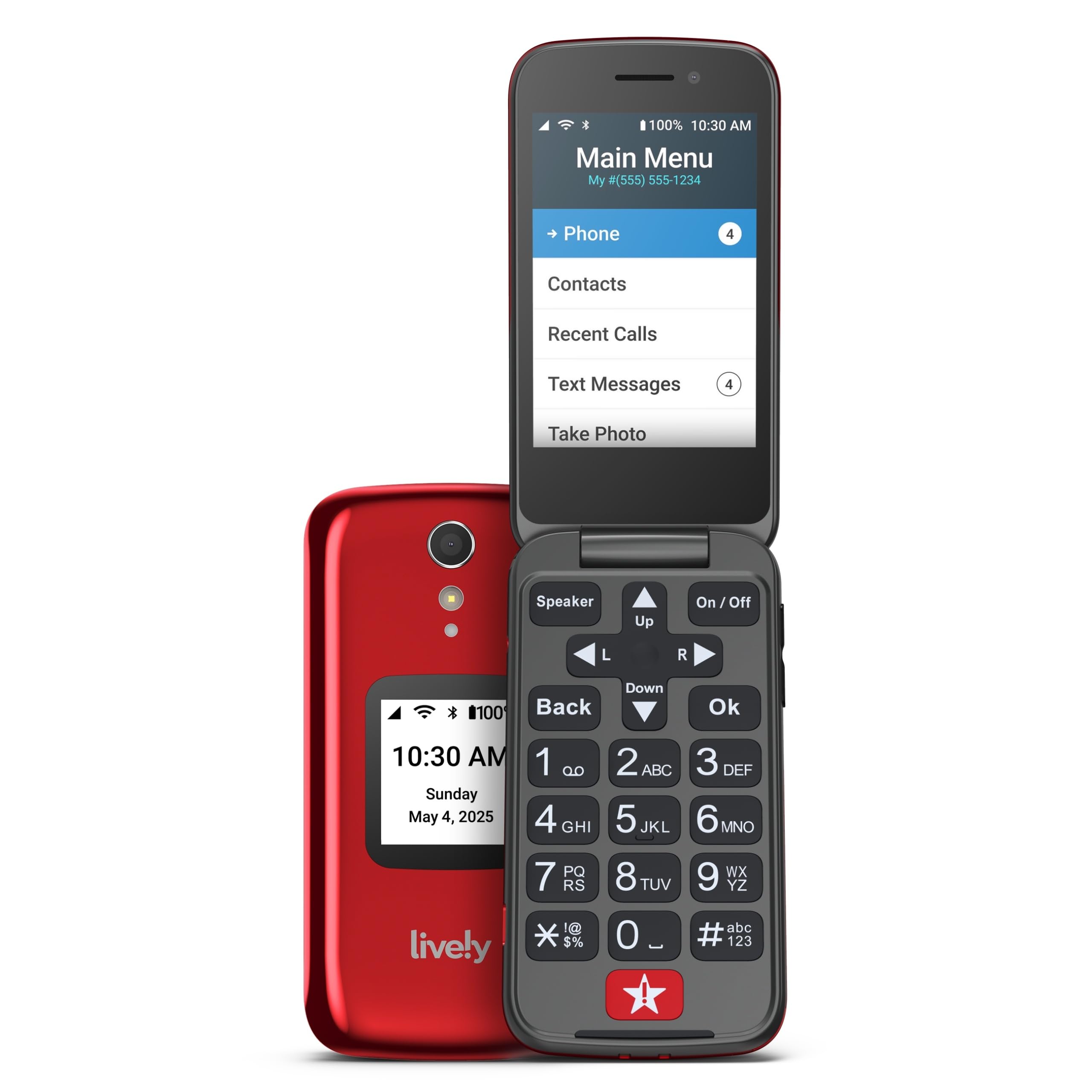
The Jitterbug Flip2 offers senior-friendly features like large buttons and an emergency button at a budget price. However, it only supports 3G networks, which carriers are gradually shutting down, and some units may experience operational issues within months. The phone is also locked to Lively's service, requiring a specific plan. This model works for seniors already on Lively who need an inexpensive device and accept the risk of network obsolescence.

Bottom line: This phone suits seniors already on Lively's service who want the cheapest flip phone and are comfortable with the possibility of network shutdown in the near future.

How to Choose

Carrier Compatibility

Most senior phones are either locked to a specific carrier or only support T-Mobile's GSM network. If the senior lives in a rural area where T-Mobile coverage is weak, the phone may not work at all, regardless of advertised features.

Form Factor

Flip phones are compact and familiar, but the hinge can be stiff for arthritic hands. Bar phones offer larger buttons and a simpler layout, yet lack the satisfying snap-closed feel that many seniors prefer. Tablets provide the largest display and icons but are less pocketable.

Battery Life and Charging

A bigger battery means fewer charges but adds weight. Charging docks eliminate the struggle of plugging in a cable, which is especially helpful for seniors with reduced dexterity. Removable batteries allow easy replacement but are rare in modern designs.

SOS and Emergency Features

An SOS button must be easy to press without accidental activation. Some phones require a subscription for the emergency service to work. The trade-off is between having a dedicated button and paying an ongoing fee versus using a smartphone-based fall detection app.

Audio Quality and Volume

Hearing aid compatibility ('M3/T4' or 'hearing assistance') indicates the phone reduces interference, but it does not guarantee loud enough volume. Actual earpiece loudness varies widely, so testing in-store or checking multiple reviews is essential for hearing-impaired users.

Frequently Asked Questions