TVs & Video

9 Best Universal Remote Control 2026: Avoid the Streaming Stick Trap

Find a universal remote that actually works with your TV, soundbar, and streaming devices. No more buying a remote that won't control your Fire TV or Roku Stick.

Most universal remotes under $20 use infrared (IR) and explicitly exclude RF-based streaming sticks. Buyers often discover this only after unboxing — a frustrating mismatch between expectation and reality.

The real choice isn't between cheap and expensive. It's about matching the remote to the devices you actually own. A basic IR remote works perfectly for a TV and DVD player. But if you rely on a Roku Stick or Fire TV, you need a different solution.

This guide cuts through the confusion by focusing on compatibility first — without burying you in specs. Whether you need a simple TV replacement, a backlit rechargeable option, or a premium smart hub, you'll find a pick that fits your setup.

1

Acoyer Universal Remote

Top Pick
Acoyer Universal Remote

Budget TV/DVD

Our Score 9.0/10
Check Price

Worth Noting

  • In a dark room, the absence of backlit keys makes button identification difficult without external lighting
  • Not compatible with Roku Streaming Sticks, Fire TV, Apple TV, or any RF-based devices
Power
2 AAA
Rating
4.5 ★
Devices
3
Best For
Budget TV/DVD

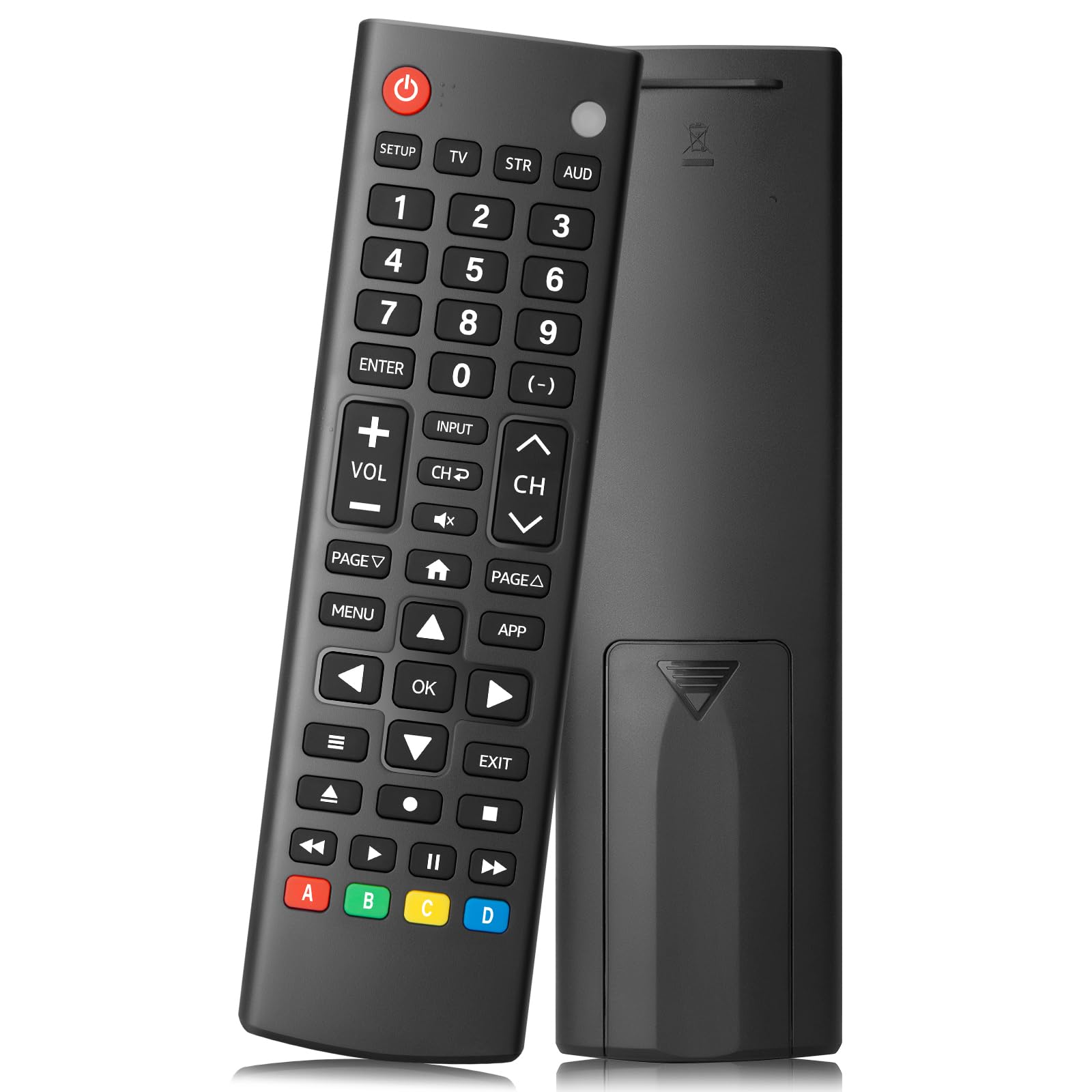
The Acoyer Universal Remote has been purchased by more than sixty-six thousand people and holds a 4.5-star rating, making it the most validated budget IR remote on the market. It controls TVs, DVD players, Blu-ray units, and soundbars from over fifteen major brands including Samsung, LG, Vizio, TCL, Hisense, and Sony — all at a price that barely registers on a budget.

With a 30-foot infrared range, the remote reliably triggers devices from across a typical living room. It requires two AAA batteries (not included) and can manage up to three devices at once. The button layout is conventional and uncluttered, which helps during initial code programming. Some users note that the remote may struggle with certain off-brand devices, but the code database covers the vast majority of common TVs and audio components.

This remote is best suited for households that use traditional IR devices only — no Roku Streaming Sticks, Fire TV, Apple TV, or any RF-based streaming players. It also lacks backlit keys, so finding buttons in a dark room requires a little memorization or a small light source. For buyers who simply want a straightforward replacement for lost or broken TV and DVD remotes without spending more than ten dollars, the Acoyer delivers exactly that.

Tip: Keep a small LED light or memorise key positions — the remote has no backlight, so dark-room use requires a workaround.

Bottom line: For anyone with a traditional IR-only TV and a DVD or soundbar, this remote does exactly what it needs to at a price that leaves room for batteries.

2

GE Rechargeable Remote

GE Rechargeable Remote

Backlit 4-device

Our Score 8.4/10
Check Price

Worth Noting

  • Button layout may feel unfamiliar during extended browsing sessions
  • Programmed codes can drop after weeks or months, requiring re-entry
  • Does not control Roku Streaming Sticks or Fire TV devices, limiting its use in setups that rely on those
Power
Rechargeable (USB-C)
Rating
4.2 ★
Devices
4
Best For
Backlit 4-device

Unlike the top pick, the GE Rechargeable Remote charges through USB-C and lights up every key with a soft backlight, so you can change volume or switch inputs without fumbling for a lamp. It also comes preprogrammed for Samsung TVs and Roku boxes, cutting setup time for those specific brands.

This remote suits anyone tired of buying disposable batteries and who watches TV in a dim room. Samsung TV and Roku box owners get near-instant control, and the code-search feature adds up to four devices. The tradeoff: compatibility stops at IR devices — it cannot operate Roku Streaming Sticks or Fire TV, and some users notice the codes can drop over time, requiring reprogramming.

The button layout uses a centered navigation cluster and elongated mute button, which feels natural for some hands but can feel awkward for others — especially during extended browsing. The backlight is consistent and bright enough for dark rooms, though it stays on only a few seconds per press.

Tip: If codes drop, re-entering them from the included code list usually restores control — keep the manual within reach.

Bottom line: If backlight and rechargeability matter more than absolute long-term stability, this GE remote delivers those features at a budget-friendly price.

3

GE Big Button 2-Device

GE Big Button 2-Device

Seniors simple

Our Score 8.4/10
Check Price

Worth Noting

  • Only controls two devices
  • No backlight makes it hard to use in a dim room without memorizing button positions
  • Compatibility with certain brands may require manual code entry and some units may not respond at all
Power
2 AA
Rating
4.2 ★
Devices
2
Best For
Seniors simple

The oversized buttons on this GE remote are genuinely easier to read than any other budget option — a clear benefit for anyone with reduced vision or unsteady hands. Where the rechargeable GE model adds a backlight and 4-device control, this version keeps things simple: a TV and one cable box or soundbar. That narrow focus is its identity, not a mistake.

Best suited for a living room or bedroom with just two devices — typical for older viewers who want to replace the original remotes without learning a new layout. The lack of backlight means using it in a dark room requires memorizing button positions or keeping a small lamp on. Some units may not pair correctly with certain brands, so expect occasional setup hiccups.

Build quality punches above its price: buttons have a satisfying click and the plastic body feels solid for daily use. The tradeoff is that you’re capped at two IR devices with no room to add a streaming stick or a second source. For the audience that values readability above all else, this tradeoff is acceptable.

Tip: Keep a small LED lamp nearby for nighttime use, since the buttons are unlit and rely on ambient light.

Bottom line: If your setup is a TV plus one other device and you value giant readable buttons over backlight or expandability, this remote does exactly what it promises — no more, no less.

4

Philips Flip & Slide

Philips Flip & Slide

Fire TV users

Our Score 8.0/10
Check Price

Worth Noting

  • Button responsiveness can be inconsistent
  • Cradle may not fit all Fire TV remote models securely
Power
2 AAA
Rating
4.0 ★
Devices
4
Best For
Fire TV users

The Flip & Slide design merges a universal TV remote with a cradle for your Fire TV remote, keeping two remotes in one hand. It comes preprogrammed for Samsung TVs and Roku boxes, so setup is minimal. Unlike premium smart hubs that handle streaming sticks directly, this model uses IR and requires your Fire TV remote to be docked - a trade-off that suits structured living rooms but not those seeking full streaming-stick integration.

This works well for Fire TV users with older remote models that fit the cradle snugly. If you have a newer Fire TV remote (from 2020 or later), the cradle may be too tight or loose. The remote lacks backlighting, so using it in a dark room requires memorizing button positions. For Roku users or those with Roku streaming sticks, it is not compatible at all.

Setup takes seconds thanks to auto-detection for supported TVs, but button responsiveness can be inconsistent - some presses may require extra force. The layout places volume and playback controls within easy reach, though the Fire TV button cluster sits below the cradle, which may feel cramped for larger hands. These quirks are manageable if the initial fit works for your remote.

Tip: Check your Fire TV remote model year before purchasing - the cradle works best with older, thinner remotes.

Bottom line: The Flip & Slide concept is unique, but its narrow fit and button quirks make it a specialized option for Fire TV users with compatible remotes - not a one-size-fits-all universal remote.

5

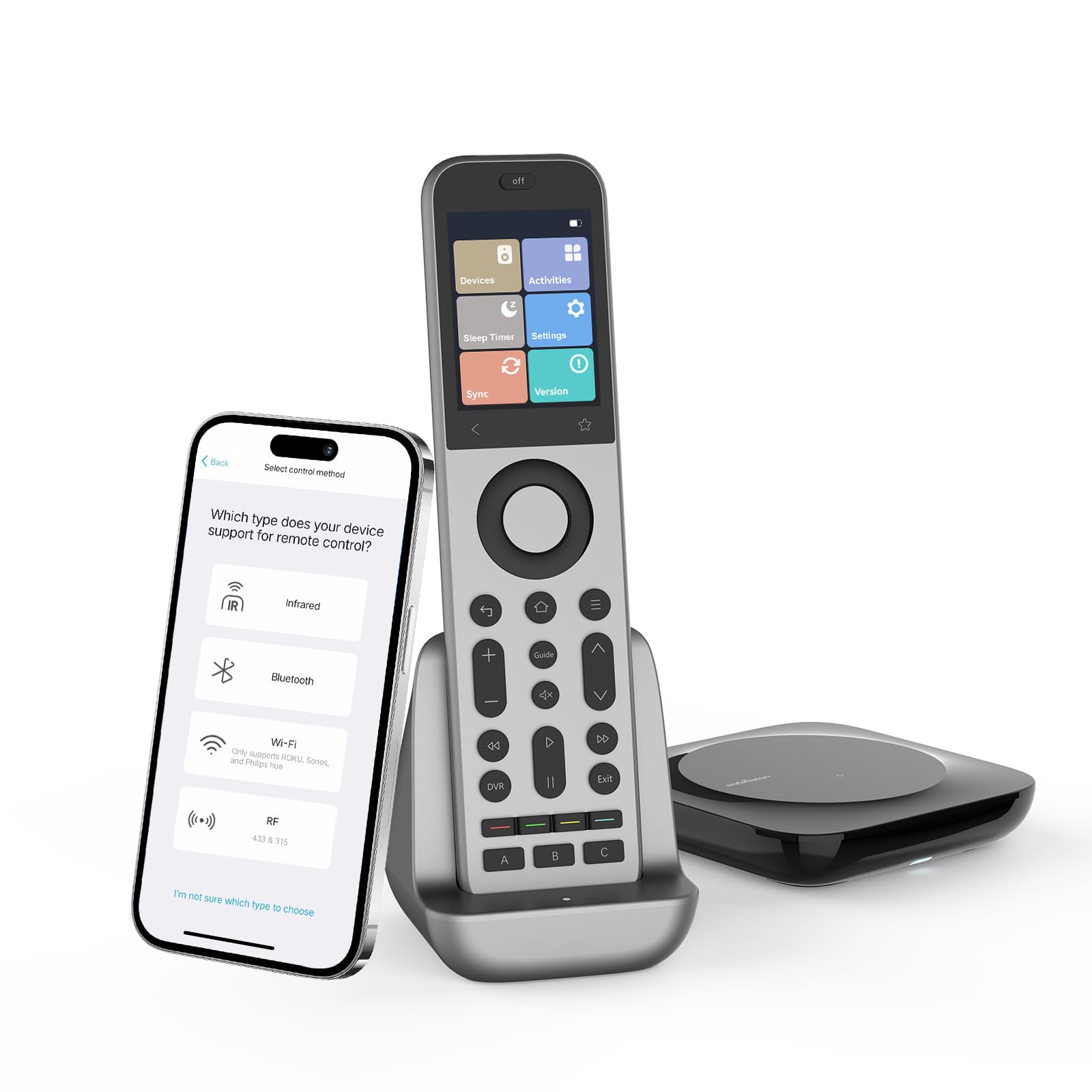
SofaBaton X2 Remote

SofaBaton X2 Remote

Tech enthusiasts

Our Score 8.2/10
Check Price

Worth Noting

  • In homes with dense walls or RF interference, the hub may lose connection to some devices.
  • Programming multiple devices requires following a detailed process
  • At a premium price, this remote costs more than most individual devices it controls.
Power
Rechargeable
Rating
4.1 ★
Devices
50
Best For
Tech enthusiasts

Multi-protocol support covering IR, RF, Bluetooth, and Wi-Fi lets this remote control up to 50 devices — a level of device integration that simple IR remotes cannot match.

This remote fits home theater enthusiasts with a growing collection of devices. The tradeoff is a time-consuming setup that may require patience, and a price that reflects its advanced feature set. Occasional connectivity hitches can occur in some configurations.

The physical design is premium, with a touch screen and ergonomic grip that feels substantial. Customization options are deep, allowing macros and smart home integration with Alexa or Google Home — but only if you invest the time to configure it.

Tip: Set aside a dedicated evening for programming — the hub's wizard simplifies the process, but it still takes patience.

Bottom line: This remote is for home theater enthusiasts who need multi-device control across protocols — be prepared for a time investment in setup and a significant budget.

6

LOUTOC Universal Remote

LOUTOC Universal Remote

Budget single

Our Score 8.8/10
Check Price

Worth Noting

  • May only support a single device despite advertising broad compatibility
  • No backlight for use in dark rooms
Power
2 AAA
Rating
4.4 ★
Devices
1
Best For
Budget single

The LOUTOC remote stands out for its very low price and a high volume of positive ratings, with compatibility claims spanning many TV brands. Yet the product details list a maximum of one supported device — a contradiction that suggests this may function as a basic TV remote replacement rather than a multi-device universal controller. For someone needing a cheap backup or a single-TV remote and willing to verify compatibility independently, it has appeal; for anyone expecting to replace multiple remotes, the risk of a mismatch is real.

Bottom line: This remote fits as a low-cost single-TV replacement or backup if the spec uncertainty is acceptable — not for multi-device setups.

7

Philips SRP9243B

Philips SRP9243B

Well-lit rooms

Our Score 8.2/10
Check Price

Worth Noting

  • Buttons are unreadable in the dark
  • No dedicated back button limits streaming navigation on Roku devices.
Power
2 AA
Rating
4.1 ★
Devices
4
Best For
Well-lit rooms

The Philips SRP9243B delivers 4-device IR control at a budget-friendly price, pairing broad brand compatibility with straightforward programming. It handles everyday TV, soundbar, and cable box duties without fuss. However, the lack of backlighting means button hunting in dim rooms, and Roku stick users will miss a back button for menu navigation. Longevity varies between units, so this works best as a secondary remote for a well-lit media corner rather than a primary streaming controller. For those who only need a simple replacement for typical IR devices and always watch with lights on, it gets the job done at a low cost.

Bottom line: A suitable option for budget buyers with well-lit entertainment setups who don't need streaming stick control or backlighting.

8

Philips Marble Remote

Philips Marble Remote

Extreme budget

Our Score 8.4/10
Check Price

Worth Noting

  • Some units may lose programmed codes after a few days, requiring reprogramming
  • Compatibility with certain TV and cable box brands can be inconsistent
Power
2 AA
Rating
4.2 ★
Devices
4
Best For
Extreme budget

Priced at the bottom of the market, the Philips Marble Remote provides a straightforward way to control up to four IR devices. Setup is uncomplicated, and the smooth marble finish resists fingerprints. The core drawback surfaces after initial programming: codes may disappear, requiring re-entry. Additionally, some TV and cable box brands do not respond consistently. This remote suits a single-TV replacement where occasional code loss is a minor inconvenience rather than a deal-breaker.

Bottom line: Only worth considering if you need a temporary remote for a single TV and can accept the possibility of re-entering codes occasionally.

9

UltraPro OneTouch

UltraPro OneTouch

TV only

Our Score 8.4/10
Check Price

Worth Noting

  • Controls only one device
  • Infrared only; cannot control Roku or Fire TV streaming sticks that need RF
Power
2 AAA
Rating
4.2 ★
Devices
1
Best For
TV only

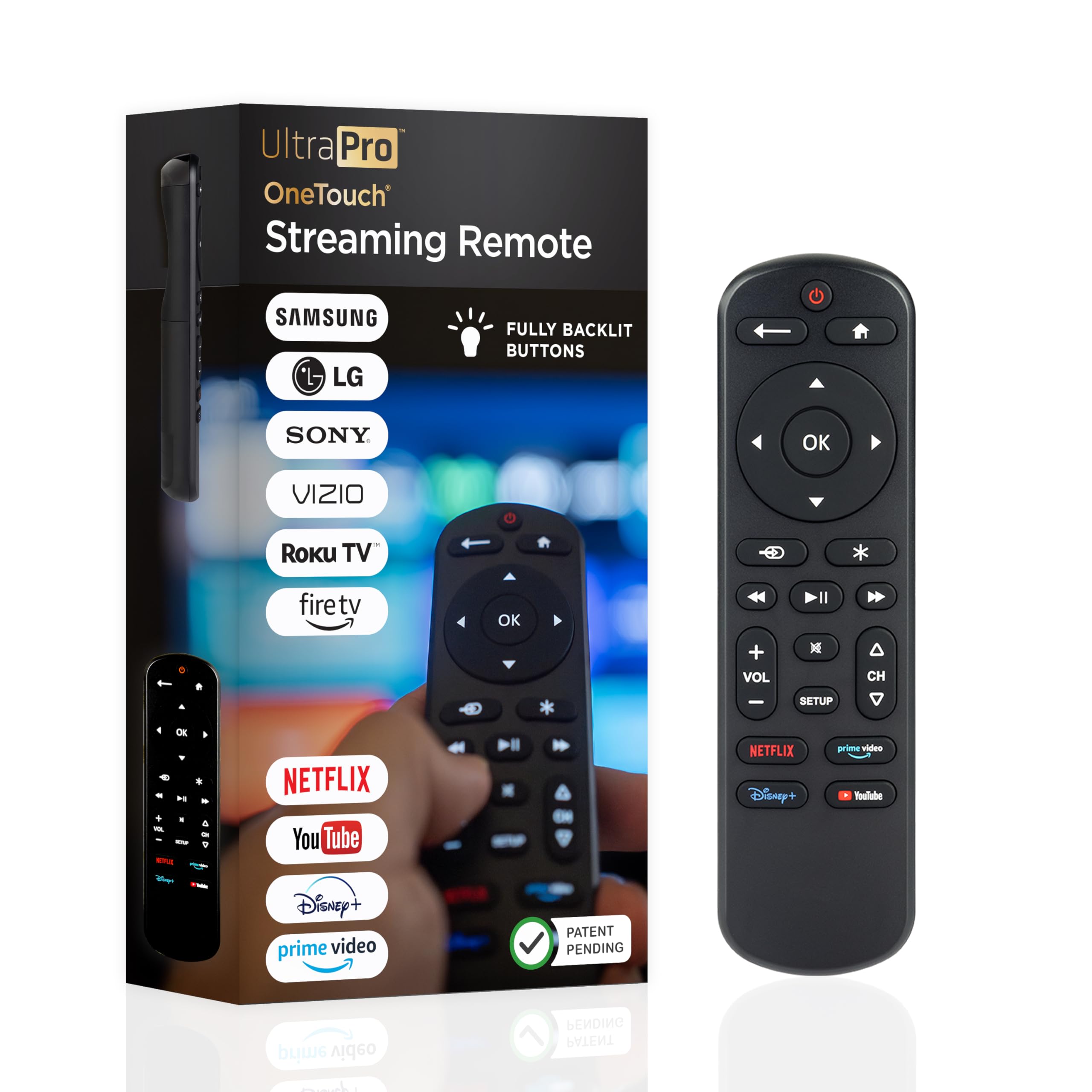
The UltraPro OneTouch delivers a backlit keypad and out-of-box compatibility with six major TV brands – no code hunting needed. Setup takes seconds, and the glow-in-the-dark buttons make it usable in dim rooms. That convenience stops at a single device: this remote controls exactly one TV at a time. It cannot manage a soundbar, streaming stick, or Blu-ray player alongside it, so anyone looking to replace multiple original remotes will hit a dead end. The infrared connection also means no RF support for Roku or Fire TV streaming sticks that rely on line-of-sight. For a dedicated backup or bedroom TV replacement, it works well – but the search for a multi-device universal remote must continue elsewhere.

Bottom line: Fits best as a backup or single-TV replacement if you want a backlit remote with zero programming – but skip it if your goal is to consolidate multiple remotes into one.

How to Choose

Number of Devices Supported

This spec determines how many components your remote can control. A 2-device remote works for a TV and soundbar, but a 4-device model adds a DVD player and cable box. The catch: all devices must be line-of-sight IR unless you step up to a hub-based system.

For most living rooms, 4 devices is enough. If your setup includes a streaming stick, the remote's IR compatibility matters more than the device count.

Backlight Presence

A backlit keypad lets you find mute or volume in the dark. Without it, you'll either memorize button layout or keep a lamp on. This is a small cost upgrade — typically a few dollars — but dramatically improves nighttime usability.

Rechargeable vs Battery-Powered

Rechargeable remotes use a built-in battery charged via USB-C, saving you from buying AAA batteries every few months. The trade-off is that when the battery dies, you can't swap in fresh cells instantly. Battery-powered remotes offer instant swap but ongoing cost.

If you watch several hours daily, rechargeable saves money over a year. For occasional use, standard batteries are simpler.

Compatibility with RF Streaming Sticks

Roku Streaming Sticks and Amazon Fire TV Sticks use RF (radio frequency) instead of IR. Most budget remotes cannot control these. To control a streaming stick, you need either a remote that specifically supports it (like the Philips Flip & Slide cradle) or a multi-protocol hub like the SofaBaton X2.

This is the single most overlooked compatibility gap. Always confirm the remote's 'not compatible' list before buying.

Reliability and Build Quality

Cheap remotes often use thin plastic and may lose programmed codes after a few months. Look for models with a proven review history — specifically negative reviews about failure after 30-90 days. A remote that stops working is worse than no remote at all.

A $10 remote that fails in three months costs more in hassle than a $15 model that lasts a year.

Frequently Asked Questions