Audio & Headphones

8 Best Soundbars of 2026: Which Deliver Real Dolby Atmos

Cut through the Dolby Atmos marketing noise: find soundbars with genuine overhead drivers, reliable connectivity, and the right subwoofer for your space.

A soundbar that drops its Bluetooth connection mid-movie or a remote that stops working after three months can ruin a living room faster than a stray popcorn kernel. These nuisances are surprisingly common, even in brands that charge a premium, and they stem from the same few design shortcuts that get repeated year after year.

This guide sidesteps those pain points by zeroing in on models with robust HDMI-CEC control—so your TV remote handles everything—and wireless subsystems that stay paired. We also cut through the biggest category trick: the 'Dolby Atmos' label plastered on 2.0-channel bars that create no actual overhead sound. You'll see exactly which channel configurations produce real height effects, and which ones just simulate them.

Instead of chasing specs that look good on a box, you'll find a soundbar that fits how you actually watch TV, whether you're after crisp dialogue, a clutter-free setup, or full-room surround that doesn't require pulling cables across the floor.

1

Skywave X50

Top Pick
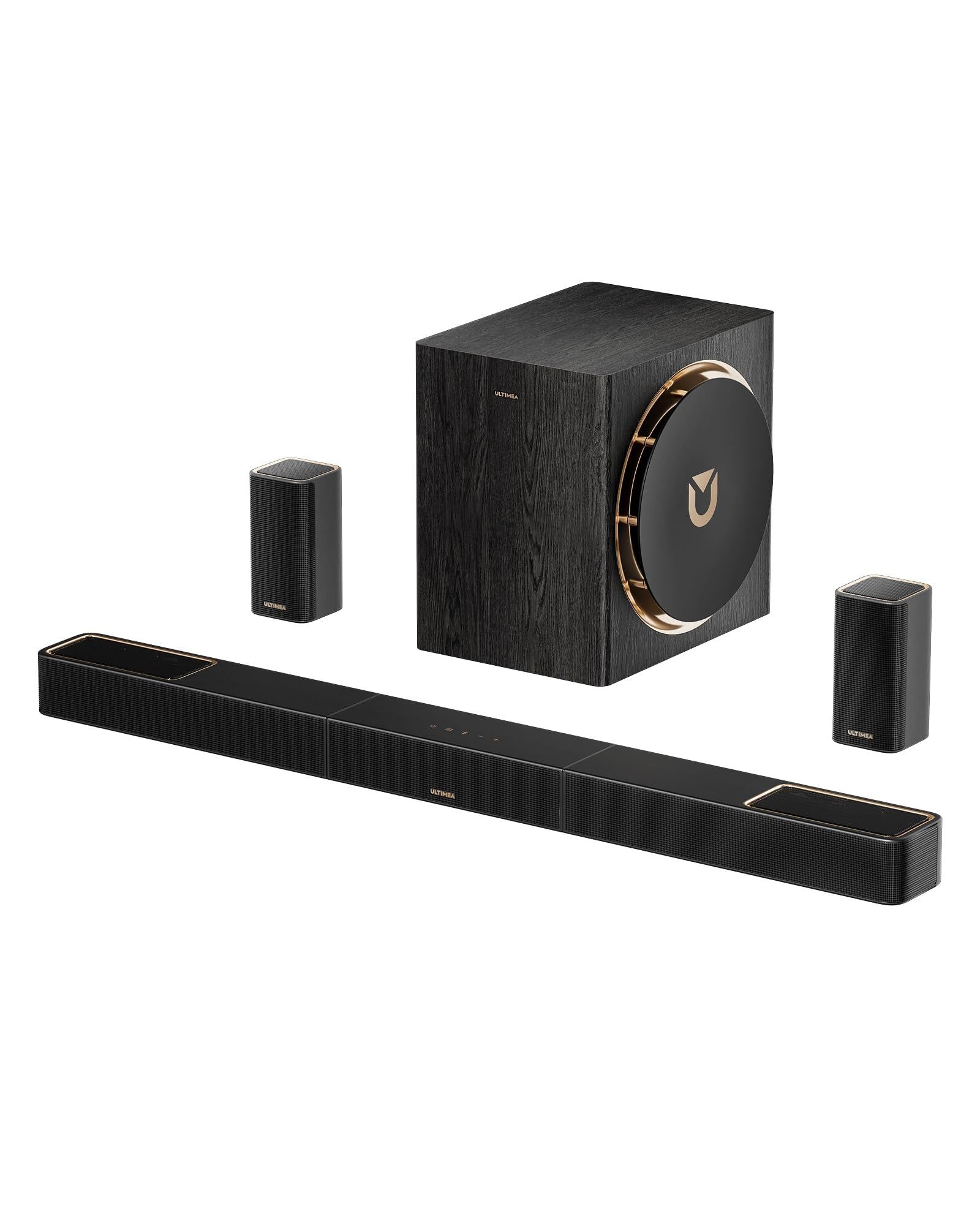
Skywave X50

Wireless Home Theater

Our Score 9.4/10
Check Price

Worth Noting

  • App connectivity can be finicky, occasionally dropping and requiring a re-launch.
  • Some units have random power-off incidents mid-movie; a quick power cycle restores function.
App EQ
Yes (10-band EQ)
Channels
5.1.4
HDMI eARC
Yes
Subwoofer
8-inch wireless

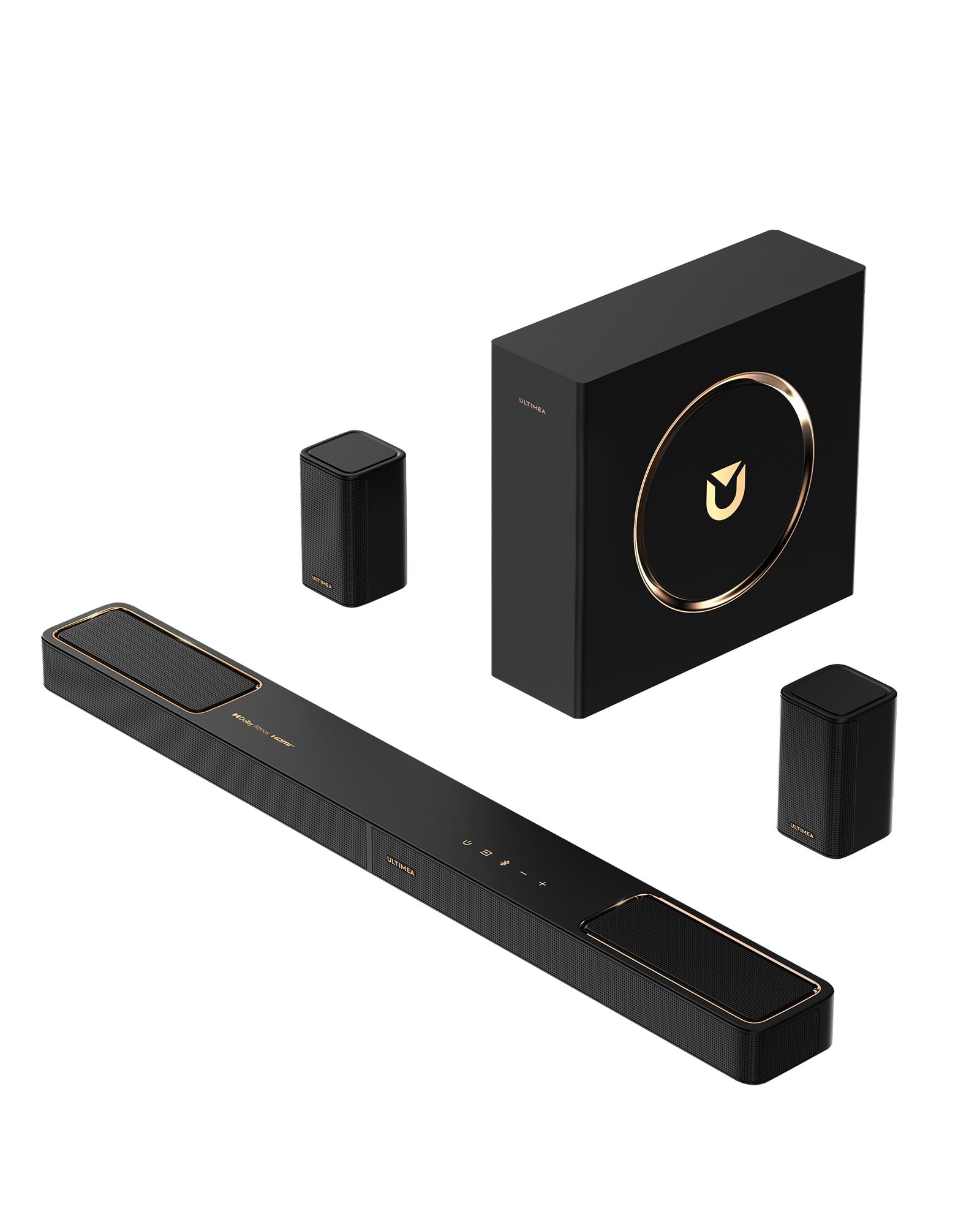
From the first action scene, the Skywave X50 signals it’s a different class of soundbar. Its 5.1.4 configuration with physical up-firing drivers delivers genuine overhead audio — helicopters circle above, rain falls from the ceiling — and the 8-inch wireless subwoofer underpins it with deep, clean bass that fills a medium-sized room effortlessly. Crystal-clear highs and a well-balanced midrange keep voices articulate during chaotic sequences. This is surround sound you feel, not just hear.

Getting it running is painless: plug in the wireless rear speakers and subwoofer, and they pair with the bar automatically. HDMI eARC provides seamless TV control, and the ULTIMEA app offers a 10-band EQ plus per-channel volume adjustment, which is rare at this price. You can boost dialogue, temper the sub for late hours, or balance the surround channels to your seating position.

A handful of units have exhibited random power-offs — the bar might shut down mid-movie. The app can also lose its connection temporarily. These are not hardware failures; a power cycle or firmware update usually resolves them. Support has been willing to replace affected units, but if absolute reliability during critical viewing is paramount, it’s a consideration.

At its mid-range price, the X50 packs an entire wireless home theater system into one box. You don’t need to buy separate surrounds or a subwoofer later, which saves hundreds compared to modular competitors. The combination of wireless convenience and immersive Atmos performance makes it a compelling alternative to pricier name-brand setups that still require extra purchases for the same channel count.

The Skywave X50 is ideal for home theater enthusiasts who want real 5.1.4 immersion without the hassle of running wires. Gamers benefit from 4K HDR pass-through and low-latency audio. It’s best in medium to large living rooms; in very small spaces, the subwoofer may dominate. Built-in voice assistants are absent, so users relying on Alexa or Google will need an external device. The occasional power-off quirk means it’s not for those who demand flawless, hands-off operation at all times, but the spatial experience it delivers more than compensates for the occasional hiccup.

Tip: A quick power cycle usually clears random shut-offs, and keeping the firmware current minimizes app disconnects.

Bottom line: For home theater enthusiasts seeking a fully wireless 5.1.4 system without the sticker shock, the Skywave X50 is the most direct route to cinematic immersion — occasional restart notwithstanding.
2

Skywave F40

Skywave F40

Budget Surround

Our Score 8.8/10
Check Price

Worth Noting

  • Wired sub and rear speakers demand cable runs, which can limit placement and add clutter.
  • The 5.25-inch subwoofer won't pressurize larger rooms, and rear speakers occasionally fail to output sound without a reset.
App EQ
Yes (10-band EQ)
Channels
5.1.2
HDMI eARC
Yes
Subwoofer
Wired 5.25-inch

Where wireless surround systems command a significant premium, the Skywave F40 crams five discrete channels, two height drivers, and a dedicated subwoofer into a single box for an entry-level price. The trade-off is wires: the sub and rears connect via a 6-meter cable, so you'll trade plug-and-play freedom for a fully enveloping soundstage.

The up-firing drivers create a palpable height layer — helicopter flyovers and rain effects move above the listening position rather than flattening into the front soundstage. The 5.25-inch subwoofer fills a modest room with enough punch for action movies, though it won't rattle furniture in a large open-plan space. In rare cases, the rear speakers may need a quick reset if they don't output sound immediately; the wired connection sidesteps wireless dropout issues entirely.

This is the system for a first-time buyer building a home theater in a small to medium living room, apartment, or bedroom. The wired layout demands that you can place the sub and rear speakers near cable endpoints, but the included 6-meter rear cord offers generous reach. If cable management along baseboards is acceptable, the payoff is a genuine surround experience that no virtual-only bar can match at this price. Large, open-plan rooms and buyers who prioritize wireless convenience should look to the wireless flagship in this lineup.

Tip: The included 6-meter rear cable is long enough for most small to medium rooms; flat adhesive cable channels can keep the installation tidy along baseboards or under rugs.

Bottom line: If you're willing to manage a few cables and want true surround immersion at an unbeatable price, the Skywave F40 is the standout choice for a first system in a compact space.

3

HW-Q600F

HW-Q600F

Samsung Ecosystem

Our Score 8.6/10
Check Price

Worth Noting

  • Wireless sub feels restrained
App EQ
Channels
3.1.2
HDMI eARC
Yes
Subwoofer
Wireless 6.5-inch

If you own a compatible Samsung TV, Q-Symphony combines the soundbar’s drivers with the TV’s speakers for a wider, more cohesive front stage that no standalone bar in this set matches. Unlike the slim all-in-one option, the HW-Q600F adds a wireless subwoofer for added body, and its HDMI eARC port and Game Mode Pro cater to console gamers with low-latency audio and auto sound optimization.

The up-firing drivers produce a genuine height effect for Dolby Atmos content — raindrops and flyovers feel lifted above the screen — and dialogue remains crisp even at moderate volumes. The 6.5-inch wireless subwoofer, however, provides subtle reinforcement and can sound almost absent at default settings; you will likely need to max out the sub level to reach satisfying lows, and even then the rumble stays polite.

This bar aligns well with casual movie watchers and gamers who want an easy, clutter-free upgrade from TV speakers, especially inside the Samsung ecosystem. Bass enthusiasts should look toward the top pick or systems with larger subs, because the HW-Q600F’s low-end won’t shake the room. For those who simply want clearer dialogue, a broader soundstage, and a touch of height without rearranging the living room, it delivers.

Bottom line: For Samsung TV owners who want clear dialogue, a wide soundstage, and gaming perks without extra boxes, the HW-Q600F fits the bill — just temper bass expectations.

4

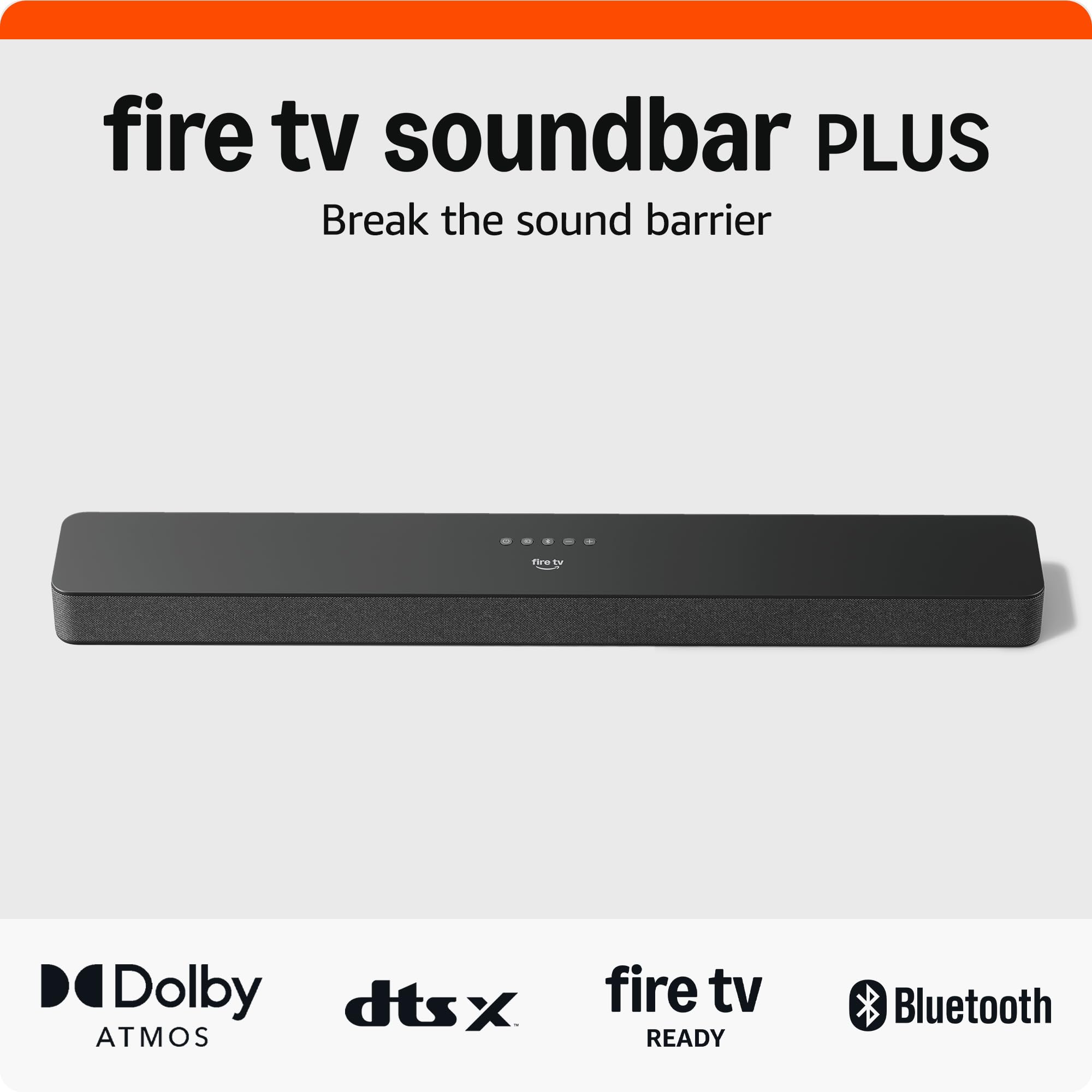
Fire TV Soundbar Plus

Fire TV Soundbar Plus

Clutter-Free Streaming

Our Score 8.8/10
Check Price

Worth Noting

  • Lacks rear speaker support, so you cannot expand to a true surround setup.
  • With some TV models, brief audio dropouts can interrupt playback, particularly over optical connections.
App EQ
Yes (EQ presets)
Channels
3.1
HDMI eARC
Yes
Subwoofer
Built-in

For Fire TV households, the Soundbar Plus integrates with the Fire TV remote so you control volume, power, and input switching without a second remote or HDMI-CEC guesswork. It's a simpler take on the all-in-one soundbar category compared to options that focus on audiophile-grade components, trading raw audio precision for seamless Fire TV synergy.

Dialogue comes through clearly even at low volumes, and the built-in subwoofer adds genuine low-end presence that belies the single chassis. The three-band EQ and dialogue enhancement modes let you fine-tune output for news, movies, or music, while Dolby Atmos processing creates a broader soundstage from TV and streaming content.

This bar is built for Fire TV Stick and Cube users who want noticeably better sound without separate subwoofers or a pile of cables. The trade-off is that occasional audio dropouts can occur with certain TV models, particularly older sets connected via optical. More critically, there is no path to add rear surround speakers, so buyers planning a full home theater system later should look elsewhere.

Bottom line: This soundbar is the right match for Fire TV households that want better TV audio and bass without extra boxes or remotes — and don't plan on expanding to a full surround system later.

5

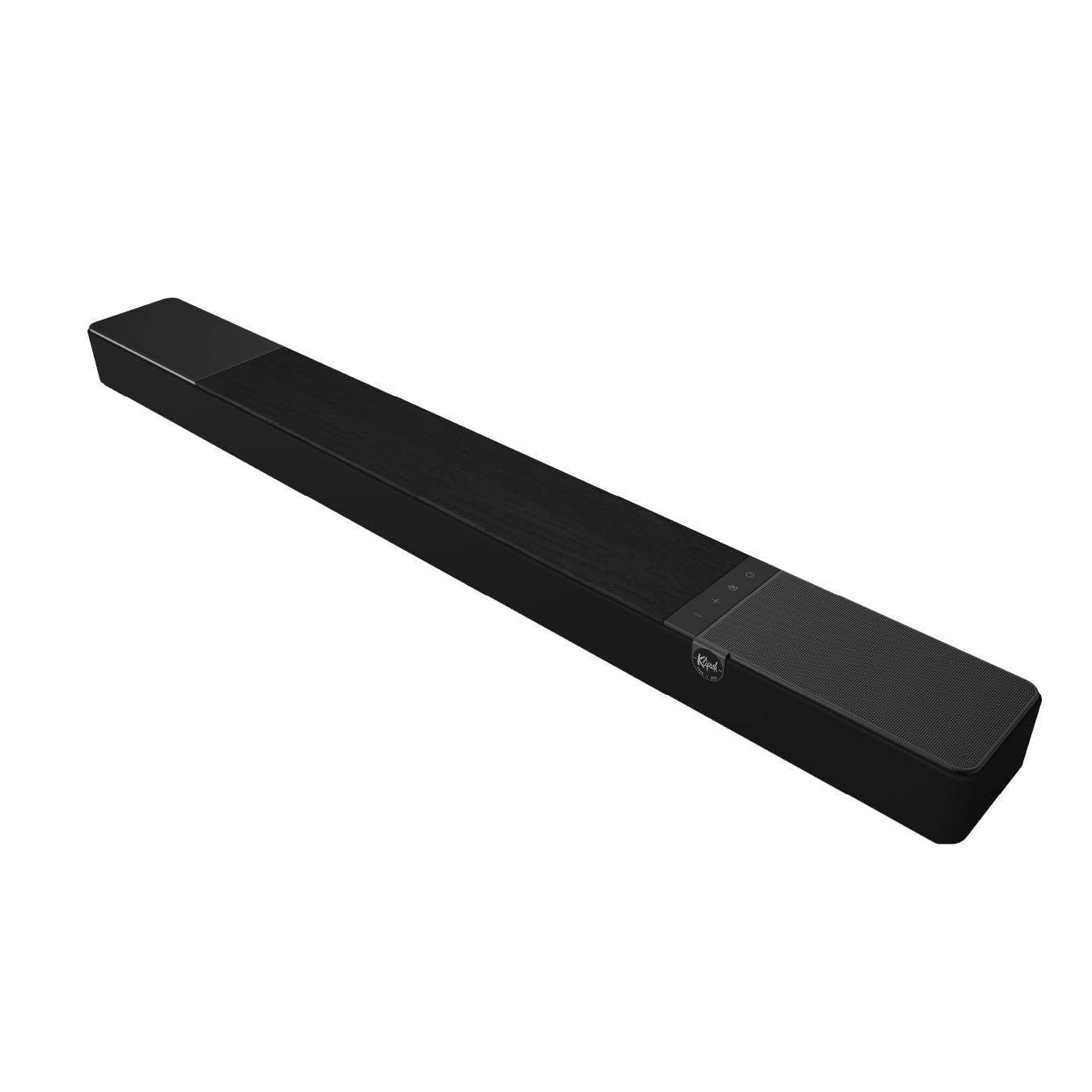
Flexus Core 200

Flexus Core 200

Audiophile Clarity

Our Score 8.6/10
Check Price

Worth Noting

  • Bluetooth streaming may drop occasionally and can switch audio modes unexpectedly.
  • The remote control may not function out of the box, and some units can develop reliability hiccups after months of use.
App EQ
Yes (via app)
Channels
3.1.2
HDMI eARC
Yes
Subwoofer
Dual built-in 4-inch

The Klipsch Flexus Core 200 rethinks the all-in-one soundbar by embedding dual 4-inch subwoofers directly into the cabinet, producing bass that feels separate-sub-adjacent, while its proprietary horn-loaded tweeters pull dialogue to the forefront with pinpoint precision. This bar prioritizes acoustic performance over smart features — a stance that rewards movie nights and music sessions with an open, dynamic soundstage that budget Atmos bars simply can't replicate. The dedicated height drivers create a tangible sense of overhead space in Dolby Atmos tracks, and the 185W amplification drives cleanly even at high volumes.

The Core 200 suits listeners who crave audiophile-grade detail and the convenience of a single unit — those who would otherwise invest in an AVR and separate speakers but lack the space. It's a strong match for living rooms where a sub box would be unsightly, and where the primary audio source is an eARC-equipped TV. Bluetooth streaming, however, can be temperamental with occasional dropouts, and the bundled remote may not work right away. Using your TV's HDMI-CEC control sidesteps the remote issue, making this bar a better fit for those comfortable relying on their smart TV's controls.

Tip: Use HDMI eARC with CEC to control volume via your TV remote, bypassing the bundled remote entirely.

Bottom line: If you value horn-loaded clarity and the simplicity of a sub-free setup, the Core 200 is a compelling choice — provided you plan to use HDMI eARC and can tolerate occasional wireless quirks.

6

Beam Gen 2

Beam Gen 2

Compact Sonos Entry

Our Score 9.0/10
Check Price

Worth Noting

  • Bass output is modest without the optional wireless Sub, which inflates the overall investment.
  • Expanding to full surround with rear speakers transforms the system cost to near-flagship levels.
App EQ
Yes (Sonos app)
Channels
2.0 (virtual Atmos)
HDMI eARC
Yes
Subwoofer
Optional wireless

Where the flagship 9.1.4-channel bar in the Sonos ecosystem aims for full home theater immersion, the Beam Gen 2 concentrates on what most TV viewing actually needs: clear dialogue and seamless music streaming. The compact bar uses virtual Dolby Atmos processing to stretch a 2.0-channel layout into a soundstage that feels unexpectedly wide without up-firing drivers. Speech enhancement makes whispered dialogue cut through effects, while AirPlay 2 and the Sonos app tie it directly into existing multi-room setups. Setup is guided and HDMI eARC keeps volume control tied to the TV remote.

This is best for current Sonos households that want a single upgrade for the living room TV without clutter. If surround immersion is the end goal, be prepared for an expensive path — adding a wireless Sub and rear speakers nearly triples the system cost. Starting fresh with a standalone bar from another brand may offer a more cost-effective 3.1 or 5.1 experience without the same ecosystem tax. Long-term ownership can bring occasional network hiccups; a small number of units may become unresponsive after the first year, requiring a factory reset.

Bottom line: A smart companion for Sonos households seeking a low-profile TV speaker that doesn't sacrifice vocal clarity or whole-home music. If you don't already own other Sonos gear, the premium for ecosystem access may feel harder to justify given the competition at this price.

7

Arc Ultra

Arc Ultra

High-End Single Bar

Our Score 9.0/10
Check Price

Worth Noting

  • App and network connectivity can drop, requiring occasional troubleshooting to regain stable control.
  • Adding the wireless Sub and rear surrounds pushes total system cost well beyond the soundbar alone, narrowing the value proposition for anyone wanting a complete home theater.
App EQ
Yes (Sonos app)
Channels
9.1.4
HDMI eARC
Yes
Subwoofer
Optional wireless

The Arc Ultra produces a strikingly wide and tall soundstage from a single chassis, with precise overhead effects and speech enhancement that keep dialogue clear even during complex action scenes. Metal construction and minimalist lines let it disappear under a wall-mounted display while still feeling substantial.

The premium price reflects that engineering, but the value case weakens quickly for anyone not already committed to the Sonos ecosystem. Occasional Wi-Fi dropouts and app connection hiccups can interrupt the streaming flow, and assembling a full surround system with the optional Sub and rear speakers drives the total outlay into luxury territory that only makes sense when the ecosystem is already in place.

Bottom line: The Arc Ultra suits Sonos households seeking reference-grade spatial audio from a single bar and who can accept the occasional networking wrinkle and the steep cost of expanding to a full surround configuration.

8

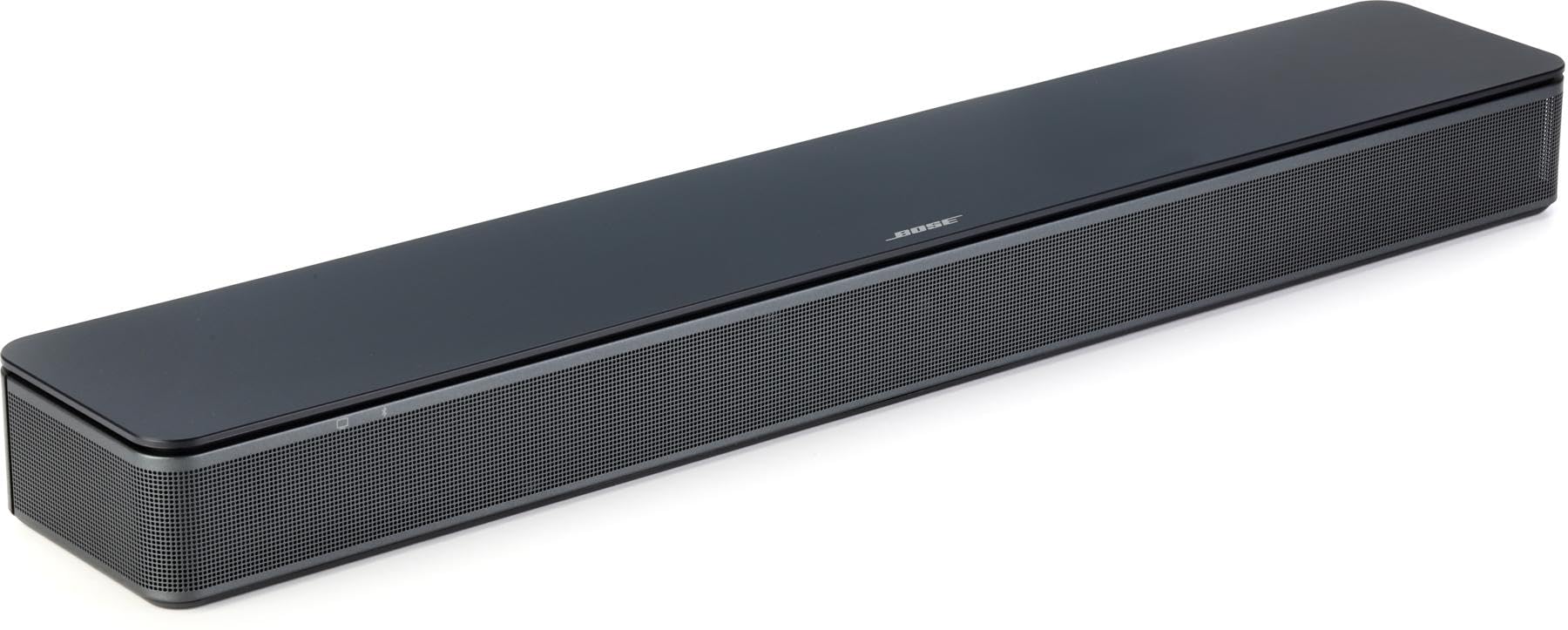
Bose TV Speaker

Bose TV Speaker

Dialogue Clarity

Our Score 8.6/10
Check Price

Worth Noting

App EQ
Channels
2.0
HDMI eARC
Subwoofer
Optional add-on

The Bose TV Speaker zeroes in on one job: making every word on screen crystal clear. A dedicated conversation mode lifts dialogue out of muddy mixes, and HDMI-CEC integration lets any standard TV remote control volume without extra setup. Those simple strengths make it a candidate for secondary TVs or older viewers who need speech enhancement above all else. However, the sound profile is lean — action scenes lack heft unless you add the optional subwoofer. More concerning, some units have been known to overheat and shut down permanently within a few months. For buyers who can accept those risks, it’s a specialist that delivers where it counts.

Tip: Pair it with the Bose Bass Module if you want fuller sound, though the combined cost puts you into a higher price bracket.

Bottom line: A short-throw dialogue bar that suits a very narrow use-case; if your priority is hearing every word clearly on a small TV, this one gets it done.

How to Choose

Audio Channels and Real Surround

A 2.0-channel bar uses only left and right drivers; any 'surround' or 'Atmos' is generated digitally and stays mostly in front of you. To get sound that actually comes from above or behind, you need discrete speakers—at least 3.1.2 with upward-firing drivers for height, or 5.1 systems with physical rear speakers.

Physical channel count matters because it determines whether a helicopter will audibly travel from front to back or simply feel wider. Bars that claim 5.1 but use only side-firing drivers can create an illusion, but you won't get the pinpoint placement of a true multi-speaker layout.

Subwoofer Type and Placement

Separate wireless subwoofers with an 8-inch or larger driver move enough air to pressurize a medium room, delivering the chest-thumping impact of explosions and kick drums. Built-in subwoofers or compact 5.25-inch units are fine for apartments and dialogue-heavy content, but they roll off sharply below 40Hz, sacrificing the low-frequency foundation that makes movie soundtracks feel cinematic.

Wireless subwoofers offer placement freedom, but they also introduce the risk of occasional dropouts if placed too far from the bar or near interfering electronics. The most stable connection usually comes from keeping the subwoofer within the same line of sight and not behind large metal furniture.

HDMI eARC and Lossless Audio

HDMI eARC (Enhanced Audio Return Channel) is the only connection that can pass lossless Dolby TrueHD and DTS-HD Master Audio from your TV's apps or a Blu-ray player to the soundbar. Standard HDMI ARC or optical cables compress these formats, so you lose the full dynamic range and spatial cues that distinguishing a premium soundbar from a basic one.

If your TV only supports ARC, a soundbar with eARC will still work, but it won't unlock the highest bandwidth audio. For streamers using Netflix or Disney+, the practical difference is smaller because those services use compressed Dolby Digital Plus, not TrueHD, but gamers and disc collectors will notice the upgrade.

Wireless Surround Expandability

Adding wireless rear speakers later is possible only if the soundbar's manufacturer sells compatible surrounds that connect over a proprietary protocol, like Sonos or Samsung. Most standalone bars, even those with a subwoofer, lack the internal amplifier and pairing hardware needed for expansion, so you're locked into the original channel count.

The convenience of battery-powered, truly wireless surrounds (like those on the JBL Bar 700MK2 or ULTIMEA Skywave X50) eliminates cable runs but introduces battery maintenance and charging drift. Systems that plug into wall power, like Sonos, are more reliable day-to-day but still require a nearby outlet.

App Equalizer and Room Calibration

A detailed app equalizer lets you tailor frequency response to your room's acoustics—boosting dialogue in the 2-4kHz range or taming boomy bass modes—while automatic room calibration uses a test microphone to adjust delay and levels for each speaker. Bars without either force you to live with the factory DSP curve, which often prioritizes a 'smiley face' EQ that can make speech muddy.

Apps with a 10-band EQ and per-channel level control (like ULTIMEA's) are especially useful if you have an oddly shaped room where one side wall is closer to the seating area. Calibration can compensate for that asymmetry, but it cannot fix the fundamental lack of rear speakers if you need true surround.

Frequently Asked Questions