Home Appliances & Robots

9 Best Smart Home Hub 2026: Protocol Breadth with Real Reliability

Which smart home hub actually connects your Zigbee, Z-Wave, and Matter devices without dropouts? This guide picks the ones that balance compatibility and stability.

Many smart home hubs promise universal compatibility but deliver unreliable connections. A hub that supports every protocol often struggles to keep devices online, while brand-specific hubs work flawlessly but lock you into one ecosystem.

The real choice is between a simple hub that excels within its own product line and a multi-protocol hub that trades some stability for breadth. Most buyers want both — and some hubs come closer than others.

This guide focuses on hubs that minimize that trade-off, prioritizing real-world reliability alongside broad protocol support. You'll find options that keep your lights on and your automations running without constant resets.

1

Aeotec SmartThings Hub

Top Pick
Aeotec SmartThings Hub

Multi-protocol ecosystem

Our Score 8.4/10
Check Price

Worth Noting

  • In very quiet rooms, a gentle fan hum may be audible during normal operation.
  • Older Z-Wave devices (pre-Plus) may not pair at all, limiting compatibility for legacy setups.
  • Some units can lose connection to the network briefly, requiring a reboot to restore responsiveness.
Protocols
Z-Wave, Zigbee, Matter, Wi-Fi
Local Control
Partial (some automations)
Device Capacity
Not specified
Voice Assistants
Alexa, Google Assistant

The Aeotec SmartThings Hub eliminates the need for separate dongles or bridges by supporting Z-Wave, Zigbee, Matter, and Wi-Fi out of the box. Setup takes minutes through the SmartThings app, and most users find devices pair without fuss. For anyone with a mix of smart sensors, lights, and locks across different wireless standards, this hub offers a single point of control.

Connectivity breadth comes with a tradeoff: some units experience brief disconnections or delayed responses, particularly when managing a large number of devices. These dropouts are sporadic — not a constant issue — but they can interrupt automations if you rely on real-time triggers. The hub works best in homes where occasional latency is tolerable and where devices are predominantly Z-Wave Plus or newer Zigbee gear.

This hub suits someone already comfortable with the SmartThings ecosystem or looking for a gateway that bridges multiple protocols without needing a separate computer or subscription. If you own older Z-Wave devices (pre-Z-Wave Plus), check compatibility before buying — pairing may not be possible. Users who demand uninterrupted operation for critical functions like door locks or alarm systems should consider a platform with fully local processing, such as Home Assistant Green, which requires more setup but offers higher stability.

Tip: Before buying, confirm your older Z-Wave devices are Z-Wave Plus certified; non-Plus models may require a separate dedicated hub.

Bottom line: If your smart home spans Z-Wave, Zigbee, and Matter devices — and you can work around occasional hiccups — this hub delivers the widest protocol support in a single plug-and-play box.

2

Lutron Caseta Smart Hub

Lutron Caseta Smart Hub

Lighting reliability

Our Score 9.2/10
Check Price

Worth Noting

  • Only pairs with Lutron Caséta devices; no support for Z-Wave, Zigbee, or other protocols.
Protocols
Clear Connect (proprietary)
Local Control
Yes
Device Capacity
75 Caséta devices
Voice Assistants
Alexa, Apple HomeKit, Google

The Lutron Caséta Smart Hub uses Clear Connect, a proprietary radio that avoids the dropout and latency issues common with Wi-Fi or mesh hubs. Lighting commands register instantly, and the system maintains that consistency even as you add up to 75 switches and dimmers. Setup takes minutes — plug in, follow the app prompts, and the hub discovers devices automatically.

This hub is built for homeowners who already use or plan to use Lutron Caséta lighting and fan controls. It integrates with Alexa, Siri, and Google for voice control, and the local processing means automations run even if your internet goes down. The tradeoff: it cannot coordinate Z-Wave, Zigbee, or other brand devices — no door locks, sensors, or plugs outside the Caséta family.

Tip: Add a universal hub later if you need to control non-Lutron gear; the Caséta hub handles lighting flawlessly on its own.

Bottom line: If your smart home centers on Lutron Caséta lighting and fans, this hub provides the most consistent app and voice control available — no universal hub can match its stability within that scope.

3

Home Assistant Green

Home Assistant Green

Local control enthusiasts

Our Score 9.0/10
Check Price

Worth Noting

  • Requires separate USB dongles for Zigbee and Z-Wave support, adding cost and setup steps
  • Setup process is more involved than typical hubs; first-time users may find the YAML-based configuration daunting
Protocols
Ethernet, USB expandable
Local Control
Yes (fully local)
Device Capacity
Limited by 4GB RAM
Voice Assistants
Alexa, Google (via integrations)

Home Assistant Green is built around a fully local automation engine that runs completely offline. Unlike the top pick that bundles Zigbee and Z-Wave out of the box, Green requires you to add your own USB radios, but in return you get total control over your data and automations. The hardware is stable enough to handle hundreds of connected devices without issue, and integration with thousands of brands gives it unmatched breadth.

This hub is for homeowners who want automations that work even when the internet drops. If you are comfortable installing a USB dongle and writing a bit of configuration, Green provides freedom no consumer hub can match. It is not for anyone seeking a plug-and-play experience — the built-in protocols are Ethernet-only, so you will need to purchase separate Zigbee, Z-Wave, or Thread adapters separately.

Voice assistant support is available through Alexa and Google integrations, but like everything else it requires manual setup. The system rewards the time invested: once properly configured, automations run reliably without cloud dependence or subscription fees.

Tip: Start by installing a Zigbee or Z-Wave USB dongle and use the Home Assistant Companion app for initial setup; this reduces the learning curve significantly.

Bottom line: For advanced users who value local control and integration breadth over simplicity, the Green is the right platform. If you prefer a hub that works out of the box with all protocols, the Aeotec SmartThings Hub is a better fit.

4

Hubitat C-8 Pro

Hubitat C-8 Pro

Advanced automation

Our Score 8.0/10
Check Price

Worth Noting

  • Interface is complicated and not beginner-friendly; setup requires time and technical knowledge
  • Occasional connectivity drops may occur in some wireless environments
Protocols
Z-Wave 800, Zigbee 3.0, Matter 1.5
Local Control
Yes (fully local)
Device Capacity
Not specified
Voice Assistants
Alexa, Google

The Hubitat C-8 Pro brings Z-Wave Long Range and Zigbee 3.0 support with fully local processing, giving enthusiasts a powerful automation engine that requires no subscription. The interface, however, has a dated look and the initial setup demands more attention than plug-and-play alternatives.

This hub is a strong match for tech-savvy users with a growing collection of Z-Wave and Zigbee devices who want to run automations locally without ongoing fees. Beginners should expect a learning curve — the app is not intuitive, and crafting reliable automations takes trial and error.

The local automation engine is fast and capable when configured correctly, but some users have noted occasional connectivity drops, especially in dense wireless environments. This is manageable for those comfortable with network troubleshooting.

Tip: Spend time on the Hubitat community forums to find pre-built automation templates — they can reduce the initial setup frustration.

Bottom line: For users who prioritize local control and advanced Z-Wave/Zigbee support over a polished interface, the Hubitat C-8 Pro delivers substantial value — but only if you have the patience to learn its quirks.

5

Tapo H100 Sensor Hub

Tapo H100 Sensor Hub

Tapo sensors

Our Score 9.0/10
Check Price

Worth Noting

  • Only works with Tapo sensors and buttons; cannot control plugs, lights, or other protocols
  • Alarm chime may be too quiet for larger homes or distant rooms
Protocols
Sub-1G (proprietary), Wi-Fi
Local Control
Yes
Device Capacity
64 Tapo sensors
Voice Assistants
Alexa (via app)

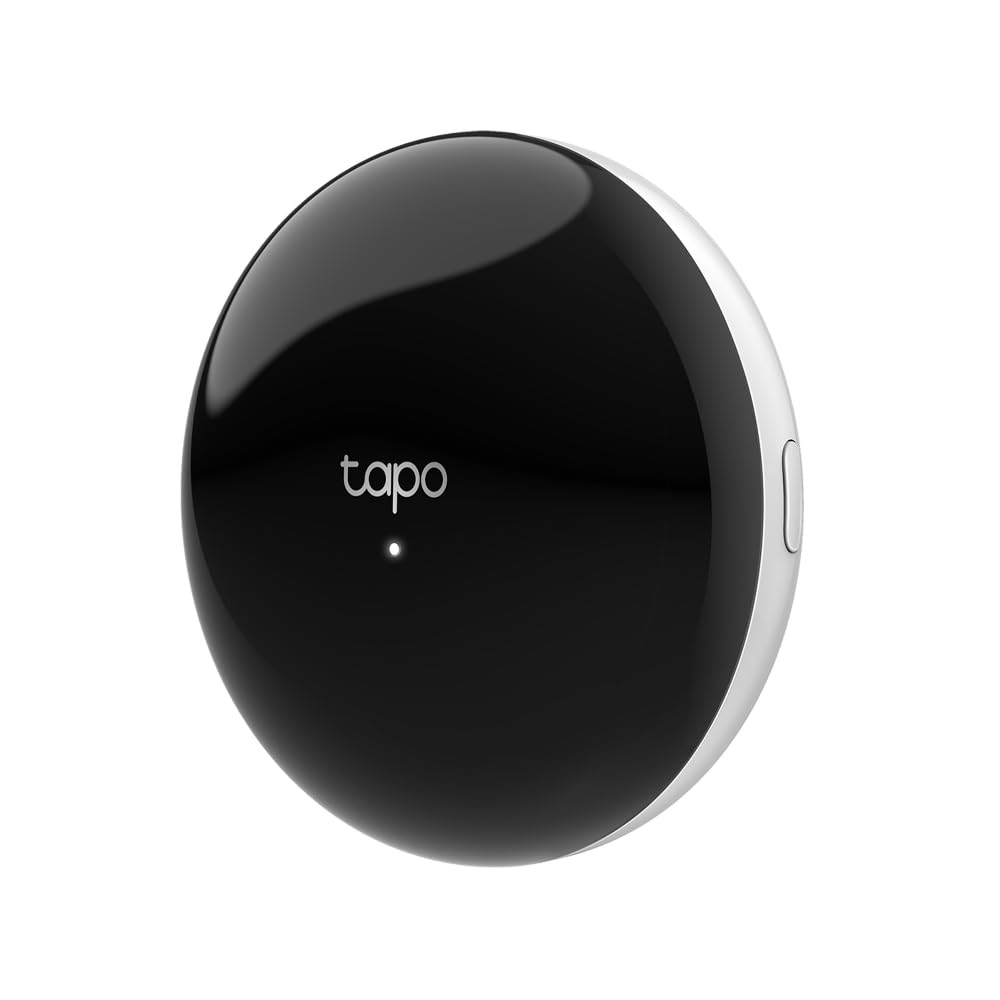
Unlike Wi-Fi or Zigbee hubs, the H100 uses a Sub-1GHz proprietary radio that penetrates walls and extends range well beyond typical 2.4GHz networks. This makes it suited for placing sensors in basements, garages, or far ends of the house. Setup is quick through the Tapo app, and the hub manages up to 64 sensors locally without recurring fees.

In daily use, sensor connections remain stable across multiple rooms, and the hub responds to triggers with minimal delay. The built-in chime can be heard in adjacent rooms, but in larger open areas or if placed in a closet, the volume may be insufficient — something to consider before final placement. Integration with Alexa adds voice alerts when paired with the Tapo app.

This hub is for Tapo sensor users only. It does not support any other protocol — no Zigbee, Z-Wave, Matter, or even Tapo’s own smart plugs or lights. If your goal is to monitor doors, windows, motion, or water leaks, this is a cost-effective foundation. For a unified smart home that includes lighting and locks, you’ll need a multi-protocol hub.

Tip: Pair with a Tapo siren or place the hub centrally to compensate for the modest chime volume.

Bottom line: For anyone committed to Tapo sensors, this hub delivers stable, low-cost connectivity. If you need to control lights, plugs, or non-Tapo gear, look to a universal hub instead.

6

Philips Hue Bridge

Philips Hue Bridge

Hue lighting

Our Score 9.0/10
Check Price

Worth Noting

  • Only works with Philips Hue lights and accessories
  • Voice assistant integration, particularly with Alexa, can be inconsistent in certain network configurations.
Protocols
Zigbee (Hue only)
Local Control
Yes (works offline)
Device Capacity
50 lights/accessories
Voice Assistants
Alexa, Google, HomeKit

For Hue light owners, the Bridge adds out-of-home control, automations, and zones with local processing that works without an internet connection. Setup is simple through the companion app, which is well-organized and offers clear scheduling and zone management. The catch is that it only supports Philips Hue lights and accessories — no cross-brand compatibility. Voice assistant integration, especially with Alexa, can be inconsistent in some network environments, though performance varies by setup.

Bottom line: This hub fits if you own or plan to own only Philips Hue lights and want full local control and automation — but it is not a solution for a mixed-brand smart home.

7

Tapo H500 CentralHub

Tapo H500 CentralHub

Tapo cameras

Our Score 8.6/10
Check Price

Worth Noting

  • Continuous recording may have gaps in coverage
  • Only works with Tapo cameras and sensors; no multi-brand support
Protocols
Wi-Fi, Sub-1G, Ethernet
Local Control
Yes
Device Capacity
16 cameras, 64 sensors
Voice Assistants
Alexa (via app)

The Tapo H500 functions as a dedicated local storage hub for Tapo security cameras, offering 16GB onboard storage and an expansion slot for a 2.5-inch SATA drive — enough room to keep clips off the cloud. However, this hub is limited to the Tapo ecosystem; it cannot connect cameras or sensors from other brands. Continuous recording does not always capture footage consistently, and the facial recognition feature shows mixed results. These drawbacks make it a poor fit for anyone needing a universal smart home hub or multi-protocol support, but for Tapo camera owners prioritizing local storage over cloud subscriptions, it delivers on that specific use case.

Bottom line: Best suited for Tapo camera owners who want local storage and can accept that continuous recording and facial recognition are inconsistent.

8

Aqara Smart Hub M3

Aqara Smart Hub M3

Aqara & HomeKit

Our Score 8.2/10
Check Price

Worth Noting

  • App can be buggy and may need occasional resets for smooth operation.
  • Zigbee radio only pairs with Aqara devices; third-party Zigbee sensors won't work.
Protocols
Zigbee (Aqara), Thread, Matter, IR
Local Control
Yes (Edge hub)
Device Capacity
127 + 127 devices
Voice Assistants
Apple HomeKit, Alexa, Google

The Aqara Smart Hub M3 stands out by combining Zigbee, Thread, Matter, Bluetooth, Wi-Fi, and an infrared blaster in a single device, giving you centralized control over a wide range of smart home and legacy appliances. Local automations run offline and respond quickly, which is a plus for privacy and latency. However, the app's software stability has room for improvement, and its Zigbee radio only works with Aqara's own sensors and devices — you cannot pair generic Zigbee peripherals. These limitations make it a focused tool rather than a universal hub.

Bottom line: This hub is a good fit if you're building an Aqara-centric smart home and want Matter/Thread support plus IR control, but look elsewhere for cross-brand Zigbee compatibility.

9

Tapo H110 IR Hub

Tapo H110 IR Hub

IR control

Our Score 8.4/10
Check Price

Worth Noting

  • Cannot connect Zigbee or Z-Wave devices; no support for sensors, locks, or other non-IR smart home gear.
  • IR devices may not be added to smart schedules or automations within the Tapo app
Protocols
IR, Wi-Fi, Matter
Local Control
Yes
Device Capacity
Not specified
Voice Assistants
Alexa, Google, Siri via Matter

The Tapo H110 is a budget-friendly Matter-certified IR blaster that brings voice and app control to TVs, ACs, and thousands of other IR-equipped devices. Setup is quick, and it works with Alexa, Google Assistant, and Siri. However, it is strictly an IR remote — it cannot connect Zigbee or Z-Wave sensors, locks, or other smart home devices. Additionally, IR devices like air conditioners cannot be included in tap routines or automations, limiting its role in a wider smart home setup. For someone who just wants to replace a handful of remote controls with a phone or voice, it works fine. But if you are building a multi-protocol automation system, this is not the hub to start with.

Bottom line: Best for renters or anyone who wants simple phone or voice control of their existing TV and AC without upgrading hardware — not a foundation for a full smart home.

How to Choose

Protocol Support

The protocols a hub supports determine which devices it can talk to. Zigbee and Z-Wave are the two dominant wireless standards for smart home sensors and locks, while Matter and Thread represent the newer universal standard. A hub that supports only one protocol limits your future device choices.

The hidden trade-off: hubs that support many protocols often use a shared radio or software stack that can introduce latency or disconnections. A dedicated single-protocol hub, like Lutron's Clear Connect, is more reliable within its own ecosystem but cannot control devices from other standards.

Voice Assistant Compatibility

Most hubs integrate with Alexa, Google Assistant, or Apple HomeKit. The integration quality varies: some hubs offer deep voice control for all device functions, while others only support basic on/off commands. Check that the hub supports the assistant you already use.

A common issue: even if a hub claims Alexa compatibility, advanced features like voice scenes or routines may require additional setup or may not work reliably. Look for reviews that mention specific voice commands that fail.

Local vs. Cloud Control

Local control means automations run on the hub itself without needing an internet connection. Cloud-dependent hubs can become unresponsive during outages or when the manufacturer's server is down. For critical automations like door locks or security alerts, local control is essential.

The catch: 'local control' is often partial. Some hubs process basic routines locally but still rely on the cloud for advanced features like voice control or remote access. A hub that advertises 'local control' may still fail when the internet drops if its automations require cloud processing.

Device Capacity and Expandability

The maximum number of devices a hub can handle matters if you plan a whole-home system. Entry-level hubs like the Philips Hue Bridge cap at 50 lights, while the Aqara M3 supports over 250 devices. Expandability via USB or additional radios is important for future growth.

A hidden limitation: device count spec often refers to the number of paired devices, but the hub's processor and memory may struggle with heavy automation loads. A hub that claims a high device limit may become sluggish when running complex scenes with dozens of devices.

Ease of Setup and App Quality

Setup complexity ranges from plug-and-play to requiring a degree in networking. Hubs like Lutron Caseta and Philips Hue are nearly instant, while Home Assistant Green and Hubitat require time to configure. App quality affects daily use: a slow or buggy app makes simple tasks frustrating.

The trade-off: simpler hubs hide complexity but offer fewer customization options. Advanced hubs give you full control but demand a learning curve. Consider how much time you want to invest in setup versus how much flexibility you need.

Frequently Asked Questions