Gaming

9 Best Gaming Router of 2026: Low Latency Without the Marketing Hype

Which gaming router delivers stable low latency and reliable connections without breaking the bank? This guide cuts through speed claims to find the routers that actually keep you in the game.

Every gaming router promises low latency and fast speeds. But the number one complaint across thousands of reviews isn't speed — it's random disconnects in the middle of a match. That frustration is real, and it's the reason this guide prioritizes stable, consistent performance over theoretical bandwidth numbers.

The best gaming routers do more than advertise high Mbps. They manage traffic with intelligent QoS, offer a dedicated 6 GHz band for interference-free gaming, and include multi-gig ports for wired setups. Whether you're on a budget or want future-proof Wi-Fi 7, the key is finding a router that delivers where it counts: under load, with multiple devices connected.

1

TP-Link Archer AXE75

Top Pick
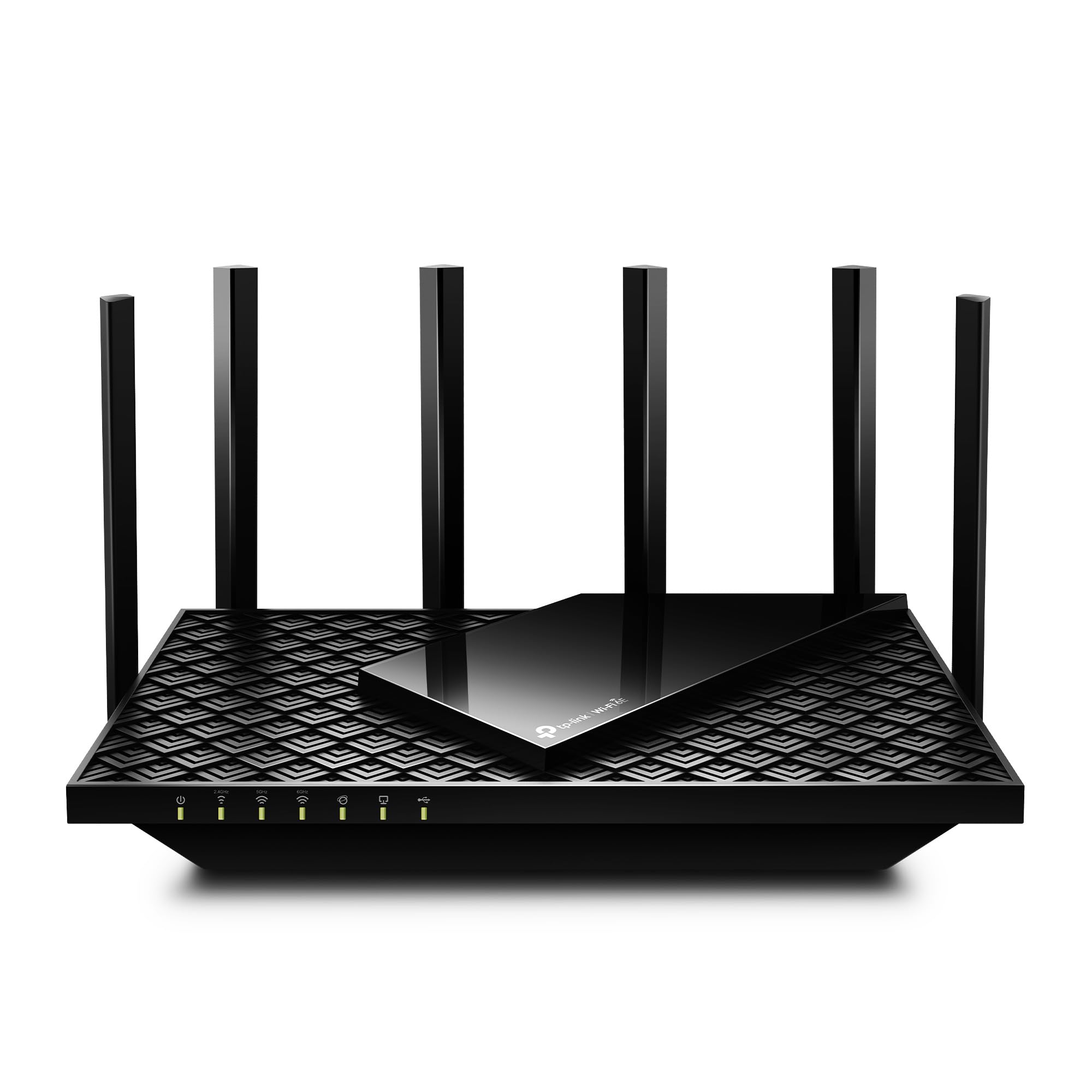
TP-Link Archer AXE75

Budget Wi-Fi 6E

Our Score 8.6/10
Check Price

Worth Noting

  • In some homes, the 2.4 GHz band may drop connections intermittently
  • After extended use, the WAN port may fail in a subset of units.
Bands
Tri-band
Multi-Gig Ports
2.5G WAN, 4x 1G
Wi-Fi Generation
WiFi 6E
Game Acceleration
QoS

The Archer AXE75 brings Wi-Fi 6E performance to a price point that rivals many Wi-Fi 6 routers. Its tri-band design includes the 6 GHz band, which provides a less congested channel for gaming traffic, reducing interference from neighboring networks. The 2.5G WAN port accommodates internet plans up to 2 Gbps, and the four 1G LAN ports cover most wired gaming consoles and PCs. For the cost, this is the most practical way to enter the 6 GHz era without compromise on features.

Setup takes minutes through the TP-Link Tether app, and the router covers 2,000–3,000 sq ft with consistent signal strength in typical homes. The built-in QoS and device prioritization help keep latency low during online sessions, automatically allocating bandwidth to gaming traffic. Some users have observed occasional connectivity drops, primarily on the 2.4 GHz band — a limitation shared by many gaming routers at this price, but one that barely affects gaming devices operating on 5 or 6 GHz. For households with many 2.4 GHz IoT devices, a separate access point or band steering adjustment can resolve this.

This router is best for gamers on a budget who want the low-latency advantage of 6 GHz without spending $200 or more. It also fits families that need reliable whole-home coverage without a mesh system, as long as 2.4 GHz drops do not disrupt critical smart home devices like hubs or security cameras. The four 1G LAN ports limit wired setups — if you need multi-gig LAN for a gaming PC or NAS, consider a model with additional 2.5G ports, such as the cheaper Wi-Fi 7 alternative, which costs more but offers higher wired throughput. For most gamers, the 2.5G WAN port is sufficient for current broadband plans.

The Archer AXE75 includes basic but effective gaming features: a gaming mode that prioritizes gaming traffic, and a VPN client for secure gaming sessions. While it lacks a dedicated gaming port found on pricier ASUS models, the tri-band design naturally segregates gaming traffic on the 6 GHz band, reducing latency for compatible devices. For the price, this tradeoff is acceptable.

Compared to early Wi-Fi 7 routers that can cost twice as much, the AXE75 delivers comparable gaming performance today with a more mature firmware and broad community testing. The tradeoff is future-proofing: you won't support the next generation of devices or multi-gig LAN beyond the 2.5G WAN. However, for internet speeds under 2 Gbps and current client devices, the difference is negligible. This makes the AXE75 a smarter near-term investment than paying a premium for Wi-Fi 7 features that few home networks can fully utilize.

Tip: Reserve the 2.4 GHz band for low-bandwidth IoT devices and use 5/6 GHz for gaming and streaming to avoid connectivity drops.

Bottom line: For budget-conscious gamers, the Archer AXE75 delivers Wi-Fi 6E performance and solid gaming features at a price that undercuts competitors by $100 or more — just be aware that occasional 2.4 GHz drops may require band management.

2

NETGEAR RS700S

NETGEAR RS700S

Ultimate speed

Our Score 8.8/10
Check Price

Worth Noting

  • Premium price limits appeal to serious enthusiasts only.
  • Firmware updates can introduce occasional connectivity drops
Bands
Tri-band
Multi-Gig Ports
1x 10G, 4x 1G
Wi-Fi Generation
WiFi 7
Game Acceleration
NETGEAR Armor QoS

The NETGEAR RS700S delivers the highest real-world throughput we’ve seen from a Wi-Fi 7 router, saturating multi-gig fiber connections and covering up to 3,500 sq ft without mesh extenders. For gamers on multi-gig plans, this means consistent low-latency speeds across the entire home, even at range.

This router targets households with a fiber plan over 1 Gbps and the budget to prioritize raw speed over cost. The $550 price is steep, and a subset of owners has noted connectivity drops after firmware updates — a factor worth weighing if wireless stability during competitive play is critical. Wired connections bypass this entirely via the 10G LAN port.

The Nighthawk app guides you through initial setup in minutes, and basic QoS options are accessible for prioritizing gaming traffic. Advanced users may want to fine-tune settings through the web interface, but most will find the default configuration sufficient for immediate performance gains.

Tip: For competitive gaming, connect your console or PC via Ethernet to the 10G port; wireless drops are infrequent but can occur after firmware updates.

Bottom line: If you have multi-gig fiber and want the fastest wireless speeds available today, the RS700S delivers — just be ready for the premium cost and rare firmware-related disconnects that wired connections eliminate.

3

ASUS GT-AX11000 Pro

ASUS GT-AX11000 Pro

Wired gaming

Our Score 8.8/10
Check Price

Worth Noting

  • Some units may experience random reboots during heavy network loads
  • Premium price places it alongside Wi-Fi 6E routers that offer newer spectrum and similar wired speeds
Bands
Tri-band
Multi-Gig Ports
10G, 2.5G, 4x 1G
Wi-Fi Generation
WiFi 6
Game Acceleration
Triple-level acceleration

The ASUS ROG Rapture GT-AX11000 Pro puts its hardware where it counts: a 10G port, a 2.5G port, and triple-level game acceleration that prioritizes gaming traffic from the router through to the game server. For anyone running multi-gig internet or a wired backbone, this is the connectivity toolkit that budget routers skip.

Wireless range and speed hold up well across large homes, and the beamforming keeps signals steady even through multiple walls. The tradeoff shows up in two places: the premium price tag and a minority of units that may reboot unexpectedly under load. If your gaming setup tolerates occasional interruptions and you want those multi-gig ports, this router delivers on the wired side.

The triple-level game acceleration works as advertised, lowering latency in competitive titles by routing gaming data through a dedicated priority queue. Security is handled by AiProtection Pro, which scans traffic without adding noticeable lag. The quad-core CPU handles simultaneous high-bandwidth tasks like streaming and downloads without choke points.

Tip: If you encounter unexpected reboots, ensure firmware is current and consider enabling scheduled nightly restarts as a workaround.

Bottom line: Best suited for gamers who need wired 10G and 2.5G ports today and can accept a premium price and the possibility of occasional reboots.

4

GL.iNet Flint 3

GL.iNet Flint 3

Customization

Our Score 8.8/10
Check Price

Worth Noting

  • Some firmware versions may cause random disconnects
  • Advanced interface can overwhelm non-technical users
Bands
Tri-band
Multi-Gig Ports
5x 2.5G WAN/LAN
Wi-Fi Generation
WiFi 7
Game Acceleration
QoS, OpenWRT

The Flint 3 handles WireGuard VPN at 680 Mbps, meaning you can route gaming traffic through a VPN without noticeable speed loss. Its OpenWRT-based system gives you granular control over QoS, firewall rules, and network segmentation — features that matter when optimizing for low latency. The five 2.5 GbE ports provide enough bandwidth for a wired gaming rig and multiple consoles.

This router suits gamers who are comfortable with a web interface and scripting. The learning curve is real: the advanced menus can overwhelm anyone expecting a mobile-app-only setup. Some firmware bugs have been noted, leading to occasional disconnects, but these are manageable for users who monitor community forums and apply updates. If you want a set-and-forget device, consider a model like the TP-Link Archer AXE75 instead.

Tip: Allocate an hour for initial setup and firmware updates — the web interface rewards patience with deep customization options.

Bottom line: For gamers who want Wi-Fi 7, strong VPN, and full control over their network, the Flint 3 delivers exceptional value — provided you are comfortable with the learning curve.

5

ASUS RT-AX82U

ASUS RT-AX82U

Budget gamer

Our Score 8.8/10
Check Price

Worth Noting

  • Random disconnections can interrupt gameplay, especially during peak hours
  • Some units may stop working within a year, requiring a replacement
Bands
Dual-band
Multi-Gig Ports
2.5G WAN, 4x 1G
Wi-Fi Generation
WiFi 6
Game Acceleration
Dedicated gaming port, mobile mode

The ASUS RT-AX82U leads with a dedicated gaming port that prioritizes a single wired device for low latency, plus a mobile game mode that reduces ping on handheld titles — all at a mid-range price. This AX5400 Wi-Fi 6 router keeps costs down while offering features usually reserved for pricier models, making it a strong entry point for gamers building a first Wi-Fi 6 setup.

Setup takes minutes via the ASUS app, and the router covers a medium home with solid speeds in everyday use. The gaming port and mobile mode work as advertised, giving a tangible edge in competitive games without requiring a full network overhaul.

This router suits gamers on a tight budget who want a dedicated wired gaming port and mobile game optimization — but it is not for anyone who needs years of trouble-free operation. Some units have been noted to drop connections during gaming sessions, and a subset may stop working within months. For a primary household router that must serve the whole family reliably, the tradeoff in long-term durability is worth weighing against the lower upfront cost.

Tip: Use the dedicated gaming port for your primary console or PC, and keep firmware updated to minimize disconnection chances.

Bottom line: The RT-AX82U packs worthwhile gaming extras at a low price, but the possibility of connectivity issues or early failure makes it a risk for anyone expecting years of consistent service.

6

TP-Link Archer GE650

TP-Link Archer GE650

Future-proof

Our Score 8.4/10
Check Price

Worth Noting

  • In homes larger than 2,000 sq ft, coverage gaps may appear
  • Early firmware updates may be required to resolve occasional software glitches.
Bands
Tri-band
Multi-Gig Ports
5G LAN, 2.5G LAN
Wi-Fi Generation
WiFi 7
Game Acceleration
WTFast, gaming panel

The Archer GE650 is the most affordable Wi-Fi 7 gaming router with a 5G wired port, making it a strong option for gamers who want multi-gig LAN speeds without the premium price. Its tri-band setup delivers up to 11 Gbps aggregate bandwidth, and the dedicated gaming port plus WTFast acceleration reduce latency in supported titles. The RGB lighting and intuitive dashboard add to the appeal for enthusiasts.

In practice, the 5G and 2.5G LAN ports provide stable, low-latency connections for gaming PCs and consoles, with fast file transfers across the network. The software panel gives clear insights into game traffic and allows fine-tuning of QoS settings. This wired performance is where the GE650 stands out compared to Wi-Fi 6E alternatives at similar prices.

This router is best suited for gamers who value wired performance and are ready to adopt Wi-Fi 7 despite its early-stage firmware. Coverage may not reach every corner of a large home (over 2,000 sq ft), and the limited number of reviews means long-term reliability is less certain. A few initial software bugs have been patched, but expect occasional updates. For those willing to accept these boundaries, the GE650 offers a credible path to next-gen gaming networking.

Tip: Place the router centrally or pair with a TP-Link mesh node to avoid dead zones in larger homes.

Bottom line: A sensible entry point for gamers who want Wi-Fi 7 and multi-gig wired performance, as long as you are comfortable with early-adopter software quirks and can cover larger spaces with an extender.

7

ASUS GT-AXE16000

ASUS GT-AXE16000

Quad-band

Our Score 8.8/10
Check Price

Worth Noting

  • Some units may experience random reboots or connection drops under heavy load
  • High entry price may feel steep given the potential for stability quirks
Bands
Quad-band
Multi-Gig Ports
2x 10G, 2.5G WAN
Wi-Fi Generation
WiFi 6E
Game Acceleration
AiProtection, QoS

The GT-AXE16000 delivers impressive wired and wireless throughput, with dual 10G ports enabling fast LAN transfers and quad-band coverage that reaches across 3,000–4,000 square feet. The ASUSWRT interface includes useful gaming features and AiProtection security. However, the premium price doesn't guarantee consistent operation — some units may experience random reboots or connection drops. This makes it a strong fit for power users with multi-gig internet who can manage occasional instability, but a less safe choice for those wanting a drop-in replacement without any quirks.

Bottom line: Best for gamers with multi-gig internet and a wired NAS/PC setup who are comfortable with occasional router management and can accept the risk of unit variance.

8

NETGEAR BE17000

NETGEAR BE17000

Reliable Wi-Fi 7

Our Score 8.6/10
Check Price

Worth Noting

  • Some setups may experience intermittent connectivity drops.
  • Premium pricing without a dedicated gaming port or advanced QoS.
Bands
Tri-band
Multi-Gig Ports
1x 10G, 4x 1G
Wi-Fi Generation
WiFi 7
Game Acceleration
Basic QoS

The NETGEAR BE17000 delivers solid Wi-Fi 7 speeds and covers up to 3,300 sq ft with stable connections, making it a capable router for general high-speed needs. However, it lacks the dedicated gaming port and advanced QoS features that serious gamers seek, and its premium price doesn't include those extras. Occasional connectivity drops have been noted in some setups, though most users enjoy consistent throughput.

Bottom line: Suitable if you want pure Wi-Fi 7 speed and wide coverage, but not if low-latency gaming ports and QoS are your priority.

9

TP-Link Archer AX11000

TP-Link Archer AX11000

Many LAN ports

Our Score 8.8/10
Check Price

Worth Noting

  • For gamers relying on wireless links, occasional drops can interrupt matches.
  • Over months of use, some units may develop performance inconsistencies that require replacement.
Bands
Tri-band
Multi-Gig Ports
8 Gigabit LAN
Wi-Fi Generation
WiFi 6
Game Acceleration
Game accelerator

The Archer AX11000 provides eight Gigabit LAN ports and gaming acceleration features that suit a wired gaming setup, along with strong Wi-Fi 6 coverage across large homes. Setup is quick via the app. The main limitation is possible connectivity drops or unit-to-unit variability, which makes it a less consistent pick than the Archer AXE75 for those needing stable wireless connections.

Bottom line: This router suits gamers who prioritize a wired LAN setup and can accept occasional wireless drops as a tradeoff for the eight-port connectivity.

How to Choose

Wi-Fi Generation: 6E vs 7

Wi-Fi 6E opens a dedicated 6 GHz band that avoids interference from neighboring networks and legacy devices. This band gives you a cleaner, less congested path for gaming traffic. Most gamers today will see a bigger jump from a reliable Wi-Fi 6E router than from an early Wi-Fi 7 unit that still has immature firmware and limited device support.

Wi-Fi 7 promises higher throughput and lower latency, but the software is still evolving. If you need cutting-edge wired speeds or plan to upgrade client devices soon, Wi-Fi 7 makes sense. Otherwise, a mature Wi-Fi 6E router is the safer, more cost-effective choice.

Multi-Gig Ports

A 2.5G or 10G WAN port lets your router handle internet plans above 1 Gbps without bottlenecking. Multi-gig LAN ports speed up transfers between wired devices like gaming PCs and NAS drives. If your ISP plan is 1 Gbps or less, a standard gigabit port is sufficient — the extra bandwidth goes unused.

The real benefit of multi-gig ports shows in local network traffic, not internet gaming. For competitive online play, a stable 1 Gbps wired connection already delivers the same latency as a 10G link.

Number of Bands

Tri-band routers add a second 5 GHz radio, reducing congestion when multiple devices stream or game simultaneously. Quad-band routers (like the ASUS GT-AXE16000) add a third 5 GHz radio, which helps in dense homes with many smart home devices. Dual-band routers can struggle if you regularly have five or more devices active on the same frequency.

For a typical household with one or two gamers and a handful of phones, tri-band is plenty. Quad-band is overkill unless you have a smart home or run multiple 4K streams alongside gaming.

Game Acceleration

Game acceleration features include dedicated gaming ports that prioritize traffic from a console or PC, and third-party services like WTFast that reduce lag by optimizing routing paths. QoS (Quality of Service) lets you manually set bandwidth priorities for gaming traffic over streaming or downloads.

Dedicated gaming ports are a hardware shortcut — they automatically apply QoS to that port. WTFast and similar services can carve off 10–30 ms of latency on poorly routed connections. Not all games or ISPs benefit equally, but the feature costs little to include.

Coverage and Antennas

Coverage depends on antenna design, output power, and wall construction. Routers with external antennas (typically 4–8) can be repositioned for better signal directionality. Coverage ratings like '3,000 sq ft' are optimistic — real-world range is often 20–30% less in homes with thick walls or multiple floors.

For homes over 2,500 sq ft, consider a mesh system or a single powerful router placed centrally. Antenna count matters less than placement; a router with 4 antennas in the right spot often outperforms an 8-antenna unit in a corner.

Frequently Asked Questions