Gaming

10 Best Gaming Desk of 2026: Fit Your Monitors and Budget

Find gaming desks that give you real desktop depth for dual monitors, built-in power, and RGB lighting without breaking $100.

Walk into any gaming desk listing under $150 and you'll see RGB lighting, power outlets, and cup holders. What you won't see is the desktop depth — often just 19 inches, which pushes a 27-inch monitor uncomfortably close to your face. That trade-off between flashy extras and usable workspace is the hidden cost of budget gaming desks.

This guide cuts through that confusion. We've focused on desks that balance built-in features with enough depth for dual monitors and a full-sized keyboard. The best picks in this range give you LED, power, and storage without forcing you to cram your setup into a shallow surface.

The decision comes down to what you prioritize: corner space, drawer storage, or a massive single surface. Measure your monitor's depth and your room's footprint first — then choose the desk that actually fits.

1

Bestier 44" LED Gaming Desk

Top Pick
Bestier 44" LED Gaming Desk

Compact gaming

Our Score 9.4/10
Check Price

Worth Noting

  • In setups with deep monitors or broad mouse pads, the 19-inch depth may leave less surface room than expected
  • Occasional minor nicks or cosmetic marks on the desktop surface
LED Lighting
7 colors, 22 modes
Storage Options
Shelves, bag, hook
Desktop Dimensions
44" x 19"

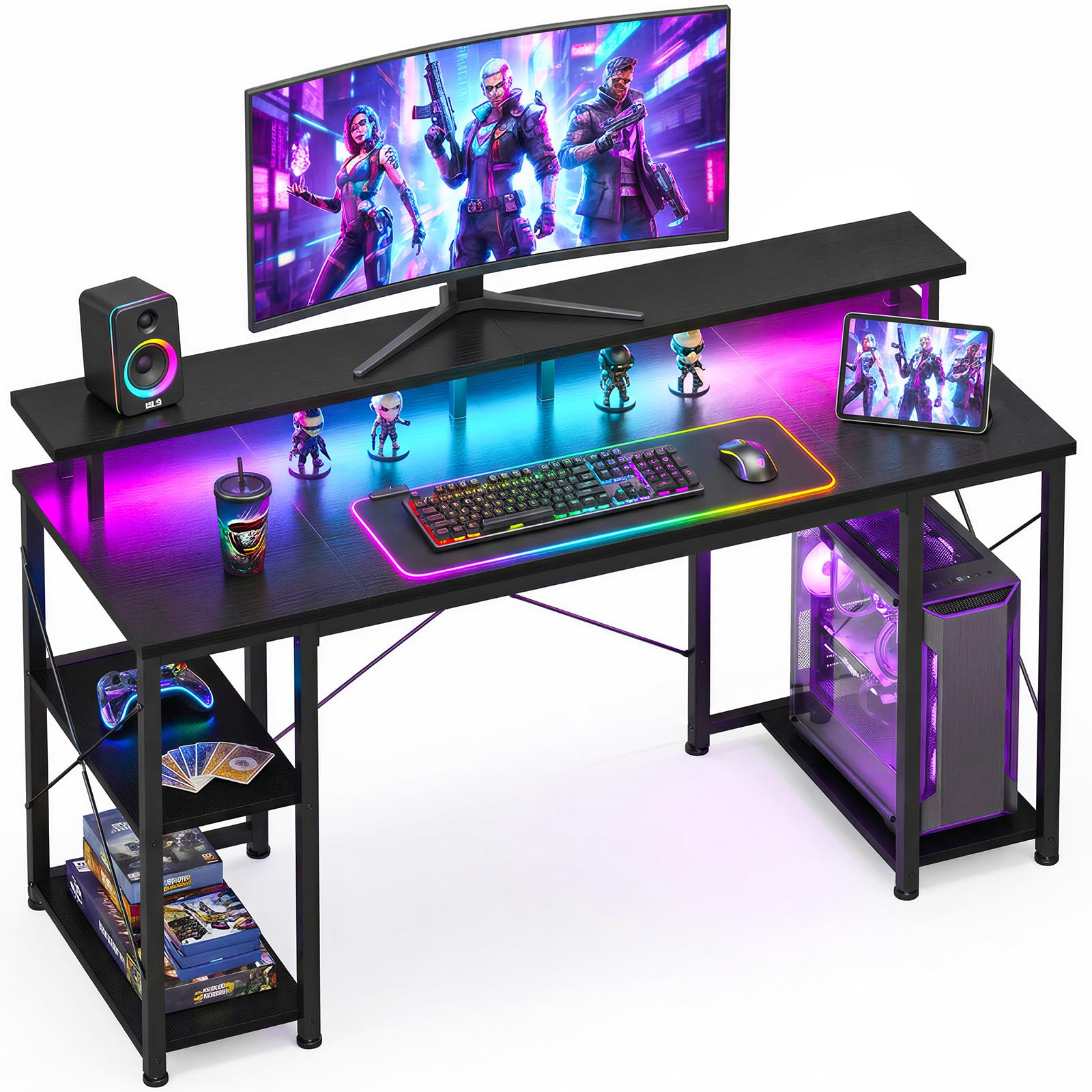
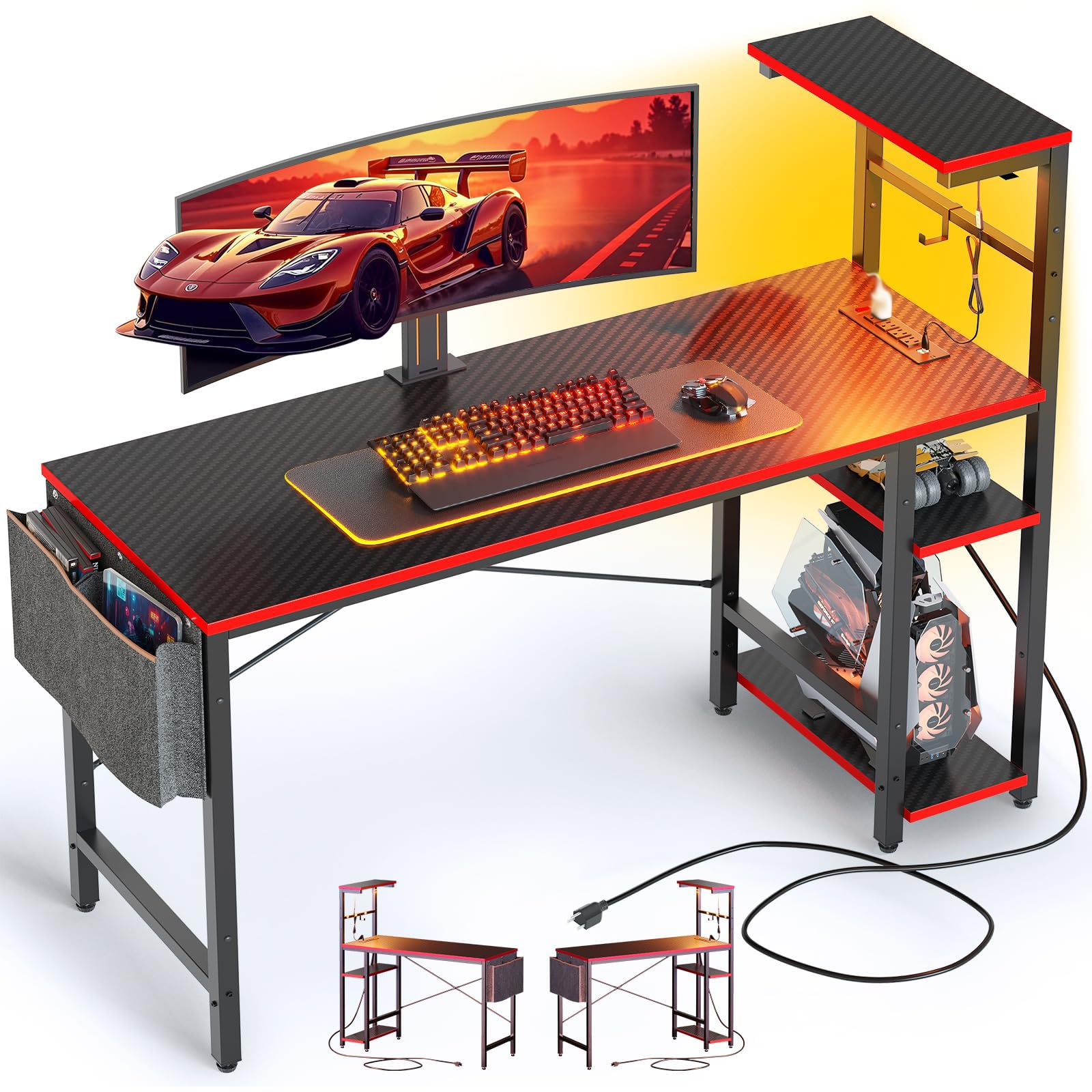
The Bestier 44-inch gaming desk brings built-in power and lighting to a steel frame that holds steady under a single monitor and peripherals. Four AC outlets and two USB ports sit right on the desktop, so you can plug in a PC, monitor, and phone without reaching for a wall strip. The LED strip offers 22 dynamic modes and 7 color options, adding ambient glow that matches your setup.

Assembly takes about 30 minutes with clear step-by-step instructions — the frame uses solid crossbars and adjustable feet to stay level on carpet or hard floors. A side storage bag hangs from the frame for cables or controllers, and the included headphone hook clips onto either side. The four reversible shelves can be arranged left or right, giving flexibility for tower placement or display items.

This desk suits gamers who run a single monitor and value a clean, organized corner without paying for a larger footprint. The 19-inch desktop depth is a known tradeoff: if you use a deep gaming monitor or prefer an oversized mouse pad, the surface can feel tight. For a small room or dorm where every inch counts, this size keeps the setup contained without sacrificing the essentials.

Tip: If you use a deep gaming monitor, consider a wall-mount arm to free up desk space for the mouse pad.

Bottom line: For a compact single-monitor gaming rig that needs integrated power and RGB without spending over $100, this Bestier desk delivers the core features in a stable, space-efficient package.

2

AODK 53" L-Shaped Gaming Desk

AODK 53" L-Shaped Gaming Desk

Corner setups

Our Score 9.2/10
Check Price

Worth Noting

  • CPU stand shelf may not accommodate full-sized towers.
  • 18.9-inch desktop depth limits monitor placement with larger screens.
LED Lighting
10 colors, 10 modes
Storage Options
Shelves, CPU stand, hook, bag
Desktop Dimensions
53" x 18.9" L

Unlike compact straight desks, this 53-inch L-shape uses a reversible layout that lets you choose which side the shelves and CPU stand sit on. The included storage bag, hook, and two shelves keep accessories organized without extra purchases. Build quality feels solid for a mid-range L-shaped desk.

This desk suits teens and students building a fun corner setup with compact monitors. The 18.9-inch depth works fine for 24-inch screens or laptops, but larger 27+ inch monitors will feel cramped. The CPU stand fits smaller towers well; a full-sized tower may not sit securely. If you have a large monitor or tower, the top pick's straight design offers better depth.

Tip: Place a small monitor on the desk first to gauge the viewing distance before final assembly.

Bottom line: This L-shape is best for corner gamers with compact monitors who want integrated storage and power at a reasonable price — just confirm your gear fits the 18.9-inch depth.

3

SEDETA 78.8" Large Gaming Desk

SEDETA 78.8" Large Gaming Desk

Large setups

Our Score 9.4/10
Check Price

Worth Noting

  • Assembly takes two people and 2-3 hours to complete.
  • Units can arrive with damaged boards or missing hardware.
LED Lighting
App-controlled, 60k+ colors
Storage Options
2 shelves, hutch, CPU holder
Desktop Dimensions
78.8" x 21.6"

The SEDETA gaming desk delivers the largest workspace in this set: a 78.8-inch desktop with a hutch, two storage shelves, and a monitor stand. That generous surface handles triple-monitor setups and streaming gear without crowding, while the steel frame supports up to 300 lbs. Compared to the compact Bestier top pick, this desk trades quick assembly and a small footprint for a full command-center layout.

This desk suits gamers with a dedicated room who plan to build a permanent multi-monitor streaming station. The payoff in storage and surface area is real, but the tradeoff is a time-intensive assembly (expect two people and a few hours) and occasional shipping damage to boards or parts. Buyers who need a quick, lightweight setup or have limited floor space should look at the slimmer options in this guide.

Tip: Plan for a weekend afternoon and a helper—assembly is a two-person job taking a few hours.

Bottom line: This desk is for gamers who have the space and patience for assembly—its size and storage justify the effort for a permanent streaming or multi-monitor setup.

4

GTPLAYER 55" Gaming Desk

GTPLAYER 55" Gaming Desk

Budget large

Our Score 9.2/10
Check Price

Worth Noting

  • LED light controls may be damaged during assembly or use, limiting adjustability
  • Desktop uses thin wood under the carbon fiber surface, giving a budget feel
LED Lighting
LED strip lights
Storage Options
Mouse pad, headphone hook
Desktop Dimensions
55" x 23.6"

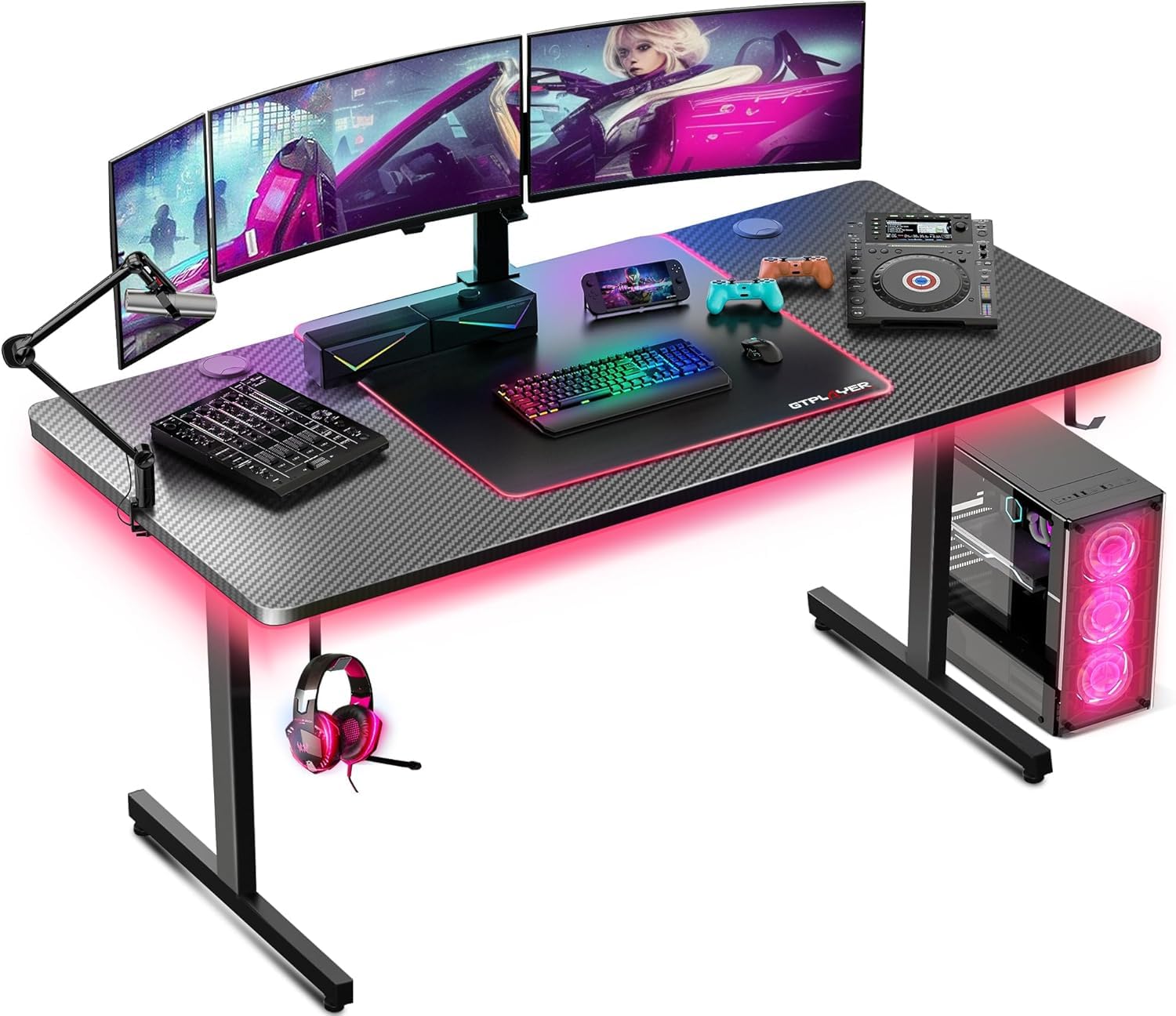
The GTPLAYER 55-inch desk delivers a huge surface area at a price that undercuts most similarly sized options. While the Bestier top pick offers built-in power outlets and a more refined build, this desk focuses on sheer size and a carbon fiber-style finish for less — a straightforward tradeoff for buyers who need footprint over features.

This desk suits budget-minded gamers and teenagers getting their first dedicated gaming setup. The large 55x23.6-inch top fits a full-size monitor and peripherals comfortably, and the sturdy frame supports up to 300 lbs. However, the wood core under the carbon fiber finish feels thin, and the LED controller can be fragile — acceptable compromises for the price if you don't need power outlets or premium materials.

Tip: Handle the LED controller gently during assembly and avoid pulling on the wire — the attachment point is delicate.

Bottom line: If you need a massive desk surface on a tight budget and can live without power outlets or high-end materials, the GTPLAYER delivers the most square footage for the money.

5

Huuger 47" Desk w/ 4 Drawers

Huuger 47" Desk w/ 4 Drawers

Drawer storage

Our Score 9.2/10
Check Price

Worth Noting

  • Fabric drawers may collapse under heavier items
  • Some units ship with wrong screws or damaged parts; check contents early
LED Lighting
App-controlled, 60k+ colors
Storage Options
4 fabric drawers
Desktop Dimensions
47.3" x 19.7"

This 47-inch desk stands out in the budget segment by pairing app-controlled RGB lighting and a four-outlet power strip with three fabric pull-out drawers — enough space for controllers, cables, and notebooks without cluttering the 19.7-inch-deep desktop.

It's best suited for gamers or students who keep small accessories organized and don't need the drawers to hold heavy binders or files. The fabric construction is lightweight and can collapse under weight, so treat the drawers as soft storage for odds and ends. Assembly is manageable solo, though some units arrive with incorrect screws or minor damage — inspecting contents early is worthwhile.

Tip: Use the fabric drawers for controllers, cables, and notebooks — avoid loading them with heavy books or binders.

Bottom line: For budget buyers who want drawer storage and colorful lighting without spending for all-wood construction, this desk covers the essentials.

6

ODK 48" Gaming Desk

ODK 48" Gaming Desk

Simple LED desk

Our Score 9.2/10
Check Price

Worth Noting

  • On carpeted floors, the desk may wobble due to lack of adjustable feet
  • CPU stand and shelves fit only small components and peripherals
LED Lighting
Built-in strip lights
Storage Options
3 shelves, CPU stand, hook
Desktop Dimensions
48" x 19.6"

This 48-inch desk combines built-in LED lighting with three storage shelves and a CPU stand at a price that fits tight budgets. Assembly is relatively quick, and the recessed LED strip gives a clean look. However, the desk's stability depends on flooring — it can wobble noticeably on carpet, and the shelves and CPU stand are sized for compact gear. It also lacks integrated power outlets, which limits cable management compared to more equipped options.

Bottom line: This desk works well in a hard-floor room where budget and LED lighting take priority over power outlets and carpet stability.

7

Furologee 51" w/ File Cabinet

Furologee 51" w/ File Cabinet

File storage

Our Score 9.2/10
Check Price

Worth Noting

  • Drawers are fabric and can collapse under weight
  • LED strip may lose adhesion and fall off
LED Lighting
20 colors, 22 modes
Storage Options
File cabinet, drawer, shelves
Desktop Dimensions
51.2" x 18.9"

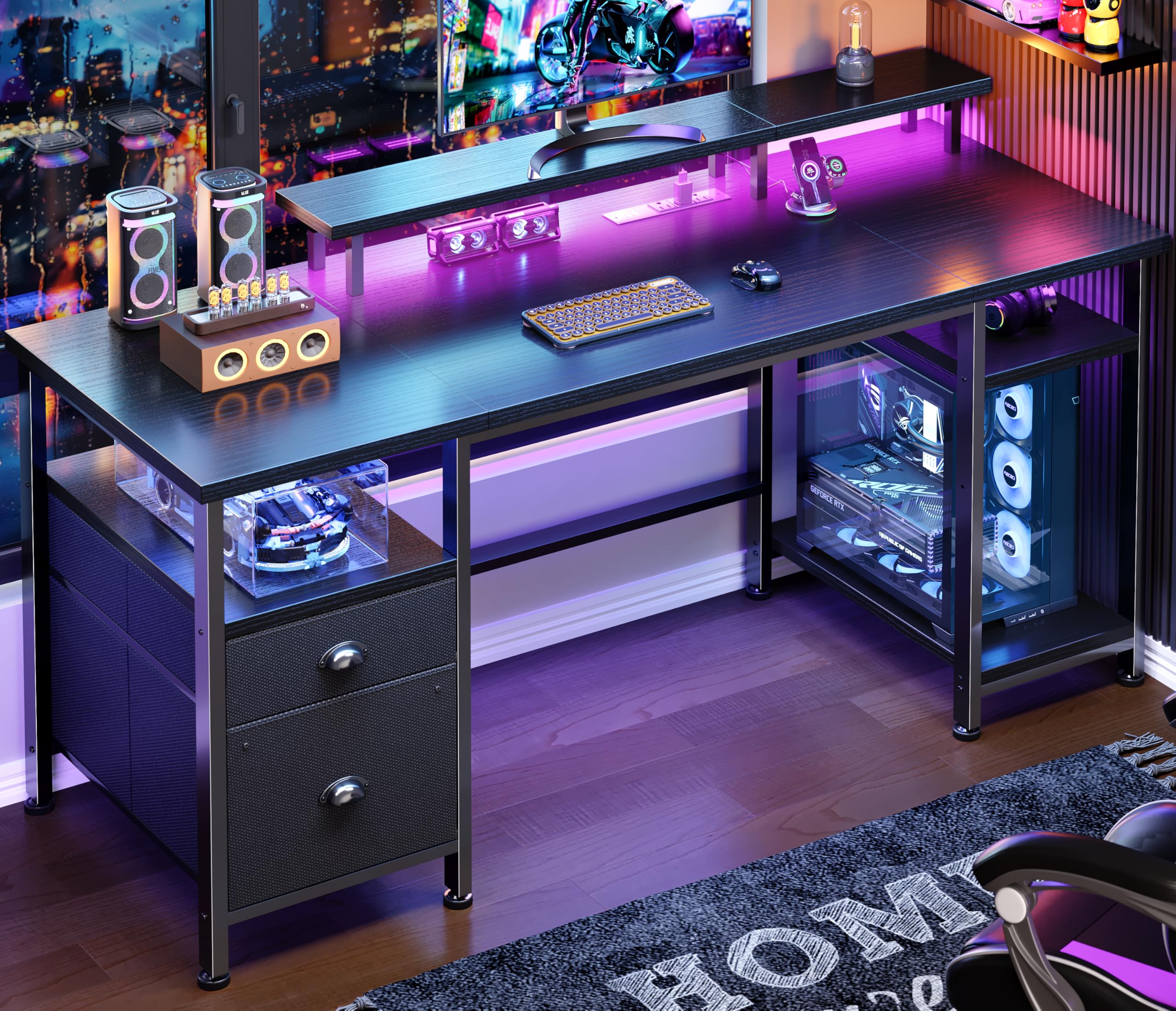
The Furologee 51-inch desk brings a file cabinet, power outlets, and 20-color LED lighting to a budget-friendly price point. The fabric drawers can collapse under heavy use, and the LED strip adhesion may fail over time, so this setup suits lighter storage needs and smaller monitors.

Bottom line: Best for budget buyers who need file storage and lighting but can work with fabric drawers and a 18.9-inch desktop depth.

8

AODK 59" Gaming Desk w/ Drawers

AODK 59" Gaming Desk w/ Drawers

PC showcase

Our Score 9.2/10
Check Price

Worth Noting

  • PC stand area can be too small for larger full-tower cases
  • Fabric drawers may not hold heavy items well
LED Lighting
RGB under monitor shelf
Storage Options
3 fabric drawers
Desktop Dimensions
59.44" x 19.69"

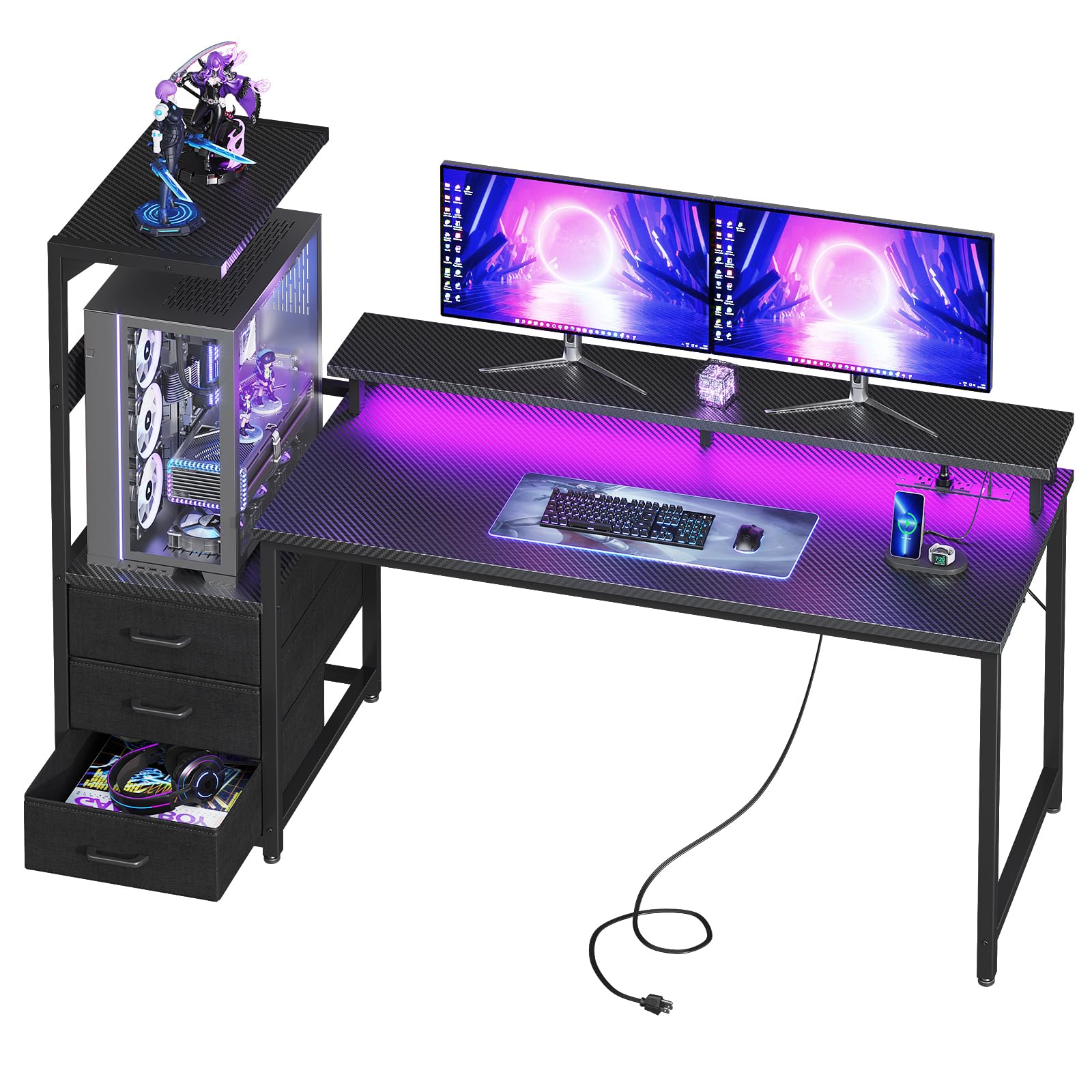
The AODK 59-inch desk centers on an elevated stand that lifts a tempered glass PC case to eye level, plus three fabric drawers for cable control and an RGB-lit monitor shelf. It's a solid mid-range option for showing off a mid-tower, but the desktop depth (19.7 inches) feels cramped for larger monitors, and the PC stand won't accommodate full-tower cases. The fabric drawers are best for lightweight accessories.

Bottom line: Best for gamers with a tempered glass mid-tower who want their PC on display and need drawer storage for small accessories - skip this if you run a full-tower or deep monitors.

9

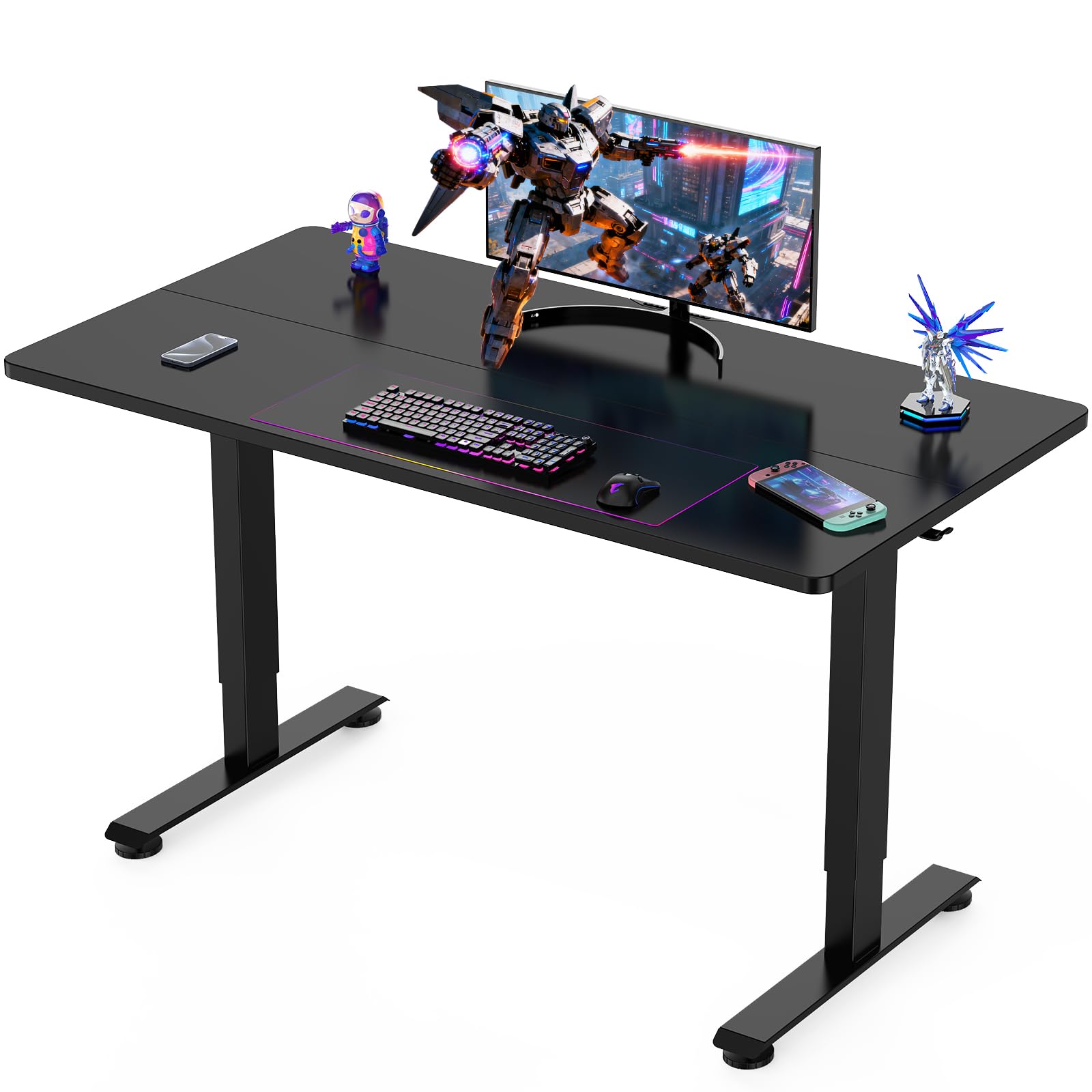
Veken 55" Electric Standing Desk

Veken 55" Electric Standing Desk

Sit-stand

Our Score 9.2/10
Check Price

Worth Noting

  • Desktop is two pieces that may leave a small visible gap
  • At full height on smooth floors, the desk can wobble
LED Lighting
Storage Options
2 headphone hooks
Desktop Dimensions
55" x 23.6"

The Veken 55-inch electric standing desk offers a compelling mix of ergonomic adjustability and value for buyers who want to alternate between sitting and standing. Assembly takes under 30 minutes, and the motor moves quietly through its 28- to 46-inch range with programmable memory presets. However, this desk is a pure sit-stand platform — there's no built-in LED lighting, cup holder, or power strip. The desktop comes in two pieces that can leave a small gap, and at maximum height on tile floors, some wobble may occur. It's a strong choice for gamers or home office users who prioritize ergonomics over flashy accessories, but those seeking an all-in-one gaming desk with RGB and outlets should look at the Bestier compact desk instead.

Bottom line: Best suited for gamers and home office users who value standing ergonomics over RGB and built-in power, especially on carpeted floors.

10

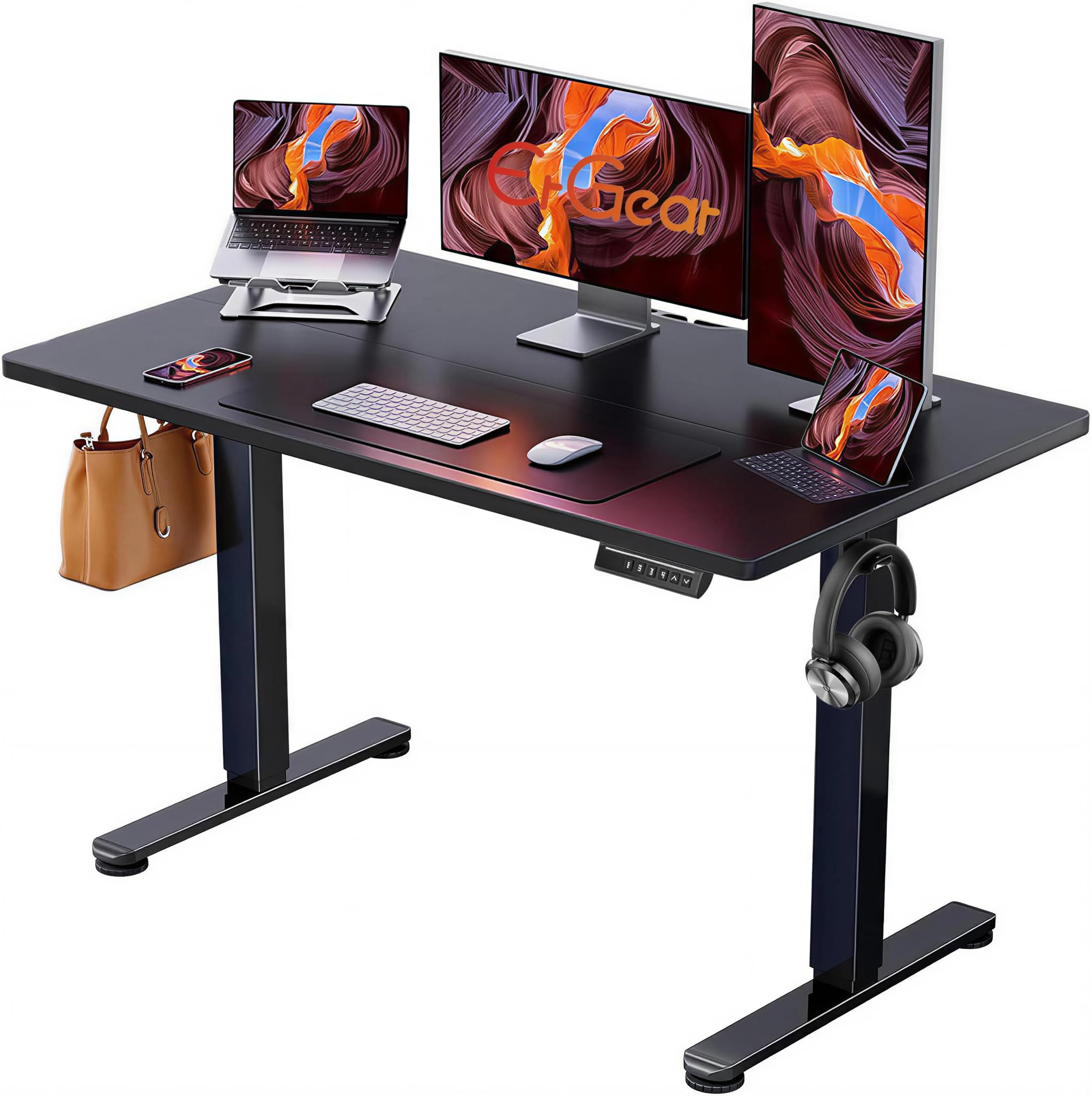
ErGear Electric Standing Desk 48"

ErGear Electric Standing Desk 48"

Sit-stand budget

Our Score 9.0/10
Check Price

Worth Noting

  • Motor may occasionally fail to lower the desk fully in some units.
  • Stability can be affected on soft or uneven floors at maximum height.
LED Lighting
Storage Options
Desktop Dimensions
48" x 24"

The ErGear standing desk delivers electric height adjustment with four memory presets at an entry-level cost, appealing to budget-conscious buyers who alternate between work and gaming. It omits gaming-specific accessories such as RGB lights, cup holders, or headphone hooks that dedicated gaming desks include. The motor may occasionally fail to lower the desk fully, and stability can feel shaky on some floors at full standing height — a tradeoff to verify if a rock-solid platform is required.

Bottom line: Best suited for hybrid work/gaming setups where sit-stand capability is the priority and gaming extras are optional. Verify floor surface and motor function before purchasing.

How to Choose

Desktop Dimensions

Depth is the single most overlooked spec. A 19-inch desktop forces your monitor to sit near the edge, leaving no room for a wrist rest or deep mouse movements. Add a monitor arm and the back of the screen may hit the wall.

Measure your monitor's physical depth from the front bezel to the back of the stand. Add 6-8 inches for keyboard and mouse clearance. If you plan on a dual monitor setup, add the width of both screens plus a few inches gap. Many 44-inch straight desks can handle two 24-inch monitors, but 27-inch screens often need 47 inches or more of width.

Built-in Power Outlets and USB Ports

Integrated power strips eliminate the need for a separate surge protector snaking behind the desk. Most budget desks include 3-4 AC outlets and 2 USB-A ports. Check whether the USB ports are fast-charge (2.1A+) or just trickle-charge (0.5A).

The location of the outlets matters. If they're tucked under a shelf or near the back, plugging in a bulky adapter may block adjacent ports. Desks with side-mounted or front-accessible outlets are easier to use day-to-day.

LED Lighting Customization

LED strips are typically the cheapest component on a gaming desk, so quality varies widely. Look for app-controlled RGB with at least 10 colors and 10 dynamic modes to sync with your setup. Basic single-color strips or those with only 3 modes wear thin quickly.

Adhesion quality is a hidden issue — some strips use weak double-sided tape that peels off within weeks. Desks with recessed channels or pre-installed strips in grooves stay put far longer than surface-mounted tape.

Stability and Weight Capacity

A wobbly desk is annoying and can damage monitors. Stability depends on the frame design: desks with a single central column ('T-frame') are less stable at higher loads than those with two legs or an X-shaped crossbar. On carpet, legs without adjustable levelers sink unevenly, creating a wobble that even a sturdy frame can't fix.

Weight capacity is a useful benchmark: 150 lbs is typical for budget desks, while 300 lbs frames handle multiple monitors, a PC, and peripherals. But capacity alone doesn't guarantee stability — a desk rated for 300 lbs can still wobble if the frame has narrow legs.

Storage Options

Storage on gaming desks usually comes as shelves, drawers, or hanging bags. Shelves are best for display items or consoles, but they eat into legroom if placed under the desktop. Fabric drawers at budget price points work for cables, controllers, and small accessories, but they will collapse under heavy items like files or textbooks.

A headphone hook and cup holder are cheap additions that save surface space. The real space-saver is a CPU stand that keeps the tower off the floor, but ensure the stand dimensions match your case — many budget stands only fit micro-ATX or smaller towers.

Frequently Asked Questions